
Acer 24" 1080P IPS Conferencing Monitor
5.0Editor score
Built-in webcam and mic
Adjustable height stand
IPS panel clarity
Modern workspaces demand efficiency and seamless connectivity. Monitors with built in speakers and cameras eliminate the need for external peripherals, offering a streamlined setup for remote work and learning.
We evaluated ten top models based on display quality, webcam resolution, audio clarity, and ergonomic features. Each product was analyzed for real-world performance in business and home office environments.
Every pick highlights key strengths and ideal use cases. Note that availability and pricing vary by retailer and time. Always check current details before purchasing to ensure the best deal.
5.0Editor score
4.3Editor score

3.8Editor score
As an Amazon Associate we earn from qualifying purchases.
The following table provides a side-by-side comparison of all ten models. Review display size, resolution, and key conferencing features to determine which fits your workspace needs.



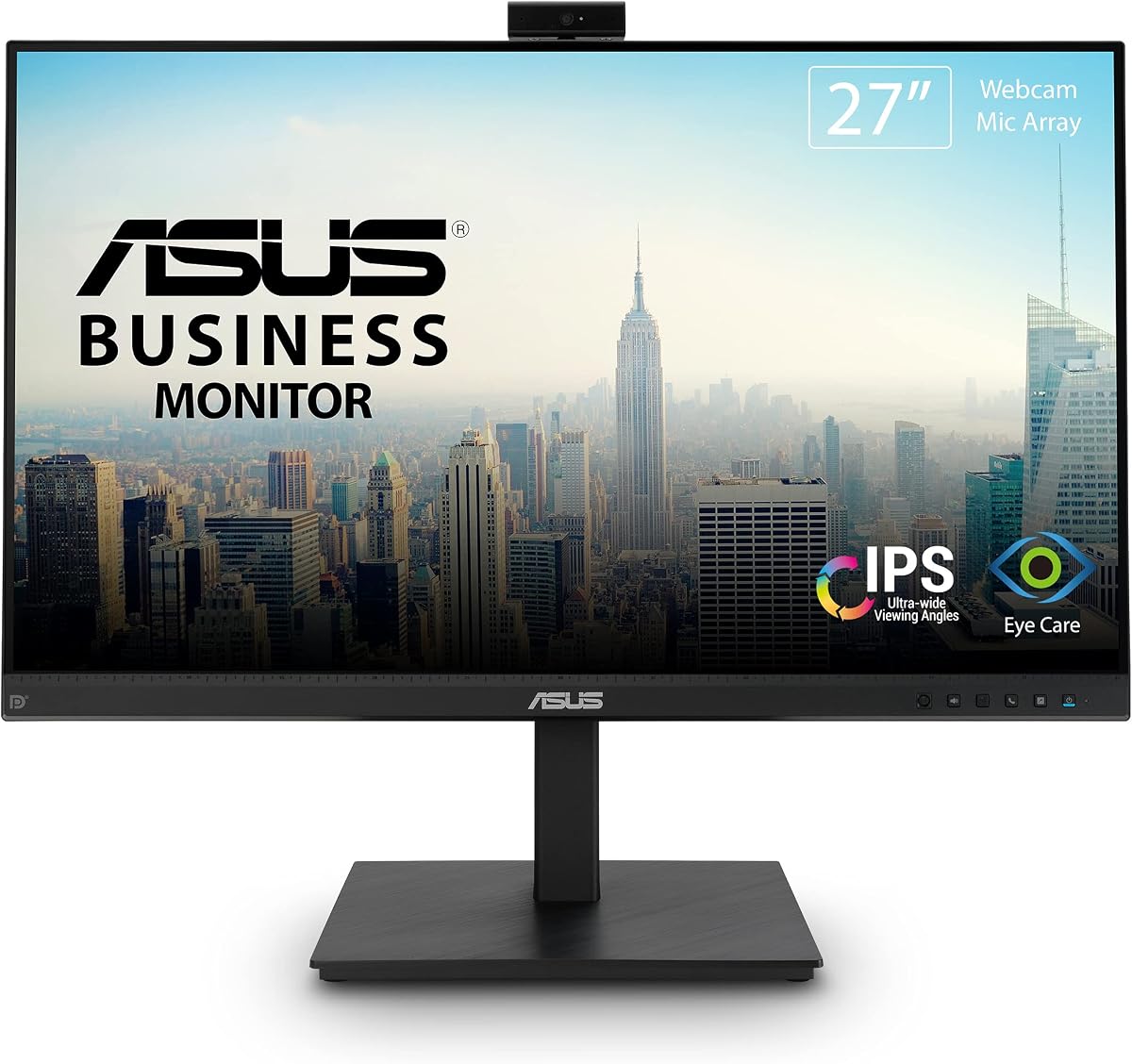
This ASUS model stands out as a top contender in our roundup. It boasts a 27-inch Full HD display with integrated conferencing tools. The build quality and ergonomic flexibility make it ideal for long hours of use.
We may earn a commission when you buy through this link, at no additional cost to you.
The integrated video conferencing features are comprehensive. A Full HD adjustable webcam sits atop the bezel, complemented by a mic array and stereo speakers. The IPS panel ensures wide viewing angles, crucial for collaborative sessions.
While the webcam is functional, it lacks the sharpness of dedicated units. However, for budget-conscious users, it balances price and performance well. The eye care technologies help reduce strain during extended workdays.
We recommend this for small offices needing a reliable all-in-one solution. It supports productivity through flexible connectivity options like DisplayPort and HDMI. Its 3-year warranty adds significant value for business buyers.
The stand offers tilt, swivel, pivot, and height adjustments. This ensures you can position the screen perfectly to reduce neck strain during daily tasks.
With DisplayPort, HDMI, D-sub, and USB ports, this monitor adapts to various setups. It supports multi-display configurations for expanded workspace efficiency.
We may earn a commission when you buy through this link, at no additional cost to you.
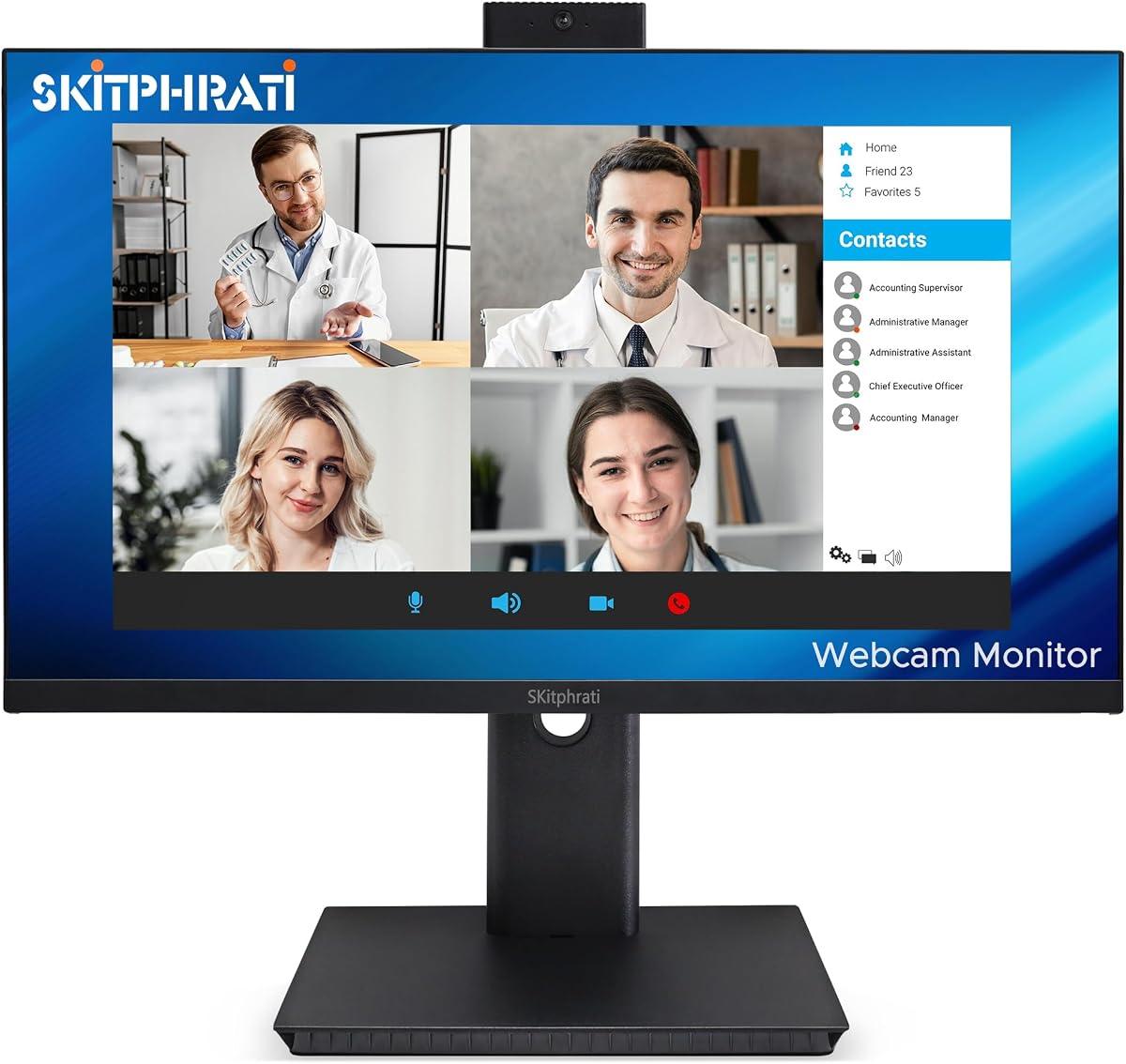
For those seeking affordability without sacrificing essentials, this 24-inch model delivers. It features a complete video conferencing solution right out of the box. The frameless design adds a modern touch to any desk setup.
We may earn a commission when you buy through this link, at no additional cost to you.
Advanced audio technology sets this unit apart. Beamforming and echo cancellation filter out background noise like keyboard clicks. This ensures your voice comes through clearly during virtual meetings.
The 24-inch screen is compact, which might feel limiting for multitaskers. However, its Full HD IPS panel offers consistent visibility from multiple positions. It is perfect for single-user workstations.
We suggest this for students or home offices on a tight budget. The Eye Care Technology reduces fatigue during long study sessions. Free Adobe Creative Cloud access adds extra value to the purchase.
Built-in beamforming technology isolates your voice from ambient noise. This creates a professional call experience without needing external microphones.
TUV Rheinland certification ensures flicker-free and Low Blue Light emission. This helps prevent eye strain during extended periods of screen time.
We may earn a commission when you buy through this link, at no additional cost to you.
This monitor offers a unique blend of business features and gaming-grade refresh rates. The 120Hz refresh rate ensures fluid visuals for both work and entertainment. It includes a built-in 3MP webcam for clear video calls.
We may earn a commission when you buy through this link, at no additional cost to you.
The frameless display maximizes screen real estate for its size. Integrated stereo speakers eliminate the need for extra audio gear during conferences. Connectivity options include HDMI, DisplayPort, and VGA for broad compatibility.
While it performs well, the build quality is utilitarian. Users should expect a functional device rather than a premium aesthetic. The eye care features help maintain comfort during extended usage periods.
We recommend this for users wanting smooth visuals without high cost. It is suitable for hybrid setups needing both productivity and light media consumption. The adjustable settings aid in creating a comfortable viewing angle.
A 120Hz refresh rate delivers smoother motion than standard 60Hz panels. This reduces blur during scrolling and makes video playback appear more natural.
Multiple input options like HDMI and DisplayPort support diverse device setups. You can easily switch between laptops and desktops without unplugging cables.
We may earn a commission when you buy through this link, at no additional cost to you.
This Philips model redefines the professional workspace with its expansive UltraWide display. The 34-inch QHD screen offers immense productivity potential for multitasking. The built-in Windows Hello webcam secures access instantly without typing passwords.
We may earn a commission when you buy through this link, at no additional cost to you.
Curved immersion is a key selling point here. The 1500R radius wraps around your field of view, reducing eye movement and strain. Ultra Wide-Color technology ensures vibrant and accurate visuals for creative tasks.
While the rating is moderate, the feature set is undeniable. USB-C docking simplifies cabling by handling video, data, and power through one cable. However, the price point places it out of reach for casual users.
We suggest this for executives needing advanced security and efficiency. The noise-canceling mic ensures clear communication in busy environments. The 4-year advance replacement warranty provides peace of mind for heavy use.
The 5MP webcam supports Windows Hello facial recognition for fast login. This adds a layer of security while streamlining your daily sign-in process.
USB-C docking transfers data and power via a single connection. This reduces cable clutter and allows you to charge your laptop while working.
We may earn a commission when you buy through this link, at no additional cost to you.
Achieving a perfect rating, this Acer monitor excels in essential functionality. It is designed specifically for office workers needing reliable conferencing capabilities. The IPS panel ensures consistent clarity from almost any viewing angle.
We may earn a commission when you buy through this link, at no additional cost to you.
Comfort is a major focus with the adjustable stand. You can tilt, swivel, and adjust height to fit your ergonomic needs. Anti-glare coatings prevent distracting reflections during long work sessions.
The included portable dock adds unexpected utility to the package. This hub supports fast data sync rates for peripherals. While basic, the webcam handles standard video calls effectively for daily needs.
We recommend this for users prioritizing comfort and reliability. It fits well into multi-monitor setups for broader workspace coverage. The AMD FreeSync technology helps smooth visuals if you do casual gaming.
A special edition portable dock hub comes in the box. It supports Super Speedy data sync rates up to 5Gbps for peripherals.
HDMI, VGA, and DisplayPort inputs ensure compatibility with legacy and modern systems. This flexibility is rare at this price point.
We may earn a commission when you buy through this link, at no additional cost to you.
Privacy is paramount in remote work, and this model addresses it directly. The pop-up 5MP webcam allows you to hide the lens when not in use. This design choice adds significant security for sensitive professional environments.
We may earn a commission when you buy through this link, at no additional cost to you.
Visuals are smooth thanks to a 120Hz refresh rate. The IPS panel offers vivid colors and high accuracy for presentations. DC dimming technology eliminates flicker, protecting your eyes during extended hours.
Security features extend beyond the camera. A Kensington lock slot provides physical protection against theft. The stand is fully adjustable with height and pivot options to suit various desk configurations.
We recommend this for privacy-conscious users in shared spaces. The 10ms response time is excellent for casual gaming too. Ensure you verify the warranty terms before purchase as it is shorter than competitors.
The pop-up mechanism physically hides the lens when not in use. This prevents unauthorized recording and ensures peace of mind.
A Kensington lock slot allows you to secure the monitor to your desk. This protects your investment from theft in public offices.
We may earn a commission when you buy through this link, at no additional cost to you.
This 27-inch variant upgrades the display resolution to QHD for sharper text and images. It retains the privacy-focused pop-up 5MP webcam found in the smaller version. The QHD panel delivers professional-grade visuals for detailed work.
We may earn a commission when you buy through this link, at no additional cost to you.
Motion performance is excellent with 120Hz and FreeSync support. This combination reduces screen tearing during fast-paced content. The stand offers robust adjustability, allowing you to customize height and tilt precisely.
Audio remains basic on this model. While functional for calls, you might prefer external speakers for media consumption. The 300cd/m² brightness ensures clarity even in well-lit rooms.
We recommend this for designers needing high resolution. The anti-glare matte surface minimizes distractions from reflections. Ensure you check the warranty coverage since it is limited to one year.
The 2560×1440 resolution offers more screen real estate than 1080P. This allows more windows open side by side without scaling down.
120Hz refresh rate combined with FreeSync creates fluid motion. This reduces blur and tearing for a smoother visual experience.
We may earn a commission when you buy through this link, at no additional cost to you.
Designed for business users, this ViewSonic model balances modern features with practicality. It includes a 5MP IR webcam compatible with Windows Hello for quick logins. The 120Hz refresh rate ensures smooth visuals for presentations.
We may earn a commission when you buy through this link, at no additional cost to you.
USB-C connectivity streamlines the setup for laptop users. You can connect video and data with a single cable. Integrated audio hardware supports virtual meetings without extra peripherals.
While reliable, the 24-inch size might feel constrained for heavy multitasking. However, the Eye Care features help mitigate strain during long meetings. The build quality feels sturdy for daily office use.
We recommend this for corporate environments needing security. The IR camera works well in varied lighting conditions. Ensure your laptop supports USB-C video input before purchasing this unit.
The 5MP IR webcam enables secure facial recognition login. This streamlines the sign-in process for shared or private workstations.
USB-C connectivity allows video and data transfer via one cable. This reduces desk clutter and simplifies connections to modern laptops.
We may earn a commission when you buy through this link, at no additional cost to you.
This Samsung monitor acts as a true smart hub for your desk. It features a built-in KVM switch to control two devices with one keyboard and mouse. The Ultra-WQHD resolution ensures crisp visuals for complex tasks.
We may earn a commission when you buy through this link, at no additional cost to you.
HDR10 support enhances content quality with richer colors. The built-in camera slides down into the bezel for privacy when not needed. Ethernet support allows wired connectivity for laptops without Wi-Fi.
The curved design wraps around your view for better immersion. This reduces eye strain during long work sessions. However, the smart features can complicate the initial setup process for some users.
We recommend this for power users with multiple devices. The KVM switch saves significant desk space by eliminating the need for extra docks. Consider your space and setup complexity before purchasing.
The built-in KVM switch lets you control two sources with one keyboard and mouse. This simplifies multitasking across different computers.
Access apps and streaming services directly without a PC. This turns the monitor into an entertainment center when you are away from your desk.
We may earn a commission when you buy through this link, at no additional cost to you.
This model stands out with its stunning 4K resolution and smart TV capabilities. Vision AI processors upscale content and optimize picture quality dynamically. It is a powerful alternative to a traditional PC setup for media consumption.
We may earn a commission when you buy through this link, at no additional cost to you.
The detachable SlimFit Camera ensures privacy and flexibility. You can position it exactly where needed and store it when not in use. USB-C power delivery supports charging laptops up to 65W for a clean desk.
While expensive, the versatility is unmatched. You can watch shows or work on documents seamlessly. The stand is fully adjustable and height adjustable for optimal ergonomics.
We recommend this for creative professionals needing high resolution. The AI features enhance streaming quality without extra effort. Ensure your workflow benefits from the smart TV OS features before buying.
The 4K UHD display offers four times the resolution of Full HD. This ensures text and images appear incredibly sharp and detailed.
The NQM AI Processor upscaling and enhances image quality in real time. This improves streaming content regardless of the source resolution.
We may earn a commission when you buy through this link, at no additional cost to you.
Choosing the right all-in-one monitor requires evaluating several key factors to match your workspace needs.
Screen size affects how much information you can view at once. Larger screens like 27 inches or more offer more workspace for multitasking. Resolution impacts clarity; 1080P is standard but 4K provides sharper details.
Choose a size that fits your desk and distance. Higher resolutions are better for detailed work or creative tasks.
Webcams in these monitors range from 2MP to 5MP. Higher resolution means clearer video for professional calls. Privacy features like pop-up shutters prevent accidental recording.
Prioritize cameras with privacy mechanisms if you work in shared spaces. Ensure the lens is adjustable for better angles.
Built-in speakers vary in quality and volume. Look for features like noise cancellation for better call clarity. External audio support via 3.5mm jack is useful if internal speakers are weak.
Test audio clarity if possible. Advanced processing ensures your voice is heard without background noise.
Adjustable stands are crucial for long-term comfort. Look for height, tilt, and swivel options to reduce strain. A sturdy base ensures stability when adjusting the screen.
Opt for stands that allow vertical pivot if you switch to coding modes. Proper ergonomics prevent neck and back pain.
Ports determine what devices you can connect. HDMI and DisplayPort are standard for video. USB-C is valuable for single-cable docking and charging laptops.
Check if your devices match the available ports. USB-C supports data, video, and power transfer efficiently.
Refresh rate affects smoothness of motion. Standard office monitors use 60Hz but 120Hz reduces blur. Response time impacts ghosting during fast movements.
Consider a higher refresh rate if you view lots of video. It improves overall visual fluidity.
Extended screen time can cause fatigue. Features like flicker-free and blue light filters reduce strain. Certifications like TUV Rheinland validate these claims.
Always choose monitors with eye care technology. It makes a significant difference during long work hours.
Reliable warranty coverage protects your investment. Look for terms that include replacement and repair. Business models often offer better support than consumer units.
Verify the warranty length before buying. Advanced replacement services reduce downtime significantly.
Position the webcam at eye level for natural video calls. Adjust the tilt to ensure the lens captures your face clearly without distortion.
Clean the lens and screen with a microfiber cloth to maintain clarity. Avoid harsh chemicals that might damage the anti-glare coating.
Regularly check audio settings to optimize volume levels. Calibrate microphone sensitivity to ensure clear voice pickup during meetings.
Built-in monitors save space and simplify setup. While external cameras may offer higher quality, integrated units provide convenience. Look for models with privacy shutters for security.
Many models offer 120Hz for smooth visuals. This is beneficial for video playback and light gaming. Standard office tasks often run comfortably on 60Hz too.
Use HDMI and DisplayPort for simultaneous connections. Some monitors support KVM switching to control multiple sources. Check the ports before purchasing.
Yes, provided they have high refresh rates and fast response times. Look for AMD FreeSync or G-Sync compatibility. This reduces tearing for a better experience.
Most modern laptops with USB-C support video output. Ensure the port supports DisplayPort Alt Mode. This allows for single-cable video and power.
Warranties range from one to three years. Business models often come with advanced replacement services. Verify the terms on the product page before purchase.
We highlighted top models ranging from budget-friendly to premium options. The Acer and ASUS units offer excellent value for standard office needs.
Prioritize ergonomics and webcam quality based on your daily routine. Features like privacy shutters and eye care tech add significant value.
Prices and availability fluctuate frequently. Always check current listings before finalizing your purchase to ensure the best deal.