
Moezuti 20-Port Charging Station
4.8Editor score
20 mixed USB ports
600W total power
Includes ten charging cables
Compare the best charging stations for Chromebooks to find durable docks and carts for classrooms and offices with surge protection and cable management.
Finding reliable charging solutions for Chromebooks ensures devices stay ready for daily use. Good stations offer organized storage, safety features, and enough power for multiple gadgets at once.
We evaluated top models based on capacity, build quality, safety ratings, and ease of use. This list covers stationary racks and mobile carts suitable for schools, offices, and shared spaces.
Each pick highlights unique strengths like heat dissipation, adjustable dividers, or included cables. Prices and availability may change, so verify details before purchasing your ideal charging solution today.
4.8Editor score

4.7Editor score
5.0Editor score
This side-by-side comparison highlights key specifications across all ten models to help you choose the right capacity and features for your specific environment.


This POCHAR station earns our Editor's Choice for balancing capacity and safety. It holds eight devices including Chromebooks up to 14 inches with robust surge protection.
We may earn a commission when you buy through this link, at no additional cost to you.
The wide-angle slots accommodate various laptop sizes without forcing devices. Surge protection guards against voltage spikes, making it reliable for high-demand office environments.
While it lacks included cables, the no-assembly design saves immediate setup time. The sturdy build ensures stability during daily use in busy shared spaces.
Best for offices needing a dependable, easy-to-use station that prioritizes device safety and quick deployment without complex installation steps.
Built-in surge protection safeguards valuable Chromebooks from unexpected voltage spikes during charging sessions.
No assembly required means you can unbox and start charging devices immediately upon arrival.
We may earn a commission when you buy through this link, at no additional cost to you.
The Moezuti station offers incredible value with twenty mixed USB ports and included cables. It supports fast charging for Chromebooks and other USB-C devices simultaneously.
We may earn a commission when you buy through this link, at no additional cost to you.
GaN technology ensures safe charging without overheating even under heavy load. The included cables reduce clutter, making it perfect for home desks or small offices.
Without AC outlets, you must rely on USB ports which limits adapter compatibility. However, the included cables cover most modern device needs effectively.
Ideal for budget-conscious buyers needing high port counts and safety features without paying for extra power strip functionality or expensive branding.
Ten short mixed cables are included to eliminate wall charger clutter and manage cords neatly.
GaN technology actively defends against overcharging and overheating for secure overnight charging.
We may earn a commission when you buy through this link, at no additional cost to you.
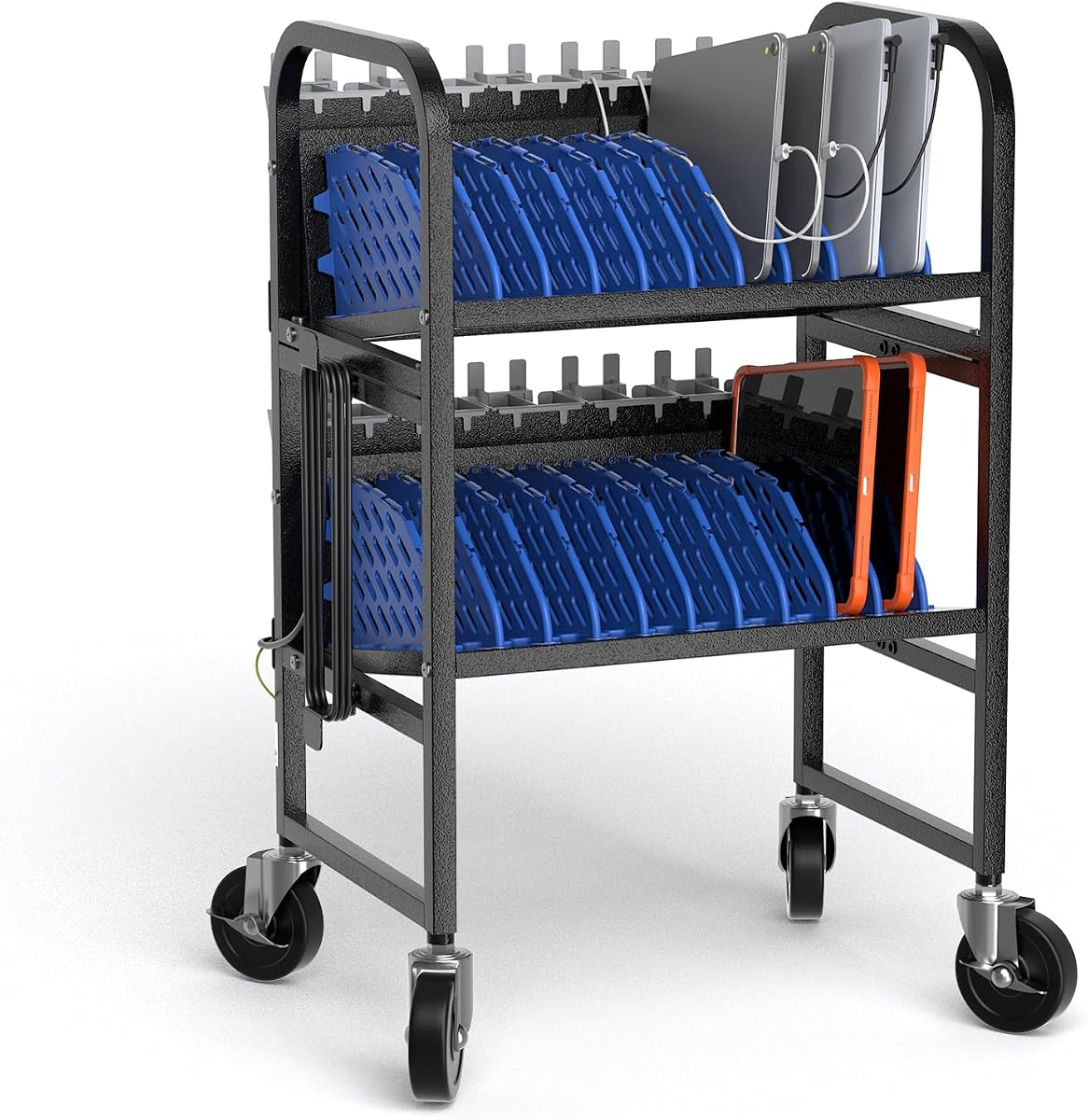
This premium cart offers unmatched mobility and capacity for large fleets. It holds twenty devices with built-in outlets and sturdy wheels for easy transport.
We may earn a commission when you buy through this link, at no additional cost to you.
Locking casters provide stability during charging, while ventilated design prevents heat buildup. Heavy-duty materials ensure it withstands daily movement in busy schools.
The high price reflects industrial quality, making it less suitable for tight budgets. Large size may limit placement in smaller rooms without sufficient floor space.
Best for schools and libraries needing a robust, transportable hub that manages large numbers of Chromebooks efficiently without compromising safety.
Quiet swivel casters with locks allow easy movement and secure stationary charging positions.
Built with heavy-duty steel to withstand high-traffic environments and frequent relocation.
We may earn a commission when you buy through this link, at no additional cost to you.
This station balances AC and USB options for mixed device needs. It organizes ten devices neatly with a cable routing system that reduces clutter effectively.
We may earn a commission when you buy through this link, at no additional cost to you.
Surge protection protects connected gear while open racks allow quick access. Vertical layout saves valuable desk space in shared office or classroom areas.
Fewer user reviews suggest less proven long-term reliability compared to others. Lack of dividers means devices might shift without careful placement.
Ideal for offices needing flexible power types in a compact footprint without requiring extra accessories or assembly.
Six AC outlets and four USB ports support diverse charger types for maximum compatibility.
Integrated cable management routes cords cleanly to keep workstations tidy.
We may earn a commission when you buy through this link, at no additional cost to you.
This rack offers high density with fourteen slots and excellent ventilation for safe charging. Leveling feet ensure stability on uneven floors in schools or offices.
We may earn a commission when you buy through this link, at no additional cost to you.
Solid steel build provides durability while open frame design prevents overheating. It requires separate adapters but offers maximum flexibility for device placement.
The absence of a power strip may increase total setup cost. Users must verify adapter compatibility for all connected devices independently.
Best for environments needing pure storage capacity and airflow without built-in power electronics.
Four adjustable feet balance the rack perfectly on any surface to prevent tilting.
Open frame design allows natural airflow to keep devices cool during long charging sessions.
We may earn a commission when you buy through this link, at no additional cost to you.
Workington offers an affordable option with padded protection and safe power strips. Removable dividers let you adapt to different Chromebook sizes easily.
We may earn a commission when you buy through this link, at no additional cost to you.
UL certification ensures safety in schools, while cord clips keep wires organized. Assembly is straightforward, but adds setup time before first use.
Capacity tops out at eight which may not fit larger classes. Pads may wear over time with heavy daily handling.
Great for small schools needing protective charging solutions at a reasonable budget.
Soft pads on shelves prevent scratches and physical damage to laptop bottoms.
UL approved power strips give confidence in electrical safety standards.
We may earn a commission when you buy through this link, at no additional cost to you.
This POCHAR model combines compact size with industrial durability. Ten devices fit securely with airflow design to reduce overheating risks during charging.
We may earn a commission when you buy through this link, at no additional cost to you.
Extra storage tray below holds accessories while steel frame resists wear. Overheat prevention design adds safety for unattended overnight charging.
Limited to ten devices, it suits smaller rooms better. Fixed design means no mobility between different areas.
Ideal for small offices needing a stable, safe station with accessory storage space.
Lower tray provides quick access to extra cables and power adapters.
Open-frame structure promotes cooling to prevent overheating during long sessions.
We may earn a commission when you buy through this link, at no additional cost to you.
Belkin provides reliable protection with surge outlets and a connected equipment warranty. Portable design fits on carts or mounts to desks easily.
We may earn a commission when you buy through this link, at no additional cost to you.
Brand reputation adds peace of mind for school IT managers. Mounting options offer flexibility but may complicate relocation without tools.
User ratings lag behind newer models suggesting design could be outdated. Higher cost may not match performance improvements seen elsewhere.
Best for organizations prioritizing brand reliability and warranty support over price or latest features.
$15000 connected equipment warranty offers significant financial protection for users.
Surface mounting features allow secure attachment to tables or carts.
We may earn a commission when you buy through this link, at no additional cost to you.
Zobirez delivers fast charging with GaN tech and multiple port types. Non-slip pads keep the unit steady on any flat desk surface securely.
We may earn a commission when you buy through this link, at no additional cost to you.
Safety features protect against overheating and overcurrent ensuring safe overnight charging. Cables included reduce clutter and simplify setup immediately.
Limited to USB ports means it won't work with standard AC adapters directly. Users must rely on modern USB-C charging for laptops.
Great for modern device fleets with USB-C laptops needing quick charge times.
Advanced GaN tech ensures faster charging speeds without excess heat.
Four rubber pads protect desks and keep the station steady during use.
We may earn a commission when you buy through this link, at no additional cost to you.
This mobile cart brings mobility at a budget price. Steel construction ensures durability while locking wheels keep devices secure during charging.
We may earn a commission when you buy through this link, at no additional cost to you.
Tool-free assembly saves time and open design ensures easy device access. It requires external power cords but offers excellent storage flexibility.
Missing power strip means users must plug adapters separately. Smaller capacity may not suit larger classrooms needing more devices.
Ideal for schools needing a movable storage cart that doesn't require power electronics built-in.
Locking wheels hold the cart stable during daily charging cycles.
Tool-free assembly lets you start using the station right after unboxing.
We may earn a commission when you buy through this link, at no additional cost to you.
Choosing the right station involves evaluating capacity, safety, and portability to match your specific classroom or office needs.
Count your devices and choose a station with extra slots. Most models hold eight to twenty units with space for cases.
Selecting extra slots ensures you accommodate growth without buying a new unit later.
Look for surge protection and UL certification. These features protect expensive Chromebooks from power spikes or fire hazards.
Always prioritize certified safety features when charging multiple devices overnight.
Decide if you need a cart with wheels. Mobile units help move devices between rooms but add weight.
Stationary racks work best for fixed locations while carts suit shared classrooms.
Check if the station includes AC outlets or USB ports. Some models need external adapters for Chromebook chargers.
Models with built-in strips reduce cable clutter significantly.
Steel frames withstand daily use better than plastic. Consider durability when placing stations in busy student areas.
Robust materials ensure long-term stability and safety.
Integrated clips or routing keep cords organized. Tangled cables create hazards and slow down device retrieval.
Systems with built-in routing save time during daily routines.
Open designs allow better airflow than enclosed boxes. Overheating can damage batteries if ventilation is poor.
Choose open racks for cooler operation during long charging sessions.
Some units require tools while others come ready. Consider setup time if you need immediate deployment.
No-assembly models save hours during installation.
Place the station on a level surface away from direct sunlight. Ensure there is enough clearance for vents to avoid overheating.
Plug the power strip into a surge protector for extra safety. Route cords through clips to keep the workspace tidy and prevent tangles.
Wipe the shelves with a damp cloth regularly. Check for any frayed cables monthly to maintain electrical safety standards.
Most stations accommodate standard Chromebook sizes up to 14 or 15 inches. Check slot width and depth before buying to ensure proper fit with cases.
Not all stations have built-in surge protection. Always check product specs for safety certifications before purchasing for safety.
Yes, many models feature adjustable dividers to hold tablets alongside Chromebooks. Verify slot dimensions match your specific tablet size.
Some carts require assembly while others come pre-assembled. Review product details to know if tools are needed for setup.
Choose stations with open-frame designs or ventilation slots. Keep the area around the station clear of dust and debris.
Many brands sell matching extension or replacement cables. Some units include cables in the box, so verify what comes included.
The POCHAR 8-Device and Moezuti 20-Port options stand out for reliability and value respectively. Mobile carts suit classrooms while stationary racks fit offices.
Prioritize safety features like surge protection when buying. A good station protects both devices and users from electrical risks.
Verify current pricing and stock on Amazon since offers change. Select the model that best matches your capacity and budget needs today.