
HP Series 5 Pro 24" FHD USB-C Conferencing Monitor
4.5Editor score
5MP pop-up webcam
AI Noise Reduction mics
USB-C docking support
Finding a monitor with built in webcam capabilities can transform your workspace into a streamlined hub for productivity and communication. These devices integrate high-quality cameras and microphones directly into the screen, eliminating the need for external peripherals. They are ideal for professionals, students, and remote workers seeking a clean setup without sacrificing video conferencing quality.
We have carefully evaluated ten leading models available in the current market to bring you this comprehensive comparison. Each product was assessed based on display resolution, webcam specifications, audio quality, connectivity options, and ergonomic adjustability. Our goal is to provide you with clear insights into how each monitor performs in real-world scenarios.
Each pick in this list highlights specific strengths tailored to different needs such as budget-friendly options or premium ultra-wide displays. You will find detailed breakdowns of features like pop-up privacy shutters, Windows Hello support, and refresh rates suitable for both work and casual gaming. Please note that pricing and availability are subject to change over time.
4.5Editor score
4.3Editor score

3.8Editor score
As an Amazon Associate we earn from qualifying purchases.
The following table provides a side-by-side overview of the ten selected monitors with built in webcam features. It highlights key specifications including screen size, resolution, refresh rate, and unique webcam capabilities to help you quickly identify the model that fits your specific workflow requirements.




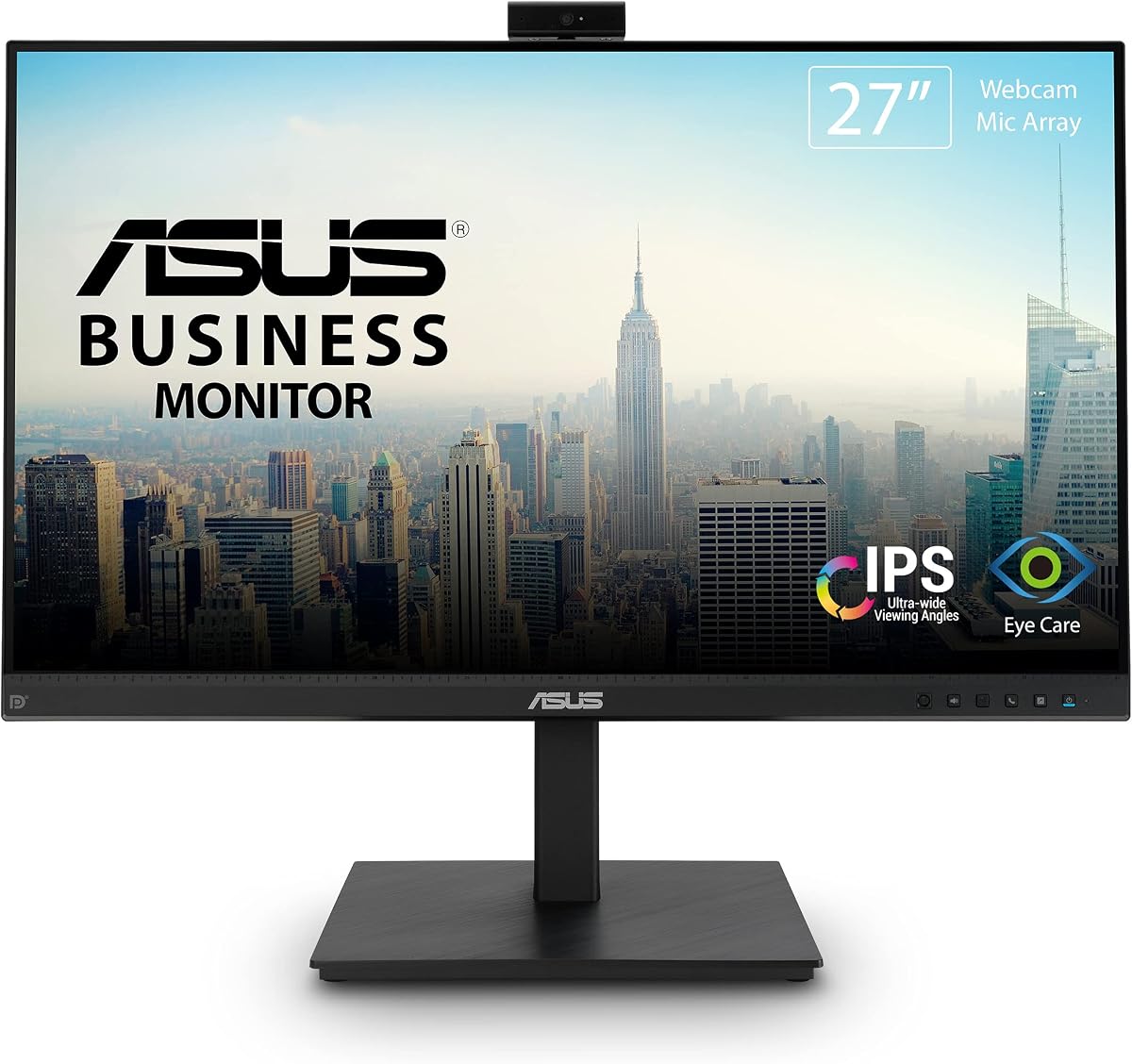
The ASUS BE279QSK stands out as a top choice for professionals needing a reliable all-in-one display. It features a 27-inch Full HD IPS panel with an integrated webcam designed specifically for video conferencing. With a rating of 4.3 stars, users appreciate its balance of visual quality and communication tools.
We may earn a commission when you buy through this link, at no additional cost to you.
Its video conferencing features are comprehensive, including a Full HD adjustable webcam, mic array, and stereo speakers. The frameless IPS panel offers wide viewing angles, ensuring clarity during multi-person meetings. Extensive connectivity options like DisplayPort and HDMI provide flexibility for various workstation setups.
While it offers excellent ergonomics with tilt, swivel, pivot, and height adjustments, the refresh rate is standard at 60Hz. This is perfectly acceptable for office work but might not suit high-speed gaming. The included 3-year warranty adds significant peace of mind for business users.
Buyers looking for a dependable monitor that streamlines remote work should consider this model highly. Its Eye Care Technology reduces fatigue during long sessions. The free Adobe Creative Cloud subscription adds extra value for designers and content creators using the device.
The built-in HD webcam and mic array eliminate the need for extra hardware, making setup quick and easy for daily calls.
Extensive stand adjustments allow you to position the screen perfectly to reduce neck strain during extended working hours.
We may earn a commission when you buy through this link, at no additional cost to you.
The ASUS BE24EQK offers a complete video conferencing solution in a compact 24-inch form factor. Its integrated 2MP adjustable Full HD webcam and beamforming microphone are designed for seamless communication. This model is particularly well-suited for students or remote workers who need a tidy setup.
We may earn a commission when you buy through this link, at no additional cost to you.
Advanced audio technology helps filter out ambient noise like keyboard clicks, ensuring speech clarity during calls. The Full HD frameless IPS panel provides consistent visibility from multiple positions thanks to wide viewing angles. Eye Care Technology with TV Rheinland Certification reduces fatigue during extended use.
Connectivity is versatile with DisplayPort, HDMI, and VGA ports, allowing connections to older devices. However, the webcam resolution is lower than some competitors, which might affect video quality in low light. The stand lacks height adjustment compared to higher-end models.
This monitor is a practical choice for those needing essential conferencing features without breaking the budget. It includes a three-year warranty for reliability. The free Adobe Creative Cloud subscription adds unexpected value for creative users who need basic editing tools.
Beamforming technology filters out background noise so your voice comes through clearly even in busy home environments.
The inclusion of a VGA port ensures you can connect older laptops or projectors without needing additional adapters.
We may earn a commission when you buy through this link, at no additional cost to you.
The Thinlerain 23.8 inch monitor revolutionizes the setup with a 3MP pop-up webcam that offers physical privacy. It features a stunning 2K resolution display with a 100Hz refresh rate for smooth visuals. This model stands out for its high-quality panel and privacy-conscious design.
We may earn a commission when you buy through this link, at no additional cost to you.
Users can enjoy vibrant colors and wide viewing angles thanks to the IPS panel. The stand allows for height, tilt, swivel, and 90-degree pivot adjustments, enabling vertical portrait mode for coding or reading. The webcam and microphone activate with a simple press of the button.
Note that to enable the webcam, you must connect via USB-C, which is included. This requirement ensures the camera draws power correctly but limits legacy device support. The anti-glare surface and high brightness ensure visibility even in well-lit rooms.
Anyone valuing privacy and sharp text will appreciate this all-in-one video conferencing station. The 100Hz refresh rate adds a benefit for casual gaming. It offers a complete package with cables included, ready to work out of the box.
The pop-up camera retracts completely when not in use, providing peace of mind about privacy without software toggles.
Rotating the screen to portrait mode is ideal for reviewing long documents or coding efficiently on a 2K panel.
We may earn a commission when you buy through this link, at no additional cost to you.
The Philips 34-inch UltraWide monitor expands your horizons with a 21:9 aspect ratio designed for efficient productivity. It features a built-in 5MP webcam with advanced sensors for Windows Hello facial recognition. This allows you to log into devices quickly without a password.
We may earn a commission when you buy through this link, at no additional cost to you.
The 1500R curved VA panel offers rich colors and helps alleviate eye strain during long hours of work. USB-C docking transfers data, video, and power up to 65W via a single cable. This simplifies desk clutter significantly for laptop users.
Despite the premium features, the review score is slightly lower than others, potentially due to specific setup requirements. The color gamut coverage is excellent for professional graphics work. The 100Hz refresh rate ensures smooth scrolling and movement.
Business professionals seeking a single cable solution and security features will find this model compelling. It is an investment in workflow efficiency and visual comfort. Ensure your laptop supports the required protocols to maximize the docking benefits.
The built-in sensors allow you to unlock your computer in seconds with just a glance for secure and fast access.
A single cable handles video and charging up to 65W so you keep your laptop powered while working.
We may earn a commission when you buy through this link, at no additional cost to you.
CUNPU offers a versatile video conferencing monitor with a pop-up 5MP webcam that supports 2K clarity. It delivers ultra-smooth visuals with a 120Hz refresh rate via HDMI for fluid viewing. This combination makes it suitable for both professional tasks and entertainment.
We may earn a commission when you buy through this link, at no additional cost to you.
The anti-glare matte surface minimizes reflections while DC dimming eliminates screen flicker. The stand offers height, swivel, pivot, and tilt adjustments to fit ergonomic needs. VESA mount compatibility provides flexible wall-mounting options for various workspace setups.
While the webcam is high resolution, it requires USB-B 2.0 upstream connectivity. This means you need a standard USB cable to power the camera functions. The Kensington lock slot adds physical security which is useful for public offices.
Buyers needing a balance of refresh rate and webcam quality will like this option. It includes all necessary cables for easy setup. The one-year warranty ensures reliability and support for daily usage.
The pop-up camera gives you control over your privacy physically by hiding the lens when you are not on calls.
A 120Hz refresh rate ensures that scrolling through spreadsheets or watching videos looks incredibly fluid on this screen.
We may earn a commission when you buy through this link, at no additional cost to you.
The HP Series 5 Pro delivers exceptional value with a Poly Studio 5MP pop-up webcam and AI Noise Reduction mics. It is perfect for hybrid workers needing flexibility. The monitor includes a Portable Dockztorm Data Hub to speed up data sync rates significantly.
We may earn a commission when you buy through this link, at no additional cost to you.
Visual experience is enhanced by a 3-sided borderless design that maximizes screen real estate. You can adjust height, tilt, swivel, and pivot for total comfort. Built-in Eye Care reduces blue light output while keeping color accuracy true to life.
Audio quality is supported by 4x 3W down firing speakers for clear communication. The USB-C docking allows for streamlined professional conferencing setups. This makes it a strong contender for offices looking to standardize hardware.
Hybrid workers will appreciate the AI features that limit distractions during meetings. The included dock adds significant utility. Overall this model offers a strong combination of price and performance for remote business users.
AI mics filter out background noise like fans or traffic so your voice stays clear during critical conversations.
A special edition portable data hub is included to help you connect peripherals and sync data quickly.
We may earn a commission when you buy through this link, at no additional cost to you.
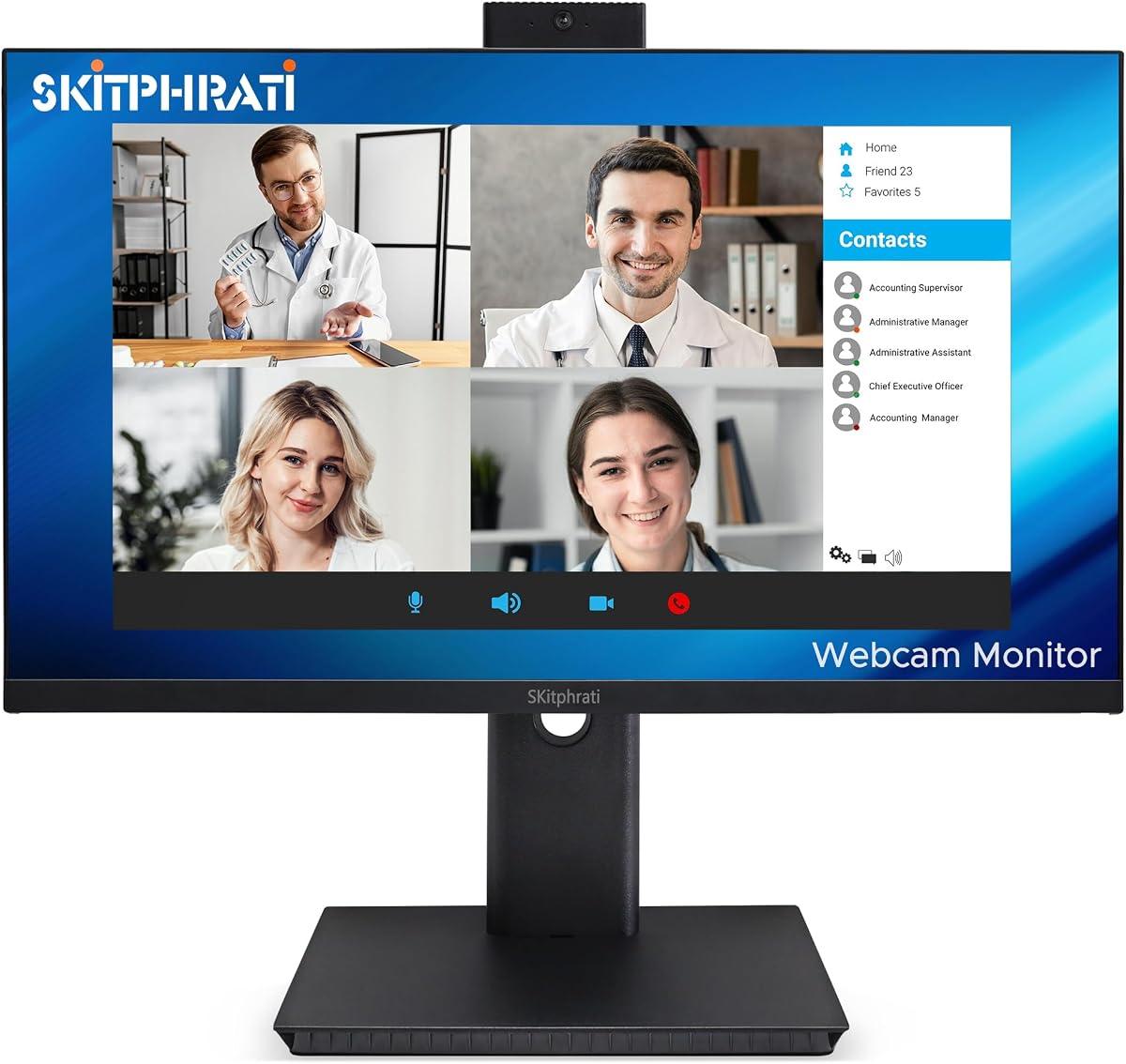
The SKitphrati 27-inch business monitor features a 120Hz refresh rate for clear and fluid visuals during use. It comes with an integrated adjustable 3MP camera and microphone array for professional video conferencing needs. The frameless design maximizes the screen area for immersive viewing.
We may earn a commission when you buy through this link, at no additional cost to you.
Multiple input options including HDMI, DisplayPort, VGA, and USB 2.0 ports ensure compatibility with various legacy and modern devices. Integrated stereo speakers eliminate the need for external audio equipment during daily calls. The display includes eye care technology for comfortable viewing.
While the resolution is standard Full HD, the higher refresh rate offers smooth scrolling for office apps. The stand supports tilt adjustments but lacks full pivot or height options found in premium models. This makes it suitable for general office use.
Users prioritizing a large screen and smooth visuals will find this model practical. It is a functional choice for teams needing basic conferencing tools. The wide variety of ports ensures it can adapt to different hardware configurations easily.
A 120Hz refresh rate makes scrolling through webpages and documents feel much smoother than standard 60Hz screens.
Having HDMI, DP, and VGA options means you can easily connect older projectors or computers to this display.
We may earn a commission when you buy through this link, at no additional cost to you.
This CUNPU 27-inch Monitor offers breathtaking detail with 2560×1440 QHD resolution and a 120Hz refresh rate. It features a pop-up 5MP webcam that ensures privacy and security for your workspace. The display is compatible with AMD FreeSync and G-Sync for tear-free performance.
We may earn a commission when you buy through this link, at no additional cost to you.
Eye comfort is prioritized with DC dimming technology to eliminate flicker during extended work sessions. The stand supports height, tilt, swivel, and pivot adjustments to create the healthiest workspace possible. Kensington lock slot adds security for shared environments.
Connectivity includes HDMI 2.0 and DP 1.4 for high bandwidth connections to modern laptops. However, the webcam requires USB upstream to function correctly which adds a cable to your setup. The anti-glare surface helps minimize reflections in bright offices.
Gamers needing a webcam for streaming or work find this model a perfect hybrid. It balances professional conferencing with casual gaming features. The included cables ensure you can start using the monitor immediately upon unboxing.
FreeSync and G-Sync support ensures smooth frame rates during casual gaming breaks after long work hours.
QHD resolution offers sharper text and more screen real estate than Full HD monitors for better multitasking.
We may earn a commission when you buy through this link, at no additional cost to you.
The ViewSonic VG2441V combines Full HD resolution with a 120Hz refresh rate and a built-in 5MP IR webcam. This monitor supports Windows Hello sign-in to streamline authentication in office environments. It is designed for efficient business collaboration and meetings.
We may earn a commission when you buy through this link, at no additional cost to you.
USB C HDMI and DisplayPort allow flexible connectivity with laptops and desktops. The integrated microphone and speakers make it practical for virtual meetings without extra conferencing accessories. Eye Care features help support extended meetings and document reading comfortably.
The 5MP IR webcam is a standout feature for businesses needing secure login methods. It ensures you stay productive without typing passwords constantly. The design supports Mac and PC systems equally well for mixed office setups.
Organizations looking for secure access will find this model beneficial. The 120Hz rate adds fluidity to daily tasks. It is a solid investment for professional environments prioritizing both security and communication efficiency.
Windows Hello support lets you unlock your device safely using your face instead of memorizing complex passwords.
Integrated audio and mic save you the cost of buying separate peripherals for video calls daily.
We may earn a commission when you buy through this link, at no additional cost to you.
The Acer 23.8-inch FHD IPS monitor is ideal for home users needing a reliable display for conferencing and daily tasks. It features an integrated webcam microphone arrays and speakers included for ready-to-use functionality. The IPS panel ensures vibrant colors and sharp visuals from any angle.
We may earn a commission when you buy through this link, at no additional cost to you.
Screen adjustability includes tilt swivel and height adjustment for maximum viewing comfort. AMD FreeSync technology syncs refresh rates to reduce screen tearing during video playback. This makes it a good choice for casual gaming and media consumption after work.
VESA compatibility allows flexible mounting options though the stand is standard. It supports 178-degree wide viewing angles ensuring consistent clarity. The anti-glare screen helps maintain visibility in various lighting conditions without distraction.
This model is perfect for simple setups requiring quality without extra complexity. It includes a portable dock in some versions for connectivity. Buyers looking for a hassle-free conferencing setup will find it highly effective for daily use.
Height adjustment ensures you can set the screen at eye level to avoid neck strain during long workdays.
IPS panel ensures that the image looks sharp and vibrant whether you are looking straight on or from the side.
We may earn a commission when you buy through this link, at no additional cost to you.
Selecting the right monitor with a built in webcam requires evaluating display quality webcam performance and ergonomics. This guide outlines key factors to consider for making an informed decision.
Resolution dictates clarity and screen real estate. 1080P is standard for basic tasks but 2K or QHD offers sharper text for coding and design. Larger screens increase productivity but require more desk space.
Choose at least 24 inches for comfortable multitasking.
Look for at least 5MP resolution for clear video in meetings. Features like auto-focus and low-light correction improve image quality significantly. Some models include privacy shutters for security.
Prioritize cameras with adjustable angles to frame yourself properly.
Integrated speakers and microphones are essential for an all-in-one solution. Beamforming mics reduce background noise so you sound professional. Check if the speakers offer enough volume for a medium room.
Ensure the audio system supports noise cancellation features.
Adjustability reduces physical strain during long hours. Look for height tilt swivel and pivot adjustments. VESA mount compatibility allows flexible mounting solutions if the stand lacks flexibility.
Ensure the stand supports at least three axes of movement.
Modern setups often require USB-C for data and power. HDMI and DisplayPort ensure video compatibility. Verify upstream ports are available to power the webcam correctly.
Match ports to your existing devices and docking station.
Higher refresh rates like 120Hz provide smoother scrolling and gaming. Response time affects motion blur. Most office users can stick to 60Hz but gamers benefit from faster rates.
Select rates based on your mix of work and entertainment.
Privacy features include physical shutters and security slots. Windows Hello support adds a layer of convenience to logging in. Consider models that allow camera disable when not in use.
Physical controls provide stronger security than software toggles.
A strong warranty like 3 years indicates manufacturer confidence. Advanced replacement services minimize downtime for business users. Check for support availability and customer service reputation.
Always review warranty terms before finalizing your purchase.
To begin set up your monitor connect the main video cable and the upstream USB cable for webcam functions. Ensure the webcam is active via software or physical shutter. Position the camera at eye level for natural eye contact during calls.
Clean the screen gently with a microfiber cloth to avoid scratches. Use a soft brush or compressed air to keep the webcam lens dust free. Avoid harsh chemicals that could damage the anti-glare coating on the display surface.
Adjust settings like brightness and blue light filters based on your room lighting. Regularly check firmware updates to improve webcam performance and security features. Keep the stand stable to prevent accidental tipping during adjustments.
Most modern monitors use plug-and-play drivers via USB. However installing manufacturer software ensures all features like focus and audio work optimally. Check the device manager if you face connection issues initially.
In most cases the webcam depends on the monitor for power. Ensure the USB upstream connection is active. Some models may not function independently of the display unit.
Use physical privacy shutters if available. You can also disable the camera in system settings. This ensures no software access is possible without your explicit permission.
Built-in speakers are sufficient for basic calls but dedicated headphones might be better for large conferences. Beamforming mics on these monitors reduce background noise effectively for professional use.
Yes most models support multiple inputs like HDMI and DisplayPort. You can switch between sources without unplugging cables easily. Check the menu options for quick source switching.
Webcams draw power and data via upstream USB connections. This ensures stable transmission and high-quality video output. Always use the provided cables for best performance.
The ASUS BE279QSK remains our top pick for balancing video conferencing features and ergonomics. It offers a solid All-in-one solution for professionals looking to streamline their workspace efficiently.
Prioritize webcam privacy and audio quality based on your daily meeting needs. Select a resolution that matches your workload complexity for comfortable long-term use.
Always check current availability and warranty terms before buying. Prices change often so confirm the details on the product page before finalizing your decision.