
Frameo Digital Picture Frame 10.1
4.6Editor score
Affordable price point
32GB internal memory
Non-WiFi transmission support
Finding the right digital picture frame for grandparents can transform how families share memories. These devices allow loved ones to view photos and videos without needing complex tech skills. A good frame offers simple setup, clear displays, and reliable connectivity to keep everyone connected.
We evaluated ten top-rated models based on screen size, storage capacity, and user interface design. Our comparison highlights frames that prioritize simplicity for seniors while maintaining modern features like Wi-Fi sharing and touch controls. Each option was assessed for reliability and value.
Each pick in this list demonstrates unique strengths for different household needs and preferences. Prices and availability change frequently, so verify details before purchasing. We aim to help you choose a frame that brings joy and connection to your family gatherings effortlessly.
4.6Editor score
4.7Editor score

4.7Editor score
As an Amazon Associate we earn from qualifying purchases.
This side-by-side comparison highlights key specifications across all ten selected digital picture frames. We focus on screen size, memory options, and connectivity methods to help you find the perfect match for your family needs.


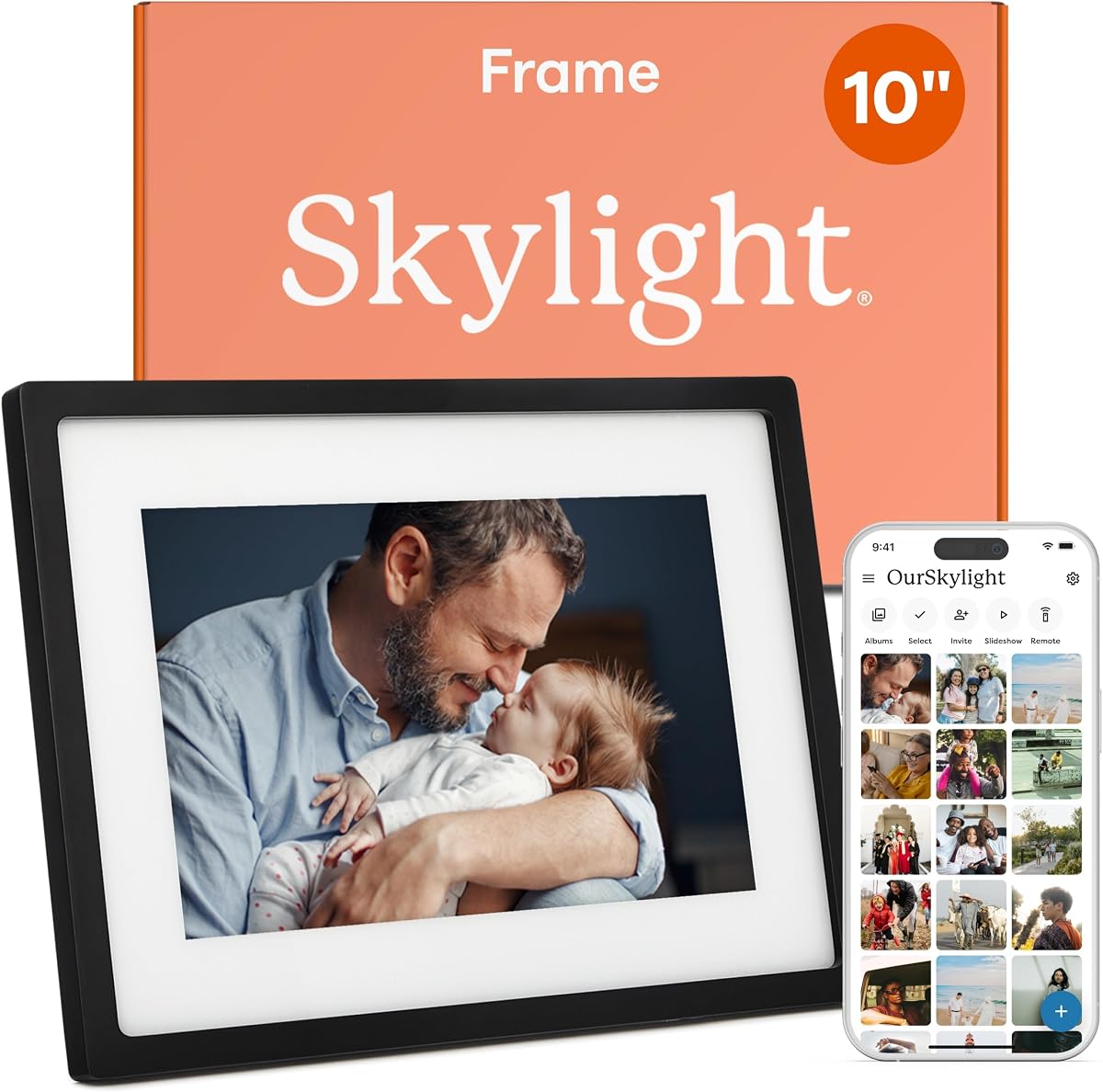
The Skylight Digital Picture Frame stands out as a top choice for families seeking simplicity. With a 4.7 rating, it offers a straightforward email-based setup that eliminates app dependencies for grandparents. This model focuses on delivering clear, vibrant photos to loved ones with minimal effort.
We may earn a commission when you buy through this link, at no additional cost to you.
Its standout quality lies in the cloud-based storage system that removes the need for SD cards or USB drives. Photos sent via email appear instantly on the 10-inch Full HD display, making it ideal for those who struggle with technical interfaces. The gift mode feature allows pre-loading photos before unboxing.
While it lacks video playback capabilities, the trade-off ensures a stable and clutter-free experience for seniors. The device requires a Wi-Fi connection to receive new content, which is standard for most modern frames. Its reliable performance and user-friendly design justify its position as a leading option.
Grandparents who prefer digital frames without complex apps will find this model exceptionally welcoming. It bridges the generation gap by allowing family members to share memories effortlessly via email. We recommend it for households prioritizing ease of use over advanced multimedia features.
Setting up involves plugging in the frame and sending photos to a unique email address. No additional software installation is needed for the recipient to view new images.
Cloud storage eliminates physical media management, ensuring photos remain accessible without risking lost cards. The system auto-scales images to fit the screen perfectly.
We may earn a commission when you buy through this link, at no additional cost to you.
The Frameo Digital Picture Frame 10.1 delivers exceptional value for budget-conscious shoppers. Rated 4.6 stars, it balances cost with features like 32GB internal memory and a responsive touchscreen. This model is designed to keep families connected without breaking the bank.
We may earn a commission when you buy through this link, at no additional cost to you.
Its key strength is the dual connectivity approach, allowing users to choose between Wi-Fi sharing via the Frameo app or direct file transfer via SD card. The magnetic stand enables easy switching between landscape and portrait modes. The 10.1-inch display provides clear visuals for daily photo viewing.
Users should note that video uploads through the app have a 15-second limit, which may restrict longer clips. Additionally, initial Wi-Fi setup might need assistance for less tech-savvy grandparents. However, the non-WiFi option provides a reliable backup for static photo sharing.
This frame is ideal for families wanting an affordable entry into digital framing with decent performance. It works well for households where physical file transfers are preferred over cloud syncing. We recommend it for those seeking a balance of features and price.
The frame supports both Wi-Fi app sharing and USB/SD card transfers. This flexibility ensures photos can be added even without internet access.
With 32GB built-in memory, it holds over 50,000 photos. External storage expansion is also supported for increased capacity.
We may earn a commission when you buy through this link, at no additional cost to you.
The Aura Digital HD Picture Frame sets a high standard for premium digital framing. With a 4.7 rating, it offers unlimited free storage and a polished design that fits modern home aesthetics. The 10-inch display delivers crisp images with automatic brightness adjustments.
We may earn a commission when you buy through this link, at no additional cost to you.
Its standout feature is the unlimited cloud storage, allowing families to upload photos without worrying about space limits. The setup process takes approximately one minute, making it accessible for all ages. The frame arrives in premium packaging, making it an ideal gift for special occasions.
While the price is higher than budget options, the lack of subscription fees and superior build quality justify the cost. The device does not include an SD card slot, relying entirely on wireless connections. This design choice simplifies the interface but limits offline storage flexibility.
Grandparents who value seamless integration and high-quality visuals will appreciate this model. It supports iOS live photos and offers wireless screen mirroring from PCs. We recommend it for families seeking a long-term, premium digital framing solution.
Users can upload unlimited photos and videos without recurring fees. This feature ensures memories grow without storage constraints or extra costs.
The frame comes in elegant packaging designed for gifting. Preloading photos before delivery allows for a ready-to-enjoy unboxing experience.
We may earn a commission when you buy through this link, at no additional cost to you.
The 64GB 15.6 Frameo Frame provides an expansive viewing experience for families who prioritize screen size. Rated 4.5 stars, it features a full HD IPS display that delivers vivid colors and wide viewing angles. The large format makes it ideal for main living areas.
We may earn a commission when you buy through this link, at no additional cost to you.
Its standout quality is the massive 64GB internal storage combined with support for SD cards and USB drives. Users can store over 100,000 photos locally without relying solely on cloud services. The built-in speaker allows videos to play with sound, adding depth to memories.
The touchscreen interface simplifies navigation, though initial Wi-Fi setup might require patience for non-tech-savvy users. The device only supports 2.4GHz Wi-Fi, which may limit connection stability in crowded networks. However, the local storage options mitigate this limitation for static photo viewing.
This model suits households wanting a large, prominent display for family photos. It is perfect for grandparents who enjoy watching video clips with sound. We recommend it for those needing maximum storage and screen real estate.
The 15.6-inch screen ensures photos are visible from across the room. Colors remain vibrant even at wide viewing angles.
Internal 64GB memory plus external SD card support provides ample space. Photos can be exported or backed up easily via USB.
We may earn a commission when you buy through this link, at no additional cost to you.
The Frameo 15.6 Digital Frame offers a spacious display at an accessible price point. Rated 4.5 stars, it combines a 15.6-inch Full HD screen with intuitive touch controls. This model emphasizes ease of use while maintaining high visual quality for family memories.
We may earn a commission when you buy through this link, at no additional cost to you.
Its standout feature is the ability to react to photos with emojis, fostering real-time interaction between senders and recipients. The frame supports both Wi-Fi sharing and non-WiFi transfers via SD card or USB, ensuring flexibility for different technical comfort levels.
While internal storage is 32GB, external options expand capacity for extensive photo libraries. The auto-rotate function ensures images display correctly regardless of orientation. Some users may find the setup process slightly involved compared to simpler models.
This frame is ideal for families wanting a large screen without premium pricing. It works well for households that appreciate interactive features and flexible sharing methods. We recommend it for those prioritizing display size and usability.
Recipients can send instant emoji reactions to photos received via app. This feature adds a layer of engagement to digital communication.
Photos can be shared via Wi-Fi app or transferred physically via USB/SD. This ensures connectivity even without internet.
We may earn a commission when you buy through this link, at no additional cost to you.
The AEEZO Digital Picture Frame delivers a polished viewing experience with its HD IPS touchscreen. Rated 4.6 stars, it features automatic brightness adjustment and auto-rotate capabilities to suit various environments. The 10.1-inch display provides clear visuals for daily viewing.
We may earn a commission when you buy through this link, at no additional cost to you.
Its standout quality includes a light sensor that adjusts screen brightness based on ambient conditions, reducing eye strain. The built-in 32GB memory allows storage of over 50,000 photos, and external SD cards can further expand capacity. Weather and time displays keep users informed.
Users must import photos into the device via SD card if not using Wi-Fi sharing, which adds a step. The app-based sharing requires initial setup but remains user-friendly. While the warranty is limited to one year, the build quality is robust.
This model suits families seeking a balance of smart features and traditional display reliability. It is well-suited for grandparents who appreciate adaptive brightness and weather updates. We recommend it for those valuing intuitive touch controls.
The light sensor adjusts screen brightness automatically to match the room's lighting. This prevents glare in bright spaces and dimness in dark rooms.
Built-in 32GB storage holds thousands of photos. SD card support provides additional flexibility for larger collections.
We may earn a commission when you buy through this link, at no additional cost to you.
The FRAMEO 10.1 Smart Frame integrates practical features like calendar sync and collage display modes. Rated 4.6 stars, it supports automatic rotation and offers a detachable holder for versatile positioning. The IPS LCD screen ensures clarity from various angles.
We may earn a commission when you buy through this link, at no additional cost to you.
Its standout feature is the ability to sync calendars from iCloud, Google, and other providers, displaying schedules alongside photos. Collage mode allows up to six photos to be shown simultaneously, maximizing memory display efficiency. Emotional reactions via emojis enhance connectivity.
Users should note that full functionality depends on the Frameo app, which may require initial guidance for grandparents. The device has 32GB internal memory but can be expanded via micro SD card. Setup instructions are comprehensive but may need support for non-tech users.
This model is ideal for families who want organizational tools alongside photo sharing. It works well for households needing both daily reminders and memory displays. We recommend it for those interested in smart home integration.
Syncs with major calendar providers to show daily schedules on the frame. This helps grandparents stay organized without checking a phone.
Displays up to six photos simultaneously in a grid layout. This maximizes memory usage and shows more moments at once.
We may earn a commission when you buy through this link, at no additional cost to you.
The Frameo 15.6 Digital Frame offers a large, immersive viewing experience for family memories. Rated 4.7 stars, it features a 15.6-inch Full HD display with vibrant colors. The frame supports both Wi-Fi sharing and offline transfers, ensuring flexibility for various households.
We may earn a commission when you buy through this link, at no additional cost to you.
Its standout feature is the greeting card capability, allowing themed messages to be sent for special occasions. The IPS technology ensures consistent colors at wide angles, while the sleep mode conserves energy. The 32GB internal storage holds ample photos.
Users may find Wi-Fi setup slightly technical, but non-WiFi options via SD card or USB provide reliable alternatives. The device does not support 5GHz networks, which may affect connection speeds in some environments. However, stability remains solid for standard home use.
This model suits families wanting a large screen for central display areas. It is well-suited for grandparents who appreciate thematic features and offline options. We recommend it for those prioritizing visual impact.
Send custom greeting messages for birthdays or holidays alongside photos. This feature personalizes communication during important dates.
The 15.6-inch Full HD screen provides a cinematic viewing experience. Colors and details remain sharp across the display area.
We may earn a commission when you buy through this link, at no additional cost to you.
This listing provides limited information at the time of review. Potential buyers should verify current specifications before purchase. It represents a placeholder option that may require further research.
We may earn a commission when you buy through this link, at no additional cost to you.
Key details such as screen size and connectivity are currently unavailable. We advise checking the product page for updates. This entry is included for reference only.
While specific features remain unknown, it may suit niche requirements. Contacting the seller directly can yield more clarity. Proceed with caution if considering this model.
We recommend prioritizing fully specified models for reliability. However, if details match your needs, this could be a viable option. Verification is essential before commitment.
Verify current product specs before purchasing to ensure it meets your requirements.
We may earn a commission when you buy through this link, at no additional cost to you.
This listing provides limited information at the time of review. Potential buyers should verify current specifications before purchase. It represents a placeholder option that may require further research.
We may earn a commission when you buy through this link, at no additional cost to you.
Key details such as screen size and connectivity are currently unavailable. We advise checking the product page for updates. This entry is included for reference only.
While specific features remain unknown, it may suit niche requirements. Contacting the seller directly can yield more clarity. Proceed with caution if considering this model.
We recommend prioritizing fully specified models for reliability. However, if details match your needs, this could be a viable option. Verification is essential before commitment.
Verify current product specs before purchasing to ensure it meets your requirements.
We may earn a commission when you buy through this link, at no additional cost to you.
Selecting the right digital picture frame involves balancing technical features with ease of use. This guide outlines key factors to consider for a seamless experience.
Screen size ranges from 8 inches to 15.6 inches, impacting visibility and placement options. Larger screens like 10 inches or more ensure photos are clearly visible from across a room. IPS panels offer wider viewing angles and better color accuracy compared to standard LCDs.
Choose a screen size that fits the intended display space and viewing distance. Prioritize high-resolution displays for clear images that preserve details in memories.
Some frames require complex Wi-Fi setup while others support email-based or app-free sharing. Consider whether your grandparents prefer simple email setups or are comfortable with apps. Connectivity methods like USB or SD card transfers offer alternatives if Wi-Fi is unreliable.
Select a model that aligns with your family's technical comfort level. Simpler setup processes reduce frustration and encourage consistent use.
Internal storage varies from 32GB to 64GB, with some models supporting unlimited cloud storage. SD card slots or USB ports allow for additional local storage capacity if needed. Cloud storage eliminates physical media management but requires internet access.
Assess how many photos you plan to store and whether physical or cloud storage fits your workflow. Ensure the frame supports the storage type you prefer.
Touchscreens provide intuitive navigation but may be challenging for those with motor difficulties. Non-touch models with physical buttons offer tactile feedback and simplicity. Consider the physical dexterity of the primary user when selecting the interface type.
A responsive touchscreen can enhance the experience if used correctly. However, physical buttons may be more reliable for certain users.
Some frames support video playback with sound while others focus solely on photos. Video capabilities enrich memories but require more storage and bandwidth. Check if video uploads have time limits if this feature is important to you.
Prioritize frames with sound if videos are a key memory type. Otherwise, photo-only models may suffice for most families.
Advanced frames include auto-brightness adjustment and weather displays to enhance usability. Auto-rotate functions ensure photos display correctly regardless of orientation. These features reduce manual adjustments and improve the overall viewing experience.
Look for models with adaptive features that minimize user intervention. These tools make the frame more user-friendly for seniors.
Quality frames come with manufacturer warranties ranging from one to two years. Responsive customer support can resolve setup or connectivity issues quickly. Check return policies to ensure satisfaction with the device after purchase.
Verify warranty terms and support availability before buying. Reliable service adds peace of mind for long-term use.
Prices vary significantly based on features, screen size, and brand reputation. Higher-end models offer premium packaging and unlimited storage but cost more. Determine your budget while ensuring essential features are included.
Invest in a frame that balances cost with necessary functionality. Avoid paying for features that will not be used regularly.
Begin by placing the frame on a stable, flat surface away from direct sunlight to prevent screen glare and overheating. Connect the power adapter securely and plug it into a nearby outlet to ensure continuous operation without interruptions during use.
Configure the frame by following the manufacturer's setup instructions carefully. If it uses Wi-Fi, connect to a 2.4GHz network for best compatibility; otherwise, prepare photos on an SD card or USB drive for offline transfer via the included port.
Maintain the device by cleaning the screen with a soft microfiber cloth and avoiding harsh chemicals. Update the frame's settings periodically to adjust brightness or sleep modes, ensuring it continues to function smoothly over time.
Most modern frames require internet for remote sharing via apps or email. However, many models support offline viewing by loading photos via SD cards or USB drives without Wi-Fi connectivity.
Yes, some frames like Frameo allow recipients to send emoji reactions to received photos. This interactive feature enables two-way communication without needing messaging apps.
Unbox the device and plug it into power. Connect to Wi-Fi if required, then invite family members via the app. If the user is uncomfortable with apps, use SD card transfers instead.
Not all frames support video playback. Many premium models do, but check product details for video file compatibility and sound capabilities before purchasing.
If internet is lost, previously loaded photos remain visible on the device. New photos cannot be received until connectivity is restored unless offline storage methods are used.
Most modern frames do not charge monthly fees for standard photo sharing. Some models like Aura offer unlimited storage without extra costs, making them cost-effective long-term.
Our top picks highlight models that prioritize ease of use, reliable connectivity, and high-quality displays. Whether you choose a budget-friendly Frameo option or a premium Aura frame, each offers unique strengths tailored for family memories.
When making a decision, prioritize features that matter most to your family's workflow. Consider whether email setup, touchscreen navigation, or offline storage options align with your grandparents' preferences.
Prices and availability fluctuate frequently across retailers, so verify current offers before purchasing. Investing in the right frame now ensures lasting connections and cherished memories for years to come.