
Canon Ivy 2 Mini Photo Printer
4.6Editor score
ZINK zero ink technology
Sticky-back prints
Bluetooth 5.0
Finding the right photo printer for Galaxy Z Flip8 users means balancing portability with print quality. You need a device that connects easily to your foldable smartphone and delivers vibrant, lasting memories without bulky cables or complex setups.
This guide compares ten leading portable photo printers available in November 2026. We evaluated connectivity, print technology, paper options, and app features to ensure each model meets the unique needs of mobile photographers using foldable devices.
Each pick highlights key strengths and trade-offs so you can decide quickly. Prices and availability change often so check the current listings before buying. Our goal is to help you capture and print moments instantly wherever you go with confidence.
4.6Editor score

4.4Editor score

4.4Editor score
As an Amazon Associate we earn from qualifying purchases.
This side-by-side comparison highlights key specifications and features for each of the ten top portable photo printers. It helps you quickly identify which model fits your specific printing needs and device compatibility requirements.


The Liene M100 stands out as a top choice for Galaxy Z Flip8 users seeking high-quality 4×6 prints. With a solid rating of 4.4 stars it delivers thermal dye sublimation technology that ensures vibrant and long-lasting images.
We may earn a commission when you buy through this link, at no additional cost to you.
Its built-in Wi-Fi hotspot allows direct connection without relying on external networks which simplifies printing on the go. The package includes 100 sheets of photo paper and three color cartridges giving you plenty to start creating memories.
While the print head may need occasional cleaning if smudges appear this is a minor maintenance task for superior output quality. The compact design with magnetic closures makes storage easy when not in use at home or travel.
Anyone who wants reliable full-color prints without complex setups will appreciate this model. It balances performance and convenience perfectly for mobile photographers who value both quality and portability in their instant printing solution.
Thermal dye sublimation technology ensures deep dye penetration for vibrant colors and scratch-resistant surfaces that last.
The independent Wi-Fi hotspot enables fast stable connections to multiple devices without needing external network access.
We may earn a commission when you buy through this link, at no additional cost to you.
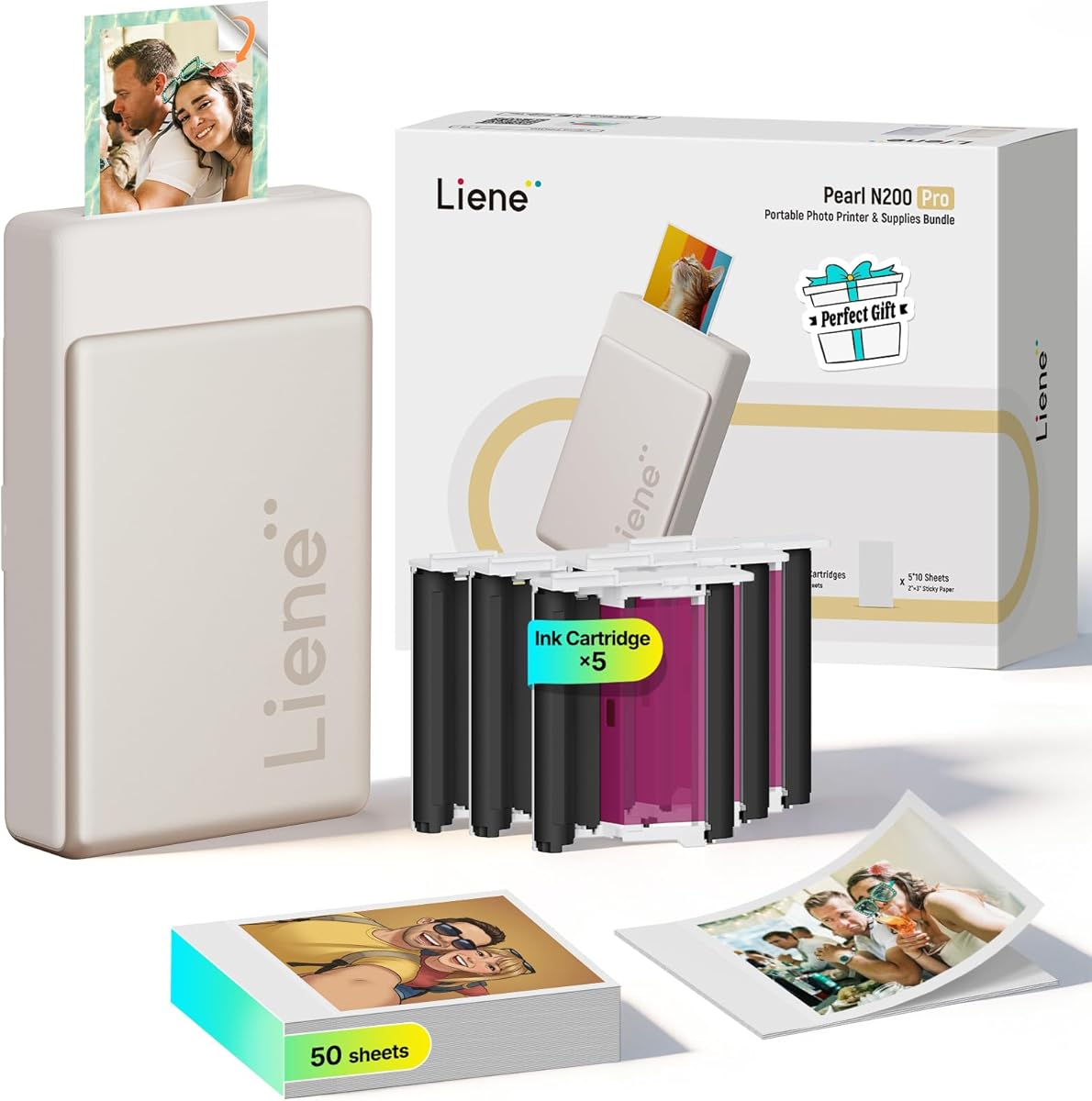
The Liene Pearl N200 Pro excels for users who want to print mini stickers with high resolution. It uses thermal dye sublimation to deliver sharp vibrant colors that surpass many other portable options available today.
We may earn a commission when you buy through this link, at no additional cost to you.
Its app includes AI features that let you reimagine portraits with artistic styles without switching platforms. The InstaPic mode enables shoot-and-print simplicity which is ideal for capturing spontaneous moments at events or outdoors.
Connectivity is handled via Bluetooth with quick pairing support for group printing at parties. While it focuses on 2×3 adhesive formats this limits large photo options but suits scrapbooking and personalization well.
This printer is perfect for creative users who enjoy editing and customizing prints before outputting. It offers extensive freedom with frames watermarks and official stickers all within a single streamlined application experience.
Integrated AI tools allow users to apply artistic styles and backgrounds while keeping the subject intact for unique portraits.
InstaPic mode skips complex steps enabling direct print from camera view for seamless spontaneous photo printing on the go.
We may earn a commission when you buy through this link, at no additional cost to you.
The Liene PixCut S1 combines high-resolution photo printing with precise die-cutting capabilities in one streamlined device. With 300 DPI and thermal dye-sublimation technology it produces stunning vibrant prints that look true to life.
We may earn a commission when you buy through this link, at no additional cost to you.
Its AI image extraction automatically recognizes subjects to ensure flawless cuts every time. The included bundle provides 180 sheets including both photo and sticker papers so you can create endlessly without running out of supplies.
This model is ideal for crafters who want professional edges on custom stickers and labels. While it costs more than basic printers the all-in-one convenience and rich creative tools justify the investment for serious creators.
No subscription fees mean pure creativity with free access to thousands of templates and elements. It is a robust choice for those seeking advanced features beyond simple photo output in a single compact unit.
AI guided cutting follows edges with pinpoint accuracy ensuring custom stickers and labels have professional flawless results.
Four-layer thermal dye-sublimation process laminates during printing making stickers waterproof and scratch-resistant for long-lasting use.
We may earn a commission when you buy through this link, at no additional cost to you.
The Canon Ivy 2 Mini offers an affordable way to print sticky-back photos from your Galaxy Z Flip8 without ink. Its ZINK technology uses dye-based crystals inside the paper for simple durable printing on the go.
We may earn a commission when you buy through this link, at no additional cost to you.
Print quality is improved with optimized skin tones and contrast that enhance everyday photos. The Bluetooth 5.0 connection ensures reliable mobile printing with compatible devices for seamless sharing during social gatherings or travel.
While it does not match the durability of dye-sublimation printers the cost and simplicity are major advantages for casual users. The peel and stick backing allows you to place photos anywhere easily.
This model suits those who prioritize budget and ease of use over professional longevity. It is a great starter device for teens or families wanting instant photos without complicated setups or ongoing costs.
ZINK technology uses embedded crystals in the paper eliminating the need for ink cartridges and simplifying the printing process.
Optimized skin tone colors and improved sharpness deliver better visual results for personal photos compared to previous models.
We may earn a commission when you buy through this link, at no additional cost to you.
The KODAK Step Instant Printer is designed for influencers and crafters who enjoy customizing their photos before printing. It connects via Bluetooth or NFC to any iOS or Android device for instant physical outputs.
We may earn a commission when you buy through this link, at no additional cost to you.
The accompanying app provides a full editing suite with filters collages stickers and text personalization. ZINK technology ensures prints are resistant to moisture rips and smudges making them suitable for active daily use.
Its lightweight design weighs less than a pound making it truly portable for travel and events. Charging via Micro USB is slightly dated compared to modern USB-C standards but remains functional for most users.
This printer is ideal for creative minds who want to personalize every snap before sharing physically. It balances simplicity with expressive tools allowing you to add flair to your moments effortlessly on the go.
The KODAK app offers filters collages and personalized flair tools allowing deep customization before sending prints to the device.
Prints resist moisture rips and smudges ensuring your physical photos stay intact even during travel or daily handling.
We may earn a commission when you buy through this link, at no additional cost to you.
The Fujifilm Instax Mini Link 3 brings the charm of classic instant photography to your smartphone. With a high rating of 4.7 it delivers the authentic look and feel that traditional film enthusiasts appreciate.
We may earn a commission when you buy through this link, at no additional cost to you.
You simply connect via Bluetooth and print directly from your phone to get a physical photo that develops instantly. The Clay White finish is sleek and complements modern home decor or travel accessories well.
While film packs are sold separately the quality of the prints and ease of use make it a favorite. It lacks digital saving features but that is the nature of instant film which encourages sharing physical copies.
This printer suits users who want the nostalgic experience without using bulky standalone cameras. It is perfect for parties and gatherings where tangible mementos are valued over digital files or cloud storage.
Prints develop instantly using Fujifilm Instax film giving you a physical photo within minutes of printing from your phone.
Bluetooth connectivity allows seamless pairing with smartphones for quick print without cables or complex settings configuration.
We may earn a commission when you buy through this link, at no additional cost to you.
The Canon SELPHY QX20 combines portability with high-quality dye-sublimation printing for durable waterresistant photos. It supports card-size sticker paper as well as square formats making it versatile for various creative projects.
We may earn a commission when you buy through this link, at no additional cost to you.
You connect easily via QR code Wi-Fi from Android or iOS devices without needing complex network setups. Prints dry instantly and are marker-ready with a lifespan that can last up to 100 years.
Though paper is sold separately the convenience of integrated tray and USB-C charging adds value for modern users. The update engine offers faster printing than older models with a print time around 40 seconds.
This model is excellent for users who want professional quality in a compact size. It balances connectivity and performance well for those who value lasting prints and simple app-based design features.
High-quality dye sublimation prints dry instantly and resist water ensuring they continue to look great for up to a century.
USB-C charging makes recharging convenient and modern aligning with current device standards for power and portability.
We may earn a commission when you buy through this link, at no additional cost to you.
The Liene Amber M110 stands out with its dual tray design supporting both 4×6 standard and 3×3 square sticker prints. This versatility makes it ideal for users who want flexibility without needing two separate printers.
We may earn a commission when you buy through this link, at no additional cost to you.
Bluetooth pairing is remarkably fast at just 13 seconds enabling seamless printing from your Galaxy Z Flip8. The thermal dye sublimation tech ensures vibrant prints with a laminated surface resistant to water and scratches.
While the initial bundle is smaller than some competitors the convenience of dual formats outweighs this minor difference. Multiple device compatibility allows you to share printing tasks with friends or family easily.
This printer is perfect for social users who enjoy sharing memories in different formats. It balances speed quality and convenience making it a strong choice for daily personal use and gift giving occasions.
Dual tray design supports 4×6 and 3×3 paper sizes offering versatility for photos and stickers in one compact device.
Bluetooth connection pairs in just 13 seconds for immediate printing without waiting or complex setup procedures.
We may earn a commission when you buy through this link, at no additional cost to you.
The Fujifilm Instax Square Link offers augmented reality features that let you scan printed photos to view digital content on your phone. It connects wirelessly via Bluetooth for easy printing from your smartphone.
We may earn a commission when you buy through this link, at no additional cost to you.
Using INSTAX Square film the printer produces 2.44 inch by 2.44 inch images with room for decorative frames and sketches. The AR Print App enhances the experience by blending digital creativity with physical prints.
Battery life is robust with approximately 100 prints per charge which is excellent for extended events or gatherings. While film packs must be purchased separately the added digital layers justify the cost for tech-savvy users.
This printer is ideal for creators who want to merge physical and digital memories. It supports fun customization options and video printing making it a unique choice for modern social sharing.
AR Print App lets you scan printed QR codes on photos to view digital content and messages on your smartphone.
Built-in rechargeable battery supports approximately 100 prints per charge ensuring uninterrupted use during events and trips.
We may earn a commission when you buy through this link, at no additional cost to you.
The Nelko PP01 is a pocket-sized printer ideal for students travelers and crafters on a budget. Using advanced inkjet technology it produces vivid 600 DPI prints on sticky-backed paper suitable for scrapbooks and journals.
We may earn a commission when you buy through this link, at no additional cost to you.
Printing completes in under 90 seconds with direct Bluetooth connection from iOS or Android apps. The app allows deep customization with collages graffiti and text to personalize every image before outputting.
While slower than some dye-sub models it remains efficient for personal use with a low weight of 308g. It offers practical versatility for bloggers and small businesses creating instant giveaways or labels easily.
This printer suits users who prioritize portability and low cost over professional speed. It is a reliable tool for DIY projects and everyday fun without requiring a large investment or setup.
Inkjet technology delivers 600 DPI images with precise colors capturing fine details and realistic tones effectively.
Weighing only 308 grams this ultra-portable device fits easily in pockets making it perfect for travel and field trips.
We may earn a commission when you buy through this link, at no additional cost to you.
Selecting the right portable printer involves considering connectivity print technology paper formats and app features. This section outlines key factors to help you decide based on your specific needs.
Most modern printers use Bluetooth or Wi-Fi to connect to your Galaxy Z Flip8. Bluetooth is simpler for direct pairing while Wi-Fi hotspots may offer faster speeds or multi-device support depending on the model.
Choose Bluetooth for simplicity and low power or Wi-Fi for faster sharing if you print from multiple devices regularly.
Dye sublimation printers produce vibrant water-resistant prints that last longer but often cost more. ZINK or inkjet options are more affordable but may lack the same durability and color depth.
Consider dye-sub if you value longevity and color quality or ZINK for budget and simplicity in casual printing.
Printers come in standard 4×6 formats or smaller 2×3 sticker sizes. Decide whether you prefer classic photo dimensions or compact stickers for scrapbooking and personal items.
Select 4×6 for traditional photos or 2×3/3×3 for stickers and journals depending on your intended use.
Smartphone apps offer filters frames stickers and editing tools before printing. Some include AI style generation while others focus on basic enhancements.
Look for apps with features you enjoy such as AI filters or simple layouts to get the most from your printer.
Rechargeable batteries vary by model with some lasting 25 prints and others 100 or more. Check charge time and portability if you travel often.
Prioritize longer battery life if you plan to use the printer at events or outdoor gatherings without easy charging access.
Initial device cost matters but ongoing paper and ink expenses add up. Some printers include starter bundles while others require buying packs separately.
Calculate paper costs per print to understand long-term affordability before committing to a specific model.
Laminated or waterproof prints withstand handling better than standard paper. Consider how often you handle prints and where you store them.
Choose waterproof or scratch-resistant finishes if you need prints that survive daily wear or outdoor conditions.
Ensure the printer supports Android via official apps. Most listed models work with Galaxy Z Flip8 but always verify current compatibility lists before purchasing.
Confirm Android support and required apps to avoid connectivity issues with your foldable device.
First download the official app for your printer from the App Store or Google Play and pair it with your device via Bluetooth or Wi-Fi. Ensure your phone has the latest updates to maintain stable connectivity.
Second load the correct paper and cartridges following the manufacturer instructions carefully. Align paper smoothly and close trays firmly to prevent jams or print quality issues.
Third clean the print head periodically using recommended wipes if you notice smudges. Store the printer in a cool dry place away from direct sunlight to protect internal components and paper.
Yes most models support Android devices via Bluetooth or Wi-Fi including the Galaxy Z Flip8. Always check the product description for compatibility details before buying.
Paper types vary between standard 4×6 photo paper 2×3 sticker paper and INSTAX film formats. Verify paper availability and bundle inclusions before purchasing.
Dye sublimation and laminated prints can last decades while ZINK may fade faster. Proper storage away from light extends longevity for all types.
Most use direct Wi-Fi hotspots or Bluetooth so no external internet is needed for local printing. App features may need internet only for updates or AI functions.
Yes all models include mobile apps with filters frames and editing tools. Some offer advanced features like AI styling before sending to printer.
Use clean lint-free cloths or approved wipes for the print head when needed. Follow manufacturer care guides to avoid damage during maintenance.
Most apps are free with no mandatory subscriptions though some premium elements may be optional. Check app details for any paid content or features.
Models like the Liene Pearl N200 Pro and PixCut S1 support 2×3 or cut sticker formats specifically. These are ideal if stickers are your priority.
We reviewed ten top photo printers for Galaxy Z Flip8 users focusing on print quality connectivity and creative features. The Liene M100 leads overall with professional dye-sublimation technology and Wi-Fi hotspot support.
Prioritize your needs such as sticker capability durability or budget when selecting a model. Each option offers distinct strengths whether you want instant film feel or advanced editing and cutting features.
Remember prices and availability change regularly so check current listings before purchasing. With the right printer you can capture and keep memories in physical form effortlessly wherever you go.