Password Reset Recovery Disk
3.4Editor score
Universal Windows Compatibility
Physical Media Format
Easy to Use Interface
Losing important files on your computer can be a stressful experience. Whether it is due to accidental deletion, system failure, or hardware issues, having the right PC file recovery program is essential. These tools help you retrieve lost data quickly and efficiently without needing expert assistance.
We have evaluated various software solutions to determine which ones offer the best performance and reliability. Our comparison focuses on features, ease of use, compatibility, and customer feedback. This list covers a range of options from simple recovery utilities to comprehensive data protection suites.
Each pick highlights key strengths and potential limitations to help you make an informed decision. We include detailed reviews and a buying guide to assist you in selecting the right tool for your needs. Please note that product details and availability may change over time.
3.4Editor score

3.0Editor score

4.5Editor score
As an Amazon Associate we earn from qualifying purchases.
This table provides a side-by-side overview of all selected products. It highlights key specifications and features to help you compare options quickly and choose the solution that best fits your recovery needs.


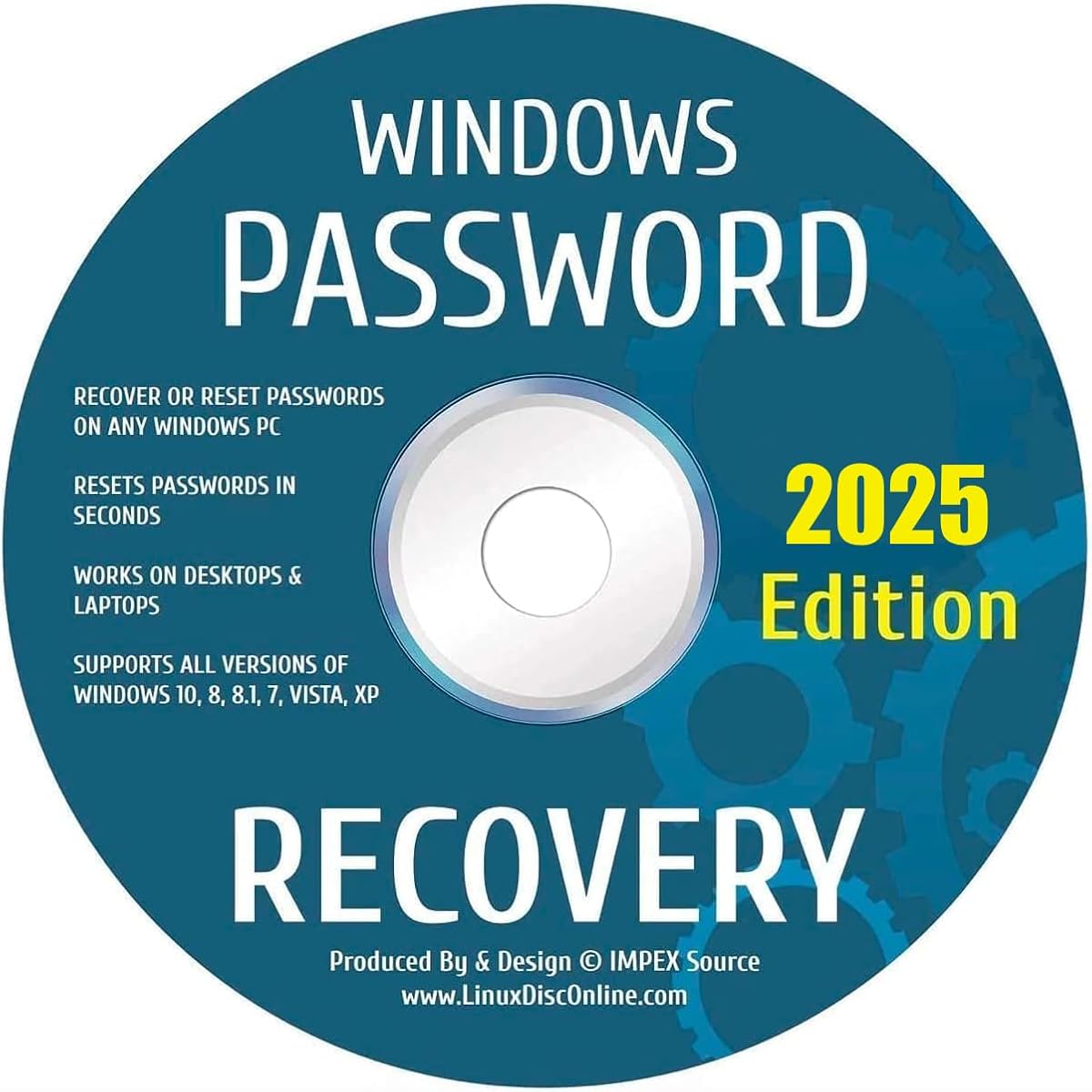
This tool offers a straightforward way to recover access to your computer when you have forgotten your password. It is rated as a reliable solution for users who need immediate access to their system without losing personal data. The physical media format ensures it works independently of the operating system.
We may earn a commission when you buy through this link, at no additional cost to you.
The software is designed to be easy to use for individuals with varying technical skills. It supports a wide range of Windows operating systems including Windows 10 and 11. The process involves booting from the disc and following the provided guide to reset your password effectively.
While it is effective for password recovery it does not offer broader file recovery features for deleted items. Users should note that it relies on physical media which may not be available on newer computers without optical drives. However it remains a budget-friendly option for its specific purpose.
This recovery disk is ideal for anyone locked out of their PC who needs a quick fix. It allows you to access your files without reinstalling the operating system. For those seeking a simple and direct solution to password issues this product provides good value.
The disc works with multiple Windows versions from XP to Windows 11 ensuring it fits most existing systems.
Users can follow a quick startup guide to reset passwords without needing advanced technical knowledge.
We may earn a commission when you buy through this link, at no additional cost to you.
This software provides a robust set of tools for backing up your computer data. It allows you to protect files, entire drives, and even store copies in the cloud. The perpetual license means you pay once and own the software without recurring fees.
We may earn a commission when you buy through this link, at no additional cost to you.
It is designed for end users and small businesses needing reliable data protection. The file-based and drive-based options give flexibility in what you back up. Cloud integration adds an extra layer of security against hardware failures or local disasters.
Users should check for updates to ensure compatibility with the latest systems and features. Some may find the initial setup requires time to configure correctly. Despite this the breadth of features makes it a strong contender for comprehensive backup needs.
This tool is suitable for those who want to safeguard their data with a one-time payment. It supports various storage configurations and offers continuous protection for working files. For anyone looking to avoid subscription models this software offers a solid alternative.
The software supports file-based, drive-based, and cloud backup to cover different recovery scenarios.
You receive a lifetime license without needing to pay yearly subscription fees for continued use.
We may earn a commission when you buy through this link, at no additional cost to you.
While primarily known as tax software this tool offers features that help manage financial data effectively. It supports investment income reporting and allows users to import information from participating companies. This can be useful for organizing financial records accurately.
We may earn a commission when you buy through this link, at no additional cost to you.
The software guides users through tax preparation with step by step instructions. It checks for audit triggers and helps maximize savings through retirement advice. Technical support is available to assist with any issues during the filing process.
Users should be aware that this is an older version which may lack the latest features. Additionally MacOS users need specific system versions to run the desktop application. Despite these constraints it remains a powerful tool for tax related data management.
This product is ideal for individuals with investments or rental properties needing precise tax handling. The ability to import data reduces manual entry errors and saves time. For those focused on financial organization this software offers valuable capabilities.
It supports importing W-2s and investment information to streamline the tax preparation process.
Live tax advice is available to provide one on one guidance for complex tax situations.
We may earn a commission when you buy through this link, at no additional cost to you.
This USB tool provides a convenient way to reset Windows passwords without losing data. It is designed to work with any PC brand and supports a wide range of Windows operating systems. The process is simplified to three steps for user convenience.
We may earn a commission when you buy through this link, at no additional cost to you.
The software works by booting from the USB drive to reset the password. It is suitable for those who need to regain access quickly without reinstalling the OS. Printed instructions guide users through the process to ensure success.
Limitations include its focus on Windows user passwords only. It does not support BIOS or Bitlocker resets. Users must have a USB port available which is standard on most modern computers. For password recovery specifically it offers a reliable solution.
This product is best for anyone locked out of their Windows machine seeking a quick fix. The USB format makes it more accessible than optical media for newer systems. It helps you get back to your files and data without unnecessary hassle.
Using a USB drive eliminates the need for an optical drive found on many modern computers.
The included instructions make it simple to boot and reset the password in minutes.
We may earn a commission when you buy through this link, at no additional cost to you.
This software is tailored for Mac users needing to recover lost data from hard drives. It can handle crashed, corrupted, or non-mounting drives which is a common issue for Mac owners. It is used by professionals indicating its reliability in critical situations.
We may earn a commission when you buy through this link, at no additional cost to you.
The tool supports recovery of deleted, damaged, or lost files effectively. It also works on reformatted or erased drives to retrieve data that was thought to be gone. Technical support is available via phone or email to assist users.
While it is powerful its ratings may vary based on user experiences with complex cases. It is limited to Mac systems so PC users cannot use it. For Mac owners facing data loss this software provides a specialized recovery solution.
This product is ideal for Mac users dealing with drive failures or accidental deletions. The ability to recover data from non-mounting drives makes it a strong choice for critical situations. It helps prevent permanent data loss on Apple devices.
The software is optimized for Mac file systems and hardware configurations for better results.
It is trusted by IT professionals and organizations like the FBI for important recovery tasks.
We may earn a commission when you buy through this link, at no additional cost to you.
This tool offers robust data replication and synchronization capabilities for users needing reliable backups. It is designed to be scalable and uses multi-threading to maximize copy speeds. It stands out for its ability to handle open and locked files.
We may earn a commission when you buy through this link, at no additional cost to you.
The software can run as a service and be scheduled for automatic backups. This ensures continuous protection without constant manual intervention. Email notifications keep you informed about the status of your data replication tasks.
Users should be aware that this is more about replication than traditional file recovery. It is best suited for those who need to mirror data across drives or systems. The technical features may require some setup but offer powerful long term benefits.
This product is ideal for users needing enterprise grade data protection without complex configurations. Its ability to copy locked files and run in the background makes it efficient. For proactive data safety this tool provides a reliable replication solution.
Unlike many tools it can copy files that are currently in use by other applications.
You can set recurring tasks to keep your data synchronized without manual effort.
We may earn a commission when you buy through this link, at no additional cost to you.
Selecting the right recovery program depends on your specific needs and system type. This guide outlines key factors to consider before making a purchase.
Ensure the software supports your operating system and hardware configuration. Some tools are designed for Windows while others work better on Mac systems.
Check for compatibility with your specific OS version to avoid issues during recovery.
Look for features like deleted file recovery, drive repair, and support for corrupted data. Different programs specialize in different types of data loss.
Choose a tool that addresses the specific type of loss you are facing for best results.
A user-friendly interface can make the recovery process much simpler. Look for clear guides and step by step instructions included with the software.
Simpler tools reduce the risk of errors during critical recovery operations.
Access to technical support can be crucial if you encounter issues. Regular software updates ensure compatibility with newer systems.
Verify that the provider offers ongoing support and updates for the software.
Some programs offer lifetime licenses while others use subscription models. Determine which pricing structure fits your budget and long term plans.
Consider whether you need a one-time payment or can manage recurring fees.
Tools may come on USB, CD/DVD, or as downloads. Ensure your computer can boot from the required media format.
Physical media can be more reliable for recovery when the OS is inaccessible.
Protect your sensitive data during recovery by using reputable software. Avoid tools that may compromise data integrity or privacy.
Choose programs that prioritize data safety and do not store your files unnecessarily.
Read user feedback to gauge real world performance. Reviews often highlight strengths and weaknesses not obvious from marketing materials.
High ratings and positive experiences are good indicators of reliable software.
Start by downloading or preparing the recovery media on a separate drive. Follow the instructions to boot from the media if your system is inaccessible. Always work on a copy of your data if possible to prevent further damage.
Scan your system to identify recoverable files before initiating any recovery process. Save recovered files to a different drive than the one you are recovering from. This helps avoid overwriting data that might still be recoverable.
Keep your recovery software updated to ensure compatibility with the latest systems. Regularly back up your data to prevent future data loss incidents. Proper care and updates extend the usefulness of these tools.
For beginners, tools with simple interfaces and clear guides are ideal. Look for options that offer one-click recovery features and do not require technical knowledge. Physical media based tools can also simplify the boot process.
Software solutions typically handle logical damage like deleted or corrupted files. Physical damage often requires professional hardware repair. Using software on a physically damaged drive may worsen the condition.
Free tools can be useful but may have limitations on recovery depth. Reputable developers offer trustworthy free versions. Always download from official sources to avoid malware risks.
Insert the USB drive and restart your computer. Enter the BIOS or boot menu using specific keys like F12 or Del. Select the USB drive as the boot device to start the recovery process.
Overwritten files are generally not recoverable by software. Once data is overwritten, the original content is lost permanently. Quick recovery increases the chances of successful file restoration.
Some recovery software is compatible with both Mac and Windows. However many tools are OS specific. Always check the product details to confirm Mac support before purchasing.
Booting from external media allows the tool to access the drive without the OS interfering. This provides a cleaner environment for recovery operations. It ensures the system files do not lock the data.
If recovery fails, avoid further writes to the drive immediately. Contact professional data recovery services for critical cases. Sometimes specialized hardware tools are needed to access damaged drives.
We have reviewed six programs that offer different strengths for data recovery and backup. Whether you need simple password reset or comprehensive data replication there is a suitable option.
Prioritize compatibility with your system and the specific features you need for your situation. Ease of use and support are also important factors for a smooth recovery process.
Prices and availability change so check the latest details before buying. These tools can save your data and help you regain control of your computer effectively.