
NZXT H5 Flow
4.7Editor score
Perforated PSU shroud
Ultra-fine mesh panels
Pre-installed Quiet Airflow fans
This guide compares the top ten PC case for airflow options to help you find the best cooling performance and build quality for your next custom gaming rig.
Choosing the right PC case for airflow is essential for maintaining optimal temperatures during intense gaming sessions or heavy rendering work. A well-designed chassis ensures that heat dissipates efficiently, preventing thermal throttling and extending the lifespan of your components.
We analyzed ten highly rated cases based on fan support, mesh designs, and user feedback. Each option offers unique features like modular panels or dual-chamber layouts. This list covers various budgets and form factors to suit every builder's needs.
Each pick highlights specific strengths such as dust filtration or cable management tools. Keep in mind that availability and details may vary over time. Always verify current stock and compatibility before finalizing your purchase decision for a smooth build experience.
4.7Editor score

4.7Editor score
4.7Editor score
This side-by-side comparison highlights key specifications for each of the ten featured cases to help you quickly identify which model best fits your specific cooling and aesthetic requirements.

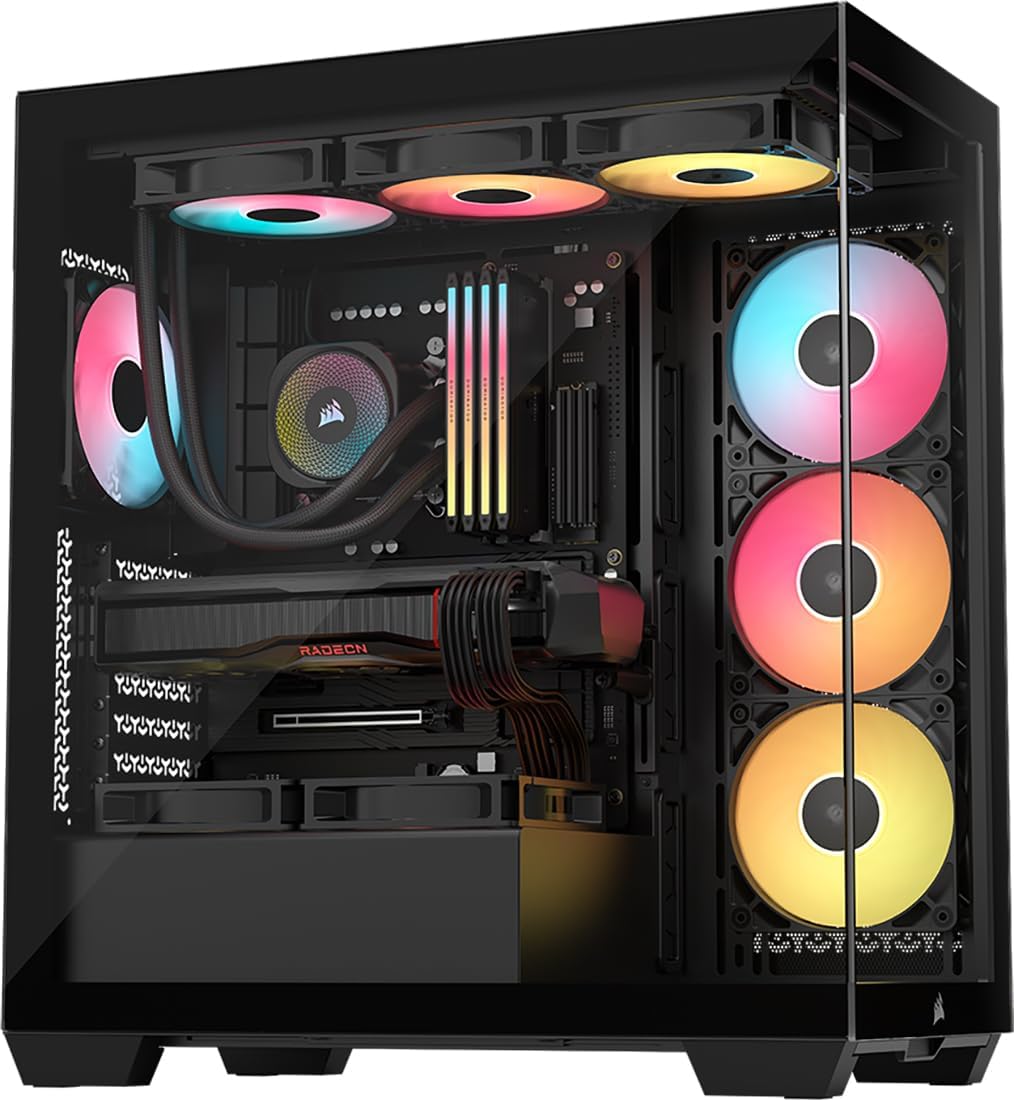


The CORSAIR 4000D RS ARGB Frame stands out as the best overall PC case for airflow due to its unique modular design. It achieves a high 4.7 rating by balancing aesthetic customization with serious cooling performance for demanding builds.
We may earn a commission when you buy through this link, at no additional cost to you.
Its revolutionary FRAME system lets you upgrade parts like the motherboard tray to billet aluminum. The 3x RS ARGB PWM fans support daisy-chaining and include Zero RPM mode. The InfiniRail mounting system offers unmatched flexibility for fan placement.
Removing the internal side panel near the motherboard tray boosts cooling potential significantly. The Y-Pattern airflow panel minimizes restriction while maintaining clean lines. Users should note the higher cost and the time needed to configure modular options.
This case is ideal for builders who want a system that evolves with their needs. It ensures targeted airflow wherever you mount fans. For those prioritizing long-term adaptability and high airflow, this is the top recommendation available today.
The FRAME system gives new meaning to customization by allowing motherboard tray upgrades.
InfiniRail allows mounting fans up to 200mm wherever you like for best airflow.
We may earn a commission when you buy through this link, at no additional cost to you.
The NZXT H5 Flow is the best budget pick for airflow. It features a perforated PSU shroud that enables optimal air intake from two fans. With a 4.7 rating it delivers exceptional cooling for its size.
We may earn a commission when you buy through this link, at no additional cost to you.
Its ultra-fine mesh on the top front and side panels creates maximum airflow while filtering dust. The case supports up to a 360mm radiator in front. Two Quiet Airflow fans are pre-installed for solid performance.
While compact it still offers excellent thermal performance. The main trade-off is space for larger radiators or more drives. However the cable management is seamless with wide channels and hooks.
This case is perfect for budget builds needing reliable cooling. It ensures heat dissipates efficiently. For gamers wanting value and airflow without extra costs this model is highly recommended.
The perforated PSU shroud enables optimal air intake for better GPU cooling.
Effortlessly route and conceal cables using the wide channels and hooks.
We may earn a commission when you buy through this link, at no additional cost to you.
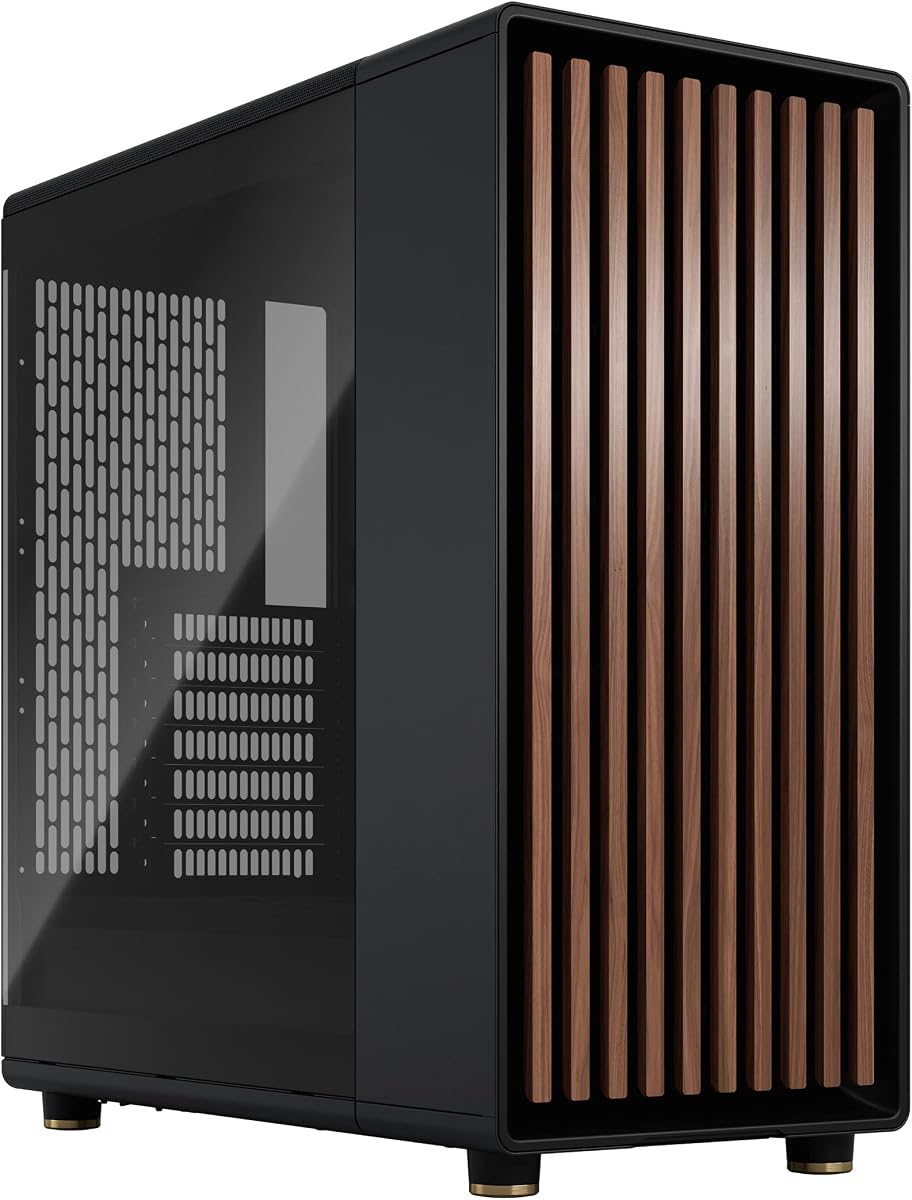
The Fractal Design North Charcoal Black earns its premium status with a genuine walnut wood front. It achieves a 4.7 rating by combining natural ventilation with stylish wood details. This case enhances any gaming station aesthetically.
We may earn a commission when you buy through this link, at no additional cost to you.
Enjoy natural ventilation through an open front and stylishly integrated mesh. The two included 140mm Aspect PWM fans provide strong airflow. The clear tempered glass side panel offers crystal clear viewing of your components.
Trade-offs include the higher cost and the need to dust the wood regularly. The side panels are removable for easy access to internal hardware. It fits ATX or mATX boards perfectly.
This case is best for those valuing unique finishes. It offers a unique finish with sustainably sourced walnut bars. If you want premium cooling with natural beauty this is the ideal choice.
Enjoy natural ventilation through an open front and stylishly integrated mesh.
Front panel bars cut from sustainably sourced oak or walnut add unique style.
We may earn a commission when you buy through this link, at no additional cost to you.
The RUIX OV303 stands out with its panoramic tempered glass design. It rates at 4.7 for its 4 high-performance ARGB fans. This case supports up to 10 fans for maximum airflow potential.
We may earn a commission when you buy through this link, at no additional cost to you.
The case can support up to 10 fans or 7 fans with a 360mm AIO cooler. The top and bottom feature large magnetic dust filters to keep it clean. It includes a built-in GPU support bracket.
The main trade-off is the weight of the glass panels which requires careful handling. The large capacity makes it ideal for spacious setups. Cable management is facilitated by the open design.
This case is great for users wanting a deep look with cooling. It supports GPUs up to 420mm in length. For those wanting extra fan options this is a strong contender.
The front and side of the case feature three tempered glass panels.
The case has a large capacity ideal for spacious setups.
We may earn a commission when you buy through this link, at no additional cost to you.
The CORSAIR 3500X RS ARGB offers high cooling capacity with a wraparound glass aesthetic. It rates at 4.6 and provides a view to match its performance. It supports motherboard form-factors from Mini-ITX to EATX.
We may earn a commission when you buy through this link, at no additional cost to you.
Side roof and PSU fan mounting points accommodate up to 10x 120mm fans. The RS120-R ARGB fans ensure cooling and unobstructed lighting. The front and side glass panels are easily removable.
Users may find the glass limits airflow compared to mesh fronts. However the reverse connection motherboard support is a key benefit for clean routing. This feature is validated for ASUS and MSI boards.
This case is ideal for those prioritizing aesthetics with cooling. Ensure you validate your motherboard choice. It is a solid choice for users wanting a stunning build.
Side roof and PSU fan mounting points accommodate up to 10x 120mm fans.
Validated for use with ASUS BTF and MSI Project Zero motherboards.
We may earn a commission when you buy through this link, at no additional cost to you.
The H2 (2026) HYXN ATX is known for its large dual-chamber ATX design. It includes 8 ARGB PWM fans. It rates at 4.4 and separates hardware from power supplies for better thermal performance.
We may earn a commission when you buy through this link, at no additional cost to you.
The dual-chamber design enhances cable management and thermal performance. It supports 420mm radiators. The streamlined cable management features an extra-large rear compartment with built-in straps.
Its size is large which may be an issue for compact setups. The Type-C 3.2 port supports high-speed connections. Users get a large space computer case for every detail.
This case is best for those needing large hardware support. The fully transparent tempered glass showcases your build. For advanced gamers wanting dual-chamber benefits this is a great option.
The dual-chamber design separates hardware from power supplies and drivers.
PC Case Optimized Space Layout supports GPUs up to 455mm.
We may earn a commission when you buy through this link, at no additional cost to you.
The Lian Li V100-ATX Mid-Tower is a white case with a 4.8 rating. It comes with 4x pre-installed PWM-controlled fans. Each side panel features a tool-less mounting mechanism.
We may earn a commission when you buy through this link, at no additional cost to you.
Tool-less mounting mechanism is key for fast access to internal components. The integrated 26-LED ARGB strip offers full spectrum color control. It supports GPUs up to 420mm.
The tool-less design makes maintenance and builds fast. Users might want to check front I/O before building. The noise level is around 26.5 dBA for quiet operation.
This case is great for quick builders seeking reliability. The daisy-chain connectivity simplifies setup. For those valuing ease of access this is a top pick.
Each side panel features a tool-less mounting mechanism for easy access.
Integrated 26-LED ARGB strip offers full spectrum color control.
We may earn a commission when you buy through this link, at no additional cost to you.
The CORSAIR 3500X RS ARGB White offers high cooling capacity with a wraparound glass aesthetic. It rates at 4.6. It supports motherboard form-factors from Mini-ITX to EATX.
We may earn a commission when you buy through this link, at no additional cost to you.
RS120-R ARGB fans ensure unobstructed lighting and cooling. Side and roof fan mounting points accommodate up to 10x 120mm fans. The front and side glass panels are easily removable.
Users may find the glass limits airflow compared to mesh fronts. The reverse connection motherboard support is a key benefit for clean routing. The white finish is perfect for specific themes.
This case is ideal for those prioritizing aesthetics with cooling. Ensure you validate your motherboard choice. It is a solid choice for users wanting a stunning white build.
Side and roof fan mounting points accommodate up to 10x 120mm fans.
Validated for use with ASUS BTF and MSI Project Zero motherboards.
We may earn a commission when you buy through this link, at no additional cost to you.
The Antec Flux Pro Full-Tower is designed for E-ATX boards. It includes 6 PWM fans and rates at 4.7. Multi-directional vent design supports up to 12 fans simultaneously.
We may earn a commission when you buy through this link, at no additional cost to you.
Its innovative iShift PSU 90° mount and CPU/GPU dual temperature display provide unique tools. The case supports simultaneous installation of 420mm radiator plus 360mm radiator. Removable cooling brackets help with airflow.
The size is large which may not fit all desks. The build quality combines metal glass and wood for a high-quality texture. This makes it stand out aesthetically.
This case is perfect for massive rigs. The PSU cooling brackets ensure flexible fan setup. For builders needing space for dual radiators this is the best choice.
Multi-directional vent design supports up to 12 fans simultaneously.
Supports simultaneous installation of 420mm radiator and 360mm radiator.
We may earn a commission when you buy through this link, at no additional cost to you.
The Cooler Master Q300L V1 is a Micro-ATX PC case with high airflow. It rates at 4.5. Ample interior allows easy expansion for Mini-ITX boards.
We may earn a commission when you buy through this link, at no additional cost to you.
Its modular I/O panel lets you adjust its position at the front top or bottom. Open thermal design on all sides promotes optimal airflow. The magnetic dust filters add a distinctive appearance.
The modular I/O is flexible for custom cable routes. However it supports GPUs up to 360mm which is standard. Users should check clearance for large cooling fans.
This case is best for compact builds. The edge-to-edge transparent panel showcases your build. For small space users this is a great option.
Modular I/O Panel adjusts position at front top or bottom.
Open Thermal Design promotes optimal airflow and heat dissipation.
We may earn a commission when you buy through this link, at no additional cost to you.
Selecting the right case for airflow requires understanding key factors like fan support, panel design, and cable management. These elements ensure your components stay cool.
Look for cases that support multiple fans for better heat dissipation. Many models include pre-installed fans which save costs.
Prioritize cases with room for extra fans if you plan on heavy overclocking.
Mesh fronts allow more air than solid glass. Check for perforations or Y-patterns.
A balance between airflow and aesthetics is key to a good case.
Ensure the case supports large radiators like 360mm or 420mm if you use liquid cooling.
Verify both top and front support options for flexibility.
Dust filters protect components and reduce noise. Magnetic filters are easier to remove for cleaning.
Check for filters on intake fans to maintain airflow.
Modular frames allow upgrades like changing motherboard trays or panels.
This extends the life of your case as you upgrade parts.
Check dimensions to ensure the case fits your desk. Larger cases may offer better airflow but need more space.
Measure your GPU and PSU dimensions against case specs.
Wide channels and hooks help route cables cleanly. Better management improves airflow.
Look for double-sided panels for hiding cables.
Regularly clean dust filters to maintain optimal airflow. Dust blocks vents and traps heat which affects cooling.
Keep cables tied down with straps to prevent air blockage inside the case. This ensures air flows to critical components.
Monitor temperatures using software to ensure the case performs well. Adjust fan curves if needed for balance.
Look for mesh panels at the front and top. Check how many fans it supports. Reviews that mention temperatures are helpful too.
Yes pre-installed fans save time and cost. They help you get started. You can always upgrade them later if needed.
Solid glass blocks more air than mesh. Look for cases with mesh on other sides. Some glass cases have vents at the top.
A 360mm or 420mm radiator is ideal. Ensure the case supports these sizes. This helps dissipate heat efficiently.
Yes cleaning every six months is recommended. Dust affects cooling and performance. This helps maintain optimal temperatures inside.
Poor cable management blocks air paths. Route cables away from fans. This ensures cool air reaches hot components.
Larger cases offer more space. But mesh design matters more than size. Choose a case with good intake and exhaust.
We highlighted top picks like the CORSAIR 4000D RS ARGB Frame. These cases balance style with cooling performance effectively.
Prioritize fan support and mesh designs for the best results. Ensure you measure your parts before building.
Always check current availability and specs before buying. Availability and details may vary over time.