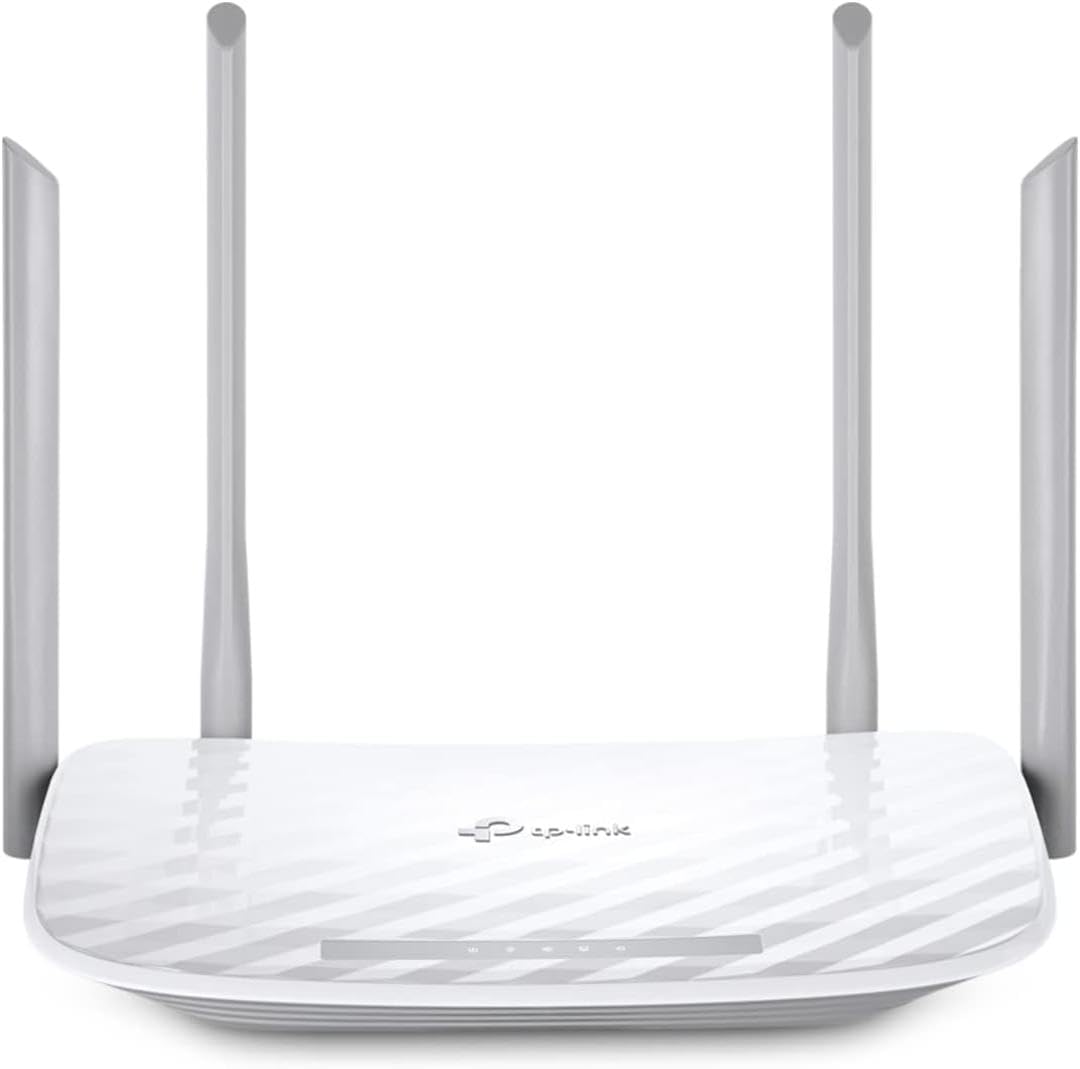
TP-Link Archer A54
4.3Editor score
Affordable Entry Price
WPA3 Security Protocol
EasyMesh Compatibility
This guide compares the top parental control routers for families, reviewing features, security, and performance to help you choose the best device for your
Protecting your family online starts with the right hardware. Parental control routers offer built-in tools to manage screen time and block unsafe content. These devices simplify digital safety without needing extra apps.
We evaluated ten top-rated models from leading brands like TP-Link and ASUS. Our analysis focuses on ease of use, filtering depth, and network performance. Each model offers unique strengths for different household needs.
Every pick includes detailed specs, pros, and cons to guide your decision. Remember that pricing and availability can change over time. Check current listings before purchasing to ensure you get the best value today.
4.3Editor score

4.2Editor score

4.3Editor score
This side-by-side comparison highlights the key differences between each router model. We focus on specifications that matter most for family safety and connectivity.


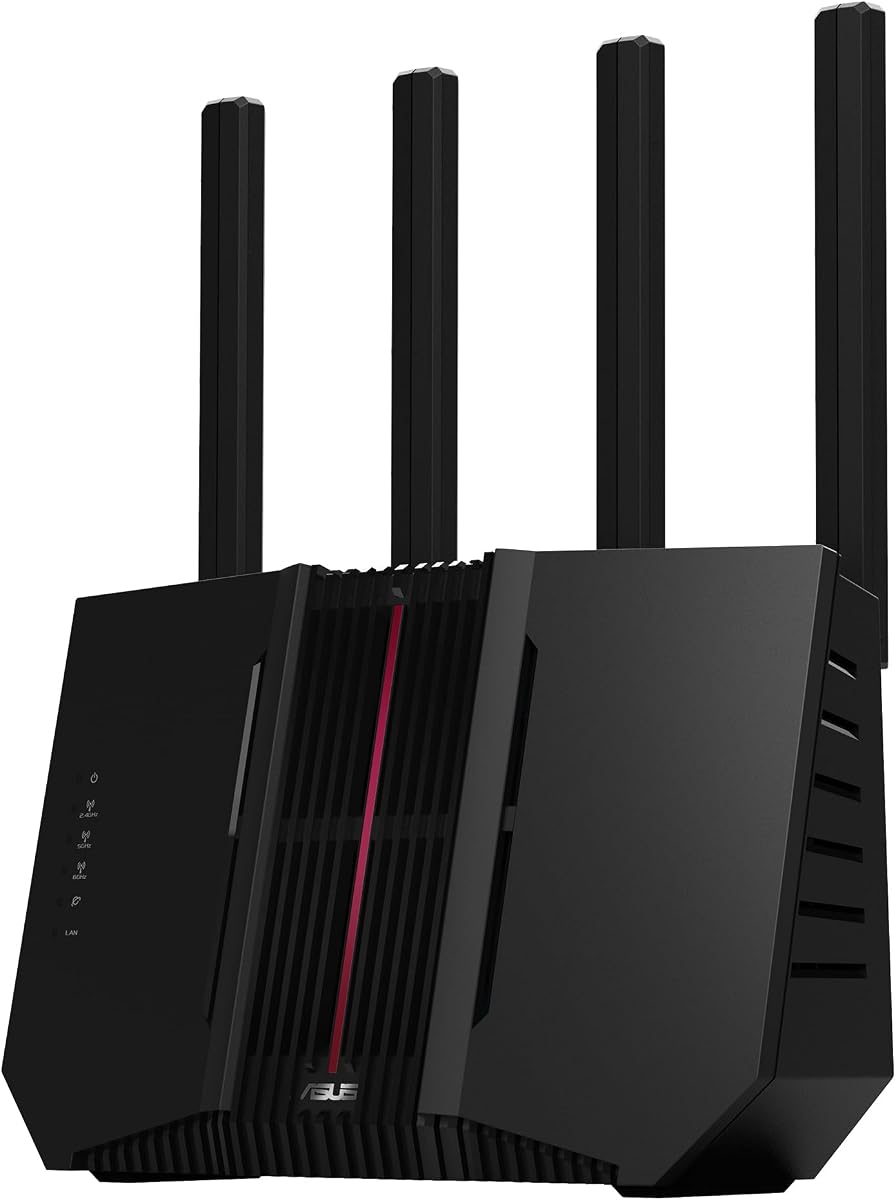
The ASUS RT-AX3000S is a top choice for families needing robust safety tools. It received a solid 4.2-star rating for its balance of speed and control. The parental control scheduling stands out as a key differentiator for managing screen time.
We may earn a commission when you buy through this link, at no additional cost to you.
This router supports the latest WiFi 6 standard, ensuring efficient traffic handling for multiple devices. It includes AiProtection Classic for deep packet inspection and threat blocking. The built-in VPN allows secure remote access to your home network.
While it excels in many areas, advanced features like VLAN tagging are limited. The AiMesh system requires compatible nodes for full mesh functionality. These trade-offs are acceptable for most home setups focused on family safety.
Families seeking reliable web filtering and easy management should consider this model. It offers premium features without the highest price tag. We recommend it as the best overall option for balanced performance and control.
Schedule internet access by day and time to enforce routines without manual intervention.
Built-in antivirus and parental controls eliminate the need for third-party subscriptions.
We may earn a commission when you buy through this link, at no additional cost to you.
The TP-Link Archer A54 offers essential parental controls at an entry-level price point. It holds a high 4.3-star rating from users who appreciate its simplicity. Basic filtering and scheduling are accessible through the mobile app.
We may earn a commission when you buy through this link, at no additional cost to you.
It utilizes dual-band WiFi to reduce interference and maintain stability. The device supports AP mode for flexible placement in larger homes. Security is reinforced with the latest WPA3 protocol against unauthorized access.
Due to its lower cost, it lacks some advanced traffic shaping features found in pricier models. Performance may lag with many simultaneous high-bandwidth devices. For small families or secondary homes, these limitations are manageable.
This router is ideal for those prioritizing affordability over cutting-edge features. It provides a solid foundation for digital safety. We recommend it as the best budget pick for straightforward home protection.
The Tether app simplifies setup and basic control without complex menus or interfaces.
AP mode allows you to extend existing wired networks into wireless zones easily.
We may earn a commission when you buy through this link, at no additional cost to you.
The ASUS RT-BE88U represents the peak of home network performance and safety. It earned a 4.3-star rating for handling heavy loads without congestion. Parental controls here are granular and integrated with high-end security.
We may earn a commission when you buy through this link, at no additional cost to you.
Powered by WiFi 7, it handles massive data traffic for gaming and streaming simultaneously. The AiProtection Pro suite offers real-time threat detection and blocking. Multiple SSIDs allow separate networks for guests and IoT devices.
Its high cost places it out of reach for average budgets. The physical size and heat output require careful placement for optimal airflow. These factors are worth it for those needing top-tier reliability and speed.
For large households or tech enthusiasts, this router delivers unmatched capability. It ensures safety without compromising on performance. We recommend it as the best premium choice for demanding network environments.
WiFi 7 support ensures the network stays fast as new devices enter the market.
Create isolated networks for visitors while keeping your main network secure.
We may earn a commission when you buy through this link, at no additional cost to you.
The TP-Link Archer AX21 is a reliable mid-range option for family networks. It boasts a 4.4-star rating reflecting high user satisfaction with its stability. HomeShield provides essential protection and device management capabilities.
We may earn a commission when you buy through this link, at no additional cost to you.
Utilizing WiFi 6 technology, it delivers efficient data transfer across multiple devices. Beamforming helps direct signals to connected devices for better coverage. The hardware is built with security as a core requirement.
Advanced customization is somewhat limited compared to enterprise-grade solutions. VPN options are functional but lack extensive protocol support. For typical home use, these limitations do not hinder functionality.
This router offers a strong balance of speed and safety at a reasonable cost. It is well-suited for general households. We recommend it for those needing steady performance with basic controls.
Beamforming concentrates Wi-Fi signals to connected devices for improved range.
Designed and maintained with advanced security as a core requirement.
We may earn a commission when you buy through this link, at no additional cost to you.
The ASUS RT-AX1800S delivers efficient performance for standard home internet needs. It achieved a 4.3-star rating for consistent reliability. AiProtection Classic offers subscription-free security and basic web filtering.
We may earn a commission when you buy through this link, at no additional cost to you.
OFDMA technology ensures efficient channel allocation for connected devices. The Instant Guard VPN feature provides secure browsing on public networks. AiMesh compatibility allows seamless expansion as needs grow.
Parental features are present but less detailed than in top-tier models. Users may need extra steps for complex scheduling rules. These constraints are minor for casual users focused on basic safety.
This model suits those who prefer ASUS software without advanced customization. It provides a stable base for digital safety. We recommend it for users valuing simplicity and brand ecosystem.
Enjoy comprehensive network protection without ongoing subscription fees.
Compatible with smart home devices for centralized management and safety.
We may earn a commission when you buy through this link, at no additional cost to you.
The TP-Link Archer BE230 introduces next-gen WiFi 7 performance to families. It holds a 4.2-star rating for early adoption of advanced standards. HomeShield 2.0 provides comprehensive parental controls and IoT security.
We may earn a commission when you buy through this link, at no additional cost to you.
Multi-Link Operation increases reliability and reduces latency during high traffic. Dual 2.5G ports allow high-speed internet connections. The processor is designed to handle heavy throughput without lag.
As a newer standard, compatible devices are still emerging. Advanced mesh features rely on EasyMesh which varies in consistency. These factors are acceptable for early adopters seeking speed.
This router is ideal for those wanting cutting-edge technology now. It provides robust tools for managing digital access. We recommend it for families prioritizing future-proofing and speed.
Multi-Link Operation enhances reliability and speed across multiple channels.
Protects connected smart devices with real-time network protection.
We may earn a commission when you buy through this link, at no additional cost to you.
The ASUS RT-BE82U is a powerful dual-band option for fast internet needs. It received a 4.2-star rating for efficient data transfer. AiProtection Pro ensures safety with detailed parental controls.
We may earn a commission when you buy through this link, at no additional cost to you.
Five 2.5GbE ports prioritize traffic for optimal wired performance. Multi-link operation keeps connections stable for high-demand applications. Safe Browsing integrates with filters to protect users from harmful sites.
Cost is higher than standard routers, requiring budget consideration. Users may need time to configure advanced VPN and mesh settings. For those needing high throughput, these are minor hurdles.
Families with heavy streaming or gaming needs will find this ideal. It balances speed with robust safety tools. We recommend it for users needing high-end performance with parental oversight.
Multiple high-speed ports ensure devices get maximum bandwidth.
Integrated tools protect against harmful sites across the network.
We may earn a commission when you buy through this link, at no additional cost to you.
The TP-Link Archer AXE75 offers tri-band performance with the 6 GHz band. It earned a 4.3-star rating for speed and stability. HomeShield provides essential parental controls and security scanning.
We may earn a commission when you buy through this link, at no additional cost to you.
The 6 GHz band enables near-zero latency for gaming and streaming. OFDMA increases capacity for more simultaneous connections. VPN server and client features support secure remote access easily.
Users need devices supporting 6 GHz for full speed benefits. Configuration requires some technical knowledge for advanced VPN setups. These factors are acceptable for users seeking high throughput.
Ideal for homes needing significant capacity and speed. It offers a solid balance of modern tech and safety. We recommend it for families needing tri-band efficiency.
Access to 6 GHz allows for faster speeds without interference.
VPN server and client modes enable secure access from anywhere.
We may earn a commission when you buy through this link, at no additional cost to you.
The ASUS RT-BE9700 offers the fastest speeds available on the market. It holds a 3.9-star rating reflecting users adjusting to new tech. Instant Guard provides secure browsing across devices easily.
We may earn a commission when you buy through this link, at no additional cost to you.
Tri-band connectivity supports massive traffic loads for smart homes. Versatile WAN options ensure always-on internet. Security features protect from end-to-end for 24/7 coverage.
Complexity in setup may challenge average users. Lower ratings suggest some early issues with stability or firmware. For tech-savvy households, these are expected growing pains.
This router suits power users needing maximum throughput. It delivers top-tier tools for family safety. We recommend it for advanced users prioritizing speed and capacity.
Tri-band operation maximizes throughput for high-demand households.
Secure connection over public WiFi with one tap on the phone.
We may earn a commission when you buy through this link, at no additional cost to you.
The TP-Link ER605 is a dedicated wired router for specific environments. It achieved a 4.4-star rating for stability. It offers security features that can be paired with access points.
We may earn a commission when you buy through this link, at no additional cost to you.
Five gigabit ports allow optimized bandwidth usage. It supports multiple WAN connections for redundancy. The SPI firewall provides robust protection for network data.
Lacking built-in wireless requires external access points. The interface is technical for non-expert users. These traits make it suitable for specific setups rather than general home use.
Best for users with existing wireless access points. It offers strong network safety tools. We recommend it for advanced users needing wired control.
Multiple WAN ports ensure connectivity if one link fails.
Deep packet inspection and DoS defense protect data integrity.
We may earn a commission when you buy through this link, at no additional cost to you.
Selecting the right router involves evaluating features, speed, and compatibility with your devices.
Look for schedules that allow specific device restrictions and category blocking. This ensures children only access appropriate content during set hours.
Choose routers with detailed filtering to manage screen time effectively.
Ensure the router supports current standards like WiFi 6 or 7 for future-proofing. These standards handle multiple devices without slowing down.
Prioritize models with advanced throughput for modern families.
Built-in security suites eliminate the need for separate subscriptions. Features like deep packet inspection block threats before they reach devices.
Select options with comprehensive protection to safeguard all connected devices.
Simple interfaces and mobile apps make management accessible. Avoid complex command lines unless you are technically skilled.
Opt for intuitive tools to manage access without frustration.
Check the maximum number of devices the router supports simultaneously. A higher capacity ensures stability as you add more smart devices.
Choose high-capacity models to prevent network congestion.
High-speed Ethernet ports are crucial for gaming or streaming devices. Ensure enough ports are available for your critical hardware.
Prioritize routers with sufficient Gigabit ports for wired needs.
Compatibility with mesh systems allows you to extend coverage later. This ensures the network grows with your home layout needs.
Look for expandable solutions to maintain coverage as you move.
Remote management capabilities let you monitor networks while away. Secure VPN features allow safe access to your network from anywhere.
Select models with secure remote tools for on-the-go control.
Start by setting up the network through the mobile app. Create profiles for each family member to assign restrictions accurately.
Regularly update firmware to maintain security and performance. Outdated software can leave vulnerabilities open to exploitation.
Monitor reports to understand internet habits. Adjust schedules or filters based on changing family needs over time.
Yes, most routers block content at the network level using DNS or IP filtering. This means devices cannot bypass restrictions unless they know the DNS settings.
You typically need a modem from your ISP combined with the router. The router connects to the modem via an Ethernet cable for internet access.
Basic filtering is free on most models. Some advanced features may require a subscription to access full reports or protection.
Yes, they connect to smart devices but require manual setup for protection. Ensure you add IoT devices to your security profiles.
Many models allow daily schedules. You can set strict rules on school days and relaxed ones on weekends easily.
Check settings for auto-update. If unavailable, use the app to manually download and install updates when prompted.
The top picks balance performance with essential safety tools. Choosing the right device depends on your specific household needs and budget.
Prioritize ease of use and robust scheduling features for long-term value. A router that is easy to manage ensures consistent enforcement.
Always verify current availability and support options before purchasing. Features and pricing may change as technology evolves.