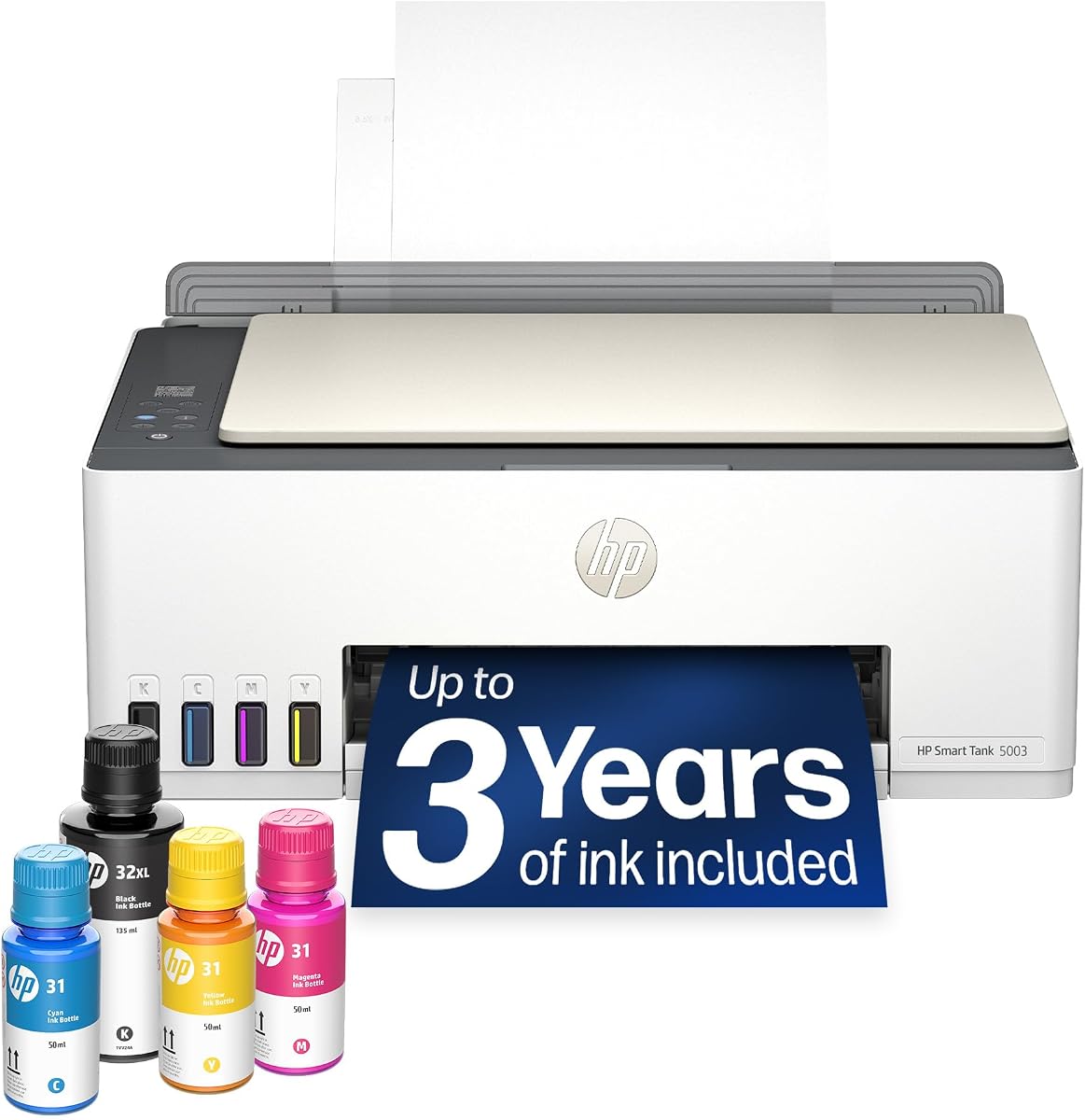
HP Smart Tank 5003
3.9Editor score
Includes three years of ink
Mess-free refill system
Supports high page yield
This guide compares the top 10 office printers for high volume printing based on speed, cost per page, reliability, and features for busy work environments.
Finding the right office printer for high volume printing is essential for maintaining productivity in any busy work environment. You need a machine that handles large batches without jamming while delivering crisp text and reliable color when necessary.
We compared ten top models from trusted brands like HP, Brother, and Canon based on real-world performance metrics. Our analysis focuses on print speed, ink or toner costs, connectivity options, and overall durability for office settings.
Each pick highlights specific strengths such as speed, cost efficiency, or versatile scanning capabilities. Remember that prices and availability change frequently so verify current deals before making your final purchasing decision.
3.9Editor score

4.0Editor score

4.3Editor score
The following table provides a side-by-side comparison of all ten office printers evaluated in this guide to help you quickly identify the model that best fits your specific high volume printing needs.




The HP OfficeJet Pro 9125 stands out as a top choice for offices needing reliable color printing. With a solid rating and professional features it delivers sharp documents for presentations and marketing materials.
We may earn a commission when you buy through this link, at no additional cost to you.
Its standout strengths include fast printing speeds up to twenty two pages per minute and advanced AI tools that optimize web pages. The dual-band Wi-Fi ensures stable connections while HP Wolf Pro Security protects your network data.
On the downside original HP cartridges are required and firmware updates enforce this strictly which limits third-party options. Also while the Instant Ink trial helps costs rise after the three month period.
Buy this if you need professional color quality and smart features in a single device. It is ideal for small businesses that print brochures and client documents regularly.
Produces vibrant brochures and flyers suitable for client presentations.
Automatically formats web content to reduce wasted paper and layout issues.
We may earn a commission when you buy through this link, at no additional cost to you.
The HP Smart Tank Plus 570 is an excellent budget pick for offices needing high volume output without constant ink purchases. It comes with enough ink for up to two years making it very cost effective.
We may earn a commission when you buy through this link, at no additional cost to you.
Key strengths are the cartridge-free design and mess-free refill system which reduce downtime. You get thousands of pages right out of the box and borderless prints for professional looking flyers.
However it is an inkjet so print speeds are slower than laser printers and occasional spills during refills can happen. It also lacks some advanced security features found in higher end business models.
Choose this if cost per page matters most and you print mostly text or basic color. It is great for home offices or small businesses on a tight budget.
Ink included reduces cost per page significantly compared to cartridge models.
Supports thousands of pages per refill cycle for continuous operation.
We may earn a commission when you buy through this link, at no additional cost to you.
The Brother MFC-L5915DW is a premium workhorse designed for offices with heavy monochrome printing demands. It delivers speeds up to fifty pages per minute and includes a large auto document feeder for batch scanning.
We may earn a commission when you buy through this link, at no additional cost to you.
Its strengths are exceptional speed high paper capacity that reduces refills and ultra high-yield toner cartridges that lower cost per page. The Gigabit Ethernet and dual-band Wi-Fi ensure smooth network integration.
The main trade-off is the high initial price and it only prints in black and white which limits use for colorful documents. Also it is larger than other models so space may be a consideration.
This is the best choice for businesses that print thousands of text pages daily and need reliable high speed performance. Prioritize this if document throughput is your primary concern.
Fifty ppm speeds handle large volume jobs without bottlenecks or delays.
70-page ADF with single-pass duplex scanning streamlines digitizing workflows.
We may earn a commission when you buy through this link, at no additional cost to you.
The HP Smart Tank 5003 is designed for offices wanting minimal maintenance and low ink costs over time. It includes enough ink for up to three years which is rare in this category.
We may earn a commission when you buy through this link, at no additional cost to you.
Key benefits include the mess-free refill system and cartridge-free design that eliminates frequent cartridge swaps. You get thousands of pages and supports borderless prints for photos and flyers.
It is best for small to medium offices since it may struggle with extreme volume and requires occasional ink refills that need care. Also it lacks some enterprise features like advanced security protocols.
Buy this if you want the lowest long-term ink costs and don't need high speed output. It is a smart pick for budget-conscious teams printing mixed color and black documents.
Three years of ink included reduces replacement frequency significantly.
Mess-free bottles make refilling easy for any office user.
We may earn a commission when you buy through this link, at no additional cost to you.
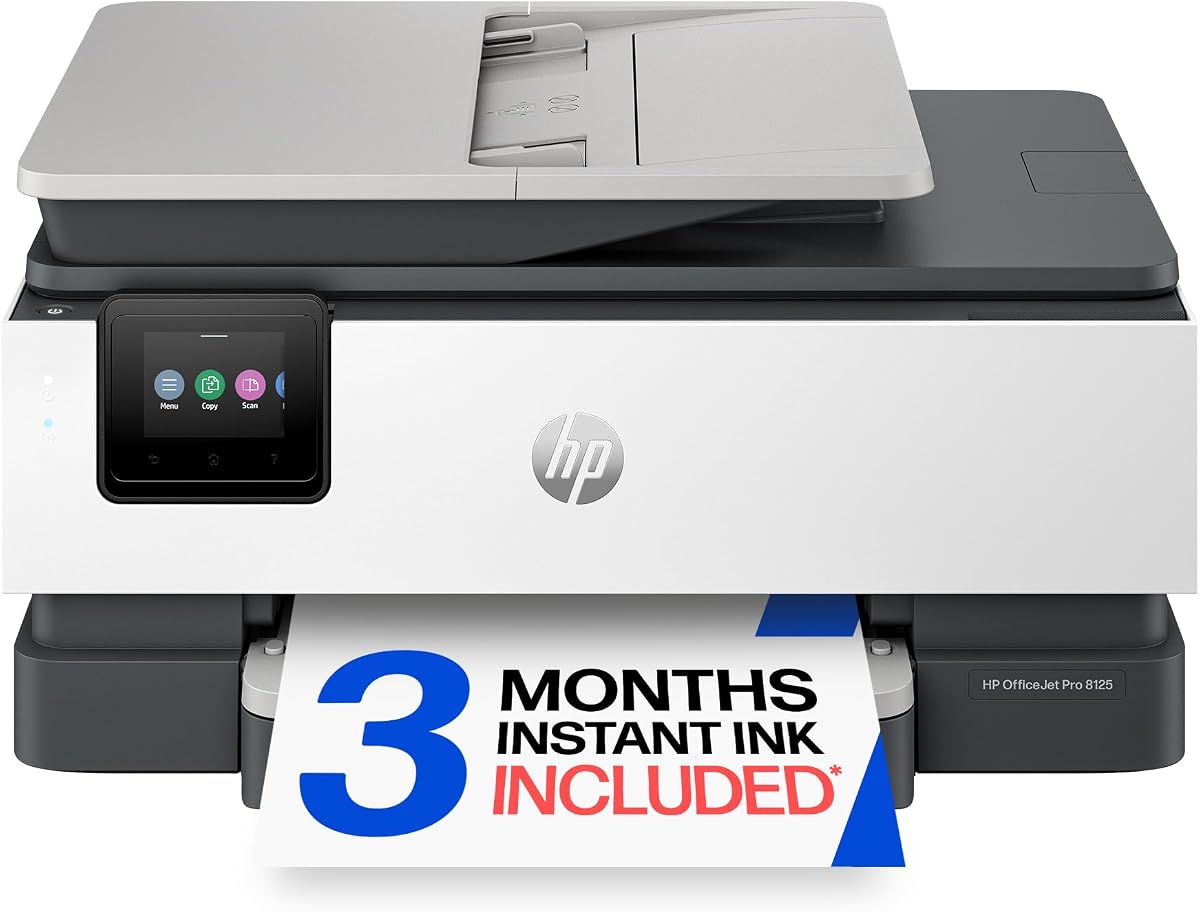
The HP OfficeJet Pro 8125 is a solid all-in-one choice for offices needing reliable color and scanning without top-tier speed. It offers a balanced feature set including fast text printing and an auto document feeder.
We may earn a commission when you buy through this link, at no additional cost to you.
Strengths include solid color print speeds up to twenty ppm and AI tools that optimize email layouts. The Instant Ink trial and strong security features like HP Wolf Essential add value for small teams.
It is slower than the 9125 model and cartridge costs can add up over time. Also the touchscreen is smaller than larger office models but still functional for daily tasks.
Choose this for general office use where you need color and scanning regularly. It fits well in home offices or small teams needing professional quality output.
Combines print scan copy and fax in one compact office unit.
HP AI optimizes print layouts to save paper and improve readability.
We may earn a commission when you buy through this link, at no additional cost to you.
The Brother DCP-L2640DW is a compact multifunction printer built for small businesses needing fast black and white output. It handles high volume monochrome tasks efficiently with speeds up to thirty six ppm.
We may earn a commission when you buy through this link, at no additional cost to you.
Key strengths are the small footprint which saves desk space and fast scanning with a 50-page auto document feeder. Dual-band Wi-Fi ensures reliable connectivity and the Refresh EZ Print service simplifies toner management.
It only prints in black and white which limits use for color docs. Also paper capacity is modest so you may need to refill more often in very busy environments.
Buy this if space is tight and you mostly print text documents. It is ideal for startups or small offices needing fast reliable monochrome printing.
Compact size fits easily into smaller desks or workspaces.
Subscription service ensures toner is available when you need it.
We may earn a commission when you buy through this link, at no additional cost to you.
The Brother HL-6210DW is a dedicated printer focused on fast monochrome output for high volume needs. It lacks scan or copy features but delivers fifty pages per minute with low cost per page.
We may earn a commission when you buy through this link, at no additional cost to you.
Strengths include large paper trays reducing refill needs and ultra high-yield toner for lower operating costs. Advanced security features protect documents and Gigabit Ethernet ensures stable network sharing.
Without scanning or copying capabilities it is not ideal for offices needing multifunction devices. Also it only prints in black which limits use for color marketing materials.
Choose this if you need a fast dedicated printer for text documents and already have separate scanning tools. It fits large offices needing raw printing speed and reliability.
Fifty ppm speeds handle large document queues efficiently.
High-yield cartridges reduce frequent replacements and cost per page.
We may earn a commission when you buy through this link, at no additional cost to you.
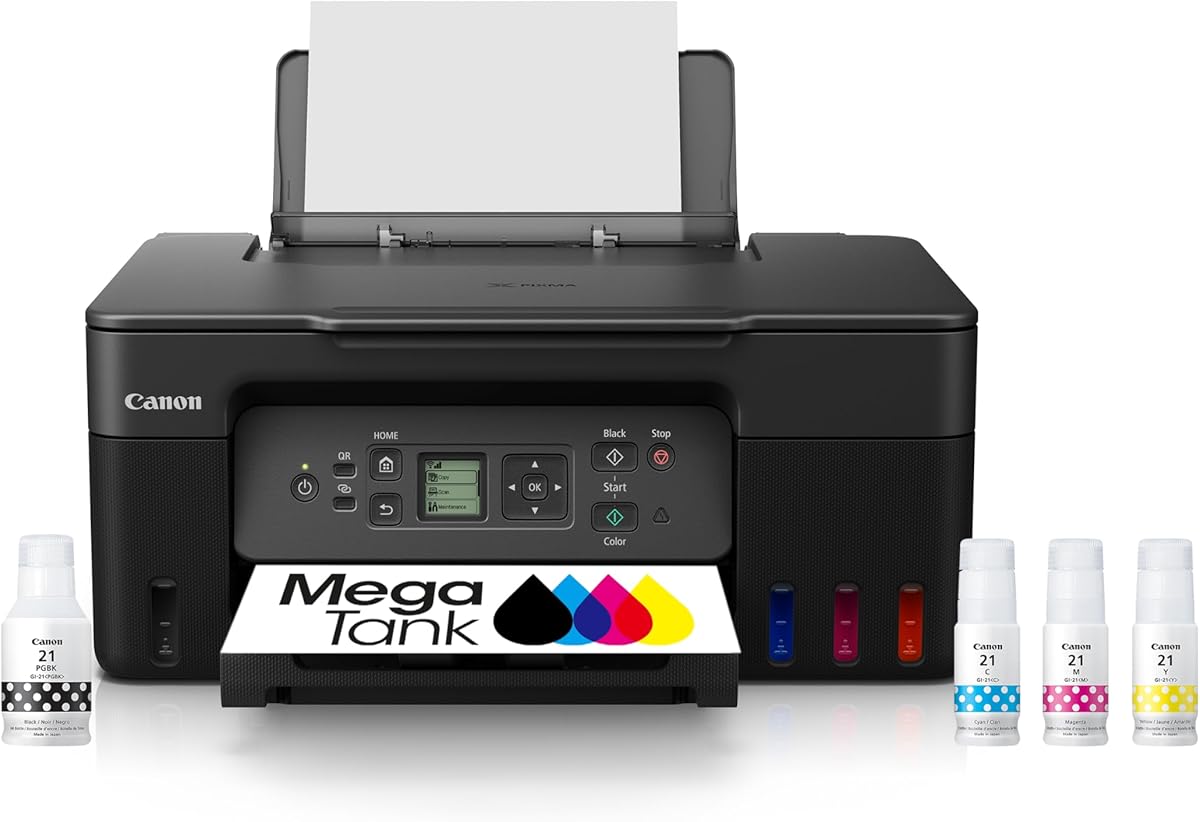
The Canon MegaTank G3270 offers excellent value for offices needing color printing with low ongoing costs. It comes with ink for up to two years and supports thousands of pages per refill.
We may earn a commission when you buy through this link, at no additional cost to you.
Strengths include vibrant color output and a tank system that reduces waste and cost. Wireless printing works smoothly and the setup is simple for most users.
Speeds are slower than laser models and it lacks some advanced features like fax or large ADF. It is also not as secure as business-grade laser printers.
Buy this if you need affordable color printing without cartridge hassles. It suits small offices or teams needing photos and color docs regularly.
Tank system provides thousands of color pages per refill.
Produces rich color prints suitable for photos and marketing.
We may earn a commission when you buy through this link, at no additional cost to you.
The HP LaserJet Pro 3101sdw is a reliable mono laser printer for small teams needing consistent black and white output. It delivers fast print speeds and includes an auto document feeder for easy scanning.
We may earn a commission when you buy through this link, at no additional cost to you.
Strengths are sharp professional quality text and dependable reliability. Wi-Fi connects easily and it supports mobile printing so remote workers can print anytime.
It only prints black and white and lacks some advanced security features found in higher end models. Also controls are basic which may limit complex workflow setups.
Choose this if you need a dependable workhorse for text documents. It fits small teams prioritizing reliability over color or advanced features.
Consistent output ensures high volume jobs complete smoothly.
Toner produces sharp text suitable for business reports.
We may earn a commission when you buy through this link, at no additional cost to you.
The HP Envy 6155 is best suited for home offices needing color printing for docs and photos. It supports Instant Ink trial and AI formatting tools that simplify web page printing.
We may earn a commission when you buy through this link, at no additional cost to you.
Strengths include intuitive touchscreen controls and vibrant photo quality. Wireless connection is reliable and it handles small color jobs well.
Print speeds are slow compared to office laser models and paper capacity is limited. It is not ideal for heavy volume printing but works for light use.
Buy this if you need a small colorful printer for occasional office and photo needs. It fits home offices or casual work environments.
True-to-screen tech prints photos with vibrant accurate colors.
Compact design fits well in home office or study areas.
We may earn a commission when you buy through this link, at no additional cost to you.
Selecting the right printer for high volume printing involves evaluating several key factors to ensure it meets your office needs without breaking the budget.
Print speed measured in pages per minute (ppm) is critical for high volume environments. Look for printers offering at least 30 ppm for black and white tasks to avoid bottlenecks during busy periods.
Prioritize models with faster output to keep workflows efficient and reduce wait times.
Operating costs vary widely depending on whether the printer uses inkjet cartridges or laser toner. High volume printers with tank systems or high-yield toner cartridges offer lower cost per page over time.
Consider long-term expenses and not just upfront price to maintain a budget-friendly operation.
A printer with large paper trays reduces the frequency of refills which is vital for high volume workflows. Models with upgradable trays or multiple paper sources handle larger batches without manual intervention.
Choose units with robust paper handling to minimize interruptions and maintenance needs.
Modern offices need versatile connectivity such as Wi-Fi Ethernet and mobile printing support. Dual-band Wi-Fi ensures stable connections and Ethernet provides a reliable wired option for security.
Ensure the printer supports network printing so multiple users can access it easily.
Printers that include scanning copying and faxing consolidate office tasks into one device. Auto document feeders (ADF) streamline batch scanning which is essential for digitizing high volume paperwork.
Look for all-in-one models to save space and improve operational efficiency.
Protecting sensitive business data requires printers with strong security features like secure boot encryption and user authentication. Enterprise models often include advanced threat protection to safeguard documents.
Prioritize security features to prevent unauthorized access and protect confidential information.
High volume printing demands durable hardware designed to withstand continuous use over years. Check manufacturer ratings for duty cycles to ensure the printer can handle monthly print volumes.
Invest in robust models to avoid frequent repairs and downtime during peak times.
A clear touchscreen and intuitive controls simplify daily printing tasks for all staff. Look for models with customizable menus and mobile app support for easy remote management.
Choose user-friendly interfaces to reduce training time and improve overall productivity.
Start by setting up your printer on a stable flat surface away from direct sunlight or humidity. Connect it securely to your network using Ethernet or Wi-Fi and install the latest drivers from the manufacturer.
Regularly clean the print heads and scanner glass to maintain output quality. Use manufacturer-approved cleaning tools and avoid harsh chemicals that might damage sensitive components.
Monitor ink or toner levels frequently to prevent unexpected shortages during critical jobs. Enable notifications and use auto-replenishment services if available to keep supplies stocked.
For high volume needs the Brother MFC-L5915DW is excellent for speed and capacity while the HP OfficeJet Pro 9125 leads in color quality. Laser models are faster and cheaper per page for text.
Yes tank printers like HP Smart Tank models reduce ink costs significantly and support thousands of pages. They are ideal for offices needing color without frequent cartridge changes.
Use high-yield toner or ink tank systems and enable duplex printing to save paper. Consider Instant Ink programs or subscription services to manage supply costs effectively.
All models listed support mobile printing via apps like HP Smart or Brother Mobile Connect. Ensure dual-band Wi-Fi is enabled for seamless remote device connections.
Seek printers with secure boot encryption and user authentication like HP Wolf Security or Brother Triple Layer Security. These protect sensitive documents from cyber threats.
Most models listed offer automatic duplex printing to save paper. Check specifications to confirm two-sided printing and scanning for your specific chosen unit.
To recap top picks include the Brother MFC-L5915DW for speed HP OfficeJet Pro 9125 for color and HP Smart Tank 5003 for low cost.
Prioritize speed and operating costs if your office handles thousands of pages monthly. For color needs tank models provide best value while lasers excel in text throughput.
Always verify current pricing and availability since deals change often. Check warranties and support options before buying to ensure long-term satisfaction.