
Samsung 27" Essential S3 (S36GD) Series
4.5Editor score
1800R curved screen
100Hz refresh rate
Advanced eye comfort
Choosing the right monitor for trading is critical for analyzing charts tracking data and making quick decisions. A high-quality display reduces eye strain and ensures clarity during long market sessions.
We evaluated ten top-rated monitors focusing on resolution size refresh rate and connectivity. Our comparison highlights models suited for multi-window setups and fast-moving financial data visualization.
Each pick includes detailed specs pros and cons to help you decide based on your workspace and budget. Note that prices and availability may change so verify current offers before purchasing.
4.5Editor score

4.3Editor score

4.6Editor score
As an Amazon Associate we earn from qualifying purchases.
This side-by-side comparison outlines key specifications for all ten monitors to help you quickly identify the best fit for your trading setup and budget requirements.


The Samsung 34' Odyssey G5 stands out as a top choice for traders needing wide screen real estate. Its 1000R curvature matches the human field of view reducing eye strain during long analysis sessions.
We may earn a commission when you buy through this link, at no additional cost to you.
WQHD resolution provides sharp chart detail while 165Hz refresh rate ensures smooth scrolling through market data. AMD FreeSync Premium minimizes tearing which is crucial for real-time data visualization.
Trade-offs include VA panel limitations in dark room contrast compared to OLED. However for most trading environments the color accuracy and speed balance well for the price point.
Buy this if you want a single monitor replacing dual screens. It excels at multitasking across multiple trading platforms with clear visuals and immersive ergonomics.
The 1000R curve wraps around your vision helping you monitor side panels without turning your head frequently during active trading hours.
High refresh rates prevent motion blur when rapidly refreshing charts or moving across tickers which keeps your workflow uninterrupted and efficient.
We may earn a commission when you buy through this link, at no additional cost to you.
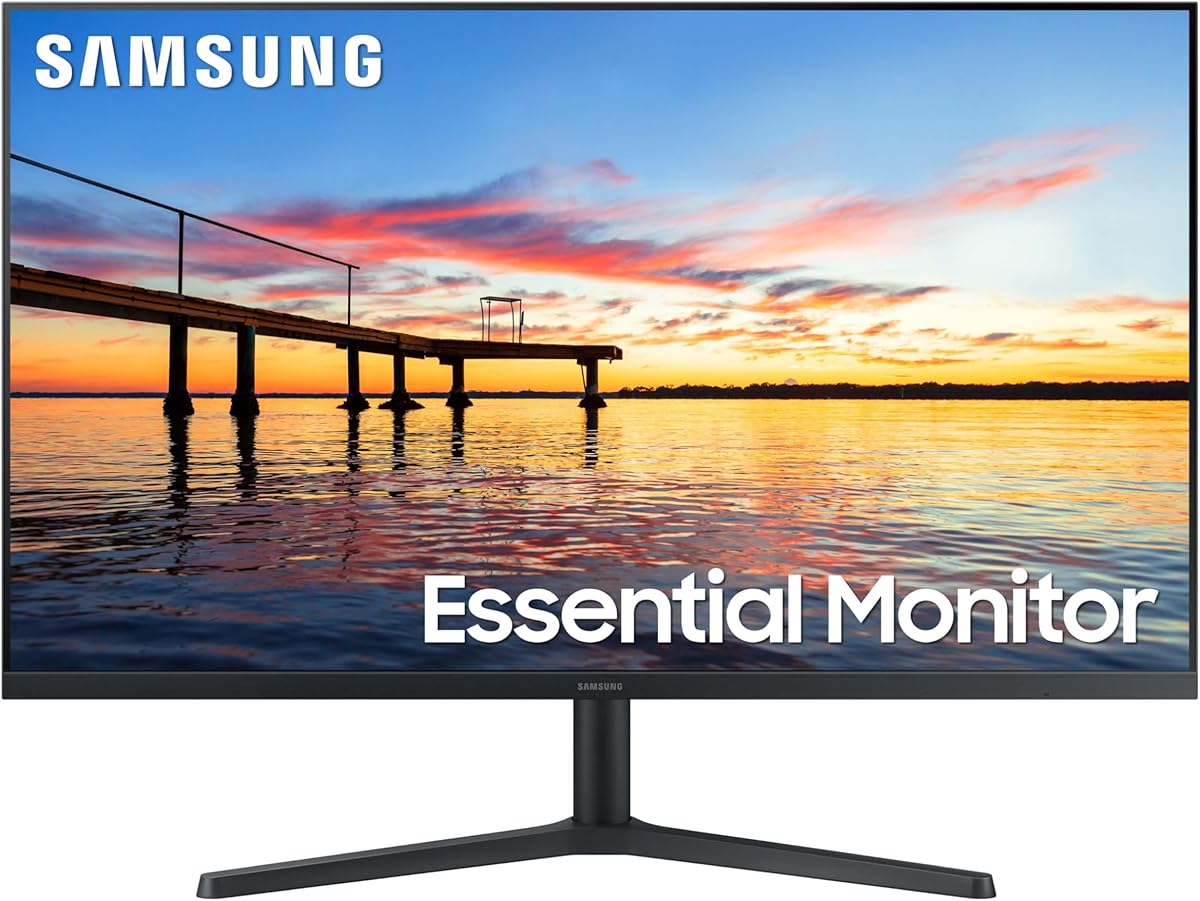
This Samsung 27 inch Essential S3 offers a budget-friendly entry into curved monitoring ideal for new traders or secondary setups. The 1800R curve reduces bezel distraction and enhances focus on charts.
We may earn a commission when you buy through this link, at no additional cost to you.
100Hz refresh rate delivers smooth visuals while eye comfort technology reduces blue light for longer sessions. Connect multiple devices easily using available ports for a flexible workspace.
Resolution is Full HD which may show fewer columns than higher res panels. For basic trading and general use this trade-off is acceptable given the low cost and ergonomic benefits.
Choose this for a compact cost-effective primary or secondary monitor. It balances comfort performance and price well for those prioritizing essential features.
The 1800R curve keeps the edges closer to your eyes reducing neck movement and fatigue when tracking multiple indicators on the screen.
While not top-tier this monitor delivers reliable speed and comfort without premium pricing making it accessible for various trading environments.
We may earn a commission when you buy through this link, at no additional cost to you.
The Samsung 32 inch Odyssey G55C combines QHD clarity with a tight 1000R curve for immersive viewing. Its pixel density ensures crisp text and charts essential for detailed financial analysis.
We may earn a commission when you buy through this link, at no additional cost to you.
165Hz refresh keeps motion fluid while Eye Saver Mode minimizes blue light during extended work. The wide view helps you track more market data without constant scrolling or window switching.
Larger size demands adequate desk space. VA panel performance differs from IPS regarding viewing angles but the curve compensates by keeping content within the optimal viewing zone.
Opt for this if you want high detail in a curved format. It suits traders needing sharp visuals and immersion without moving to ultra-wide screens.
QHD resolution provides more screen real estate than FHD allowing you to display complex charts and data tables simultaneously clearly.
Eye Saver Mode reduces strain so you can focus longer on market trends without discomfort during extended trading hours.
We may earn a commission when you buy through this link, at no additional cost to you.
This Sceptre 27-inch monitor delivers accurate colors with 100% sRGB coverage beneficial for charting and graphic-heavy data. The frameless bezel supports multi-monitor setups seamlessly reducing visual distractions.
We may earn a commission when you buy through this link, at no additional cost to you.
100Hz refresh rate ensures smooth motion while built-in speakers handle audio needs without extra cables. Eye care features reduce strain during prolonged analysis sessions.
Lack of USB-C limits laptop docking options. Still the color fidelity and connectivity options make it a solid choice for standard desktop trading setups.
Select this for color accuracy and sleek looks. It fits well in professional setups needing consistent visuals without premium pricing.
The 100% sRGB ensures charts and indicators display true colors helping you spot trends and signals more accurately.
Frameless design allows multiple units to align cleanly creating an expansive screen view for comprehensive market tracking.
We may earn a commission when you buy through this link, at no additional cost to you.
The CRUA 34-inch offers an IPS ultrawide with UWQHD resolution ideal for multi-tasking. PIP and PBP modes let you monitor stock tickers alongside charts on one screen.
We may earn a commission when you buy through this link, at no additional cost to you.
IPS technology ensures consistent colors across angles while 165Hz keeps movement smooth. Connect two devices simultaneously via HDMI and DisplayPort for versatile workflows.
IPS panels may show slight glow in dark rooms but daytime trading performance remains excellent. Contrast is lower than VA but speed and color win for most users.
Choose this for flexibility and consistent colors. It suits traders needing split screens and wide views without curved distortion.
PBP allows two inputs side-by-side helping you track live feeds and charts simultaneously without switching windows.
IPS panel maintains accurate colors from any seat ensuring you see charts correctly even when working off-center.
We may earn a commission when you buy through this link, at no additional cost to you.
This Sceptre 34-inch boasts a 240Hz refresh rate providing buttery-smooth motion for rapid data updates. UWQHD resolution ensures detailed visuals across the entire ultrawide display.
We may earn a commission when you buy through this link, at no additional cost to you.
1500R curve wraps views while Blue-Light Shift protects eyes. Connectivity is robust with multiple DisplayPort and HDMI options for complex setups.
High refresh exceeds typical trading needs but guarantees fluidity. Text on curved screens might show slight distortion though most users adapt quickly.
Opt for this if speed is a priority. It delivers high performance at a reasonable price for traders wanting top-tier smoothness.
240Hz refresh rate eliminates stutter ensuring rapid chart updates appear seamless during volatile market movements.
Multiple DisplayPort and HDMI ports allow seamless integration of multiple PCs or laptops into a single display hub.
We may earn a commission when you buy through this link, at no additional cost to you.
The ASUS ROG OLED monitor offers unmatched visual fidelity with true blacks and rapid response. Its glossy finish enhances color vibrancy making charts and data stand out vividly.
We may earn a commission when you buy through this link, at no additional cost to you.
240Hz refresh and 0.03ms response ensure zero lag. OLED Care Pro reduces burn-in risk with proximity sensors making it safer for extended static screen usage.
Burn-in remains a concern for traders with static overlays though mitigation tech helps. High cost limits accessibility but performance remains top-tier.
Select this for premium quality and speed. Best for traders prioritizing display excellence and willing to invest in OLED technology.
OLED technology delivers perfect blacks and vibrant colors making chart lines pop for superior readability and contrast.
0.03ms response ensures instantaneous updates critical for traders reacting to split-second market changes without delay.
We may earn a commission when you buy through this link, at no additional cost to you.
This Samsung 32-inch flat monitor offers a standard view suitable for traders preferring no curvature. Borderless bezels create a clean modern aesthetic for professional setups.
We may earn a commission when you buy through this link, at no additional cost to you.
75Hz refresh ensures fluid motion for everyday tasks while eye comfort tech minimizes strain. AMD FreeSync keeps visuals smooth during data changes.
Refresh rate and resolution are lower than gaming monitors. Still it serves well for general trading work requiring reliable flat-screen performance.
Choose this for a simple flat setup. It suits traders prioritizing traditional display geometry over curved immersion.
Flat screen preserves text straightness ideal for reading detailed data columns and spreadsheets accurately.
Borderless design supports multi-monitor configurations ensuring a continuous view across screens without distracting gaps.
We may earn a commission when you buy through this link, at no additional cost to you.
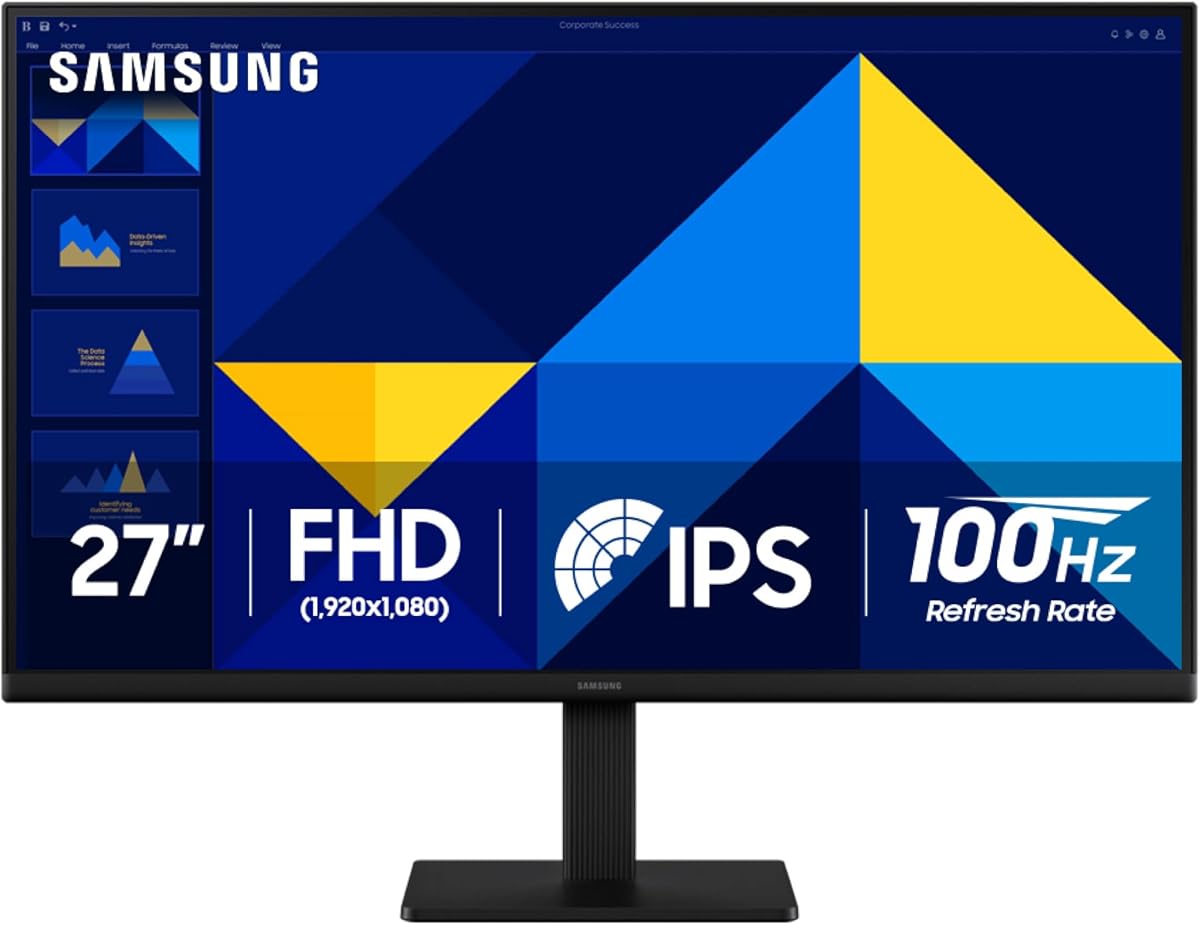
This Samsung 27-inch IPS monitor ensures consistent colors across wide viewing angles. Super-slim bezels enhance the setup visually while 100Hz refresh keeps motion smooth.
We may earn a commission when you buy through this link, at no additional cost to you.
Eye comfort features reduce blue light for long sessions. Connectivity options allow direct device plugs increasing flexibility for your desk environment.
FHD resolution means fewer columns than higher options but it balances cost and quality well. Excellent for casual or secondary trading setups.
Opt for this for reliable IPS performance. It fits budgets needing accurate color and modern design without premium costs.
IPS panel ensures accurate colors even at angles so data remains visible clearly from any workstation position.
Slim bezels provide a sleek look that complements modern office spaces while focusing attention on the display content.
We may earn a commission when you buy through this link, at no additional cost to you.
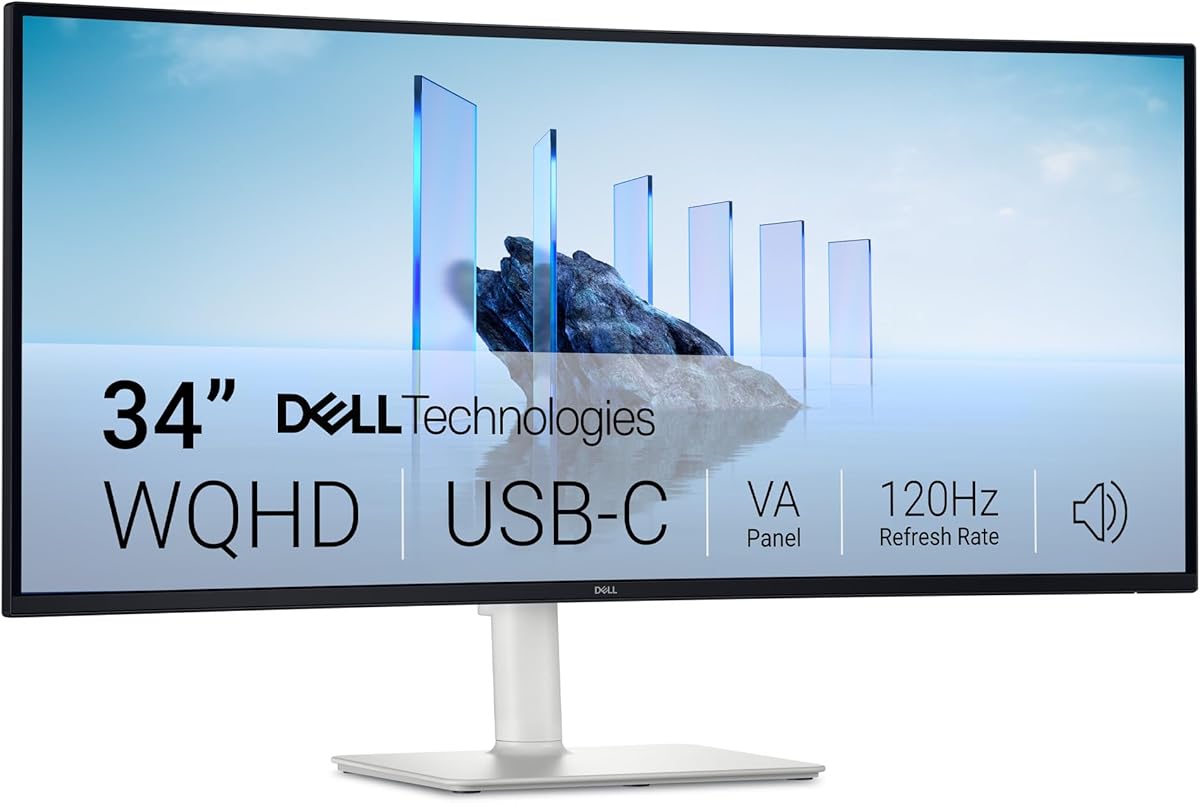
This Dell 34-inch monitor excels with USB-C connectivity delivering power and display through one cable. WQHD resolution ensures sharp chart details for professional trading workflows.
We may earn a commission when you buy through this link, at no additional cost to you.
VA panel offers high contrast while ComfortView Plus reduces blue light. Re-engineered audio provides better sound without extra speakers enhancing desk efficiency.
Response times may lag behind IPS but connectivity and clarity outweigh this for most setups. Ideal for laptop traders simplifying cable management.
Select this for easy connectivity. It suits traders needing single-cable solutions with solid display quality.
Connects laptop and delivers power simultaneously reducing cable clutter for a cleaner more organized trading desk.
Deep contrast levels help distinguish subtle chart lines clearly making data trends easier to identify quickly.
We may earn a commission when you buy through this link, at no additional cost to you.
Selecting the right monitor involves balancing screen size resolution and refresh rate to match your trading style and desk space.
Larger ultrawide screens let you view multiple charts simultaneously without cluttering your desk. Consider 34-inch options for wide data streams or 27-inch for focused analysis.
Choose aspect ratios that support your workflow. Wider screens increase real estate while standard ratios suit traditional setups.
Higher resolutions like WQHD or QHD provide sharper text and cleaner chart details essential for spotting trends accurately. Full HD works but limits column visibility.
Prioritize resolution based on your analysis depth. More pixels help display complex indicators without pixelation.
Higher refresh rates ensure smooth scrolling through rapidly changing market data. Aim for 120Hz or above to reduce motion blur during fast market moves.
Quick response times prevent ghosting on charts. Even though trading isn't gaming speed ensures visual accuracy and comfort.
IPS panels offer accurate colors and wide viewing angles ideal for multi-monitor setups. VA panels deliver deeper contrast for dark rooms but slower response.
OLED panels provide unmatched contrast but carry burn-in risks. Choose based on your lighting and usage patterns.
Curved screens reduce eye strain by matching your natural field of view especially on larger ultrawides. Flats suits traditional setups without distortion.
Consider your desk depth. Curved screens require adequate space to maintain proper viewing distance and posture.
Multiple ports like HDMI and DisplayPort allow connecting various devices easily. USB-C with power delivery simplifies laptop setups reducing cable clutter.
Ensure your computer outputs match the monitor inputs. Adequate connectivity prevents workflow interruptions.
Look for monitors with flicker-free technology and blue light filters to reduce strain during long trading sessions. These features preserve vision health over time.
Adjustable eye modes help maintain focus. Prioritize comfort features to prevent fatigue during volatile market hours.
VESA mount compatibility allows flexible desk positioning using arms or stands. Tilt and height adjustments improve ergonomics for long work periods.
Choose stands that suit your space. Flexible mounting enhances comfort and reduces physical strain.
Position your monitor at arm's length with the top at eye level to reduce neck strain. Adjust brightness to match room lighting to minimize eye fatigue during long hours.
Use multiple windows efficiently by maximizing screen space with ultrawide or multi-monitor setups. Leverage PIP or PBP features to track secondary data streams without distraction.
Keep the screen clean using a microfiber cloth to avoid smudges affecting clarity. Avoid static images for extended periods to prevent burn-in especially on OLED models.
WQHD or QHD resolution offers a balance between clarity and performance for displaying multiple data columns. Full HD works but limits visibility while 4K is excellent if your hardware supports it.
Curved monitors reduce eye strain and improve focus on wide displays by matching the field of view. For standard 27-inch screens flat models are usually sufficient.
A refresh rate of 120Hz or higher ensures smooth scrolling through live market data reducing motion blur and eye strain compared to standard 60Hz displays.
IPS panels provide better color consistency and viewing angles ideal for multi-monitor setups. VA panels offer deeper contrast but may have slower response times.
USB-C simplifies setups especially for laptop traders by combining power and display signals. It is convenient but not essential if using HDMI or DisplayPort instead.
Adjust brightness and blue light settings based on lighting changes throughout the day. Consistent calibration helps maintain eye comfort during prolonged trading hours.
The Samsung Odyssey G5 and Sceptre 34-inch offer excellent balance for wide-screen needs. For budget options the Samsung Essential S3 delivers strong value with ergonomic curves.
Prioritize resolution refresh rate and eye comfort features based on your specific trading strategies and desk setup. A quality display enhances focus and reduces fatigue over long sessions.
Always verify current prices and availability since they fluctuate regularly. Select the model that best fits your workflow to maximize trading efficiency and comfort.