
NETGEAR Nighthawk Modem Router Combo (C7000) Renewed
4.2Editor score
DOCSIS 3.0 Certified
AC1900 WiFi Speed
Renewed Certified Quality
This guide compares the top ten modem router combos for Xfinity to help you save on rental fees while boosting home internet speed and coverage effectively.
Finding the right modem router combo for Xfinity can save you money and improve your home internet experience significantly. These devices combine a cable modem and a wireless router into one unit, reducing clutter and monthly rental costs from your provider. With various standards like DOCSIS 3.1 and WiFi 6 available, choosing the best fit depends on your plan speed and home size needs.
We evaluated ten top-rated models based on compatibility, speed capabilities, wireless coverage, and user feedback. Our analysis focuses on DOCSIS certification for Xfinity support and real-world performance for streaming gaming and remote work. Each product offers unique features ranging from budget-friendly options to high-end mesh systems designed for large estates and dense device environments.
Each pick highlights specific strengths such as multi-gigabit ports, advanced security suites, or expansive mesh coverage. We include detailed specifications and pros and cons to help you decide which device matches your network requirements. Please note that availability and pricing change frequently so verify details before purchasing to ensure the best deal for your setup.
4.2Editor score

4.1Editor score

4.0Editor score
The following comparison table lists all ten selected modem router combos side by side. It highlights key specifications like DOCSIS version, Wi-Fi standards, and maximum supported internet speeds to help you quickly identify the right model for your Xfinity plan and home environment needs.

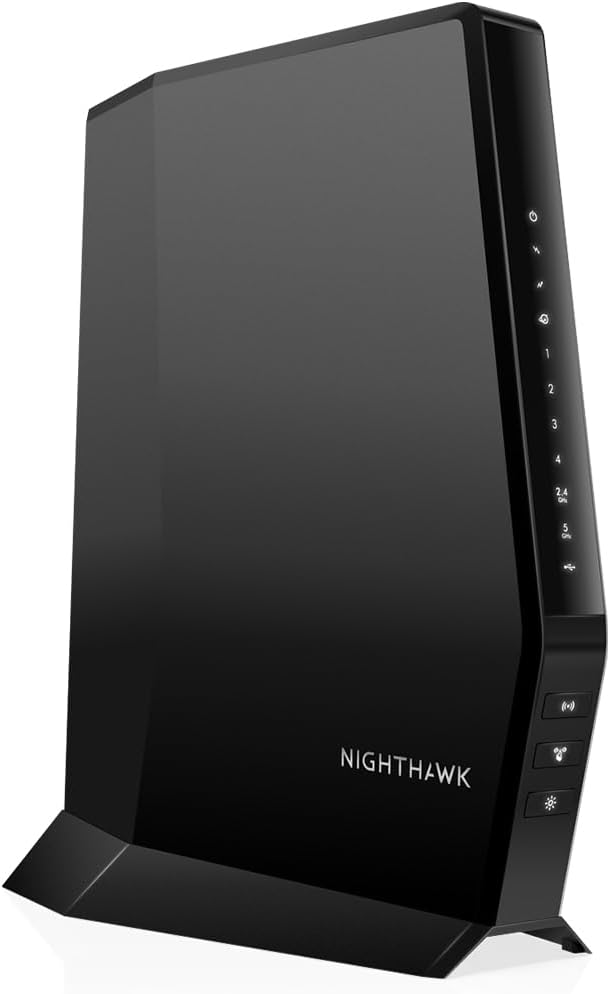


The NETGEAR Nighthawk CAX30 stands out as a top choice for Xfinity users seeking modern WiFi 6 capabilities in a compact combo device. It supports DOCSIS 3.1 to unlock faster cable speeds and includes enough capacity for multiple connected devices in average sized homes. This model is highly rated for its reliable performance and robust security features including NETGEAR Armor protection.
We may earn a commission when you buy through this link, at no additional cost to you.
Its AX2700 dual-band WiFi 6 technology ensures smoother streaming and gaming experiences by reducing latency and managing congestion better than older WiFi standards. The device covers up to two thousand square feet effectively while maintaining strong signals across rooms. It also offers four Gigabit Ethernet ports for hardwiring devices like gaming consoles or desktops to ensure stable connections.
One consideration is that this unit is designed primarily for data plans and does not support bundled voice services which might limit some users. The price point is higher than older DOCSIS 3.0 models but the future proofing and speed headroom justify the investment. Users appreciate the guided setup via the Nighthawk app for easy network management and device monitoring.
This modem router combo is ideal for households with Xfinity plans up to eight hundred megabits per second who want reliable whole home coverage and security. It balances performance and features well making it a versatile pick for most users upgrading from older equipment. We recommend it for those seeking a dependable and fast solution that grows with internet needs.
AX2700 WiFi 6 delivers faster data rates and better efficiency for multiple devices connecting simultaneously.
Future proof cable modem technology supports high speed internet plans with room for upgrades.
We may earn a commission when you buy through this link, at no additional cost to you.
The ARRIS Surfboard G34 offers exceptional headroom for ultra-fast internet plans supporting cable speeds up to 2.5 gigabits per second. It combines a DOCSIS 3.1 modem with a powerful WiFi 6 AX3000 router to provide robust wireless performance and wired Ethernet connectivity. This unit is designed for users who anticipate upgrading to faster tiers soon or have heavy bandwidth needs for multiple 4K streams.
We may earn a commission when you buy through this link, at no additional cost to you.
Its compact modern design fits neatly in living spaces while LED indicators make status checks easy without accessing apps. The G34 supports typical Xfinity plans and provides enough capacity for dozens of connected devices with efficient traffic management. Users can rely on its certified compatibility across major providers including Spectrum Cox and Xfinity for stable internet access.
Some users report varied setup experiences and slightly lower ratings compared to competitors which might suggest minor firmware quirks initially. The lack of advanced app features means management relies on web interfaces rather than a polished mobile app for most tasks. Despite this its raw speed capabilities make it a strong option for power users prioritizing raw throughput.
Choose this model if you need support for multi-gigabit speeds in the near future or have a large number of active devices. It excels in providing a robust backbone for modern smart homes where wireless and wired demands are high. The simple design and certified performance ensure it handles peak hour congestion effectively for consistent connectivity.
DOCSIS 3.1 modem ensures you are ready for 2.5Gbps internet plans when available in your area.
AX3000 wireless standard delivers higher capacity for multiple devices connecting without lag.
We may earn a commission when you buy through this link, at no additional cost to you.
The renewed version of the NETGEAR Nighthawk CAX30 provides an opportunity to acquire a premium modem router combo at a reduced price point. It offers identical DOCSIS 3.1 and WiFi 6 features as the new model ensuring fast speeds and coverage for Xfinity users. Certified renewal processes inspect the device for functionality and cosmetic condition making it a reliable choice for cost conscious shoppers.
We may earn a commission when you buy through this link, at no additional cost to you.
Users benefit from the same link aggregation capabilities and WiFi 6 throughput which support lag-free gaming and streaming effectively. The unit maintains strong coverage across two thousand square feet and supports over twenty-five connected devices comfortably. This makes it suitable for families who want high-end features without paying the full retail price for brand new hardware.
While performance matches new units buyers should expect standard refurbishment packaging and a shorter warranty period than purchasing direct from manufacturers. Some cosmetic wear may be present but it does not impact the internal electronics or signal strength significantly. The app setup and management tools function exactly as intended allowing full control over network settings.
This option is perfect for those seeking the best value while still needing modern standards like WiFi 6 and DOCSIS 3.1. It delivers top tier performance for typical internet plans and supports network growth over time. We recommend verifying the renewed status and warranty terms before purchasing to ensure peace of mind.
Renewed certified units deliver the same DOCSIS 3.1 and WiFi 6 benefits at a lower price.
Full access to Nighthawk app and all advanced features with minimal physical wear.
We may earn a commission when you buy through this link, at no additional cost to you.
The NETGEAR Nighthawk C7000 remains a popular choice for users with existing plans up to eight hundred megabits per second who do not need the latest WiFi 6 standards. It uses DOCSIS 3.0 technology which is stable and widely supported across Xfinity networks. This discontinued model is often available at lower prices making it a practical pick for budget focused buyers.
We may earn a commission when you buy through this link, at no additional cost to you.
Its AC1900 dual-band WiFi coverage handles typical household needs including HD streaming and casual gaming without issues. The Nighthawk app provides easy management for pausing devices or setting guest networks for visitors. Users appreciate its solid build quality and long history of reliable performance in various home environments.
Since this model is discontinued users should check inventory carefully and ensure it matches their internet plan requirements. It may lack the multi-gigabit headroom or newer security features present in DOCSIS 3.1 units. For very large homes or heavy multi-device usage upgrading to a newer model might be more beneficial for future needs.
Buy this if you need a reliable and affordable combo for mid-tier plans without needing cutting-edge features. It offers strong security and easy app control making it user friendly for families. While newer standards are emerging this unit still serves well for consistent performance in moderate usage scenarios.
DOCSIS 3.0 technology provides stable speeds for plans up to 800Mbps without complexity.
Nighthawk app makes network settings and device management simple for all users.
We may earn a commission when you buy through this link, at no additional cost to you.
The NETGEAR Nighthawk CAX80 is designed for households with extreme bandwidth demands featuring a high capacity AX6000 WiFi 6 radio and a 2.5 Gigabit Ethernet port. It supports internet plans up to two gigabits per second which is useful for power users and large smart homes. The device covers up to two and a half thousand square feet ensuring signals reach distant rooms reliably.
We may earn a commission when you buy through this link, at no additional cost to you.
Its OFDMA technology improves response times during peak hours keeping speeds steady even when many family members are online. The extra wired port allows users to connect a high-speed NAS or gaming rig directly without bottlenecking wireless traffic. This focus on performance makes it a premium choice for those wanting top-tier throughput and device management.
While powerful this unit comes with a higher price tag and may be overkill for average plans under five hundred megabits. Setup and configuration can be slightly more complex due to the advanced features and multiple antenna configurations available. Users should confirm their ISP plan speed to ensure they can fully utilize the available multi-gigabit capabilities.
This model is ideal for tech enthusiasts who demand maximum throughput and have many high-bandwidth devices connected simultaneously. It future proofs the network for upcoming upgrades and provides a robust backbone for home offices and media centers. We recommend it for users prioritizing raw speed and coverage over budget constraints.
Dedicated 2.5G port supports ultra-fast wired devices like gaming rigs or NAS systems.
AX6000 standard handles many devices with high throughput for seamless streaming.
We may earn a commission when you buy through this link, at no additional cost to you.
This renewed NETGEAR Nighthawk C7000 offers the most accessible entry point for users seeking a reliable combo that saves on rental fees. It provides DOCSIS 3.0 speeds and AC1900 WiFi coverage at a fraction of the cost of newer models. Certified refurbished units undergo quality checks to ensure they function correctly for everyday internet usage needs.
We may earn a commission when you buy through this link, at no additional cost to you.
Its performance is well suited for standard streaming and browsing tasks with stable connections and easy management via the Nighthawk app. The device supports up to thirty connected devices and offers four Gigabit ports for essential wired connections. Users report consistent reliability and straightforward setup making it a practical choice for smaller homes.
Since it uses older DOCSIS 3.0 tech it is limited to plans up to eight hundred megabits which may not suit future growth. Buyers should be comfortable with AC WiFi standards instead of the latest WiFi 6 for best value. Warranty and support vary by seller but generally cover hardware failures during the warranty period.
Choose this model if you want a proven and affordable combo without needing top-tier speed headroom. It delivers solid everyday performance and is ideal for renters or budget focused buyers. We recommend it for those seeking reliable internet access at the lowest total cost of ownership.
Renewed units offer reliable DOCSIS 3.0 performance at the lowest available price point.
Nighthawk app simplifies device setup and daily network control for all users.
We may earn a commission when you buy through this link, at no additional cost to you.
The NETGEAR Orbi CBK752 brings mesh technology to the modem combo category by including a dedicated satellite for whole home coverage. It supports Xfinity plans up to nine hundred megabits and covers up to five thousand square feet with seamless roaming between units. This setup ensures strong signals reach distant rooms or floors without the need for additional range extenders.
We may earn a commission when you buy through this link, at no additional cost to you.
Tri-band AX4200 WiFi 6 technology provides a dedicated band for the mesh connection keeping throughput high even when the whole family is online. The system supports forty or more devices and includes Ethernet ports on both units for hardwired connections. Users praise its ability to eliminate dead zones and deliver consistent speeds throughout large properties.
The satellite adds bulk to the network footprint which may require space in separate areas for optimal performance. Setup requires following specific placement instructions to ensure the satellite communicates effectively with the main modem unit. However the performance gains in large homes typically justify the extra space and cost investment.
This model is the top choice for large homes where standard routers fail to cover every corner effectively. It offers premium performance and convenience for users who prioritize signal consistency over compact design. We recommend it for estates or multi-story homes seeking a unified and high-capacity network solution.
Included satellite unit covers up to 5000 sq ft ensuring consistent Wi-Fi in every room.
Tri-band Wi-Fi 6 supports many devices with dedicated backhaul for stable speeds.
We may earn a commission when you buy through this link, at no additional cost to you.
The Motorola MG8702 is known for its robust build and high speed capabilities combining DOCSIS 3.1 modem tech with AC3200 WiFi performance. It includes Intelligent Power Boost to amplify wireless signals effectively which helps in homes with thicker walls. This model is approved for Xfinity and other major providers ensuring seamless activation and consistent speeds.
We may earn a commission when you buy through this link, at no additional cost to you.
Its app allows users to manage guest networks monitor usage and run speed tests easily from a smartphone. The device handles multiple devices well and offers four Gigabit ports for wired connections. Many users appreciate the stability and performance consistency during peak hours when neighbors are also online heavily.
While AC3200 is not the latest standard it still offers significant bandwidth for typical streaming and gaming needs. The larger physical footprint might require more shelf space or better ventilation for cooling. However the raw throughput and coverage boost make it a strong contender for users prioritizing signal strength over compact aesthetics.
This modem router combo suits households needing reliable performance and strong signal penetration across larger areas. It provides a good balance of advanced features and straightforward usability. We recommend it for users who value signal stability and robust hardware for daily high-speed internet usage.
Power Boost technology strengthens wireless signals to overcome physical obstacles in homes.
Mobile app provides intuitive controls for managing devices and monitoring network speed.
We may earn a commission when you buy through this link, at no additional cost to you.
The renewed Motorola MT7711 is unique for including integrated phone ports which supports Xfinity voice plans alongside internet. It offers a budget friendly solution for users who want to keep traditional landline services without extra equipment. DOCSIS 3.0 support handles plans up to four hundred megabits providing reliable speeds for typical household needs.
We may earn a commission when you buy through this link, at no additional cost to you.
AC1900 dual-band WiFi ensures decent wireless coverage for small to medium homes with four Gigabit ports for wired devices. The device is approved specifically for Xfinity X1 services making it easy to activate and integrate into existing setups. Users find it a convenient way to combine voice and data into one unit saving space and monthly fees.
Speed limitations mean this model is not suited for high-speed internet plans exceeding four hundred megabits. Renewed units may show minor cosmetic wear but generally function well for their intended purpose. Buyers should confirm voice port functionality with their specific Xfinity plan before purchasing to ensure compatibility.
This unit is ideal for households relying on Xfinity voice services who prefer a single all-in-one device. It delivers straightforward performance without unnecessary complexity or advanced features. We recommend it for users seeking a simple cost-effective combo that supports both voice and data seamlessly.
Built-in phone ports allow you to keep Xfinity voice services without extra equipment.
Renewed units offer reliable DOCSIS 3.0 performance at an affordable price point.
We may earn a commission when you buy through this link, at no additional cost to you.
This parallel import version of the NETGEAR Nighthawk C7000 offers the same core functionality as domestic models for users seeking alternative availability. It maintains DOCSIS 3.0 certification and AC1900 WiFi performance ensuring compatibility with Xfinity and other major cable providers. High user ratings reflect its consistent reliability and strong performance for everyday internet tasks.
We may earn a commission when you buy through this link, at no additional cost to you.
The device supports standard streaming and gaming needs with stable connections and four Gigabit ports for wired setups. While documentation may differ due to import status the hardware itself performs well with familiar features like guest networks and security protocols. Users appreciate that it supports a wide range of providers beyond just Xfinity making it versatile.
Import models might come with limited warranty coverage or manuals in different languages which could complicate support. Buyers should ensure their setup matches the required power and connection standards before purchasing. Despite this the robust build and strong ratings make it a worthy option for those comfortable with parallel imports.
This model is suitable for buyers who find domestic stock unavailable or prefer alternate sourcing for the same hardware. It delivers proven performance and solid support for typical household connectivity. We recommend it for those seeking a reliable AC1900 combo with minimal issues and strong community feedback.
Parallel import unit retains full certification for Xfinity and other major cable providers.
High user ratings confirm this import model performs well for standard home internet.
We may earn a commission when you buy through this link, at no additional cost to you.
Selecting the right combo requires balancing your internet plan speed home size and desired features. This section outlines the key factors to consider before making a purchase.
DOCSIS 3.1 modems are essential for plans over 300Mbps and future-proof your network. Older DOCSIS 3.0 models only support up to 800Mbps which may limit upgrade paths. Always verify your Xfinity plan speed to ensure the modem supports your current and potential future needs.
Check your plan speed against DOCSIS limits to avoid bottlenecks in your connection.
WiFi 6 routers offer better capacity and latency for multiple devices compared to WiFi 5 models. AC1900 and AX2700 ratings indicate theoretical throughput which should match your household usage patterns. For homes with many smart devices prioritize newer standards to reduce congestion during peak usage.
Match your Wi-Fi standard to the number of devices to maintain smooth performance.
Single unit routers typically cover 1800 to 2500 square feet depending on layout and materials. Larger homes may need mesh systems or range extenders to eliminate dead zones effectively. Consider floor plans and interference from appliances when selecting a coverage rating.
Ensure the coverage rating matches your home size to avoid weak signal spots.
Most combos offer four Gigabit ports but some premium models include Multi-Gigabit options for NAS or PCs. Wired connections are ideal for gaming consoles and desktops to minimize latency and packet loss. Count your wired needs before buying to avoid needing extra switches or hubs later.
Verify port count and speed to support your critical wired devices without limits.
If you have Xfinity voice or phone services confirm the modem supports voice ports. Most standard combos exclude this feature and require separate equipment for landline calls. Only select models with integrated voice ports will work for bundled voice and data plans.
Confirm voice port availability if you rely on bundled Xfinity phone services.
Modern routers include features like parental controls network encryption and subscription security suites. Check if the companion app offers easy setup device management and guest network creation. Strong built-in security helps protect smart home devices from unauthorized access and threats.
Choose models with robust app features and security tools for better network control.
Prices vary widely from budget renewed models to premium mesh systems with high capacity. Buying your own modem saves monthly rental fees typically between ten to fifteen dollars over time. Weigh the upfront cost against long-term savings and features to determine the best value.
Prioritize long-term savings by choosing a model that lasts years without needing replacement.
New units usually come with a one-year warranty while renewed options may have shorter coverage. Reliable customer support helps resolve setup issues or connectivity problems quickly when needed. Consider the manufacturer reputation and support channels before finalizing your purchase decision.
Ensure you have access to reliable support to troubleshoot issues effectively.
Begin setup by connecting the coax cable from the wall outlet to the modem and powering it on. Allow a few minutes for the device to initialize and activate the internet connection with your provider. Download the manufacturer app and follow guided steps to set your Wi-Fi network name and password securely.
Place the unit in a central location elevated off the floor for optimal signal distribution throughout your home. Avoid enclosing it in cabinets or placing it near large metal objects that might interfere with Wi-Fi signals. Ensure it has enough ventilation to prevent overheating during extended periods of use.
Regularly update the firmware via the app or web interface to patch security vulnerabilities and improve performance. Reboot the device occasionally to clear temporary cache and resolve minor connectivity glitches. Monitor connected devices and use parental controls or guest networks to manage usage effectively.
Not all combos work with Xfinity since specific models require DOCSIS 3.0 or 3.1 certification for compatibility. Always check the approved device list on Xfinity's website before purchasing to ensure the unit will activate. Bundled voice plans further limit choices to models with integrated phone ports.
Connect the coax cable and power then wait for the online light to stabilize. Use the provider's activation portal or app to register the device's MAC address. Follow the setup wizard to configure your Wi-Fi network name and password securely.
Yes owning your own combo eliminates monthly equipment rental fees typically charged by Xfinity. While the upfront cost is higher you save money over the first year of ownership. Always confirm plan compatibility to ensure no additional fees apply.
DOCSIS 3.1 supports higher speeds up to 10 Gbps and offers better efficiency for modern internet plans. DOCSIS 3.0 is limited to around 800 Mbps and works well for older plans. Upgrading to 3.1 future proofs your network for faster tiers.
WiFi 6 offers better performance for many devices and reduced latency compared to WiFi 5. For homes with twenty or more connected gadgets WiFi 6 is highly recommended. Budget users with fewer devices might still find WiFi 5 sufficient for basic needs.
You need a specific model that includes integrated voice ports to support Xfinity voice services. Most standard combos only support data and will not connect phones. Check product details for voice port compatibility before purchasing.
We reviewed ten solid options ranging from budget refreshed units to high-speed mesh systems. The NETGEAR CAX30 and Orbi CBK752 stand out for performance and coverage while the C7000 renewed models offer budget friendly alternatives. Your choice should match your plan speed home size and desired features.
Prioritize DOCSIS 3.1 and WiFi 6 if you want future proofing and smoother performance with multiple devices. Ensure voice support if you use Xfinity landline services to avoid needing extra equipment. Consider your budget for upfront cost versus long-term rental savings carefully.
Remember that prices and availability change frequently so verify the current status and specs before finalizing your purchase. Check Xfinity's compatibility tools to ensure seamless activation once the device arrives. With the right choice you can enjoy faster reliable internet and savings on rental fees.