
AZERON Gaming Keypad
4.3Editor score
Hall Effect Analog Thumbstick
30 Programmable Keys
Adjustable Ergonomic Design
Discover the top left handed gaming keyboards for precision and comfort. We compare ten models featuring unique layouts to help you find the perfect fit.
Finding the right left handed gaming keyboard can transform your setup. These devices offer unique layouts designed for comfort and speed. Whether you are a competitive player or a casual gamer, the right tool matters.
We compared ten top models based on features, build quality, and user feedback. Our analysis covers everything from magnetic switches to ergonomic designs. This list helps you navigate the market with confidence and clarity.
Each pick highlights key strengths and potential trade-offs for buyers. Note that prices and availability may change over time. Always check current listings before making your final purchase decision today.
4.3Editor score

4.6Editor score

4.5Editor score
This side-by-side comparison highlights the key specifications and unique features of each model. Use this table to quickly identify which device matches your specific gaming needs and preferences.



The RK ROYAL KLUDGE L98 stands out as a top contender for left handed gamers seeking versatility. With a rating of 4.6, it combines a unique layout with robust wireless features. This keyboard is designed to free up desk space while keeping essential keys accessible.
We may earn a commission when you buy through this link, at no additional cost to you.
Its southpaw numpad layout is the star feature, allowing left hand control of numeric inputs without cluttering the right side. The gasket structure provides a premium typing feel with reduced vibrations. Five layers of sound dampening ensure a smooth and quiet experience during intense sessions.
While the wireless capabilities are impressive, users should note the initial setup requires some adjustment to the shifted numpad. The battery life is exceptional, offering hundreds of hours of use. The hot-swappable PCB allows for easy customization of switches to suit personal preferences.
This model is ideal for gamers who want a full keyboard experience with a unique ergonomic twist. It bridges the gap between standard keyboards and compact padds. We recommend it for those seeking high performance and long battery life without sacrificing comfort.
The numpad moves to the left, freeing up the right side for mouse movement and comfort.
Connect via 2.4GHz, Bluetooth, or USB-C to switch between devices seamlessly.
We may earn a commission when you buy through this link, at no additional cost to you.
The AZERON Gaming Keypad offers a unique approach to gaming control with its analog thumbstick and programmable keys. Rated 4.3, it is designed for right handed gamers who want to optimize their left hand usage. This device replaces traditional keyboard inputs for greater precision.
We may earn a commission when you buy through this link, at no additional cost to you.
Its Hall Effect thumbstick eliminates drift and supports analog movement, which is rare in keypad designs. You can map eight directional zones and customize dead zones for perfect control. The software allows deep customization, letting you configure lighting and keybinds for specific games.
The 3D printed design ensures a modular build that can be adapted to different hand sizes. However, the high price may be a barrier for casual users. Setup requires time to map keys correctly but the payoff in comfort is significant for long sessions.
This keypad is best suited for MMO and RPG players who need complex inputs on the fly. It excels at replacing standard WASD movement with analog precision. We recommend it for gamers willing to invest in top tier ergonomic hardware.
Thumbstick supports 360 degrees of movement for smoother control in compatible games.
3D printed construction allows future upgrades and adjustments to fit your hand better.
We may earn a commission when you buy through this link, at no additional cost to you.
The AJAZZ AK029 delivers high performance at a budget-friendly price. It features magnetic switches with rapid trigger functionality ideal for FPS games. With a rating of 4.5, it offers professional-grade response times without the high cost of premium models.
We may earn a commission when you buy through this link, at no additional cost to you.
Its Hall Effect switches provide 0.01mm actuation precision and near-instantaneous resets. The 8KHz polling rate ensures zero latency for competitive play. SOCD and DKS technologies allow complex movement techniques like instant counter-strafing with single key binds.
The 29-key layout saves desk space and keeps essential keys within reach. The aluminum build is sturdy and includes a 5-layer acoustic structure for a smooth sound. While it lacks wireless, the speed advantage outweighs this for serious gamers.
This keypad is perfect for FPS enthusiasts who need speed and accuracy. It is also great for users with limited desk space. We recommend it for anyone seeking competitive performance without breaking the bank.
Switches use magnets for faster resets and adjustable actuation points.
8KHz polling ensures your inputs register instantly on screen.
We may earn a commission when you buy through this link, at no additional cost to you.
The AZERON Keyzen is a robust gaming keypad with a focus on customization. It features Cherry MX mechanical switches known for durability and feel. With a rating of 4.6, it offers a high-quality experience for users who want to personalize their inputs.
We may earn a commission when you buy through this link, at no additional cost to you.
The 360° Hall-Effect joystick provides drift-free analog control similar to the Cyborg II. You can map all 32 keys to mouse or keyboard inputs freely. The ergonomic design includes two palm rests and adjustable angles for comfort.
While it offers significant customization, setting up the profiles takes time to match your workflow. The DSA keycaps provide a uniform profile for accurate pressing. The build is durable and designed to be upgraded over time.
This model suits users who want professional-grade switches and a flexible layout. It is ideal for MMO and MOBA players needing many macros. We recommend it for those who value build quality and detailed control.
Use trusted Cherry MX Red or Brown switches for reliable tactile feedback.
Adjust hand angle and rest placement to fit your wrist size perfectly.
We may earn a commission when you buy through this link, at no additional cost to you.
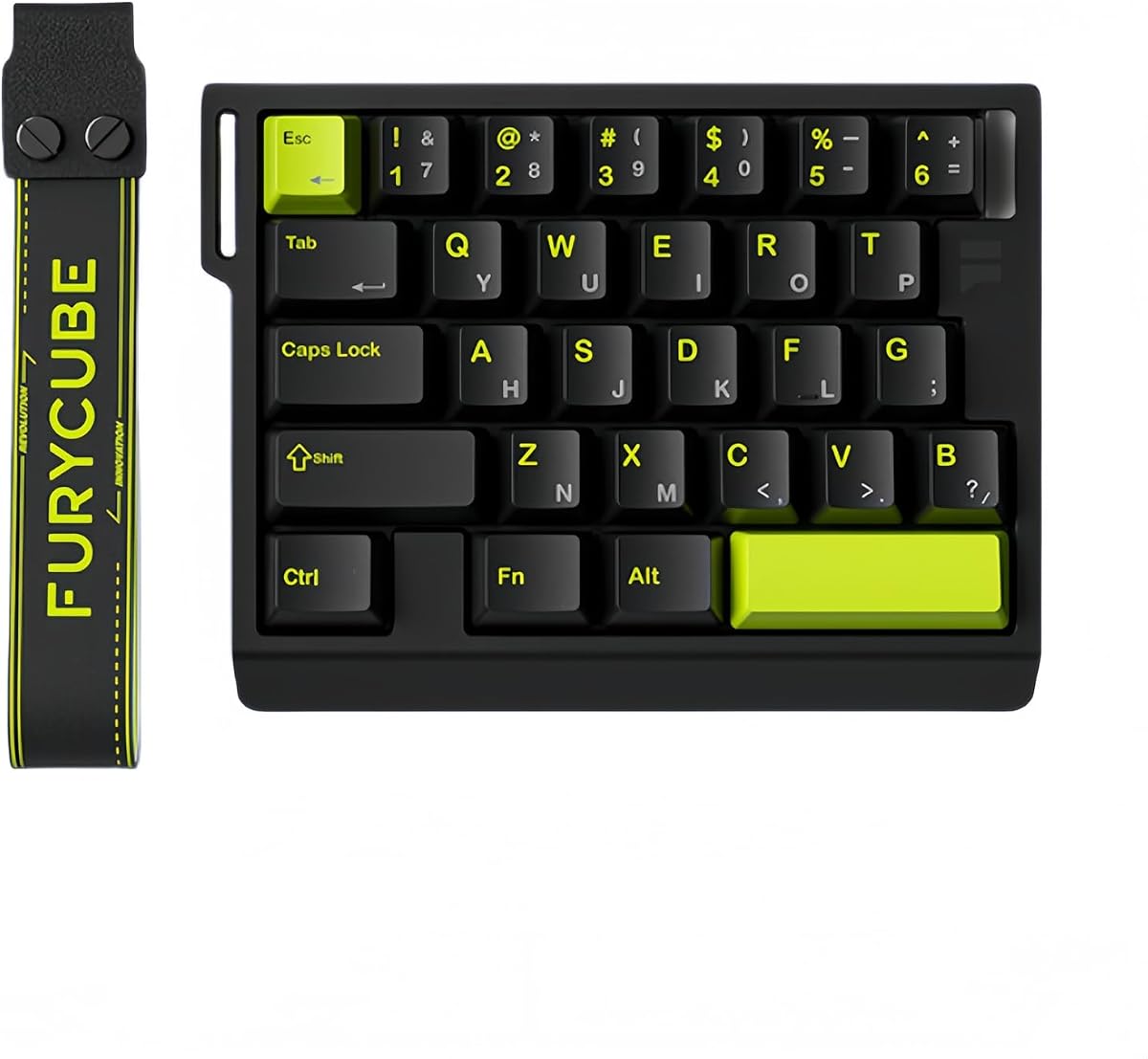
The RedThunder One Handed Gaming Keyboard is a portable option for gamers on the go. It features 35 keys with anti-ghosting to ensure every input registers. With a 4.4 rating, it offers a balance of price and function for basic gaming needs.
We may earn a commission when you buy through this link, at no additional cost to you.
This keypad includes macro recording keys for saving complex command sequences. The RGB backlight adds visual flair with multiple modes to choose from. The ergonomic design helps keep your hand comfortable during use.
While it is affordable and easy to set up, it lacks the advanced features of premium models. The build is sturdy but basic compared to aluminum options. It is a great starter device for testing one-handed setups.
This model is ideal for casual gamers or travelers needing a backup keypad. It works well for quick gaming sessions or as a secondary input device. We recommend it for those seeking simplicity and value.
Record and replay complex sequences with two easy macro function keys.
Small size makes it easy to carry in a bag or travel case.
We may earn a commission when you buy through this link, at no additional cost to you.
The FKZ M30HE offers rapid trigger features at a mid-range price point. It uses Hall Effect magnetic switches for adjustable actuation down to 0.01mm. With a rating of 4.0, it brings advanced tech to those who want precision without the top price.
We may earn a commission when you buy through this link, at no additional cost to you.
Rapid trigger and dynamic keystrokes allow one key to handle multiple operations. The web driver makes it easy to remap keys without installing software. RGB lighting is customizable with millions of colors and effects to match your setup.
Users may find the configuration process a bit technical compared to simpler boards. The 30-key layout focuses on essential gaming functions. It is a solid choice for users interested in magnetic switch technology.
This model is suitable for FPS and E-Sports gamers needing fast response times. It supports macros and hotkeys for enhanced gameplay. We recommend it for those looking for high performance and customization options.
Set actuation points per key to match your typing or gaming habits.
Configure settings directly in a browser without extra software installation.
We may earn a commission when you buy through this link, at no additional cost to you.
The Keychron C0 HE is designed for high-level FPS gameplay with cross-platform support. It features magnetic switches with rapid trigger technology for low latency. With a rating of 4.2, it is a reliable tool for gamers on multiple operating systems.
We may earn a commission when you buy through this link, at no additional cost to you.
This keypad includes 35 programmable keys ideal for MMO and MOBA games. The web-based configurator allows easy customization without installing drivers. RGB lighting is per-key customizable to match your personal aesthetic preferences.
While it is wired, the connection speed is unmatched for competitive gaming. The build quality is consistent with Keychron standards for durability. It is a good choice for streamers needing quick scene controls.
This model suits creators and gamers who use both Mac and Windows. It balances performance with versatility effectively. We recommend it for users seeking reliable cross-platform compatibility.
Fully supports Windows and macOS for seamless switching between systems.
Configure lighting and mapping via any browser for easy access.
We may earn a commission when you buy through this link, at no additional cost to you.
This Ergonomic Left Handed Keyboard focuses on reducing strain for professionals. It features patented Natural_A keycaps to improve posture and prevent carpal tunnel. With a 4.4 rating, it is a practical tool for business and accounting work.
We may earn a commission when you buy through this link, at no additional cost to you.
The layout includes 8 multimedia hotkeys for easy access to common tasks. Moving the numeric keypad to the left helps keep your mouse hand free. This design aims to reduce shoulder and back strain during long work hours.
It is not designed for gaming but serves its office purpose well. The build is standard for a business keyboard with a focus on comfort. Users looking for ergonomic typing tools will find it useful.
This model is ideal for accountants and office workers needing comfort. It helps improve posture over time with the right setup. We recommend it for those with repetitive strain issues.
Key layout reduces wrist rotation and shoulder strain for comfort.
Use 8 dedicated hotkeys to control media and functions quickly.
We may earn a commission when you buy through this link, at no additional cost to you.
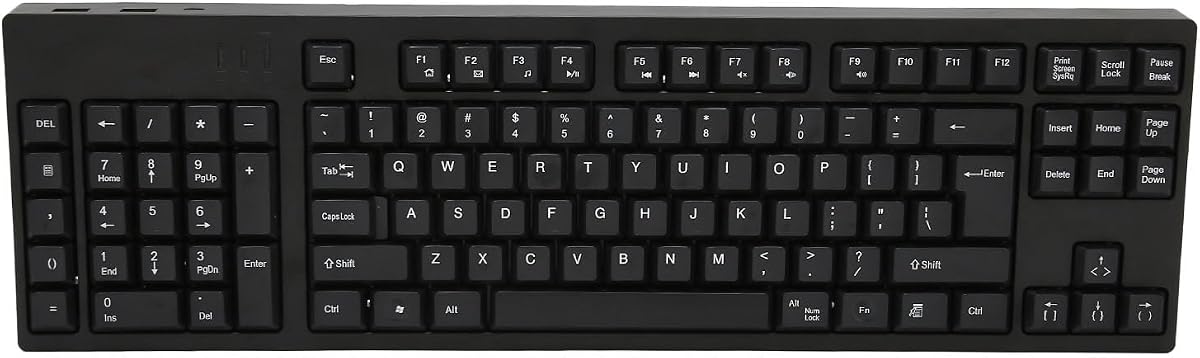
The Left Handed Keyboard with 109 keys offers a full layout with ergonomic benefits. It has a perfect 5.0 rating indicating high user satisfaction. This model is built for users who need a complete keyboard with a reversed numpad.
We may earn a commission when you buy through this link, at no additional cost to you.
It connects via Micro USB but includes extra interfaces for peripherals. The plug and play setup requires no drivers for immediate use. The ergonomic design helps relieve fatigue during long typing sessions.
While Micro USB is older, it provides a reliable connection for wired setups. The layout allows left hand operation while keeping the right hand for mouse use. It is a functional choice for standard computing tasks.
This model is suitable for designers and business users needing full keys. It supports basic productivity without complex setup steps. We recommend it for those needing a standard full-size experience.
Retains all standard keys for complete productivity with numpad on left.
Connect and start typing immediately without software installation.
We may earn a commission when you buy through this link, at no additional cost to you.
The A4tech Ergonomic Left Handed Keyboard is designed for office comfort. It aims to eliminate RSI with patented key shapes. With a rating of 4.3, it offers a practical solution for professionals needing ergonomic support.
We may earn a commission when you buy through this link, at no additional cost to you.
The layout includes 8 multimedia hotkeys for quick control. The natural design reduces shoulder strain during extended typing. It is a wired solution that focuses on health and efficiency.
While not meant for gaming, it serves its business purpose well. The build is standard but reliable for daily use. Users prioritizing posture will find this keyboard helpful.
This model is ideal for business users seeking ergonomic improvements. It is cost-effective for bulk office purchases or home setups. We recommend it for those needing basic ergonomic support.
Patented design helps reduce repetitive strain injuries over time.
Use dedicated keys to control volume and media during work.
We may earn a commission when you buy through this link, at no additional cost to you.
Selecting the right left handed keyboard involves understanding your gaming style and ergonomic needs. This guide covers the essential factors to consider before you buy.
Choose between full keyboards with moved numpads or compact padds. Full keyboards suit those needing all keys while padds save space.
Ensure the layout fits your hand size and mouse position comfortably.
Mechanical switches offer tactile feedback while magnetic switches enable rapid trigger. Magnetic switches are better for competitive FPS games.
Look for switches that match your preference for sound and resistance.
Adjustable wrist rests and hand shapes reduce fatigue during long sessions. Materials like aluminum provide durability and a premium feel.
Check for adjustable parts that let you customize the angle and fit.
Wireless models offer freedom but require charging. Wired models ensure zero latency for competitive play.
Decide if you need Bluetooth support for multi-device setups.
Software allows mapping keys and creating macros for complex tasks. Some devices offer onboard profiles for quick switching.
Check if the software supports your operating system easily.
High polling rates like 8KHz reduce input delay. This is critical for fast-paced shooting games.
Prioritize devices with low latency specs for better in-game responsiveness.
Budget options offer basic functions while premium models include advanced tech. Determine what features matter most to your specific needs.
Balance cost with performance to find the best value.
Position your keyboard so your left hand rests naturally on the keys. Your right hand should be free to move the mouse without obstruction.
Use the included software to map keys to functions you use most often. Regularly review your key binds to optimize for new games.
Clean the keys regularly with a soft brush or compressed air to prevent dust buildup. Avoid spills to maintain the internal electronics.
Not necessarily. While designed for left hand control of numpads or WASD, right handed users can also benefit from the ergonomic benefits. It depends on your personal preference for comfort.
You can remap keys on standard keyboards but they lack the physical layout benefits. Dedicated left handed devices reduce shoulder strain and improve reach during gameplay.
A Hall Effect switch uses magnets to detect key presses. This allows for rapid trigger functionality where keys reset instantly when lifted for faster gaming.
Most models are designed for PC and Mac. Check the product details for console support as many require specific drivers or software only available on PC.
Turn off the device and use compressed air to remove dust. Use a soft brush for stubborn debris and avoid liquids that could damage the internal components.
Many models have comfortable keycaps suitable for typing. However, gaming focused layouts may limit standard key placement for long text work.
We reviewed ten top models offering unique solutions for left handed gaming. From the RK L98 to the AZERON, there is a pick for every need.
Prioritize ergonomics and switch type based on your games. Competitive gamers should favor rapid trigger switches for maximum speed.
Always check current prices and availability before buying. These devices change hands quickly so act fast when you find the right fit.