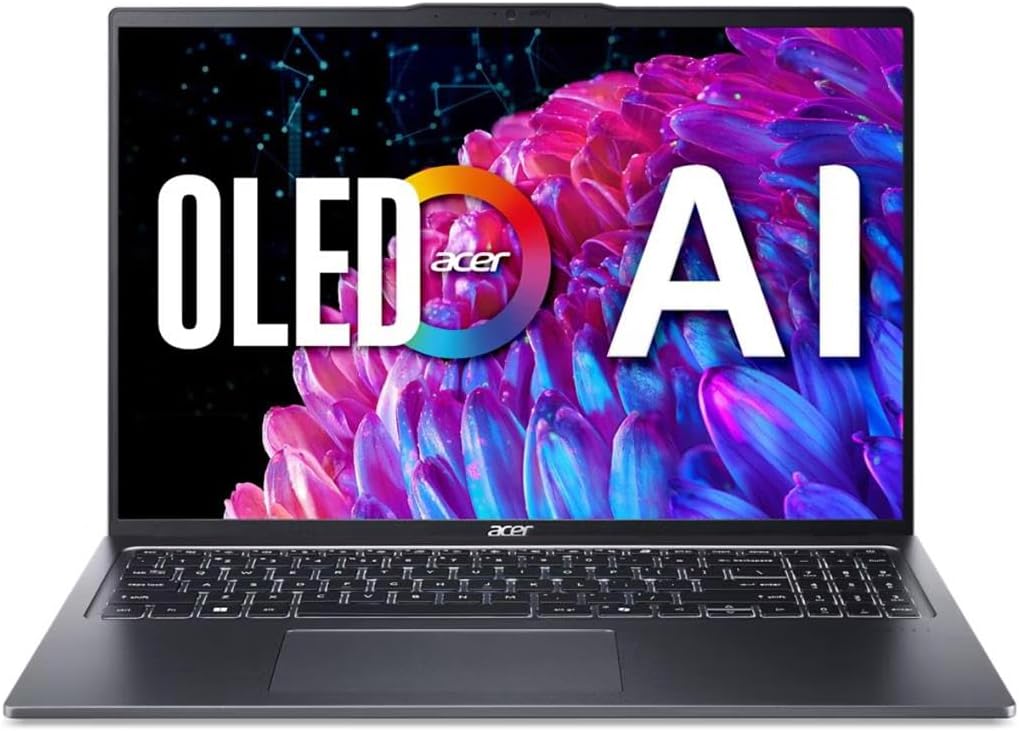
Acer Swift Go 16in OLED
4.1Editor score
Intel Core Ultra 5 125H
3.2K OLED VESA Certified HDR
Thunderbolt 4 USB-C Ports
Laptops with OLED displays offer stunning contrast and vibrant colors that transform how you view content. These screens provide deep blacks and fast refresh rates ideal for media and creative tasks.
We evaluated ten top models based on display quality, processor power, port selection, and overall build. Each device brings unique strengths for different workflows ranging from business to entertainment.
Every pick shows specific strengths for particular users. Prices and stock change frequently so check current deals before purchasing. Our rankings reflect real-world usability and verified specifications.
4.1Editor score

4.0Editor score
4.5Editor score
As an Amazon Associate we earn from qualifying purchases.
The following table compares key specifications across all ten OLED laptops to help you find the perfect balance of screen quality and performance for your needs.


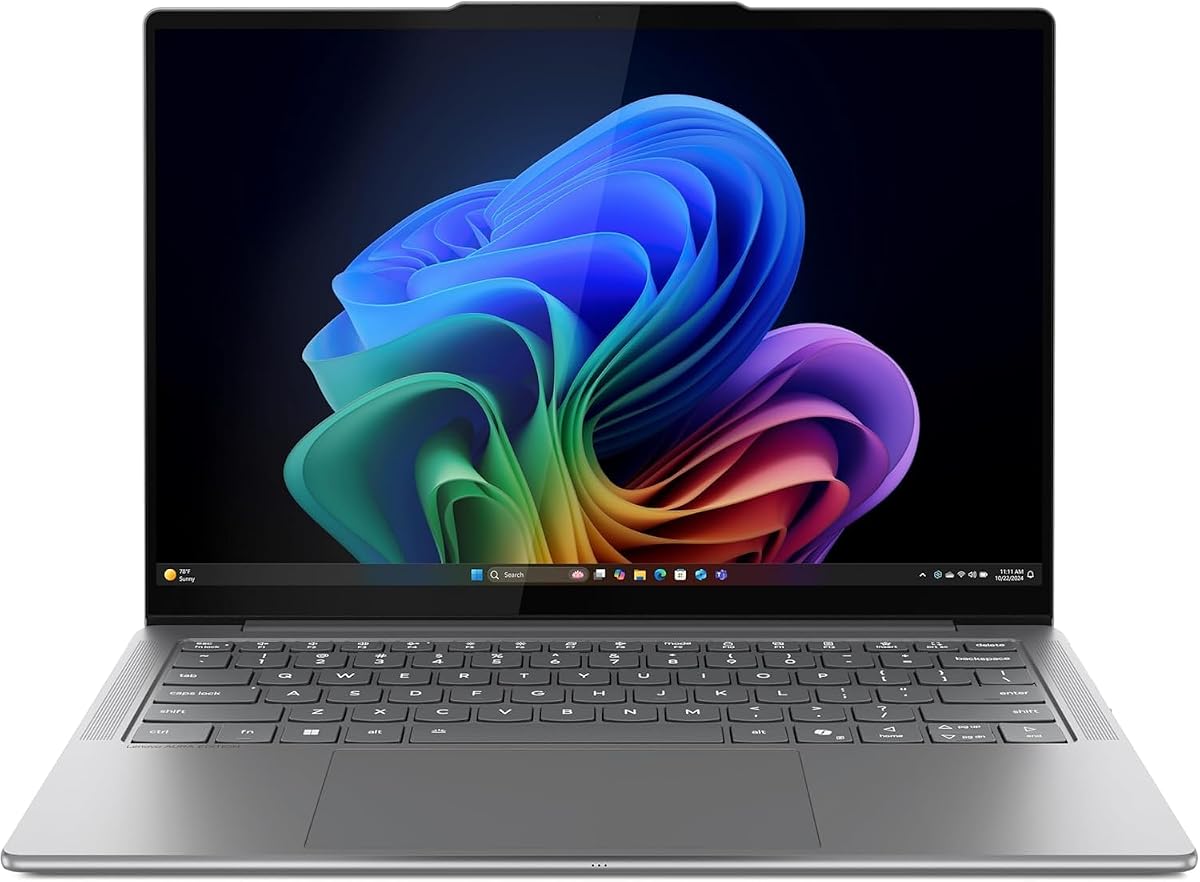

The Lenovo IdeaPad Pro 5-2025 combines a vibrant OLED panel with powerful AI processing for a versatile creator machine. Its rating reflects strong performance in both productivity and creative tasks.
We may earn a commission when you buy through this link, at no additional cost to you.
The 16-inch 2.8K OLED display supports 120Hz refresh rates for smooth visuals ideal for video editing and design work. The AMD Ryzen AI 7 processor ensures fast multitasking while the RTX 5050 handles graphics acceleration effectively.
Port selection includes USB4 HDMI and SD card readers which reduces dongle needs for professionals. While battery life is balanced rather than exceptional the build quality and security features make it reliable for daily use.
This laptop suits creatives needing color accuracy without workstation costs. It balances performance and portability well for anyone prioritizing screen quality and system responsiveness on the go.
The OLED panel delivers deep blacks and vibrant colors essential for accurate photo and video editing workflows.
AMD Ryzen AI features boost everyday tasks and creative tools efficiently without compromising system speed.
We may earn a commission when you buy through this link, at no additional cost to you.
The Acer Swift Go delivers an eye-catching OLED display at a budget-friendly price point making it accessible for students and casual users. Its rating highlights solid value for the visual experience provided.
We may earn a commission when you buy through this link, at no additional cost to you.
The 16-inch 3.2K OLED panel offers HDR True Black certification and wide color gamut for immersive viewing. Intel Core Ultra 5 ensures efficient multitasking while Thunderbolt 4 ports enable fast data transfer and docking.
While RAM is limited to 8GB it suits typical browsing and office work well. Storage may require external solutions for large media files but the screen quality remains unmatched at this price tier.
This device is perfect for users prioritizing screen fidelity over heavy processing power. It brings premium display tech to cost-conscious buyers seeking reliability and mobility for daily tasks.
High resolution OLED visuals normally reserved for expensive models are available here for general productivity and media.
Intel Core Ultra processors optimize power usage for longer battery life during light daily computing tasks.
We may earn a commission when you buy through this link, at no additional cost to you.
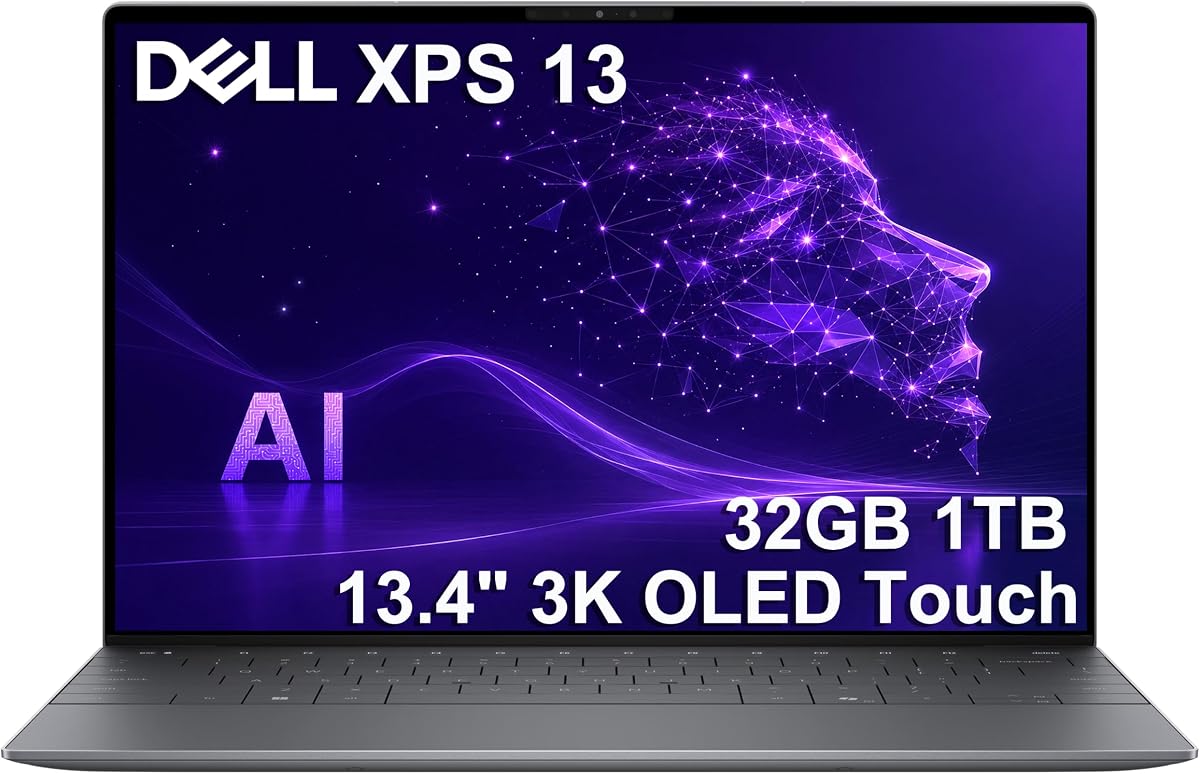
The Dell XPS 13 combines ultra-portability with stunning OLED visuals and exceptional battery endurance. Its rating reflects top-tier build quality and performance for professional travelers.
We may earn a commission when you buy through this link, at no additional cost to you.
A 13.4-inch 3K OLED touchscreen offers sharp clarity in a compact chassis. The Snapdragon X Elite processor delivers efficient computing enabling all-day usage without frequent charging interruptions.
Premium materials and a refined design ensure durability while minimizing weight. While ports are limited USB4 connections handle most external needs efficiently for modern professional workflows.
Executives and frequent travelers will appreciate its blend of power and mobility. This model sets a high standard for premium mobile computing with a focus on longevity and screen quality.
With up to 27 hours of battery life this laptop supports long flights and meetings without needing a charger.
The 3K OLED touchscreen provides crisp text and vibrant imagery ideal for detailed professional work.
We may earn a commission when you buy through this link, at no additional cost to you.
This ASUS Vivobook features next-gen AI capabilities and ample memory for demanding multitasking without extra cost. Its specs highlight robust performance for daily professional usage scenarios.
We may earn a commission when you buy through this link, at no additional cost to you.
The 16-inch WUXGA OLED display offers rich visuals while the Ryzen AI 7 processor supports advanced Copilot features for productivity gains. 32GB RAM ensures smooth handling of complex workloads and browser tabs.
Battery life is impressive with fast charging options available on the go. Integrated graphics limit heavy gaming but suit creative editing and general computing needs effectively for this class.
Power users needing high memory and AI tools will find strong value here. It balances modern efficiency with screen quality for professionals focused on software workflows.
With 32GB RAM users can run multiple heavy applications simultaneously without performance drops.
Copilot+ PC support enables on-device intelligence for smarter assistance across apps.
We may earn a commission when you buy through this link, at no additional cost to you.
The HP OmniBook 3 prioritizes endurance and mobility with a Snapdragon processor designed for all-day uptime. Its rating reflects strong satisfaction for travelers needing long battery life.
We may earn a commission when you buy through this link, at no additional cost to you.
A 14-inch OLED display delivers crisp visuals while the Snapdragon X X1 ensures efficiency. Fast charging capabilities mean short plug-ins restore significant power quickly for busy schedules.
Storage is limited so external drives may be needed for large files. Some legacy apps require compatibility checks due to ARM architecture but mainstream tools work smoothly.
This laptop is ideal for users who need a device that rarely needs charging. It prioritizes efficiency and battery life for remote workers and frequent commuters.
Snapdragon processors optimize power consumption to deliver unmatched usage time between charges.
Built-in AI tools help automate notes and summarizations for better workflow efficiency.
We may earn a commission when you buy through this link, at no additional cost to you.
This model uses a powerful Intel Core Ultra 9 for demanding workflows needing raw CPU strength. It offers robust memory and storage in a durable chassis for professionals.
We may earn a commission when you buy through this link, at no additional cost to you.
The OLED screen supports color-sensitive work while the Intel Arc graphics provide decent acceleration for casual tasks. With 32GB RAM multitasking remains smooth even with heavy browser or document loads.
Build quality exceeds typical consumer laptops ensuring reliability in varied environments. Battery life is moderate but sufficient for most daily office tasks and remote work days.
Users seeking Intel-based performance with high memory will appreciate this choice. It balances processing power with durability for those who need a workstation-like portable solution.
Core Ultra 9 processors deliver fast response times for data analysis and coding tasks.
MIL-STD tested chassis protects against drops and bumps ensuring long-term durability.
We may earn a commission when you buy through this link, at no additional cost to you.
The OmniBook 5 offers a large touch-enabled OLED screen ideal for presentations and note-taking. Its rating reflects user satisfaction with the interactive visual experience.
We may earn a commission when you buy through this link, at no additional cost to you.
A 16-inch touchscreen combines vivid colors with responsiveness. The Snapdragon X Plus processor ensures quiet and efficient operation while Wi-Fi 6E provides fast wireless connectivity.
While ARM architecture requires app compatibility checks the SSD capacity fits most user needs without external drives. Touch input adds convenience for creative marking and navigation.
Professionals needing touch interactivity on a large screen will find this useful. It blends modern connectivity with screen responsiveness for collaborative and educational environments.
Direct screen touch simplifies navigation and creative input for more intuitive workflows.
Rapid charging restores half battery in thirty minutes for quick top-ups on the go.
We may earn a commission when you buy through this link, at no additional cost to you.
The Slim 7i prioritizes ultra-portability with a lightweight aluminum chassis and vivid OLED touch display. Its rating highlights excellent build quality and mobility for professionals.
We may earn a commission when you buy through this link, at no additional cost to you.
Weighing under three pounds it feels easy to carry daily. The 14-inch OLED panel offers high brightness and sharpness while the Core Ultra 7 processor ensures responsiveness for multitasking.
Cooling is efficient allowing sustained performance without fan noise. Battery life supports moderate use though heavy workflows may require charging before evening tasks.
This device suits executives prioritizing mobility and premium feel. It delivers a refined mobile experience with strong memory capacity for professional applications.
Featherlight design reduces physical strain for daily commuters and frequent travelers.
Aluminum chassis ensures durability and a high-end tactile feel during daily use.
We may earn a commission when you buy through this link, at no additional cost to you.
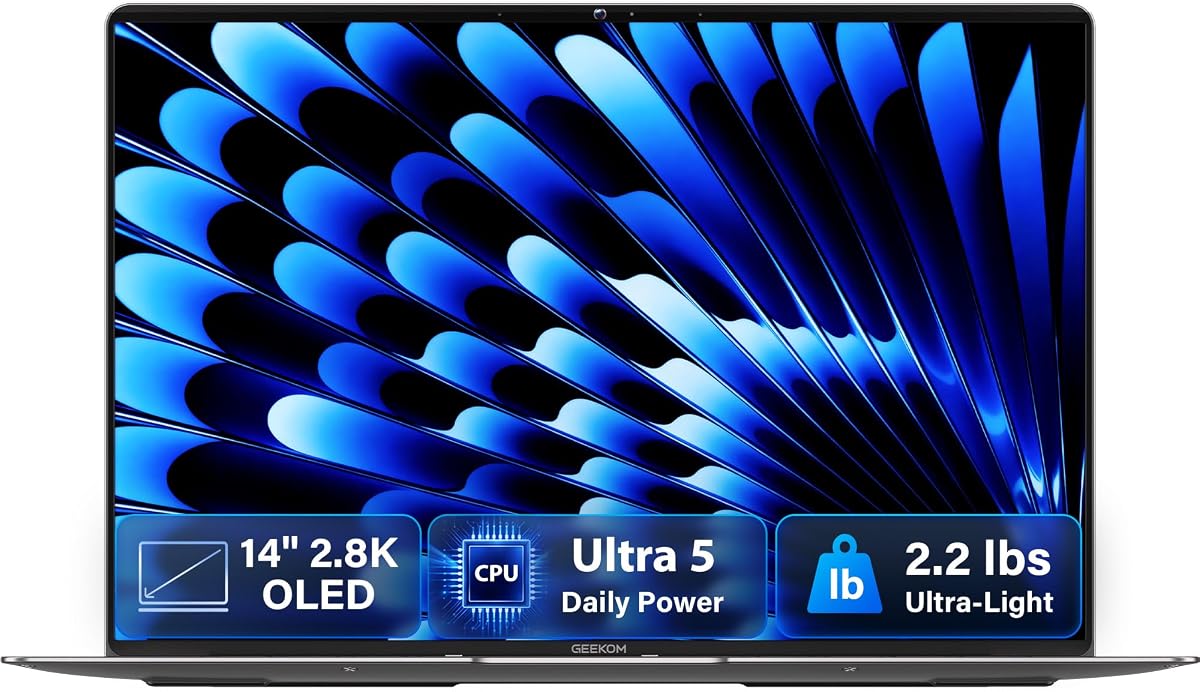
The GeekBook X14 Pro offers a strikingly light aluminum and magnesium chassis paired with a vibrant OLED display. Its rating suggests strong user satisfaction with its physical design.
We may earn a commission when you buy through this link, at no additional cost to you.
Weighing just 2.2 lbs it is ideal for constant travel. The 2.8K OLED screen provides crisp visuals for reading and media. Core Ultra 5 ensures smooth daily performance.
Port selection includes USB4 for versatility though physical ports remain limited. Thermal management keeps the device quiet during typical office tasks effectively.
Travelers needing a light machine for general use will appreciate this option. It balances premium design with accessible pricing for mobility-focused users.
Minimal weight reduces daily fatigue for users carrying laptops everywhere.
High resolution OLED panel ensures vibrant colors and sharp text for reading.
We may earn a commission when you buy through this link, at no additional cost to you.
This gaming-focused laptop delivers smooth motion and high fidelity visuals with a dedicated GPU. Its rating reflects strong performance for gaming and creative workflows.
We may earn a commission when you buy through this link, at no additional cost to you.
The 165Hz OLED panel ensures fluid motion for gaming while the RTX 5060 handles graphics acceleration. High DDR5 RAM and SSD speeds support fast loading and multitasking.
Portability is secondary to performance though the chassis remains manageable. Battery life is shorter than ultrabooks due to high power consumption during gaming sessions.
Gamers and 3D artists needing screen fluidity will find it ideal. It balances display specs with raw processing power for demanding creative environments.
165Hz OLED refresh rates eliminate motion blur for precise competitive gaming visuals.
RTX 5060 accelerates rendering tasks and high-end gaming experiences effectively.
We may earn a commission when you buy through this link, at no additional cost to you.
Selecting an OLED laptop requires balancing display specs with performance and budget. This guide helps you identify the key factors for your specific workflow needs.
Higher resolution panels like 3.2K offer sharper text and richer details for creative work. Larger screens like 16 inches enhance workspace real estate while smaller 13 inch models prioritize portability.
Choose a resolution that matches your content needs. High res is best for design while standard 2K suffices for office use.
Fast refresh rates such as 120Hz or 165Hz reduce motion blur for gaming and smooth scrolling. OLED panels already offer instant response times which is vital for visual clarity.
Prioritize high refresh if you play games or edit video. Otherwise standard 60Hz OLED remains excellent for static workloads.
Processors like Ryzen AI and Core Ultra balance efficiency with power. Dedicated GPUs are essential for heavy rendering while integrated graphics suit general productivity tasks well.
Select a CPU that matches your software demands. AI chips provide future proofing for modern tasks.
16GB RAM is standard for most users while 32GB helps heavy multitasking. SSDs of 512GB to 1TB provide quick boot times and space for essential files.
Opt for at least 16GB RAM to ensure smooth browsing. Expandable storage is ideal for large media libraries.
OLED screens consume more power but modern efficiency chips like Snapdragon and Core Ultra extend usage. Fast charging features restore battery levels in minutes for quick top-ups.
Look for devices rated over 15 hours for all-day use. Fast charging is valuable for travelers.
Premium materials like aluminum improve durability and thermal performance. USB4 Thunderbolt and HDMI 2.1 ensure you can connect external displays and fast peripherals easily.
Verify port selection fits your peripherals. A mix of USB-C and USB-A reduces dongle needs.
OLED laptops range from budget-friendly models to premium devices. Warranty coverage varies by brand so check support policies before committing to a purchase.
Balance cost with necessary features. Extended warranties are useful for expensive high-end models.
Many new models include AI copilot tools and specialized keys for productivity. These features can automate tasks but may require compatible software to function correctly.
Evaluate AI tools for your workflow. Not all features are essential for everyone.
Use dark mode when available to reduce static image retention on OLED screens. Adjust brightness settings to match ambient lighting to prevent eye strain during long work sessions.
Keep the laptop on a hard flat surface to avoid overheating. Ensure ventilation grilles remain clear of dust or fabric to maintain optimal thermal performance.
Regularly clean the screen with a microfiber cloth and approved cleaner to avoid scratches. Avoid direct sunlight for extended periods to protect the screen coating and battery life.
Modern OLED displays include mitigation techniques like pixel shifting and dimming to reduce burn-in risk. For typical office use and media consumption burn-in is very rare today.
Yes OLED panels are generally more expensive than LCD alternatives. However prices have dropped making mid-range OLED models more accessible for general consumers.
Not strictly. It improves visual smoothness and helps with eye comfort during scrolling but 60Hz is adequate for static documents and spreadsheets.
OLED panels can struggle in bright sunlight due to lower peak brightness than some mini-LEDs. Look for models with 500 nits or higher for outdoor viewing.
OLED screens can drain more power than LCDs especially with bright content. However efficient processors and battery-saving settings help offset this difference significantly.
Both Intel Core Ultra and AMD Ryzen AI offer strong efficiency. Choose based on specific software compatibility and desired battery life goals.
16GB is sufficient for basic photo editing and light video work. For 4K video editing or 3D rendering consider upgrading to 32GB for smoother performance.
Yes with proper care OLED laptops have comparable lifespans. The main long-term concern is screen quality which remains stable for years under normal use.
Our top picks highlight the versatility of modern OLED laptops ranging from budget-friendly options to premium ultrabooks. Each model brings distinct strengths for different user needs.
Prioritize display resolution and processor efficiency based on your workflow. Battery life and build quality also play crucial roles in daily satisfaction.
Prices fluctuate frequently so verify current deals before buying. We hope this guide helps you find the perfect device for your professional and creative tasks.