
CCTV Camera Tester 7 Inch
4.1Editor score
7 inch IPS touch screen
Built-in WiFi connectivity
RJ45 Cable TDR Test
Modern security systems rely heavily on high-resolution IP and analog cameras. Technicians need reliable tools to install, test, and troubleshoot these devices efficiently on-site.
We evaluated ten leading camera testers based on screen quality, power output, network diagnostics, and coaxial support. Each model offers unique strengths for different installation scenarios and budgets.
Every pick below highlights key specifications and real-world use cases. Keep in mind that prices and availability can change frequently, so verify details before purchasing online.
4.1Editor score

4.9Editor score

4.5Editor score
As an Amazon Associate we earn from qualifying purchases.
This side-by-side comparison highlights the key specifications of all ten selected models to help you quickly identify the right tester for your specific needs.


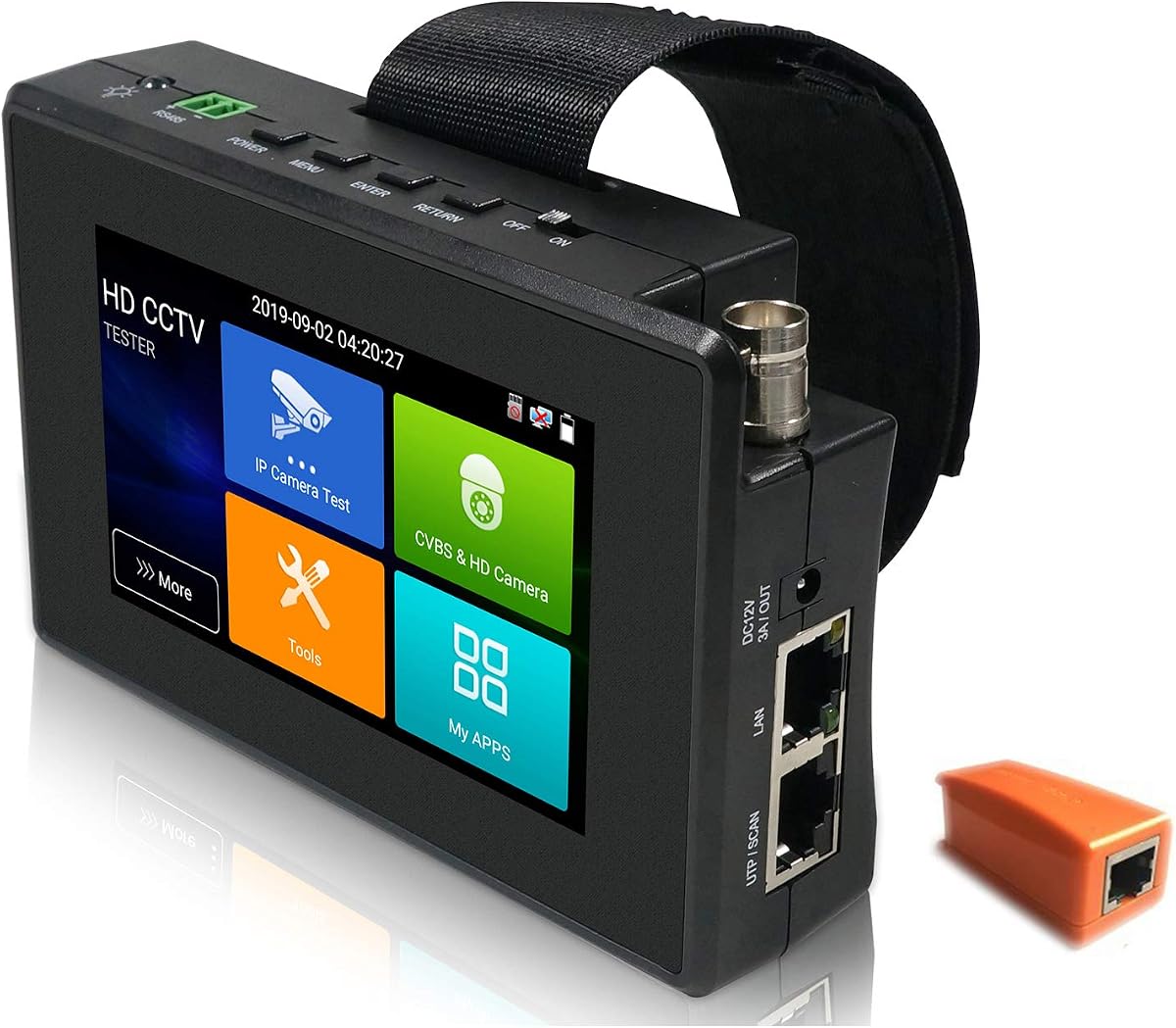


This powerful unit is widely regarded as one of the most capable testers available. It combines high resolution visuals with extensive power delivery for a complete on-site experience.
We may earn a commission when you buy through this link, at no additional cost to you.
Its 8 inch display provides crisp video playback for 4K cameras. The 90W PoE output handles demanding high-power cameras easily. The included SFP module adds essential fiber testing capabilities.
While it costs more than basic units the performance justifies the investment. Installers needing full fiber and advanced PoE support will find no better value in the current market.
If you need a premium device for professional installations this is the top choice. Its features are unmatched and it delivers excellent results for complex network and camera systems.
The integrated SFP port allows direct testing of fiber links without extra equipment.
Running Android 10 you can install additional apps directly onto the device for more tools.
We may earn a commission when you buy through this link, at no additional cost to you.
This 7 inch unit offers a great entry point for technicians starting with camera testing. It covers essential IP analog network tests without a high price tag.
We may earn a commission when you buy through this link, at no additional cost to you.
It supports modern IP camera testing and basic analog types. The TDR cable test helps you locate cable issues quickly. It also includes an HDMI port for monitoring feeds externally.
The budget focus means it lacks fiber support or heavy PoE. If you mostly work on standard IP installations this device covers the core needs efficiently and effectively.
Perfect for those seeking a balance between performance and cost. It provides enough functionality for most residential or small commercial projects without unnecessary extra complexity or expense.
Its lower price makes it accessible for independent contractors and small businesses.
Includes IP discovery and TDR tests which handle common installation scenarios well.
We may earn a commission when you buy through this link, at no additional cost to you.
This premium model stands out for its exceptional display and comprehensive fiber testing tools. It is designed for installers who work with high-end IP and fiber optic systems.
We may earn a commission when you buy through this link, at no additional cost to you.
The display supports 8K resolutions ensuring clear image verification. The OPM and VFL tools let you test fiber power and locate breaks on-site. It also has strong PoE capabilities.
The included cable tracer helps you identify cables in tight bundles quickly. While expensive it combines multiple specialized tools into one device which can save you from buying separate units.
Ideal for professionals dealing with advanced installations. If you need top-tier visuals and fiber diagnostics this device delivers excellent performance and reliability for demanding network projects.
The built-in OPM and VFL replace separate handheld tools for fiber optic diagnostics.
The 8K support ensures you can verify high-end camera feeds with precision accuracy.
We may earn a commission when you buy through this link, at no additional cost to you.
This model from WANLUTECH offers robust power and fiber capabilities in a solid chassis. It is well suited for professionals who need to test both copper and fiber networks.
We may earn a commission when you buy through this link, at no additional cost to you.
The 8 inch screen provides clear visuals. It supports 90W PoE for heavy duty cameras. The SFP port is essential for modern fiber runs and the VGA input helps connect legacy displays.
Like many Android testers it may take some time to configure all apps. However the comprehensive toolset ensures you are prepared for most installation types without extra gear.
Best for technicians who need a strong all-in-one solution. Its balance of power fiber and display features makes it a reliable choice for varied commercial installations.
The VGA input allows connection to older monitors for easier viewing on-site.
With 90W output it can power even the largest PTZ dome cameras easily.
We may earn a commission when you buy through this link, at no additional cost to you.
This device targets high-end installs with support for ultra high resolution IP cameras. It provides a complete testing suite including fiber optics and heavy power output.
We may earn a commission when you buy through this link, at no additional cost to you.
It handles 8K IP feeds and 90W PoE. The SFP module supports optical testing. It runs on Android 11 allowing for app updates. This ensures long-term software compatibility.
The high price reflects its extensive features. However for professionals working on large scale or fiber heavy projects it offers a robust tool set that is hard to match.
Choose this if you need top performance for next-gen cameras. It delivers excellent results and future proofing for advanced security network installations across various environments.
Supports 8K 32MP IP cameras ensuring compatibility with future high-resolution systems.
Android 11 ensures better app support and security for extended usability.
We may earn a commission when you buy through this link, at no additional cost to you.
This compact tester is designed for mobility and quick on-site checks. It covers essential IP and analog tests in a smaller form factor.
We may earn a commission when you buy through this link, at no additional cost to you.
The 4 inch screen is sufficient for quick verification. It handles 30W PoE for standard cameras and includes PTZ control. The WiFi hotspot allows for mobile connectivity during setup.
While the small screen may not be ideal for long viewing sessions it is great for walk-throughs. It reduces fatigue when you are moving between many locations.
Best for technicians needing a secondary portable device. It complements larger testers well and offers convenience for quick IP and analog checks during service calls.
The small size makes it easy to carry in a toolkit alongside other tools.
Built-in WiFi hotspot provides internet access for remote updates without cables.
We may earn a commission when you buy through this link, at no additional cost to you.
This model supports five camera types in one device. It is a solid choice for installers who encounter mixed system types frequently.
We may earn a commission when you buy through this link, at no additional cost to you.
It covers IP analog and HD coax with 4K IP support. The 180 degree screen rotation helps you reach ports at awkward angles. The IP scan tool makes network setup fast.
The 25.5W PoE is adequate for most standard cameras but not heavy PTZ units. For small to medium jobs it delivers great value with flexible testing capabilities.
Ideal for residential installers. It provides the essential tools for most jobs without the bulk or cost of more advanced fiber capable models.
Supports IP AHD TVI CVI and CVBS so you can test all common types easily.
The screen rotation helps you work with cables behind the tester without flipping it.
We may earn a commission when you buy through this link, at no additional cost to you.
This tester balances screen size and essential features effectively. It offers a larger display without moving to the premium price range of fiber models.
We may earn a commission when you buy through this link, at no additional cost to you.
It supports 8K IP feeds and has a video level meter to check signal quality. The TDR test helps find cable faults. The HDMI out allows external viewing easily.
While it lacks fiber testing it covers most copper based network needs well. The 24W PoE is enough for most cameras but not the heaviest PTZ units.
Best for installers needing a big screen and video tools. It delivers reliable performance for HD and 4K IP systems with good cable diagnostics included.
The video level meter helps you verify signal strength quickly during installation.
Locate cable breaks or shorts without needing a separate dedicated cable tester.
We may earn a commission when you buy through this link, at no additional cost to you.
Triplett is known for reliable tools and this model is no exception. It provides a solid range of features in a portable form factor.
We may earn a commission when you buy through this link, at no additional cost to you.
It automatically recognizes HD coax types so you don't have to manually select formats. The Ookla speed test lets you check internet bandwidth directly. It supports 4K cameras.
The unit is compact and easy to carry. While the PoE is modest it works for most IP installs. The brand reliability adds confidence for professional use.
Good for those who prefer established tool brands. It offers a straightforward and reliable way to test cameras and networks without complex menus.
The Auto HD feature simplifies setup by detecting the correct HD format instantly.
Built-in Ookla speed test helps you verify network performance on-site.
We may earn a commission when you buy through this link, at no additional cost to you.
This device stands out for its focus on documentation and reporting. It allows you to generate professional test reports directly from the unit.
We may earn a commission when you buy through this link, at no additional cost to you.
The QuickIP feature simplifies camera setup for less experienced technicians. You can export reports via email to prove your work. It supports multiple camera types including IP and analog.
While the price is high the ability to create professional reports can save time on billing. It is aimed at integrators who need to document installations formally.
Best for professionals needing formal proof of work. The reporting features make it a valuable tool for service contracts and compliance documentation.
Generate test reports with screenshots to verify job completion and reduce callbacks.
The QuickIP feature makes configuring IP cameras as easy as analog ones.
We may earn a commission when you buy through this link, at no additional cost to you.
Choosing the right tester depends on your specific installation needs. Here are the key factors to consider.
A larger high-resolution screen helps you see small details in camera feeds. 8 inch units are common for professional use while 4 inch models are more portable.
Look for at least 720p resolution to ensure clear images. IPS panels provide better viewing angles which are important on-site.
Power over Ethernet allows you to power cameras directly from the tester. Standard PoE provides 15.4W while PoE+ provides 30W and PoE++ can reach 90W.
Choose a tester that supports the power requirements of your cameras. If you install PTZ or heavy cameras look for 90W support to avoid extra adapters.
Modern cameras come in IP analog and HD coax formats like AHD TVI and CVI. Ensure the tester supports all types you plan to install.
Check for auto-detection features that identify the camera type automatically. This saves time during installation and ensures you see the correct video.
Built-in network tools like IP scan PING and TDR tests help you diagnose connectivity issues. These features save you from needing separate diagnostic devices.
A TDR tester can detect cable length and breaks which is critical for long runs. Look for IP scanning that supports multiple segments for complex networks.
For projects using fiber optics you need a tester with an SFP module. This allows you to connect fiber transceivers and test signal quality directly.
Advanced units may include OPM and VFL tools to measure power and find breaks. If you work with fiber regularly this capability is essential.
Many modern testers run Android allowing you to install additional apps like browsers or file managers. This adds flexibility beyond basic camera testing.
Check that the device has regular OS updates to ensure security and app compatibility. Android versions like 10 or 11 are preferred for current app support.
A long-lasting battery is crucial for all-day work without needing to find power outlets. Look for lithium-ion batteries with at least 5000mAh capacity.
Consider the weight and form factor if you carry the device daily. Lighter units reduce fatigue and are easier to handle in tight spaces.
Some testers allow you to save reports or screenshots of successful tests. This is helpful for proving work quality to clients.
Look for units that can export data via email or USB. Professional reporting features can save you significant time when closing out a job.
Start by charging the device fully before your first use. Connect the camera using the appropriate BNC or RJ45 cable. Select the correct mode for IP or analog testing.
For IP cameras use the network scan tool to locate the camera on your network. Adjust settings like IP address or password as needed using the built-in tools.
Clean the screen and ports regularly to avoid dust buildup. Store the device in a protective case when not in use to prevent accidental drops or damage.
Yes you typically need a BNC to BNC cable. Most testers come with one. Ensure your camera uses a BNC output. If not use the provided adapter or a compatible cable.
Time Domain Reflectometry helps you find breaks or faults in network cables. It measures cable length and shows where a problem is. This saves time instead of running back and forth.
Most modern units support 4K IP cameras. Some high-end models handle 8K feeds. Check the product specs to confirm the max resolution before buying if you plan to use 4K.
Check the power supply first. If it is IP ensure the camera is connected to the network. Verify the IP address matches the network. Also check if the camera is compatible.
An SFP module lets you test fiber optic connections directly. This is useful for long distance links or buildings without copper. It simplifies testing for fiber heavy installations.
Most units connect to the internet via WiFi or USB. Check the settings menu for an update option. Follow the on-screen prompts to download and install the latest version.
We reviewed ten diverse testers ranging from compact models to full fiber capable units. The Rsrteng E88 offers the best balance for most pros with its high PoE and fiber support.
Consider your primary camera types and network needs when choosing. If you focus on IP ensure the tester supports your resolution. If you work with fiber an SFP module is essential.
Prices and availability change so double check details before purchase. With the right tester you can install and maintain security systems faster and more effectively than ever.