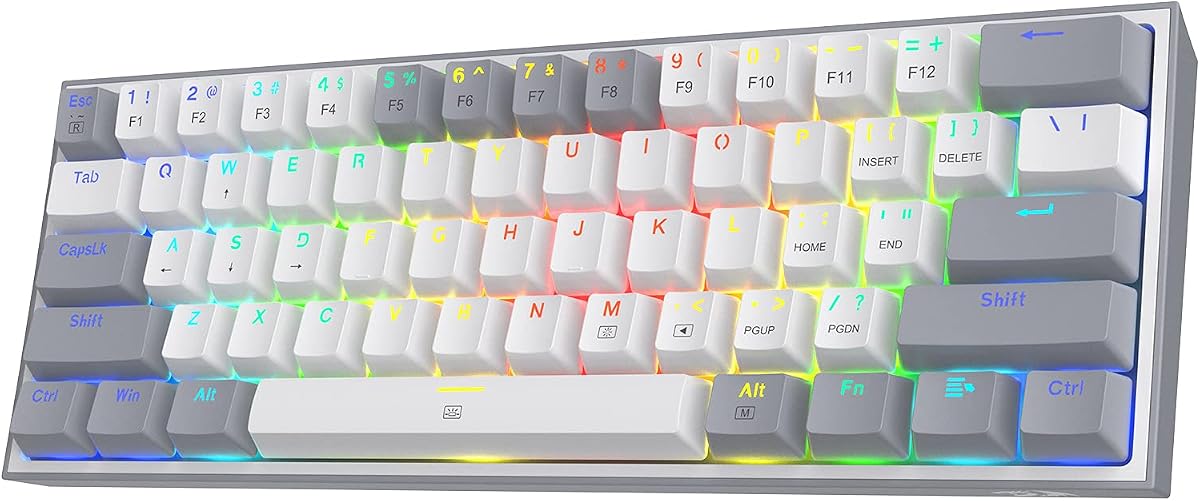
Redragon K617
4.6Editor score
Compact 60 percent layout design
Vibrant RGB lighting modes
Smooth quiet linear switches
Discover the top hot swappable keyboards for 2026. Our expert guide compares features, switch compatibility, and build quality to help you find the perfect
Hot swappable keyboards allow you to change switches without soldering. This feature makes customization easy for typing and gaming enthusiasts who want to experiment with different feels.
We reviewed ten top models based on build quality, connectivity options, and switch compatibility. Our analysis covers wired and wireless boards to help you find the right fit for your desk setup.
Each pick highlights key strengths like sound dampening or layout size. Please note that prices and availability can change frequently so check current listings before making your final purchase decision today.
4.6Editor score

4.7Editor score

4.5Editor score
This side-by-side comparison highlights the key specifications of our top ten picks. Use this table to quickly identify which board matches your layout needs and connectivity preferences.

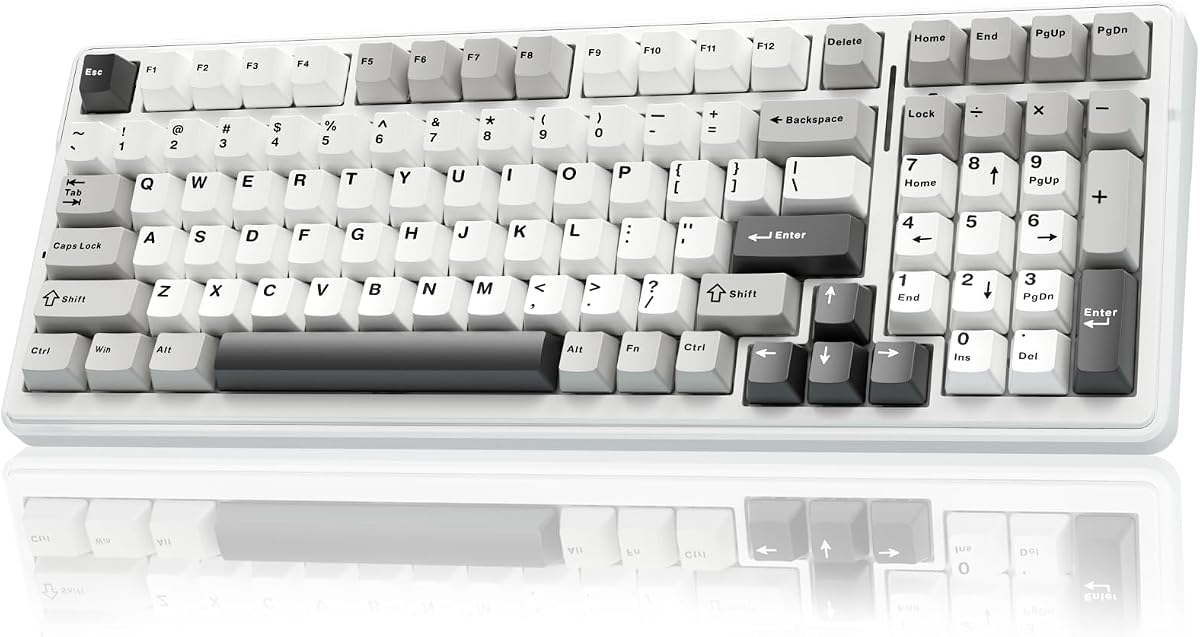

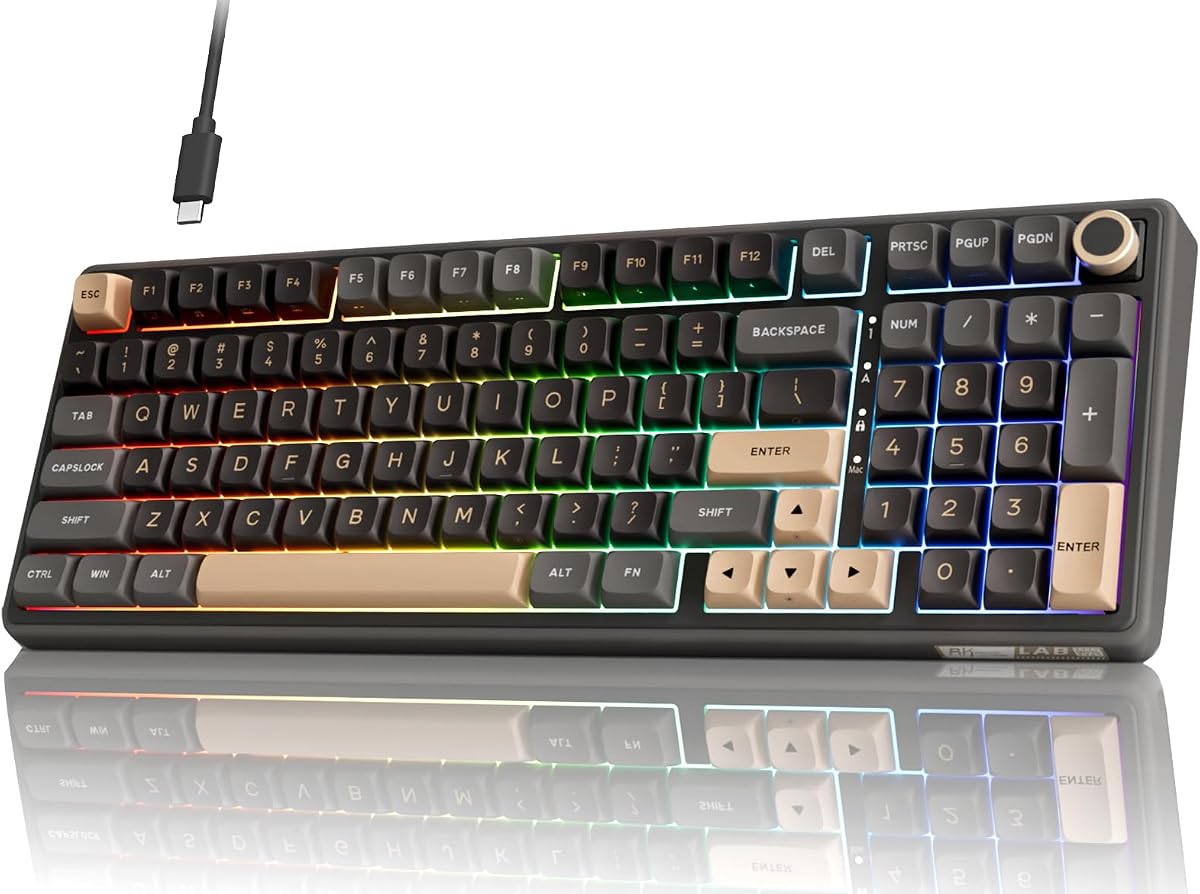


The Keychron C1 stands out as a top choice for anyone seeking a reliable hot swappable mechanical keyboard. With a strong rating from users it delivers a satisfying typing experience right out of the box.
We may earn a commission when you buy through this link, at no additional cost to you.
Its standout quality lies in the ability to customize switches easily. The hot-swap sockets accept most MX style switches allowing you to tailor the feel without soldering. The included keycaps work seamlessly with both Mac and Windows systems.
Honest trade-offs include the lack of wireless options and limited lighting colors. These are acceptable given the focus on core functionality and durability. The white backlight provides clear visibility without excessive distraction.
You should buy this if you want a versatile and sturdy keyboard for work or light gaming. It is an excellent starting point for enthusiasts looking to explore switch customization without breaking the bank.
The keyboard includes extra keycaps for both Mac and Windows ensuring seamless integration with your existing setup without needing to buy replacements.
Hot-swap sockets let you try different switches like linear or tactile to find your preferred feel while protecting your investment over time.
We may earn a commission when you buy through this link, at no additional cost to you.
The Logitech G316 X offers elite gaming performance with a near-instantaneous 8 kHz report rate. Its high rating reflects user satisfaction with the responsiveness and build quality of this white mechanical keyboard.
We may earn a commission when you buy through this link, at no additional cost to you.
Key strengths include the 98 percent layout which keeps full functionality while saving room for mouse movement. The hot-swappable switches and gasket mount structure ensure a refined quiet typing experience that stands out in competitive gaming.
Trade-offs involve the cost and reliance on specific software for full customization. These are acceptable for gamers seeking top-tier speed and aesthetic control. The onboard dial adds convenience for volume and brightness adjustments.
Buy this keyboard if you prioritize speed and desk space without sacrificing a numpad. It is ideal for dedicated gamers who want a premium tool that adapts to their playstyle.
The 8 kHz report rate ensures quick signal transmission for precise game-ready response times that give you a competitive edge in fast-paced titles.
Gasket mounting with silicone layers provides a quiet satisfying tactile feedback that reduces noise and enhances comfort during long sessions.
We may earn a commission when you buy through this link, at no additional cost to you.
The AULA F99 provides exceptional connectivity options with BT5.0 2.4GHz and USB-C modes. Its 4.5 rating indicates solid performance for work gaming and study across multiple devices.
We may earn a commission when you buy through this link, at no additional cost to you.
Strengths include the ability to switch between five devices easily and a massive 8000mAh battery that supports extended use. The gasket structure and pre-lubed switches offer a soft elastic feel with reduced cavity noise.
Trade-offs involve needing drivers for full RGB features and a size that might not fit small desks. These are minor issues given the versatility and battery performance. The PBT keycaps maintain vibrance over time.
You should buy this if you need a versatile wireless board for home office setups. It balances performance and connectivity well for users who switch between work and play.
The keyboard connects to five devices simultaneously allowing seamless switching with a key combination to boost your workflow across different platforms.
Five layers of filling silencer reduce noise effectively providing a solid and pleasant typing sound without the hollow effect common in other boards.
We may earn a commission when you buy through this link, at no additional cost to you.
The Redragon K617 is an excellent budget choice for those wanting hot-swappable features without a high cost. With a 4.6 rating users appreciate its compact design and smooth operation for daily use.
We may earn a commission when you buy through this link, at no additional cost to you.
Key strengths include the 60 percent layout which frees up mouse space for gaming. The upgraded socket allows easy switch changes and the vibrant RGB lighting adds an eSports vibe to your desk.
Trade-offs are the lack of a numpad and simpler software compared to premium models. These are acceptable for users focused on core typing and gaming. The durability rating ensures long-term use.
Buy this if you want a reliable cheap starter board for gaming or typing. It offers essential customization features that make it a great value option.
The 60 percent compact layout removes the numpad and nav cluster giving you more room for wide mouse swipes and better accuracy.
Upgraded sockets accept most switches allowing you to replace them without soldering for a quiet smooth experience tailored to your taste.
We may earn a commission when you buy through this link, at no additional cost to you.
The Redragon K771 delivers a full-size experience with wireless flexibility. Its 4.4 rating highlights satisfaction with the sound dampening and creamy feel provided by the pre-lubed switches.
We may earn a commission when you buy through this link, at no additional cost to you.
Strengths include the 5-layer dampening system that absorbs hollow noise for a quiet session. The tri-mode connection and massive battery support long work or gaming sessions without interruption.
Trade-offs involve the distinct colorway and extra weight from the battery. These are acceptable for the comfort and connectivity offered. The hotkeys add useful shortcuts for productivity.
You should buy this if you need a full keyboard with wireless ease and a quiet feel. It fits well for users who work long hours at a desk.
Integrated layers of foam and silicone padding absorb hollow noise and case ping delivering ultra-quiet acoustics that keep you focused.
Pair up to five devices via Bluetooth or 2.4GHz and switch effortlessly to match your workflow across different setups.
We may earn a commission when you buy through this link, at no additional cost to you.
The RK ROYAL KLUDGE R98 Pro combines a compact layout with useful extras like a detachable volume knob. Its 4.5 rating reflects a strong preference for its creamy sound and solid structure.
We may earn a commission when you buy through this link, at no additional cost to you.
Key strengths include the gasket mount and 96 percent layout that save space while keeping essential keys. The MDA profile PBT keycaps offer a comfortable feel and resist wear over time.
Trade-offs are the lack of wireless connectivity and limited color choices. These are acceptable for users focused on typing quality. The hot-swappable sockets allow further personalization.
Buy this if you want a balanced board with a knob and compact footprint. It is a great choice for work environments needing space efficiency.
The 98 key layout keeps numpad and arrow keys while saving desktop space making it ideal for gaming and work setups.
MDA profile PBT keycaps provide a stronger sense of wrapping when typing while the pre-lubed switches deliver a pleasant experience.
We may earn a commission when you buy through this link, at no additional cost to you.
The Logitech G512 X features unique TMR analog sensors for precision gaming. With a 4.5 rating it stands out for its dual-swap capability and high-speed performance.
We may earn a commission when you buy through this link, at no additional cost to you.
Strengths include the ability to switch between analog and mechanical switches for versatility. The customizable actuation and rapid trigger features provide a competitive edge in complex gameplay.
Trade-offs include the premium price and need for detailed setup. These are acceptable for competitive gamers. The build quality uses recycled materials for durability.
You should buy this if you need advanced control for competitive gaming. It is the top choice for those seeking cutting-edge mechanical switch technology.
Tunnel Magneto-Resistance sensors deliver high-resolution responsiveness and smooth gameplay for a competitive edge in every match.
Rapid trigger on analog switches enables instant re-actuation for faster keystrokes and better control during intense sessions.
We may earn a commission when you buy through this link, at no additional cost to you.
The TECKNET Mechanical keyboard supports connectivity across five devices with tri-mode options. Its 4.5 rating shows satisfaction with the sound dampening and metal build quality.
We may earn a commission when you buy through this link, at no additional cost to you.
Strengths include the 96 percent layout and metal frame for stable performance during intense use. The 5-layer dampening reduces noise and delivers a soft thocky sound for typing.
Trade-offs involve limited Mac software support and basic RGB control. These are acceptable given the value. The 36-month warranty adds security for buyers.
Buy this if you want a versatile and sturdy keyboard for multiple devices. It is a practical choice for users who need reliable wireless connectivity.
Bluetooth 5.0 and 2.4GHz support let you easily switch across different systems for ultra-low latency wired performance in gaming.
A durable metal frame and 96 percent compact design provide stable performance during intense gaming sessions without taking up too much desk space.
We may earn a commission when you buy through this link, at no additional cost to you.
The EPOMAKER X Aula F75 MAX features a unique TFT screen for customization. With a 4.6 rating users praise its ergonomic design and satisfying creamy sound.
We may earn a commission when you buy through this link, at no additional cost to you.
Key strengths include the gasket mounting and factory-lubed stabilizers for a soft soothing typing experience. The 75 percent layout balances functionality and compactness well.
Trade-offs involve the small screen and learning curve for full features. These are acceptable for the personalization offered. The south-facing LEDs ensure bright RGB output.
You should buy this if you want a modern board with a screen. It is perfect for enthusiasts who enjoy visual customization and typing comfort.
The customizable screen allows you to adjust backlight and view status making it your inseparable helper in gaming and daily life.
With a low front height and adjustable kickstand this keyboard reduces wrist strain for comfortable typing during long digital sessions.
We may earn a commission when you buy through this link, at no additional cost to you.
The Keychron K10 HE uses Hall Effect magnetic switches for responsive performance. Its 4.3 rating reflects early adoption interest in its rapid trigger features.
We may earn a commission when you buy through this link, at no additional cost to you.
Strengths include adjustable actuation points and wireless full-size layout for versatility. The magnetic sensors reduce wear and tear compared to traditional mechanical options.
Trade-offs involve the higher price and need to understand new features. These are acceptable for tech-savvy users. The wood sidings add a unique aesthetic touch.
Buy this if you want future-proof magnetic switch technology. It is ideal for those who value durability and advanced trigger capabilities.
Hall Effect switches detect keypresses using sensors instead of contact reducing wear and offering 0.1mm sensitivity.
Rapid trigger and snap action features allow ultra-responsive performance that adapts to your unique workflow and gaming style.
We may earn a commission when you buy through this link, at no additional cost to you.
Choosing a hot swappable keyboard involves more than just picking a layout. Here are key factors to consider before making your purchase.
Ensure the PCB supports 3-pin or 5-pin MX style switches. This determines how easy it is to swap switches later.
Look for hot-swap sockets that accept your preferred brand like Gateron or Cherry.
Decide between full-size TKL or compact layouts. Full-size offers a numpad while compact saves desk space.
Consider your desk size and whether you need arrow keys and a numpad for work.
Wireless options provide flexibility while wired ensures zero latency. Choose tri-mode if you switch devices often.
Check for Bluetooth and USB-C compatibility to match your devices.
Gasket mount and aluminum frames improve durability and typing feel. Look for sound dampening materials.
Solid construction ensures the keyboard lasts longer and feels better during use.
PBT keycaps resist shine and wear better than ABS. Double-shot legends ensure clarity.
High-quality keycaps maintain a fresh look over years of heavy use.
Open-source or user-friendly software allows macro programming and RGB control. Some proprietary tools offer advanced features.
Check if the software supports your operating system before buying.
Use the included puller to remove switches carefully. Insert new ones fully to ensure stable contact with the socket.
Clean the keyboard regularly with compressed air to remove dust from switches. Avoid liquid cleaners on the PCB.
Store in a dry cool place to prevent battery drain. Update firmware if supported for the best performance.
Hot swappable keyboards let you replace mechanical switches without soldering. You can use a puller to remove old switches and insert new ones easily. This allows customization of typing feel without permanent changes.
Most hot-swap PCBs support both types. Some sockets have cutouts for 3-pin to fit 5-pin. Always check the manufacturer specs for compatibility details.
They can extend lifespan because you can replace worn switches instead of the whole board. The sockets are rated for multiple swaps though quality varies by brand.
TKL or 96 percent layouts are ideal as they include essential keys without taking up too much desk space. Full-size is best if you use the numpad often.
Yes many models offer features like RGB lighting and low latency. Wireless options are available for a cleaner setup without cables.
Remove keycaps and use compressed air to blow dust out. Clean the PCB gently with a dry cloth and replace switches if needed.
Not for standard swaps. Only if you use solder-in PCBs or fix a damaged socket. Most boards use hot-swap sockets for easy change.
Prices vary from budget friendly to premium. You can find good options under sixty dollars and high-end ones over one hundred fifty dollars.
We recommend the Keychron C1 for value and the Logitech G512 X for premium gaming. Each pick offers unique strengths for different users.
Prioritize compatibility and layout based on your workflow. Wireless is great for mobility while wired offers performance.
Remember that prices change so check current listings before purchasing. Your perfect board is out there for your needs.