
4 Pack HDMI Dummy Plug 4K HDR
4.8Editor score
High refresh rate support
Plug-and-play simplicity
Industrial-grade durability
This comprehensive guide compares the top 10 HDMI dummy plugs for headless PCs, remote desktop, mining, and gaming to help you find the best virtual display
Choosing the right HDMI dummy plug is essential for running headless systems efficiently. These devices trick your graphics card into thinking a monitor is connected, enabling GPU acceleration for remote desktop mining video rendering and other tasks without a physical screen.
We evaluated ten leading models based on resolution support build quality and system compatibility. Each product was assessed for its ability to maintain stable virtual displays across Windows Linux and macOS environments while supporting high refresh rates and HDR features where applicable.
Each pick highlights key strengths specific use cases and potential limitations. Prices and availability change frequently so always verify current details before purchasing. This guide ensures you select a reliable emulator that fits your specific technical requirements and budget constraints effectively.
4.8Editor score
4.6Editor score

This side-by-side comparison highlights key specifications and features across all ten selected models. Use this table to quickly identify which adapter matches your resolution needs and compatibility requirements for headless computing tasks.


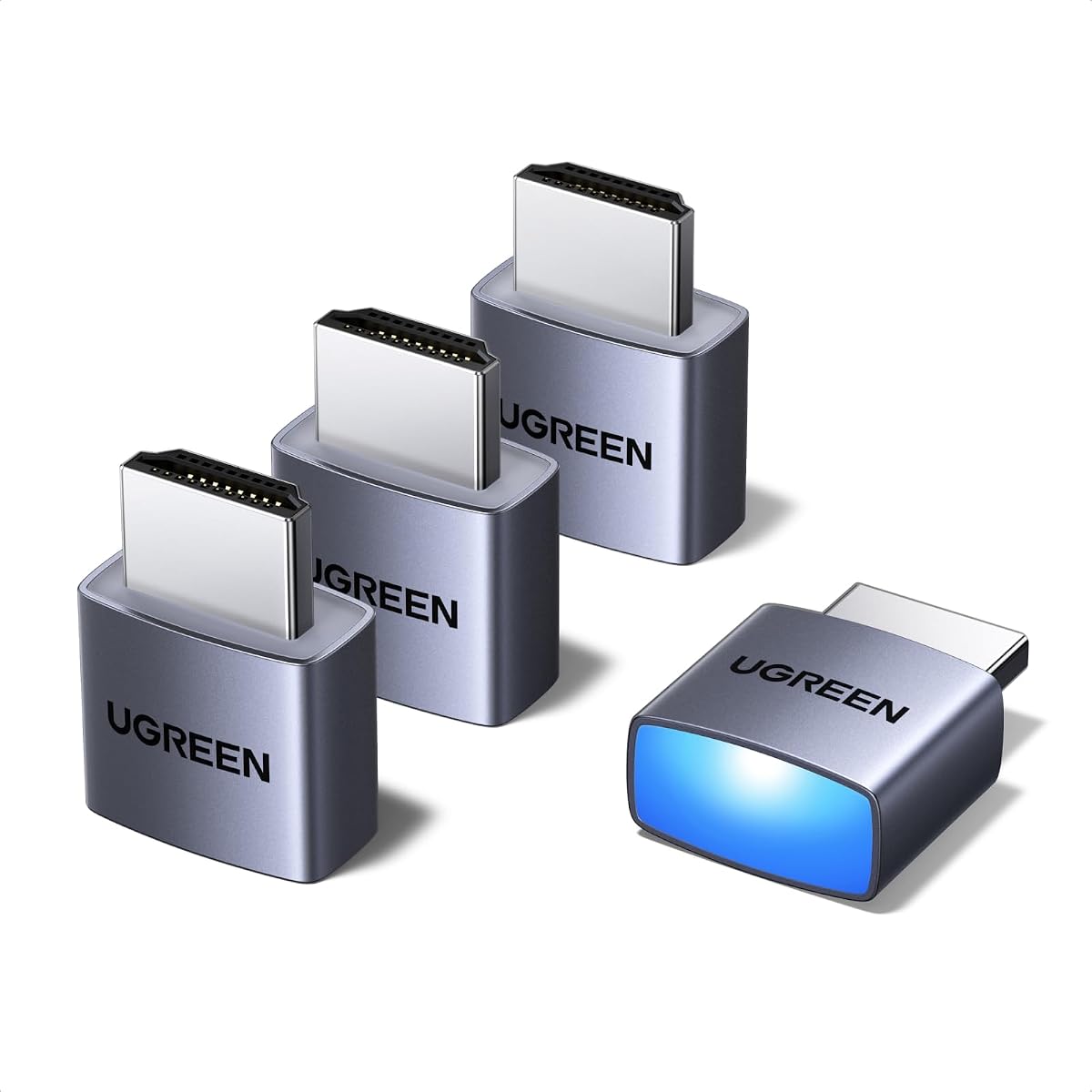
The UGREEN 4 Pack HDMI Dummy Plug stands out as a reliable choice for headless deployments. It offers true 4K@60Hz HDR performance which ensures high-quality virtual displays for remote desktop and video editing tasks.
We may earn a commission when you buy through this link, at no additional cost to you.
Its aluminum shell enhances heat dissipation making it suitable for intensive 24/7 operations like cryptocurrency mining. The integrated status LED provides immediate connection feedback which simplifies troubleshooting during remote sessions.
While it supports up to 4K@60Hz it does not reach 8K capabilities. This limitation is acceptable for most users since 4K remains the standard for high-resolution virtual monitoring needs.
Best for server admins and remote workers who need stable virtual displays without physical monitors. Its plug-and-play nature ensures quick setup across Windows Linux and macOS systems.
Activates your GPU to create a lag-free virtual monitor for seamless remote desktop operations and fluid video editing without a physical screen.
Designed with a sturdy aluminum shell that enhances heat dissipation to prevent overheating during intensive tasks like mining or rendering.
We may earn a commission when you buy through this link, at no additional cost to you.
This 4-pack offers exceptional value for users needing multiple virtual displays. It supports 1080P@120Hz and provides industrial-grade durability with an aluminum armor casing that resists overheating.
We may earn a commission when you buy through this link, at no additional cost to you.
The built-in status LED gives real-time connection verification which is crucial for mission-critical setups. It requires no drivers or external power ensuring instant operational readiness.
Some users may notice limited HDR brightness details compared to premium models. However for basic virtual display needs this model delivers consistent performance at a budget-friendly price point.
Ideal for traders and developers managing multiple headless stations. Its tool-free setup and robust construction make it a practical choice for scalable infrastructure projects.
Activates your GPU to create a lag-free virtual monitor for fluid video editing and intensive game development with 1080P@120Hz support.
Encased in heat-dissipating aluminum armor this rugged emulator resists overheating during marathon computing tasks.
We may earn a commission when you buy through this link, at no additional cost to you.
DTech offers a practical 3-pack solution for headless deployments. Its gold plated HDMI dongle ensures stable digital signal transmission and unlocks full GPU potential for remote desktop and simulation tasks.
We may earn a commission when you buy through this link, at no additional cost to you.
The compact design fits neatly without obstructing adjacent ports. It solves the Apple OSX headless display issue effectively which is a common pain point for Mac Mini users.
Lack of a status LED might make connection verification slightly harder. However its low cost and reliability make it a strong contender for budget-conscious server farm deployments.
Recommended for home labs and colocation farms needing affordable virtual screens. Its plug-and-play functionality works seamlessly across Windows Mac and Linux without extra configuration.
Simple fit headless HDMI display emulator is plug-and-play on Windows MAC OS Linux and solves the Apple OSX headless display issue.
High resolution GPU accelerated remote desktop and GPGPU operations like cryptocurrency mining rendering and simulations.
We may earn a commission when you buy through this link, at no additional cost to you.
This adapter is ideal for basic headless needs requiring 1080P resolution. It acts exactly like a real LCD monitor ensuring compatibility with any graphics card that has HDMI output.
We may earn a commission when you buy through this link, at no additional cost to you.
Its ultra-compact low profile design keeps workspaces tidy. With no drivers configuration or power cables required it is a true set-and-forget solution for remote sessions.
The 1080P limit may not suit high-res video editing. However for lightweight tasks like remote management or basic mining it provides stable performance at a low cost.
Best for users needing a simple affordable ghost adapter. It works great with Virtual Desktop and supports GPU accelerated remote desktop without any hassle.
Will work with any graphics card that has HDMI output. No incompatibility problems if regular LCD monitor works with particular output.
No drivers no configuration no power cable just set and forget for seamless remote desktop GPU accelerated operations.
We may earn a commission when you buy through this link, at no additional cost to you.
This 3-pack delivers solid 4K@60Hz HDR performance for headless operations. Its hot swap capability allows changing plugs without shutting down systems which improves workflow efficiency.
We may earn a commission when you buy through this link, at no additional cost to you.
Gold-plated interfaces guarantee complete signal transmission minimizing connection errors. The included 2-year unconditional warranty adds peace of mind for long-term deployments.
It lacks visual indicators like LEDs for status checking. Despite this its reliable performance across Windows and macOS makes it a good choice for multi-user environments.
Recommended for small offices needing multiple stable displays. Its low cost and environmental protection features make it an eco-friendly alternative to physical monitors.
Simulate high resolution for remote control up to 4K@60HZ compatible with 1080P-60HZ/120HZ for seamless GPU tasks.
Gold-plated HDMI interface guarantees complete signal transmission and provides 2 years unconditional warranty for long-term support.
We may earn a commission when you buy through this link, at no additional cost to you.
This model supports high refresh rates up to 1440P@144Hz which is excellent for gaming servers. HDR simulation enhances brightness and color accuracy for video preview applications.
We may earn a commission when you buy through this link, at no additional cost to you.
Construction features full board copper pouring and thick aluminum shell for durability. These materials enhance signal stability and reduce electromagnetic interference during intensive use.
With N/A ratings there is less community feedback. However its premium materials and high refresh support suggest it is suitable for high-performance systems requiring stable virtual displays.
Best for gaming servers and VR setups needing smooth visuals. Its energy-efficient design allows 24/7 operation without excessive power consumption.
The thicken aluminum shell delivers outstanding durability a premium feel and Enhanced Electromagnetic Shielding for stable signal transmission.
Supports High Dynamic Range (HDR) for enhanced brightness and color accuracy with peak brightness up to 1,015 nits.
We may earn a commission when you buy through this link, at no additional cost to you.
This adapter targets next-gen GPUs with HDMI 2.1 support enabling 4K@120Hz virtual displays. It is optimized for streaming platforms like Moonlight allowing high frame rate remote gaming.
We may earn a commission when you buy through this link, at no additional cost to you.
It tricks the GPU into thinking a monitor is attached keeping HBCC active for mining stability. The low power design emits negligible heat ensuring long-term reliability.
Windows 11 users may see limited to 4K60Hz instead of 120Hz. This compatibility quirk should be tested before bulk deployment in mixed OS environments.
Best for gamers and VR enthusiasts needing high refresh rates. Its plug-and-play setup makes it easy to integrate into existing streaming rigs.
Best dongle to tweak for 4k 120hz HDR Moonlight streaming and works for 120fps Steam Link without lag.
Tricks the GPU into thinking there is a monitor attached to allowing HBCC to stay active during SSH mining sessions.
We may earn a commission when you buy through this link, at no additional cost to you.
This 8-pack offers massive scalability for enterprise setups. Default resolution is 1440P which balances performance and bandwidth efficiency across multiple nodes.
We may earn a commission when you buy through this link, at no additional cost to you.
It features full board copper pouring and enhanced shielding for stability. HDR simulation ensures color accuracy making it suitable for video preview tasks.
Bulk purchasing may be overkill for single users. However it remains the most cost-effective solution for large server farms needing uniform virtual displays.
Ideal for colocation centers and large home labs. Its energy-efficient design supports 24/7 operation without significant power overhead.
Designed for headless setups such as mini PCs home labs and remote-deployed workstations requiring large quantities.
Full board copper pouring enhances signal stability and reduces electromagnetic interference for consistent performance.
We may earn a commission when you buy through this link, at no additional cost to you.
This model defaults to 2160P which matches native 4K resolution. Peak brightness of 1015 nits makes it ideal for color-sensitive display mirroring.
We may earn a commission when you buy through this link, at no additional cost to you.
Construction uses new solder and aluminum shells to prevent joint failure. This ensures long-term reliability compared to recycled solder alternatives.
N/A ratings limit confidence in real-world performance. However the detailed specs suggest it is a solid candidate for precise video preview applications.
Best for professionals needing high-res default settings. Its plug-and-play nature ensures quick integration into any HDMI-compatible device.
Supports High Dynamic Range (HDR) for enhanced brightness and color accuracy suitable for video preview and display mirroring.
Use brand new solder and refuse to recycle solder to provide long-term durability and prevent solder-joint failure.
We may earn a commission when you buy through this link, at no additional cost to you.
This premium emulator supports 8K 30Hz and 4K@120Hz via HDMI 2.1. It is the only model in the list offering true 8K virtual resolution for future-proofing.
We may earn a commission when you buy through this link, at no additional cost to you.
It is optimized for streaming to devices like Steam Deck and ROG Ally. Its low heat emission and high-quality build make it reliable for intensive remote sessions.
Requires a GPU with HDMI 2.1 output limiting compatibility. If you have the hardware this adapter offers unmatched resolution flexibility for professional workflows.
Best for enthusiasts and professionals needing 8K support. It provides stable virtual displays for high-end video editing and gaming setups.
Compatible with 7680 x 4320@30Hz and 4096 x 2160@60/120 Hz for high resolution virtual monitoring.
Best dongle to tweak for 4k 120hz Moonlight streaming and works for 120fps Steam Link.
We may earn a commission when you buy through this link, at no additional cost to you.
Selecting the right HDMI dummy plug requires understanding your resolution refresh rate and compatibility needs. This guide explains key factors to consider before making a purchase.
Most models support 4K@60Hz which suffices for remote desktop and mining. For gaming or video editing consider options offering 1440P@144Hz or higher to ensure smooth virtual rendering.
Choose a plug that matches your workflow needs. High refresh rates improve fluidity for real-time tasks while standard 4K is enough for basic headless operations.
Aluminum shells and copper pouring improve durability and heat management. This is critical for devices running 24/7 like mining rigs where overheating can disrupt operations.
Look for models with robust enclosures and LED status indicators. These features ensure long-term reliability and easier troubleshooting during extended use.
Ensure the plug works with your OS such as Windows macOS or Linux. Some models specifically mention Apple OSX headless display fixes which is vital for Mac Mini users.
Universal compatibility reduces setup friction. Always verify OS support in product specs to avoid connection issues after installation.
Multi-pack options provide better value for multi-system deployments. A 3-pack or 8-pack lets you equip several headless PCs without individual purchases.
Balance cost against actual needs. Buying in bulk saves money if you manage multiple servers but single units suit isolated setups.
All top models operate without drivers or external power. This simplifies installation allowing instant activation upon connecting to the HDMI port.
Plug-and-play functionality reduces complexity. Avoid models requiring software installation unless specific features demand it.
HDMI 2.1 plugs enable 4K@120Hz and 8K support. Ensure your graphics card supports the required HDMI version before purchasing high-end adapters.
Mismatched HDMI versions limit performance. Check your GPU specs to confirm compatibility with 2.1 or 2.0 requirements.
Some brands offer unconditional warranties like 2-year coverage. This protection is valuable for long-term deployments where replacement costs can add up.
Prioritize vendors with responsive support. Good customer service ensures you can resolve connection issues quickly without downtime.
Streaming optimized plugs like Moonlight support offer low latency. Mining rigs benefit from HBCC keeping features that prevent GPU sleep during SSH sessions.
Identify your primary use case to select relevant features. Gaming needs differ from mining or video editing requirements significantly.
Begin by inserting the HDMI dummy plug into the available port on your graphics card or laptop. Ensure the connection is secure to prevent signal loss. No drivers or software installation is required for most models.
Once connected boot your system and access the display settings. Your operating system should recognize a virtual monitor. Adjust resolution and refresh rate options to match your workflow preferences.
To maintain longevity keep the plug free from dust and moisture. Use compressed air to clean the metal contacts periodically. Ensure airflow around the device remains unobstructed to prevent overheating.
No it actually enables full GPU utilization by keeping the graphics card active. Without a connected monitor GPUs often disable acceleration which impacts tasks like rendering or mining.
Most plugs work best with discrete GPUs. Integrated graphics may not require emulation since they often stay active with a display but testing is recommended for headless setups.
Not all adapters include LED indicators. If your model has one ensure the connection is secure. Absence of LED light does not mean failure if the display is recognized.
Many premium models support HDR simulation for color accuracy. Basic models may lack this feature so check specs if you need enhanced brightness and color performance.
Yes if the build quality supports heat dissipation. Aluminum shells prevent overheating making them safe for long-term uninterrupted use in mining rigs or servers.
Yes many specifically mention macOS compatibility and fix headless display issues. Confirm OSX support in product specs before purchasing for Mac Mini systems.
Most support hot swapping allowing changes without rebooting. This is useful for multi-port GPUs where you need to switch outputs frequently.
Top picks include the UGREEN 4 Pack for overall reliability and the 4 Pack HDMI Dummy Plug for budget value. Gamers may prefer the HDMI 2.1 model for high refresh rates.
Prioritize build quality and resolution support matching your specific workflow needs. Features like heat dissipation and OS compatibility are just as important as price.
Always check current prices and availability before purchasing. Product specs and discounts change frequently so verify the latest details to ensure you get the best deal.