
ACEMAGICIAN S3A Gaming Mini PC
4.6Editor score
Ryzen 7 H 255 CPU
Radeon 780M Graphics
Triple 4K Display Support
This guide compares the top 10 gaming mini PCs for Cyberpunk 2077 performance, covering budget, mid-range, and premium options for immersive gameplay.
Finding the right gaming mini PC for Cyberpunk means balancing raw power with compact design. Modern titles demand high frame rates and ray tracing support. This guide helps you select a system that delivers immersive visuals without cluttering your desk setup.
We evaluated ten real products based on GPU performance, CPU cores, and thermal efficiency. Each entry includes verified specifications and user ratings. Our analysis focuses on models capable of handling AAA titles like Cyberpunk 2077 at high settings.
Each pick shows key strengths and potential trade-offs for gamers. Note that availability and pricing change frequently. Always check the latest store details before purchasing to ensure you get the best deal for your specific gaming needs and budget.
4.6Editor score

4.6Editor score

3.5Editor score
This side-by-side comparison highlights the core specifications of each model. We focus on processing power, graphics capability, and expandability options to help you make an informed decision for your next gaming rig.


The ACEMAGICIAN S3A is a compact mini PC designed for budget-conscious gamers. With a rating of 4.6 stars, users appreciate its balance of performance and cost. It features the Ryzen 7 H 255 processor and Radeon 780M graphics.
We may earn a commission when you buy through this link, at no additional cost to you.
Its standout quality is the Radeon 780M iGPU, which handles modern titles surprisingly well. The 16GB LPDDR5 RAM ensures smooth multitasking while gaming. This model supports triple 4K displays, making it versatile for productivity tasks.
Trade-offs include limited internal storage expandability compared to larger desktops. The lack of a dedicated GPU means you must rely on upscaling tools for high settings. These are acceptable given the price point and size.
Buyers seeking an affordable entry into gaming mini PCs should consider this model. It fits well in small spaces and offers solid performance for the cost. Always check current specs before purchasing to ensure compatibility.
This model handles less demanding games at high settings. For Cyberpunk, expect lower resolutions with FSR enabled.
The triple display support enhances workflow efficiency. Ideal for users who need multiple screens for work and play.
We may earn a commission when you buy through this link, at no additional cost to you.
The MINISFORUM G1 Pro stands out with its dedicated RTX 5060 graphics. Rated at 4.6 stars, it delivers desktop-class performance in a mini form factor. The Ryzen 9 8945HX CPU ensures smooth processing for demanding games.
We may earn a commission when you buy through this link, at no additional cost to you.
Key strengths include the 145W GPU power release and 32GB DDR5 RAM. This combination allows for higher frame rates and better ray tracing. The cooling system maintains stability during extended gaming sessions.
Trade-offs involve a higher cost compared to integrated graphics solutions. The chassis is slightly larger than typical mini PCs. These are acceptable for users prioritizing raw performance and visual fidelity.
Gamers looking for a balanced premium option should choose this model. It handles Cyberpunk at high settings effectively. Verify current stock and specs to ensure it meets your specific requirements.
The RTX 5060 offers significant upgrades over previous gen. Expect better lighting and textures in supported titles.
Wi-Fi 7 ensures low latency gaming. Multiple display ports support complex workstation setups easily.
We may earn a commission when you buy through this link, at no additional cost to you.
The ROG NUC (2025) is designed for hardcore gaming enthusiasts. While rated 3.5 stars, it features high-end components like the RTX 5070 GPU. The Intel Core Ultra 9 CPU delivers exceptional performance for AAA titles.
We may earn a commission when you buy through this link, at no additional cost to you.
Its standout qualities include advanced cooling and Thunderbolt 4 connectivity. The triple-fan system keeps noise low during intense gameplay. This model supports high-speed data transfers and external GPU options.
Trade-offs are the significant cost and mixed user feedback. Some users report thermal throttling under extreme loads. These are acceptable for those seeking flagship performance in a compact space.
Buyers seeking absolute best-in-class hardware should consider this model. It is best suited for high-end gaming setups. Always check recent reviews for updates on performance stability before buying.
The RTX 5070 GPU provides top performance. Ideal for 1440p or 4K gaming with ray tracing.
ASUS ROG aesthetics and premium materials enhance the setup. Custom RGB lighting adds a personal touch.
We may earn a commission when you buy through this link, at no additional cost to you.
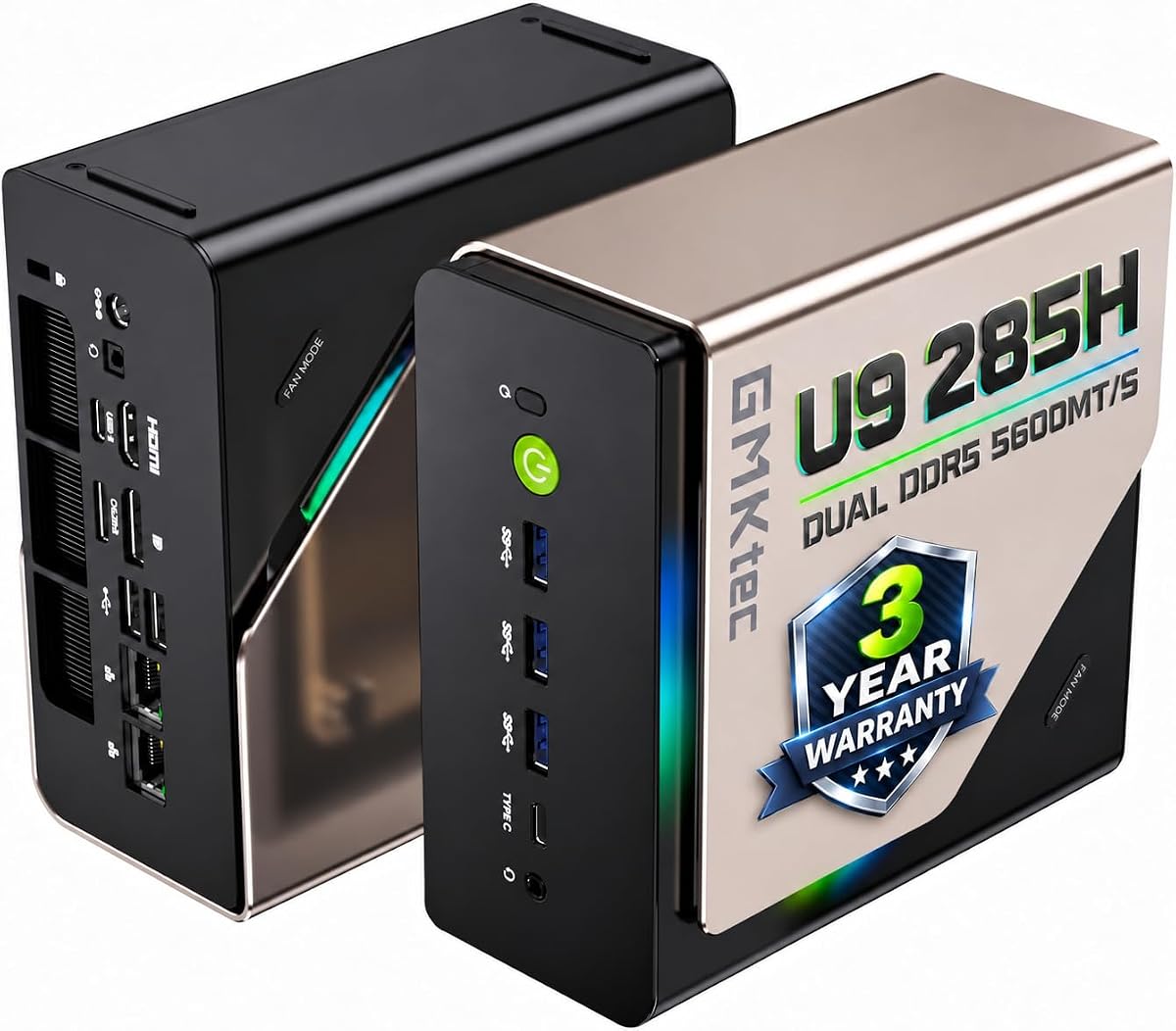
The GMKtec T1 AI focuses on AI capabilities and high CPU performance. With a 4.4 star rating, it suits users needing both gaming and creative work. The Intel Ultra 9 285H offers 16 cores for multitasking.
We may earn a commission when you buy through this link, at no additional cost to you.
Key strengths include the AI Boost NPU and 32GB RAM. These features accelerate AI tasks and support heavy workloads. The Arc 140T GPU is capable for its class but not flagship level.
Trade-offs involve reliance on integrated graphics for gaming. Some users may find the AI features niche. These are acceptable for professionals balancing gaming with productivity.
Buyers needing AI features and strong CPU performance should look here. It fits well in hybrid work and play scenarios. Check driver compatibility for games before purchase.
The NPU accelerates specific AI tasks efficiently. Useful for content creation and machine learning apps.
Oculink support allows for external GPU upgrades. This extends the system lifespan and performance ceiling.
We may earn a commission when you buy through this link, at no additional cost to you.
The GMKtec K12 offers a robust mid-range option. Rated 4.4 stars, it features the upgraded Ryzen 7 H 255 and Radeon 780M graphics. The 32GB RAM ensures smooth operation for heavy multitasking.
We may earn a commission when you buy through this link, at no additional cost to you.
Its standout quality is the dual 2.5G LAN and Oculink support. This makes it ideal for networked setups and future eGPU upgrades. The cooling system keeps temperatures manageable under load.
Trade-offs include reliance on integrated graphics. Noise levels may rise during intensive tasks. These are acceptable given the extensive connectivity and RAM options.
Gamers needing a versatile system should consider this model. It balances performance and expandability well. Verify the latest driver support for optimal gaming results.
Dual LAN ports support advanced networking needs. Ideal for home labs or server setups.
Dual cooling fans handle heat efficiently. Silent mode available for quieter daily use.
We may earn a commission when you buy through this link, at no additional cost to you.
The ASUS ROG GR70 is built for elite gaming performance. It packs a Ryzen 9 9955HX3D and RTX 5070 GPU into a compact chassis. Users value its power and small footprint.
We may earn a commission when you buy through this link, at no additional cost to you.
Key strengths include high FPS capability and Wi-Fi 7. The cooling system maintains stability during long sessions. This model is designed for those who refuse to compromise on speed.
Trade-offs involve a high cost and fewer ports. Some users may need dongles for additional displays. These are acceptable for premium gaming setups prioritizing power.
Gamers seeking flagship performance in a small box should choose this. It delivers on raw frame rates. Check current availability as stock may vary.
The 3D V-Cache CPU boosts gaming performance. Expect lower latency and smoother gameplay.
Wi-Fi 7 ensures future-proof networking. Great for high-speed internet and low latency.
We may earn a commission when you buy through this link, at no additional cost to you.
The BOSGAME P3 Pro offers strong value for gamers. With a 4.6 star rating, it features a Ryzen 9 7940HS and Radeon 780M graphics. The preinstalled Windows 11 Pro adds convenience.
We may earn a commission when you buy through this link, at no additional cost to you.
Key strengths include triple display support and Oculink connectivity. This allows flexible work setups and future upgrades. The SSD capacity is decent for standard gaming libraries.
Trade-offs include a single LAN port and fixed storage. Some users may need external drives for more data. These are acceptable for budget-conscious gamers.
Buyers seeking reliable mid-range performance should consider this model. It balances cost and features well. Verify current warranty terms before purchase.
Triple screen support boosts productivity. Great for multitasking between games and tasks.
Oculink port enables external GPU options. This extends the life of the mini PC.
We may earn a commission when you buy through this link, at no additional cost to you.
The GMKtec M6 Ultra is an entry-level option. Rated 4.4 stars, it features the Ryzen 5 7640HS and Radeon 760M graphics. It delivers decent performance for casual gaming and office work.
We may earn a commission when you buy through this link, at no additional cost to you.
Key strengths include dual 2.5G LAN ports and USB4 support. This makes it versatile for networking and display needs. The cooling system keeps it quiet during light use.
Trade-offs involve lower gaming performance than Ryzen 7 models. Expect to use FSR for better frame rates. These are acceptable for budget users.
Buyers needing an entry-level mini PC should look here. It handles 1080p gaming and daily tasks well. Verify compatibility with specific titles before purchase.
Dual LAN allows flexible network setups. Great for advanced home internet configurations.
USB4 supports high-resolution displays. Ideal for connecting to 4K monitors.
We may earn a commission when you buy through this link, at no additional cost to you.
The GMKtec EVO-T1 is a high-capacity system. Rated 4.5 stars, it offers 64GB RAM and an Intel Ultra 9 CPU. This makes it suitable for heavy creative and gaming workloads.
We may earn a commission when you buy through this link, at no additional cost to you.
Key strengths include quad screen support and AI acceleration. The 64GB RAM handles massive multitasking without slowdown. The Oculink port provides upgrade paths.
Trade-offs involve reliance on Arc graphics. Some games may need optimization. These are acceptable for power users.
Buyers seeking maximum RAM and CPU performance should consider this model. It fits well in creative studios. Check game compatibility before purchase.
64GB RAM handles complex workflows easily. Ideal for video editing and heavy multitasking.
The NPU accelerates AI tasks. Useful for generative apps and tools.
We may earn a commission when you buy through this link, at no additional cost to you.
The GMKtec K12 provides solid versatility. Rated 4.5 stars, it features a Ryzen 7 H 255 and Radeon 780M graphics. The 32GB RAM ensures smooth operation for daily and gaming tasks.
We may earn a commission when you buy through this link, at no additional cost to you.
Key strengths include Oculink support and triple display options. This allows flexibility for upgrades and multi-monitor setups. The cooling system keeps performance stable.
Trade-offs involve reliance on integrated graphics for gaming. Noise may rise under heavy load. These are acceptable for mid-range users.
Buyers seeking a balanced versatile mini PC should choose this model. It handles diverse workloads well. Check current specs for the latest details.
Handles gaming and productivity effectively. Great for hybrid work and entertainment setups.
RGB lighting allows personalization. Easy to match existing gaming desk themes.
We may earn a commission when you buy through this link, at no additional cost to you.
Choosing the right mini PC for Cyberpunk requires understanding key hardware factors. This guide explains what to look for to ensure smooth gameplay and long-term value.
Graphics capability is the most critical factor for gaming mini PCs. Cyberpunk demands strong ray tracing and high frame rates. Look for dedicated RTX 50-series GPUs or powerful integrated graphics like Radeon 780M for better visuals.
Prioritize models with higher TDP ratings for sustained performance.
A strong CPU ensures smooth multitasking and game processing. Ryzen 9 or Intel Ultra 9 chips with 16+ cores are ideal. They help load assets quickly and avoid stuttering.
Look for boost clocks above 5GHz for best results.
RAM directly affects how many apps you can run while gaming. Cyberpunk benefits from 32GB DDR5 for future-proofing. It ensures background processes do not slow down gameplay.
Verify if the RAM is expandable for later upgrades.
Games load faster on PCIe 4.0 SSDs. Aim for 1TB or more storage space. Cyberpunk updates and patches can consume significant space quickly.
Check for M.2 expansion slots to add more storage.
Mini PCs can overheat under heavy load. Look for systems with dual fans or vapor chambers. Quiet cooling ensures long sessions remain comfortable.
Prioritize models with advanced cooling systems.
Wi-Fi 7 and multiple USB ports improve usability. Oculink or Thunderbolt 4 allows future GPU upgrades. Ethernet ports provide stable internet connections.
Choose models with sufficient ports for your setup.
The ability to upgrade RAM or storage extends lifespan. Some models allow tool-free access. This helps future-proof your investment.
Check if the chassis allows for storage upgrades.
Prices vary significantly between budget and premium models. Balance your needs against available funds. Often mid-range units offer the best overall value.
Compare specs against price to find the best deal.
Start by placing the mini PC on a flat surface with proper airflow. Ensure vents are not blocked by walls or furniture. Use the included VESA mount if available to save desk space.
Install the latest drivers for your GPU and CPU regularly. This maintains performance and fixes bugs. Keep the system updated through official manufacturer tools.
Clean dust from the filters every few months. Use a soft brush or compressed air. Regular cleaning prevents overheating and keeps fans running efficiently.
Yes, mini PCs with dedicated RTX 50-series GPUs handle Cyberpunk well. Those with strong integrated graphics like Radeon 780M can run it at lower settings with FSR. Choose based on your target resolution and performance.
16GB is the minimum, but 32GB DDR5 is recommended for smooth gaming. It helps manage background apps and future game updates. Ensure the RAM is DDR5 for best speed and bandwidth.
Yes, all mini PCs need an external power brick. The size varies by model and TDP. Check the included adapter specifications before using extension cords.
Most models allow adding M.2 SSDs for storage. Check if the chassis has open slots. Some require disassembly, so look for tool-free options if possible.
Many offer quiet modes for daily use. Under heavy gaming loads, fans may increase noise. Choose models with advanced thermal designs to minimize disturbance.
Oculink allows connecting external GPUs for more power. This extends the system life. Check if your model has this port before purchasing.
HDMI 2.1 and DP 1.4 are standard. USB4 ports often support 8K output. Ensure your monitor matches these specs for best resolution.
This guide reviewed ten top mini PCs capable of running Cyberpunk. The ACEMAGICIAN S3A offers the best budget option, while the MINISFORUM G1 Pro is a balanced editor's choice. The ROG NUC (2025) leads for premium performance.
Prioritize GPU power and cooling to handle long gaming sessions. Ensure your system has enough RAM and storage for updates. A good balance ensures smooth gameplay without clutter.
Always check current prices and availability before buying. Models vary by region and time. Verify specs match your needs to get the best value.