
8Bitdo M30 Wired Controller
4.2Editor score
Officially licensed by Xbox
USB-C wired connection
Custom profile switch button
This guide compares the top fightpads for Xbox Series X, Xbox One, and PC to help you find the best controller for competitive fighting games and arcade play.
Finding the right controller can make a massive difference in competitive fighting games on Xbox. Whether you prefer a traditional pad or an arcade-style stick, the right hardware ensures precise inputs and reliable performance during intense matches.
We have evaluated ten top-rated controllers specifically designed or compatible with Xbox platforms. Our analysis focuses on layout, build quality, connectivity options, and features that enhance gameplay for both casual fans and serious competitors.
Each pick below highlights key strengths and potential trade-offs to help you decide. Please note that availability and specific features may change over time, so always verify the latest details before making your final purchase decision.
4.2Editor score
3.5Editor score

4.6Editor score
The following table provides a side-by-side comparison of all ten controllers featured in this guide. Use this overview to quickly identify which model aligns best with your specific gaming needs and platform requirements.


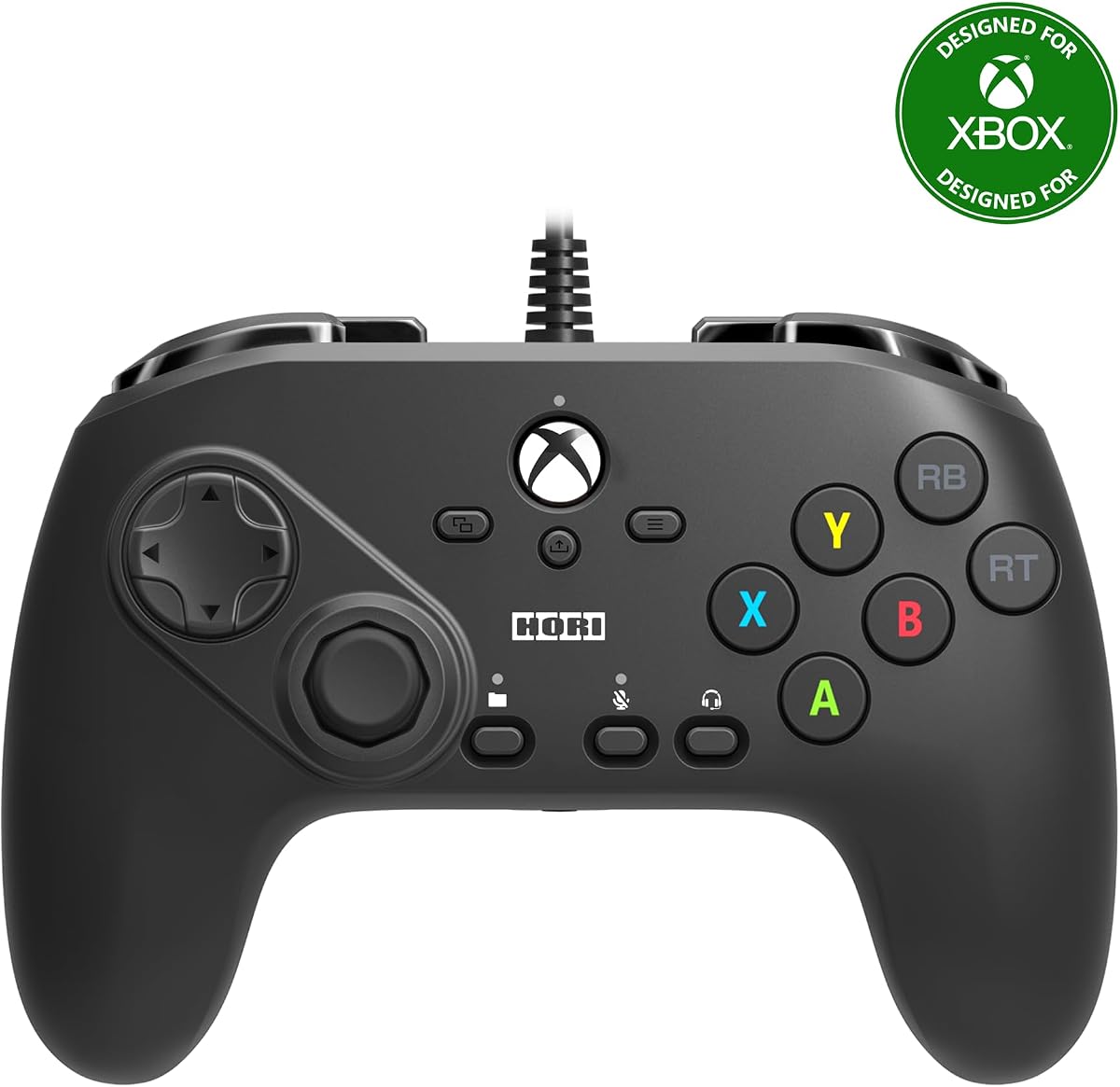
The HORI Fighting Commander Octa is a specialized controller designed to give fighters an edge on Xbox Series X and S. It holds a solid rating among enthusiasts who prioritize input precision over standard gaming features.
We may earn a commission when you buy through this link, at no additional cost to you.
Its six-button layout mimics arcade sticks while keeping a handheld form factor. The microswitch buttons and adjustable d-pad allow for rapid fire inputs and consistent directional commands during complex combos.
Some users may find the lack of triggers and standard A/B/X/Y buttons limiting for non-fighting games. The wired nature also restricts mobility compared to modern wireless options available on the market.
This controller is ideal for players who want arcade accuracy without the bulk of a full stick. It is a strong recommendation for anyone looking to improve their execution in competitive matches.
The microswitch buttons reduce travel distance for faster actuation.
Save up to four profiles to match different game preferences.
We may earn a commission when you buy through this link, at no additional cost to you.
This legacy controller brings the classic Blanka theme to life with functional arcade controls. While originally designed for the Xbox 360, its features remain relevant for specific retro gaming needs.
We may earn a commission when you buy through this link, at no additional cost to you.
The enlarged circular D-Pad is a standout feature that allows for smooth 360-degree movements. The ability to use the D-Pad as a left or right analog stick adds unique versatility to gameplay.
Modern games may not fully support the specific turbo or analog mapping features. It is best suited for players who enjoy classic fighting titles that support this controller style.
If you are a fan of the original Street Fighter IV era or prefer wired reliability, this pad offers a unique experience. It serves well as a secondary controller for retro sessions.
The 3-way switch lets the pad act as an analog stick.
Multi-speed turbo adds variety to standard button inputs.
We may earn a commission when you buy through this link, at no additional cost to you.
The 8Bitdo M30 offers a blend of retro aesthetics and modern licensing. It is designed specifically for Xbox Series X, S, and One, ensuring compatibility with current generation consoles.
We may earn a commission when you buy through this link, at no additional cost to you.
With a USB-C wired connection, it delivers consistent performance without battery concerns. The 6-button layout is optimized for fighting games and other classic titles that require precise inputs.
Users should note that this model does not include wireless functionality. However, the latency is minimal, making it a reliable choice for competitive play where connection stability is key.
This is an excellent entry point for those seeking a licensed controller at a reasonable investment. It balances nostalgia with the reliability required for serious gaming sessions on Xbox.
Consider the 8Bitdo Arcade Stick if you need wireless freedom.
The 3.5mm jack allows direct headset connection for chat.
We may earn a commission when you buy through this link, at no additional cost to you.
This controller redefines the fighting pad with a leverless, all-button design. It brings arcade precision to a compact form factor that can be used on Xbox Series X, S, and Windows PC.
We may earn a commission when you buy through this link, at no additional cost to you.
The quad-movement design allows for ultra-fast inputs and accurate execution. Hot-swappable Kailh Wizard mechanical switches let you customize the tactile feel to match your preference.
While the price is higher than standard pads, the build quality and feature set justify the cost. The thin profile makes it easy to carry to tournaments or local meetups.
For players seeking a premium experience without the bulk of a full stick, this is a top choice. It offers the best of both worlds between a pad and an arcade cabinet.
Change the feel of your controller without soldering.
2.4G connectivity ensures low latency without cables.
We may earn a commission when you buy through this link, at no additional cost to you.
The HORI PAD Pro focuses on customization to suit different play styles. It is officially licensed for Xbox and offers robust features for players who want to tweak their controller setup.
We may earn a commission when you buy through this link, at no additional cost to you.
You can adjust analog stick sensitivity and trigger zones for specific games. The Share Button makes it easy to capture moments, while the vibration feedback can be fine-tuned.
Some users may find the layout slightly bulky compared to standard controllers. However, the ability to save multiple profiles allows for quick switching between different game genres.
This is a strong option for those who want more control over their inputs without switching to a fight stick. It bridges the gap between casual gaming and competitive precision.
Adjust dead zones to prevent accidental movement.
Save up to four profiles for different games.
We may earn a commission when you buy through this link, at no additional cost to you.
This arcade stick is built for serious competitive players who want professional-grade components. The use of SANWA joystick and action buttons ensures durability and precise movement during long sessions.
We may earn a commission when you buy through this link, at no additional cost to you.
Full button mapping allows you to tailor controls to any fighting game on Xbox. The included software on Xbox or PC makes it easy to create and switch between different game profiles.
The size and weight of this stick mean it is not ideal for portable use. It is best set up on a dedicated desk or table for optimal ergonomics and comfort.
If you are ready to commit to a full arcade setup, this stick delivers high performance. The attention to detail in comfort and customization makes it a top pick.
SANWA parts are standard in high-end arcade cabinets.
The textured rest provides stability during intense fights.
We may earn a commission when you buy through this link, at no additional cost to you.
8BitDo made history with the first officially licensed wireless arcade stick for Xbox. This model offers the freedom of wireless play without sacrificing the precision of a traditional stick.
We may earn a commission when you buy through this link, at no additional cost to you.
You can choose between wireless 2.4G connectivity or a wired USB connection for tournament settings. The software support allows for deep customization of button mapping and profiles.
The battery life supports extended sessions, but charging is necessary for wireless play. The white design stands out and looks clean on any setup.
This is an ideal choice for those who want the stick layout but do not want cables cluttering their desk. It brings the convenience of wireless to the fighting game community.
A unique option for console players seeking wireless freedom.
Up to 30 hours of play on a full charge.
We may earn a commission when you buy through this link, at no additional cost to you.
The HORI Fighting Stick alpha is designed for players who want to maintain and customize their hardware. The chassis opens easily for maintenance or artwork swaps without needing tools.
We may earn a commission when you buy through this link, at no additional cost to you.
Assignable buttons and a dedicated profile button give you control over how the stick behaves. It is fully compatible with Xbox Series X and S consoles for seamless integration.
While it lacks wireless capabilities, the wired connection ensures consistent performance during competitive play. The quality of construction is robust and designed to withstand heavy use.
If you value customization and the ability to swap top housing artwork, this stick is a great fit. It offers the reliability of a professional tool with a sleek design.
Open the chassis easily to clean or modify components.
Swap out the top housing to match your style.
We may earn a commission when you buy through this link, at no additional cost to you.
This controller uses Hall Effect switches to eliminate physical contact and wear. It is a next-generation device that brings advanced technology to fighting games on Xbox and PC.
We may earn a commission when you buy through this link, at no additional cost to you.
The Rapid Trigger feature allows for adjustable actuation points, giving players precise control. The built-in LCD screen acts as a control hub for adjusting settings and testing inputs.
While the features are powerful, they may require time to set up properly. The tournament lock mode ensures compliance with official rules during competitions.
If you want the most advanced input technology available, this controller is a top choice. It offers a unique experience that standard mechanical switches cannot match.
Hall Effect switches prevent friction and debris buildup.
Change modes and test inputs directly on the screen.
We may earn a commission when you buy through this link, at no additional cost to you.
The HyperX Clutch Gladiate is a versatile wired controller with features helpful for competitive play. It is licensed for Xbox and includes trigger locks that can speed up inputs.
We may earn a commission when you buy through this link, at no additional cost to you.
Programmable rear buttons give you extra access to actions like thumb stick clicks. The textured grips ensure a firm hold, which is crucial during fast-paced matches.
It is not a dedicated six-button fighting pad, but it serves well for mixed genres. The trigger locks may need adjustment depending on the specific game requirements.
If you want a solid all-rounder that offers competitive features without a dedicated fight stick, this is a strong contender. It balances comfort with performance effectively.
Lock triggers for faster shooting or movement execution.
Textured grips prevent slipping during intense sessions.
We may earn a commission when you buy through this link, at no additional cost to you.
Selecting the right controller depends on your play style and the games you play most often. Below are the key factors to consider before making your purchase.
Fightpads often use a six-button layout similar to arcade sticks. This design helps you execute complex moves more accurately than standard controllers.
Look for a layout that matches your comfort level and the specific games you play.
Wired controllers ensure zero latency which is critical for competitive gaming. Wireless options offer convenience but require charging and may have slight delays.
Choose wired for maximum performance and wireless for a cleaner setup.
Durable materials are essential for controllers used in intense gaming sessions. Switches that resist wear will last longer and feel consistent over time.
Check reviews and specifications to ensure the materials are high quality.
Many modern pads allow you to remap buttons or save profiles for different games. Software support can enhance your ability to tailor the controller to your needs.
If you switch between many games, customization features are highly valuable.
Ensure the controller is explicitly licensed for Xbox Series X and S to avoid connection issues. Some older models may not work fully with current generation consoles.
Always verify the compatibility list on the product packaging or website.
Comfort is key for long sessions. Look for grips, button spacing, and weight distribution that suit your hand size.
A controller that feels good reduces fatigue during extended play.
Extra features like audio jacks, vibration control, or adjustable sensitivity can improve your experience. Consider what extras matter most to you.
More features often mean higher price so prioritize what you need.
Connect your controller to the console via USB cable or wireless adapter. Follow the on-screen prompts to pair the device if using a wireless model.
Calibrate the sticks and buttons using the console settings or companion software. This ensures accurate input mapping for your games.
Store the controller in a cool dry place to prevent damage. Clean the surface regularly with a soft cloth to remove dust and oils.
The best option depends on your budget and preferences. The HORI Fighting Commander Octa offers a great balance for beginners. The 8BitDo All-Button Arcade Controller is ideal for those wanting premium features.
For fighting games, fightpads are often better due to dedicated buttons for moves. They reduce the risk of misinputs and allow for faster execution.
Most controllers in this list work on PC with USB connectivity. Some may require drivers or software to function correctly with PC games.
Wired connections generally provide lower latency which is important for fighting games. Wireless is convenient but ensure it has low latency technology.
Use a soft dry cloth to wipe the surface. For deeper cleaning, you can use a small amount of isopropyl alcohol on a cotton swab.
Hot-swappable switches allow you to change the button mechanisms without soldering. This helps you customize the feel or replace worn parts easily.
We have reviewed ten top models to help you find the right controller for your needs. From budget options to premium choices there is a fit for everyone.
Prioritize build quality and compatibility when making your decision. Ensure the controller matches your play style and the games you enjoy most.
Always check the current pricing and availability before purchasing. These models may change in features or stock over time.