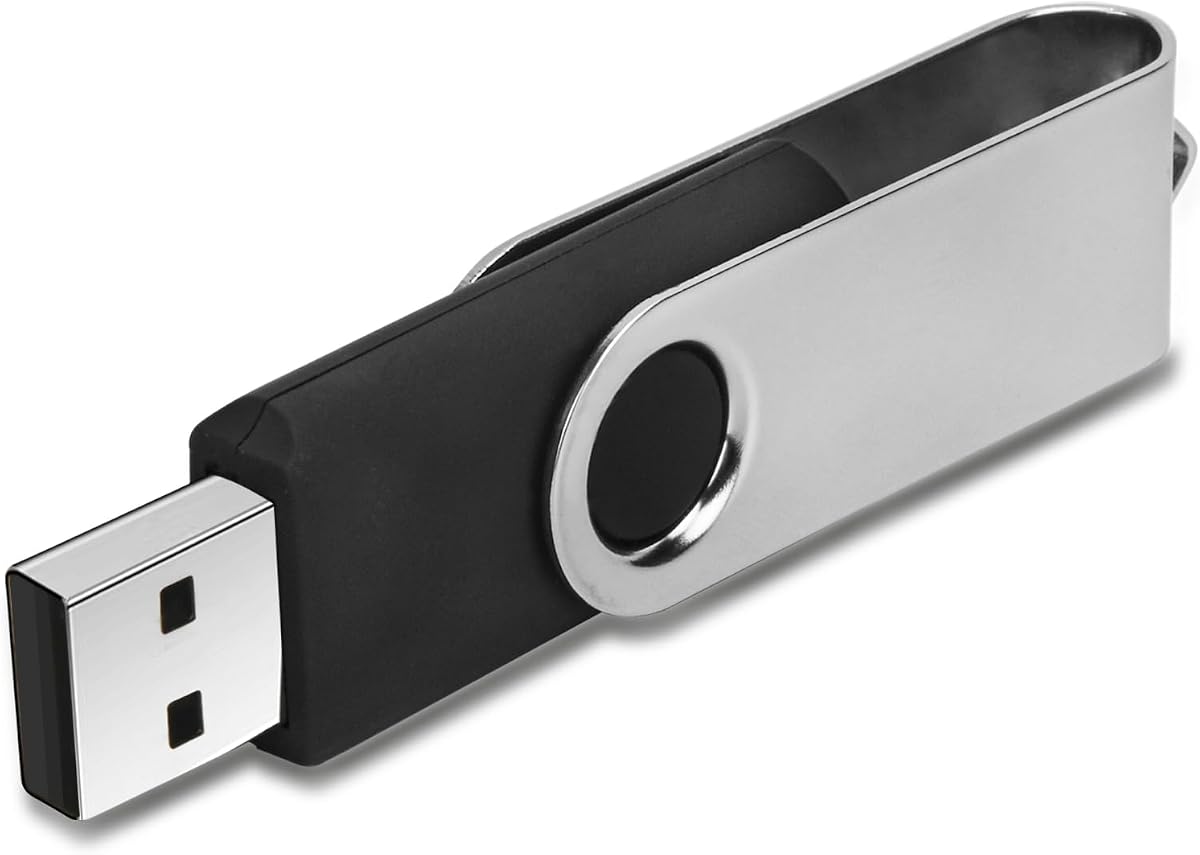
Swivel Design 16GB USB Flash Drive with Keychain
4.6Editor score
Metal swivel cap
Keychain design
FAT32 format
Compact size
This guide compares the best FAT32 USB flash drives for compatibility and speed, reviewing ten top models to help you choose the right storage solution.
Finding the right FAT32 USB flash drive is essential for reliable data storage and transfer across various devices. Many users need drives that work seamlessly with older systems, cars, and cameras without compatibility issues. A good drive offers fast speeds, durable construction, and the correct file system out of the box.
We compared ten top-rated models based on their speed, build quality, compatibility, and user feedback. Each product was evaluated on its ability to maintain FAT32 formatting and deliver consistent performance. Our list includes options for budget buyers, professionals, and anyone needing portable storage.
Each pick highlights key features, pros, and cons to help you make an informed decision. Prices and availability change frequently, so check the latest offers before purchasing. Use this guide to find the perfect drive for your specific needs and devices.
4.6Editor score

4.5Editor score

4.7Editor score
This table provides a side-by-side look at ten top FAT32 USB flash drives, comparing their key specifications to help you decide quickly.




This 32GB FAT32 USB 3.0 flash drive stands out as a top choice for users needing versatile connectivity. It comes with a USB C adapter, ensuring it works on modern laptops and older USB A ports. The drive is pre-formatted in FAT32, which means you can plug it in and start transferring files immediately without extra setup. It has solid ratings and offers a good balance of speed and durability for everyday tasks.
We may earn a commission when you buy through this link, at no additional cost to you.
The read speeds reaching up to 105MB/s make it significantly faster than older USB 2.0 drives. This helps when moving large photo albums or multiple documents. The metal body is designed to dissipate heat during long transfers, which helps maintain performance. The textured twill design provides a better grip and looks professional for business use.
While it is a great all around drive, the USB C adapter is small and could be easily lost if not attached properly. Also, if you need to store files larger than 4GB, you would need to reformat to exFAT or NTFS, which might remove FAT32 compatibility with older devices like car stereos. These are minor trade-offs for the benefits you get.
This drive is perfect for anyone who needs reliable storage for work presentations, school projects, or sharing photos. It fits well in the pockets and includes a keychain so you can attach it to your bag. If you value speed, build quality, and cross device compatibility, this is a strong recommendation.
The included USB C adapter allows this drive to work seamlessly with new MacBooks and Android phones while maintaining backward compatibility with standard USB A ports on older PCs and TVs.
With USB 3.0 speeds and a metal design that helps dissipate heat, this drive can handle sustained data transfers without throttling, keeping your workflow efficient.
We may earn a commission when you buy through this link, at no additional cost to you.
This 32GB FAT32 format USB 2.0 flash drive is a solid option for users who prioritize cost and compatibility over raw speed. It is pre-formatted with FAT32, making it instantly recognizable by older systems like car stereos, older TVs, and legacy software. The drive is plug and play with no software installation needed, and it comes with a string attachment for easy portability.
We may earn a commission when you buy through this link, at no additional cost to you.
The red LED indicator light provides visual feedback when data is being transferred, which is helpful to avoid accidental removal. While USB 2.0 is not the fastest, it is sufficient for documents, music files, and photos. The sleek plastic design is lightweight and fits easily into bags or pockets without adding much weight.
The main limitation is the slower transfer speed compared to USB 3.0 drives. Moving large video files can take longer than with newer drives. Additionally, the plastic body may not be as durable as metal options if dropped frequently. However, for casual users, these downsides are acceptable given the price.
Ideal for students or professionals who need a backup drive for reports and handouts. If you connect to older equipment often, this drive ensures compatibility without needing drivers. It is a straightforward, no-fuss solution for everyday data storage needs.
The red LED indicator lights up during data transfer, giving you a clear signal to wait before unplugging the drive to prevent file corruption.
With USB 2.0 and FAT32 format, this drive works with devices from a decade ago, including printers, stereo systems, and older car players.
We may earn a commission when you buy through this link, at no additional cost to you.
This 16GB USB flash drive is an excellent budget choice for those who need a compact and reliable way to carry files. It comes pre-formatted in FAT32, ensuring it works with most systems out of the box. The metal swivel cap design protects the USB connector without the risk of losing a separate cap, making it highly convenient for daily use.
We may earn a commission when you buy through this link, at no additional cost to you.
The swivel mechanism is smooth and keeps the drive sleek when closed. It is lightweight enough to attach to a keyring without adding bulk. USB 2.0 speeds are adequate for transferring documents, photos, and music files. It is ideal for students carrying homework or travelers storing travel photos.
The 16GB capacity might be limiting if you need to store many HD videos or large datasets. For those needs, you may want a larger drive. However, for general use, it is plenty. The price is very competitive, making it easy to buy multiple drives for different purposes.
This drive is best for budget-conscious buyers who value durability and simplicity. If you want something you can throw on your keychain and not worry about, this fits the bill. It is a practical tool for quick file sharing and backup.
The integrated swivel cap rotates to protect the connector, eliminating the common issue of losing caps that often ruins USB drives over time.
At a low price and small size, this drive is perfect for keeping on your keys for emergency files or quick transfers between machines.
We may earn a commission when you buy through this link, at no additional cost to you.
This USB drive offers a dependable solution for storing and transferring digital data with 32GB of space. It uses the FAT32 format by default, which is widely supported by many devices including older computers and media players. The drive is designed to be easy to use without needing any additional software installation for basic functions.
We may earn a commission when you buy through this link, at no additional cost to you.
The sleek design features a top cap to protect the interface from dust and damage. An LED indicator light provides feedback during transfers so you know when data is moving. The included rope design allows it to be attached to keys or a lanyard, reducing the risk of losing it.
While the plastic construction is not as robust as metal options, it keeps the drive lightweight. Transfer speeds are standard for USB 2.0, which is fine for most files. If you need high-speed transfers for large video files, you might want a USB 3.0 model. But for documents and photos, this works well.
Recommended for home users who need a simple way to back up files or share documents. It is a practical gift or backup option for basic computing needs. With the right care, it can serve as a reliable tool for years.
The top cap shields the USB connector from scratches and dust, while the rope loop allows you to carry it securely on your keychain.
The pre-formatted FAT32 file system ensures the drive is recognized by Windows, Mac, and Linux without extra setup or drivers.
We may earn a commission when you buy through this link, at no additional cost to you.
SamData offers a compelling value with this 2-pack of 32GB USB flash drives. Each drive comes in a different color, allowing you to color code files or use one for backup and one for active work. The metal clip rotates 360 degrees around the body to protect the port without needing a separate cap. This design helps prevent damage and loss.
We may earn a commission when you buy through this link, at no additional cost to you.
Both drives include LED indicators to show when data is being transferred. They are compatible with a wide range of operating systems including Windows and Mac. The 32GB capacity is enough for hundreds of photos or many documents. Having two drives means you can keep data on two separate devices for extra safety.
The speed is limited by USB 2.0 technology, so expect slower transfer times than USB 3.0 models. However, the cost per drive is quite low. The plastic and metal combination keeps them lightweight. You can rotate the clip to keep the drive streamlined in a pocket or bag.
This set is perfect for offices or students who need multiple drives for different projects. It is also great for backups where you keep a copy in a different location. The warranty adds peace of mind for a product that is simple to use.
The available black and blue options help you instantly identify which drive holds your work files versus personal backups without opening folders.
The metal clip that rotates around the body covers the connector securely, reducing the risk of damage to the exposed USB port.
We may earn a commission when you buy through this link, at no additional cost to you.
The EASTBULL 32GB USB3.0 flash drive is designed for users who want high performance in the smallest package possible. It measures less than one inch and is very thin, making it easy to leave plugged into a laptop for backup without obstructing ports. The included USB C adapter extends its use to modern devices with USB C ports.
We may earn a commission when you buy through this link, at no additional cost to you.
With read speeds reaching up to 85MB/s, it offers a significant boost over USB 2.0 drives. This helps when loading files from the drive quickly. The metal body is not only durable but also helps dissipate heat during prolonged use. It is pre-formatted in FAT32, so it is ready to use with most systems immediately.
The tiny size is both a strength and a weakness; it is very portable but can be easily misplaced if not tethered properly. The write speeds are decent but not as fast as the read speeds. For most general tasks like copying documents and photos, it performs very well.
This drive is ideal for professionals who travel often and need a drive that does not stick out. If you use a Mac or modern laptop, the USB C adapter is essential. It is a smart choice for those who value portability and speed.
The slim profile ensures the drive can stay plugged into a laptop while closed or used as a boot drive without blocking other ports or the case.
With USB 3.0 speeds and a compact form, you can access your files quickly and transfer large batches of data in reasonable times.
We may earn a commission when you buy through this link, at no additional cost to you.
TEWENE USB 3.0 flash drive features a unique clip design that allows you to attach it securely to keychains, bags, or laptops. This makes it hard to forget at a desk or lose. The drive includes a USB C adapter to ensure it works with modern smartphones and laptops. It comes pre-formatted in FAT32 for broad compatibility.
We may earn a commission when you buy through this link, at no additional cost to you.
The USB 3.1 Gen 1 technology supports read speeds up to 85MB/s, which is great for transferring files efficiently. The clip is sturdy and holds well without feeling flimsy. It is suitable for office workers, students, and travelers who need reliable access to their files on the go.
While the speeds are good, they can depend on your host device. Some older ports might not reach the top speeds. The clip adds a bit of bulk but increases convenience. If you often leave drives plugged in, this clip can help secure it to your backpack or bag strap.
Best for users who want a secure attachment method and modern connectivity options. It offers a good balance of speed, design, and utility. It is a practical tool for anyone carrying digital assets daily.
The dedicated clip allows you to fasten the drive to your bag or pocket, preventing loss and keeping your storage accessible at all times.
The included adapter makes this USB A drive compatible with USB C devices like new MacBooks and Android phones, extending its lifespan.
We may earn a commission when you buy through this link, at no additional cost to you.
The SanDisk Ultra Flair 128GB drive is a premium option for those needing significant storage space. It features a high-speed USB 3.0 interface with read speeds up to 150MB/s. The metal casing is sleek and durable, helping to dissipate heat and protect the internal components from physical damage.
We may earn a commission when you buy through this link, at no additional cost to you.
This drive comes with SecureAccess software that allows you to create a password protected vault for private files. This is useful for sensitive documents. The 128GB capacity is great for storing large movies, music libraries, and extensive backups. The design is slim and fits comfortably in a pocket.
The main consideration is that drives in this capacity often come pre-formatted in exFAT or NTFS. You may need to reformat to FAT32 if you require compatibility with very specific older devices. Also, the price is higher than basic drives. However, the performance and build quality justify the cost.
Ideal for professionals and creatives who need to move large files reliably. If you value data security and speed, this drive is a top choice. It is a reliable tool for serious data storage needs.
With built-in software for password protected files, you can keep personal documents safe from unauthorized access even if the drive is lost.
The 150MB/s read speed ensures that even large video files transfer quickly, saving time during editing or backup workflows.
We may earn a commission when you buy through this link, at no additional cost to you.
Lexar offers this 3-pack of 32GB USB 3.2 Gen 1 flash drives with a convenient push-button retractor. This mechanism protects the connector and eliminates the need for a cap. Each drive is very lightweight and comes with a lanyard loop for portability. It includes Lexar DataShield software for password protection.
We may earn a commission when you buy through this link, at no additional cost to you.
The read speeds reach up to 100MB/s, providing good performance for USB 3.2. This helps move files quickly between computers. The 3-pack is great for schools or offices needing multiple units. You can keep one in the bag and one in the desk. The sleek design ensures it fits well in tight spaces.
Retractable drives are convenient but the button mechanism can eventually fail with heavy use. Also, there is no USB C adapter included. If you need to connect to newer devices, you might need an adapter. However, for standard USB A ports, this works perfectly.
Best for institutions or families needing multiple secure drives. It offers a good mix of features, speed, and value. The DataShield adds an extra layer of protection for personal files.
The retractable connector slides out with a button press, keeping the port protected and preventing the loss of caps or caps during travel.
Lexar DataShield lets you password protect a secure vault on the drive, ensuring private files stay safe if the drive is misplaced.
We may earn a commission when you buy through this link, at no additional cost to you.
This SanDisk Ultra 32GB USB 3.0 flash drive is a proven reliable option for everyday storage needs. It offers fast read speeds up to 100MB/s to get your files onto the drive quickly. The SecureAccess software allows you to protect private files with password protection and 128-bit AES encryption. It comes with a 5-year limited warranty.
We may earn a commission when you buy through this link, at no additional cost to you.
The design is sleek and compact, fitting easily into a pocket. It is backward compatible with USB 2.0 ports so it works with older systems too. SanDisk is a top brand in storage, meaning you get consistent quality. The drive is simple to use right out of the box.
One thing to note is that you need to download the SecureAccess software separately to use the password feature. Also, it does not include a USB C adapter. However, the reliability and warranty make up for these. It is a solid choice for those who prioritize trust.
Perfect for business users who need a dependable drive for presentations and backups. If you want peace of mind with a long warranty, this is the right pick. It balances performance and durability well.
Backed by a five-year warranty, this drive is designed to last, ensuring you have dependable storage for your data over the long term.
With SecureAccess software, you can lock sensitive files with a password and AES encryption, keeping your data private on shared computers.
We may earn a commission when you buy through this link, at no additional cost to you.
Choosing the right FAT32 USB flash drive involves considering several factors to ensure it fits your needs and devices.
The capacity of a USB drive determines how much data you can store. Common sizes range from 16GB to 128GB. For documents and photos, 32GB is often enough. For videos or large backups, consider 64GB or more. Think about how many files you need to save before choosing.
Choose a size that matches your typical file size and quantity. If you are unsure, 32GB is a safe middle ground for most users.
USB versions affect transfer speed. USB 3.0 and 3.1 are faster than USB 2.0. If you have modern ports, use USB 3.0 for quick transfers. USB 2.0 is fine for basic use and older ports. Check your devices to see which version they support.
Prioritize USB 3.0 for better performance. If you use old devices, ensure the drive is backward compatible.
Metal drives usually dissipate heat better and feel more durable. Plastic is lighter and cheaper. Consider if you plan to drop or expose the drive to rough use. Some drives have protective caps or swivel designs.
Metal is better for longevity. Look for designs that protect the USB connector from damage.
Most devices work best with FAT32 formatted drives. Ensure the drive is pre-formatted or easy to format. Older devices like car stereos often require FAT32 specifically. Check if you need a USB C adapter for modern laptops.
Verify FAT32 compatibility for your specific devices. If you use both old and new gadgets, look for adapters.
Portability features like keychains, clips, or lanyards help you carry the drive safely. A small size is good for travel. Avoid designs where the cap can be lost. Retractable designs are also convenient.
Pick a design that matches your carry style. A clip or keychain reduces the risk of losing the drive.
Some drives come with security software for password protection. LED indicators show transfer status. Some offer multi-packs. Consider if these extra features are useful for your workflow. They can add value if you need secure file access.
Look for useful extras like software or indicators. Avoid paying for features you will not use.
To use your FAT32 USB flash drive, simply insert it into a USB port on your computer or compatible device. Your operating system should recognize it automatically. You can then drag and drop files to the drive or copy them as needed. Ensure you safely eject the drive before removing it to prevent data corruption.
If your drive is not compatible with an older device, you may need to reformat it to FAT32. This can be done via disk utility on Mac or disk management on Windows. Be cautious as formatting erases existing data. Always back up your files before formatting to ensure you do not lose important information.
To care for your drive, keep it away from moisture and extreme heat. Use the protective cap or retractable cover when not in use. Store it in a safe place like a keychain or pocket. Avoid bending the USB connector and limit the number of insertions to extend its lifespan.
FAT32 is a file system that is widely supported by older devices like car stereos and media players. It allows the USB drive to be recognized easily. Some modern drives default to exFAT, which is faster but not always supported. If you need maximum compatibility, choose a drive pre-formatted as FAT32.
No, FAT32 has a limit of 4GB per file. If you need to store large video files, you will need to format the drive to exFAT or NTFS. However, this may reduce compatibility with older devices. For files smaller than 4GB, FAT32 works perfectly without issues.
On Windows, right click the drive in File Explorer and select Properties. Look for the File System section. It will say FAT32, exFAT, or NTFS. On Mac, open Disk Utility and check the info for the drive. If needed, you can reformat using these tools but back up data first.
This issue is often due to file system incompatibility. Many car stereos only read FAT32 formatted drives. Reformat the drive to FAT32 if it is currently in another format. Also ensure the drive is plugged into the correct port and is not physically damaged. If it persists, try another drive.
Yes, USB 3.0 drives offer significantly faster transfer speeds than USB 2.0. If you move files often, this saves time. They are also backward compatible with USB 2.0 ports. The price difference is usually small compared to the performance gain, making them a good value for most users.
USB drives can last several years with normal use. The lifespan depends on how often you insert it and the quality of materials. High quality drives with metal bodies may last longer. Avoid extreme temperatures and physical stress to maximize their life. Regular backups are always recommended.
Choosing the right FAT32 USB flash drive depends on your specific needs for capacity, speed, and compatibility. Our top picks include versatile options with USB C adapters, durable metal designs, and trusted brands. Whether you need one drive or a multi-pack, there is a choice for every user.
Consider how you will use the drive and which devices it will connect to. If you use modern laptops, a USB C adapter is valuable. For older devices, ensure FAT32 formatting is available. Balance the features with your budget to find the best value for your situation.
Prices and availability can change over time so always check the latest offers. By selecting a drive that fits your workflow, you ensure smooth data transfers. Use this guide to make an informed decision for your storage needs.