
VEVOR Portable Digital Magnifier
3.4Editor score
2X to 48X zoom levels
13MP dual lens system
AV and HDMI output support
Finding the right digital magnifier for low vision can transform daily tasks like reading and navigating. These devices offer zoom capabilities and contrast settings tailored to individual needs.
We evaluated ten leading models based on screen size, magnification range, color modes, and user feedback. Each product was reviewed for portability, battery life, and ease of use.
Every selection highlights key strengths and potential limitations to guide your decision. Please note that product availability and prices may change over time on retailer sites.
3.4Editor score

4.6Editor score
4.0Editor score
As an Amazon Associate we earn from qualifying purchases.
This side by side comparison highlights key specifications across all ten selected digital magnifiers for low vision. Review screen sizes, zoom ranges, and unique features to find the best fit for your needs.


This Eyoyo model ranks highly for its balance of portability and performance. Users appreciate the compact size and intuitive interface that supports quick visual tasks.
We may earn a commission when you buy through this link, at no additional cost to you.
The 2X to 25X magnification range covers most reading needs from labels to books. Eight color modes help optimize contrast for different lighting conditions.
While the screen is smaller than some competitors, it remains clear enough for short sessions. The foldable bracket adds stability on flat surfaces.
Ideal for travelers or those needing a quick aid on the go. Its combination of features and affordability makes it a strong top pick.
Capture images for later review using the TF card slot up to 32GB.
Connect to a television via AV output for enhanced visibility when needed.
We may earn a commission when you buy through this link, at no additional cost to you.
This model targets users who need straightforward controls without complex menus. The simplified button design aims to reduce confusion during daily tasks.
We may earn a commission when you buy through this link, at no additional cost to you.
With a 5 inch screen and 26 color modes, it offers versatile viewing options. The system remembers user preferences to streamline repeated use.
Some users noted that the auto focus feature may lag under certain conditions. However, the ergonomic handle makes holding the device easier.
Best for elderly users or those needing minimal interaction. It provides a solid balance of screen size and ease of operation.
The integrated bracket allows angled positioning to reduce strain while reading.
Features 800×480 resolution for clearer text and detail restoration.
We may earn a commission when you buy through this link, at no additional cost to you.
Designed for users facing macular degeneration, this magnifier offers robust zoom and clarity. The 5 inch screen provides ample space for reading text.
We may earn a commission when you buy through this link, at no additional cost to you.
With a zoom range reaching 32X, fine details become much more accessible. The 26 color modes allow users to find high contrast combinations quickly.
The ergonomic handle helps reduce hand fatigue during longer use. The foldable bracket ensures stability when placed on a surface.
Recommended for those prioritizing strong magnification. It combines high resolution with flexible viewing modes to support varied needs.
DSP technology ensures minimal distortion even at high magnification levels.
The device remembers preferred configurations to save setup time.
We may earn a commission when you buy through this link, at no additional cost to you.
This device emphasizes ease of use for users who prefer minimal interaction. The simplified controls make it accessible for those less familiar with technology.
We may earn a commission when you buy through this link, at no additional cost to you.
The 5 inch screen supports comfortable viewing of text and small labels. It includes memory functions to recall previous settings automatically.
While it lacks advanced features, it covers essential needs for reading and navigation. The design supports both left and right handed users.
A practical choice for quick daily tasks. Its straightforward operation ensures users can focus on reading without technical hurdles.
The integrated handle and bracket provide stability and comfort during use.
Multiple modes help tailor contrast to individual visual preferences.
We may earn a commission when you buy through this link, at no additional cost to you.
This VEVOR model offers impressive zoom capabilities at a lower price point. The dual lens system supports both close reading and distant viewing tasks.
We may earn a commission when you buy through this link, at no additional cost to you.
With HDMI and AV outputs, you can connect to larger screens for better visibility. The battery provides lasting power for mobile use.
Some reviews note inconsistencies in build quality. However, for budget conscious buyers needing high magnification, it delivers strong value.
Ideal for users who need flexibility between near and far vision. Its feature set is rare at this price tier.
Switch between near and far lenses to adapt to different distances easily.
The 2500mAh battery supports extended uninterrupted reading sessions.
We may earn a commission when you buy through this link, at no additional cost to you.
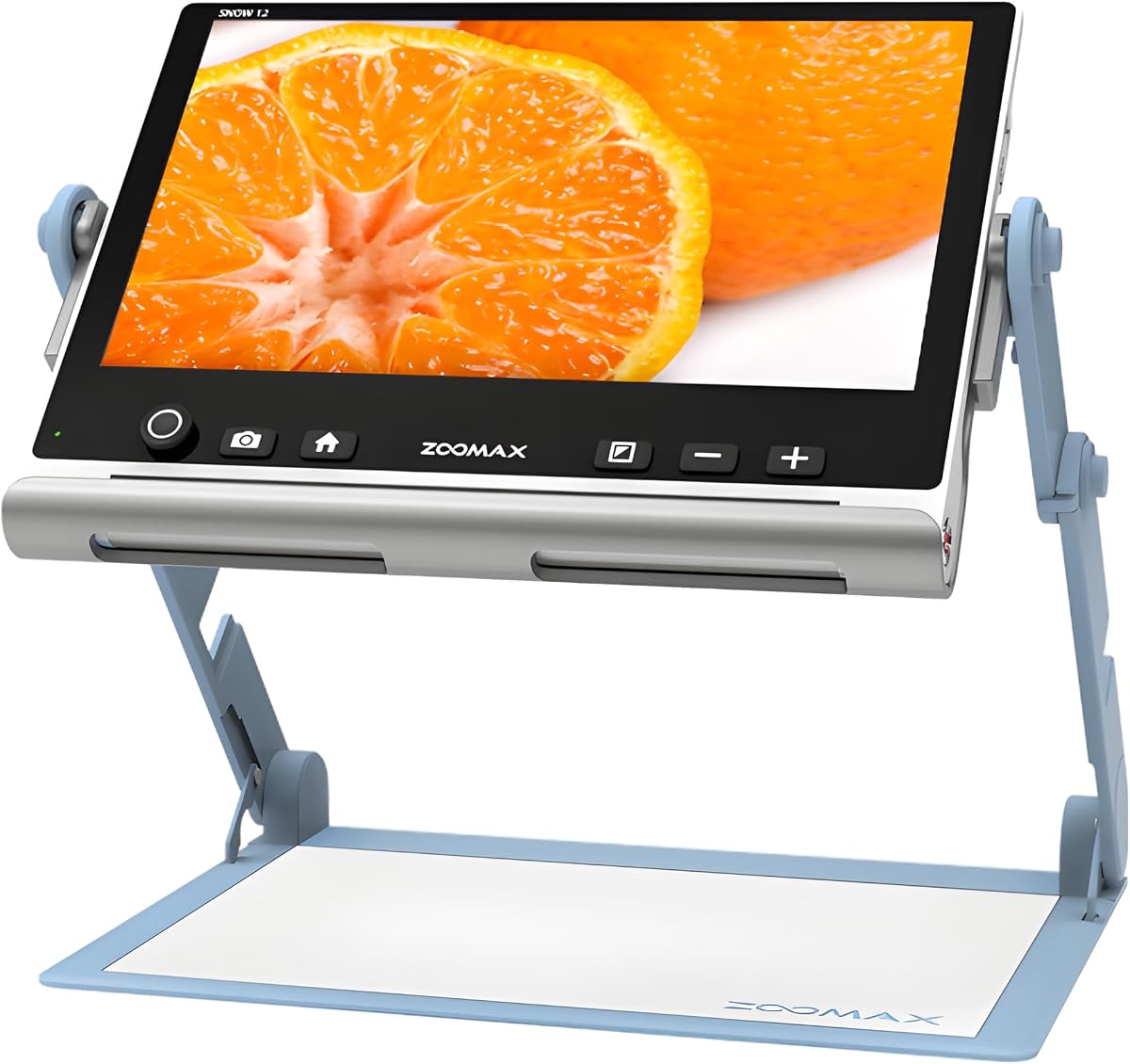
The Snow 12 stands out for its advanced OCR and speech features. It transforms printed text into spoken words for enhanced accessibility.
We may earn a commission when you buy through this link, at no additional cost to you.
With a massive 12 inch screen, it offers a comfortable viewing area for reading or writing. The HD camera ensures sharp image capture.
While the price reflects premium functionality, it supports users who rely on speech feedback. Multilingual options extend its usefulness globally.
Best for those seeking top tier accessibility tools. It combines visual and auditory features to support diverse needs.
Convert printed text to speech instantly using built-in optical character recognition.
Despite the large screen, it remains lightweight enough to carry anywhere.
We may earn a commission when you buy through this link, at no additional cost to you.
This Eyoyo model delivers reliable performance with a robust battery life. The 4500mAh cell supports over four hours of continuous use.
We may earn a commission when you buy through this link, at no additional cost to you.
The 5 inch screen and zoom range provide clear visibility for various reading tasks. Users can adjust brightness and contrast to suit their environment.
While it lacks OCR, its optical capabilities remain strong. The handle ensures comfort during extended sessions on books or documents.
A solid choice for daily users prioritizing battery efficiency. It balances portability with consistent optical quality for reading.
Five brightness levels help reduce eye strain in different lighting.
Settings save automatically so you can start reading immediately.
We may earn a commission when you buy through this link, at no additional cost to you.
This device shines with 26 color modes to enhance contrast for different eyes. The large buttons make navigation easier for users with limited dexterity.
We may earn a commission when you buy through this link, at no additional cost to you.
Supporting both near and far cameras allows versatile viewing. The screen restores color and detail for a natural visual experience.
While it requires some setup, memory functions help maintain settings. The ergonomic handle reduces fatigue during prolonged use.
Recommended for those needing extensive contrast customization. It offers strong performance for daily reading and navigation needs.
Features 800×480 resolution with DSP for clear image restoration.
Foldable bracket allows angled placement to reduce neck strain.
We may earn a commission when you buy through this link, at no additional cost to you.
This handheld unit prioritizes portability and ease of movement. Its lightweight body makes it easy to carry around for quick reading.
We may earn a commission when you buy through this link, at no additional cost to you.
The five viewing modes allow quick adjustments to contrast and brightness. Image capture helps users save important text for later review.
While max zoom is lower than other options, it suits general reading. The design supports natural hand positioning during tasks.
Best for active users needing a light aid on the move. It offers reliable HD performance in a compact package.
High definition video ensures text remains sharp during magnification.
Designed for comfort during extended handheld use without fatigue.
We may earn a commission when you buy through this link, at no additional cost to you.
This model offers a wide zoom range reaching 48X for extreme magnification. It works well for reading small text on labels and prescriptions.
We may earn a commission when you buy through this link, at no additional cost to you.
Simplified buttons and memory functions streamline the user experience. The TV connection enables viewing on a larger screen at home.
The device is lightweight and portable, though best for short tasks. External battery support ensures power during outings like shopping.
Ideal for users needing high zoom for daily tasks. It balances high magnification with ease of use for reading.
Up to 48X zoom helps reveal details others miss.
Device remembers settings to avoid repetitive adjustments.
We may earn a commission when you buy through this link, at no additional cost to you.
Selecting the right digital magnifier requires balancing features like screen size, zoom, and battery life with your specific needs.
Larger screens provide more text on display but add weight. Resolution affects clarity; look for at least 800×480 for sharp text.
Prioritize screen size that fits your reading distance and comfort level.
Zoom levels typically range from 2X to 48X. Ensure the range covers both near reading and distant viewing if needed.
Check if the max zoom meets your vision requirements for detailed work.
Multiple color modes help adapt text to your specific vision needs. Inverting colors or using yellow/blue can reduce strain.
Select a model with enough modes to find your ideal high contrast setting.
Portable units need reliable batteries for extended outings. Look for models offering four or more hours of use.
Lightweight designs help reduce fatigue during long reading sessions.
Simplified buttons and memory functions improve daily usability. Avoid models with complex menus if you prefer quick access.
Test the interface for simplicity before purchasing to ensure comfort.
AV or HDMI outputs allow connection to larger displays for home use. This adds flexibility if you need to view on a TV.
Check included cables or adapters if you plan to use external screens.
OCR and text to speech offer additional accessibility for non visual reading. These features are vital for users who prefer audio feedback.
Consider these capabilities if you need more than visual magnification.
Look for brands with reliable customer service and warranty coverage. Durability matters for handheld devices used frequently.
Read user feedback on build quality to avoid fragile models.
Position the device on a flat surface or use the handle for handheld reading. Adjust the height and angle to reduce neck strain during use.
Use the memory function to save your preferred zoom and color settings. This saves time when you return to the device after charging.
Clean the lens and screen with a soft microfiber cloth to prevent scratches. Store it in a protective case when not in use to avoid damage.
It is an electronic device that uses a camera and screen to magnify text and objects. It helps users with visual impairments read signs and books easily.
Consider what you will read most often. For books, lower zoom works best. For labels, higher zoom may be necessary to see details.
Many models support AV or HDMI output. This lets you display magnified content on a larger screen for easier viewing at home.
Yes, they offer high contrast and zoom that help manage vision loss. Adjustable modes allow customization for central or peripheral vision.
Typical units last four to six hours on a single charge. Check battery capacity and charging options if you travel frequently.
OCR stands for optical character recognition. It converts text on paper into speech or editable text for more accessibility options.
Yes, portable models are designed for travel. Ensure screen brightness adjusts to sunlight and the unit has a sturdy case for protection.
Many devices include color filters that improve contrast. These modes help distinguish text and objects better for color blind users.
We have reviewed ten top models ranging from portable handhelds to large desktop units. Each offers unique strengths for different reading and mobility needs.
Focus on what matters most to you: screen size, zoom range, or advanced accessibility like OCR. Simplicity is often as important as technical specs.
Prices and availability may change on retailer sites. Always check current offers before finalizing your purchase decision.