
Corded Landline Phones for Seniors
4.2Editor score
Big picture buttons
One-click dialing
110dB loud ringer
This guide compares the top captioned telephone models for hearing impaired users, featuring real-time captioning, amplified sound, and large buttons for
Captioned telephones bridge the gap for those with hearing loss by displaying real-time text of conversations on a screen. These devices ensure clarity and confidence during calls with loved ones or essential services without straining to hear every word.
We evaluated ten leading models based on audio quality, caption accuracy, ease of use, and accessibility features. Our comparison includes dedicated captioning services, amplified handsets, and voice-activated options to suit varying degrees of hearing and mobility challenges.
Each pick highlights unique strengths like touchscreen interfaces, photo dialing, or hands-free operation. Prices and availability change frequently, so verify current details before purchasing to ensure you select the right device for your specific communication needs.
4.2Editor score

4.3Editor score

4.0Editor score
The following table provides a side-by-side overview of all ten models. It highlights key specifications to help you quickly identify which device matches your specific hearing, mobility, and connectivity requirements.




This Hamilton CapTel model offers a comprehensive solution for those needing text support during calls. It carries a solid rating for its ability to turn everyday conversations into clear exchanges through large, readable captions.
We may earn a commission when you buy through this link, at no additional cost to you.
The standout quality is the real-time captioning service available at no cost for US residents. Users can choose between automated captions or assisted options with live operators to ensure accuracy during every call.
While the requirement for high-speed internet might be a hurdle for some, the clarity provided by the captions makes up for the setup steps. The large touchscreen allows easy adjustment of caption size and tone to fit comfort levels.
Anyone needing reliable communication support should consider this device. It is especially beneficial for seniors or individuals with hearing loss who want to stay connected without missing crucial words during phone conversations.
The large touchscreen interface ensures that even those with low vision can read captions comfortably while listening to the call simultaneously.
Built-in captioned voicemail lets you review messages at your convenience, adding another layer of accessibility to your daily communication.
We may earn a commission when you buy through this link, at no additional cost to you.
This corded landline phone is designed specifically to simplify communication for seniors with memory or hearing challenges. It holds a strong rating for its user-friendly design that eliminates the need to memorize numbers.
We may earn a commission when you buy through this link, at no additional cost to you.
The key strength lies in its photo dialing feature. By placing family photos on specific buttons, users can call loved ones with a single touch, making the process effortless and reducing anxiety about wrong numbers.
While it lacks text captioning, the amplified volume and visual indicators ensure calls are not missed. The loud ringtone and flashing light serve as reliable reminders for those with hearing impairments.
Budget-conscious buyers seeking simplicity will find this model ideal. It is a practical choice for those who need a reliable phone without complex features or internet requirements.
Photo buttons help those with dementia or memory loss recognize who to call without relying on numeric memory.
The visual indicator light ensures users are aware of incoming calls even if the ringer volume is too low.
We may earn a commission when you buy through this link, at no additional cost to you.
The VTech SN5147 offers a hybrid system that provides both stability and mobility. It is rated well for its ability to work during power outages while offering a cordless handset for convenience.
We may earn a commission when you buy through this link, at no additional cost to you.
Key strengths include the 90dB extra-loud ringer and 50dB audio assist. These features ensure that calls are heard clearly in noisy environments, making it suitable for seniors with significant hearing loss.
The added complexity of charging a cordless handset is a trade-off for the freedom of movement. However, the visual indicators and flashing alerts help mitigate the risk of missing calls when the phone is not on the base.
Those wanting mobility alongside traditional features should choose this model. It balances classic reliability with modern convenience, making it a strong premium choice for active seniors.
Using both corded and cordless options allows users to choose the best mode depending on their location in the house.
The smart call blocker prevents unwanted calls, offering peace of mind against telemarketers and scammers.
We may earn a commission when you buy through this link, at no additional cost to you.
This home telephone eliminates physical buttons by using voice commands to manage calls. It is designed for those with mobility or vision difficulties that make traditional dialing challenging.
We may earn a commission when you buy through this link, at no additional cost to you.
The main strength is the hands-free capability. Users can answer, dial, or end calls using simple voice commands, which reduces physical strain and enhances independence.
However, voice recognition technology may not always work perfectly depending on background noise or speech clarity. The lack of a visual display means users rely solely on audio cues to know who is calling.
Individuals with severe mobility restrictions will find this device helpful. It provides a unique way to stay connected without touching the phone, though testing voice compatibility in your home is recommended.
This phone is ideal for bedridden patients or those with limited hand movement who cannot press buttons easily.
Voice commands simplify the dialing process, removing the need to find and press specific numbers.
We may earn a commission when you buy through this link, at no additional cost to you.
This corded landline phone features large buttons designed for seniors with low vision or arthritis. It offers adjustable volume control to meet varying needs of hearing impaired users effectively.
We may earn a commission when you buy through this link, at no additional cost to you.
The picture buttons allow storing favorite numbers for quick access. This simple feature helps those with memory issues call family members without searching for numbers on a keypad.
A trade-off is the limited functionality compared to advanced models. However, the wall-mountable design adds flexibility to setup, and data is stored locally so it remains even if the line is unplugged.
For those needing basic amplification and visual clarity, this is a practical choice. It simplifies dialing through large buttons and picture assistance, ensuring easy communication at home.
Large, high-contrast buttons make dialing easier for users with reduced eyesight or cognitive challenges.
Wall mounting options allow the phone to be placed at an optimal height for users with limited mobility.
We may earn a commission when you buy through this link, at no additional cost to you.
This VoIP phone stands out for its customizable image keys that help seniors identify contacts easily. It is designed specifically for those with dementia or Alzheimer's needing a familiar interface.
We may earn a commission when you buy through this link, at no additional cost to you.
The 110dB amplified sound ensures clarity in noisy environments. A dedicated help key provides instant access to emergency assistance, making it a safety-focused choice for nursing homes or personal homes.
Users must ensure they have a VoIP service before purchasing. This requirement may limit accessibility for those with traditional analog lines, but the benefits of visual cues and high volume are significant.
For settings requiring high safety and clear audio, this phone is effective. It bridges technology gaps with visual familiarity and offers a robust calling experience with minimal friction.
Image keys help users with memory issues recognize who they are calling by inserting family photos into slots.
A one-touch help key ensures quick access to emergency contacts without needing to dial a number manually.
We may earn a commission when you buy through this link, at no additional cost to you.
The Serene Innovations model is designed for performance with high-definition audio. It aims to deliver clearer sound for those struggling with standard phone calls.
We may earn a commission when you buy through this link, at no additional cost to you.
Strengths include amplified sound to enhance voice clarity. This basic approach focuses on audio quality without complex digital features that might confuse older users.
However, limited specification details make it hard to evaluate specific features like ringer volume or visual alerts. Lower ratings suggest some users may have found functionality lacking compared to competitors.
For those seeking basic amplified sound without advanced tech, this is an option. However, users should verify specific features before purchase to ensure they meet all needs.
This model prioritizes sound clarity through high-definition audio, helping users hear conversations more clearly.
We may earn a commission when you buy through this link, at no additional cost to you.
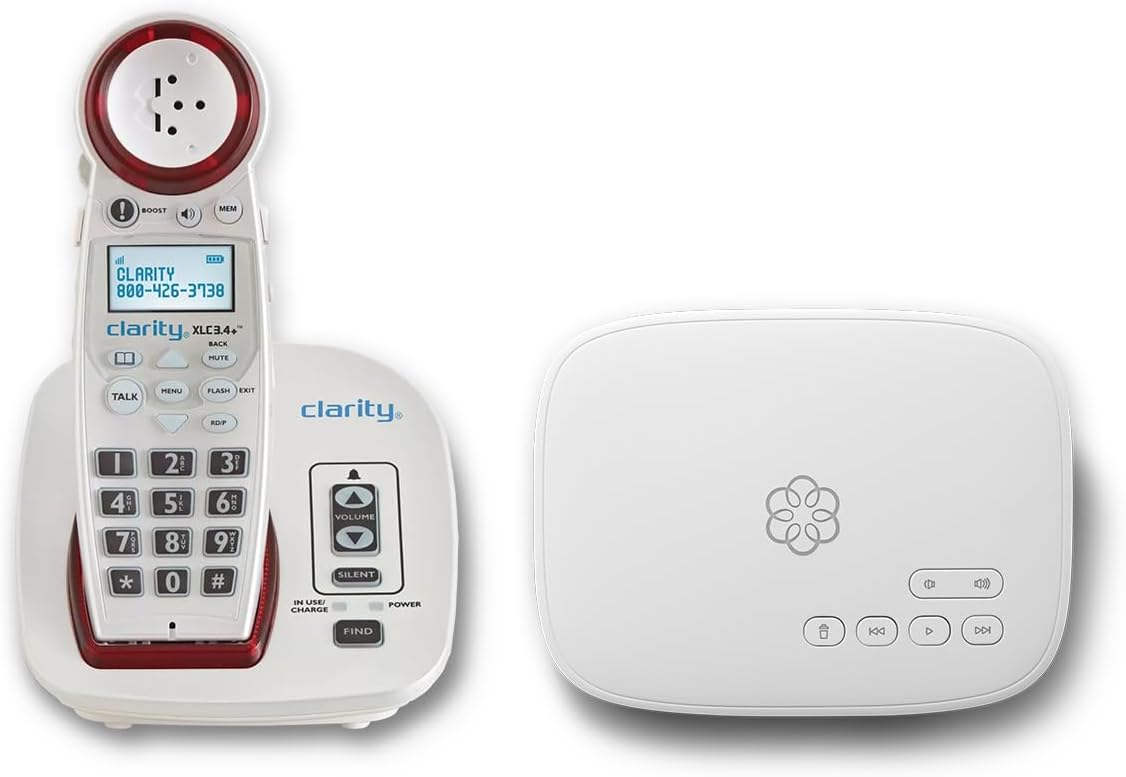
This bundle combines a phone with a service plan, offering features like unlimited calling and 24/7 support. It is designed to provide a complete communication solution in one package.
We may earn a commission when you buy through this link, at no additional cost to you.
Strengths include a talking keypad and adjustable ringer volumes for the hearing impaired. Call blocking features protect against scammers, adding security to your home phone usage.
The subscription cost and setup complexity are trade-offs. However, the service support and 911 text alerts offer peace of mind for families monitoring their elders.
Families wanting a managed service and advanced features should consider this bundle. It simplifies call management and provides security features beyond a standard phone.
Included unlimited calling and concierge support reduce the burden of managing separate phone accounts.
911 text alerts ensure loved ones are notified when emergencies are dialed from the home.
We may earn a commission when you buy through this link, at no additional cost to you.
This phone offers voice dialing to allow users to make calls without touching the device. It includes a visual ringer and talking caller ID to assist those with vision or hearing challenges.
We may earn a commission when you buy through this link, at no additional cost to you.
The strengths lie in the voice activation and visual alerts. The talking caller ID announces names, helping users know who is calling without needing to read a screen.
However, the low rating suggests issues with reliability or voice recognition. Users may find it less consistent than dedicated modern systems.
For those specifically needing voice dialing, it may be worth a try. However, due to potential inconsistencies, checking reviews and return policies is highly recommended.
Voice dialing allows hands-free operation, which is helpful for users with limited mobility or dexterity.
We may earn a commission when you buy through this link, at no additional cost to you.
This model features 9 photo memory keys for one-touch dialing, making it ideal for those with memory loss. It offers adjustable volume settings to ensure clear communication in various environments.
We may earn a commission when you buy through this link, at no additional cost to you.
The 110dB ringer and LED flash alert ensure no calls are missed. Hands-free calling allows seniors to answer without lifting the handset, which is helpful for those with limited mobility.
However, it lacks caller ID and voicemail. For basic calling needs focused on family connection, this is sufficient, but advanced users may find these limitations restrictive.
For seniors needing simple, loud, and visual phone options, this is a solid choice. It prioritizes ease of use and connectivity over complex digital features.
Photo keys act as a bridge to family bonds, simplifying the dialing process significantly for those with memory issues.
We may earn a commission when you buy through this link, at no additional cost to you.
Selecting the right captioned telephone requires understanding your specific hearing, mobility, and connectivity needs. Here are key factors to consider before making a decision.
Captioned telephones rely on external services to generate text for conversations. Ensure the model supports compatible services like CapTel or Intercap. Check if your internet connection meets the requirements for real-time captioning services.
Look for phones with adjustable volume settings and amplification levels. Models offering 40dB to 110dB gain can accommodate varying degrees of hearing loss. Hearing aid compatibility is also a crucial feature to consider.
Large buttons and clear displays are essential for seniors with low vision. Visual indicators like flashing lights help alert users to incoming calls. Photo dialing buttons can further simplify the process for those with memory issues.
Verify whether a phone needs internet, a standard landline, or VoIP service. Captioned models usually need broadband, while basic amplifiers use traditional lines. This distinction is vital for proper setup and functionality.
Simple interfaces with minimal menus reduce confusion. Hands-free calling and voice activation features are beneficial for those with mobility challenges. Look for intuitive designs that minimize the learning curve.
Consider features like answering machines, call blocking, and redial capabilities. Some models include emergency buttons or safety alerts. These extras can enhance safety and convenience beyond basic calling.
When setting up your phone, follow the manual carefully to register for captioning services if needed. Ensure your internet connection is stable for real-time text features to work correctly.
Clean the handset and buttons regularly with a soft cloth to prevent dirt buildup. Avoid using harsh chemicals that could damage the display or plastic components of the device.
Test the phone periodically to ensure features like ringer volume and caption display are functioning. Replace batteries or charging units as needed to maintain reliable performance over time.
Most captioned telephones require a high-speed internet connection to generate real-time text. However, some basic amplified models that do not offer captioning can work on standard landlines without internet access.
The service for generating captions is often funded by federal programs and available at no cost to US residents. However, you may need to pay for the physical device itself depending on the provider.
Many captioned telephones are hearing aid compatible with features like T-coil compatibility. Check the product specifications to confirm it works with your specific hearing aid model for optimal performance.
If internet connectivity is lost, real-time captions will stop working. Most devices can still function as standard amplifiers for voice calls, allowing users to stay connected even during outages.
Yes, many models offer photo dialing and large buttons to assist those with memory loss. These features simplify the dialing process by allowing users to call via pictures rather than numbers.
Ringer volume on specialized phones can reach up to 110dB in some models. This level of loudness is designed to ensure users with significant hearing loss do not miss incoming calls.
The top picks offer a range of options from simple budget landlines to advanced captioning devices. Each model addresses specific needs like visual alerts, photo dialing, or hands-free operation effectively.
Prioritize features that match your specific hearing and mobility challenges. Choosing a phone with the right amplification and interface is key to ensuring consistent and reliable communication.
Always check current pricing and availability before purchasing. Prices change frequently so verify the latest details to ensure you are making the best choice for your needs today.