
ASUS NUC 15 Pro Barebone Kit
5.0Editor score
Intel Core Ultra 5 225H
Wi-Fi 7 Connectivity
Four 4K Display Support
Explore the top 10 Barebone Mini PC options for 2026, comparing performance, connectivity, and expandability to help you find the ideal compact desktop
Barebone Mini PCs offer a unique blend of power and flexibility, allowing users to customize hardware to fit specific needs without the bulk of traditional desktops. These compact systems are ideal for gamers, professionals, and enthusiasts who value performance and space efficiency.
Our team has rigorously evaluated ten leading Barebone Mini PC models based on processor capabilities, thermal design, port selection, and overall value. We focused on real-world usability, ensuring each pick delivers reliable performance for work, creative tasks, and entertainment.
Each product entry highlights key specifications, pros, cons, and ideal use cases to guide your decision. Please note that product availability and pricing can fluctuate, so verify details before purchasing to ensure you get the best deal available today.
5.0Editor score

4.0Editor score

4.2Editor score
This comparison table provides a side-by-side overview of all ten models, highlighting key specifications to help you quickly identify the system that matches your performance and connectivity requirements.



The AOOSTAR MACO stands out as a top choice for enthusiasts seeking a compact powerhouse. With a rating of 4.0, it delivers robust performance via the Ryzen 7 PRO 8845HS CPU, making it ideal for gaming and professional tasks alike.
We may earn a commission when you buy through this link, at no additional cost to you.
Its standout quality is the OCuLink port, which offers significantly lower latency than Thunderbolt for external GPUs. This feature, combined with dual USB4 ports supporting 8K displays, ensures future-proof connectivity for demanding workflows and multi-monitor setups.
While the barebone design means you must install RAM and storage yourself, this allows for greater customization. The chassis is made of recycled aluminum, balancing eco-friendliness with durability, though the need for manual setup may deter some casual users.
If you need a versatile mini PC that supports high-end gaming and creative workloads without compromising on connectivity, this model is highly recommended. Just ensure you have the necessary components ready for installation before purchase.
The OCuLink port provides near native GPU performance with external graphics cards, unlike USB4 which can bottleneck bandwidth.
Built with 100% recycled aluminum, this chassis reduces carbon emissions by 75% while maintaining a sleek and durable look.
We may earn a commission when you buy through this link, at no additional cost to you.
The ASUS NUC 15 Pro Barebone Kit earns a perfect 5.0 rating for its premium build quality and advanced features. Powered by the Intel Core Ultra 5 225H, it excels in AI performance and multitasking while maintaining a compact footprint.
We may earn a commission when you buy through this link, at no additional cost to you.
Its connectivity suite is unmatched, featuring Wi-Fi 7 with speeds up to 2.4x faster than Wi-Fi 6. Users can connect up to four 4K displays, making it ideal for professional workstation setups requiring extensive screen real estate.
The tool-less chassis simplifies upgrades, and the MIL-STD certification ensures durability in harsh environments. While the investment is significant, the reliability and performance justify the cost for business and power users.
This system is best for those who need a reliable, high-performance mini PC with future-proof connectivity and strong warranty support. It is an excellent choice for enterprise environments demanding consistent uptime.
The Core Ultra 5 225H includes dedicated AI engines for faster processing of generative AI tasks and real-time video effects.
MIL-STD-810H certification ensures the device can withstand extreme conditions, including shock and temperature variations.
We may earn a commission when you buy through this link, at no additional cost to you.
The ASRock DeskMini X300 offers exceptional value with a 4.2 rating, making it an ideal budget-friendly choice for basic computing needs. Its tiny 1.92L form factor fits easily into any workspace while still supporting versatile AMD processors.
We may earn a commission when you buy through this link, at no additional cost to you.
Key strengths include support for AMD Ryzen 5000 series CPUs and triple display outputs, enabling efficient productivity setups. The inclusion of RAID support allows for redundant storage configurations, enhancing data security without extra hardware costs.
While it uses DDR4 memory and lacks built-in Wi-Fi, these trade-offs keep costs low. Users can add Wi-Fi modules internally, ensuring flexibility without breaking the budget for those prioritizing raw value over cutting-edge specs.
This model is best suited for home offices, retro gaming enthusiasts, or small businesses needing multiple monitors. It provides reliable performance for everyday tasks at an entry-level price point.
Measuring just 1.92 liters, this unit saves significant desk space compared to larger traditional desktop towers.
Dual M.2 and 2.5-inch drive bays allow users to mix SSDs and HDDs for a balanced performance and capacity setup.
We may earn a commission when you buy through this link, at no additional cost to you.
With an impressive 4.8 rating, the ASRock DeskMeet X300 combines compact size with full desktop power. It includes a 500W PSU, eliminating the need for separate purchases, and supports Ryzen 5000 series processors for strong performance.
We may earn a commission when you buy through this link, at no additional cost to you.
Key strengths include a full PCIe slot for dedicated graphics cards and extensive USB connectivity. The inclusion of the PSU makes it a true DIY kit, ready for assembly with minimal additional components required.
The slightly larger 8-liter chassis may be less portable than competitors but offers better thermal management. Users can install larger coolers and even discrete GPUs, making it versatile for home theater or light gaming setups.
This kit is ideal for builders who want a small form factor PC with desktop-grade expandability. It balances cost and features well, particularly for those upgrading from older systems.
The 500W PSU ensures sufficient wattage for high-end CPUs and even mid-range dedicated GPUs without extra cost.
Unlike other mini PCs, this model allows a full x16 PCIe card, supporting discrete graphics for demanding games.
We may earn a commission when you buy through this link, at no additional cost to you.
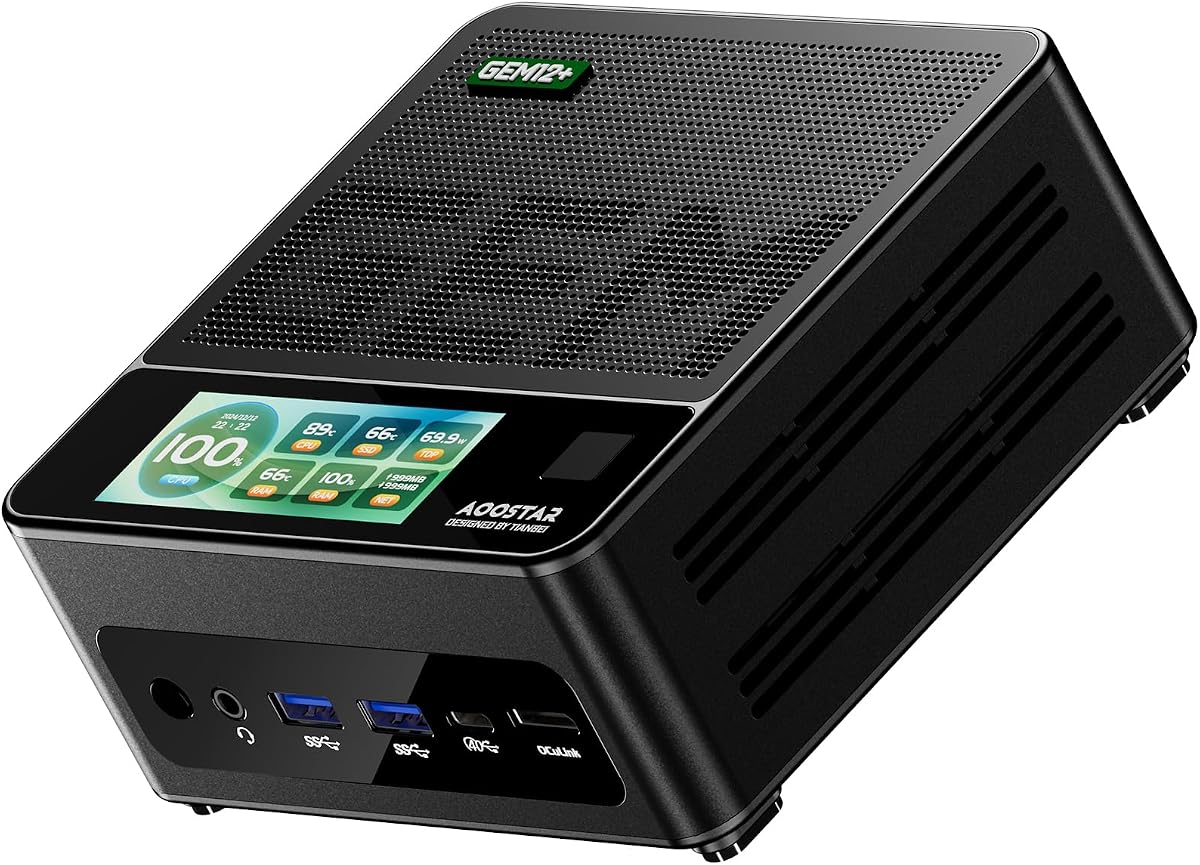
The AOOSTAR GEM12+ boasts a 4.5 rating for its thermal design and visual output capabilities. Powered by the Ryzen 7 PRO 8845HS, it handles multitasking efficiently and features a vapor chamber cooling system for sustained performance.
We may earn a commission when you buy through this link, at no additional cost to you.
It supports up to four 4K displays, making it perfect for trading or creative work. The OCuLink port offers dedicated bandwidth for external GPUs, ensuring high-speed data transfer without compromising internal storage slots.
While the barebone requirement adds initial setup steps, the energy-saving architecture reduces power consumption significantly. However, the lack of Wi-Fi 7 keeps it slightly behind premium alternatives in terms of wireless speed.
Best for users needing multi-monitor support and high thermal efficiency, this unit is a strong contender for office and light gaming tasks.
The vapor chamber transfers heat quickly to the heatsink, keeping temps low during heavy workloads.
Four simultaneous 4K outputs allow complex visual workflows without lag or resolution compromises.
We may earn a commission when you buy through this link, at no additional cost to you.
This variant of the DeskMini X300 offers a 4.2 rating, focusing on compactness and connectivity. Its 1.92L size is perfect for hidden setups, and the 2.5G LAN port ensures fast network throughput for file transfers.
We may earn a commission when you buy through this link, at no additional cost to you.
The system supports a wide range of Ryzen processors, making it upgradeable for years. Triple display support enables efficient multitasking, while the affordable price point makes it accessible for home users on a budget.
Limitations include the lack of integrated Wi-Fi and older DDR4 support, but these are acceptable for wired environments. The design emphasizes practicality and cost-efficiency over premium aesthetics.
Ideal for small home offices, this model delivers reliable performance without taking up valuable desk space or budget.
At 1.92 liters, it fits in tight spaces where larger desktops would not be practical.
The 2.5G LAN port handles high-speed data transfers and streaming without network bottlenecks.
We may earn a commission when you buy through this link, at no additional cost to you.
This top-tier variant earns a 5.0 rating with the Intel Core Ultra 7 255H. It pushes performance boundaries with powerful AI capabilities and Arc 140T graphics, ideal for demanding professional environments.
We may earn a commission when you buy through this link, at no additional cost to you.
MIL-STD certification and rugged testing ensure longevity in challenging conditions. Wi-Fi 7 provides ultra-low latency connections, while the tool-less chassis makes upgrades seamless for IT admins.
The main trade-off is cost, but for businesses needing reliability and top specs, it pays off. Users should note RAM must be purchased separately to complete the system.
Best for enterprise deployments, this system delivers stability and performance where downtime is not an option.
MIL-STD-810H ensures the unit withstands dust, shock, and extreme temperatures reliably.
Wi-Fi 7 supports faster speeds and lower latency for critical real-time business applications.
We may earn a commission when you buy through this link, at no additional cost to you.
The GEM12 + PRO earns a 4.1 rating, adding security features to high performance. Fingerprint unlock provides quick, password-free access, making it suitable for shared office spaces or privacy-focused setups.
We may earn a commission when you buy through this link, at no additional cost to you.
Powered by Ryzen 7 PRO 8845HS, it handles complex tasks effortlessly. The vapor chamber cooling ensures sustained performance, and OCuLink supports external graphics for gaming or rendering without internal bottlenecks.
While the barebone nature means extra work for setup, the included VESA mount and SSD cooling pad add value. It remains energy efficient, keeping power bills low during long operating hours.
Ideal for secure environments, this model balances advanced security with high-end processing power.
Built-in fingerprint recognition allows quick access without typing passwords, improving workflow speed.
CPU fans plus a vapor chamber manage heat effectively during heavy workloads.
We may earn a commission when you buy through this link, at no additional cost to you.
This variant holds a 5.0 rating for consistent reliability and connectivity. It uses the Core Ultra 5 225H processor, offering excellent multi-threaded performance and AI acceleration for modern workflows.
We may earn a commission when you buy through this link, at no additional cost to you.
With support for four 4K displays and Thunderbolt 4 ports, it is a visual powerhouse. Wi-Fi 7 ensures seamless connection in congested wireless environments, vital for remote work setups.
The 3-year warranty and eco-friendly packaging reflect ASUS commitment to sustainability. While installation requires some technical knowledge, the system is robust once configured.
Best for professionals needing visual output and future-proof networking, this model stands out for longevity and performance.
Support for four 4K monitors enables efficient workflow management without hardware limits.
Thunderbolt 4 and Wi-Fi 7 ensure the highest data speeds available for peripherals and internet.
We may earn a commission when you buy through this link, at no additional cost to you.
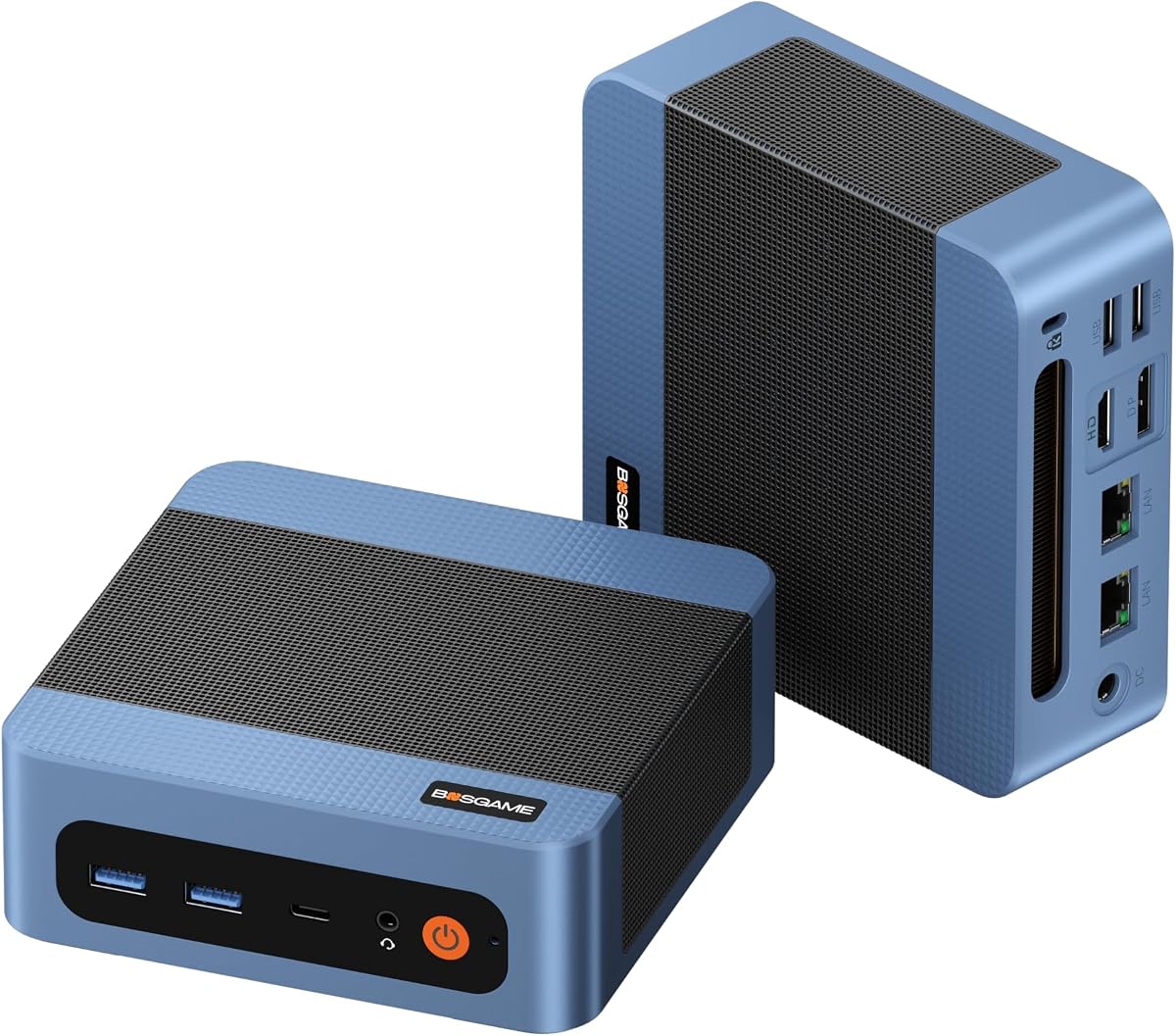
The BOSGAME E5 11 Pro achieves a 4.3 rating with its practical office-focused features. It comes with 8GB RAM and 256GB SSD pre-installed, saving users from initial setup hassles common in barebone kits.
We may earn a commission when you buy through this link, at no additional cost to you.
Key strengths include dual 2.5G LAN ports for reliable networking and triple 4K display support. The silent design keeps noise levels under 25dB, ensuring a quiet workspace environment.
While performance is limited by the Ryzen 3 5300U CPU, it handles daily office tasks efficiently. This makes it an ideal choice for budget-conscious businesses needing reliable basic computing.
Best for administrative tasks and browsing, this model offers a complete package right out of the box.
Operational noise stays under 25dB, ensuring quiet office environments without distraction.
Windows 11 Pro is ready to use, removing the need for initial OS installation steps.
We may earn a commission when you buy through this link, at no additional cost to you.
Selecting the right Barebone Mini PC requires balancing processing power, connectivity options, and expansion capabilities against your specific workflow needs and budget.
Modern mini PCs often use AMD Ryzen or Intel Core Ultra processors. Look for CPUs with sufficient cores and threads for your tasks. Ryzen PRO models offer better manageability for businesses.
Always match the CPU TDP with the chassis cooling capacity to avoid throttling under heavy loads.
Check the number of RAM slots and supported types. DDR5 offers better performance but costs more. Ensure M.2 slots support PCIe 4.0 for fast storage speeds.
Choose models with dual slots for future upgrades. Many kits exclude memory, so plan your budget accordingly.
Ports like USB4 and Thunderbolt are essential for external devices. OCuLink is superior for external GPUs due to lower latency. Ensure HDMI/DP ports support desired resolutions.
Wi-Fi 7 offers future-proof speeds. Ethernet ports should be 2.5G for high-speed local networking.
Compact units generate heat quickly. Vapor chambers or dual fans help maintain stability. Noise levels should be considered for office environments.
Better thermal designs extend component lifespan and prevent performance drops during sustained usage.
Aluminum chassis dissipate heat better than plastic. Tool-less designs simplify maintenance. Check for durability certifications like MIL-STD.
Recycled materials reflect sustainability goals and often indicate premium build standards.
Barebone kits often exclude OS installation. Ensure you have a license ready or choose models that include keys. Windows compatibility is critical for business apps.
Some units support Linux natively, which may be preferable for certain technical workflows.
Look for 3-year warranties or better. Check if the brand offers dedicated customer support. Return policies should be clear for defective units.
Reliable after-sales service minimizes downtime and ensures long-term reliability for your investment.
Energy-saving architectures reduce electricity costs. Lower TDP processors are cooler and quieter. Power delivery over USB-C adds portability.
Check PSU wattage if external. Efficient units are greener and cost less to run over time.
Start by installing compatible DDR5 or DDR4 RAM into the SO-DIMM slots until they click into place. Align the notches correctly to prevent damage. Secure the modules with clips if present.
Next, insert an M.2 NVMe SSD into the storage slot. Tighten the screw gently to avoid stripping threads. Ensure the drive is flush before closing the chassis.
Connect the power adapter and external peripherals via USB-C or HDMI ports. Power on the device and follow the OS setup wizard. Keep vents clear of dust and place it in a well-ventilated area.
No, they are designed for standard DIY skills. Most use tool-less chassis or simple screws for RAM and SSD installation. Basic knowledge of hardware components is sufficient for setup.
OCuLink offers a dedicated PCIe connection for external GPUs with lower latency than USB4. It is ideal for gamers needing desktop graphics performance in a compact chassis.
No, many require you to purchase and install Windows separately. Some offer a product key that needs activation through customer service after setup.
Yes, especially models with Ryzen 7 PRO processors and support for 4K displays. Ensure you install fast SSD storage and sufficient RAM to handle large files.
Many support external GPUs via OCuLink, making them great for gaming. Integrated graphics like Radeon 780M also handle casual to mid-range games effectively.
DDR5 5600MHz is recommended for latest processors. Faster speeds improve system responsiveness, but ensure your chosen RAM matches the motherboard specifications.
Our top picks range from the versatile AOOSTAR MACO to the premium ASUS NUC 15 Pro, offering choices for every performance tier. Each model excels in specific areas like cooling, connectivity, or affordability.
Prioritize cooling solutions and expansion slots if you plan to push the system hard. For basic office work, entry-level models with pre-installed OS options save time and money.
Prices and availability change rapidly, so check current listings before purchasing. Verify component compatibility to ensure a smooth build experience.