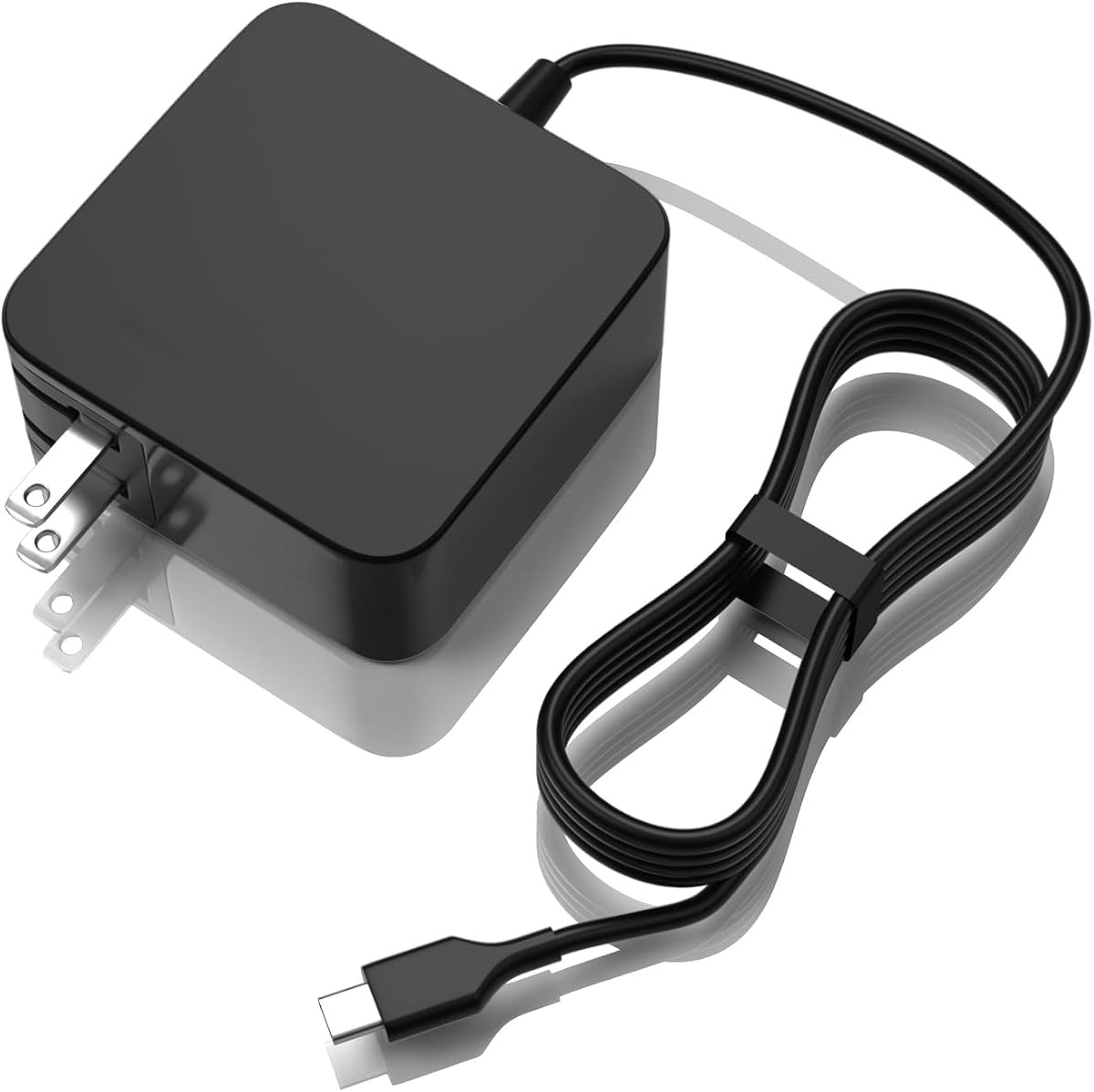
90W USB C Fast Charger Compatible with Asus Vivobook Zenbook Laptops
4.8Editor score
90W max power output
USB-C universal compatibility
Overvoltage protection included
Fast charging support
Find the right replacement power adapter for your laptop with our detailed comparison of top rated chargers for ASUS Vivobook and Zenbook devices.
Finding the correct power cord for your ASUS Vivobook or Zenbook is essential for maintaining performance and battery health. A reliable charger ensures your device powers up quickly and operates safely during intense tasks.
We evaluated ten top rated chargers based on compatibility, safety features, build quality, and user feedback. Our analysis covers both barrel plug and USB-C options to help you match your specific model needs.
Each pick highlights key specifications and real world performance notes. Please verify your connector type before buying as models vary widely. Prices and availability may change, so check current listings before ordering.
4.8Editor score

4.4Editor score

4.4Editor score
The following table compares ten top rated power adapters for ASUS Vivobook and Zenbook laptops. Each entry lists key specs and model support to help you find the right fit quickly.


The Powseed Laptop Charger delivers reliable 65W output with versatile DC tips. It rates well for compatibility and includes robust safety features for daily use.
We may earn a commission when you buy through this link, at no additional cost to you.
Users value the four interchangeable tips that cover most Vivobook and Zenbook round ports. The 1.8m cable offers ample length for flexible desk setups.
The main trade-off is ensuring you select the correct tip size before plugging in. This requires measuring your original connector to avoid mismatches.
Choose this charger if you need a dependable round plug replacement. It balances affordability with safety, making it a top pick for most users.
The four included tips cover 4.5×3.0mm, 4.0×1.35mm, 3.0×1.0mm, and 5.5×2.5mm sizes. This range supports many older and mid-range ASUS models.
Short circuit protection and FCC CE certification ensure stable power delivery. This helps protect your laptop's internal components from voltage spikes.
We may earn a commission when you buy through this link, at no additional cost to you.
The Superer 65W Charger offers strong value for basic Vivobook and Zenbook users. It covers 65W, 45W, and 33W needs with four switchable connectors.
We may earn a commission when you buy through this link, at no additional cost to you.
Users appreciate the long 24-month warranty which signals confidence in durability. The adapter handles common models well while staying budget friendly.
It excludes high performance ROG and Vivobook Pro series so verify your model first. The connectors require careful selection to match your laptop port.
Pick this charger for standard school or office laptops. It delivers steady power at a low cost with reassuring warranty support.
Four round connectors are included to match different ASUS models. This reduces the need to buy multiple adapters for different devices.
The 24-month manufacturer warranty is longer than many competitors. It provides peace of mind for long term daily usage.
We may earn a commission when you buy through this link, at no additional cost to you.
The 90W USB C Fast Charger is ideal for newer Zenbook and Vivobook S series laptops. It delivers powerful 90W charging with universal USB-C connectivity.
We may earn a commission when you buy through this link, at no additional cost to you.
Users praise its fast charging ability for high performance OLED models. The compact design and safety mechanisms make it a premium choice.
It is more expensive and only works with USB-C port laptops. Older models with round plugs will not be compatible with this unit.
Choose this for modern ASUS laptops that support USB-C power. It offers top speed and reliability for users who prioritize performance.
The 90W output enables quick battery recovery for demanding tasks. This is essential for OLED and X models that draw more power.
USB-C allows use across various devices beyond just ASUS. You can also charge phones and tablets with this adapter.
We may earn a commission when you buy through this link, at no additional cost to you.
The Dexpt Charger offers a practical solution for ASUS laptops with round ports. Its LED indicator and 7.5 ft cord add convenience for daily use.
We may earn a commission when you buy through this link, at no additional cost to you.
Users value the visual cue for power status which helps verify connection quickly. The long cord reaches comfortably across desks or beds.
It does not support gaming or Pro models so check your specs first. The detachable tips require care to avoid loss over time.
Select this charger for general computing needs. It combines useful features with a reliable design at a fair price.
A built-in LED light shows when the adapter is active. This prevents guesswork about whether the laptop is charging.
The 7.5 ft cord provides extra reach for flexible setups. This is helpful for using laptops away from wall outlets.
We may earn a commission when you buy through this link, at no additional cost to you.
This 90W Charger targets Vivobook S series with USB-C ports. It delivers stable 90W power for efficient charging of higher end models.
We may earn a commission when you buy through this link, at no additional cost to you.
Users highlight its certification status which assures safe operation under load. The adapter handles fast charging needs for modern laptops well.
It only fits USB-C devices so older Vivobooks will not work. The price is higher than standard 65W adapters due to wattage.
Use this for Vivobook S16X or similar models. It ensures your laptop runs at full performance without power limits.
FCC and CE certification ensures compliance with safety standards. This protects against overvoltage and short circuits during use.
90W output supports fast charging for performance laptops. This helps maintain battery health during intensive workflows.
We may earn a commission when you buy through this link, at no additional cost to you.
The LAP POW USB-C Adapter supports Chromebooks and Zenbooks with Type-C ports. It delivers efficient charging with a travel friendly foldable plug.
We may earn a commission when you buy through this link, at no additional cost to you.
Users appreciate the compact design that saves space in bags. The 5.9 ft cord offers enough length for most indoor setups.
It requires your device to support USB-C charging which excludes round port models. Ensure your laptop needs 33W 45W or 65W max.
Choose this for travel or students needing a portable charger. It balances versatility with reliability for USB-C capable devices.
The plug folds flat to prevent scratches in your bag. This makes packing and storage much easier for commuters.
CE FCC and RoHS compliance confirms adherence to safety norms. This ensures the adapter meets rigorous quality requirements.
We may earn a commission when you buy through this link, at no additional cost to you.
This 45W Charger suits low power ASUS laptops like select E and L series. It delivers steady 19V 2.37A output with a fixed 4.0mm tip.
We may earn a commission when you buy through this link, at no additional cost to you.
Users value its compact form factor that saves desk space. The foldable plug adds convenience for light travel or dorm use.
It cannot power higher wattage models so confirm your device needs 45W. The single tip means no flexibility for other port sizes.
Use this for basic tasks on compatible ASUS devices. It provides a simple reliable replacement at an affordable price point.
The adapter works safely with 33W devices due to current regulation. It adjusts output to protect lower power laptops.
The small brick design reduces clutter on desks. It is ideal for tight workspaces or portable setups.
We may earn a commission when you buy through this link, at no additional cost to you.
The Dexpt 65W Charger offers solid compatibility for standard Vivobook and Zenbook models. It includes three connector tips for various round ports.
We may earn a commission when you buy through this link, at no additional cost to you.
Users appreciate the consistent 19V 3.42A output that supports 65W needs. The package simplifies finding the right tip through testing.
It excludes USB-C and square tips so check your laptop port first. The one year warranty offers reasonable protection for replacement needs.
Pick this for general replacement of older ASUS laptops. It is a straightforward solution with good value and support.
Three tip sizes cover common round connector types. This increases the chance of a perfect fit without extra costs.
The seller encourages testing all connectors before use. This ensures you find the exact match for your device.
We may earn a commission when you buy through this link, at no additional cost to you.
The EERSY 65W Charger stands out with an extra long 8.8 ft cord. It supports a wide range of Vivobook and Zenbook models with five tip options.
We may earn a commission when you buy through this link, at no additional cost to you.
Users report high satisfaction with the flexible cord length for varied setups. The broad tip selection covers most round connectors effectively.
Managing five tips requires organization to avoid loss. The long cord may create clutter if not managed carefully on desks.
Choose this if reach is a priority for your workspace. It delivers versatile connectivity with strong user approval.
The 8.8 ft cord allows laptop use from distant outlets. This is ideal for large rooms or awkward desk layouts.
Five tip sizes ensure compatibility with diverse devices. This reduces the risk of ordering the wrong adapter.
We may earn a commission when you buy through this link, at no additional cost to you.
The Nicpower 65W Charger offers strong value for round plug ASUS laptops. It supports Vivobook, Zenbook, Eeebook, and Expertbook models effectively.
We may earn a commission when you buy through this link, at no additional cost to you.
Users find the 19V 3.42A output sufficient for daily tasks. The adapter fits common connectors with reliable performance.
It excludes gaming laptops and USB-C models so verify compatibility carefully. The round connector is standard but requires exact size matching.
Select this for cost effective replacement of standard ASUS devices. It balances price and performance well for everyday computing.
This charger provides full 65W output at a low cost. It is an economical choice for home or office use.
Support covers many Vivobook and Zenbook series models. This makes it a versatile choice for most standard users.
We may earn a commission when you buy through this link, at no additional cost to you.
Selecting the right power adapter requires checking wattage connector type and safety features. This guide explains the key factors to ensure compatibility and safe charging for your ASUS device.
Check your original charger label for output wattage such as 65W 45W or 90W. Using a lower wattage charger may lead to slow charging or power drops during use.
Always match or exceed the required wattage to ensure stable performance.
Identify whether your laptop uses a round DC barrel plug or a USB-C port. Measure the outer and inner diameter of the barrel tip to avoid fit issues.
USB-C offers universality but is not compatible with older round port models.
Look for adapters certified by FCC CE or RoHS. These marks indicate compliance with electrical safety standards which protect your laptop from damage.
Avoid uncertified products to reduce risks of overheating or voltage spikes.
Cord lengths vary from 6 ft to 8.8 ft depending on the model. A longer cord provides flexibility for using your laptop away from outlets.
Consider your workspace layout when selecting cable length.
Manufacturers offer warranties from one to two years for replacement units. A longer warranty often reflects better build quality and customer support.
Review return policies to ensure you can exchange the adapter if it fails.
Verify that the adapter supports your specific Vivobook or Zenbook series. High performance models may require higher wattage than standard units.
Exclude gaming laptops if the charger lists them as incompatible.
Some adapters include multiple detachable tips to cover various barrel sizes. This versatility can prevent buying multiple adapters for different devices.
Secure the correct tip tightly to avoid connection issues.
Assess the adapter housing and cable durability. Solid materials help resist wear from daily use and travel.
Choose models with reinforced strain relief for longer life.
Plug the adapter into a wall outlet before connecting it to your laptop to avoid voltage spikes. This ensures stable power delivery from the start.
Store the cord neatly without bending it sharply to prevent internal wire damage. Coiling it loosely keeps the cable durable over time.
Inspect the connector tips regularly for debris or wear. Clean with a dry cloth to maintain good contact and charging efficiency.
It is not recommended as the laptop may draw more power than the charger supplies. This can cause slow charging or shutdowns under load. Match the original wattage for reliable performance.
Measure the outer and inner diameter of your existing barrel plug. Compare these numbers to the adapter tip specs. Common sizes include 4.5×3.0mm and 5.5×2.5mm.
No, only newer Zenbook models with USB-C power support work with USB-C adapters. Older models use round DC connectors and need those specific tips.
Look for short circuit overvoltage and overcurrent protection. Certified adapters with FCC or CE marks include these protections to safeguard your device.
Cord length does not impact charging speed if the wire gauge is adequate. Focus on quality construction to ensure stable power over distance.
The connector size may be incorrect or the wattage too low. Verify both the tip fit and power output match your laptop specs.
The top picks offer reliable power for various ASUS models from budget to premium needs. Each option was selected for compatibility and safety features.
Prioritize wattage and connector type when choosing to avoid fit or performance issues. Check warranty terms for added peace of mind.
Verify current prices and availability before ordering. Model compatibility can vary so review product details carefully to ensure the right match.