
ProElife Ergonomics Grip Holder
4.5Editor score
High-quality silicone material
Anti-slip internal grooves
Adjustable sleeve positioning
This guide compares the top ten Apple Pencil grips for comfort, control, and durability across all generations to help you find the perfect fit.
Finding the right grip can transform your digital drawing and writing experience. A good Apple Pencil grip reduces hand fatigue, prevents slipping, and adds a layer of protection for your expensive stylus.
We evaluated ten leading grips based on ergonomic design, material quality, compatibility with charging features, and user feedback. Our goal is to highlight options that enhance usability without hindering functionality.
Each pick includes detailed specifications, pros, cons, and usage notes. Please note that availability and pricing may change over time, so verify details before purchasing to ensure the best deal.
4.5Editor score

4.3Editor score

4.6Editor score
The following table provides a side-by-side overview of each model. It highlights key specifications and design elements to help you quickly identify which grip meets your specific needs and iPad model requirements.




The Paperlike® Pencil Grips stand out as a top-tier accessory for artists and note-takers. With a rating of 4.3 stars, users appreciate the ergonomic shape that reduces fatigue during long sessions. The design prioritizes comfort without sacrificing any Apple Pencil features.
We may earn a commission when you buy through this link, at no additional cost to you.
Its standout quality is the ultra-thin silicone zones that keep the pencil responsive. You retain full access to magnetic charging, double-tap gestures, and haptic feedback. The angled sidewalls prevent interference with iPad cases, ensuring a secure hold even when stored.
While the price is higher than budget options, the durability and thoughtful design justify the cost. The soft-touch silicone feels premium and avoids the sticky texture common in cheaper grips. It offers a natural hold that mimics the feel of traditional pens.
This grip is ideal for professionals who use their pencil daily. It balances protection, control, and functionality perfectly. If you want a reliable accessory that enhances your workflow without limiting features, this is a strong recommendation.
The grip is designed with thin silicone zones so you never lose access to magnetic charging or gestures like double-tap and barrel roll.
Sidewalls are angled to fit inside most iPad cases, preventing interference and keeping the pencil securely attached while charging.
We may earn a commission when you buy through this link, at no additional cost to you.
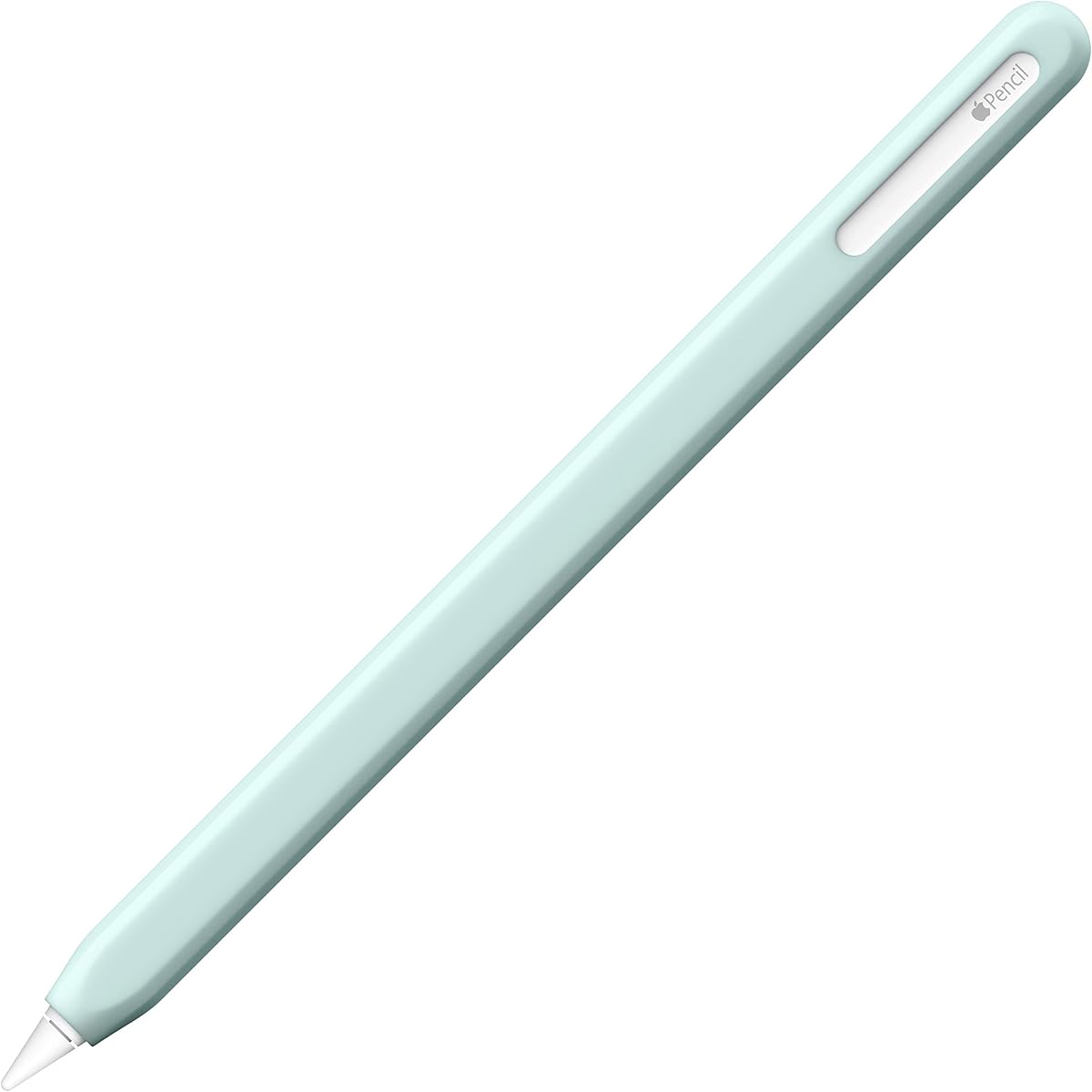
The ProElife Ergonomics Grip Holder offers exceptional value for its price. With a 4.5-star rating, it delivers solid ergonomic benefits without breaking the bank. The bottom of the sleeve is designed to be bigger, aligning better with hand curvature.
We may earn a commission when you buy through this link, at no additional cost to you.
Its key strength is the anti-slip groove internal design that keeps the pencil firmly in place. Made from high-quality silicone, it is easy to install and remove. The adjustable feature lets you move the sleeve to a comfortable writing position.
The trade-off is a simpler look compared to premium models. It lacks the refined finish of higher-end grips but functions well for daily use. The material is soft and stretchy, ensuring a secure hold during use.
This is a smart choice for students or casual users who need relief from hand strain. It provides maximum grip and pain relief at a fraction of the cost. For those on a tight budget, it performs admirably.
The sleeve bottom is bigger than the top to better line up with the curvature of your hand for maximum grip and pain relief.
Internal grooves ensure the sleeve holds the stylus firmly without slipping, even during long writing or drawing sessions.
We may earn a commission when you buy through this link, at no additional cost to you.
The UPPERCASE NimbleGrip is a top-rated choice for those prioritizing comfort and health. With a 4.6-star rating, it features a dust-free coating to reduce lint attraction. The premium silicone is soft yet supportive for extended writing periods.
We may earn a commission when you buy through this link, at no additional cost to you.
It offers a unique dual-sided exterior with round and hexagonal grips, letting you choose based on preference. The interior ribbed design ensures the grip stays firmly on the pencil. It is designed to reduce hand fatigue and aches effectively.
Users note that double-tapping requires leaving some area exposed for sensitive controls. While this needs a slight adjustment, it doesn't hinder overall usability. The material quality stands out as durable and premium compared to others.
This grip is perfect for users who spend hours sketching or taking notes. It balances ergonomics with a sleek look. If you want a reliable premium option that enhances productivity, this is highly recommended.
A dust-free coating is applied to the premium silicone to reduce lint attraction and keep the grip looking clean longer.
The exterior offers both round and hexagonal grips allowing users to choose based on their personal grip preference.
We may earn a commission when you buy through this link, at no additional cost to you.
This three-pack offers excellent value with options for any mood or style. Made of silicone rubber, these grips are durable and easy to install. The threaded design ensures a non-slip and anti-sweat experience for long-term writing.
We may earn a commission when you buy through this link, at no additional cost to you.
Its strength lies in the 0.35mm thickness which keeps the pencil magnet friendly. It supports magnetic charging and double-click functions when installed correctly. However, users must ensure no obstruction exists between charging positions to avoid issues.
The trade-off is that careful placement is needed for charging to work reliably. It is a practical solution for protecting your pencil from drops and scratches. The soft material provides a comfortable feel in the hand.
This pack is ideal for households with multiple iPads. You get variety and protection at a low cost. If you want to keep your pencil safe without spending much, this is a great choice.
The 0.35mm thickness makes your Apple Pencil magnet friendly, ensuring charging functions are not affected.
The threaded design is anti-sweat and non-slip, providing maximum comfort and grip for long-term writing sessions.
We may earn a commission when you buy through this link, at no additional cost to you.
elago prides itself on designing every aspect in-house, ensuring a perfect fit and great looks. The grip uses premium silicone that prevents scratches and boosts grip. It is designed to reduce fatigue over continued use with a comfortable shape.
We may earn a commission when you buy through this link, at no additional cost to you.
Users highlight the durable nature of the silicone which is built to last a lifetime. The ergonomic design sits comfortably in the hand, offering a natural hold. It is a solid choice for those who value quality materials.
The higher price point reflects the attention to detail in design. While it may be less available, the durability justifies the investment. It also prevents the pencil from rolling when set down on flat surfaces.
This is recommended for gift-giving or users who want a polished accessory. It combines utility with a sleek aesthetic. If you appreciate well-designed tech accessories, this grip is worth considering.
Every aspect of the product is designed in-house to ensure a perfect fit and enhanced grip that looks great.
Premium silicone prevents scratches on the surface and protects your Pencil from damage while enhancing grip.
We may earn a commission when you buy through this link, at no additional cost to you.
This grip features a unique split-back design that allows you to attach and remove the grip easily. It is designed to give you full access to features while offering comfort and drawing benefits. You can still enjoy these benefits with a Gen 1 model.
We may earn a commission when you buy through this link, at no additional cost to you.
The edge wrap around the iPad offers a more secure fit than ever. It allows you to roll the grip over the edge of the iPad for easy installation. However, careful alignment is needed to ensure the split opens correctly.
While it offers great comfort, it requires manual adjustment when removing for charging on certain models. The design ensures access to features without hindrance when installed properly. It is a clever solution for Gen 2 users.
This is a strong choice for those who need a secure grip. It enhances control and comfort for drawing. If you want a unique split mechanism for easy access, this is a practical option.
The split-back design allows you to attach and easily remove the grip when it is time to charge your Gen 2 Apple Pencil.
Edges wrap around the iPad offering a more secure fit than ever for a stable and reliable grip.
We may earn a commission when you buy through this link, at no additional cost to you.
The NimbleSleeve provides a sleek and stylish impression with its elegant faceted look. It offers full coverage protection against dust, dirt, and accidental drops. The faceted design resists rolling after you set it down, which is a great feature.
We may earn a commission when you buy through this link, at no additional cost to you.
Its premium silicone and soft exterior finish make it comfortable to hold. The dust-free coating adds a premium feel. However, note that third-party cases need a cutout to wirelessly charge with this sleeve.
Users appreciate the stylish appearance while maintaining magnetic charging compatibility. The slim profile ensures features like double tap work as intended. It is a perfect balance of style and utility.
This is ideal for those who want a protective sleeve that looks great. It prevents rolling and adds a grip element. If you value aesthetics alongside protection, this is a top pick.
The faceted design resists rolling after you have set it down on flat surfaces to protect your pencil from damage.
A soft exterior finish and dust-free coating provide a premium experience that looks as great as it feels.
We may earn a commission when you buy through this link, at no additional cost to you.
SIXFU offers a patented grip designed to support magnetic charging. The square and circle design provides different comfortable ways to hold the pencil. It comes with a mini buckle storage box and two color options for variety.
We may earn a commission when you buy through this link, at no additional cost to you.
Its ultra-thin cross-section allows for wireless charging without removing the grip. However, precise alignment is necessary to ensure charging works. It is anti-sweat and non-slip to prevent the pencil from rolling.
The storage box is a nice bonus for keeping your grips organized. While it is incompatible with compact pen slots, it fits standard cases well. The design focuses on long-term comfort for professional design work.
This is a good pick for those who want variety and organization. It provides different holds and keeps accessories tidy. If you want a unique square design with storage, this is a strong option.
The square and circle design provides many different comfortable ways to hold the Apple Pencil for professional design and writing.
Includes a mini buckle storage box to keep your grips organized and safe when not in use.
We may earn a commission when you buy through this link, at no additional cost to you.
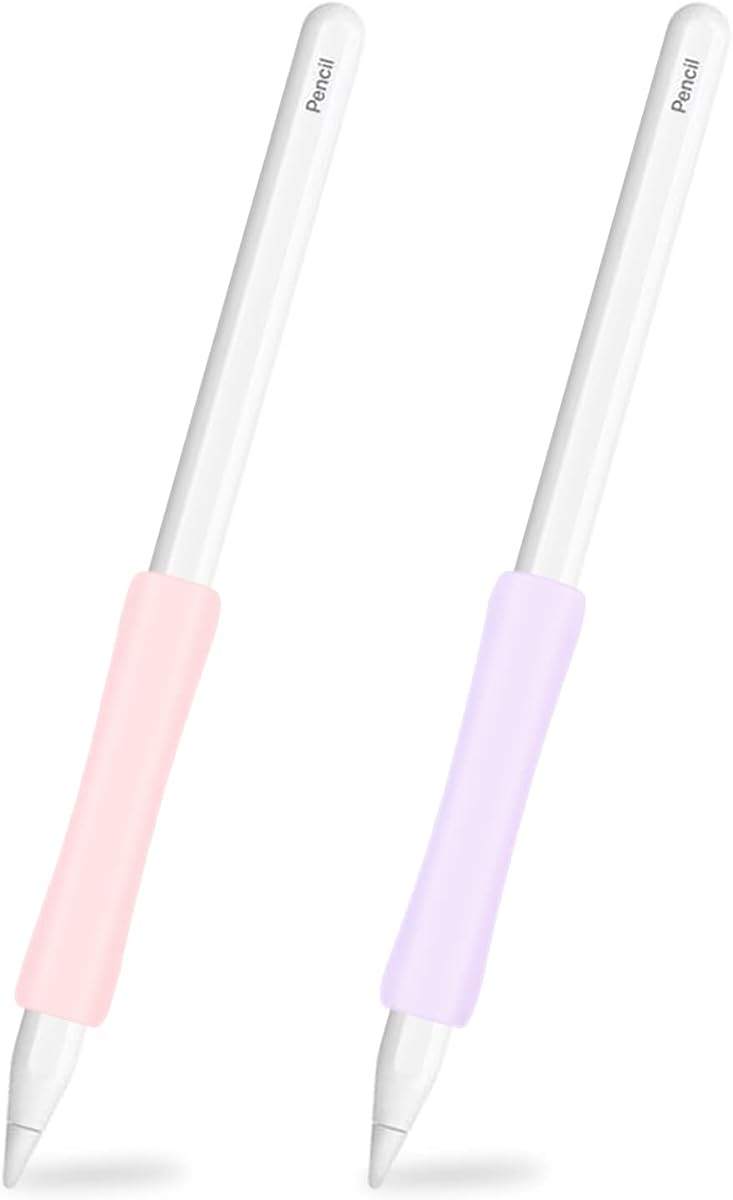
This two-pack offers great value with a concave middle design that aligns with hand curvature. Made of high-quality silicon, it ensures the stylus is easy to install and remove. It provides maximum grip and relieves hand pain.
We may earn a commission when you buy through this link, at no additional cost to you.
The anti-slip design ensures the sleeve holds the stylus firmly without slipping. It is soft and stretchy for a comfortable fit. The adjustable feature lets you move the sleeve to the most suitable position for writing.
Users find it practical for replacing worn grips or sharing. It is compatible with many iPad generations and models. While it may wear over time, it remains a cost-effective solution.
This is recommended for students or offices with multiple devices. It provides relief from hand pain at an affordable price. If you want a flexible grip, this is a great choice.
The middle of the pencil sleeve is more concave than both ends to better align with the curvature of your hand.
You can move the adjustable sleeve to the most suitable position for a customized writing or drawing experience.
We may earn a commission when you buy through this link, at no additional cost to you.
This protective sleeve case is designed for modern Pencil models with Pro and USB-C options. It features a concave middle design for ergonomic comfort. The ultra-thin sleeve won't influence wireless charging for 2nd gen pencils.
We may earn a commission when you buy through this link, at no additional cost to you.
It protects the body from scratch, dust, dirt, and accidental falls. The material is high-quality silicon with a special mold for smooth installation. It ensures the pencil does not slip left or right in the sleeve.
Users appreciate the simple installation and strong friction to protect against slips. It is not for 1st Gen pencils, so verify compatibility before purchase. It offers reliable protection at a great price.
This is ideal for owners of newer iPad Pro and Air models. It is a practical choice for daily use. If you want to protect your new Pencil without bulk, this is a strong pick.
The ultra-thin sleeve skin won't influence the wireless charging for your Apple Pencil 2nd generation models.
Our case protects the pencil body from scratch, dust, dirt, and accidental fall from desk or iPad.
We may earn a commission when you buy through this link, at no additional cost to you.
Choosing the right grip depends on your usage habits, Pencil model, and comfort preferences. Here are key factors to consider before making a decision.
First, verify that the grip supports your specific Apple Pencil model. Some grips are designed for 1st and 2nd generations, while others may only work with Pro or USB-C versions. Magnetic charging functionality may also require specific designs.
Ensure the grip does not block charging points or gesture controls. Check product descriptions for compatibility lists to avoid buying an incompatible accessory.
Most grips use silicone for a soft, non-slip feel. Look for premium or dust-free coatings that reduce lint attraction and ensure durability. Cheap materials may peel or become sticky over time.
Higher-quality silicone provides better shock absorption and a more premium feel. It also helps protect your Pencil from scratches and dents during drops.
An ergonomic design should align with the natural curvature of your hand. Grips with concave middles or wider bottoms reduce strain during long sessions. This is crucial if you draw or write for hours daily.
Test the shape mentally or check reviews for comfort mentions. A well-designed grip can significantly reduce hand pain and improve your overall workflow.
Thickness affects how the pencil fits inside your iPad case. Ultra-thin designs are better for wireless charging and case insertion. Bulky grips may prevent the pencil from charging or fitting into slots.
Check the exact thickness specifications. Some grips are as thin as 0.35mm to maintain magnetic properties. This ensures you do not lose functionality after installation.
Magnetic charging is a key feature for 2nd gen and Pro pencils. Some grips allow this to work while attached, while others require removal. This depends on the design of the charging area.
If wireless charging is essential, choose a grip with an ultra-thin charging section. Ensure the grip does not block the contact points when attached to the iPad.
Many grips come in multiple colors. Choosing a color that matches your setup can improve your satisfaction. Some sets include multiple colors in a pack for variety.
Consider if the color stays consistent over time. High-quality materials resist fading better than cheaper options. This keeps your pencil looking good longer.
Prices range from budget-friendly to premium. Multi-packs often offer better value if you own multiple devices. Higher prices usually reflect better materials or specialized designs.
Balance cost with features. A budget grip may suffice if you rarely use it, but pros may need a premium option. Determine what matters most to your specific workflow.
Grips should be easy to install and remove without tools. Some have split-back designs or adjustable sleeves for convenience. Others are simple sleeves that slide on.
Look for friction or grooves that keep the grip secure without sliding. It should stay in place during use but allow for adjustments when needed.
To install the grip, align it with your Pencil. Most sleeves slide on smoothly. If your grip has a split design, open it, insert the pencil, and press the edges together securely.
Clean the grip regularly with a damp cloth. Avoid harsh chemicals that might degrade the silicone. This ensures the surface remains smooth and non-slip for consistent use.
Store your Pencil with the grip attached if it fits well. If using a case, ensure the grip does not interfere with the slot. If charging is blocked, remove the grip temporarily to allow connection.
It depends on the grip thickness. Ultra-thin grips usually do not block charging. Check compatibility lists before buying. Some models require specific placement for contact points to align with the iPad.
Many grips are designed to fit inside standard cases. However, bulky grips may not fit narrow slots. Check sidewall designs for case compatibility. Some brands guarantee compatibility with specific cases.
High-quality silicone grips last for months. They resist stretching and peeling. Proper care extends their life. Avoid exposing them to extreme heat or direct sunlight for long periods.
Some grips allow full access to double-tap features. Others may require removing the sleeve. Ensure the tap-sensitive area is exposed. Most modern designs leave enough space for gestures to work.
Measure your Pencil diameter before selecting a grip. Most modern pencils are around 8.9mm. Products list compatible models clearly. If unsure, check customer reviews for size notes.
Ergonomic grips reduce hand strain and fatigue. They improve control and precision for drawing. A natural hold prevents slipping during use. This leads to a more comfortable and productive experience.
Yes, most grips are easy to install. Some require sliding while others clip on. Follow any included instructions for best results. If you have a case, ensure the grip does not block the slot.
Multi-packs are great for families or multiple iPads. They often include different colors. You get better value for money. Having a spare grip ensures you are never without one if the first wears out.
We explored ten top Apple Pencil grips with unique benefits. The Paperlike® grip leads in comfort. ProElife offers great budget value. NimbleGrip stands out for premium features.
Prioritize ergonomic comfort if you draw daily. Wireless charging compatibility is key for 2nd gen users. Check material quality to ensure long-term use. Your ideal grip depends on personal needs.
Prices and availability change frequently. Always verify the current specs before buying. We hope this guide helps you find the perfect grip for your Apple Pencil.