
Bingfu Dual Band WiFi Antenna
4.6Editor score
Dual Band 2.4GHz and 5GHz
RP-SMA Male Connector
Omni-directional Signal
This guide compares the top 10 antenna for router options to help you choose the best model for improved signal strength and coverage.
Finding the right antenna for router upgrades can dramatically improve your wireless network performance. Whether you need better range or faster speeds, selecting the correct model matters for seamless connectivity at home or work.
We evaluated ten top-rated models based on frequency support, gain, connector type, and real-world application. Our comparison covers dual-band, tri-band, and outdoor options suitable for routers, cameras, and IoT devices.
Each pick highlights key features and compatibility notes to simplify your decision. Note that pricing fluctuates regularly, so verify current costs before purchasing to ensure you get the best value available today.
4.6Editor score

4.4Editor score

3.9Editor score
This side-by-side comparison reviews all ten products based on their technical specifications and intended use cases to help you find the perfect match.
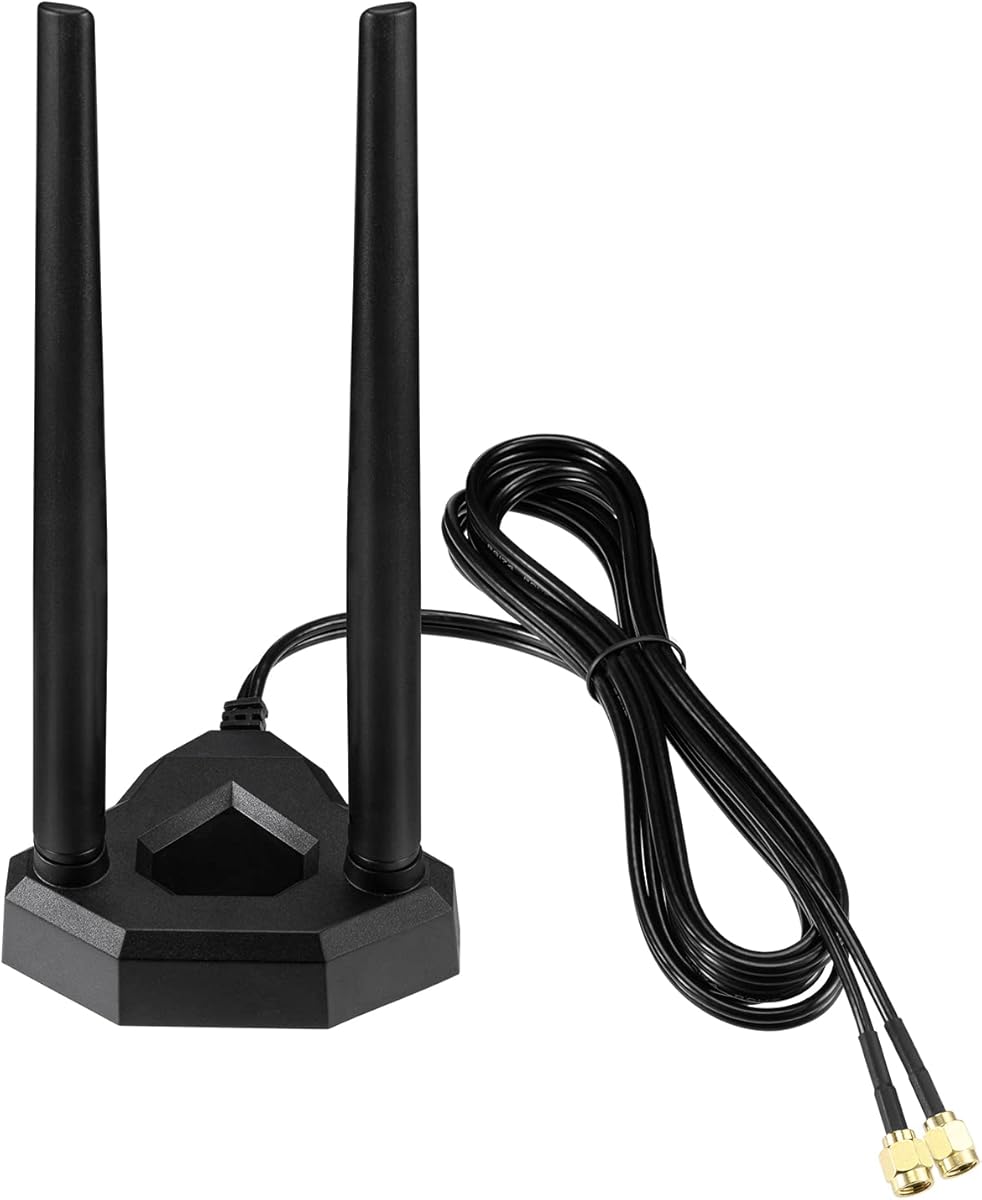


The Bingfu Dual Band WiFi Antenna offers an affordable solution for upgrading wireless connectivity on routers and cameras. With a strong 4.6 rating, users appreciate its dual-band support and compact design that fits various setups without bulk.
We may earn a commission when you buy through this link, at no additional cost to you.
Its dual-band capability covers both 2.4GHz and 5GHz bands, ensuring flexibility for modern devices. The omnidirectional pattern provides balanced signal coverage, while the RP-SMA male connector is common in many network cards and routers.
The main trade-off is the relatively low 3dBi gain compared to higher-performance models. However, this is acceptable for general indoor use where cost savings and basic signal reinforcement are priorities.
Buyers looking for a budget-friendly dual-pack to enhance basic WiFi or Bluetooth signals should consider this option. It works well for security cameras and routers lacking strong internal antennas.
Supports 2.4GHz and 5GHz bands to adapt to different network conditions and device requirements.
Provides a cost-effective upgrade with minimal physical footprint for discreet installation.
We may earn a commission when you buy through this link, at no additional cost to you.
The Eightwood Dual Band WiFi Antenna is designed to extend range and improve connection stability with a long cable and magnetic base. Its 4.5 rating reflects satisfaction with its ability to reduce network drops during heavy use.
We may earn a commission when you buy through this link, at no additional cost to you.
The 6.5ft extension cord allows flexible positioning away from interference, while the magnetic base makes mounting on steel surfaces simple. It supports WiFi 6 protocols for modern router compatibility and faster throughput.
Placement adjustments may be needed to optimize stub angles for best performance. Also, the magnetic base is limited to steel surfaces, restricting placement options on wood or plastic furniture.
Ideal for users needing to reposition antennas for better signal without complex mounting hardware. It suits routers, laptops, and cameras where a stable link is critical for productivity.
Long cable and magnetic base allow users to find optimal signal spots easily.
Compatible with WiFi 6 and AX standards for enhanced network performance.
We may earn a commission when you buy through this link, at no additional cost to you.
The Eightwood WiFi 6E Tri-Band Antenna enables next-gen connectivity by supporting the 6GHz band alongside 2.4GHz and 5GHz. With a 4.4 rating, it delivers faster speeds and reduced interference for demanding applications like streaming and gaming.
We may earn a commission when you buy through this link, at no additional cost to you.
Its tri-band design provides more bandwidth options, allowing modern routers to utilize less congested frequencies. The magnetic base and long cable make installation straightforward, ensuring the antenna sits in a prime spot for signal pickup.
Compatibility depends on having a WiFi 6E router with RP-SMA female ports. Users must verify connector types carefully before purchase, as mismatched ports will prevent connection regardless of performance.
Best for tech-savvy users with modern hardware seeking top-tier wireless performance. It maximizes the potential of WiFi 6E routers for smooth 4K streaming and low-latency gaming experiences.
Supports the 6GHz band for faster speeds and less interference on modern networks.
Reduces latency and improves stability for online gaming and real-time streaming.
We may earn a commission when you buy through this link, at no additional cost to you.
The Eifagur Outdoor 7dBi Antenna offers a high-gain solution for extending WiFi range with a durable build suitable for outdoor applications. While it holds a 3.6 rating, its high gain makes it attractive for long-range needs like security cameras.
We may earn a commission when you buy through this link, at no additional cost to you.
Its 7dBi gain boosts signal strength effectively for covering larger areas like backyards or warehouses. The included wall mount bracket simplifies installation, and the 3-meter cable provides some reach to the router connection point.
User feedback suggests installation challenges or compatibility issues in some cases. The cable length may be insufficient for distant setups, requiring extensions for optimal placement far from the device.
Suitable for outdoor or industrial setups needing stronger signal coverage at a reasonable cost. Verify cable length and connector compatibility to ensure it fits your specific network distance.
High 7dBi gain helps extend coverage across larger indoor or outdoor spaces effectively.
Includes wall mount bracket for easy secure setup on exterior or interior walls.
We may earn a commission when you buy through this link, at no additional cost to you.
The Superbat WiFi 6E Tri-Band Antenna delivers enhanced stability with support for the 6GHz band and a magnetic base for secure placement. It holds a 4.3 rating for reliability in congested areas where interference is common.
We may earn a commission when you buy through this link, at no additional cost to you.
By accessing the 6GHz band, it reduces congestion compared to 2.4GHz and 5GHz. The magnetic base helps mount antennas on metal surfaces near routers or hotspots, improving signal reception without extra tools.
The 6ft cable is slightly shorter than competitors, limiting placement flexibility slightly. Also, full benefit requires a WiFi 6E router, which may not be available to all users yet.
Recommended for users with compatible hardware seeking reliable performance in crowded networks. It balances advanced WiFi features with practical mounting options for easy setup.
Uses the 6GHz band to avoid congestion and maintain stable connections.
Magnetic base ensures the antenna stays in place on steel surfaces reliably.
We may earn a commission when you buy through this link, at no additional cost to you.
The Eightwood Dual Band Antenna offers adjustable angles and vertical polarization for optimized signal direction. With a 4.5 rating, users value its flexibility in aligning with routers or access points for better connectivity.
We may earn a commission when you buy through this link, at no additional cost to you.
Its 6dBi gain improves range, and the 6.5ft cable aids positioning. Users can adjust stub angles to reduce interference, making it adaptable for various indoor and outdoor setups like routers and security cameras.
Manual angle adjustments require trial and error to find optimal positions. Also, the height may not reach high shelves or attic locations without mounting extensions.
Ideal for users needing fine-tuned signal direction in multi-device environments. It supports routers and devices that benefit from precise antenna alignment for stability.
Adjustable stubs allow customizing signal direction to match network needs.
6dBi gain extends signal distance effectively across rooms or yards.
We may earn a commission when you buy through this link, at no additional cost to you.
The Eifagur Outdoor 9dBi Antenna provides exceptional reach with high gain for long-distance wireless connections. Its 4.7 rating highlights success in improving signal strength for routers and security cameras in outdoor settings.
We may earn a commission when you buy through this link, at no additional cost to you.
The 9dBi gain significantly boosts signal range, making it ideal for RV setups or large properties. Built for outdoor conditions, it withstands weather challenges better than standard indoor antennas.
Directional placement may be necessary to focus the signal in specific directions effectively. It might need separate mounting hardware since brackets vary across different product listings.
Best for outdoor wireless needs requiring extended range and durability. It suits users who need to cover large areas with reliable signal strength for security or connectivity.
High 9dBi gain ensures signal reaches far beyond standard indoor ranges.
Constructed for outdoor use to endure various environmental conditions.
We may earn a commission when you buy through this link, at no additional cost to you.
The TRENDnet Outdoor Tri-Band Kit offers enterprise-grade reliability with N-Type connectors and temperature tolerance for extreme environments. Its 4.5 rating reflects durability for commercial outdoor setups needing consistent performance.
We may earn a commission when you buy through this link, at no additional cost to you.
Supporting 6GHz, 5GHz, and 2.4GHz ensures future-proofing. The N-Type connector is robust against weather compared to RP-SMA, and the operating range covers severe cold and heat.
Compatibility is limited to N-Type ports, requiring adapters for other routers. The premium price reflects its industrial quality but may be excessive for home users without harsh conditions.
Recommended for businesses or outdoor industrial installations needing rugged hardware. It ensures stable performance where standard antennas might fail under temperature stress.
Built to withstand extreme temperatures and harsh outdoor conditions reliably.
N-Type connector provides secure and weather-resistant connections for longevity.
We may earn a commission when you buy through this link, at no additional cost to you.
The NETGEAR Omnidirectional MIMO Antenna specializes in boosting mobile hotspot routers with TS-9 and SMA connectors. It holds a 3.9 rating for users needing improved 4G/5G reception in remote locations.
We may earn a commission when you buy through this link, at no additional cost to you.
Its compatibility with M5 and M6 routers ensures plug-and-play performance without software. Connectors and suction cups enable quick attachment on vehicles or laptops for travelers needing reliable broadband.
It only works with specific NETGEAR models limiting broader router use. The higher price reflects specialized mobile broadband support rather than standard WiFi antenna needs.
Best for mobile hotspot owners with NETGEAR routers needing better rural connectivity. It offers convenience and reliability where standard WiFi upgrades fall short for cellular networks.
Specifically designed to enhance performance on NETGEAR M5 and M6 routers.
Includes TS-9 and SMA connectors to suit different connection needs easily.
We may earn a commission when you buy through this link, at no additional cost to you.
The 2 Pack 6dBi Indoor Antenna enables adding external antennas to routers without removable ports via IPEX to RP-SMA cables. With a 4.5 rating, it provides a straightforward upgrade path for older WiFi devices needing range boosts.
We may earn a commission when you buy through this link, at no additional cost to you.
Its kit includes cables that connect internal ports to external antennas, bypassing the need for removable antenna models. The 6dBi gain improves coverage for basic indoor networks effectively.
Limited to 2.4GHz compatibility restricts performance on modern dual-band setups. Internal installation may be challenging for users unfamiliar with hardware disassembly.
Recommended for older routers with IPEX ports needing external antenna support affordably. It is a practical fix for extending signal without replacing the entire networking gear.
Provides IPEX to RP-SMA adapters for routers lacking external ports.
Cost-effective way to add external antennas to compatible internal WiFi devices.
We may earn a commission when you buy through this link, at no additional cost to you.
Selecting the right antenna for router upgrades involves checking frequency support, connector type, and gain levels to match your network needs effectively.
Most routers support 2.4GHz and 5GHz bands for general use. Newer models may include 6GHz for WiFi 6E. Ensure the antenna covers all bands your router uses to avoid losing performance on any channel.
Match the antenna frequency bands with your router to ensure full network compatibility and optimal speed.
Connectors like RP-SMA Male or Female, and N-Type must align with your device ports. Mismatched connectors prevent installation and may damage hardware. Always verify thread direction and pin location before purchasing.
Confirm connector details match your router or card ports to ensure a secure physical connection.
Gain measured in dBi indicates signal boost capability. Higher gain like 9dBi extends range but may narrow direction. Lower gain like 3dBi suits general indoor coverage without excessive directionality.
Choose gain based on whether you need broad coverage or focused long-range signal extension.
Outdoor antennas are weather-resistant and often include mounting brackets. Indoor models are smaller and suited for living spaces. Check IP ratings if mounting the antenna outdoors for durability.
Select outdoor-rated units for exterior installations to protect against weather and ensure longevity.
Extension cables allow flexible placement away from devices. Ensure length reaches your desired spot without signal loss. Short cables limit positioning while too-long ones may introduce interference.
Verify cable length fits your setup to position the antenna for optimal signal strength.
Antennas work with routers, cameras, and mobile hotspots. Confirm support for specific models or protocols like WiFi 6E. Some require proprietary connectors or hardware modifications.
Ensure the antenna supports your specific device types and protocols to avoid compatibility issues.
Polarization affects how signals align with the receiver. Vertical polarization is common for routers. Ensure alignment between antenna and device to maintain signal integrity and reduce dropouts.
Match antenna polarization with your devices to maintain consistent signal reception and stability.
Prices range from basic packs to premium kits. Set a budget based on features needed like WiFi 6E support. Avoid overspending on high gain if basic range improvement suffices for your space.
Balance cost with required features to get the best value without unnecessary upgrades.
Connect the antenna to your device by matching connector types carefully. Use provided cables and adapters if needed to bridge internal ports to the external antenna securely.
Position the antenna as high and unobstructed as possible to reduce interference from walls or metal. Adjust angles and rotate stubs for optimal signal pickup and stability across rooms.
Inspect connections periodically for wear or looseness. For outdoor antennas, check brackets and cable seals to ensure continued weather resistance and reliable performance over time.
Antennas improve signal strength and stability which can increase effective speed by reducing packet loss. They do not increase ISP bandwidth but enhance local network performance for better overall experience.
Not all antennas fit all routers due to connector and protocol differences. Verify connector type like RP-SMA or N-Type and frequency support before purchasing to ensure compatibility.
Outdoor antennas have weather-resistant materials and stronger mounting for exposure. Indoor ones are compact and not rated for moisture or temperature extremes outside the home.
Higher gain like 9dBi extends range but focuses signal direction. Lower gain like 3dBi works best for general indoor use where broad coverage is needed.
Some dual-band or multi-function antennas support Bluetooth as well as WiFi. Check product descriptions for Bluetooth compatibility if you want to extend wireless peripheral range.
Most antenna installations are tool-free with screw-in connectors. Outdoor mounts may require basic drill or bracket hardware depending on the surface and model included.
These top picks highlight versatile options from budget-friendly dual-band models to advanced WiFi 6E tri-band antennas. Each addresses specific needs like range, compatibility, and durability for different environments.
Prioritize frequency support and connector type to avoid compatibility issues. Choose gain levels and cable lengths that suit your layout to maximize performance without unnecessary expense.
Prices and availability change regularly so always verify current stock and costs before buying. Use the comparison and guide to find the antenna that best matches your router and goals.