
Canon PIXMA TR4720
3.9Editor score
Affordable wireless printing
Fax and scan capabilities
Compact desktop design
Finding the right all in one printer for MacBook Air requires careful consideration of wireless protocols and software compatibility. Users need devices that integrate seamlessly with macOS to ensure smooth printing scanning and copying workflows without constant driver issues or connection drops.
We evaluated ten top models based on their AirPrint support duplex capabilities and overall reliability with Apple ecosystems. Our analysis includes detailed specifications user reviews and real-world performance data to help you choose a device that meets your specific home office or creative needs.
Each pick highlights unique strengths such as cost efficiency speed or premium features like touchscreens. Please note that prices and availability change frequently so check current listings before purchasing to ensure you get the best deal for your budget.
3.9Editor score

4.3Editor score

3.9Editor score
As an Amazon Associate we earn from qualifying purchases.
This side-by-side comparison highlights key specifications and features across all ten models to help you quickly identify which device offers the best value and performance for your Mac setup.



The Epson EcoTank ET-2903 stands out as the top choice for MacBook Air users seeking long-term savings. It features a revolutionary Supertank system that includes enough ink for up to three years of printing eliminating the need for frequent cartridge replacements. With a solid 4.3 star rating users appreciate its reliability and seamless AirPrint integration making it perfect for home offices.
We may earn a commission when you buy through this link, at no additional cost to you.
Its standout quality lies in the included ink supply which can print up to 3,600 black and 6,500 color pages. This reduces waste and operational costs significantly compared to traditional cartridge models. The printer supports Apple AirPrint and Mopria Scan allowing Mac users to print directly from their devices without complex driver installations. The 5760 x 1440 dpi resolution ensures crisp text and vibrant photo quality ideal for creative projects.
While it offers exceptional value the ET-2903 prints slower than laser printers which might frustrate users needing high-volume output quickly. Its physical dimensions are larger than compact models so desk space consideration is necessary. Despite these trade-offs the cost savings over time and ease of use make it a compelling option for most home and small office environments.
This printer is ideal for MacBook Air owners who print regularly and want to minimize ongoing expenses. If you value convenience and long-term budget efficiency the ET-2903 delivers unmatched performance. We recommend it for families and professionals who need consistent color quality without the hassle of frequent ink shopping.
The included ink bottles last for years reducing the frequency of purchases and ensuring you never run out unexpectedly.
AirPrint support allows immediate printing from macOS without installing additional software drivers or apps.
We may earn a commission when you buy through this link, at no additional cost to you.
The HP OfficeJet Pro 8125 is designed for professionals who need speed and smart features alongside Mac compatibility. Rated 3.9 stars it offers rapid 20 ppm black printing and includes a three-month Instant Ink trial. Its AI capabilities optimize document formatting automatically saving time and reducing errors for busy users working on MacBook Air systems.
We may earn a commission when you buy through this link, at no additional cost to you.
Key strengths include a large 2.7-inch color touchscreen that simplifies navigation and dual-band Wi-Fi for stable connections. HP Wolf Essential Security protects your data during wireless printing which is crucial for business documents. The auto document feeder supports multi-page scanning without manual intervention enhancing productivity for office workflows. The printer also works seamlessly with the HP app for remote management and mobile printing from iOS devices.
However the proprietary HP chips restrict cartridge compatibility which can lead to higher long-term costs if not managed via Instant Ink. Some users report that third-party cartridges are blocked by firmware updates limiting flexibility. Despite this the speed and smart features justify the investment for those prioritizing efficiency and professional quality over initial savings.
This model is best for home office users who need reliable fast printing with advanced security features. If you value speed and automation the 8125 delivers exceptional performance. We recommend it for professionals who require consistent high-quality output and want to minimize paper waste through intelligent formatting tools.
HP AI removes unwanted content from web pages and emails ensuring prints are clean and professional without manual editing.
Built-in security protocols protect sensitive data from cyber threats during wireless transmission to the printer.
We may earn a commission when you buy through this link, at no additional cost to you.
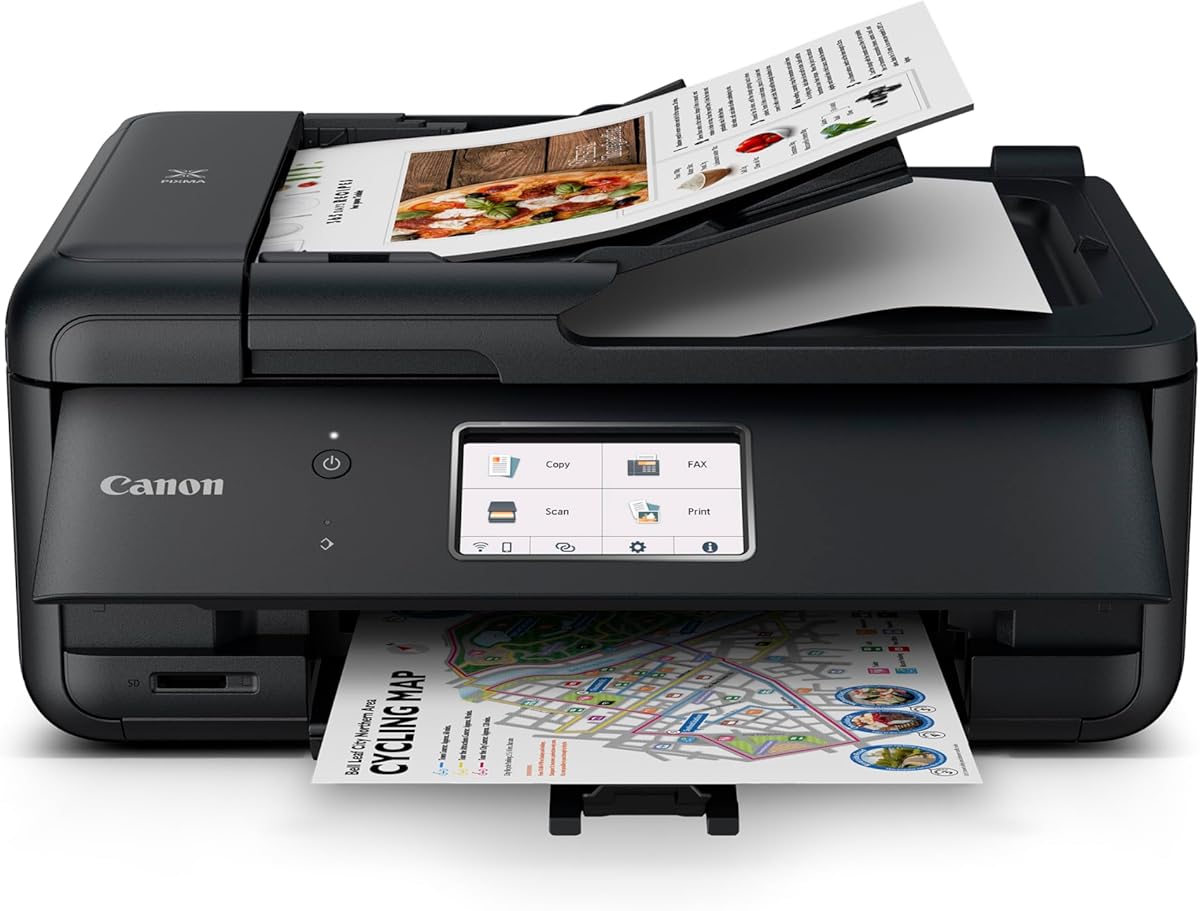
The Canon PIXMA TR4720 offers an entry-level solution for MacBook Air users needing essential printing functions at a low cost. With a 3.9 star rating it provides printing scanning copying and faxing in one compact device. Its price point makes it accessible for students or home users who do not require heavy-duty performance but need reliable wireless connectivity.
We may earn a commission when you buy through this link, at no additional cost to you.
Strengths include built-in fax capabilities and auto duplex printing which are rare at this price range. The printer supports AirPrint allowing easy printing from macOS devices without additional software. Setup is straightforward and the mobile printing features enable printing from smartphones or tablets using the Canon PRINT app. Energy Star certification helps keep power consumption low during idle times.
Print speeds are slower compared to premium models which may be a bottleneck for large documents or frequent use. The duty cycle is lower meaning it is better suited for moderate home use rather than high-volume office tasks. Ink costs can add up if you print frequently but the initial savings make it a solid choice for light users.
This printer is perfect for budget-conscious buyers needing fax and duplex features. If you print occasionally and value space-saving design the TR4720 fits well. We recommend it for students and casual users who need basic connectivity without breaking the bank.
Built-in fax support eliminates the need for separate devices keeping your workspace clutter-free and efficient.
Low power consumption modes help reduce electricity bills while maintaining readiness for printing tasks.
We may earn a commission when you buy through this link, at no additional cost to you.
The HP Envy 6155 is tailored for home users who prioritize photo quality alongside document printing. Rated 4.2 stars it features HP P3 technology that ensures prints match screen colors accurately. This makes it ideal for enthusiasts wanting borderless prints directly from their MacBook Air. The design is sleek and fits well in living spaces without dominating the area.
We may earn a commission when you buy through this link, at no additional cost to you.
Its intuitive 2.4-inch touchscreen simplifies operation for all ages. You can easily adjust settings navigate menus and manage print jobs. The AI optimization removes unwanted content from emails and web pages ensuring professional results with minimal effort. The 100-sheet tray handles standard home tasks efficiently while AirPrint support guarantees smooth macOS integration.
Photo printing speed is moderate so batch printing may take longer. The small input tray requires frequent refilling for large jobs which might interrupt workflows. Ink costs can be managed through the Instant Ink trial though ongoing subscriptions are needed for savings. Despite these limitations it remains a strong choice for quality-focused home users.
This model suits families needing occasional photo prints and documents. If vibrant output and ease of use matter most the 6155 is recommended. We suggest it for creative users who want a balance between performance and aesthetics.
P3 technology ensures prints reflect on-screen colors faithfully enhancing the appeal of photos and graphics.
AI tools reduce wasted paper by formatting documents efficiently for consistent professional layouts.
We may earn a commission when you buy through this link, at no additional cost to you.
The Canon PIXMA TR7120 balances style and functionality for small home offices. With a 4.3 star rating it delivers crisp vibrant prints suitable for both documents and photos. Its compact design fits easily on desks without sacrificing essential features like duplex printing and an auto document feeder. AirPrint support ensures seamless printing from MacBook Air devices.
We may earn a commission when you buy through this link, at no additional cost to you.
The dual-band Wi-Fi maintains stable connections reducing interruptions during important tasks. A hybrid ink system produces sharp text and vivid colors enhancing professional documents. The intuitive control panel simplifies navigation making it easy to monitor ink levels and adjust settings. Mobile printing via the Canon PRINT App allows convenient access from any iOS device.
Paper capacity is limited requiring frequent refills for heavy users. The OLED display is functional but lacks the advanced features of larger touchscreens. While not the fastest printer it offers reliable performance for moderate workloads. The design prioritizes aesthetics without compromising core functionality for daily office use.
This printer is ideal for users with limited workspace needing quality and efficiency. If you want a stylish device that prints well on Air the TR7120 is a top choice. We recommend it for small offices or home studios prioritizing design and color fidelity.
Small footprint design ensures the printer fits unobtrusively in tight workspaces while maintaining full functionality.
Specialized cartridges deliver both sharp text and vivid colors for diverse printing needs in one device.
We may earn a commission when you buy through this link, at no additional cost to you.
The Canon PIXMA TS6520 provides essential features in a user-friendly package. Rated 4.2 stars it delivers vibrant prints and easy wireless connectivity for MacBook Air users. The OLED display offers clear status updates at a glance helping you monitor ink levels quickly. Its compact design ensures it fits in any home environment without cluttering the desk.
We may earn a commission when you buy through this link, at no additional cost to you.
Setup is effortless allowing you to start printing within minutes. AirPrint compatibility ensures seamless operation with macOS devices without extra software. The hybrid ink system produces sharp text and vivid colors suitable for documents and photos alike. Duplex printing saves paper and enhances efficiency for multi-page tasks.
Lack of an auto document feeder limits scanning multi-page documents quickly. The paper tray capacity is small requiring frequent refills during heavy printing sessions. Despite this the printer delivers reliable performance for daily tasks with high-quality output. It prioritizes simplicity over advanced features making it easy for all users.
This model suits users wanting straightforward printing without complexity. If you need a compact reliable printer for basic tasks the TS6520 works well. We recommend it for casual home users prioritizing ease of use and color quality.
OLED screen provides quick access to printer status and ink levels reducing guesswork during tasks.
Quick configuration process ensures you start printing immediately without technical hassle or delays.
We may earn a commission when you buy through this link, at no additional cost to you.
The Brother Work Smart 1360 integrates well with cloud services for modern workflows. Rated 3.8 stars it offers fast 16 ppm black printing and a 150-sheet tray for moderate volumes. Direct printing from apps like Google Drive simplifies access to stored documents. AirPrint support ensures compatibility with MacBook Air for quick wireless tasks.
We may earn a commission when you buy through this link, at no additional cost to you.
Mobile management via the Brother Connect app allows remote monitoring and setup. The compact design suits home offices where space is limited. Automatic duplex printing saves paper and reduces costs over time. The 1.8-inch color display provides easy navigation for common tasks without confusion.
The touchscreen interface is functional but lacks advanced customization options found in premium models. While fast for black prints color speeds are moderate. Ink monitoring is handled through Page Gauge to prevent unexpected run-outs. Despite limitations it offers solid performance for users relying on cloud storage.
This printer is ideal for users working with cloud-based documents. If you need reliable fast printing with easy app integration the 1360 is recommended. We suggest it for professionals needing seamless connectivity between devices and cloud services.
Direct integration with cloud apps allows printing directly from files stored online without downloading first.
App-based management provides full control over print jobs and ink levels from any smartphone.
We may earn a commission when you buy through this link, at no additional cost to you.
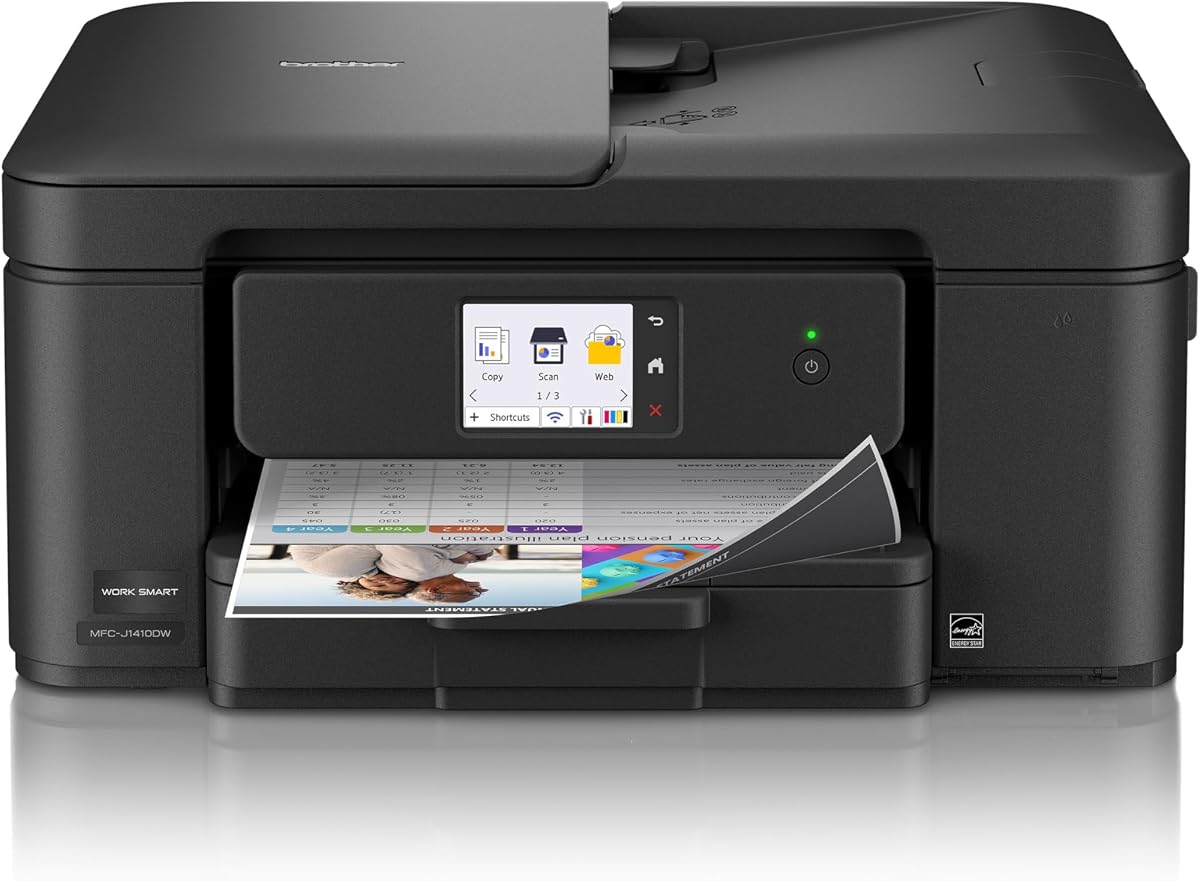
The Brother Work Smart 1410 combines a large touchscreen with reliable printing for home offices. Rated 4.0 stars it features a 2.7-inch color display for intuitive control of all functions. The 150-sheet tray reduces frequent refills while auto duplex printing maintains efficiency. AirPrint ensures smooth operation with MacBook Air devices for quick wireless tasks.
We may earn a commission when you buy through this link, at no additional cost to you.
Cloud integration allows printing directly from popular services without extra steps. The 16 ppm speed handles documents quickly and Brother Genuine Ink ensures consistent quality. Mobile app support allows device management from anywhere making it convenient for busy users. The compact footprint fits well on smaller desks.
Lack of an auto document feeder limits multi-page scanning capabilities. The subscription trial adds value but may incur costs later. While not the fastest on the list it balances speed and usability well. The large screen is a standout feature for easy navigation and settings adjustments.
This model is best for users needing a responsive interface and moderate speed. If you value ease of use and reliable performance the 1410 is a strong choice. We recommend it for professionals who need a straightforward touchscreen experience.
Expansive color display simplifies menu navigation and provides clear visual feedback for all tasks.
Seamless cloud service integration allows direct printing from documents stored online with minimal steps.
We may earn a commission when you buy through this link, at no additional cost to you.
The HP OfficeJet 3830 introduces voice control to home printing for added convenience. Rated 4.3 stars it integrates with Alexa allowing hands-free printing commands and order notifications. AirPrint ensures seamless connectivity with MacBook Air while Instant Ink optimizes supply delivery. Its compact design fits easily in home offices without taking up much space.
We may earn a commission when you buy through this link, at no additional cost to you.
Mobile printing via ePrint allows quick tasks from any device. Quiet mode minimizes noise which is useful in shared spaces or during calls. The touchscreen offers basic navigation for common tasks and settings. While not the fastest it provides reliable performance for daily use and document management.
Print speeds are moderate and the paper tray capacity is limited. Ink savings are better managed through the subscription model. Despite being an older model it remains popular for its smart features and ease of use. The combination of voice control and AirPrint makes it stand out for modern home setups.
This printer suits users wanting voice commands and reliable wireless printing. If you value convenience and quiet operation the 3830 is recommended. We suggest it for households integrating smart home features into their workflow.
Alexa support allows hands-free printing and ink management making workflow more efficient and accessible.
Special quiet mode reduces noise output ensuring minimal disruption in shared or home office spaces.
We may earn a commission when you buy through this link, at no additional cost to you.
The Canon PIXMA TR8620a combines voice control with robust printing features for smart homes. Rated 4.0 stars it allows printing and ink reorders via Alexa reducing the need to check levels manually. With a 200-sheet capacity it handles larger volumes than many competitors. AirPrint ensures seamless wireless operation with MacBook Air for professional documents.
We may earn a commission when you buy through this link, at no additional cost to you.
Fast 15/10 ipm speeds keep tasks flowing efficiently without bottlenecks. The Micro SD slot allows direct photo printing from cards enhancing creative capabilities. Auto duplex printing saves paper and simplifies double-sided work. The sleek black design suits modern office environments while offering fax and scanning options.
Setup can be slightly more involved than simpler models but offers extensive customization. The higher price point is justified by the advanced features and capacity. Ink reordering automation ensures you never run out unexpectedly making it convenient for busy users. It balances home convenience with office-level capabilities.
This printer is ideal for smart home enthusiasts needing volume and voice features. If you value automation and high capacity the TR8620a is a top pick. We recommend it for users integrating Alexa into their productivity workflow.
Alexa integration tracks ink levels and orders replacements automatically ensuring uninterrupted printing without manual checks.
Large paper trays reduce frequent refills making it suitable for larger households or small offices.
We may earn a commission when you buy through this link, at no additional cost to you.
Choosing the right printer requires evaluating several key factors to ensure compatibility and performance with your Mac setup.
AirPrint is essential for seamless printing without additional drivers. Look for dual-band Wi-Fi for stable connections.
Ensure the printer supports AirPrint to avoid driver hassles on macOS.
PPM affects how quickly documents complete. Higher speeds reduce wait times for busy users.
Choose a model with adequate speed for your volume needs.
Check cartridge prices and refill options. Ink tank systems often save money long term.
Consider total cost of ownership before purchase.
Tray capacity and auto duplex features impact efficiency. Larger trays reduce refills.
Look for duplex printing to save paper and reduce manual handling.
Desk space matters for compact models. Measure your workspace carefully.
Choose a footprint that fits your office layout.
Scanning faxing and mobile apps add value. Prioritize features you actually need.
Select devices with relevant capabilities for your workflow.
Alexa integration offers hands-free convenience. Check compatibility with smart home devices.
Voice printing may streamline tasks for tech-savvy users.
Business users need secure wireless transmission. Look for encryption and privacy features.
Prioritize models with strong data protection protocols.
Connect the printer to your Wi-Fi network and install necessary drivers via AirPrint for immediate setup.
Regularly clean print heads and run calibration tests to maintain output quality and prevent clogs.
Use genuine or recommended ink to avoid errors and keep firmware updated for best performance.
Epson EcoTank and Canon PIXMA models are top choices due to strong AirPrint support. They require minimal setup for MacBook Air users.
Ensure both devices are on the same Wi-Fi network. Restart the printer and router if connection fails persistently.
Yes for high volume printing as ink costs are significantly lower. They are ideal for families printing regularly.
No most modern printers use AirPrint requiring no driver installation. macOS handles the connection automatically.
Automatic duplex reduces paper waste and costs. It saves time and simplifies double-sided document printing.
Yes as long as the printer supports AirPrint. Many third-party models work seamlessly with Mac devices.
Monthly or after long periods of inactivity. This maintains print quality and prevents ink clogs.
Check Wi-Fi connection and ensure the printer is powered. Restarting usually resolves temporary offline status.
We reviewed ten top printers balancing performance cost and Mac compatibility for your needs. Our top picks offer strong AirPrint support and reliable wireless connectivity.
Prioritize features like ink efficiency speed and size based on your usage. Consider long-term costs beyond the purchase price.
Prices fluctuate so check current listings before buying to secure the best deal available for your setup.