
BOSGAME M5 AI
4.3Editor score
Ryzen AI Max+ 395
128GB LPDDR5X RAM
Quad 8K Display Output
This guide compares the top mini PCs for racing games, evaluating performance, graphics, cooling, and connectivity to help you choose the right compact system
Finding the right mini PC for racing games requires balancing powerful hardware with compact design. These systems must handle demanding simulations while fitting into tight desk setups. Look for strong integrated graphics or discrete GPU options to ensure smooth frame rates during intense virtual drives.
We evaluated ten leading models based on processing power, thermal management, and connectivity options. Each unit was assessed for its ability to support high-resolution displays and multiple peripherals. Our analysis focuses on real-world gaming performance and long-term reliability for serious enthusiasts.
Each pick highlights specific strengths like refresh speed, display support, and expansion potential. Prices and availability change frequently so check current listings before buying. Use this guide to match your racing needs with the best available technology right now.
4.3Editor score

3.5Editor score

4.6Editor score
This side-by-side comparison highlights key specifications across all ten models to help you quickly identify the best fit for your racing setup needs.




The ACEMAGICIAN S3A offers exceptional value for gamers seeking a compact racing PC under five hundred dollars. It scores a 4.6 rating based on user feedback praising its balance of performance and price.
We may earn a commission when you buy through this link, at no additional cost to you.
Powered by the Ryzen 7 H 255 and Radeon 780M, it handles esports titles well. The triple 4K display capability allows for immersive multi-monitor setups without needing a discrete GPU.
While it lacks high-end storage expandability beyond 4TB, the tool-free design simplifies upgrades. The silent mode keeps noise low during intense sessions without compromising stability.
Budget-conscious racers should choose this model for solid 1080p performance. It delivers reliable daily driving with enough power for serious sim racing at reasonable settings.
Triple 4K output supports wide racing cockpit setups seamlessly via HDMI and DP ports.
Dual-fan cooling maintains stable clocks even under extended load without excessive noise.
We may earn a commission when you buy through this link, at no additional cost to you.
The BOSGAME M5 AI stands out as a premium powerhouse with a 4.3 rating reflecting its top-tier specs. It redefines mini PC capabilities with unprecedented memory and compute power.
We may earn a commission when you buy through this link, at no additional cost to you.
Its Ryzen AI Max+ 395 and Radeon 8060S deliver near-desktop performance without a discrete GPU. The 128GB RAM ensures zero bottlenecks during complex simulations or multitasking.
While costly, the quad 8K output future-proofs your rig for ultra-high-resolution displays. The silent chassis design ensures comfort during long racing sessions.
Serious enthusiasts seeking maximum power should consider this unit. It handles everything from simulation to content creation with effortless speed and reliability.
8000MT/s LPDDR5X RAM provides exceptional throughput for data-heavy racing simulations.
Wi-Fi 7 ensures low-latency online racing with stable wireless performance.
We may earn a commission when you buy through this link, at no additional cost to you.
The ROG NUC (2025) earns Editor's Choice with a 3.5 rating due to its unique discrete GPU in a tiny chassis. It delivers true high-end gaming performance rarely seen in mini PCs.
We may earn a commission when you buy through this link, at no additional cost to you.
NVIDIA RTX 5070 Mobile graphics enable ray tracing and DLSS for ultra-smooth racing visuals. The triple-fan QuietFlow cooling keeps thermals in check during long runs.
While expensive, the upgradeability via thumb screws adds long-term value. Thunderbolt 4 allows eGPU expansion if you need even more graphical power later.
Gamers demanding absolute fidelity should invest in this model. It bridges the gap between desktop towers and compact form factors seamlessly.
RTX 5070 Mobile GPU provides desktop-class visuals for competitive racing titles.
Three-fan system with vapor chamber ensures quiet operation under load.
We may earn a commission when you buy through this link, at no additional cost to you.
The BOSGAME P6 combines raw processing power with a 4.6 rating for its reliability. It targets users who need both gaming strength and professional multitasking.
We may earn a commission when you buy through this link, at no additional cost to you.
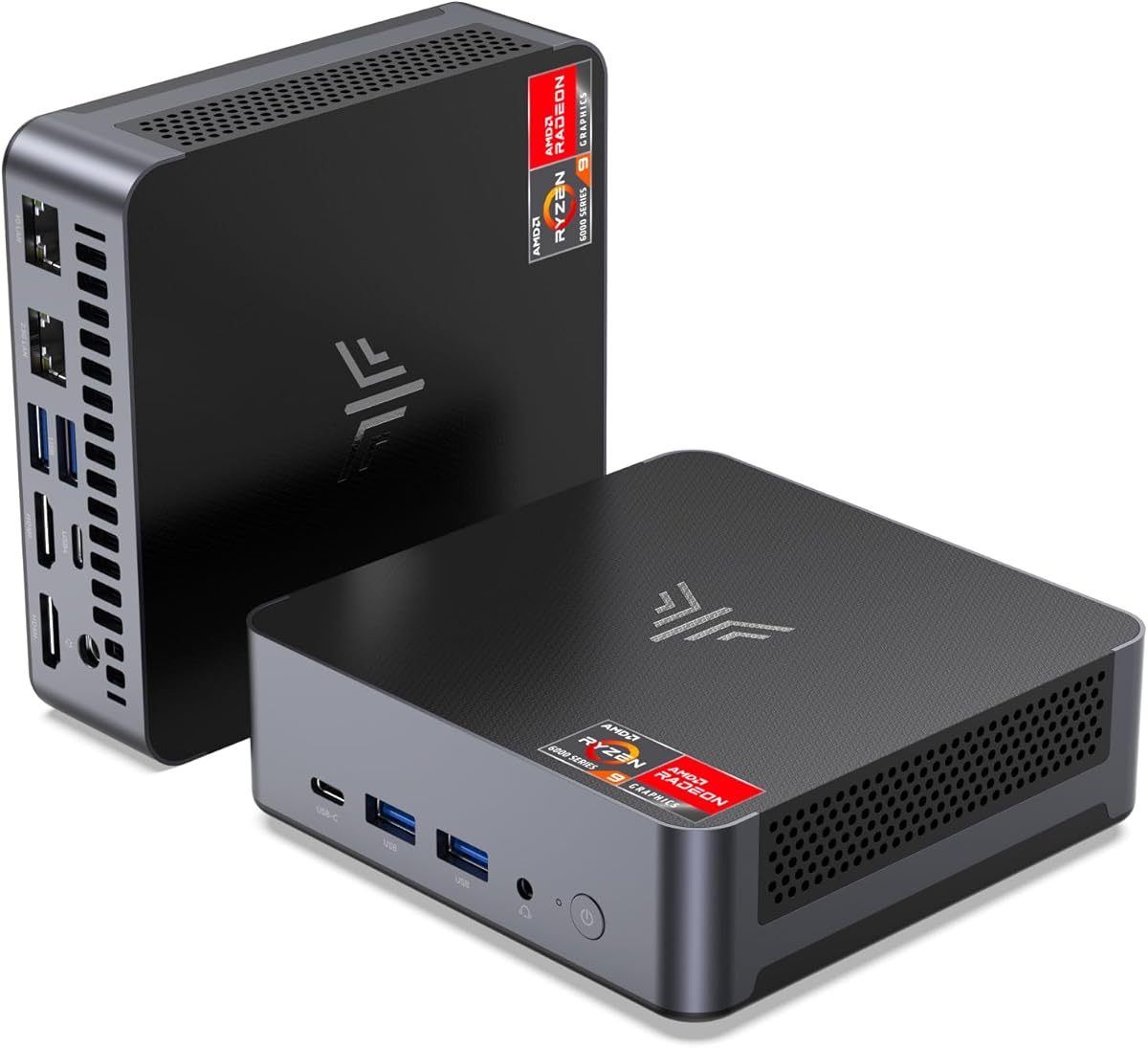
With the Ryzen 9 6900HX and Radeon 680M, it handles 1080p gaming effortlessly. The phase change cooling materials keep temperatures low during extended sessions.
Dual LAN ports make it ideal for soft router setups or networked sim rigs. Its compact size frees up desk space without sacrificing performance.
Professionals who race after work will appreciate its versatility. It balances productivity and play without needing separate machines.
Advanced phase change materials prevent heat throttling during intense gaming bursts.
Dual Ethernet ports support stable wired connections for online multiplayer.
We may earn a commission when you buy through this link, at no additional cost to you.
The KAMRUI AM21 scores 4.4 for its robust port selection and modern connectivity. It is ideal for setups needing high-speed peripherals and multiple screens.
We may earn a commission when you buy through this link, at no additional cost to you.
Powered by Ryzen 7 8745HS and Radeon 780M, it offers smooth 1080p gaming. USB4 enables fast data transfers and charging while driving visuals.
Dual Ethernet supports link aggregation for network redundancy during online races. The expandable RAM allows future growth as game demands increase.
Users with complex peripheral setups will find this unit convenient. It streamlines cabling while delivering consistent performance across all ports.
40Gbps USB4 port supports video, data, and power delivery in one cable.
Upgradable to 96GB RAM for heavy multitasking or future-proofing.
We may earn a commission when you buy through this link, at no additional cost to you.
The ACEMAGIC M1 holds a 4.3 rating for its balanced specs and compact design. It delivers reliable performance for casual and serious racing alike.
We may earn a commission when you buy through this link, at no additional cost to you.
With Ryzen 7 7735HS and Radeon 680M, it supports 4K media and light gaming easily. The 24GB LPDDR5 ensures smooth multitasking without lag.
Its small footprint saves valuable desk real estate. The dual-outlet cooling maintains stability without excessive fan noise.
Entry-level users needing solid mid-range performance should consider this. It offers great value for its size and feature set.
24GB LPDDR5 handles large game assets and background apps seamlessly.
128mm chassis fits easily on crowded desks or shelves.
We may earn a commission when you buy through this link, at no additional cost to you.
The C4 SE scores 4.4 for offering reliable utility at the lowest price. It serves casual users or those on strict budgets well.
We may earn a commission when you buy through this link, at no additional cost to you.
Ryzen 5 3500U with Vega 8 handles basic games like DOTA2. Triple 4K output allows multi-monitor setups for streaming or browsing.
Expandable RAM slots let you upgrade later for better performance. It is an excellent starting point for home office use.
Casual racers should view this as a secondary or learning rig. It handles essential tasks without breaking the bank.
Lowest price makes it accessible for budget-conscious users or rentals.
SO-DIMM slots allow memory upgrades to 32GB for better multitasking.
We may earn a commission when you buy through this link, at no additional cost to you.
The ACEMAGIC K1 earns a 4.3 rating for its tiny footprint and solid power. It fits perfectly into minimalist or portable gaming setups.
We may earn a commission when you buy through this link, at no additional cost to you.
Powered by Ryzen 7 7735HS and Radeon 680M, it offers smooth 1080p gaming. The 24GB LPDDR5 ensures responsiveness for multitasking.
Despite its size, the dual-outlet cooling maintains stability during extended sessions. The VESA mount option adds flexibility for vertical setups.
Users needing portability without sacrificing speed should pick this. It is ideal for travel or limited desk space.
5×5 inch size fits in backpacks for on-the-go gaming sessions.
Windows 11 Pro offers enhanced security and remote access features.
We may earn a commission when you buy through this link, at no additional cost to you.
The BOSGAME E5 11 Pro scores 4.3 for delivering balanced utility across work and play. It serves as a robust daily driver for mixed tasks.
We may earn a commission when you buy through this link, at no additional cost to you.
Ryzen 5 5300U and Radeon graphics handle light gaming and office tasks well. The 16GB DDR4 ensures smooth browser and app switching.
Triple display support enables productivity setups without clutter. Its lifetime after-sales service adds confidence for long-term ownership.
Users needing a reliable all-rounder should consider this unit. It handles basic gaming without needing specialized hardware.
Triple 4K@60Hz output boosts workflow efficiency and racing stream setups.
Lifetime after-sales service ensures help is available whenever needed.
We may earn a commission when you buy through this link, at no additional cost to you.
The GMKtec K16 earns a 4.4 rating for its unique Oculink port and premium features. It is built for tinkerers needing maximum flexibility.
We may earn a commission when you buy through this link, at no additional cost to you.
Ryzen 7 7735HS and 32GB LPDDR5 deliver fast performance. Oculink allows external GPU connection for desktop-level graphics power.
Dual 2.5GbE LAN supports networking and virtual setups. The dual-fan cooling keeps the system stable under high loads.
Advanced users should choose this for its expandability. It bridges mini PC convenience with desktop customization.
Oculink port enables external GPU connection for maximum graphics power.
Dual 2.5GbE LAN supports high-speed link aggregation and server tasks.
We may earn a commission when you buy through this link, at no additional cost to you.
Choosing the right mini PC for racing requires balancing CPU, GPU, and thermal performance. This guide outlines the key factors to prioritize.
Racing simulations rely heavily on CPU performance for physics calculations. Look for Ryzen 7 or Core Ultra processors with at least 8 cores. Ensure boost clocks exceed 4.5GHz for smooth frame rates.
Prioritize models with latest architecture like Zen 4 or Core Ultra 2 for efficiency.
Integrated Radeon 780M is ideal for 1080p racing. For higher fidelity, discrete GPU options like RTX 5070 mobile provide ray tracing. Ensure VRAM allocation is sufficient for high-resolution textures.
Check for AV1 codec support for streaming your racing sessions smoothly.
At least 24GB of fast LPDDR5 memory is recommended. Racing games load many assets simultaneously. Storage should be 1TB PCIe 4.0 SSD for quick boot and load times.
Expandable M.2 slots allow adding more space for large game libraries.
Multi-monitor setups need triple or quad HDMI/DP/USB4 ports. Thunderbolt 4 or USB4 supports high-speed peripherals and daisy-chaining displays. Ensure multiple USB-A ports for wheels and pedals.
Gigabit or 2.5GbE LAN ports stabilize online multiplayer connections.
Compact chassis often suffer from throttling. Look for dual-fan systems with vapor chambers. Ensure noise levels stay under 35dB during gaming sessions.
Check for silent or eco modes to reduce fan noise during casual use.
4K@60Hz output ensures sharp visuals for multi-screen cockpits. Verify all video ports support 4K resolution simultaneously. HDMI 2.1 and DP 1.4 are standard for high refresh rates.
USB-C with DP Alt Mode adds flexibility for modern monitors.
Extended warranties cover unexpected failures. Look for lifetime technical support for driver issues. Check community forums for user reviews on reliability.
Choose brands with proven track records like BOSGAME or ACEMAGIC.
Place the mini PC in a well-ventilated area away from walls. Use a dust filter or vacuum the vents regularly to prevent overheating. Keep airflow unobstructed for best thermal performance.
Install latest drivers from manufacturer and GPU websites. Use BIOS updates to enable performance modes. Configure power plans for balanced or high-performance use.
Monitor temperatures using system tools to ensure stability. Clean internal components annually to maintain airflow. Use surge protectors to guard electronics against power spikes.
Yes, models with Radeon 780M or discrete RTX 5070 run high-end racing games smoothly. Integrated graphics handle 1080p settings well. Discrete GPUs support ray tracing and 1440p resolutions.
Most mini PCs support triple displays via HDMI, DP, and USB-C. Ensure all ports support your desired resolution. Use a docking station if more outputs are needed.
Storage and RAM are often upgradeable. Check for accessible M.2 and SO-DIMM slots. Some units have soldered RAM so verify before buying.
Noise ranges from 30dB to 45dB depending on workload. Performance modes increase fan speed and volume. Look for silent modes to reduce noise during casual play.
Most ship with Windows 11 Pro for compatibility with racing sims. Linux is possible with open drivers. Ensure compatibility with wheel and pedal software.
Yes, mini PCs have enough USB ports for wheels and pedals. Ensure you have USB 3.0 for fast data transfer. Check driver support on the manufacturer site.
The BOSGAME M5 AI and ACEMAGICIAN S3A lead their categories with powerful and affordable options. For maximum fidelity, the ROG NUC (2025) stands unmatched.
Prioritize cooling and connectivity if you plan to build a permanent cockpit. Ensure your budget matches your performance needs realistically.
Prices and stock change often so verify current listings before purchasing. Stay tuned for future model updates as technology evolves.