
Computer Desktop Tower Large Carrying Case
4.3Editor score
Fits most ATX mid-tower desktops
Dedicated compartments for accessories
Heavy-duty protection with thick padding
This guide compares ten top desktop PC tower travel carrying cases for protection, portability, and storage to help gamers and professionals move their rigs
Transporting a desktop computer tower requires more than just a box. A dedicated carrying case protects sensitive components from shocks, scratches, and environmental hazards during moves or travel. Choosing the right one ensures your hardware arrives safely.
We evaluated ten leading products based on protection quality, storage capacity, portability features, and user ratings. Each option offers unique benefits for different needs, from budget-friendly carriers to premium solutions with advanced organizational pockets.
Each pick highlights key specs, pros, and cons to guide your decision. Note that prices and availability change frequently. Always verify dimensions against your specific tower model before purchasing to ensure a perfect fit.
4.3Editor score
4.7Editor score

4.9Editor score
The following table provides a side-by-side overview of each product's key specifications, dimensions, and primary features to help you quickly identify the best fit for your setup.




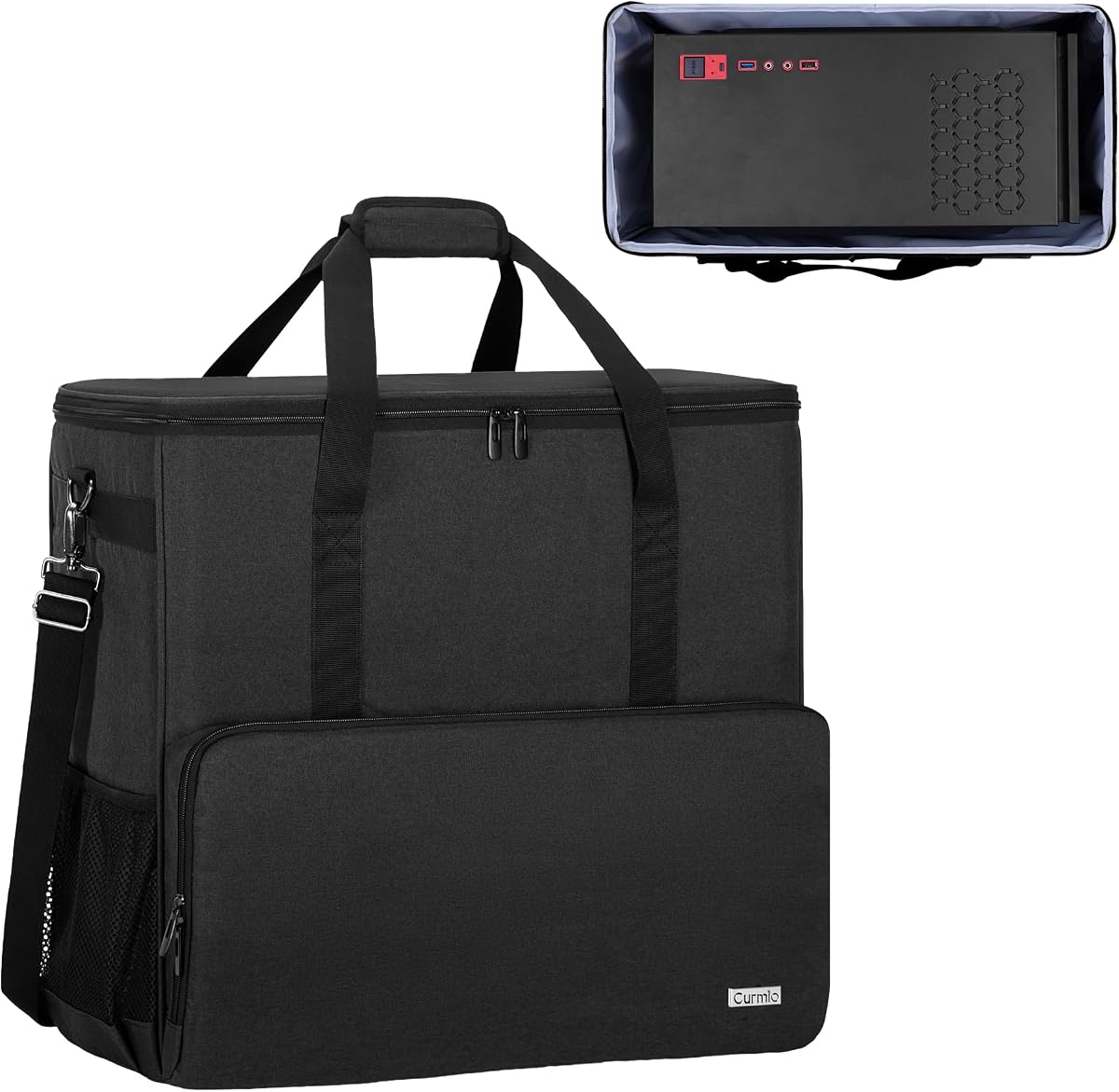
This case offers a practical solution for transporting standard ATX mid-tower desktops without breaking the bank. It has a solid rating and focuses on essential protection and organization for daily commutes or LAN parties.
We may earn a commission when you buy through this link, at no additional cost to you.
The design includes dedicated compartments for your keyboard, mouse, and cables, keeping everything together in one portable unit. Reinforced base and anti-slip feet enhance stability during transit, while the full-height mesh pocket helps organize tools and accessories efficiently.
While it lacks the thick padding of premium models, the Oxford fabric resists dust and rain effectively. The adjustable chest straps distribute weight well, though the lack of wheels means lifting is required for heavy setups.
This is an ideal choice for budget-conscious users who need reliable protection for occasional moves. It balances cost and functionality well for those who prioritize basic safety over luxury features.
Dedicated slots for keyboard and mouse keep peripherals secure and prevent them from scratching the main tower during travel.
Oxford fabric lining minimizes dust buildup and resists light rain, ensuring your hardware stays clean and dry in various environments.
We may earn a commission when you buy through this link, at no additional cost to you.
Designed for larger towers, this bag provides ample room for your main unit plus extra components like GPUs or radiators. It rates highly for its internal protection and robust build quality suitable for frequent travel.
We may earn a commission when you buy through this link, at no additional cost to you.
The 5mm EPE inner lining effectively absorbs shock and vibration, while the 600D Oxford cloth outer layer resists wear. You get three front zippered pockets for cables and accessories, plus side mesh pockets for water bottles during long trips.
Carrying is supported by both a padded handle and a soft padded shoulder strap with a chest buckle for stability. However, the generous capacity adds weight, making it less ideal for users who need to travel light frequently.
Choose this if you have a large case and want to carry extra parts safely. It is a strong move solution for those who need to pack their entire workstation in one bag.
High-density foam lining provides all-round protection from bumps and drops, safeguarding sensitive electronics during rough transport.
Front zippered pockets and internal mesh storage keep cables, mouse, and keyboard accessible without cluttering the main tower compartment.
We may earn a commission when you buy through this link, at no additional cost to you.
This unique bag includes a detachable wheeled cart, making it easier to move heavy towers over long distances or stairs. It is designed for ATX and M-ATX cases and offers excellent organization for peripherals.
We may earn a commission when you buy through this link, at no additional cost to you.
The case features thick internal padding and 600D polyester fabric for durability. You can pull it like luggage using the aluminum handle or carry it by hand with the cushioned top handle. Multiple pockets keep your mouse, cables, and water bottles organized.
While the rolling mechanism is great for travel, the cart folds flat but still adds some bulk. The U-pull zippers are designed to be smooth, but heavy loads require careful handling to avoid snagging.
Ideal for users with heavy rigs who want to avoid lifting. It combines the protection of a backpack with the convenience of a rolling suitcase for effortless transport.
Silent swivel casters and a multi-height aluminum handle allow smooth movement across various surfaces without lifting heavy weight.
Keyboard and mouse pockets are sized to hold ergonomic models securely, ensuring peripherals stay organized and protected during transit.
We may earn a commission when you buy through this link, at no additional cost to you.
This model stands out for its premium build quality and thoughtful design details like the internal foam insert. It has high ratings for reliability and offers a balanced mix of protection and convenience.
We may earn a commission when you buy through this link, at no additional cost to you.
The thick nylon material resists water and scratches effectively. You get multiple pockets for peripherals like hard drives and radiators, plus a removable foldaway cushioned pad for extra comfort. The four bottom feet pads reduce ground friction.
It is slightly smaller than some competitors, so checking dimensions is crucial. However, the quality of materials and the large opening for easy loading make it a top pick for frequent movers who value durability.
Recommended for users seeking a durable, all-in-one solution that handles daily wear well. Its solid construction ensures your tower arrives safely without adding unnecessary bulk or weight.
Interior foam padded insert provides extra cushioning for the tower, minimizing shock and protecting sensitive components during transport.
The large opening design allows for easy insertion and removal of the tower, simplifying packing and unpacking processes significantly.
We may earn a commission when you buy through this link, at no additional cost to you.
This case focuses on stability and secure transport with its integrated chest strap and top buckle system. It is designed to keep items firmly in place during transit, preventing shifting of heavy components.
We may earn a commission when you buy through this link, at no additional cost to you.
The high-quality polyester fabric offers water and wear resistance, ensuring longevity. You have multiple pockets for organization, and the thick internal padding absorbs shock effectively. The sturdy handle and shoulder straps support heavy loads well.
While the buckle adds an extra step, it significantly improves balance when carrying heavy towers on your back. The chest strap distributes weight evenly, reducing localized pressure on your shoulders during long journeys.
Best for users who need a stable, secure way to carry heavy setups. It is ideal for moving or commuting where keeping everything tightly packed is a priority.
Integrated chest strap and top buckle work together to keep the bag secure and distribute weight evenly across the body.
High-quality polyester fabric resists tears and water, providing reliable protection even under heavy loads and daily wear.
We may earn a commission when you buy through this link, at no additional cost to you.
Constructed with 8mm EPE foam, this bag offers some of the best shock absorption in its class. It is designed to transport your entire desktop setup safely while keeping accessories organized in dedicated pockets.
We may earn a commission when you buy through this link, at no additional cost to you.
The rugged 600D Oxford exterior provides durability against daily wear. You get a front keyboard sleeve and side mesh pockets, plus adjustable padded shoulder straps for comfort. The stabilizing chest strap ensures the bag stays put during movement.
The thick padding adds weight but significantly improves protection for valuable hardware. Internal space is slightly reduced to accommodate the foam layers, so verify your tower dimensions before buying.
Great for users prioritizing maximum hardware protection over minimal weight. It is a trustworthy companion for moves, business trips, or gaming tournaments where gear safety is critical.
8mm EPE foam interior absorbs impacts and vibrations effectively, protecting the tower from physical damage during transport.
Multiple dedicated pockets for keyboard, mouse, and cables keep all essentials orderly and accessible when you need them.
We may earn a commission when you buy through this link, at no additional cost to you.
This backpack focuses on comfort and protection with its ergonomic padded shoulder straps and thickened pearl cotton cushions. It rates well for users who need a reliable option for frequent travel or moves.
We may earn a commission when you buy through this link, at no additional cost to you.
The main compartment fits ATX and M-ATX towers securely. You get multiple pockets for accessories like hard drives and radiators. Side pockets with buckles keep items from falling out. The four no-slip feet pads protect the bag bottom.
While pearl cotton offers good cushioning, it is slightly less dense than EPE foam. However, the premium tear-resistant material ensures longevity, and the adjustable straps make it comfortable even when fully loaded.
Ideal for travelers who need a durable bag that protects their gear. The design balances portability with protection, making it suitable for various transport scenarios.
Adjustable padded shoulder straps and a chest strap keep the bag stable and reduce strain during long carrying periods.
Multiple pockets and side buckles ensure accessories stay organized and secure, preventing damage from loose items inside.
We may earn a commission when you buy through this link, at no additional cost to you.
With large external dimensions, this bag offers significant room for your tower and accessories. It is designed to help you move your computer case out of the house easily without worrying about damage.
We may earn a commission when you buy through this link, at no additional cost to you.
The thickened 5mm EPE lining absorbs impact during transportation. You get multiple zippered pockets for organization, including cable management and water bottle storage. The fleece elastic pockets are perfect for delicate peripherals.
While spacious, the large size might be hard to fit in tight spaces. The soft fabric layer is durable but may compress under heavy loads. Overall, it serves as a great move solution for full setups.
Best for users needing maximum capacity for all components in one bag. It simplifies moving tasks by consolidating everything into a single portable unit.
Large capacity allows loading desktop tower plus accessories like GPUs and radiators without compromising safety or organization.
Soft padded handle and shoulder straps with chest strap reduce pressure, making heavy loads easier to transport comfortably.
We may earn a commission when you buy through this link, at no additional cost to you.
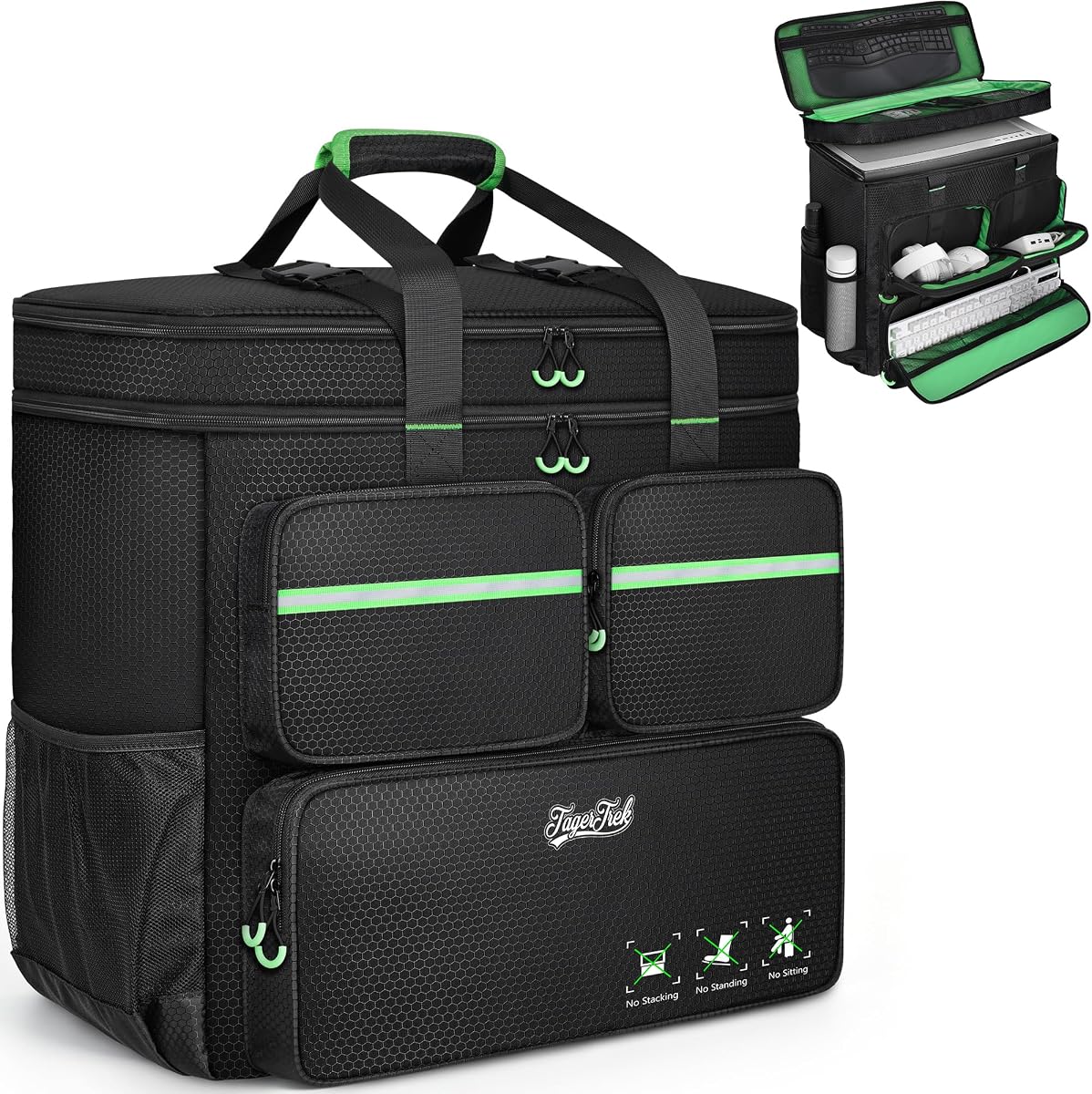
This model uses a double layer design to maximize organization and protection. It features a spacious main compartment and multiple pockets to organize peripherals like keyboards, mice, and hard drives effectively.
We may earn a commission when you buy through this link, at no additional cost to you.
The interior foam padded insert and removable cushioned pad ensure your tower is protected from friction and shocks. The thick nylon material is wear and water-resistant, suitable for long-term use. Large opening makes packing easy.
While double layer adds some weight, it significantly improves organization. The fixed dimensions mean you must check tower size carefully. Overall, it is a reliable choice for users needing structured storage.
Recommended for those who prefer separate compartments for accessories. It simplifies travel by keeping everything tidy and protected in a durable bag.
Double layer design provides separate space for tower and accessories, preventing clutter and protecting sensitive components.
Thick nylon material and reinforced seams ensure the bag withstands daily wear and tear over time.
We may earn a commission when you buy through this link, at no additional cost to you.
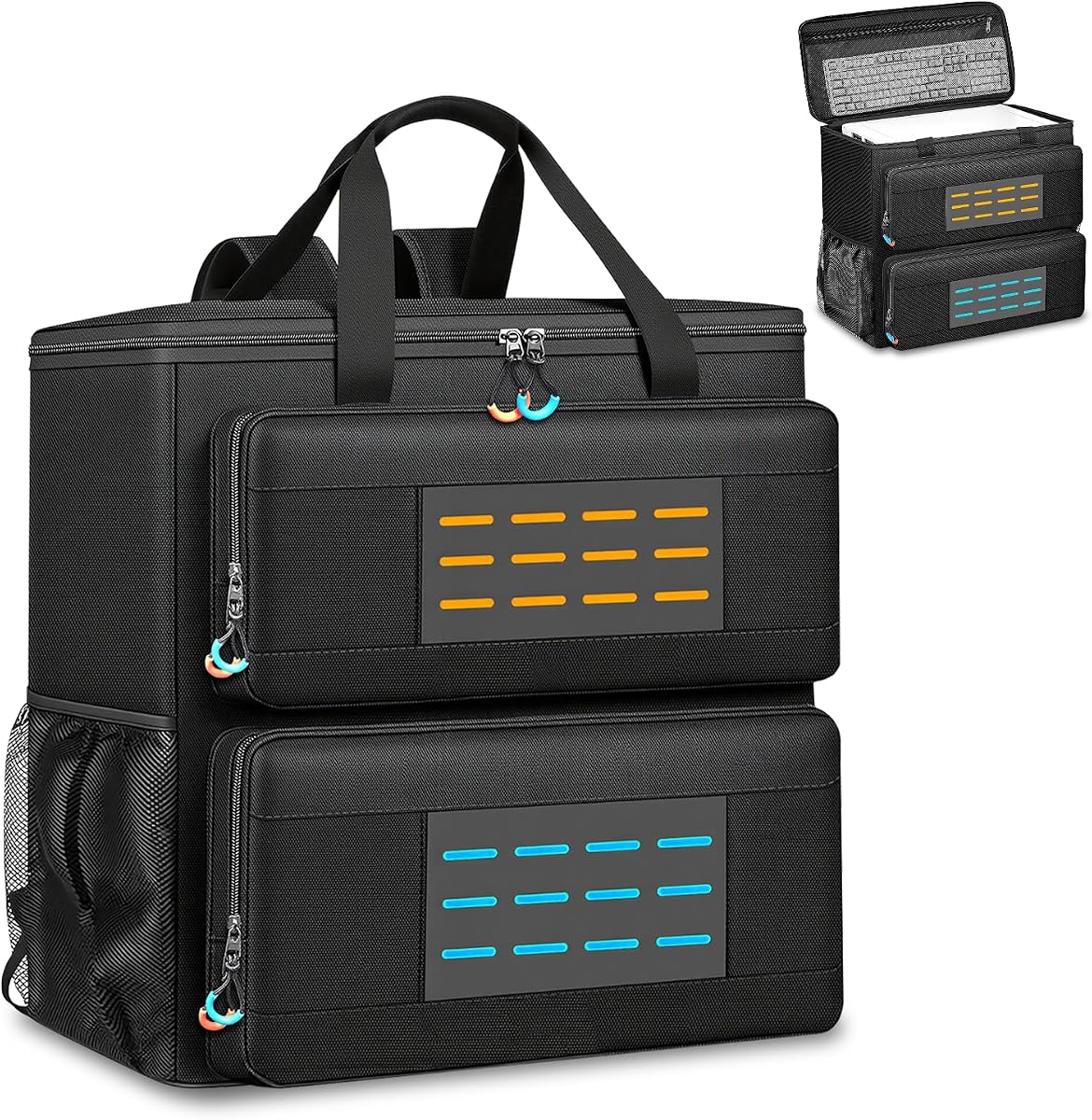
This premium case offers advanced features like MOLLE webbing and a rear luggage strap for easy travel. It is highly rated for transforming the daunting task of moving a PC into a simple one-person operation.
We may earn a commission when you buy through this link, at no additional cost to you.
High-density foam padding protects your tower from impacts and vibrations. You get ample storage with zipped mesh pockets and external webbing for attachments. The padded handle and adjustable straps ensure balanced carrying.
It allows you to secure the bag on wheeled suitcases, freeing your hands. While the feature set is complex, it offers versatility unmatched by simpler models. The nylon exterior is scratch and tear-resistant.
Best for travelers who need maximum versatility and protection. It is ideal for moving house, attending LAN parties, or heading to gaming tournaments with ease.
Rear luggage strap allows secure attachment to wheeled suitcases, making airport or hotel travel much easier.
MOLLE webbing allows attaching additional equipment or accessories, keeping essentials organized and within easy reach.
We may earn a commission when you buy through this link, at no additional cost to you.
Selecting the right case involves matching dimensions to your tower and prioritizing protection and portability.
Always measure your desktop tower's internal width, depth, and height before purchasing. The case should accommodate your chassis comfortably with room for any cooling fans or GPU risers you plan to move.
Check both interior and exterior dimensions to ensure it fits in your vehicle or travel space.
Look for high-density foam or EPE lining that effectively absorbs shock and vibration. Thicker padding protects your hardware from bumps and drops, which is crucial for long-distance moves or air travel.
Materials like 5mm to 8mm EPE are standard for reliable protection against daily wear.
Decide between hand carry, backpack, or rolling options based on distance. A padded handle is essential for short lifts, while adjustable shoulder straps and chest buckles help distribute weight for backpacks.
Consider a rolling cart if you have to navigate stairs or long corridors frequently.
A good case includes dedicated pockets for keyboard, mouse, and cables to prevent scratching. Side pockets or internal mesh compartments help keep accessories organized and accessible.
Ensure there is enough space for any extra components like hard drives or cooling tubes you need to transport.
Choose materials like 600D Oxford cloth or high-quality nylon that offer water and tear resistance. This ensures the case can withstand rain or dust during transport.
Reinforced stitching and heavy-duty zippers increase the overall lifespan of the product.
Look for features like anti-slip feet to protect the bag bottom and reduce friction with the ground. Some cases include rear luggage straps to attach to suitcases for easier airport navigation.
Chest straps are critical for stability when the load is heavy.
Consider if you need the case for frequent commuting, occasional moves, or specialized events like LAN parties. Heavy-duty cases suit long-term storage, while lighter ones are better for travel.
Budget-friendly options work for short trips, while premium features suit regular heavy-duty use.
Higher prices often reflect better materials and more features like rolling carts or MOLLE webbing. However, a moderately priced case can offer excellent protection if the padding and fabric are solid.
Read reviews to ensure the price matches the durability and comfort offered by the product.
Before packing, remove any loose components from your tower that could fall out or get damaged during transit. Secure your power supply and graphics card with screws to prevent internal rattling.
Place your tower in the main compartment first, ensuring it sits flush against the padding. Use the designated pockets for your keyboard, mouse, and cables to avoid clutter inside the main area.
Regularly inspect the zippers and seams for signs of wear. Wipe down the exterior fabric with a damp cloth to remove dust and keep the material durable for long-term use.
Generally, yes, as long as the external dimensions of your tower match the case specifications. Ensure there is enough depth for larger radiators and tubing.
Yes, many models meet carry-on size limits, but always check airline restrictions. The thick padding is excellent for protecting hardware during baggage handling.
Absolutely, the pockets are designed to hold these accessories securely. They are useful for organizing peripherals separately from the main tower.
Most durable straps can handle full towers plus accessories, but heavy loads should be distributed using the chest strap. Check the product specs for specific limits.
It is safer to remove hard drives or ensure they are securely mounted in the case. Vibrations during transport could damage them if they are loose.
Use a damp cloth to wipe down the exterior. Avoid submerging the case to prevent damaging internal padding or electronics inside.
Warranty policies vary by manufacturer. Check the product page for details on coverage and repair services before purchasing.
We reviewed ten top options ranging from budget-friendly bags to premium rolling cases. The CURMIO and PC Carrying Case models offer excellent protection and organization for most users.
Prioritize internal padding and correct dimensions to ensure your tower arrives safely. Comfortable straps and accessory pockets are key features for frequent travelers.
Prices and availability change often. Verify current details on product pages to find the best deal that fits your specific setup needs.