
Evershop Ring Light for Laptop Desk Clip On
4.4Editor score
10-Level brightness adjustment levels
CRI above 98 for accuracy
Foldable structure saves desk space
Professional video calls have become a standard part of our daily work and social lives. Good lighting ensures you look polished and confident during every Zoom or Teams meeting. Choosing the right portable light can transform your appearance on camera significantly.
We have evaluated ten leading portable lights designed specifically for video conferencing. Our comparison considers factors like color accuracy, portability, ease of use, and overall value. This list covers a range of options from budget clip-ons to premium stand lights.
Each pick highlights unique features that suit different needs and setups. Whether you need a pocket-sized light or a robust desk lamp, there is a choice here for you. Please note that product details and availability may change over time.
4.4Editor score

4.5Editor score

4.5Editor score
As an Amazon Associate we earn from qualifying purchases.
The following table provides a quick side-by-side look at the key specifications and features of each portable light we reviewed. Use this to compare brightness levels, color options, and mounting styles at a glance.



The Logitech Litra Glow stands out as a top choice for anyone serious about video call quality. With a high rating of 4.5 stars, it is praised for its TrueSoft technology that ensures balanced and cinematic color accuracy.
We may earn a commission when you buy through this link, at no additional cost to you.
Its frameless diffuser radiates wide soft light that flatters your face and eliminates harsh shadows. You can fine-tune your look using adjustable brightness and color temperature settings ranging from warm candlelight to cool blue.
While it offers great control through the G HUB app, some users might prefer a simpler interface. The USB power requirement also means you need a available port nearby, but this keeps the design lightweight and portable.
This light is perfect for professionals who want a reliable and high-quality lighting solution for Zoom and Teams calls. Its durable build and versatile mounting options make it a worthwhile investment for daily use.
TrueSoft technology delivers full-spectrum LED light that ensures you look natural and radiant on camera.
The 3-way monitor mount allows precise positioning while the G HUB app lets you save your favorite settings.
We may earn a commission when you buy through this link, at no additional cost to you.
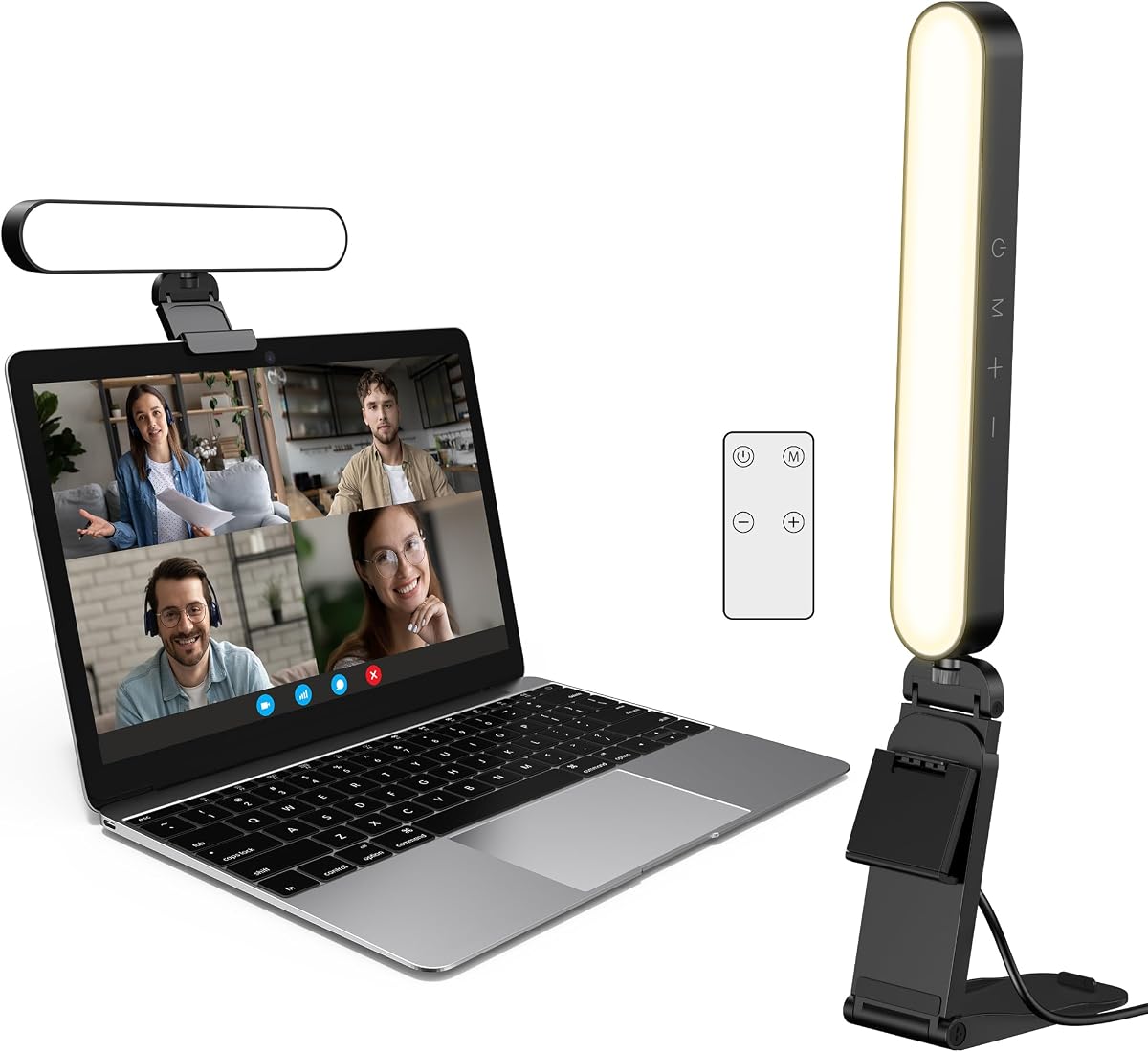
The Evershop Ring Light offers exceptional value for those on a budget without compromising on quality. It features 64 high-efficiency LEDs and a CRI above 98 to reveal true-to-life skin tones during your video calls.
We may earn a commission when you buy through this link, at no additional cost to you.
You can adjust the brightness across 10 levels and choose from three lighting colors including white, natural, and warm. The foldable design saves space and makes it easy to carry in your bag for remote work.
While the stand is functional and lightweight, it may not feel as robust as premium options. The clip-on mechanism is simple but ensure your screen thickness fits within the adjustable range for a secure fit.
This is an excellent choice for students or remote workers who need a reliable light that is easy to set up. It delivers consistent illumination to help you look your best in any environment.
With a CRI greater than 98, the light accurately restores skin tones so you look natural on camera.
The bracket and base can be folded to save space making it ideal for travel and small desks.
We may earn a commission when you buy through this link, at no additional cost to you.
The ALTSON 60 LED light is designed for portability and convenience with a rechargeable 2200mAh battery. It delivers up to 15 hours of standby time and features a high CRI of 97 plus for natural lighting effects.
We may earn a commission when you buy through this link, at no additional cost to you.
You can rotate the LED panel 160 degrees to position the light exactly where you need it. It works with phones tablets and laptops and comes with adapters for tripods and camera mounts for flexible use.
The light is very compact and weighs only 95 grams so it fits easily in your pocket. However the small size means it covers a limited area so you may need to place it close to your face.
This light is ideal for frequent travelers or anyone who needs a backup light for video calls on the go. Its reliable battery and adjustable settings make it a versatile tool for various scenarios.
The 2200mAh battery allows for up to 15 hours of use at low brightness settings.
Includes adapters for 1/4 inch threads and hot shoe mounts for use with cameras and tripods.
We may earn a commission when you buy through this link, at no additional cost to you.
The InnoGear Ring Light is praised for its effortless setup and versatile mounting options. You can install it in under a minute and adjust it 360 degrees horizontally for optimal lighting angles.
We may earn a commission when you buy through this link, at no additional cost to you.
It offers three color modes and ten brightness levels to tailor the light to your environment. The flicker-free technology ensures comfort during long meetings and helps you look vibrant on camera.
For best performance you need a 5V/2A adapter or power bank as laptop USB ports may not provide enough power. This ensures stable operation but means you need to have the right adapter handy.
This light is great for users who want a quick and reliable solution without complex adjustments. Its flexible design works well on both desktops and monitors for various video call needs.
Eye-protecting technology ensures comfort during long meetings or streaming sessions.
Works in both horizontal and vertical orientations and can be used as clip-on or standalone light.
We may earn a commission when you buy through this link, at no additional cost to you.
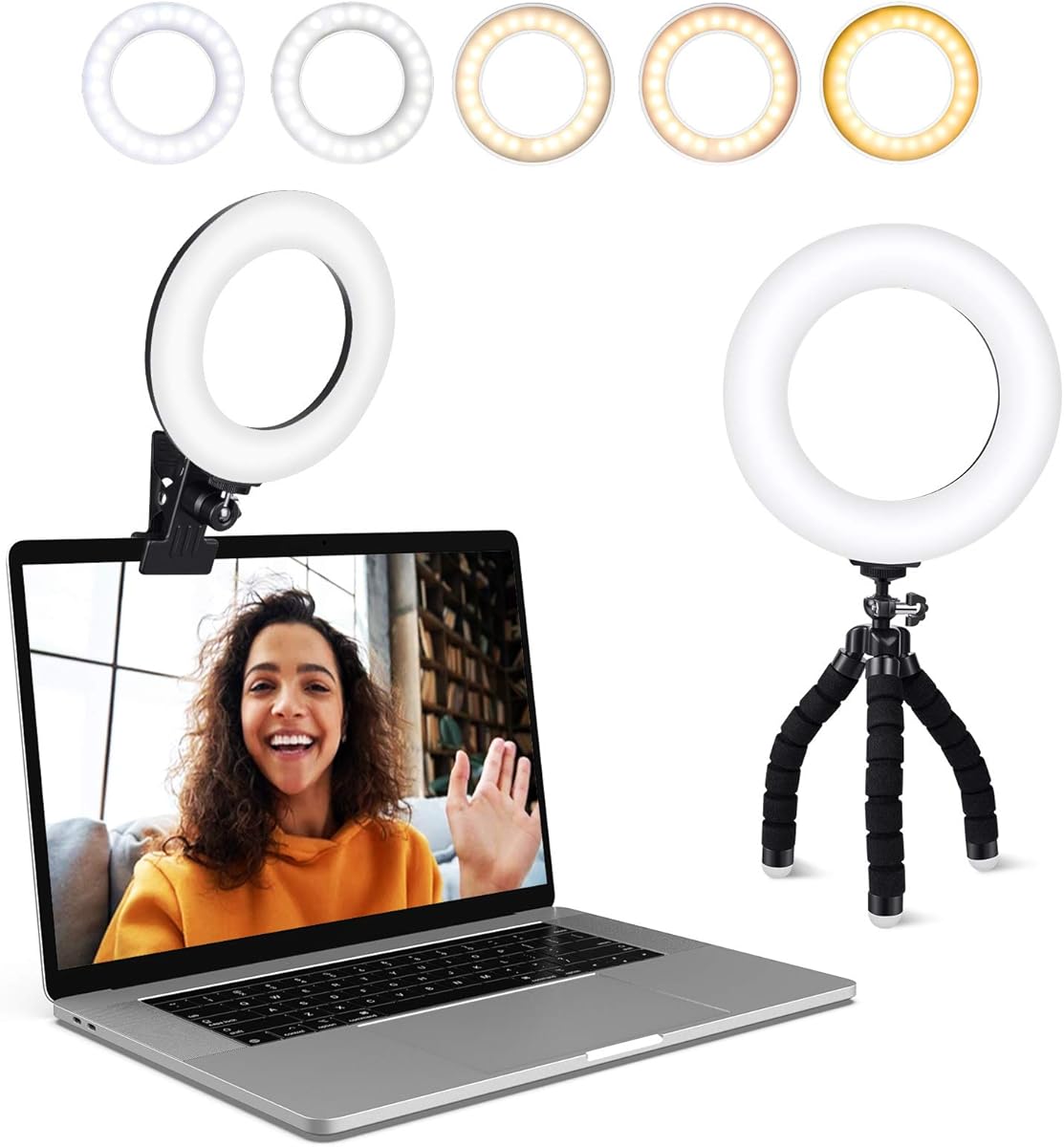
The ACMEZING Video Conference Lighting Kit provides a complete solution with a ring light and a flexible tripod. The ring design produces soft pleasing light that helps smooth shadows and hide skin imperfections.
We may earn a commission when you buy through this link, at no additional cost to you.
You can choose from five color temperatures ranging from warm warm to cold white to match your environment. The metal clip is sturdy and includes foam cushions to protect your screen from scratches.
The included mini octopus tripod adds versatility allowing you to wrap the legs around objects or set it on a desk. While the power cord is decent length you may need a USB hub if your ports are distant.
This kit is perfect for those who want more flexibility in where they place their light. The combination of a secure clip and a standalone tripod covers most video call setups.
The ring shape creates even illumination that enhances your appearance on camera.
The octopus style legs can grip and wrap around objects for creative mounting options.
We may earn a commission when you buy through this link, at no additional cost to you.
The LitONES Video Conference Lighting is a premium option designed to deliver studio-quality results. Its 4-layer optical soft panel blocks harsh glare and reduces eye fatigue during long Zoom meetings.
We may earn a commission when you buy through this link, at no additional cost to you.
With 30 customizable lighting modes and a CRI above 98 you can achieve professional lighting effects that restore true colors. The memory function saves your preferred settings so you do not have to adjust them every time.
The adjustable metal stand is sturdy and space-saving with a stable base that protects your desk. While it is pricier than other options the quality of light and build justifies the investment for frequent users.
This light is ideal for professionals who spend hours on video calls and need consistent comfortable lighting. Its attention to detail in design and function makes it a top choice for high-quality setups.
The 4-layer optical soft panel integrates diffusion and edge lighting to block harsh glare.
CRI above 98 ensures accurate skin tones and true colors for a professional look.
We may earn a commission when you buy through this link, at no additional cost to you.
The LitONES Desk Ring Light combines style and functionality with an ergonomic metal base. Its advanced edge-lit technology delivers even and gentle lighting that eliminates harsh glare for comfortable video calls.
We may earn a commission when you buy through this link, at no additional cost to you.
The 7-inch full-screen head provides a larger lighting area and uniform illumination. It adjusts from 22 to 32.5 inches in height allowing you to find the perfect angle to reduce fatigue.
It offers 3000K to 6500K color temperatures with 10 brightness levels for customization. The non-slip pads protect your desktop and ensure stability during use without scratching the surface.
This lamp is excellent for home offices where style and performance are equally important. Its versatile design works well for video conferencing or as a study lamp for reading tasks.
The height adjusts from 22 to 32.5 inches to fit various office configurations comfortably.
Edge-lit technology ensures soft even light that reduces eye strain during long sessions.
We may earn a commission when you buy through this link, at no additional cost to you.
This Selfie Light stands out with a real-time digital battery display so you never guess your power level. It features high-density LED beads that offer three color temperatures and ten brightness levels for flawless lighting.
We may earn a commission when you buy through this link, at no additional cost to you.
The spring-loaded clip attaches securely to devices without obscuring your screen or camera lens. Soft silicone padding protects your gadgets from scratches and allows for adjustable tilt angles.
The 2000mAh battery provides up to 10 hours of use depending on brightness settings. While it is primarily for clip-on use its portability makes it perfect for travel and quick meetings on the move.
This is a great option for content creators and remote workers who need a reliable light on the go. Its smart features and compact design ensure you are always prepared for a video call.
A real-time LED percentage display lets you know exactly how much battery life remains.
Works with smartphones tablets and laptops thanks to a heavy-duty clip with protective pads.
We may earn a commission when you buy through this link, at no additional cost to you.
The yAyusi Dual-Lamp kit uses two light bars to provide brighter and more even illumination. This setup delivers a more professional podcast light effect that shows your best during video recordings.
We may earn a commission when you buy through this link, at no additional cost to you.
You can control the lights using touch or a remote control for convenience. Each bar offers three color modes and ten levels of brightness to match your environment and preferences easily.
The design allows 360 degree horizontal and 180 degree vertical rotation to meet different needs. While it requires two stands which may be slightly more setup the brighter output is worth it for large spaces.
This kit is suitable for users who need more light coverage for video calls. The included accessories and remote control add value and flexibility to your video conferencing setup.
Two light bars provide brighter and more even camera illumination than single bar lights.
Use either touch controls on the light or the included remote for easy adjustments.
We may earn a commission when you buy through this link, at no additional cost to you.
The Anautin Ring Light offers a versatile and affordable option for video conferencing and content creation. It features 64 high-CRI LEDs that ensure lifelike colors for professional use on camera.
We may earn a commission when you buy through this link, at no additional cost to you.
You can rotate the light 360 degrees and tilt it 170 degrees to adjust the angle precisely. The universal clip-on design fits most laptop and desktop screens up to 2.5cm thick securely.
It is plug-and-play via a 2m USB cable so there is zero setup required. This convenience makes it ideal for quick adjustments and reliable lighting during daily meetings.
This light is a solid choice for users who need a simple and effective lighting solution. Its flexibility and high-CRI output make it suitable for both Zoom calls and creative content.
Attaches smoothly to screens up to 2.5cm thick without extra stands needed.
64 high-CRI 97 plus LEDs ensure lifelike colors for professional video use.
We may earn a commission when you buy through this link, at no additional cost to you.
Selecting the right portable light involves considering several factors to ensure it meets your specific needs and setup. This guide walks you through the most important aspects to look for.
Color Rendering Index (CRI) measures how accurately a light source displays colors. For video calls, a CRI of 90 or higher ensures your skin looks natural and not washed out. High CRI prevents the green or blue tints that can make you look tired.
Look for lights with a CRI above 90 for the most accurate and flattering colors on camera.
Portable lights should be easy to carry if you work from different locations. Consider the weight and dimensions to ensure it fits in your bag. Smaller clip-on lights are great for travel but may offer less coverage.
Choose a size that balances brightness with convenience based on how often you move your setup.
Some lights are USB-powered while others have rechargeable batteries. USB lights are simple but need a nearby port. Battery-powered lights offer more flexibility but require charging. Check battery life if you plan long meetings.
Select a power source that aligns with your workspace availability and mobility needs.
Mounting methods include clips, stands, or tripod adapters. Clips are easy to use but may not fit all screens. Stands offer more flexibility for positioning but take up desk space. Ensure the mount is stable.
Pick a mounting style that fits your devices and ensures the light stays in place securely.
Adjustable brightness and color temperature let you adapt to different environments. Warm light is better for cozy settings while cool light is for professional tones. Multiple levels give you precise control over your look.
Opt for lights with multiple brightness and color options to suit various scenarios.
Simple controls like touch buttons or dials make adjustments quick during calls. Some lights offer app control or memory settings for convenience. Avoid overly complex setups if you want to focus on the meeting.
Choose a light with intuitive controls to minimize distraction during important calls.
A sturdy build ensures your light lasts and protects your equipment. Look for anti-scratch pads and stable bases. Metal parts often last longer than plastic. Check for warranty coverage as well.
Prioritize build quality to ensure reliability and safety for your devices.
Balance features with price to find the best value. Premium lights offer better build and features but cost more. Budget options can be effective for basic needs. Consider long-term use when evaluating price.
Invest in a light that offers the features you need without unnecessary expense.
Place the light directly above or slightly in front of your camera for even facial lighting. Avoid placing it too low to prevent unflattering shadows under your eyes.
Adjust brightness and color temperature to match the ambient light in your room. This helps your eyes feel comfortable and your face look natural on camera.
Keep the light surface clean by wiping it gently with a soft cloth. Avoid harsh chemicals to protect the LED panel and ensure long-lasting performance.
The ideal position is directly above the camera or slightly in front. This reduces shadows and ensures even lighting on your face. Avoid placing it too low as it can create unflattering effects.
Most portable lights are designed to fit standard laptop screens. Check the clip thickness limits to ensure compatibility with your device. Some models offer stands if clips do not fit.
Yes, these lights are versatile and great for photography, makeup, and content creation. Their adjustable settings allow you to customize lighting for various tasks beyond video conferencing.
Battery life varies by model and brightness setting. Generally, lights last between 3 to 15 hours on a single charge. Higher brightness settings will drain the battery faster.
Many models feature flicker-free technology to reduce eye strain. However, prolonged exposure to any bright light can cause fatigue. Use appropriate brightness levels for comfort during long calls.
Most lights use physical buttons or dials for control without software. Some premium models may offer apps for advanced features but basic functionality does not require them.
A high CRI rating ensures that colors look natural and true to life. This is crucial for skin tones so you do not appear washed out or discolored during video calls.
If your light clips onto the screen, you may need a stand or mount when the laptop is closed. Some models come with stands that allow placement on the desk instead of the screen.
We have reviewed ten top portable lights ranging from budget-friendly clip-ons to premium stands. Each option offers unique features to suit different preferences and setups for professional video meetings.
Prioritize color accuracy and brightness to ensure you look polished and confident. Consider your workspace needs and mobility requirements to pick the right fit for your routine.
Product details and availability can change so always check current options before purchasing. With the right light, you can enhance your presence and make every call a success.