
GEEKOM GeekBook X14 Pro
4.3Editor score
2.8K OLED Display
Intel Core Ultra 9
72Wh Battery Life
Vlogging requires reliable hardware that handles recording, editing, and uploading seamlessly. A good laptop balances processing power with portability, ensuring you can create high-quality content anywhere without lag or overheating issues during long sessions.
We evaluated ten top laptops based on processor speed, graphics capability, screen accuracy, and connectivity options. Our comparison focuses on models that support demanding creative workflows while offering the durability and battery life needed for daily vlogging operations on the go.
Each pick highlights specific strengths like color-accurate displays, fast rendering engines, or exceptional mobility. Note that availability and stock vary by region and time, so verify current configurations and compatibility before making your final decision for your content setup.
4.3Editor score

4.9Editor score

4.4Editor score
As an Amazon Associate we earn from qualifying purchases.
The following table presents a side-by-side comparison of the ten selected laptops, highlighting their core specifications, display types, memory configurations, and key features to help you identify the right fit for your vlogging needs.





This laptop stands out as a highly capable entry point for aspiring vloggers who need reliable multitasking without breaking the bank. It carries a perfect user rating indicating strong satisfaction with its daily performance and build quality across various usage scenarios.
We may earn a commission when you buy through this link, at no additional cost to you.
The AMD Ryzen 5 6600H processor provides ample power for editing 1080p footage and managing multiple applications simultaneously. With 16GB of DDR5 memory and a fast PCIe SSD, file transfers are quick, and system responsiveness remains smooth even under load.
While it lacks a dedicated GPU, the Radeon 660M graphics are sufficient for light color grading and exporting standard resolution videos. Users should expect some limitations with heavy 4K effects or complex 3D rendering tasks that require more graphical horsepower.
It is an ideal choice for students or new creators who prioritize value and upgradeability. The ability to expand storage and memory ensures this machine grows with your skills, making it a practical long-term investment for your vlogging journey.
The six-core processor handles background rendering while you edit, ensuring your workflow stays fluid without constant lag or freezing during critical editing moments.
With multiple USB ports and HDMI output, connecting external monitors or cameras is straightforward, reducing the need for additional adapters or dongles.
We may earn a commission when you buy through this link, at no additional cost to you.
This model offers a premium visual experience that is unmatched in its class, making it perfect for vloggers who need precise color accuracy. Its stunning OLED panel delivers true blacks and vibrant colors that elevate the quality of your visual content.
We may earn a commission when you buy through this link, at no additional cost to you.
Powered by the latest Intel Core Ultra 9 processor, this laptop handles heavy workflows like 4K editing and complex graphics tasks with ease. The included 32GB of RAM ensures that you can run multiple creative applications without worrying about system slowdowns.
The ultra-thin magnesium alloy chassis makes it incredibly easy to carry in a backpack, but the premium materials come with a higher cost. Additionally, OLED panels require care to avoid image retention if static elements like toolbars are displayed for too long.
It is best suited for professional vloggers who prioritize display fidelity and portability over budget constraints. If you frequently shoot in bright environments or need accurate color grading for your brand, this machine is an outstanding investment.
The 100% DCI-P3 coverage ensures your footage looks exactly as intended, providing a professional edge to your vlogs compared to standard laptop screens.
Integrated NPUs enhance video calls and background processing, allowing for smoother on-device AI tasks that improve your overall workflow efficiency.
We may earn a commission when you buy through this link, at no additional cost to you.
This laptop offers a rare budget-friendly option with a massive 17.3 inch display, which is a significant advantage for detailed video editing timelines. The larger screen allows you to see more of your footage and tools at once, improving efficiency during long sessions.
We may earn a commission when you buy through this link, at no additional cost to you.
It runs on a Ryzen 5 processor that delivers solid performance for general editing tasks and multitasking. The DDR5 RAM helps maintain speed despite the limited capacity, making it a reliable workhorse for standard vlogging projects and daily office work.
However, the 8GB of RAM can become a bottleneck if you run many background apps or edit high-resolution files. Additionally, the larger size makes it less convenient for travel compared to smaller 14 or 15 inch models.
Ideal for home-based vloggers who need a desktop replacement with a big screen but have a tight budget. If portability is not your main concern, this machine provides excellent value and a comfortable workspace for your creative efforts.
The expansive screen real estate minimizes the need for constant zooming, letting you focus on content creation rather than managing your workspace layout.
Windows 11 Pro includes enterprise-grade features like BitLocker and Remote Desktop, offering better security for storing sensitive content and data.
We may earn a commission when you buy through this link, at no additional cost to you.
This model is a robust choice for creators who prioritize screen size and a reliable keyboard for typing scripts or captions. Its high user rating reflects consistent satisfaction with its performance and build quality in home environments.
We may earn a commission when you buy through this link, at no additional cost to you.
Equipped with Wi-Fi 6, it ensures fast and stable internet uploads for your videos without lag. The large display supports comfortable viewing for long periods, which is essential when reviewing detailed footage or engaging in video calls.
The inclusion of useful accessories like a tablet stand and mouse adds immediate value, reducing the need for extra purchases upon arrival. However, the fixed 8GB of RAM limits heavy multitasking capabilities compared to models with higher memory.
It suits users who need a stationary or semi-stationary setup that handles vlogging tasks effectively without premium costs. If you often work from a dedicated desk and need a large canvas for your work, this is a solid choice.
Wi-Fi 6 ensures your file uploads to cloud storage remain fast and stable, even when other devices are sharing the network bandwidth.
Accessories included in the package mean you can start working immediately, streamlining your setup process for immediate productivity.
We may earn a commission when you buy through this link, at no additional cost to you.
Dell is known for durability and support, making this laptop a trustworthy option for daily use. It features ComfortView Plus to reduce eye strain during long editing sessions, which is crucial for creators who spend hours staring at the screen.
We may earn a commission when you buy through this link, at no additional cost to you.
The Core 7 processor and 16GB of RAM provide a balanced mix of speed and efficiency for handling editing software. The 16-inch aspect ratio offers a bit more vertical space than traditional 15-inch screens, improving the usability of timelines.
Onsite service support adds a layer of security that ensures you can get help quickly if hardware issues arise. While the screen brightness is average, the color accuracy and comfort features make it a strong contender for long workdays.
This is an excellent choice for professionals who need reliability and after-sales support over raw gaming performance. It fits well into workflows that require steady uptime and consistent performance for vlogging and business tasks.
ComfortView Plus technology filters harmful blue light, allowing you to work longer without fatigue, which is essential for late-night editing sessions.
Onsite service means a technician can visit your location to resolve hardware issues, minimizing downtime and keeping your content pipeline moving.
We may earn a commission when you buy through this link, at no additional cost to you.
This laptop delivers desktop-class performance in a portable form factor, making it a standout for power users. With an 8-core processor and 32GB of RAM, it handles 4K editing and rendering tasks with impressive speed and efficiency.
We may earn a commission when you buy through this link, at no additional cost to you.
The Radeon 780M graphics are powerful enough for light gaming and creative tasks, providing a capable experience without the heat of a dedicated GPU. This balance makes it suitable for both professional work and personal use during downtime.
Local US warranty support provides peace of mind for buyers concerned about shipping hardware back overseas for repairs. The inclusion of USB4 and ample storage ensures you can manage large media libraries and connect external drives easily.
It is an ideal pick for vloggers who need high-end specs without the premium price tag of top-tier brands. If your workflow involves heavy rendering or complex effects, this machine will handle your demands reliably and efficiently.
The 8-core architecture reduces render times significantly, allowing you to export your vlogs faster and iterate on content more quickly.
32GB of RAM ensures you can run multiple browsers and editing apps simultaneously without slowdowns as your projects grow more complex.
We may earn a commission when you buy through this link, at no additional cost to you.
This laptop is tailored for creators who enjoy direct interaction with their media. The touchscreen allows for intuitive adjustments during editing, making it easier to trim clips or adjust color levels precisely without relying solely on keyboard shortcuts.
We may earn a commission when you buy through this link, at no additional cost to you.
Powered by Intel Ultra 7, it delivers AI-accelerated performance that speeds up tasks like video effects and noise reduction. The massive 2TB storage ensures you have plenty of room for raw footage, backups, and completed vlogs without external drives.
Included connectivity hubs reduce clutter and simplify setup, which is valuable when traveling between different filming locations. However, the battery life may require careful planning during long shooting days away from power sources.
It is perfect for vloggers who value convenience and direct control over their creative process. If you prefer a fluid interface and ample storage, this model offers a compelling balance of features for professional content creation.
Touch functionality speeds up the editing process by allowing direct manipulation of clips and timelines, saving time on complex project adjustments.
With 2TB of storage, you can keep extensive project files and footage on the device, reducing the need for external storage solutions.
We may earn a commission when you buy through this link, at no additional cost to you.
This 2-in-1 device offers a flexible design that adapts to different usage scenarios, from laptop to tablet. The ability to rotate the screen is useful for client presentations or when reviewing footage in different physical environments.
We may earn a commission when you buy through this link, at no additional cost to you.
The 2K touchscreen delivers sharp visuals that help in identifying details during editing. Coupled with the Core Ultra 7 processor, it provides enough power for efficient content creation while maintaining a sleek and professional aesthetic.
Connectivity options include high-speed Wi-Fi 6E which ensures stable uploads even in congested networks. However, converting modes may feel less stable than fixed laptops, and the ports are limited compared to traditional workstations.
It is a great choice for vloggers who need a device that can serve both as a portable editing station and a presentation tool. If flexibility and a high-quality touch interface are priorities, this model is well worth considering.
The flexible hinge allows you to show your screen to clients easily during meetings, facilitating instant feedback and collaboration on content.
Wi-Fi 6E ensures reliable high-speed internet connections, which is critical for uploading large video files without interruptions.
We may earn a commission when you buy through this link, at no additional cost to you.
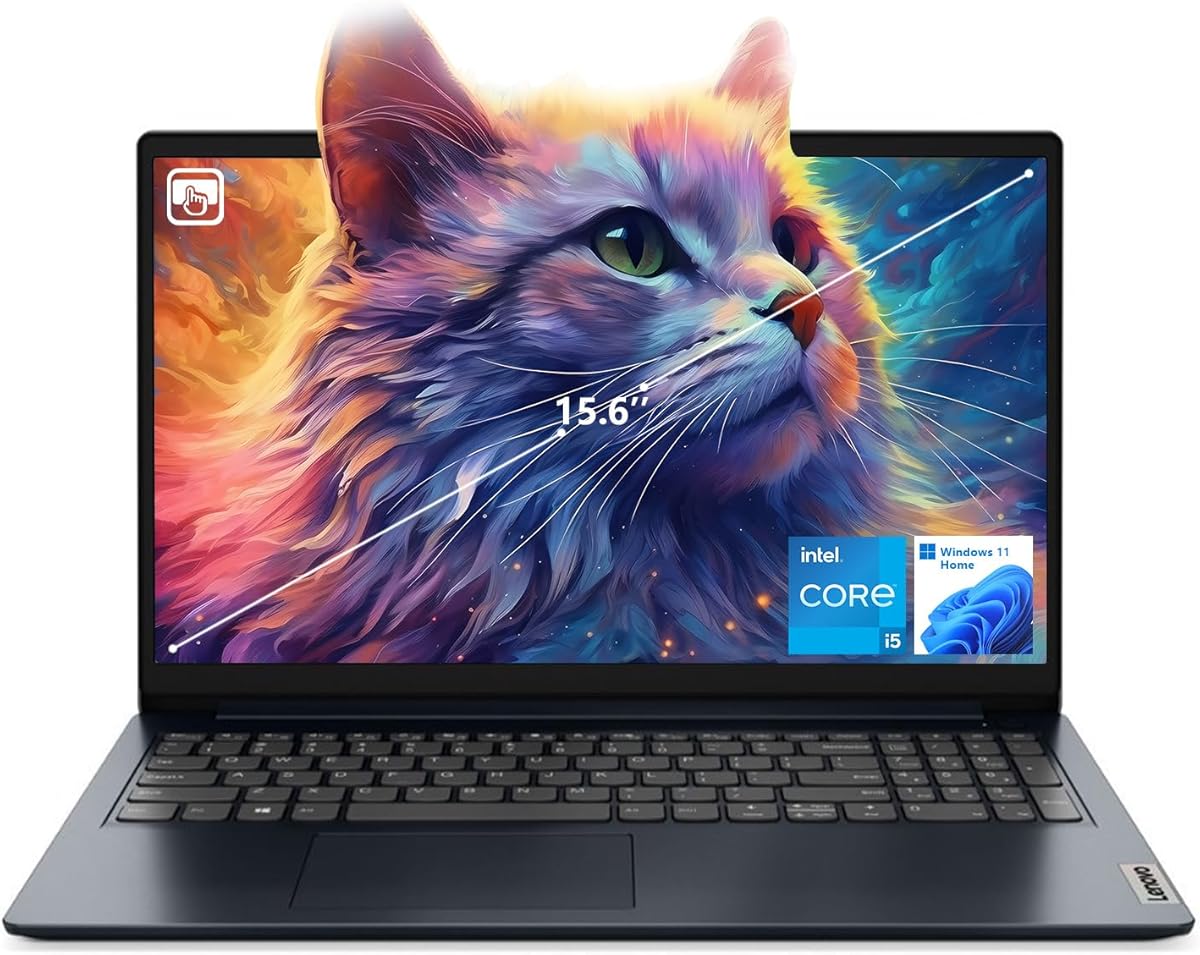
This laptop is a solid option for vloggers who need a lightweight machine that handles standard editing tasks comfortably. The touchscreen allows for quick adjustments, and the 16GB RAM ensures smooth operation for most daily workflows.
We may earn a commission when you buy through this link, at no additional cost to you.
It features a decent Intel Core i5 processor that handles basic 1080p editing and streaming well. The included webcam is convenient for quick video calls, and the HDMI port makes it easy to connect to external monitors.
While it is not built for heavy 4K workloads, it offers reliable performance for lighter projects. The build quality is practical, though it may not be as robust as premium models for rugged travel conditions.
Ideal for travel vloggers who prioritize weight and convenience over raw power. If you are just starting or mostly edit short-form content, this device provides a user-friendly and capable experience.
Its lightweight design makes it easy to carry in a small bag, allowing you to work from coffee shops or hotels without added bulk.
The included webcam and HDMI port mean you can start recording or presenting immediately without needing extra peripherals.
We may earn a commission when you buy through this link, at no additional cost to you.
This model mirrors the high-performance specs of other premium models but focuses on practical usability for creators. The 32GB RAM and powerful processor ensure that complex projects run smoothly without lag or bottlenecks.
We may earn a commission when you buy through this link, at no additional cost to you.
The 100W fast charging support reduces downtime, allowing you to quickly top up the battery during breaks. The 180-degree hinge is excellent for sharing screens or setting up in different collaborative environments like classrooms or offices.
It includes a reliable warranty that covers local support, adding security to your purchase. The full-size keyboard ensures comfortable typing for scripting and note-taking during your content creation process.
It is best for vloggers who need consistent high performance and value expandability over ultra-portability. If you work from a stable location but need the power to handle demanding tasks, this laptop is a strong candidate.
Fast charging means you can get back to work quickly after a short break, minimizing downtime during busy shooting days.
The 180-degree hinge allows for easy screen sharing with clients or teammates, improving communication and workflow efficiency.
We may earn a commission when you buy through this link, at no additional cost to you.
Selecting the right laptop for vlogging requires balancing performance, portability, and budget. Understanding the key factors will help you invest in a machine that supports your specific content needs.
The processor is the heart of your vlogging workflow. Look for modern multi-core CPUs like AMD Ryzen 5 or 7, or Intel Core i5/i7 series. These ensure that rendering times remain reasonable and that you can multitask between editing, communication, and research without slowdowns.
Prioritize processors with high clock speeds and multiple cores to handle background rendering efficiently. This ensures that your system remains responsive even when exporting high-resolution video files.
At least 16GB of RAM is recommended for smooth video editing. Storage should be a fast SSD, ideally 512GB or larger, to store projects and applications. Upgradability is a plus, allowing you to expand storage as your content library grows.
Ensure the laptop has enough RAM and storage to handle large video files. Upgrading later can be cheaper than buying a more expensive laptop upfront.
A high-resolution screen with accurate colors is vital for editing. Look for IPS or OLED panels with at least 1920×1080 resolution. Good color accuracy ensures your final footage looks professional across different devices.
Choose a screen that offers comfortable viewing angles and brightness. This prevents eye strain during long editing sessions and improves color accuracy.
Vloggers often work outside traditional offices. A battery life of at least 6 to 8 hours is necessary for recording and editing on the go. Look for laptops with fast charging options to minimize downtime.
Check battery endurance reviews. A long-lasting battery ensures you can work in locations without constant access to power outlets.
Ports are essential for connecting cameras, microphones, and external monitors. Ensure the laptop has USB-C, HDMI, and card reader ports. Wi-Fi 6 support helps with fast uploads to cloud platforms.
Verify that the laptop supports the peripherals you need. Avoid models that rely too heavily on dongles which can be inconvenient.
While not always necessary, dedicated or strong integrated graphics help with rendering and effects. Look for models with newer Radeon or Intel Arc graphics for better performance in editing software.
Consider if your workflow needs heavy visual effects. A capable graphics system ensures smoother playback and faster export times.
Vlogging laptops often travel. A durable build ensures the device withstands bumps and daily use. Metal chassis and reinforced hinges add longevity.
Prioritize durability to protect your investment. A solid build reduces the risk of damage during transport.
Windows 11 offers compatibility with most editing tools. Ensure the system is updated and supports the software you plan to use for your vlogging workflow.
Check software compatibility before purchasing. A standard OS ensures access to necessary creative tools.
Keep your software up to date to ensure compatibility with the latest editing tools. Regular updates often include performance optimizations and security patches that are essential for stable vlogging workflows.
Use a cooling pad if you run intensive tasks like 4K rendering for long periods. This helps prevent overheating and extends the lifespan of your laptop's internal components.
Organize your files efficiently using folders for raw footage, projects, and exports. Proper file management saves time and ensures you can find assets quickly when editing new vlogs.
Key specs include a fast multi-core processor, at least 16GB of RAM, and a high-resolution display. These ensure that your video editing software runs smoothly and that you can render content efficiently without lag.
Not always. Many modern integrated graphics solutions handle 1080p editing well. However, a dedicated GPU is beneficial if you work with 4K footage or complex visual effects.
Touchscreens allow for intuitive scrubbing and timeline navigation. They can speed up editing, especially for users who prefer direct interaction with the interface over keyboard shortcuts.
At least 512GB is recommended to store raw footage and project files. For heavy 4K workflows, consider models with 1TB or external SSDs to manage large files.
Yes, lighter models like the 14-inch options are ideal for travel. Look for durable builds and good battery life to support work in different locations.
Both perform well. AMD Ryzen often offers better value for multi-core performance, while Intel may excel in single-threaded tasks. Choose based on specific software optimization.
Very important. You need ports for cameras, microphones, and monitors. Ensure the laptop has enough USB-C and HDMI ports to connect all your peripherals without dongles.
Popular choices include Adobe Premiere, DaVinci Resolve, and Final Cut Pro. Ensure your laptop meets the system requirements for the software you plan to use.
We have reviewed ten top laptops that offer a range of performance and price points for vloggers. The NIMO 15.6 AI Creator Laptop stands out as a strong all-rounder for beginners and intermediate creators seeking value.
Prioritize the features that matter most to your workflow. Whether it is a large screen, fast processor, or portability, choosing a machine that fits your specific needs ensures a smooth and productive content creation process.
Always check current stock and specifications before buying. Prices and configurations change frequently, so verifying the latest details ensures you get the best value for your investment.