
WiFi 6E PCIe Card, Intel AX210
4.5Editor score
Intel AX210 chipset
Linux Kernel 6.7 support
Wi-Fi 6E tri-band
This guide compares the top ten PCIe WiFi cards for Linux, covering Wi-Fi 6, 6E, and 7 standards, Linux compatibility, driver support, and performance.
Finding a reliable PCIe WiFi card for Linux can be challenging due to driver compatibility. This guide reviews the best options ensuring seamless integration with modern Linux distributions for stable connectivity.
We analyzed performance, range, and open-source support across ten top models. Each card was evaluated for its chipset, antenna design, and real-world stability under Linux environments.
Every pick highlights key features and known compatibility notes. Prices change frequently so check current listings for the latest deals before making your final purchasing decision today.
4.5Editor score
4.5Editor score
4.4Editor score
Here is a side-by-side comparison of the top ten PCIe WiFi cards for Linux. Check their specs, chipsets, and key features to find the perfect match for your system.


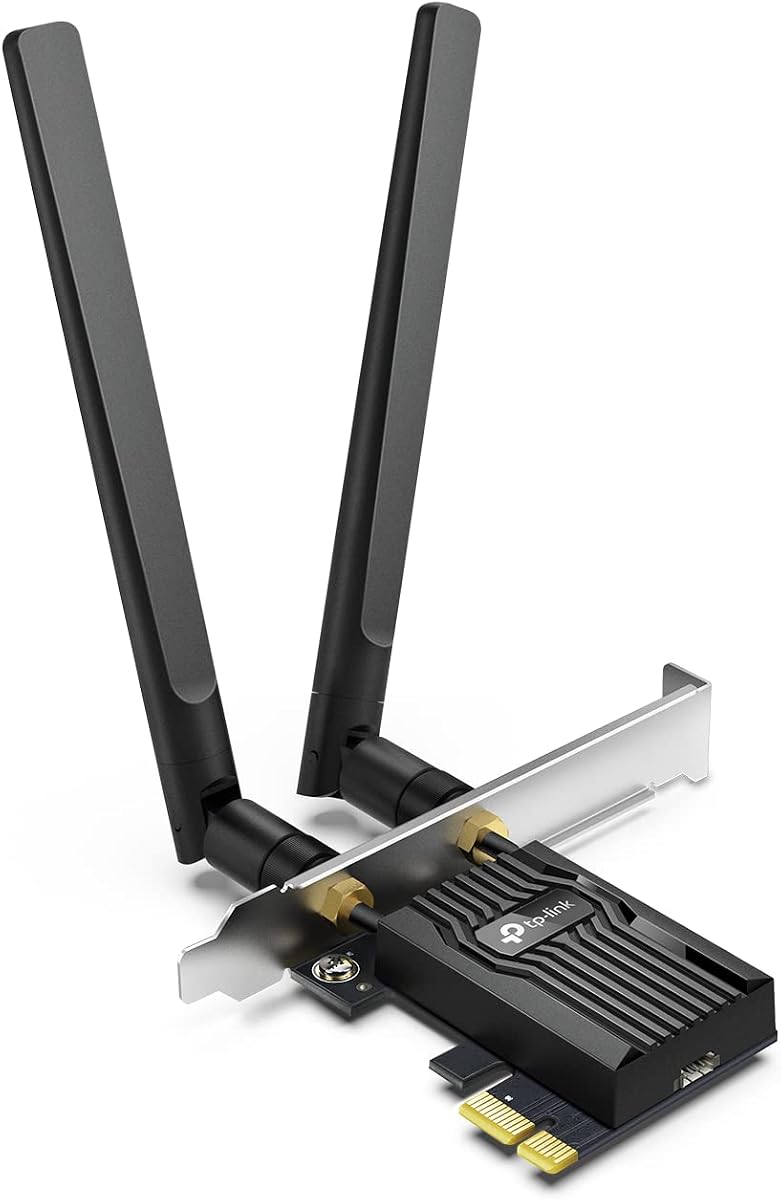
The TP-Link TX55E stands out as a top choice for Linux users seeking reliable Wi-Fi 6 performance. It offers solid speeds and seamless integration with modern kernels.
We may earn a commission when you buy through this link, at no additional cost to you.
Its Intel-based chipset ensures broad compatibility across distributions. The OFDMA and MU-MIMO features reduce congestion efficiently for busy networks.
While it lacks magnetic antennas, the high-gain design provides excellent range. Bluetooth works well when connected via the USB cable to a front port.
This card is ideal for desktop PCs needing stable internet and peripheral support. It balances performance and price perfectly for most Linux setups.
Works out of the box on most modern Linux kernels without extra configuration.
OFDMA and MU-MIMO ensure smooth streaming even on crowded wireless networks.
We may earn a commission when you buy through this link, at no additional cost to you.
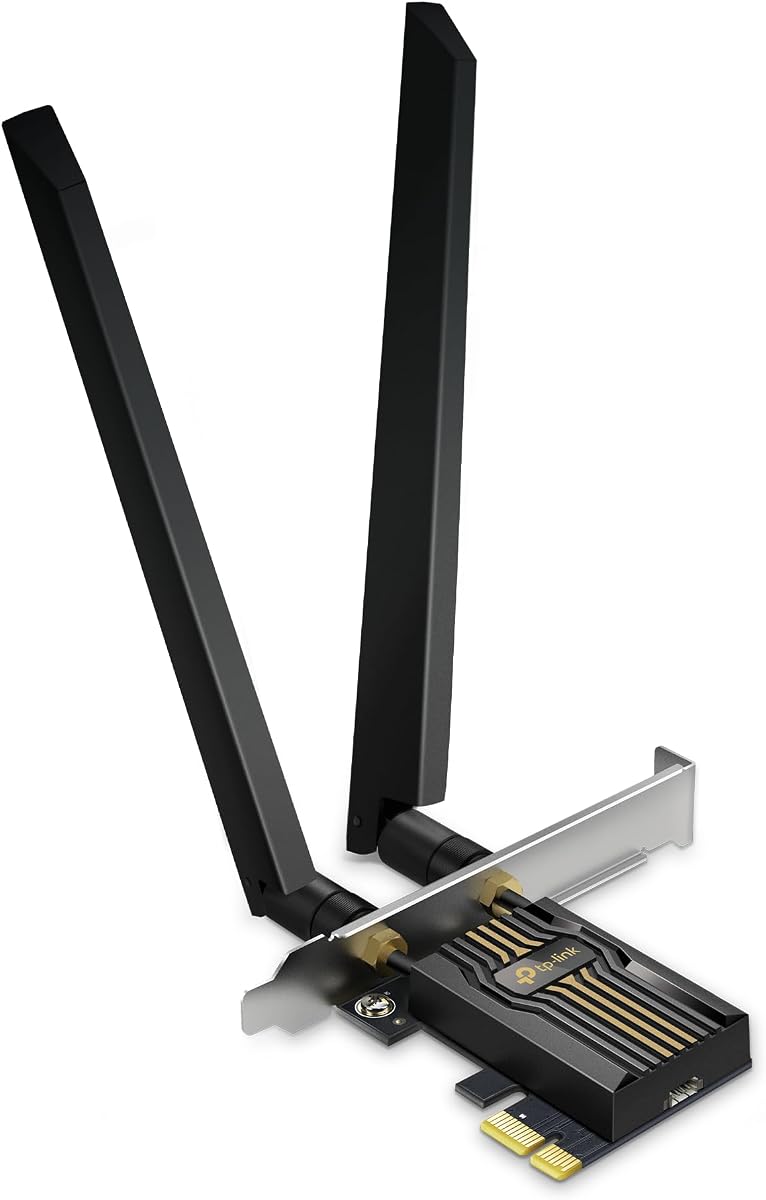
This AX210-based card brings the latest Wi-Fi 6E tech at an unbeatable budget price. It supports the full 6GHz band and works great on Linux systems.
We may earn a commission when you buy through this link, at no additional cost to you.
The Intel AX210 chipset is widely supported in open-source drivers. This means you get reliable connectivity without installing proprietary firmware manually.
While it doesn't have premium features, it delivers strong throughput and range. It is an excellent upgrade for older PCs needing modern wireless standards.
Perfect for users who want next-gen features without overspending. Check current pricing to ensure it fits your budget today.
Offers tri-band Wi-Fi 6E performance at one of the lowest prices available.
Uses the popular AX210 chipset known for excellent Linux kernel compatibility.
We may earn a commission when you buy through this link, at no additional cost to you.
The BE9300 PCIe card is a powerhouse for users wanting the absolute latest in wireless technology. It supports Wi-Fi 7 features like MLO and 320MHz channels.
We may earn a commission when you buy through this link, at no additional cost to you.
When paired with a Wi-Fi 7 router, this card unlocks massive bandwidth and minimal latency. It is built to handle future network demands effortlessly.
High-gain antennas ensure you get strong signal even across the house. Bluetooth 5.4 improves peripheral connectivity with better stability and range.
Ideal for enthusiasts and professionals needing top-tier performance. It represents a smart investment for long-term hardware planning.
Wi-Fi 7 offers double the bandwidth of previous generations for incredible throughput.
Supports MLO to combine bands for faster stable connections without drops.
We may earn a commission when you buy through this link, at no additional cost to you.
This EDUP card offers Wi-Fi 7 capabilities without the top-tier price tag. It uses a MediaTek chipset that has gained good traction in Linux environments.
We may earn a commission when you buy through this link, at no additional cost to you.
The card supports MLO and 4K-QAM for faster data transfer. Users on recent Linux kernels can enjoy native driver support without proprietary blobs.
Antennas provide solid coverage for home setups. While setup might need a bit of attention, the performance payoff is worth the effort.
A solid choice for tinkerers who want Wi-Fi 7 features. Ensure your kernel is up to date before installation.
MediaTek MT7925 offers excellent Wi-Fi 7 performance with Linux drivers.
Brings next-gen connectivity to users who cannot afford premium branded options.
We may earn a commission when you buy through this link, at no additional cost to you.
The TX3000E remains a fan favorite for Linux users due to its magnetic antenna base. This unique feature allows you to place antennas anywhere on your desk.
We may earn a commission when you buy through this link, at no additional cost to you.
Powered by an Intel chipset, it delivers stable speeds and low latency. Many users report excellent performance and zero drops over long periods.
Bluetooth 5.3 offers great range for your wireless peripherals. The magnetic base is a standout convenience feature for optimizing signal placement.
Perfect for those who value flexibility and reliability. It is a proven workhorse for daily desktop use.
Magnetic base lets you position antennas for the best signal reception easily.
Consistently high user ratings confirm its dependability across various systems.
We may earn a commission when you buy through this link, at no additional cost to you.
This card brings the same magnetic base convenience as the TX3000E but adds Wi-Fi 6E support. It uses the reliable AX210 module for tri-band performance.
We may earn a commission when you buy through this link, at no additional cost to you.
Linux users can access the 6GHz band with proper kernel support. The magnetic base allows for easy optimization of your wireless signal strength.
Ideal for those who need more bandwidth than standard Wi-Fi 6 provides. It balances features and performance well for modern desktops.
A great upgrade path for existing TP-Link fans. Verify your router supports 6GHz before buying.
Adds a clean 6GHz band to avoid interference from older devices.
Magnetic base design makes finding the sweet spot for signal incredibly easy.
We may earn a commission when you buy through this link, at no additional cost to you.
GIGABYTE offers a straightforward implementation of the AX210 module. It provides excellent Wi-Fi 6E performance with a focus on stability and reliability.
We may earn a commission when you buy through this link, at no additional cost to you.
Linux users appreciate the open-source support for this chipset. The tri-band design allows you to leverage the 6GHz spectrum effectively.
While it lacks premium antennas, it delivers consistent speeds for most home networks. It is a solid, no-nonsense choice for desktop PCs.
Recommended for those who prioritize hardware reliability over extras. It works out of the box on most modern systems.
Uses the trusted AX210 module known for consistent wireless reliability.
Linux drivers are readily available ensuring minimal setup effort for users.
We may earn a commission when you buy through this link, at no additional cost to you.
This WAVLINK card is a well-featured option with a heat sink for better thermal management. It uses the proven AX210 chipset for Wi-Fi 6E performance.
We may earn a commission when you buy through this link, at no additional cost to you.
Linux users will find the AX210 chipset works flawlessly with most systems. The included heat sink helps maintain stable performance during long usage.
Magnetic antennas offer the same flexibility found on pricier TP-Link cards. It is a great alternative for those who want premium features at a better price.
Ideal for users who value cooling and flexibility. Check current stock for the best deals.
Built-in heat sink ensures consistent performance during intensive tasks.
Magnetic antennas make it easy to optimize signal strength anywhere.
We may earn a commission when you buy through this link, at no additional cost to you.
The BE550E brings Wi-Fi 7 power with adjustable antennas and a status LED. It offers great speeds and a unique look for your desktop setup.
We may earn a commission when you buy through this link, at no additional cost to you.
Linux support is less robust compared to other options. You may need to install specific drivers or wait for community updates to get full functionality.
Despite this, it provides excellent performance if you can get it running. The magnetic base and LED light add nice touches to usability.
Best for advanced users willing to tinker with drivers. Verify current Linux compatibility before purchasing.
Wi-Fi 7 supports ultra-wide channels for maximum throughput and speed.
LED light offers instant visual status of your network connection health.
We may earn a commission when you buy through this link, at no additional cost to you.
MSI delivers a strong Wi-Fi 7 card with high throughput capabilities. It is built for users who need the fastest possible wireless speeds.
We may earn a commission when you buy through this link, at no additional cost to you.
Linux compatibility depends on specific chipset drivers. Many users find the hardware works well but may require manual configuration steps.
The card supports MLO and 320MHz channels for massive bandwidth. It is a premium choice for future-ready desktops.
Ideal for enthusiasts looking for top specs. Ensure your OS is ready for this new standard before buying.
Supports the widest channels for incredible wireless data transfer speeds.
Wi-Fi 7 capabilities ensure your system stays current for years to come.
We may earn a commission when you buy through this link, at no additional cost to you.
Choosing a PCIe WiFi card for Linux requires attention to chipset compatibility. We outline the key factors to help you pick the perfect card for your needs.
Linux support often depends on the wireless chipset. Intel AX210 and MediaTek MT7925 are well supported in modern kernels. Ensure the card you choose works with your Linux version before buying.
Always verify the chipset model and its Linux driver status to avoid installation headaches.
Decide between Wi-Fi 6, 6E, or 7. Wi-Fi 6E adds a 6GHz band for more speed. Wi-Fi 7 is the latest standard but requires new hardware.
Choose the standard that matches your router and long-term needs.
Most modern cards include Bluetooth. Check if you need BT 5.2 or 5.4 for peripherals. This allows you to connect keyboards and headphones wirelessly.
A higher Bluetooth version means better range and stability.
Antenna placement affects your signal range. Magnetic bases allow flexible placement for best reception. Fixed brackets are simpler but offer less flexibility.
Consider your desk setup when choosing antenna types.
Newer cards often need newer Linux kernels. Some require Kernel 6.7 or later for full support. Check the requirements to ensure your system meets them.
Update your system if necessary before installing.
Most cards use PCIe x1 slots. Ensure your motherboard has an available slot for installation. Some come with low-profile brackets for small cases.
Check your PC case size before selecting the bracket type.
Look for WPA3 support to keep your network secure. This latest protocol offers better encryption against threats. Most modern cards include it now.
WPA3 is essential for safe home and office networks.
Prices vary widely from budget to premium. Budget cards like AX210 models offer great value. Premium ones provide future-proofing and extra features.
Pick a price point that fits your current needs.
First, shut down your PC and unplug it before installing the card. Ground yourself to avoid static discharge that could damage hardware.
Next, insert the card into a PCIe slot and secure the bracket. Connect any necessary USB cables to enable Bluetooth features.
Finally, boot Linux and check for hardware detection. Install drivers or firmware if needed for full compatibility.
Yes, most of these cards work well on Ubuntu. The AX210 chipset is supported in Ubuntu 22.04 and newer versions. You may need to install firmware packages depending on your kernel.
Cards with Intel AX210 chipsets are the easiest. They have native support in the Linux kernel and require no extra steps. Look for models using this module specifically.
Check if your kernel supports the chipset. If not, download drivers from the manufacturer. Use terminal commands to compile and install the necessary modules.
For Wi-Fi 6E or 7 you need a matching router. Standard Wi-Fi 6 works with existing routers. Ensure your router supports the chosen standard for best results.
Bluetooth is supported on most modern Linux distros. You may need to pair devices through the system settings. Some setups require firmware for full BT functionality.
Yes, Arch Linux users can use these cards. You might need to install firmware from the AUR. Check the official documentation for specific package names.
We covered ten top PCIe WiFi cards for Linux including budget and premium choices. Each offers unique features like Wi-Fi 6E, Wi-Fi 7, and magnetic antennas.
Prioritize chipset compatibility to ensure smooth installation and performance. Choose based on your router support and budget needs for best results.
Check current pricing on Amazon before making your purchase. Prices change often so you might find a better deal on your next check.