
be quiet! Dark Power 13 850W
4.1Editor score
95.4% efficiency rating
ATX 3.0 compliant
Native 12VHPWR support
Discover the top 80 Plus Titanium power supplies for efficiency. This guide compares ten premium models for high-end gaming PCs and workstations.
Choosing a high-efficiency power supply is critical for modern PC builds. Titanium units offer exceptional energy savings and stable voltage delivery for demanding hardware.
We compared ten top-rated models based on efficiency ratings, build quality, and features. Our list covers various wattages and form factors to suit different system needs.
Each pick highlights unique strengths and ideal use cases. Prices and availability may vary, so check current listings before making your final purchase decision.
4.1Editor score

4.6Editor score

4.3Editor score
This comparison table highlights key specifications across all ten models. Review wattage, efficiency certification, and unique features to find the right fit.




The FSP Hydro Ti Pro 1000W stands out with dual Titanium certification from 80 PLUS and Cybenetics. It delivers exceptional efficiency and stability.
We may earn a commission when you buy through this link, at no additional cost to you.
Its ATX 3.1 compliance ensures it handles future GPU power excursions safely. The compact 150mm length helps airflow in smaller cases.
While it costs more than Gold units, the energy savings justify it for high-end systems. The conformal coating adds durability against dust and humidity.
Choose this PSU for top-tier builds needing maximum efficiency and future-proofing. It is a reliable investment for enthusiasts demanding performance.
With over 94% efficiency, it wastes minimal energy as heat. This keeps your system cooler and reduces electricity bills significantly.
The 12V-2×6 connector supports next-gen GPUs natively. This eliminates adapter risks and ensures stable power delivery for high-demand graphics cards.
We may earn a commission when you buy through this link, at no additional cost to you.
The Seasonic Prime TX-1600 Noctua Edition combines top power with exceptional silence. The Noctua fan reduces noise significantly for quiet builds.
We may earn a commission when you buy through this link, at no additional cost to you.
It offers massive wattage for multi-GPU or extreme overclocking setups. Voltage regulation remains tight even under full load conditions.
The cost is high, but you get elite components and noise performance. It suits those prioritizing silence over budget concerns.
Buy this if you need the quietest high-wattage PSU available. It is perfect for audio workstations or silent gaming PC setups.
The custom Noctua fan and optimized grill lower noise by 10dB. This allows near-silent operation during normal usage loads.
At 1600W, it supports the most power-hungry setups. This includes dual high-end GPUs or workstation-class processors without limits.
We may earn a commission when you buy through this link, at no additional cost to you.
The MSI MPG Ai1300TS offers incredible value with server-grade SiC MOSFETs. This technology improves efficiency and keeps internal temperatures low.
We may earn a commission when you buy through this link, at no additional cost to you.
Dual native 12V-2×6 connectors support modern GPUs without adapters. The GPU Safeguard+ alerts you to current issues early.
A 12-year warranty shows strong confidence in reliability. It delivers high performance at a competitive price point.
Choose this for balanced performance and long-term security. It is ideal for gamers wanting next-gen features without overspending.
The GPU Safeguard+ monitors current flow in real-time. This proactive alert system helps prevent damage from unstable power conditions.
SiC MOSFETs reduce resistance and heat generation. This allows the fan to run less often for a quieter experience.
We may earn a commission when you buy through this link, at no additional cost to you.
The ASUS ROG Thor 1600W Titanium III brings a unique magnetic OLED display to show real-time power usage. This adds visual feedback for enthusiasts.
We may earn a commission when you buy through this link, at no additional cost to you.
GaN MOSFETs increase efficiency and reduce size compared to standard MOSFETs. The voltage stabilizer improves GPU delivery significantly for gaming.
The price is very high, but you get cutting-edge tech and style. It fits well in showpiece PC builds.
Buy this if you want the latest tech and visual flair. It suits users needing maximum stability for high-end gaming rigs.
The OLED shows current wattage consumption instantly. This helps monitor load without extra software or external meters.
The patented GPU-First stabilizer enhances voltage to graphics cards. This ensures smoother performance during intensive gaming sessions.
We may earn a commission when you buy through this link, at no additional cost to you.
The be quiet! Dark Power 13 850W is one of the most affordable Titanium options. It offers excellent efficiency without premium costs.
We may earn a commission when you buy through this link, at no additional cost to you.
It includes native 12VHPWR for modern GPUs and handles power excursions well. The four 12V rails provide stable power delivery.
While it lacks newer ATX 3.1 features, it remains highly capable. The price makes Titanium accessible to more builders.
Choose this for tight budgets needing high efficiency. It fits mid-range systems where power savings matter more than latest standards.
With up to 95.4% efficiency, it wastes less power. This saves money over time compared to lower-tier units.
Native 12VHPWR support ensures compatibility with newer cards. This simplifies cable management and improves connection stability.
We may earn a commission when you buy through this link, at no additional cost to you.
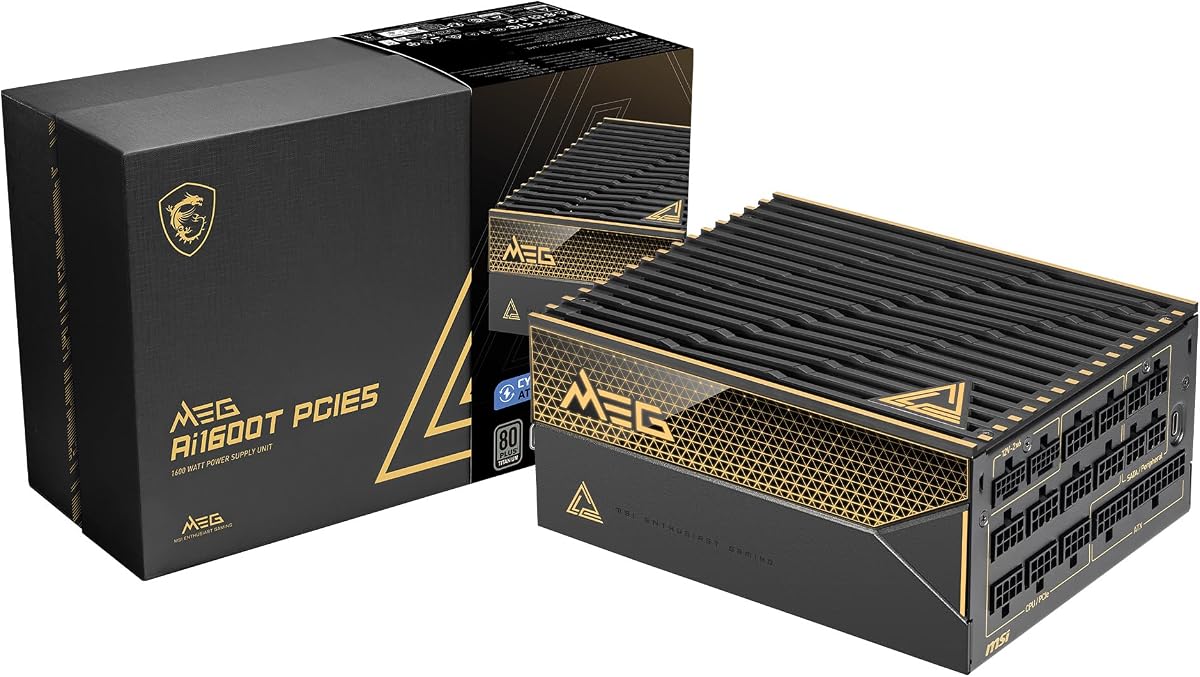
The MSI MEG Ai1600T PCIE5 provides 1600W for extreme setups. It uses Japanese capacitors for reliability and long service life.
We may earn a commission when you buy through this link, at no additional cost to you.
With three Titanium certifications, it meets global standards. The ATX 3.1 compliance ensures future hardware compatibility.
It is overkill for average gamers but perfect for multi-GPU rigs. The 12-year warranty adds long-term peace of mind.
Buy this for professional workstations or enthusiast clusters. It handles demands most units cannot sustain over time.
At 1600W, it supports dual high-end GPUs easily. This eliminates power limits for intensive rendering tasks.
Japanese 105C capacitors ensure stability in heat. This reduces failure rates and extends the unit's lifespan.
We may earn a commission when you buy through this link, at no additional cost to you.
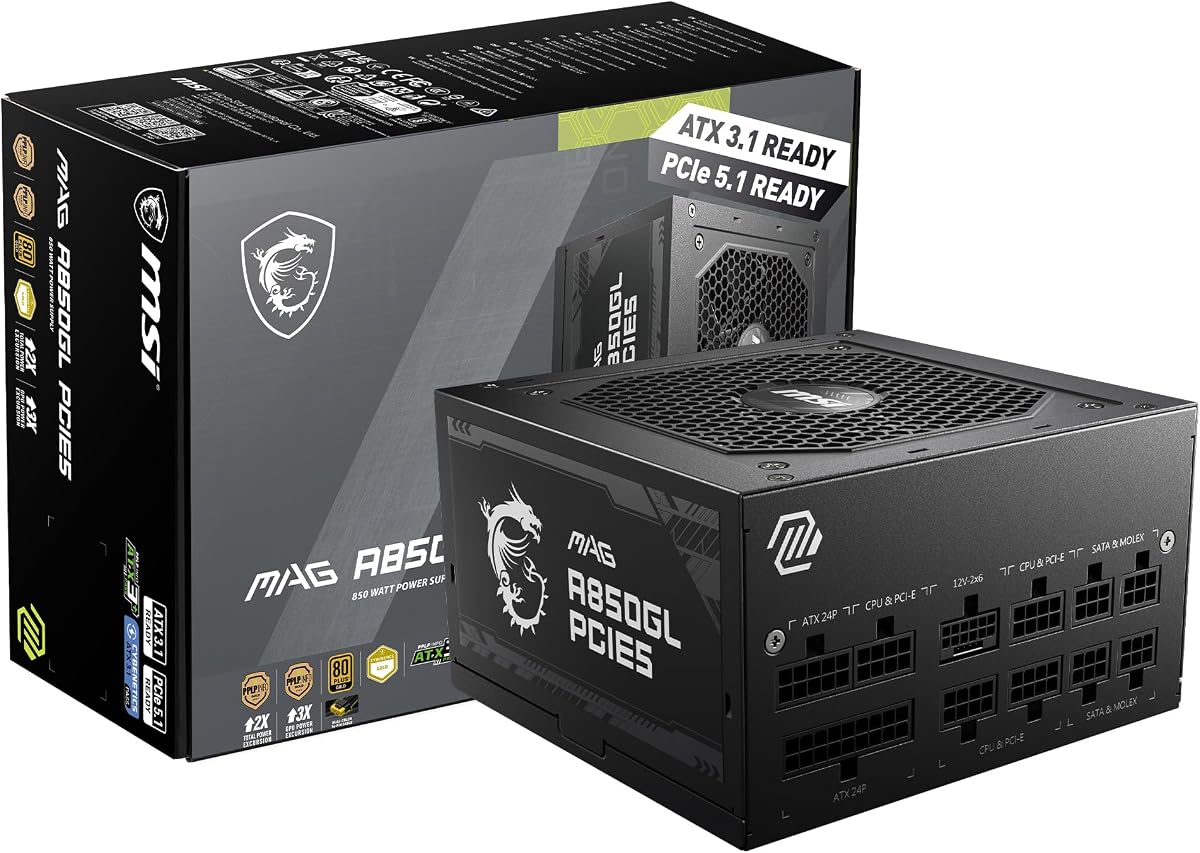
The MSI MAG A850GL PCIE5 is a compact option with ATX 3.1 support. It includes a native 12V-2×6 cable for current GPUs.
We may earn a commission when you buy through this link, at no additional cost to you.
While it is Gold-rated, it delivers stable power for gaming builds. The modular design helps with cable management.
It is a budget choice for modern standards without Titanium costs. The dual-color cables add a small aesthetic touch.
Choose this for mid-range builds wanting future compatibility. It is great for gamers prioritizing value over absolute efficiency.
Its smaller design fits tighter cases well. This improves airflow in mid-tower chassis without blocking fans.
Native 12V-2×6 support avoids adapter risks. This keeps connections secure and reduces fire hazards.
We may earn a commission when you buy through this link, at no additional cost to you.
The Corsair AX Series AX850 is known for silent operation. Its Zero RPM fan mode keeps the unit quiet at low loads.
We may earn a commission when you buy through this link, at no additional cost to you.
It provides world-class voltage stability for sensitive components. The Titanium certification ensures high efficiency.
It may lack modern ATX 3.1 connectors but remains reliable. The customizable labels add a personalized touch.
Buy this for silent builds prioritizing stability. It is suitable for workstations needing quiet performance.
The Zero RPM mode stops fans at low loads. This ensures silence during web browsing or office work.
World-class electrical performance keeps voltages steady. This prevents crashes during heavy tasks.
We may earn a commission when you buy through this link, at no additional cost to you.
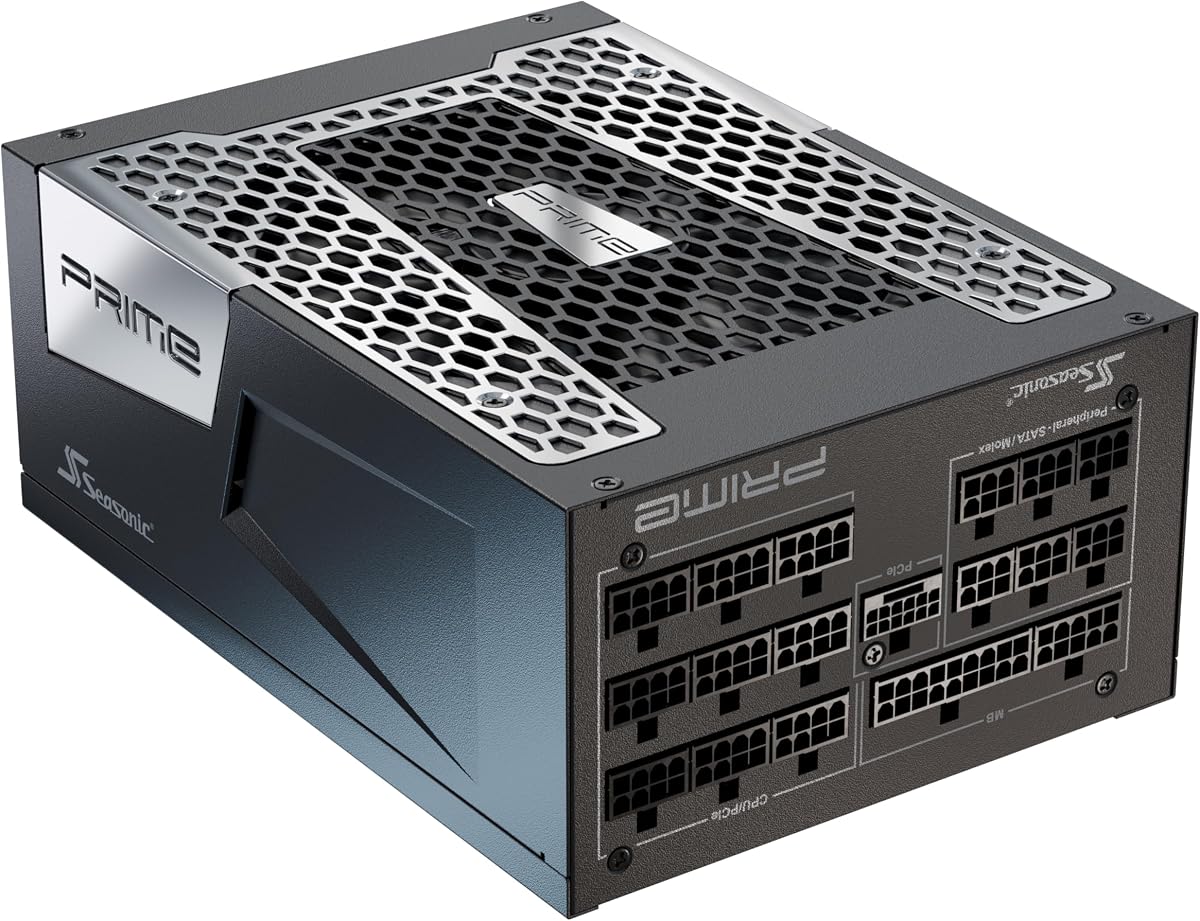
The Seasonic Prime TX-1300 excels in voltage stability. Its micro tolerance load regulation keeps power precise under all loads.
We may earn a commission when you buy through this link, at no additional cost to you.
With 1300W output, it supports high-end hardware. The fully modular design reduces clutter significantly.
It uses Japanese capacitors for reliability. The price is fair for its performance tier.
Choose this for stable power needs. It is a reliable choice for gamers and professionals alike.
Micro tolerance regulation ensures consistent power delivery. This protects components from voltage fluctuations.
As a Titanium unit, it minimizes waste heat. This reduces cooling demands and saves energy.
We may earn a commission when you buy through this link, at no additional cost to you.
The be quiet! Dark Power 14 1200W is a top future-proof unit. It features native ATX 3.1 support for next-gen hardware.
We may earn a commission when you buy through this link, at no additional cost to you.
Its dual 12V-2×6 connectors handle high-end GPUs. The fan offers both active and passive modes.
Japanese capacitors ensure stability at high temps. It supports overclocking with its rail modes.
Buy this for long-term upgrades. It fits enthusiasts wanting the latest standards and reliability.
ATX 3.1 support ensures it works with new GPUs. This avoids costly adapter risks.
Active and passive modes adapt to load. This keeps noise low while ensuring safety.
We may earn a commission when you buy through this link, at no additional cost to you.
Selecting the right 80 Plus Titanium power supply requires attention to efficiency, wattage, and features. This guide explains key factors.
Match wattage to your components' needs. High-end GPUs require more headroom. Ensure the unit supports your build's total power.
Choose at least 20% headroom above your system's peak draw.
80 Plus Titanium means over 94% efficiency. This reduces waste heat and electricity costs. It is best for high-power systems.
Higher efficiency pays off over years of use.
ATX 3.1 ensures compatibility with latest GPUs. Look for native 12V-2×6 connectors. Avoid adapters for stability.
Always choose units with 3.1 compliance.
Semi-passive fans stay off at low loads. This reduces noise significantly. Active fans cool better at peak loads.
Select semi-passive for quiet environments.
Fully modular PSUs use only needed cables. This improves airflow and case aesthetics. Fixed cables clutter the build.
Prioritize full modularity for easier cable management.
Look for Japanese capacitors and high temps. Conformal coating resists dust and humidity. This ensures longevity.
Choose premium components for better durability.
Long warranties like 10 or 12 years show confidence. They protect against early failures. Shorter warranties imply lower quality.
Aim for at least 10 years coverage.
Trusted brands offer better quality control. Check reviews for voltage stability. Avoid unknown models for critical parts.
Stick with established manufacturers for safety.
Install the PSU in your case securely using screws. Ensure airflow paths are clear for fans.
Connect only necessary cables to avoid clutter. Use full modularity for cleaner builds.
Clean dust from vents regularly. Maintain good airflow for longevity.
Yes, it saves energy and runs cooler. For high-end builds, the savings justify the price. It also ensures stable power.
It defines standards for power delivery and safety. It includes native connectors for modern GPUs. This avoids adapter risks.
Aim for 20% above peak draw. This handles power excursions safely. It prevents overloading the unit.
Fully modular is best for airflow. It reduces cable clutter. Semi-modular is acceptable but less tidy.
The fan stops at low loads for silence. It starts at higher loads. This balances noise and cooling.
Yes, for most high-end single GPU builds. It covers extreme setups too. Always check GPU power needs first.
The FSP Hydro Ti Pro offers the best balance. It combines efficiency with future standards.
Prioritize ATX 3.1 and modular design. These features ensure compatibility and cleaner builds.
Check current prices before buying. Availability and deals vary daily.