
Yealink SP92 Conference Speaker
4.1Editor score
AI noise cancelling
360 degree coverage
Teams certified
This guide compares the top Bluetooth speakerphone home office models for clarity, battery life, and connectivity to help you choose the perfect conference
Finding the right Bluetooth speakerphone home office device is essential for seamless virtual meetings. A good unit delivers clear audio, reduces background noise, and offers reliable connectivity for your daily calls.
We evaluated ten top-rated models based on microphone quality, battery performance, and platform compatibility. Each product was assessed for its ability to transform any space into a professional meeting environment.
Each pick highlights key features and real-world performance to guide your decision. Keep in mind that product availability and pricing can change frequently, so check current listings before purchasing.
4.1Editor score
4.4Editor score

4.6Editor score
Explore the side-by-side comparison of the leading Bluetooth speakerphone home office models to find the one that fits your specific meeting needs and budget requirements.

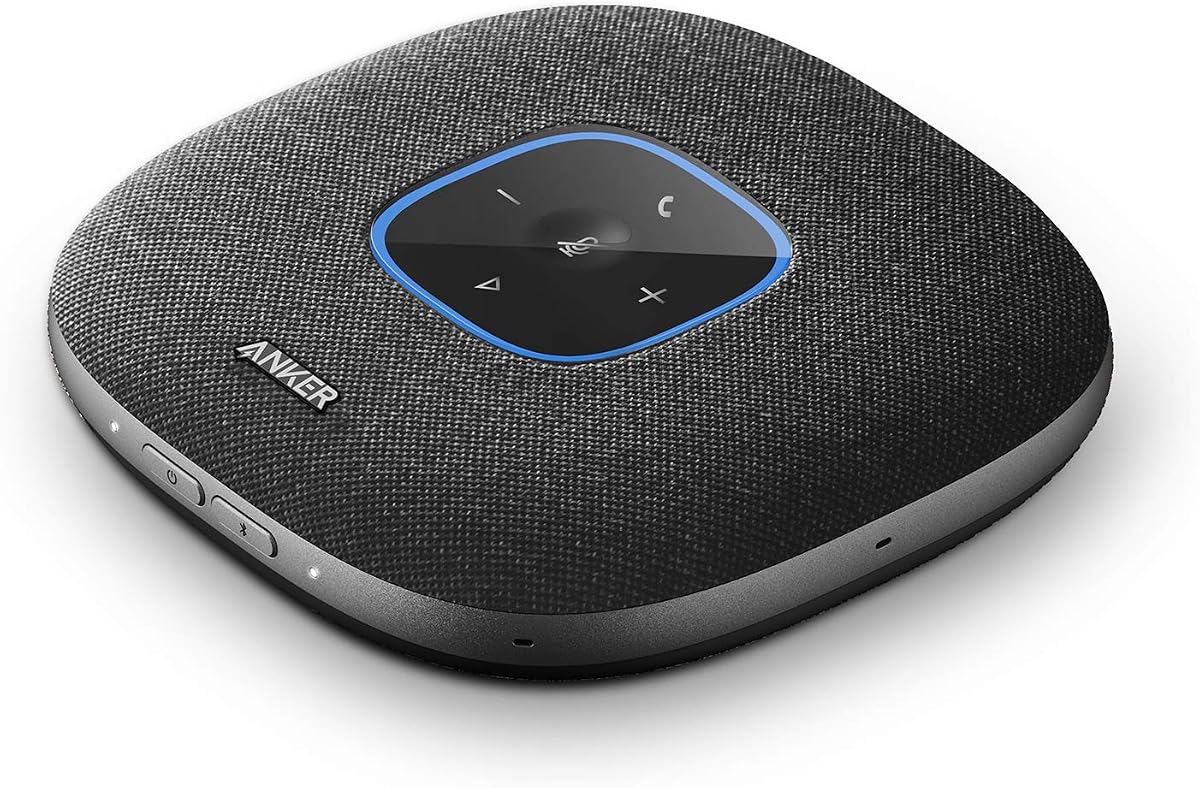


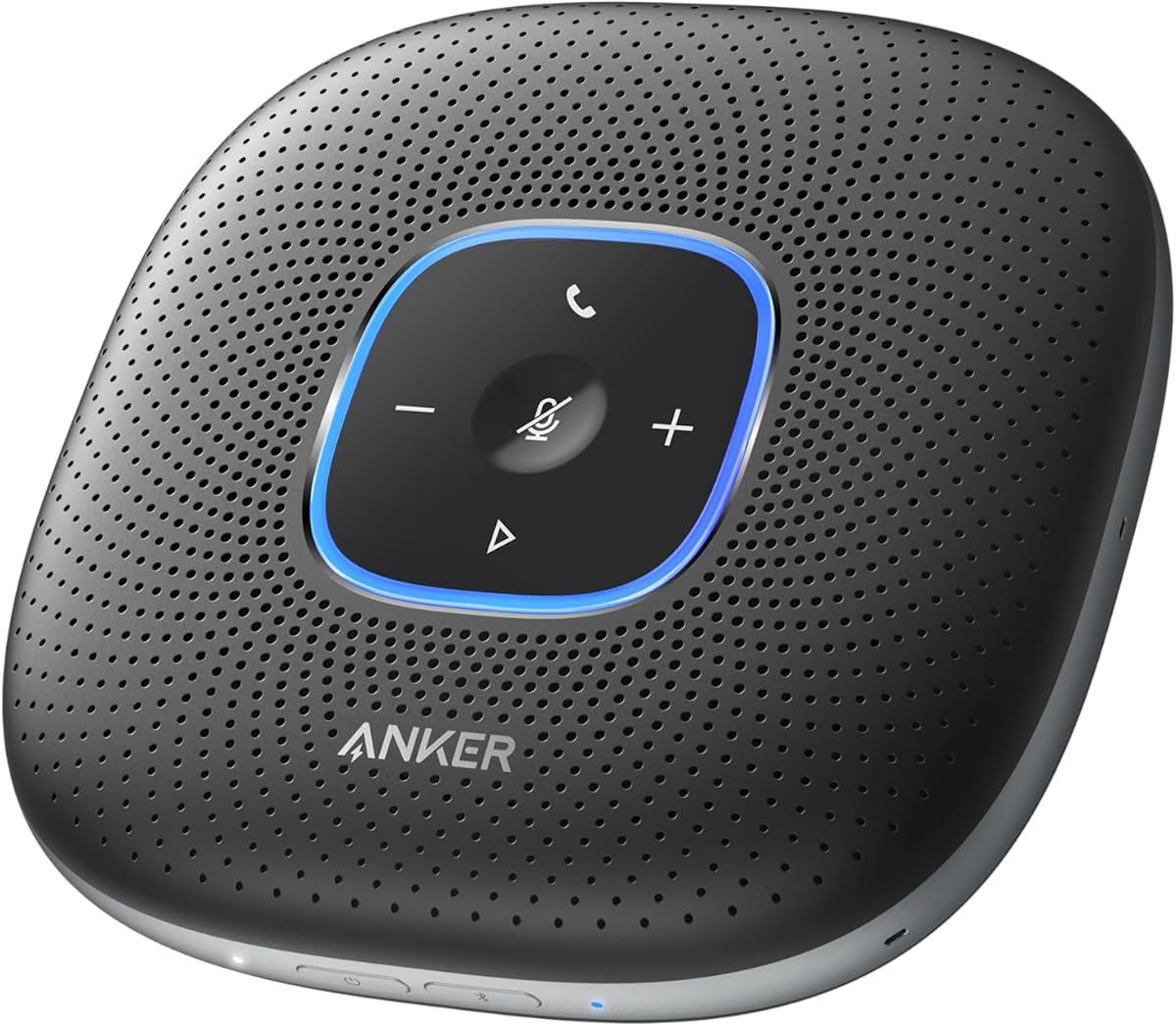
The Anker PowerConf Speakerphone stands out as a top choice for home offices. It boasts a 4.4 rating and delivers professional audio quality for every meeting.
We may earn a commission when you buy through this link, at no additional cost to you.
Its 360-degree coverage ensures voices are captured clearly from any angle. Voice Radar technology effectively minimizes background noise for a focused experience.
While it is larger than some competitors, the battery life and audio clarity justify the size. It handles dual talk sessions without audio dropouts.
Ideal for remote professionals who need reliability. This speakerphone transforms any desk into a professional meeting space effortlessly.
The six-mic array balances volume and distance automatically for consistent sound quality throughout calls.
With 24 hours of talk time, you can move meetings freely without worrying about charging constantly.
We may earn a commission when you buy through this link, at no additional cost to you.
This model prioritizes stability with a USB-C connection. It is perfect for fixed desks where wireless interference is a concern.
We may earn a commission when you buy through this link, at no additional cost to you.
Smart Voice Enhancement eliminates noise effectively. The dual passive radiators provide rich audio for both calls and music playback.
The lack of a battery means it must stay plugged in. However, the plug-and-play nature simplifies IT setup significantly.
Choose this if you value consistent audio performance. It is a straightforward solution for daily office conferencing.
Four microphones cover up to three meters ensuring clear capture of all meeting participants.
No drivers are needed to get started. Just connect to your PC and begin meetings immediately.
We may earn a commission when you buy through this link, at no additional cost to you.
The S3 adds app control to the PowerConf series. It offers detailed customization for noise reduction and volume balancing.
We may earn a commission when you buy through this link, at no additional cost to you.
Its 6-mic array ensures every voice is heard. Double talk capability prevents words from being skipped during busy discussions.
Some users might find the app setup slightly complex initially. Once configured, the experience is seamless for daily use.
This is great for users who want control over audio settings. It balances flexibility with professional sound quality.
Real-time optimization ensures your voice sounds clear to everyone on the other end of the line.
Switch between Bluetooth and USB-C depending on your device needs without restarting your setup.
We may earn a commission when you buy through this link, at no additional cost to you.
Jabra has long been a leader in conference audio. This edition maintains high standards for sound and connectivity.
We may earn a commission when you buy through this link, at no additional cost to you.
It works with almost any device. The audio quality is sharp and professional making it ideal for client calls.
While it lacks some modern AI enhancements its simplicity is a strength. Setup takes seconds without technical hassle.
Select this for its proven track record. It is a solid investment for professional consistency.
Get started with meetings in seconds thanks to its hassle-free configuration process.
Works seamlessly with desk phones mobiles laptops and soft phones for versatile use.
We may earn a commission when you buy through this link, at no additional cost to you.
The SP92 offers great value for small teams. It brings AI noise cancellation to a budget-friendly package.
We may earn a commission when you buy through this link, at no additional cost to you.
Certification for Microsoft Teams ensures smooth integration. The battery lasts up to 20 hours supporting all-day work.
Audio is clear but lacks deep bass compared to premium models. It is sufficient for most standard conference calls.
Perfect for startups or home offices on a budget. It delivers essential features without unnecessary cost.
Filters over 1000 noises like keyboard taps or AC hum for accurate speech reproduction.
Weighing just 276 grams it fits easily in a laptop bag for travel.
We may earn a commission when you buy through this link, at no additional cost to you.
This model is built for enterprise environments. Eight microphones ensure voice priority even in noisy spaces.
We may earn a commission when you buy through this link, at no additional cost to you.
Its IP54 rating makes it resistant to dust and spills. A dedicated Teams button simplifies call control significantly.
It is pricier than home office units. However, the durability and audio reliability justify the cost for heavy users.
Ideal for hybrid workers moving between offices. It offers robust performance for demanding professional needs.
The IP54 rating ensures protection against dust and water for rugged daily use.
Dedicated controls allow fast access to call functions within Microsoft Teams environments.
We may earn a commission when you buy through this link, at no additional cost to you.
Designed for older softphone systems this unit still delivers clear voice. It supports legacy Windows platforms effectively.
We may earn a commission when you buy through this link, at no additional cost to you.
HD Voice ensures high definition sound quality. The talk time reaches 15 hours on a single charge.
Newer models offer more features but this remains a sturdy choice for specific setups. It is easy to set up and use.
Consider this if you use legacy enterprise software. It provides reliable performance for established systems.
Enjoy conversations in high definition sound quality for clearer communication.
Up to four days of standby time ensures the device is ready when you need it.
We may earn a commission when you buy through this link, at no additional cost to you.
The 710 UC sets a high standard for premium audio. Its sound quality is immersive and suitable for large spaces.
We may earn a commission when you buy through this link, at no additional cost to you.
Certified for Zoom and Google Meet it ensures compatibility. A travel pouch makes it ready for frequent business trips.
The price is high but you get exceptional quality. The adapter connection offers stability for wired meetings.
Best for executives needing top-tier audio. It is a premium device for professional environments.
Features immersive sound for calls and music that creates a rich audio environment.
Includes a protective pouch making it ideal for on-the-go professional meetings.
We may earn a commission when you buy through this link, at no additional cost to you.
Yamaha brings high-fidelity audio standards to conference calls. The SoundCap technology focuses on human voice clarity.
We may earn a commission when you buy through this link, at no additional cost to you.
It includes a self-silence feature that mutes mic automatically when no one speaks. This saves battery and reduces noise.
The price is higher than average. However, the audio quality and unique features justify the cost for demanding users.
Select this if audio fidelity is your priority. It is excellent for critical listening environments.
Built-in far field noise reduction eliminates background noise outside a 3 ft range.
The device mutes the microphone when participants are not speaking to avoid picking up background sounds.
We may earn a commission when you buy through this link, at no additional cost to you.
This speaker offers modern features at a competitive price. Its mesh design adds a stylish touch to any workspace.
We may earn a commission when you buy through this link, at no additional cost to you.
The AI algorithm reduces noise effectively for clear calls. The 12-hour battery supports full work days without recharging.
It has fewer microphones than premium models. However, the voice pickup remains clear for small groups.
Great for casual users or small teams. It balances performance and aesthetics well.
The algorithm reduces background noise and eliminates echo in real-time for clear communication.
At only 300 grams it slides easily into any bag for travel or meetings.
We may earn a commission when you buy through this link, at no additional cost to you.
Selecting the right conference device requires understanding your specific needs for audio quality and connectivity.
Look for devices with multiple microphones or 360-degree arrays to ensure voices are captured clearly from any angle. Higher counts often mean better noise suppression.
Prioritize models with beamforming or AI noise cancellation for clear communication.
Decide if you need Bluetooth, USB-C, or both. USB offers stability while Bluetooth provides wireless flexibility for mobile devices.
Choose dual connectivity for the best versatility across devices.
If you move between rooms or work remotely, check the talk time. Devices range from 12 hours to 24 hours.
Aim for at least 12 hours of talk time for all-day reliability.
Ensure the speaker works with your primary platform like Microsoft Teams or Zoom. Certified devices offer seamless controls.
Certification guarantees compatibility and easier setup for specific software.
Check the pickup range. Larger meeting rooms need devices that can cover distances up to 5 meters.
Match the coverage radius to your typical meeting space size.
Consider the weight and size if you travel often. Compact units with carrying cases are easier to transport.
Choose a design that balances audio performance with physical portability.
Look for full-duplex support to allow simultaneous speaking without interruption. This is vital for natural conversations.
Full-duplex capability ensures smooth and uninterrupted discussions.
For daily use, check for dust or splash resistance ratings. IP ratings indicate how well the device handles wear and tear.
Higher durability ratings ensure longevity in active work environments.
Connect the device to your computer or phone via Bluetooth or USB cable. Ensure the microphone is not muted before starting your call.
Place the speakerphone in the center of your desk to allow 360-degree pickup. Avoid placing it near walls or vents that may cause echo.
Charge the battery regularly to maintain peak performance. Clean the microphone holes gently with a soft brush to prevent dust buildup.
The Anker PowerConf Speakerphone is highly recommended for Zoom due to its certified status and 360-degree voice coverage. It ensures all voices are captured clearly during virtual meetings.
USB connections provide a more stable and lower-latency audio stream compared to Bluetooth. Bluetooth is convenient for wireless setups but may have slight latency issues.
Most high-quality models cover up to 5 meters. Models with 360-degree arrays ensure consistent pickup regardless of the speaker's position in the room.
Yes, most models are universally compatible with both macOS and Windows via standard USB-C or Bluetooth drivers. Always check specific platform certifications.
Battery life ranges from 12 hours to 24 hours on a single charge. This is sufficient for a full workday of meetings without needing recharging.
Many models feature AI noise cancellation or DSP algorithms to filter out background noise like typing or AC hum for clear speech.
Some models support dual Bluetooth connectivity allowing you to connect two devices simultaneously. This is useful for switching between a laptop and phone easily.
Wipe the surface with a soft dry cloth and gently clear the microphone holes. Avoid using liquids directly on the device to prevent damage to internal components.
We reviewed ten top models ranging from budget to premium. The Anker PowerConf leads for balanced performance while the Yealink SP92 offers great value.
Prioritize microphone quality and certification for your specific software. These factors directly impact how clear your voice sounds during important meetings.
Always check current listings for the most accurate pricing and availability. The right speakerphone will transform your daily work communication significantly.