
Logitech Litra Glow
4.5Editor score
USB powered design
TrueSoft technology
3-way monitor mount
Lighting transforms your video quality instantly. A good key light provides even, soft illumination that flatters your features and removes harsh shadows from your background setup.
We compared ten top-rated lights based on brightness, color accuracy, controls, and build quality. Our analysis focuses on what matters most for streamers and video creators today.
Each pick shows real specs and pros to help you decide. Remember that prices and availability change, so check current listings before you place your order.
4.5Editor score

4.5Editor score
4.7Editor score
As an Amazon Associate we earn from qualifying purchases.
The following table compares all ten lights side by side. Check the specs to find the best fit for your desk size and streaming needs.


The Elgato Key Light tops our list with professional grade specs and reliable performance. It scores a 4.5 rating and delivers strong brightness for any streamer.
We may earn a commission when you buy through this link, at no additional cost to you.
Its 2800 lumens output ensures your face is well lit even in dark rooms. The Wi-Fi app lets you adjust settings without reaching behind the desk.
The opal glass face spreads light evenly to avoid hot spots. You might find it pricier than basic options but the build quality justifies it.
If you want a premium look with reliable brightness and smart controls this is the best pick for your streaming setup.
The desktop app allows precise brightness and temperature adjustments.
Opal glass ensures even light without harsh glare on camera.
We may earn a commission when you buy through this link, at no additional cost to you.
The Logitech Litra Glow offers great value for streamers on a budget. It earns a 4.5 rating and uses TrueSoft tech for natural skin tones.
We may earn a commission when you buy through this link, at no additional cost to you.
Its frameless diffuser creates wide soft light that eliminates harsh shadows. You can adjust brightness and color temperature via the G HUB app.
It is not as bright as larger panels so it works best in well lit rooms. The USB power keeps it simple without needing extra adapters.
If you need an affordable portable light that fits any monitor this is the best budget choice for your desk.
Delivers balanced full-spectrum light for cinematic color accuracy.
3-way mounting allows precise height and tilt adjustments.
We may earn a commission when you buy through this link, at no additional cost to you.
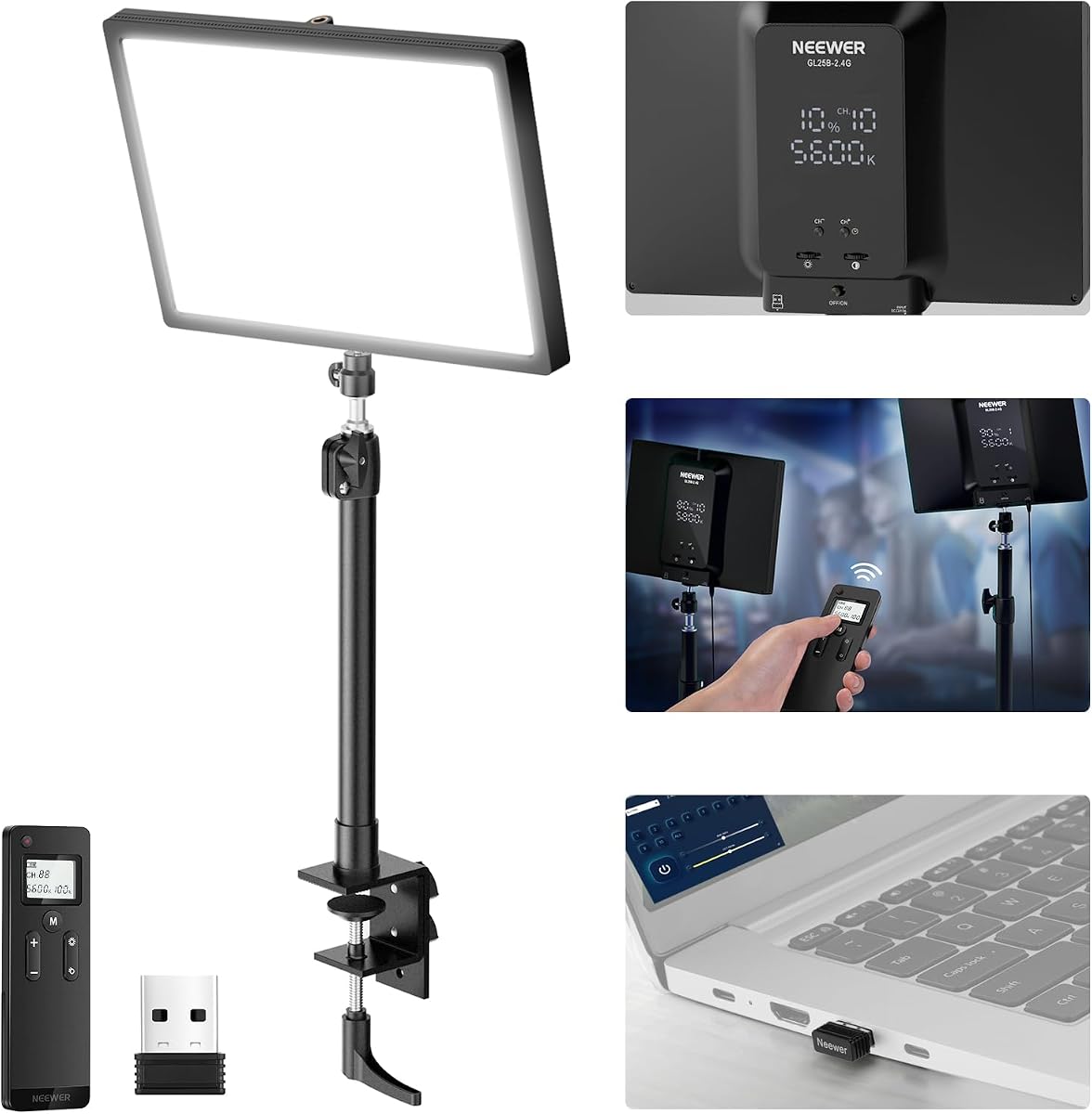
The Neewer 25W GL25B delivers top-tier specs for high quality video. It holds a 4.7 rating and uses premium LEDs for accurate color reproduction.
We may earn a commission when you buy through this link, at no additional cost to you.
Its 25W output and 98+ CRI ensure rich detailed visuals without noise. The fanless design keeps it silent even during long streaming sessions.
The build is heavy which adds stability but needs a solid desk. You must use the included clamp or stand which may limit portability.
If you want professional color accuracy and high brightness without fan noise this is the premium pick for your studio.
Delivers soft bright light without harsh shadows or glare.
Manage lights directly from your computer without internet.
We may earn a commission when you buy through this link, at no additional cost to you.
The Elgato Key Light Air MK.2 is a lighter portable version of the original. It has a 3.8 rating but still offers strong brightness for streaming.
We may earn a commission when you buy through this link, at no additional cost to you.
It provides up to 2100 lumens and accepts USB-C power from laptops or batteries. The MagSafe ring allows flexible placement without cables.
The slim design saves space but may require extra adapters for full output. Some users find the lower rating concerning but it remains a solid choice.
If you need a versatile portable light that works on any desk this is the best option for mobile streamers.
Use power banks on the MagSafe ring for wireless operation.
Slim 15 inch panel avoids glare on your complexion.
We may earn a commission when you buy through this link, at no additional cost to you.
The Weilisi 10.2 Desk Ring Light offers unique flexibility for tight spaces. It holds a 4.5 rating and provides uniform light for detailed tasks.
We may earn a commission when you buy through this link, at no additional cost to you.
Its 360 degree rotation and adjustable arm let you position the light easily. The metal C-clamp saves desk space and keeps cables tidy.
It is less powerful than large panels so it works best for close-up video. The 5V adapter means you need a nearby power source.
If you have limited space and need a flexible light for Zoom calls this ring is the best choice.
Rotate the light to any angle for perfect lighting.
Telescoping stand adjusts length to fit your needs.
We may earn a commission when you buy through this link, at no additional cost to you.
The NiceVeedi Studio Light 2-Pack gives you two lights for a complete setup. It has a 4.4 rating and includes stands for flexible placement.
We may earn a commission when you buy through this link, at no additional cost to you.
Each panel offers 97+ CRI for accurate color and adjustable brightness via remote. The 73 inch stands allow height adjustments for any desk.
The aluminum stands are lighter which may be less stable outdoors. You need floor space for the stands which might clutter small rooms.
If you need a full two-light kit with stands this is the best value for your studio.
Adjust light levels easily with the included remote.
Tall stands provide overhead or angled lighting options.
We may earn a commission when you buy through this link, at no additional cost to you.
This 2 Packs LED Video Key Light set offers flexible lighting for any angle. It scores a high 4.8 rating and features adjustable gooseneck tubes.
We may earn a commission when you buy through this link, at no additional cost to you.
The LCD screen shows settings clearly and remembers your last choice when powered off. The clamp stand keeps it secure on your desk.
It provides 1080 Lux which is good for close-ups but not large rooms. The gooseneck tubes might bend over time with heavy use.
If you need a two-light set with memory features this is the best option for streaming.
Check brightness and temperature easily on the panel.
Rotate tubes to multiple positions for optimal angle.
We may earn a commission when you buy through this link, at no additional cost to you.
The Godox ES45 Desktop LED Key Light is designed for long comfortable sessions. It holds a 4.4 rating and uses soft light to reduce eye fatigue.
We may earn a commission when you buy through this link, at no additional cost to you.
Its magnetic remote charges automatically when attached to the panel. The edge-lit OLED diffuses light evenly for a professional look.
You might find the brightness lower than high-end panels but it is sufficient for most streams. Ensure the clamp fits your desk thickness.
If you want a comfortable eye-friendly light with smart remote this is the best choice for long work.
Remote snaps to panel and recharges automatically.
Gently illuminates face without harsh shadows.
We may earn a commission when you buy through this link, at no additional cost to you.
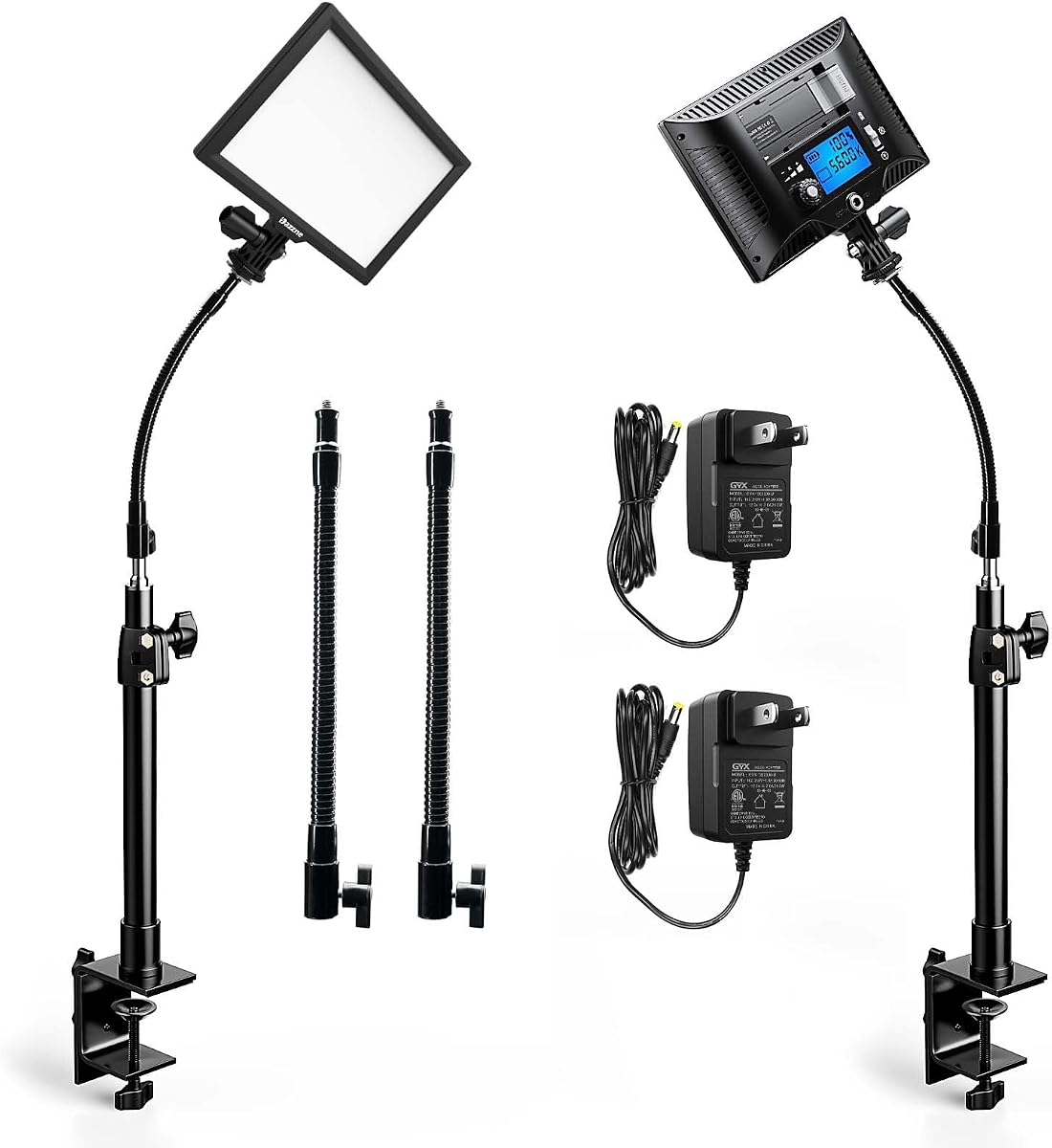
The 2Pack Streaming Key Light set provides versatile lighting for your desk. It holds a 4.4 rating and includes gooseneck tubes for angle control.
We may earn a commission when you buy through this link, at no additional cost to you.
The LCD screen lets you track settings and remembers them when off. The clamp saves desk space compared to floor stands.
You must buy batteries separately if you want wireless use. The power output is lower so it works best for close-up video.
If you need two lights with flexible tubes and memory this is the best option for streaming.
Check and adjust parameters reliably with the display.
Panel records the last setting when you turn on.
We may earn a commission when you buy through this link, at no additional cost to you.
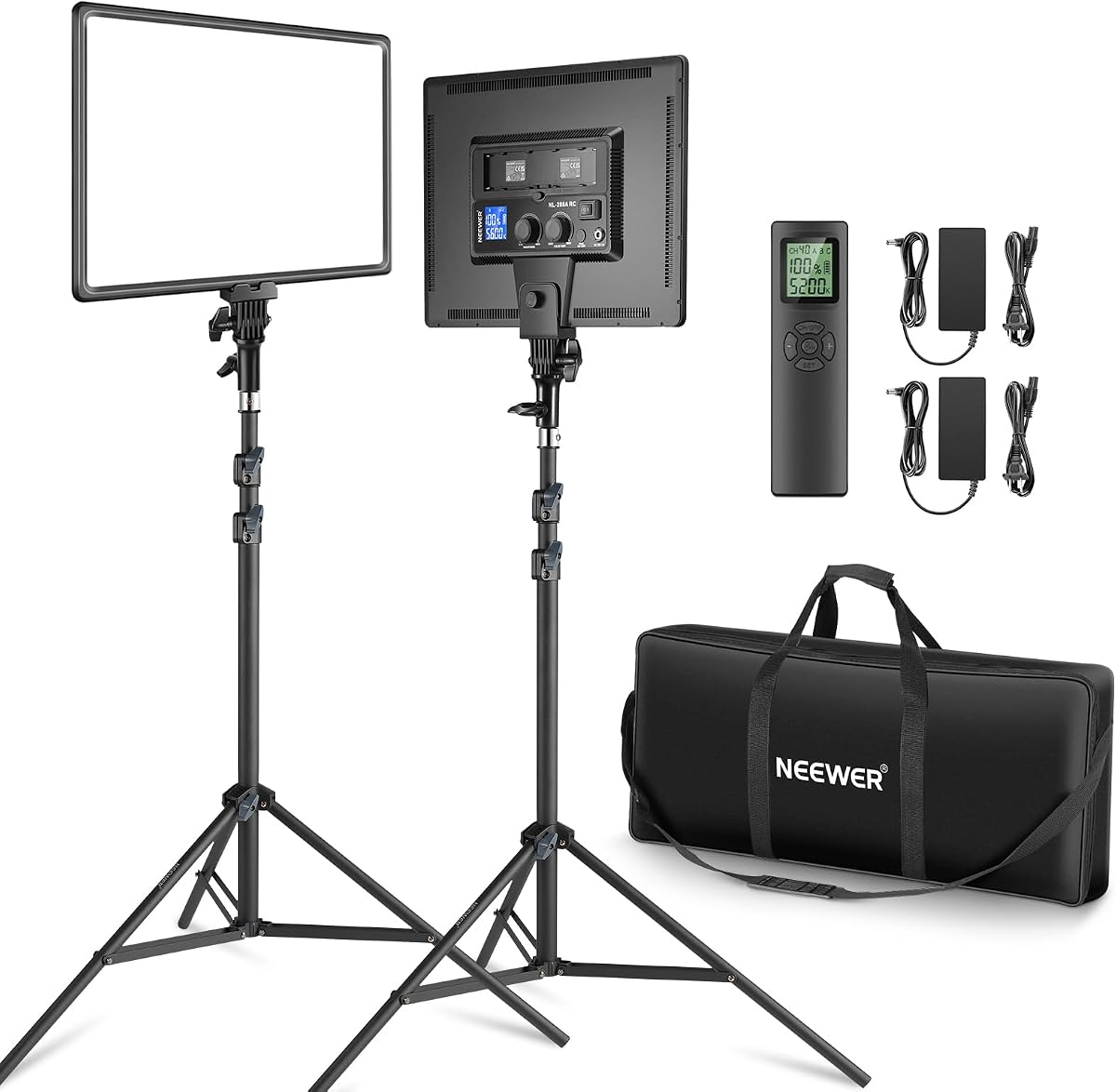
The Neewer 18" Led Video Light Panel is a high-output option for pros. It scores a 4.6 rating and delivers 4800 Lux for strong illumination.
We may earn a commission when you buy through this link, at no additional cost to you.
Its 45W power and 18 inch size cover large areas easily. The remote control and dual power options offer flexibility for any setup.
The panels are heavy and require floor space for the stands. You may need extra room which might not fit small desks.
If you need maximum brightness and coverage for large rooms this is the best high-performance pick.
Delivers strong illumination even in bright environments.
Use AC adapter or Sony NP-F batteries for mobile.
We may earn a commission when you buy through this link, at no additional cost to you.
Choosing the right key light means balancing brightness color accuracy and features with your workspace. This guide breaks down the factors that matter most for streamers.
Brightness determines how well your face is lit especially in dim rooms. Look for lights with high lumen ratings or lux values like 2800 lumens or 4800 lux to ensure clear visibility.
Higher brightness allows you to shoot in varied lighting conditions without grain.
Color accuracy is key for natural skin tones and consistent branding. Check for high CRI ratings like 97+ or 98+ and wide color temperature ranges from warm to cool.
Accurate color ensures your viewers see you as you truly look on camera.
Power source affects portability and setup complexity. Some lights run on USB for desk use while others support AC adapters or batteries for flexible placement.
Choose a power source that fits your workspace and mobility needs.
Mounting options decide how securely the light stays in place. Clamp stands save desk space while tripod stands offer height flexibility for floor placement.
Pick a mount that fits your desk size and desired angle.
Controls and connectivity affect how easily you can adjust the light during a stream. Look for touch panels remote controls or app integration via Wi-Fi or Bluetooth.
Smooth controls let you change settings without interrupting your stream.
Build quality determines durability and heat management. Premium models use aluminum and fanless designs to keep things cool and sturdy over time.
A solid build ensures reliable performance during long streaming sessions.
Diffusion technology shapes how light hits your face. Panels with glass faces or soft edges spread light evenly to avoid harsh shadows and hot spots.
Even diffusion creates a softer more flattering look for your viewers.
Budget and value help you find the best option for your cash. Entry lights lights offer basic features while premium ones bring higher brightness and smart controls.
Set a budget range and prioritize the features you use most.
Mount the light securely on your desk or stand so it stays steady during use. Position it at a 45 degree angle to your face for natural lighting.
Connect the power source and turn on the light via the panel or app. Adjust brightness and color temperature to match your room ambient lighting.
Clean the panel gently with a soft cloth to remove dust. Avoid touching LEDs directly and store the light in a safe place when not in use.
A good key light provides bright even illumination with accurate colors. Look for high CRI values and adjustable temperature to ensure your skin looks natural on camera.
Even with good room lighting a key light ensures consistent results. It fills in shadows and maintains your look during long streams when natural light fades.
Position the key light slightly above and to one side of your camera. Aim it at your face at a 45 degree angle to create depth and avoid flat lighting.
Yes you can use multiple key lights to create a full studio setup. Use one as your key light and others as fill or rim lights to balance the scene.
The best color temperature depends on your room. Use 3200K to 4500K for warm looks or 5600K to 6500K for daylight accuracy.
Quality LED lights run cool but some may warm up over time. Fanless designs help keep heat down so you can stream for hours without discomfort.
Use a soft dry cloth to wipe the panel gently. Avoid liquid cleaners and never touch the LED surface directly to prevent damage.
Yes some key lights support battery power or wireless connectivity. Look for models with USB-C battery rings or built-in battery packs for cable free use.
We reviewed ten top key lights that deliver solid brightness and reliable controls for any streamer. Our top picks cover every need from budget to premium.
When choosing prioritize brightness color accuracy and mounting style that fit your space. Ensure the light offers enough controls for your streaming needs.
Remember to check current listings before you buy since prices change often.