
HDMI Adapter for N64 Game Cube SNES
4.2Editor score
720P 1080P support
Plug and play setup
Included HDMI cable
Compare the top 10 GameCube HDMI adapters for modern TVs featuring expert reviews on video quality, compatibility, and setup ease for retro gaming fans.
Playing classic GameCube titles on modern displays requires the right hardware bridge. High-quality adapters ensure crisp visuals and reliable connections for your favorite retro games.
We evaluated ten leading HDMI adapters based on video processing, compatibility with Digital Port consoles, and user feedback. Each option offers distinct features for different gaming needs.
Our picks highlight top performers across budget and premium categories. Prices may fluctuate, so check current listings before purchasing to ensure you get the best deal available.
4.2Editor score

4.6Editor score

4.4Editor score
This side-by-side comparison highlights key specifications and features across all ten selected adapters to help you find the perfect match for your setup.



This Kaico adapter delivers a premium experience for GameCube owners seeking high-quality HDMI output. It supports the GCVideo Operating System for enhanced resolution and visual features.
We may earn a commission when you buy through this link, at no additional cost to you.
Users benefit from line doubling and scanlines options accessible via a programmed remote. The included 3D printed shelf helps protect the digital connector from damage over time.
While it requires a DOL-001 model with a digital port, the performance gains are worth the investment. Firmware updates via USB ensure long-term compatibility and bug fixes.
Ideal for enthusiasts who prioritize image quality and durability. This adapter provides a reliable path to modern displays without compromising on the classic GameCube feel.
Line doubling and scanline options allow you to customize how games look on modern TVs for a polished retro aesthetic.
The included 3D printed shelf reduces physical strain on the console's digital connector, extending the lifespan of your setup.
We may earn a commission when you buy through this link, at no additional cost to you.
This adapter is a great entry point for those wanting to connect legacy consoles to HDMI displays. It supports 720P and 1080P conversions on modern HDTVs.
We may earn a commission when you buy through this link, at no additional cost to you.
The included HDMI cable and simple setup make it convenient for casual gamers. It works with GameCube, N64, and SNES systems for versatile retro gaming.
Keep in mind that an external power supply is required for stable operation. Checking connections carefully can prevent issues like blue screens or missing audio.
Best for budget-conscious buyers who need basic functionality. It offers a straightforward way to bring classic games to contemporary screens without spending much.
Compatible with N64, GameCube, and SNES systems making it a flexible solution for multi-console retro setups.
Provides clear and smooth picture quality suitable for general viewing though it may lack advanced scaling features.
We may earn a commission when you buy through this link, at no additional cost to you.
BITFUNX offers a high-end solution with advanced features like GC2SD Gen2 for storage expansion. It delivers zero transmission loss for the purest signal possible.
We may earn a commission when you buy through this link, at no additional cost to you.
The adapter supports various NGC display modes including 480p and 576p for optimal resolution. Homebrew software like Swiss runs smoothly with faster loading speeds.
A USB port allows easy firmware updates to keep the device current. However, setup may be more involved due to the extensive customization options available.
Perfect for advanced users wanting control over video modes and storage. This adapter maximizes the potential of your GameCube for modern high-resolution displays.
Supports microSD cards up to 512GB and homebrew software enabling custom game loading and storage management features.
Video and audio transmit in full digital HDMI format ensuring colors and resolution remain precise without analog degradation.
We may earn a commission when you buy through this link, at no additional cost to you.
This converter is a versatile option for older consoles using composite RCA inputs. It handles formats like NTSC and PAL for broad compatibility.
We may earn a commission when you buy through this link, at no additional cost to you.
While not designed specifically for the GameCube digital port it can work with standard AV cables. It requires external USB power for stable operation.
Users get a complete kit including HDMI and USB cables. It is a good choice if you are connecting multiple retro systems beyond just the GameCube.
Best for general AV to HDMI conversion needs. Ensure you have the correct cables since it does not directly plug into the digital port on newer GameCubes.
Accepts NTSC PAL and other TV formats making it suitable for international retro consoles and various legacy devices.
Comes with required HDMI and USB cables to reduce extra purchases and simplify the setup process for users.
We may earn a commission when you buy through this link, at no additional cost to you.
This cable offers a neat solution with a built-in console port eliminating extra connectors. It converts analog RGB signals to digital HDMI for modern displays.
We may earn a commission when you buy through this link, at no additional cost to you.
The S-Video output provides better clarity than standard composite cables. It supports 1080p60hz for smooth playback on high-definition screens.
Note that you must use an AV multi-out cable that supports S-Video for best results. It does not require extra power which simplifies connections further.
Good for users seeking minimal clutter in their setup. The cleaner output from S-Video makes games look sharper without needing external power sources.
S-Video signal output delivers brighter and sharper images with reduced noise compared to standard composite AV connections.
Built-in console-specific port and HDMI male plug create a one-cable connection that keeps your gaming area organized.
We may earn a commission when you buy through this link, at no additional cost to you.
This 3-in-1 link cable simplifies connections for multiple Nintendo consoles. It includes a toggle switch to choose between 4:3 and 16:9 aspect ratios easily.
We may earn a commission when you buy through this link, at no additional cost to you.
Detachable design means you can use longer HDMI cables without issues. It provides low latency which is crucial for responsive gameplay on modern screens.
Best for collectors who own N64 SNES and GameCube systems. The switch helps fill screens on wider TVs while maintaining correct proportions for older games.
Reliable performance with helpful customer service support. It is a flexible choice for anyone wanting to streamline their retro console cabling.
Physical toggle switch allows instant switching between 4:3 and 16:9 to match your TV settings perfectly.
Detachable HDMI port lets you extend cable length or replace the HDMI section without changing the whole adapter.
We may earn a commission when you buy through this link, at no additional cost to you.
OLCLSS offers a simple upscaling solution with 1080P output for sharp visuals. It supports N64 GameCube and SNES for versatile use across retro systems.
We may earn a commission when you buy through this link, at no additional cost to you.
The adapter includes USB power options for stability. It switches between 4:3 and 16:9 aspect ratios to fit different display preferences effortlessly.
While user ratings are not yet available the design suggests reliability. It is easy to set up with no drivers or software needed for operation.
Consider this for a plug-and-play upscaling option. It brings retro gaming to life on modern displays with minimal effort required.
Converts analog signals to crisp 1080P HDMI for clear sharp pictures on large modern TVs and projectors.
Ultra-low input lag ensures responsive performance during gameplay without noticeable delays on your screen.
We may earn a commission when you buy through this link, at no additional cost to you.
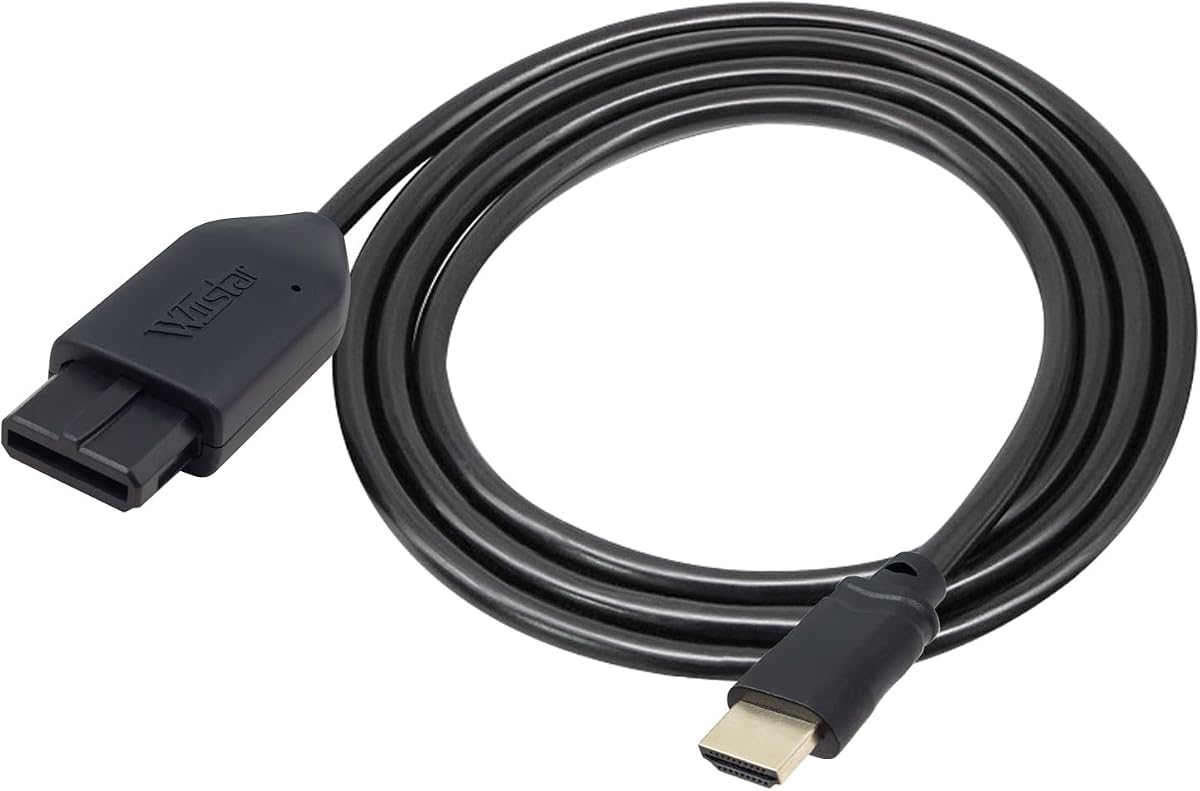
Kaico delivers a clean solution with no additional power requirements. It works well with N64 SNES and GameCube via the proprietary analogue port.
We may earn a commission when you buy through this link, at no additional cost to you.
The all-in-one design means no need for extra hardware. Just plug directly into the console for an instant HDMI connection on modern displays.
Ideal for users who want simplicity without extra boxes. It supports SVideo and composite outputs for broader retro compatibility options.
A reliable choice for basic retro gaming needs. The warranty and plug-and-play design make it a convenient option for quick setup.
Designed to work well with consoles without extra power or messy cables reducing clutter in your setup.
Backed by 12 months of support repair and replace warranty to ensure satisfaction with your purchase.
We may earn a commission when you buy through this link, at no additional cost to you.
This converter provides clear picture quality suitable for legacy systems on newer TVs. It includes an HDMI cable for immediate use upon arrival.
We may earn a commission when you buy through this link, at no additional cost to you.
No additional power supply is required which simplifies the connection process. It supports 16:9 conversion to better fit modern wide screens.
Check connections if you experience blue screens or missing audio as sometimes simple adjustments fix issues. Customer service is available for further help.
Best for straightforward retro viewing without complex setups. It offers a functional way to play GameCube on modern displays with included accessories.
Includes HDMI cable so you can connect and play immediately without needing to purchase extra cords.
No power supply needed for operation allowing you to avoid extra outlets and cable management issues.
We may earn a commission when you buy through this link, at no additional cost to you.
This adapter extracts S-Video signals for cleaner output than standard RCA. It requires no external power for normal use making it highly convenient.
We may earn a commission when you buy through this link, at no additional cost to you.
Includes a 1.5m HDMI cable with nickel-plated connectors to resist oxidation. It outputs the original console resolution maintaining authentic visual fidelity.
Backup power is available via Micro USB port if needed. This makes it a solid choice for those prioritizing signal clarity over upscaling capabilities.
Ideal for users who want simple and clear visuals. It ensures stable signal transmission over time without requiring additional power cables.
Extracts S-Video signal path to provide a cleaner and more defined image compared to standard RCA composite cables.
Nickel-plated HDMI connectors resist oxidation and maintain stable signal transmission over years of regular use.
We may earn a commission when you buy through this link, at no additional cost to you.
Selecting the right adapter involves understanding your console model and desired output features. This guide breaks down key factors to consider before buying.
Check whether your GameCube has a digital port (DOL-001) or relies on standard AV outputs. Digital port adapters offer advanced features while AV adapters are more universal.
Match the adapter to your specific console model to ensure physical fit and signal extraction capabilities.
S-Video extraction provides cleaner images than composite RCA. Adapters that support digital ports offer the highest quality with line doubling and scanline features.
Prioritize adapters that process signals digitally to avoid unnecessary analog conversion artifacts.
Some adapters upscale to 1080p while others output original resolutions. Consider your display capabilities and whether upscaling is necessary for your setup.
Higher resolutions help match modern HDTVs but may introduce blur on some games.
Many adapters need external USB power while others draw power from the console. External power ensures stability but adds cable clutter.
Choose plug-and-play options if you want a cleaner setup without extra power bricks.
Adapters with hardware switches allow switching between 4:3 and 16:9 easily. This helps avoid stretching games when connecting to widescreen TVs.
Look for physical toggles for quick adjustments without using software menus.
Premium options offer homebrew support or memory card slots for expanded functionality. These features appeal to advanced users who want more than just video output.
Evaluate whether features like GC2SD or backup power are important for your specific use case.
Physical design such as protective shelves can prevent connector strain. Look for warranty terms that cover repair or replacement.
A longer warranty period indicates manufacturer confidence in the product's build quality.
Prices range significantly from budget-friendly converters to premium digital adapters. Determine what features you need most to find value in your price range.
Higher cost often correlates with better signal processing and feature sets.
Connect the adapter directly to the console's AV multi-out or digital port before plugging in the HDMI cable to the TV. Ensure secure connections to prevent signal loss during gameplay.
If your adapter requires external power, connect the USB cable to a stable 5V source before starting the console. This ensures consistent performance without signal interruptions.
Regularly inspect cables and connectors for dust or damage. Use a soft cloth to clean contacts and store adapters in a cool dry place when not in use.
No. Some adapters require a GameCube with a digital port (DOL-001) while others work with the standard AV multi-out port. Always check your console model before purchasing.
This usually means the adapter isn't receiving a video signal. Check that the cable is fully inserted and the adapter is powered if required. Restarting the console may also help.
Most modern adapters are designed for low latency but some budget models may add delay. Look for descriptions mentioning lag-free or low latency for competitive games.
Yes any device with an HDMI input will work. Adapters output digital HDMI signals compatible with most modern monitors projectors and TVs.
Not always. Some adapters draw enough power from the console while others need a separate USB source. Check the product specifications for power requirements.
Many support 1080p but some only output original resolutions like 480p. Upscaling features vary by model so verify the maximum resolution before buying.
Most are plug-and-play with no software installation required. Just connect cables and power on the devices to start playing on your HDMI screen.
Adapters like Kaico or BITFUNX that support GCVideo offer the best experience for digital port GameCubes with advanced video options and firmware updates.
The Kaico and BITFUNX adapters lead for premium digital port experiences while budget options suit casual users. Each has unique strengths depending on your setup needs.
Prioritize signal quality and compatibility features for your console model. A well-matched adapter ensures your classic games look their best on modern displays.
Review current availability and check listings before purchasing. Prices and stock fluctuate so finding the best deal may require checking multiple sources.