
Deco 7 Pro BE10000
4.2Editor score
WiFi 7 BE10000 Speeds
7600 Sq Ft Coverage
Four 2.5G Ports
This guide compares the top mesh WiFi systems for thick walls to help you choose the best model for seamless coverage and strong signal penetration.
Finding reliable internet in homes with thick walls can be challenging. Traditional routers often struggle to penetrate dense materials like concrete or brick. Mesh WiFi systems offer a solution by using multiple nodes to blanket your space with a consistent signal.
We evaluated ten leading mesh WiFi solutions based on their ability to handle obstacles. Our comparison focuses on signal strength, coverage area, and advanced features like AI-driven roaming. Each product was analyzed for its suitability in demanding home environments.
Each pick highlights specific strengths such as speed, security, or ease of setup. You will find detailed reviews and a buying guide to inform your decision. Please note that product availability and terms may change over time.
4.2Editor score

4.4Editor score

4.5Editor score
This table provides a side-by-side comparison of the top mesh WiFi systems evaluated for performance in homes with thick walls and dense construction materials.


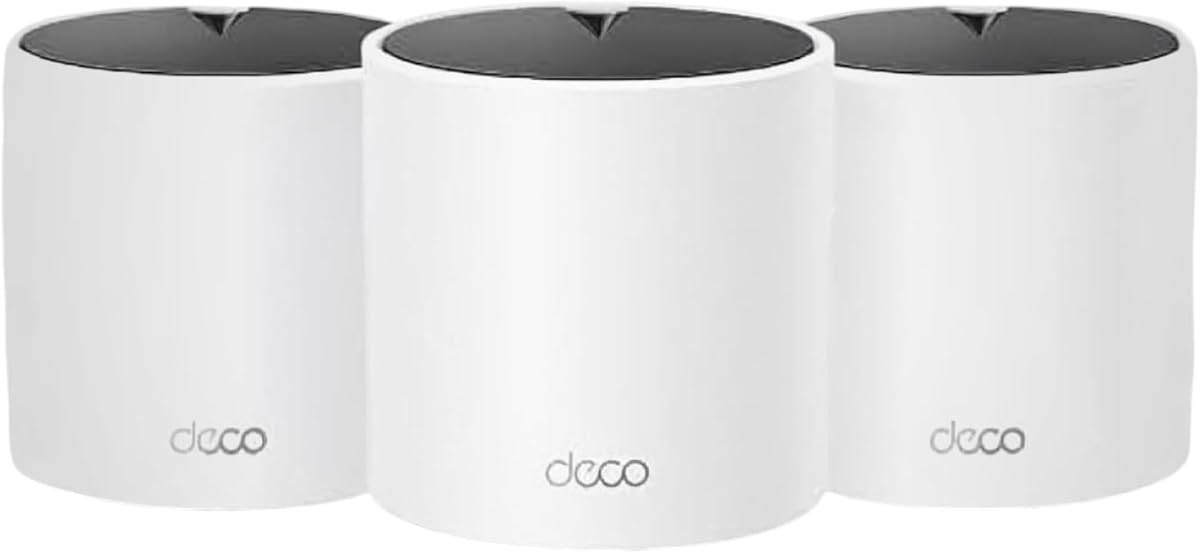


The TP-Link Deco XE75 stands out as a top choice for homes with thick walls. Its WiFi 6E technology utilizes the 6 GHz band to reduce interference and maintain speed through obstacles. Users appreciate its ability to eliminate dead zones effectively.
We may earn a commission when you buy through this link, at no additional cost to you.
This system features true tri-band speeds that allow devices to connect across three frequencies. The dedicated 6 GHz band serves as a wireless backhaul ensuring nodes communicate without slowing down client devices. This is crucial for large homes with dense construction.
While the price is higher than standard WiFi 6 models, the performance gains are significant. The app offers straightforward setup and management features. Some users may find the initial cost steep but the long-term reliability is valuable.
Buyers seeking high performance in challenging environments should consider this model. It balances speed and coverage well. It is ideal for households with many devices and heavy streaming or gaming needs.
The 6 GHz band is exclusively for WiFi 6E devices reducing congestion from older networks.
AI-Driven Mesh technology learns your network environment to switch connections automatically.
We may earn a commission when you buy through this link, at no additional cost to you.
The Deco 7 Pro BE10000 offers cutting-edge WiFi 7 performance for demanding networks. It delivers speeds up to 10 Gbps and supports over 200 devices without dropping connection. This makes it suitable for smart homes with extensive device counts.
We may earn a commission when you buy through this link, at no additional cost to you.
Its feature-rich design includes a 10G WAN/LAN port and multiple 2.5G ports. These allow for high-speed wired connections and future-proofing against faster internet plans. The tri-band system ensures stable connectivity even in busy households.
This system is a significant investment and may not be necessary for average users. It requires compatible devices to fully utilize its advanced features. However, early adopters will appreciate the raw power and extensive capabilities.
Those looking for the absolute best performance should choose this model. It handles dense materials well due to its powerful hardware. It is an excellent choice for large estates or tech-heavy environments.
With speeds reaching 10 Gbps this system outpaces most standard internet plans significantly.
TP-Link HomeShield provides comprehensive protection for your IoT and connected devices.
We may earn a commission when you buy through this link, at no additional cost to you.
The Deco S4 provides reliable coverage at a budget-friendly price. It covers up to 5,500 square feet which is sufficient for many family homes. The system eliminates dead zones by using multiple units to blanket the area.
We may earn a commission when you buy through this link, at no additional cost to you.
Its AC1900 speed rating ensures stable connections for streaming and browsing. While not the fastest available it handles everyday tasks with ease. The setup is simple and allows control via voice commands with Alexa.
The trade-off is lower theoretical speeds compared to newer standards. Older devices may not fully utilize the mesh network but it remains effective for most users. It offers excellent value for those needing basic whole-home coverage.
Homeowners on a budget should consider this system highly. It delivers consistent performance without breaking the bank. It is a practical choice for smaller homes or those upgrading from a single router.
The price point makes it accessible for families needing reliable internet without high costs.
The Deco App guides you through setup quickly ensuring a hassle-free experience.
We may earn a commission when you buy through this link, at no additional cost to you.
The Deco 7 Dual-Band brings WiFi 7 technology to mid-range budgets. It offers significant speed improvements over older standards. The system supports up to 150 devices with coverage up to 6,600 square feet.
We may earn a commission when you buy through this link, at no additional cost to you.
Performance varies based on distance and obstacles but it handles dense walls better than typical routers. The AI-Roaming feature ensures you stay connected without interruptions. Setup is managed easily through the Deco App.
While it lacks a dedicated backhaul band it balances traffic effectively. This can lead to slower speeds under heavy load but it remains stable. It is a good step up for those wanting modern features.
Buyers wanting WiFi 7 without the premium price will find it useful. It covers most standard home sizes well. Ensure your modem is separate as it is required for internet access.
Enjoy faster speeds and lower latency with the latest wireless protocols available.
Built with security as a core requirement to protect your home network.
We may earn a commission when you buy through this link, at no additional cost to you.
The Deco X55 offers reliable WiFi 6 performance in a compact package. It covers up to 4,500 square feet with seamless high-performance Wi-Fi. This model connects up to 150 devices reliably in smaller homes.
We may earn a commission when you buy through this link, at no additional cost to you.
AI-Driven Mesh technology helps optimize connections to your specific environment. It provides strong reliability without complex configuration. The app keeps you in control even when you are not at home.
The 2-pack may need expansion for larger areas. Adding more units is possible but requires additional investment. It is best suited for medium-sized homes or apartments with fewer walls.
Those needing a quick upgrade to WiFi 6 should look here. It provides stable speeds and security features. Check compatibility with your ISP and modem before purchase.
The system learns your home environment to provide ideal WiFi conditions.
Includes HomeShield features to keep your family safe online easily.
We may earn a commission when you buy through this link, at no additional cost to you.
The Deco X55 Pro adds enhanced ports to a proven mesh system. It covers up to 6,500 square feet eliminating dead zones and buffering. The 2.5G ports support internet subscriptions above 1 Gigabit effectively.
We may earn a commission when you buy through this link, at no additional cost to you.
This model is ideal for high-speed internet plans. It supports superior wired ethernet backhaul for multi-gig device connectivity. The system connects more than 150 devices with reliable Wi-Fi.
It offers a balance of speed and coverage at a premium. However, dual-band limitations may affect peak performance. It is best for homes with gigabit fiber or similar fast plans.
Users with high-speed internet should consider this Pro model. It provides the necessary hardware to handle the load. Check the specs against your specific network needs before deciding.
Multi-gigabit ports ensure compatibility with the fastest internet plans available.
Premium security services keep your data private and secure at all times.
We may earn a commission when you buy through this link, at no additional cost to you.
The Deco X15 delivers essential WiFi 6 performance at a low cost. It covers up to 5,600 square feet ensuring seamless coverage throughout. The system supports up to 120 devices without losing speed.
We may earn a commission when you buy through this link, at no additional cost to you.
Its AI-Roaming technology optimizes connections automatically. You can control the network using voice commands with Alexa. The setup is straightforward using the Deco App on mobile devices.
While speeds are lower than premium models it handles everyday tasks well. It is suitable for families prioritizing connectivity over high bandwidth. The value is strong for basic networking needs.
Budget-conscious buyers will appreciate this affordable mesh solution. It provides essential features without unnecessary complexity. Ensure your internet plan aligns with its capabilities for best results.
Manage guest Wi-Fi and restart the router hands-free easily.
Works with all major internet service providers for broad access.
We may earn a commission when you buy through this link, at no additional cost to you.
The Deco M5 is an established mesh system known for reliability. It covers up to 5,500 square feet with seamless roaming. The system uses adaptive routing to maintain stable connections throughout the home.
We may earn a commission when you buy through this link, at no additional cost to you.
It includes a free lifetime subscription to HomeCare for security. Setup is quick using guided instructions in the app. The units function as a single network allowing easy movement without disconnection.
The main limitation is the AC1300 standard speed. While sufficient for browsing it may not suit heavy data tasks. However its stability and ease of use remain highly praised.
Families seeking a simple and reliable solution should consider this. It handles basic needs well without technical complexity. The lifetime security features add long-term value to the purchase.
Automatically selects the best path to optimize performance dynamically.
Includes antivirus and parental controls with no extra monthly fees.
We may earn a commission when you buy through this link, at no additional cost to you.
The Deco 7 Pro BE14000 offers extreme performance for large homes. It covers up to 8,100 square feet and supports over 200 devices. The 10 Gbps internet port unlocks the full potential of multi-gig plans.
We may earn a commission when you buy through this link, at no additional cost to you.
It features Multi-Link Operation for uninterrupted connections. This technology combines bands into one powerful stream for consistency. The system includes a USB 3.0 port for extra connectivity options.
Cost is a significant factor for this model. It requires a robust internet plan to deliver true value. For those with the budget and needs it offers unmatched power.
Large estate owners and tech enthusiasts should look at this model. It delivers smooth 4K/8K streaming and immersive gaming. Ensure your ISP supports the speeds you plan to use.
Powerful backhaul ensures ultra-reliable stability across your entire network.
Optimize performance on latest WiFi 7 laptops and devices effectively.
We may earn a commission when you buy through this link, at no additional cost to you.
The NETGEAR Orbi RBW30 is a satellite extender for existing systems. It works with Orbi routers to add 1,500 sq. feet of coverage. The wall-plug design makes it easy to extend to any room.
We may earn a commission when you buy through this link, at no additional cost to you.
It eliminates dead zones by adding consistent coverage to your network. Speeds up to 2.2 Gbps ensure you do not lose quality. The single network name allows you to move without losing connectivity.
This product is only useful if you already own an Orbi system. It cannot work as a standalone solution for other brands. It is designed for incremental upgrades rather than full setups.
Orbi owners looking to fill a specific dead zone should consider this. It provides a simple way to expand coverage. Ensure your router model is compatible before purchasing the satellite.
The ultra-slim profile fits into standard electrical outlets easily.
Blanks every inch of your home with super fast and seamless connectivity.
We may earn a commission when you buy through this link, at no additional cost to you.
Choosing the right mesh WiFi requires considering several technical factors.
Dual-band systems use 2.4 GHz and 5 GHz bands. Tri-band systems add a dedicated 6 GHz band for backhaul. For thick walls, higher frequencies struggle to penetrate but offer speed. Look for systems that balance both effectively.
Prioritize tri-band models if possible for better performance.
Check the total square footage coverage listed by the manufacturer. Ensure it matches your home size including all rooms. Thick walls may reduce effective range so aim for higher coverage estimates.
Always select a system that exceeds your home size.
Backhaul is how nodes communicate with each other. Wireless backhaul shares bandwidth with devices while wired does not. For thick walls, wired backhaul or dedicated wireless bands ensure stable node connections.
Wired backhaul is the most reliable solution.
Strong processors handle data traffic efficiently across obstacles. Multiple antennas improve signal directionality. High-end models usually feature advanced antenna arrays to push signals through dense materials better.
Look for higher antenna counts for better penetration.
Modern homes have many smart devices and connections. Mesh systems list maximum device capacity. Ensure the system can handle your household count without dropping performance in dead zones.
Choose systems with high device limits.
Setup ease matters for long-term satisfaction. Good apps provide visual guidance and control. Network monitoring helps identify weak spots so you can adjust node placement for thicker areas.
Ensure the app has detailed network tools.
Integrated security protects devices on your network. Look for firewalls and parental controls. Advanced systems offer subscription services for deep scanning and protection against online threats.
Prioritize models with strong built-in security.
Internet speeds and standards evolve over time. Systems with newer WiFi standards and faster ports last longer. Consider models that support upcoming tech to avoid replacing hardware soon.
Opt for the latest WiFi standards available.
Place the main node near your modem in a central location. Ensure it is elevated and not blocked by furniture. This central positioning helps signals radiate better into other rooms.
Add satellite nodes halfway between the main unit and dead zones. Use the app to check connection quality before final placement. Avoid placing nodes inside cabinets or behind large appliances.
Keep firmware updated to maintain security and performance. Restart units occasionally to clear temporary network issues. Monitor heat levels to ensure devices do not overheat during prolonged use.
Thick walls made of concrete or brick absorb and block radio waves. This causes signal attenuation leading to lower speeds. Mesh nodes placed strategically can bridge these gaps effectively.
WiFi 6E adds a 6 GHz band which is less congested but has less range. It is better for speed in open areas. For thick walls, lower frequencies might penetrate better but 5 GHz offers a balance.
Yes, wired backhaul connects nodes via Ethernet cables directly. This avoids signal loss through walls completely. It ensures the fastest possible backhaul between mesh units for consistent speed.
Typically, one node per floor is recommended for three-story homes. Thick walls may require an extra node per floor for better coverage. Always check the coverage area guidelines provided by the manufacturer.
WiFi 7 offers faster speeds and better handling of interference. It includes features like MLO to combine bands for stability. For future-proofing and high-speed needs, it is a strong investment.
Most mesh systems require you to replace your existing router. Some allow bridge mode to work alongside an existing router. Always check compatibility with your current ISP modem setup.
Homes with concrete, brick, or metal studs have thick walls. Older homes often have plaster and lath that block signals. If you have dead zones far from the router, walls may be the cause.
Mesh WiFi can replace many wired connections but not all. High-performance tasks like NAS access still need Ethernet. Wireless networks improve mobility but wired links remain faster.
Selecting the right system depends on your home size and budget. The TP-Link Deco XE75 offers a great balance of speed and coverage. Premium options like the Deco 7 Pro provide advanced features for large estates.
Consider your specific needs such as device count and internet speed. Wired backhaul remains the best solution for dense environments. Evaluate the buying factors carefully before making a final choice.
Remember that prices and models change regularly. Check current availability and offers to find the best value. Ensure you read user reviews for real-world performance in similar homes.