
BENFEI DisplayPort to DVI 6 Feet Cable, Uni-Directional
4.6Editor score
Gold plated connectors
Built-in advanced IC chip
Supports 1080p at 60Hz
This guide compares the top Displayport to DVI Cable options for reliable video signal conversion, focusing on build quality, compatibility, and performance
Finding the right Displayport to DVI cable ensures your older monitors work seamlessly with modern computers. Look for gold-plated connectors, strong shielding, and reliable latching mechanisms.
We evaluated multiple cables based on signal stability, build materials, and user feedback. Each pick offers specific strengths for different setup needs and budget ranges.
Every entry includes detailed specs and key advantages. Remember that prices fluctuate regularly, so verify current costs before finalizing your purchase decision today.
4.6Editor score

4.6Editor score
4.8Editor score
The following table provides a side-by-side overview of the key specifications and features for each evaluated Displayport to DVI cable option.

This cable delivers excellent performance for connecting DisplayPort sources to DVI displays. With a 4.6 rating, it is a top choice for budget-conscious users seeking reliability.
We may earn a commission when you buy through this link, at no additional cost to you.
The built-in advanced IC chip ensures accurate signal conversion. Gold-plated connectors resist corrosion while the molded strain relief enhances durability over time.
It is strictly uni-directional, meaning it only works from DisplayPort to DVI. This limitation is acceptable given its focused design and competitive pricing structure.
Ideal for office setups or home theater connections where a stable 1080p feed is required. The 18-month warranty offers significant peace of mind for buyers.
Advanced IC chips handle the signal translation internally ensuring consistent video quality without flickering or dropout issues during usage.
Latches on the DisplayPort connector lock in place for a firm grip. Simply press the release button for safe removal without wiggling.
We may earn a commission when you buy through this link, at no additional cost to you.
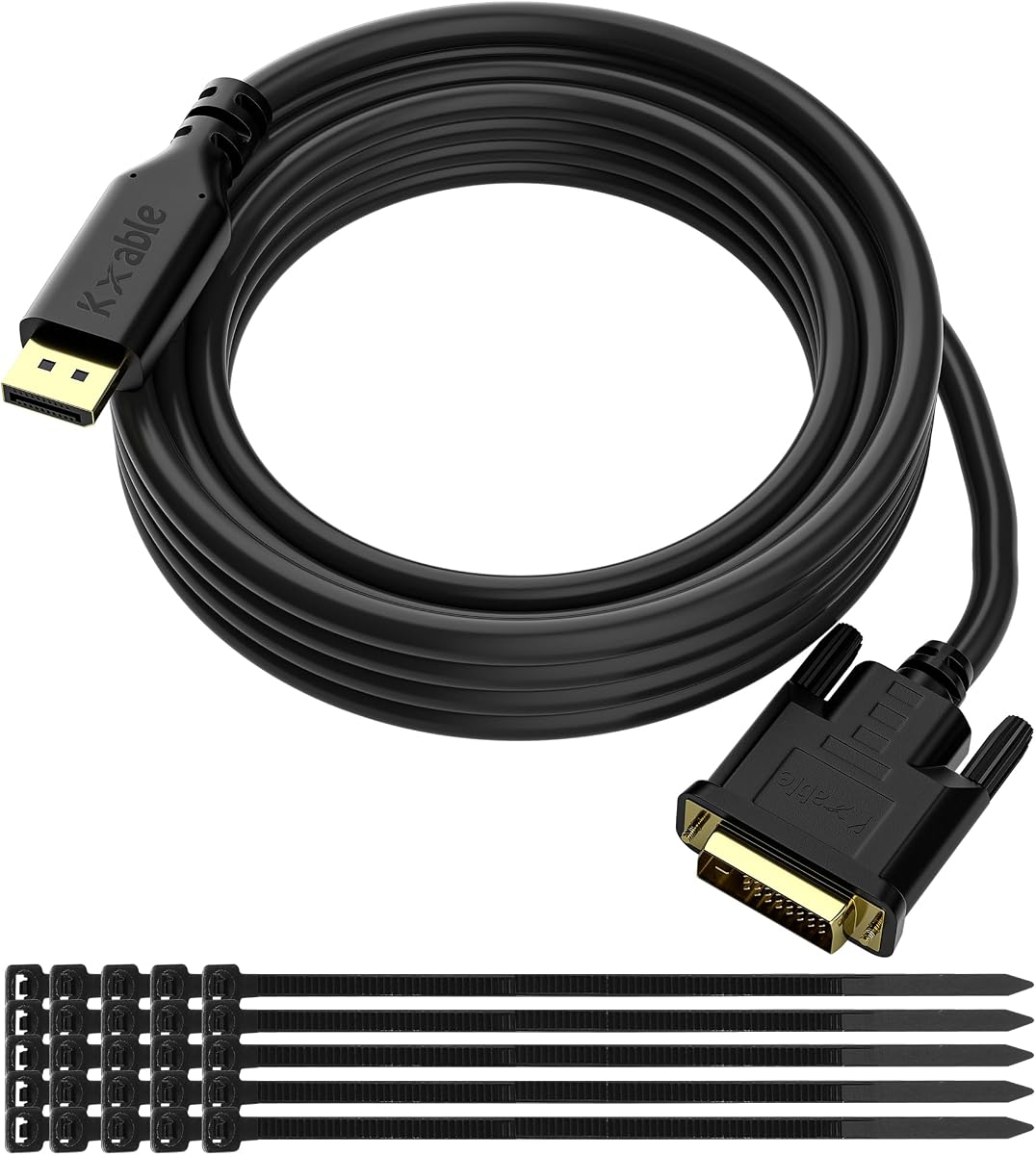
This high-rated cable stands out for its premium materials and long reach. With 4.8 stars it is perfect for setups requiring significant distance between device and display.
We may earn a commission when you buy through this link, at no additional cost to you.
Pure copper wire ensures better conductivity than clad steel alternatives. The 24K gold-plated connectors extend service life while multi-layer shielding blocks external interference.
The 25-foot length might be excessive for small desks but is vital for conference rooms or home theaters. It is slightly pricier due to these materials.
Choose this if you need to span across a room without signal loss. The included cable ties help keep the long run organized and safe.
Using high-quality pure copper wire improves signal conductivity significantly compared to standard copper clad steel options found in cheaper cables.
Complimentary black zip ties are provided to help manage the cable length neatly. This keeps your workspace tidy and reduces trip hazards effectively.
We may earn a commission when you buy through this link, at no additional cost to you.
The Cable Matters cable offers a perfect balance of performance and build quality. It is a strong contender for standard desktop setups needing reliable connections.
We may earn a commission when you buy through this link, at no additional cost to you.
Bare copper conductors paired with foil and braid shielding ensure superior performance. The gold-plated connectors provide a reliable link resistant to corrosion over time.
It uses a standard 6-foot length which fits most desks. The latch design is secure but requires pressing a button which some users may find slight.
This is an excellent choice for users wanting a no-nonsense reliable cable. It works well with extended or mirrored displays for productivity.
Bare copper conductors are used inside the cable to ensure high fidelity signal transmission without the interference found in cheaper materials.
The connector includes latches for a secure fit. You must press the release button before unplugging to ensure safety and stability.
We may earn a commission when you buy through this link, at no additional cost to you.
This active cable is uniquely designed for multi-monitor setups using Eyefinity technology. It supports connecting up to six screens simultaneously which is rare.
We may earn a commission when you buy through this link, at no additional cost to you.
The active Altmode ensures compatibility with complex configurations. It features gold-plated connectors and tinned copper conductors with foil and braid shielding for stability.
Since it is an active converter it might not work with passive setups. However the technical support and warranty are excellent for professional or power users.
Buy this if you need to run multiple displays from one source. The 24-month warranty and lifetime support add significant value for business environments.
Compatible with Eyefinity Multiple Screen SLS mode to allow connecting up to six screens at a time. This is unique for active converter cables.
Tinned copper conductors and ABS shell provide high strength and lightweight durability. The connectors are gold plated to resist corrosion effectively.
We may earn a commission when you buy through this link, at no additional cost to you.
This entry represents a product with limited data in the current source. Users should verify the listing details before purchasing to ensure compatibility with their devices.
We may earn a commission when you buy through this link, at no additional cost to you.
Often these listings may be regional variations or older models. Without clear specs it is hard to recommend it over verified alternatives in this roundup.
The risk of compatibility issues is higher here. It is safer to stick to the top picks if the product details remain unclear or missing.
Consider this only if you find specific confirmation of its specs. Check user reviews directly on Amazon for more reliable feedback on performance.
Since product details are unavailable you should check the Amazon listing page directly. Confirm the cable type and length before adding to cart.
User feedback is crucial for unknown products. Look for recent reviews that confirm the cable works with your specific displayPort and monitor setup.
We may earn a commission when you buy through this link, at no additional cost to you.
This listing appears to have missing information in the source data. Buyers should exercise caution and review the product page for specific compatibility details.
We may earn a commission when you buy through this link, at no additional cost to you.
Without verified specs it is difficult to guarantee performance or reliability. Other options in this guide have confirmed ratings and technical details.
The main risk here is potential incompatibility with your hardware. Always confirm the connector type and length before attempting to use this cable.
Only consider this if you have independent confirmation of its quality. For most users the verified top picks offer much safer purchase decisions.
Verify that the connector type matches your monitor requirements. Some DVI-D cables may not work with DVI-I ports without an adapter.
Look for customer reviews that mention your specific PC model. This helps avoid purchasing a cable that does not function as expected.
We may earn a commission when you buy through this link, at no additional cost to you.
This product entry lacks detailed specifications in the provided dataset. It is important to check the live Amazon page for complete information before buying.
We may earn a commission when you buy through this link, at no additional cost to you.
Lack of data often indicates a very new or niche product. Until there are user reviews it is wise to prioritize well-established alternatives.
Without clear specs you risk buying a cable that does not meet your needs. The top picks in this guide have proven track records.
Use caution and verify all compatibility claims directly. If you need a reliable connection today the reviewed options are safer bets.
Ensure the cable supports at least 1080p resolution for modern displays. Many cheap cables may limit you to 720p or 1024×768 only.
Look for any manufacturer warranty information. A longer warranty period often indicates the seller stands behind the quality of their product.
We may earn a commission when you buy through this link, at no additional cost to you.
Data for this listing is not currently available in the source. You should consult the product page directly to understand its features.
We may earn a commission when you buy through this link, at no additional cost to you.
When data is missing it is often safer to rely on established brands. This reduces the risk of receiving a subpar product.
Unknown products might offer unique features but verification is essential. Check if it supports the specific resolution you need for your monitor.
Prioritize options with clear specs and ratings. This ensures you spend your money on a cable that will perform consistently and reliably.
Check if the product page mentions shielding. Good shielding reduces electromagnetic interference which is crucial for clean video transmission.
Gold-plated connectors are standard for high-end cables. They resist oxidation and ensure a cleaner signal path over longer periods of time.
We may earn a commission when you buy through this link, at no additional cost to you.
This product entry lacks clear specifications in the provided list. Buyers are advised to visit the official listing for comprehensive details on capabilities.
We may earn a commission when you buy through this link, at no additional cost to you.
Products with missing data can be a gamble regarding quality and performance. Stick to known quantities if you need a reliable connection quickly.
The risk of incompatibility is higher without verified specs. Confirm that the cable is uni-directional as required for your specific setup.
Use caution and validate all claims independently. If you need a guaranteed solution the top ranked options in this guide are recommended.
Ensure you buy a uni-directional cable if converting DisplayPort to DVI. Some cables cannot transmit signals in reverse direction effectively.
Measure the distance between your devices before buying. A cable that is too short or too long can create management issues and frustration.
We may earn a commission when you buy through this link, at no additional cost to you.
This final entry has limited data in the source. Always refer to the product page for accurate specifications and compatibility information before purchase.
We may earn a commission when you buy through this link, at no additional cost to you.
Unknown products may have unique features but lack public reviews. This makes it hard to gauge their real-world performance and durability.
It is generally better to choose a well-reviewed product. This reduces the likelihood of needing a return or replacement due to poor quality.
Confirm all details with the seller if possible. For most users sticking to the top three picks ensures a smooth and successful setup experience.
Check that the cable is compatible with your graphics card brand. Some cables work better with specific GPU manufacturers than others.
A clear warranty policy indicates confidence in the product. If there is no warranty mentioned you may want to consider other options.
We may earn a commission when you buy through this link, at no additional cost to you.
Selecting the right cable requires understanding signal conversion, length needs, and build quality. This section explains the key factors to consider.
Most Displayport to DVI cables are uni-directional. This means they only convert signals from Displayport sources to DVI displays and not the other way around.
Always confirm the cable supports your specific direction before purchasing to avoid compatibility issues.
DVI ports come in different types such as DVI-D and DVI-I. Ensure the cable matches your monitor port for a secure fit.
Mismatched connectors may physically fit but fail to transmit signals properly.
Choose a length that fits your workspace. Too short and you struggle to plug in. Too long and you risk cable clutter.
Standard lengths range from 6 feet to 25 feet depending on your layout.
Quality shielding prevents electromagnetic interference which can cause signal drops. Foil and braid shielding are common high-quality options.
Look for cables with multiple shielding layers for the best reliability.
Gold-plated connectors resist corrosion and provide better conductivity than standard metal ones. This extends the life of the cable.
Always choose gold-plated connectors for long-term durability.
Pure copper conductors are superior to copper clad steel. They ensure better signal integrity especially for longer cable runs.
Check the product description to confirm the conductor material type.
A strong warranty protects your investment. Many reputable brands offer at least 18 months to two years of coverage.
Prioritize brands with clear warranty policies for peace of mind.
Established brands often provide better quality control and customer support. Read user reviews to gauge real-world performance.
Stick to well-reviewed brands to ensure consistent reliability and support.
Plug the Displayport end into your computer or graphics card and the DVI end into your monitor. Press the latch button to unlock before unplugging.
Avoid bending the cable sharply at the connector points. Use cable ties to manage slack and reduce strain on the connectors.
Keep the cable away from heat sources and direct sunlight. Clean connectors gently with a dry cloth to prevent dust buildup.
Most cables are uni-directional and only convert from Displayport to DVI. They generally do not work for converting DVI to Displayport signals. Always check the product description to confirm directionality.
These cables typically support up to 1080p at 60Hz. Some high-quality models may support higher resolutions depending on their build and shielding. Verify the max resolution in the specs.
A standard passive cable works for many cases. Active converters are needed for complex setups like multi-monitor configurations. Check your specific hardware requirements first.
Gold plating resists corrosion and ensures better conductivity over time. This leads to a more stable connection and longer cable lifespan. It is a standard feature for quality cables.
Press the release button on the connector firmly before pulling. This unlocks the latch and prevents damage to the port or cable. Never force it without pressing the button.
DVI only supports video signals so audio must be handled separately. You will need an additional audio cable connected to your source device. This is standard for DVI connections.
The top picks offer reliable solutions for different needs with the BENFEI cable leading for budget and the 25ft option for reach.
Prioritize shielding quality and connector latches to ensure a stable long-term connection for your display setup.
Always check current prices and stock availability before purchasing to secure the best deal for your setup today.