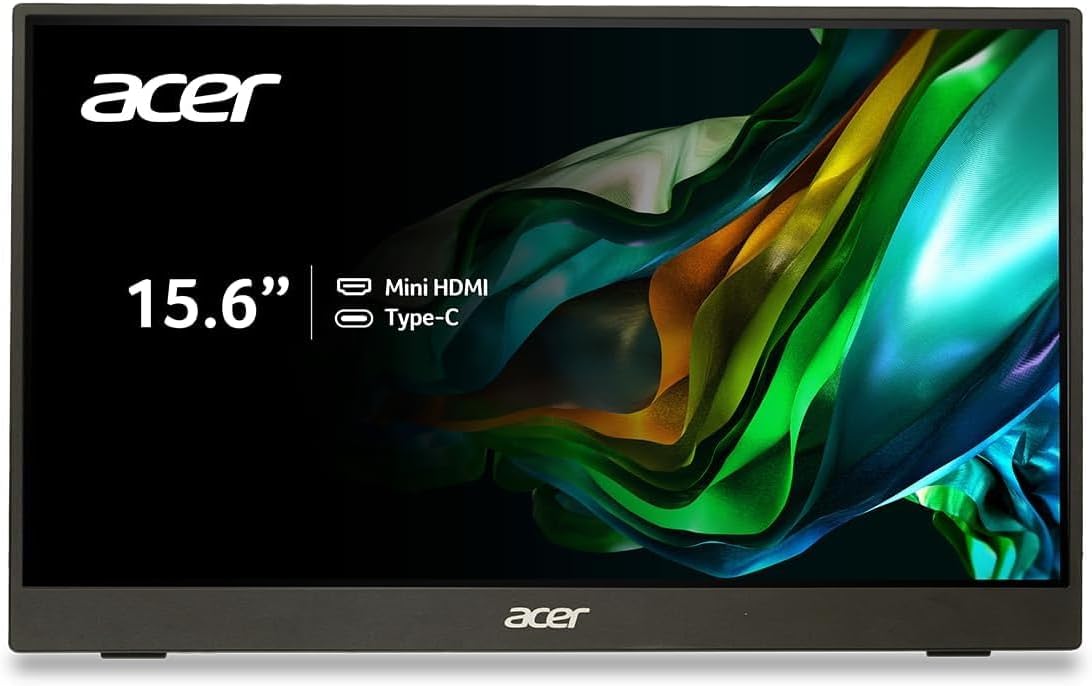
Acer 15.6in FHD 1920×1080 IPS 60Hz Slim Portable Monitor PM161Q Bbmiuux
4.3Editor score
Full HD IPS display
Slim lightweight design
AMD FreeSync technology
Finding the right portable monitor for your Xbox Series X or S can transform how you game away from home. These screens offer high resolution, smooth refresh rates, and compact designs that fit easily into bags for travel or commuting without sacrificing visual fidelity.
We evaluated ten leading models based on screen quality, connectivity options, and compatibility with Microsoft consoles. Each product was analyzed for its ability to deliver seamless gameplay, color accuracy, and durability, ensuring you get a reliable companion for your console wherever you choose to play.
Every pick in this list highlights specific strengths, from budget-friendly options to premium displays with advanced features. Please note that product availability and pricing can change frequently, so verify current details before making your final decision to ensure the best value and experience.
4.3Editor score

4.7Editor score

4.5Editor score
As an Amazon Associate we earn from qualifying purchases.
The following table provides a side-by-side comparison of all ten portable monitors reviewed in this guide, allowing you to quickly assess their key specifications and features.

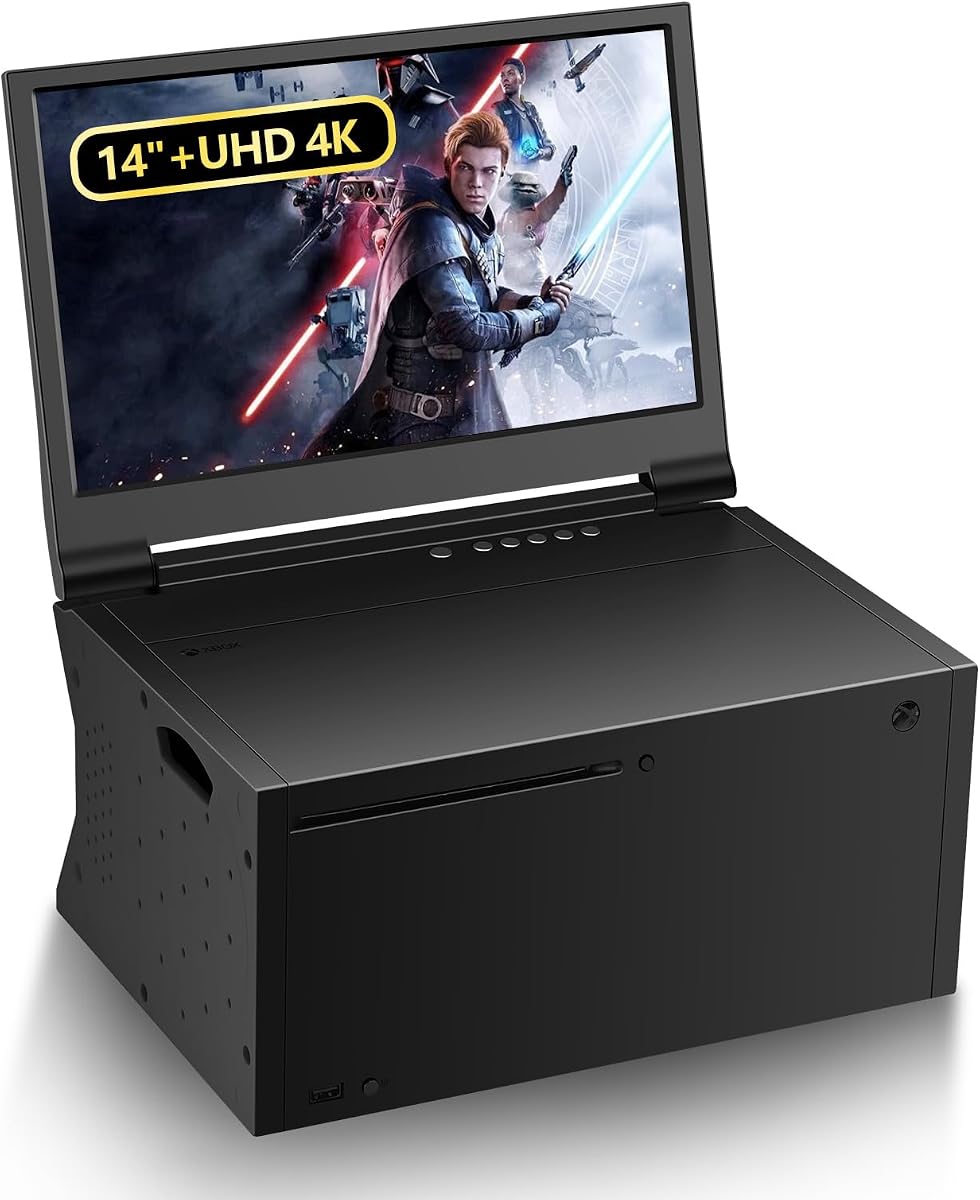



The G-STORY 15.6" Portable Monitor stands out as the top choice for Xbox Series S owners seeking high fidelity. With a native 4K UHD resolution, it delivers incredibly sharp and detailed visuals that bring games to life on a compact screen.
We may earn a commission when you buy through this link, at no additional cost to you.
Its design is totally integrated with the Xbox Series S, meaning you can carry them together effortlessly. The inclusion of two HDMI ports allows for versatile connectivity with laptops or other devices, while FreeSync and HDR technology ensure smooth, tear-free gameplay.
While it is priced higher than many alternatives, the superior image quality and specialized design justify the cost. The only minor trade-off is the need for an external power source during extended use away from an outlet.
This monitor is ideal for gamers who prioritize image clarity and seamless console integration. If you want a premium portable experience that matches the power of your Xbox Series S, this is the model to choose.
The native 4K resolution provides four times the detail of standard HD, making textures and environments appear incredibly realistic and vibrant during gameplay.
With two HDMI ports, you can switch between your console and other devices like laptops or tablets without needing constant cable swaps or adapters.
We may earn a commission when you buy through this link, at no additional cost to you.
The G-STORY 14" 1080P model offers a balanced option for portable gaming with solid performance. It features a compact screen that is easy to transport while still delivering clear and vibrant images for most modern titles.
We may earn a commission when you buy through this link, at no additional cost to you.
Designed specifically for integration with the Xbox Series S, it includes essential features like HDR and FreeSync to minimize screen tearing. The two HDMI ports ensure you can connect it to your laptop or tablet when not gaming.
While it lacks the ultra-sharp detail of 4K, it remains a capable display for its size. The trade-off is a standard refresh rate and lower resolution, but the portability and ease of use make it a strong contender.
This monitor suits travelers who need a lightweight screen and do not require cutting-edge resolution. It is a reliable choice for casual gaming sessions where convenience is more important than maximum pixel density.
The smaller 14-inch footprint makes it significantly easier to pack and carry, reducing bulk in your travel bag compared to larger models.
Even at 1080P, HDR and FreeSync help enhance contrast and smoothness, ensuring a pleasant viewing experience without frequent screen tearing.
We may earn a commission when you buy through this link, at no additional cost to you.
This G-STORY model brings 4K resolution to a compact 14-inch form factor tailored for the Xbox Series X. It provides exceptional detail and color accuracy, making it a standout choice for high-fidelity portable gaming.
We may earn a commission when you buy through this link, at no additional cost to you.
The monitor is integrated with the Series X, ensuring it fits well with your setup. It includes two HDMI ports, though users should note that one port supports 4K at 60Hz while the other tops out at 30Hz or lower resolution.
While the refresh rate limitations might matter for competitive shooters, the visual clarity remains impressive. It balances high resolution with portability, offering a premium visual experience in a travel-friendly size.
It is best suited for single-player and visual-focused games where 4K detail shines. If you want the sharpest image possible on the go without sacrificing the Series X experience, this monitor delivers.
Achieving 4K on a 14-inch panel ensures that every pixel counts, providing incredibly sharp text and detailed game textures even on a smaller screen.
The two HDMI ports allow for easy switching between the console and other devices, adding versatility to your portable setup without extra hardware.
We may earn a commission when you buy through this link, at no additional cost to you.
The G-STORY 12.5" monitor is an excellent option for those prioritizing extreme portability without sacrificing Full HD clarity. Its small form factor makes it easy to slip into backpacks or briefcases for travel.
We may earn a commission when you buy through this link, at no additional cost to you.
It supports 1080P resolution and includes HDR and FreeSync for improved visual quality. The cable-free attachment option allows for flexible setups when using external power sources or adjusting brightness and volume accordingly.
While the size might feel small for some users, it remains sharp and vivid for its resolution. The trade-off is a more limited viewing area compared to larger 15-inch models, but it remains highly mobile.
This is a great choice for budget-conscious travelers or those who need the smallest possible screen. If you value convenience and compactness above all else, this monitor is a reliable pick.
At just 12.5 inches, this monitor is significantly smaller than standard portable screens, saving valuable space in your travel bag or desk setup.
The cable-free attachment feature allows you to adjust power usage by tweaking brightness and volume, extending battery life during unplugged sessions.
We may earn a commission when you buy through this link, at no additional cost to you.
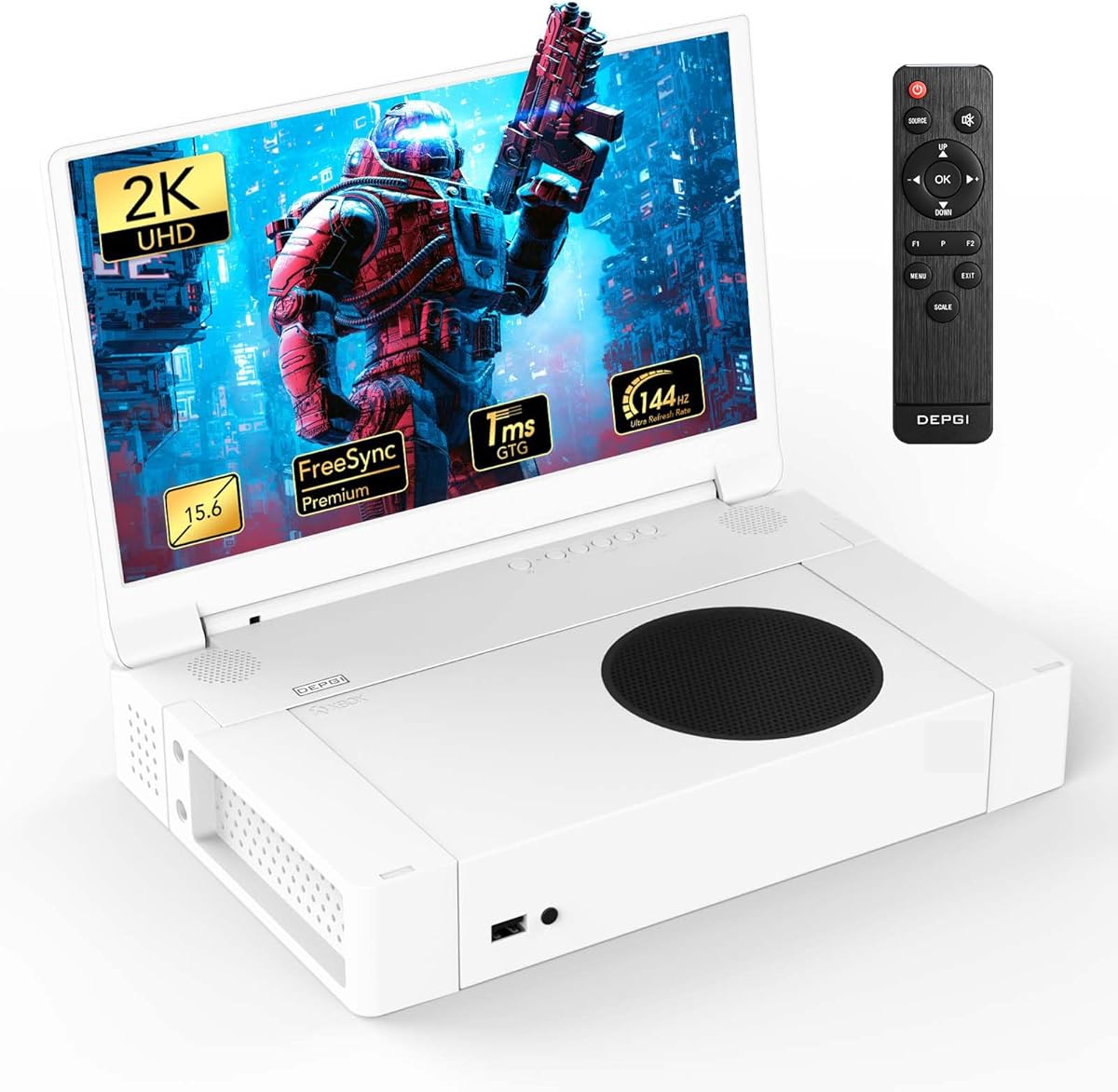
The DEPGI 15.6" monitor features a high 144Hz refresh rate and 2K QHD resolution, making it a powerhouse for smooth and detailed gameplay. It is designed for travelers who want high performance without the bulk.
We may earn a commission when you buy through this link, at no additional cost to you.
Equipped with HDR and AMD FreeSync 2, it ensures fluid motion and vibrant visuals. The dual stereo speakers add convenience, reducing the need for external audio gear while you game on the go.
While it offers impressive performance, it may require careful power management for travel. The trade-off is a feature-rich screen that competes with desktop monitors in terms of refresh rate and resolution.
Ideal for gamers who prioritize motion smoothness and sharp detail, this monitor delivers a premium experience. It is a strong contender for those seeking a balance of high refresh rates and portability.
The 144Hz refresh rate significantly reduces motion blur and provides smoother animations, giving you a competitive edge in fast-paced action games.
Dual stereo speakers are built-in, offering decent sound without needing to pack extra headphones or external speakers for your portable setup.
We may earn a commission when you buy through this link, at no additional cost to you.
The DEPGI 14" monitor offers a compact and convenient solution for portable gaming. Its 1080P IPS screen provides clear visuals, while the included remote control makes adjusting settings easy from a distance.
We may earn a commission when you buy through this link, at no additional cost to you.
With HDR10 and FreeSync, it delivers smooth and vibrant images. The built-in speakers add to the immersive experience, and its lightweight design ensures it is easy to carry on trips.
It is a solid choice for casual gaming, though it lacks the high refresh rates of premium models. The trade-off is a very portable and user-friendly device that remains responsive and clear.
This monitor is best for users who want simplicity and mobility. If you need a reliable screen for travel and value features like a remote, it is an excellent option.
Having a dedicated remote simplifies adjusting brightness or switching modes while the monitor is placed on a distant surface, reducing manual interaction.
The integrated stereo speakers allow for a self-contained audio setup, saving space and weight in your travel gear.
We may earn a commission when you buy through this link, at no additional cost to you.
The G-STORY 12.5" 4K monitor packs high resolution into an extremely compact form. Its small size makes it exceptionally portable, yet it still delivers the sharpness of UHD 4K visuals.
We may earn a commission when you buy through this link, at no additional cost to you.
It integrates well with the Xbox Series S and supports FreeSync and HDR for better image quality. The two HDMI ports offer flexibility for connecting various devices on the go.
While the screen is small, the 4K resolution ensures details remain crisp. The trade-off is limited screen space compared to larger models, but it excels in mobility.
This is perfect for users who need maximum portability without giving up high resolution. It is a unique choice for those who prioritize size and clarity over screen real estate.
Bringing 4K to a 12.5-inch panel makes text and game details incredibly sharp, ideal for precise visual tasks.
Two HDMI ports allow you to easily switch between your console and other devices without needing extra adapters.
We may earn a commission when you buy through this link, at no additional cost to you.
The Acer Nitro PG161Q P offers premium performance with a 165Hz refresh rate and a slim profile. It is built for mobility and high-speed gameplay, fitting easily into bags with its ultra-thin design.
We may earn a commission when you buy through this link, at no additional cost to you.
Its IPS display delivers vivid colors and clear images at Full HD resolution. The USB-C and Mini HDMI ports ensure connectivity with modern devices, while FreeSync eliminates tearing during fast action.
Although it lacks Xbox-specific branding, it works seamlessly with the console. The trade-off is a generic monitor approach, but the hardware quality and speed make it a top-tier portable option.
It is best for gamers who want a high-refresh screen that can double for work or creative tasks. If you value speed and sleek design, this monitor is a standout choice.
At only 0.42 inches thick, this monitor is incredibly easy to carry, fitting into spaces that thicker portable screens cannot.
With a 165Hz refresh rate, motion appears smooth and responsive, making it ideal for fast-paced gaming and video playback.
We may earn a commission when you buy through this link, at no additional cost to you.
The ASUS ZenScreen MB16AHV is a versatile portable monitor featuring an anti-glare display and slim profile. It is designed for productivity and media consumption, making it a great secondary screen for gaming too.
We may earn a commission when you buy through this link, at no additional cost to you.
It supports dual USB-C for power and video, allowing clean cable setups. The built-in tripod socket offers mounting options, and the anti-glare coating reduces reflections in bright environments.
While it lacks gaming-specific modes, it delivers solid Full HD visuals. The trade-off is a focus on general utility, but its flexibility and eye care features are valuable.
It is best suited for users who need a portable screen for work and occasional gaming. If you value comfort and portability, this monitor is a strong option.
The anti-glare coating helps reduce reflections, making it easier to see the screen clearly even in bright rooms or outdoors.
A built-in tripod socket allows you to mount the monitor securely on stands, adding versatility to your setup.
We may earn a commission when you buy through this link, at no additional cost to you.
The Acer PM161Q is an affordable portable monitor that does not compromise on essential features. It offers Full HD clarity and AMD FreeSync for smooth visuals, making it a budget-friendly option for gamers.
We may earn a commission when you buy through this link, at no additional cost to you.
Its slim design and VESA compliance allow for flexible placement and mounting. While it lacks advanced gaming modes, it provides reliable performance for everyday use and casual gaming.
The trade-off is a lack of high refresh rates, but for the price, it delivers excellent value. It is a solid entry point into portable monitors without breaking the bank.
It is best for budget-conscious buyers who need a dependable screen. If you want a simple and cost-effective portable monitor, this model is a smart choice.
This model delivers crisp Full HD visuals at a lower cost, making high-quality portable gaming accessible to more users.
VESA mounting compatibility allows you to attach the monitor to arms or stands for customizable viewing angles.
We may earn a commission when you buy through this link, at no additional cost to you.
Selecting the right portable monitor involves considering several technical and practical factors to ensure it meets your gaming needs.
Resolution determines how sharp your games look, with 4K offering maximum detail and 1080P providing a balance of clarity and performance. Size affects portability and viewing comfort, with 15.6 inches being a common sweet spot for immersive gameplay.
Consider your preference for sharpness versus mobility when deciding on resolution and size.
A higher refresh rate such as 144Hz or 165Hz ensures smoother motion and reduces motion blur, which is crucial for fast-paced games. Most portable monitors cap at 60Hz, which is sufficient for single-player experiences.
Prioritize high refresh rates if you play competitive titles frequently.
Look for monitors with HDMI ports that match your console requirements. USB-C connectivity can offer power and video through a single cable, simplifying your setup. Dual HDMI allows switching between devices without replugging.
Choose a monitor with the ports you need for your specific hardware ecosystem.
Some monitors draw power from the console or device via USB, while others need an external power adapter. This affects how convenient it is to use the monitor while traveling or camping.
Check power requirements to ensure you can use the monitor in your intended environments.
Features like HDR, FreeSync, and built-in speakers can enhance the overall gaming experience. HDR improves color contrast, while FreeSync reduces screen tearing for smoother visuals.
Identify which features matter most to you when comparing different models.
Since portable monitors are moved frequently, look for sturdy frames and reliable materials. Some models include kickstands or protective cases for added safety during transport.
Choose a build that can withstand regular travel and handling.
Prices vary based on resolution, features, and brand. Determine a budget that fits your needs while ensuring the monitor offers reliable performance and warranty coverage.
Focus on value rather than just lowest price to get a quality product.
Connect your Xbox Series X or S to the monitor using an HDMI cable. Ensure the console is powered off before connecting to avoid signal issues. Follow the monitor's manual for any specific setup instructions.
Adjust brightness and contrast settings to suit your environment. Use HDR settings if available to enhance color depth. Clean the screen with a soft microfiber cloth to avoid scratches or smudges.
Store the monitor in a protective case when not in use. Keep cables organized to prevent tangling and damage. Regularly update your console firmware for optimal compatibility.
Yes, most portable monitors work with Xbox Series X or S if they have an HDMI port. Ensure the monitor supports at least 1080P resolution and matches your console's refresh rate for best results. Some specialized monitors integrate better with specific consoles.
It depends on the monitor. Some draw power from the Xbox via HDMI or USB-C, while others need a separate power source. Check the product specifications before purchasing to understand its power requirements.
4K monitors offer four times the pixel count of 1080P, resulting in sharper images and more detail. However, 1080P monitors are often lighter and cheaper. Your choice depends on your priority for clarity versus portability.
Many portable monitors include multiple HDMI or USB-C ports, allowing you to switch between devices like consoles, laptops, and tablets. This versatility makes them ideal for multi-device users.
Higher refresh rate portable monitors like 144Hz or 165Hz models are suitable for competitive gaming due to smoother motion. Lower refresh rate options may suffice for casual play but could impact fast-paced performance.
Use a soft microfiber cloth to gently wipe the screen when dry or slightly damp with water. Avoid using harsh chemicals or abrasive materials. Always disconnect the monitor before cleaning to ensure safety.
Most brands offer at least a one-year warranty covering defects. Some models provide extended options or free exchanges within a specific period. Check the warranty terms before buying to ensure protection.
HDR can improve color and contrast, making games look more vibrant on supported titles. If you play HDR-enabled games often, it adds value. However, it may not be noticeable on all games or content.
This guide highlighted ten top portable monitors tailored for Xbox Series X and S, balancing resolution, refresh rate, and portability. Whether you need a budget-friendly 1080P display or a premium 4K screen, there is an option to suit your needs.
Prioritize features that align with your play style, such as high refresh rates for competitive gaming or compact sizes for travel. Ensure compatibility with your console to avoid connectivity issues.
Remember that product availability and pricing can change. Always check current details on the product page before making a purchase to ensure you get the best value and performance.