
Patriot Memory 64GB EP
4.5Editor score
Affordable 64GB storage
Optimized for Android devices
Supports 4K video recording
This guide compares the top memory cards for tablets to help you choose the right storage, speed, and reliability for your specific Android or Windows tablet
Finding the right memory card for your tablet can significantly enhance your digital experience by providing ample space for apps, media, and files. With various speeds and capacities available, selecting the perfect match ensures smooth performance without frustrating lag or storage warnings during critical tasks.
We evaluated ten leading microSD options based on speed ratings, capacity limits, durability features, and compatibility with modern tablets. Our analysis focuses on real-world performance metrics like read write speeds, app loading times, and video recording capabilities to ensure you get reliable value for your investment.
Each pick below highlights specific strengths such as budget friendliness, high speed performance, or extreme durability for outdoor use. Please note that pricing and availability change frequently so always verify current details before making your final purchase decision to secure the best deal available.
4.5Editor score

4.8Editor score
4.8Editor score
The following table provides a side by side overview of each product specifications and key features to help you quickly identify which card aligns best with your tablet storage needs and performance requirements.


This SanDisk Ultra card offers an impressive balance of speed and capacity making it an ideal choice for modern tablets needing expanded storage. Its high read speed allows quick access to media files and apps ensuring smooth user experiences during daily usage.
We may earn a commission when you buy through this link, at no additional cost to you.
The card supports Full HD video recording and playback which is essential for content creators or media consumers using their tablets regularly. Additionally the A1 rating ensures applications launch faster and perform better when installed directly on the microSD card for convenience.
While write speeds are not explicitly highlighted the read performance is sufficient for most standard tasks like streaming and file transfers. Users should ensure their tablet supports the specific speed class to fully utilize the card performance potential without bottlenecks.
Recommend this card for general users seeking reliable performance and ample space for photos videos and apps. It delivers consistent results across various Android and Windows tablets making it a versatile pick for most storage expansion needs today.
High read speeds mean you can open large video files or apps almost instantly without waiting for buffering or loading screens.
SanDisk is a trusted brand known for durability ensuring your data remains safe even with regular use in various environments.
We may earn a commission when you buy through this link, at no additional cost to you.
Amazon Basics delivers a reliable storage solution at a competitive price making it attractive for budget conscious tablet users. The A2 certification ensures apps run smoothly from the card which is a significant advantage over standard cards for multitasking devices.
We may earn a commission when you buy through this link, at no additional cost to you.
With support for 4K video and robust durability features like water resistance this card handles both demanding media tasks and rough handling. It is an excellent choice for users who need extra space without spending too much on high end specs.
Performance is steady though it may not match the fastest premium cards in raw speed tests. For general use like storing photos music and common apps it provides more than enough power to keep your tablet running efficiently.
Choose this card if you prioritize value and essential features over maximum speed. It is a solid performer for everyday tablet tasks and offers peace of mind with its built in durability against shocks and water damage.
The A2 rating allows apps to load faster and run more smoothly when stored on the card compared to standard memory solutions.
Built to withstand shocks and water this card protects your important data even if you use your tablet in outdoor or active settings.
We may earn a commission when you buy through this link, at no additional cost to you.
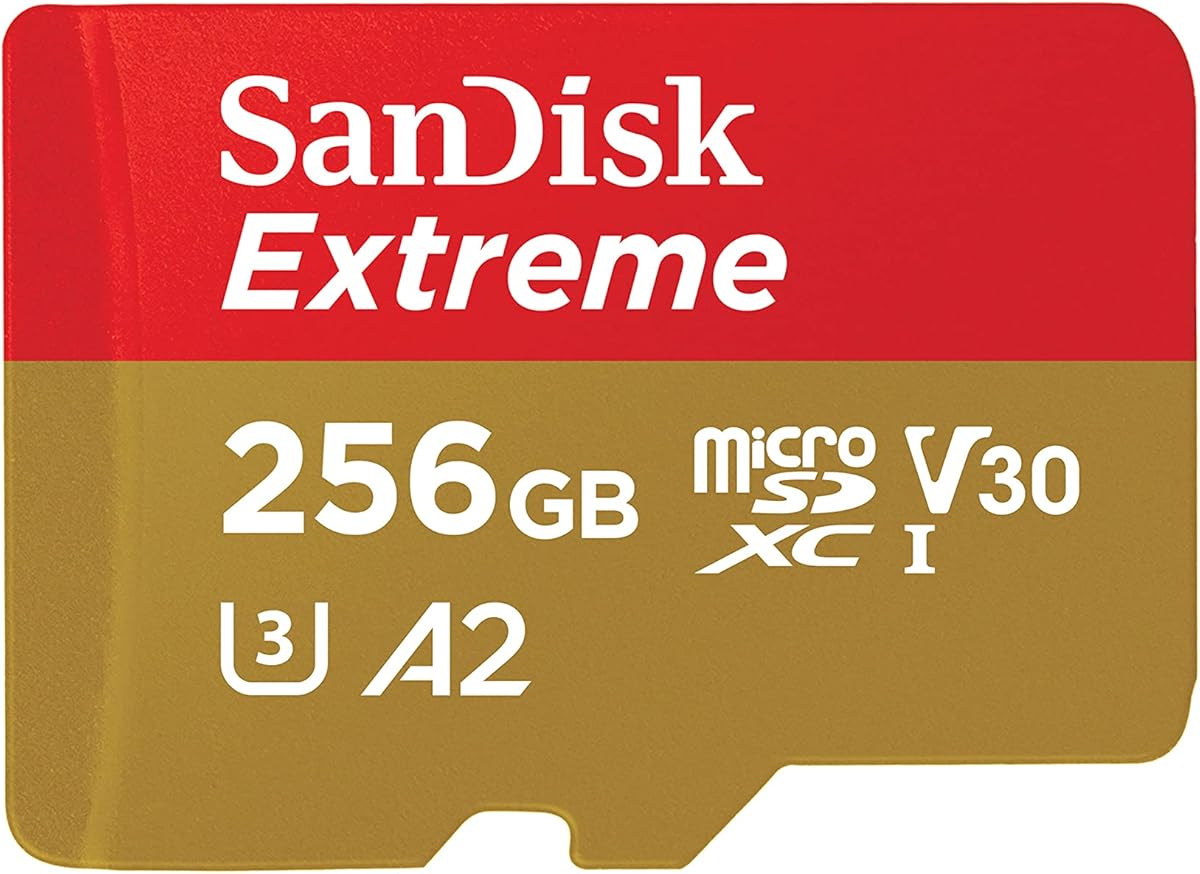
This 256GB option from SanDisk provides ample room for extensive media libraries and numerous applications without needing frequent cleanup. It is particularly useful for power users who require large capacity for high resolution content or professional work on the go.
We may earn a commission when you buy through this link, at no additional cost to you.
The speed performance is strong allowing quick transfers and smooth playback of high definition videos. Coupled with a ten year warranty this card offers long term reliability and peace of mind for valuable data storage needs.
Users should verify their device supports 256GB capacity before purchasing as some older tablets have lower limits. However for modern devices this card serves as a robust expansion tool for both personal and professional usage scenarios.
Ideal for those needing significant space this card balances capacity and speed effectively. It ensures your tablet remains clutter free and performs well even when storing large amounts of photos videos and apps simultaneously.
256GB allows you to store thousands of photos and hours of video without worrying about running out of space anytime soon.
A ten year warranty shows confidence in the product durability ensuring your data stays safe over extended periods of use.
We may earn a commission when you buy through this link, at no additional cost to you.
This variant of the SanDisk Ultra series delivers consistent performance suitable for a wide range of tablet models and daily tasks. It offers a good balance of speed and capacity making it easy to manage media files and applications efficiently.
We may earn a commission when you buy through this link, at no additional cost to you.
The Class 10 rating ensures reliable video recording which is crucial for users who capture content regularly. It works seamlessly with Android and Windows devices providing a flexible storage solution for various ecosystems and software requirements.
While it shares many features with other models the specific read speeds make it a strong contender for general use. Users can rely on it for quick file access and smooth playback without noticeable delays during operation.
A safe choice for standard tablet storage needs this card provides dependable performance and compatibility. It is well suited for everyday users who need extra space without requiring extreme speed specifications for professional editing.
With 140MB/s read speeds you can move large files off your card quickly saving time when backing up or sharing content.
Works well with Android tablets and other devices ensuring you get the most out of your storage purchase across different tech.
We may earn a commission when you buy through this link, at no additional cost to you.
For those needing significant storage on a budget this 256GB card from Amazon Basics offers a compelling mix of capacity and features. The A2 rating helps apps run smoothly from the card which improves overall tablet responsiveness and multitasking capabilities.
We may earn a commission when you buy through this link, at no additional cost to you.
Its durability is highlighted by resistance to extreme temperatures and water making it suitable for outdoor or industrial use cases. This reliability ensures your data remains secure even when the tablet faces challenging environmental conditions during use.
Performance is consistent for standard tasks though it may not match the fastest read speeds on the market. For most users storing media and apps this level of speed is sufficient to maintain a fluid user experience.
A practical choice for budget friendly large storage this card meets diverse needs effectively. It is ideal for travelers or professionals who require space and durability without paying for premium speed specifications.
A2 certification means apps installed on the card will load faster and perform better than on standard storage cards.
Built to handle extreme temperatures and water this card protects your data in harsh conditions where standard cards might fail.
We may earn a commission when you buy through this link, at no additional cost to you.
This 64GB model provides a cost effective way to expand storage for tablets that do not require massive capacity. Its high read speed ensures that media files and apps load quickly which enhances daily usability and reduces wait times.
We may earn a commission when you buy through this link, at no additional cost to you.
With a ten year warranty users gain confidence in the product durability and longevity. It is an excellent solution for light users or as a secondary card for specific projects or temporary storage needs.
While 64GB may be limiting for heavy media collectors it is perfect for essential apps and photo storage. The A1 rating further ensures smooth performance when moving apps onto the card for better tablet management.
Recommended for basic storage needs this card delivers reliability and speed at a lower cost point. It is a great starting point for those new to microSD expansion or needing a compact option for travel.
With 140MB/s read speeds you can open videos and photos quickly without delays during your daily tablet activities.
A ten year warranty ensures that your investment is protected long term giving you peace of mind regarding data safety.
We may earn a commission when you buy through this link, at no additional cost to you.
Patriot Memory offers an accessible option for users needing basic storage expansion with solid speed features. The V30 rating ensures it can handle 4K video recording making it suitable for content creation even on a tighter budget.
We may earn a commission when you buy through this link, at no additional cost to you.
Its A1 rating supports better app performance which is vital for maintaining smooth operation on Android tablets. This combination of speed and affordability makes it a practical choice for casual users and students alike.
While detailed durability specs are not provided it generally meets standard industry expectations for daily use. Users should handle the card carefully to ensure longevity since it lacks the rugged features of more premium cards.
Ideal for those prioritizing speed over capacity this card provides excellent value for the price. It serves well for general media storage and app management on tablets where budget is a primary concern.
V30 certification means you can record high quality video smoothly without frame drops during your tablet sessions.
A1 rating ensures apps installed on the card run efficiently which keeps your tablet responsive even with limited internal space.
We may earn a commission when you buy through this link, at no additional cost to you.
This 256GB card delivers high speed performance combined with substantial storage making it ideal for power users. The 195MB/s read speed ensures quick access to large files which keeps workflows uninterrupted and efficient.
We may earn a commission when you buy through this link, at no additional cost to you.
Support for Full HD video and optimized app performance allows for smooth media consumption and multitasking. It is a robust choice for tablets used for professional tasks or heavy media storage that demand both space and speed.
While it does not carry the A2 rating the A4 performance still offers reliable app handling for most daily applications. Users should ensure their device supports the card's speed class to fully benefit from the high read performance.
A top pick for demanding users this card balances speed and capacity effectively. It ensures your tablet remains fast and spacious even with extensive data accumulation over time.
With 195MB/s read speeds transferring large files becomes quick and easy saving you valuable time during daily tasks.
A4 rating ensures apps run smoothly on the card providing a seamless experience for productivity and entertainment apps.
We may earn a commission when you buy through this link, at no additional cost to you.
This Extreme model sets a high standard for performance offering speed and capacity tailored for professional and heavy usage. With 4K and 5K readiness it supports demanding video tasks that standard cards may struggle to handle efficiently.
We may earn a commission when you buy through this link, at no additional cost to you.
The A2 rating ensures applications run faster and smoother which is critical for productivity on the go. Its rugged construction provides extra peace of mind for users who travel frequently or work in varied environments.
While the price is higher the performance benefits justify the investment for those requiring top tier reliability. It is designed to handle intense workloads without throttling which keeps your tablet performing at its best.
Choose this card if you need professional grade performance and durability. It is the best option for content creators and professionals who demand the fastest speeds and largest reliable storage available.
With 4K and 5K UHD readiness you can capture high quality video content smoothly without lag or frame drops on your tablet.
Built to withstand harsh conditions this card ensures your critical data stays safe even during travel or outdoor projects.
We may earn a commission when you buy through this link, at no additional cost to you.
This 128GB Extreme card delivers professional level speed and durability making it suitable for demanding tablet usage. The U3 V30 rating ensures reliable 4K video performance which is ideal for content creators and power users.
We may earn a commission when you buy through this link, at no additional cost to you.
With A2 optimization apps load faster and run better directly from the card enhancing overall tablet fluidity. The rugged design protects against water and shocks ensuring your data stays safe during active use.
While it is priced higher than basic options the performance and reliability benefits are significant for intensive tasks. It serves as a premium storage solution that keeps your tablet running smoothly under heavy workloads.
Ideal for users needing high speed and durability this card offers peace of mind and strong performance. It is a great choice for those who prioritize reliability and speed over budget constraints.
With 160MB/s read speeds you can transfer large files quickly ensuring your workflow remains fast and uninterrupted.
Water proof and shock proof design keeps your data safe even when your tablet is exposed to challenging physical conditions.
We may earn a commission when you buy through this link, at no additional cost to you.
Choosing the right memory card involves balancing several factors to ensure your tablet performs optimally without unnecessary costs or limitations.
Storage capacity determines how much data you can keep on your device including photos videos apps and documents. For general use 64GB or 128GB may suffice but heavy users should consider 256GB or more to avoid frequent file management.
Select a capacity that matches your typical data storage habits to prevent running out of space while using your tablet daily.
Read speed affects how fast you can access files on the card while write speed impacts recording performance when saving new content. Look for high read speeds for quick app loading and high write speeds for video recording tasks.
Faster speeds ensure smoother multitasking and media playback which helps maintain a responsive experience across different apps.
Speed classes like U3 V30 and A2 indicate how well the card handles high resolution video and app operations. A2 rated cards are essential for installing apps directly on the card for better performance on Android tablets.
Verify your tablet supports the specific speed class ratings to fully benefit from the performance capabilities the card offers.
Not all tablets support the maximum storage capacity or speed of every microSD card available. Always check your device specifications for supported formats and capacity limits before purchasing to avoid incompatibility issues.
Ensuring compatibility prevents wasted investment and ensures the card works seamlessly with your existing tablet hardware and software.
Many cards offer resistance to water shock and extreme temperatures which protects your data in challenging environments. If you use your tablet outdoors or in harsh conditions look for rugged cards with IP ratings.
Durability features help preserve your stored data and extend the lifespan of the card during regular physical use.
Well known brands like SanDisk and Amazon Basics typically provide reliable products with customer support and warranties. A longer warranty period like ten years indicates confidence in product longevity and data safety.
Choosing a reputable brand reduces the risk of data loss and ensures you have support if issues arise over time.
Consider your budget and balance it against the features offered such as speed and capacity. Sometimes spending slightly more for higher speed provides better long term value by improving your device performance.
Evaluate total value rather than just the initial cost to find a card that meets your needs without overspending.
Determine whether you need the card primarily for media storage app storage or professional tasks like video editing. Different use cases prioritize different specs such as read speed for media or A2 for apps.
Align the card specifications with your primary tasks to get the best performance and reliability for your specific scenario.
Insert the microSD card into your tablet slot carefully ensuring correct alignment before securing it. Most tablets require a small tool to open the slot door so handle it gently to avoid damaging the internal components.
After insertion go to your device settings to format the card as internal or portable storage depending on your needs. Formatting prepares the card to work efficiently with your tablet's operating system and prevents data corruption.
To maintain longevity remove the card only when the tablet is powered off or the SD unmounting process is complete. Avoid exposing the card to extreme temperatures moisture or direct sunlight which can degrade its performance over time.
Not every tablet supports microSD cards so always check your device manual or specifications before buying. Some high end models do not include slots due to internal storage considerations and will not accept external expansions.
A2 rated cards have higher random read and write speeds which means apps run faster and load better when installed on the card. This is particularly important for Android tablets that rely on the card for app storage.
Go to your tablet settings select Storage and find the option to format the SD card. Formatting will erase existing data so back up anything important before proceeding to ensure your files are safe.
Some Android tablets allow you to adopt the SD card as internal storage to increase available space for apps and data. This integrates the card with your device but may reduce portability since the card becomes tied to that device.
Not necessarily as the best card depends on your specific needs like capacity or speed. A cheaper card with suitable specs may work just as well if you do not need high speed video recording or apps.
This may happen if the card capacity exceeds your tablet maximum limit or if the speed class is not compatible. Check your device support documentation to confirm compatible formats and capacities before using.
Selecting the right memory card for your tablet can transform your device capabilities by providing ample storage and reliable speed. Whether you need a budget friendly option or professional grade performance there is a card for every requirement.
Prioritize speed ratings like U3 and A2 if you plan to run apps from the card or record high resolution video. For casual use focus on capacity and durability to ensure your photos and documents remain safe.
Always check current product availability and details before purchasing as specifications and prices may change. Choosing the correct card today ensures your tablet continues to perform smoothly for years to come.