
WALI Computer Monitor Stand
4.7Editor score
Adjustable height levels
Vented platform design
No tools required assembly
This guide compares the best monitor base stand for desk options including ergonomic risers and VESA mounts to help you organize your workspace effectively
Finding the right monitor base stand for desk can transform your workspace into a more efficient and ergonomic environment. A good stand elevates your screen to eye level, reducing neck strain and freeing up valuable desktop space for your other essential tools and accessories.
We have carefully compared ten top-rated products based on stability, adjustability, material quality, and user feedback. Each option offers unique benefits whether you need a simple riser for storage or a fully adjustable mount for multiple screens and specific viewing angles.
Every pick in this list highlights key features like weight capacity, compatibility with different screen sizes, and ease of assembly. Keep in mind that prices and availability can change quickly, so checking the current listing is always recommended before making your final purchase decision.
4.7Editor score
4.6Editor score

4.6Editor score
The following table provides a side-by-side comparison of all ten products reviewed in this guide. Each entry highlights the core specifications and unique features to help you quickly identify which model best fits your specific desk setup and monitoring needs.


This stand ranks first for its robust build and versatility. With a 4.6 rating, users praise its ability to hold heavy monitors securely thanks to a tempered safety glass base that can support up to 77 lbs.
We may earn a commission when you buy through this link, at no additional cost to you.
The ergonomic design allows you to adjust the height across four levels while offering tilt swivel and full rotation. This flexibility ensures you can position your screen perfectly to reduce neck strain during long work sessions.
While assembly is straightforward it does take about fifteen minutes to set up. The tempered glass surface is durable but may require occasional cleaning to avoid visible smudges or fingerprints over time.
Ideal for professionals using larger screens up to 32 inches this stand offers the stability and adjustability needed for a comfortable workspace. It is a top choice for anyone needing a reliable and sturdy base solution.
The 77 lb capacity ensures even large monitors stay secure without wobbling or tipping over.
Multiple adjustment options help you maintain a healthy posture throughout your workday.
We may earn a commission when you buy through this link, at no additional cost to you.
This WALI stand offers exceptional value with a 4.7 rating. It is designed to be budget-friendly while still providing the essential features needed to elevate your monitor and organize your desk space effectively.
We may earn a commission when you buy through this link, at no additional cost to you.
The platform includes vented holes to prevent overheating and offers three height options for ergonomic viewing. Setup is incredibly easy since no tools are required for assembly making it perfect for quick desk refreshes.
Since it is made of plastic it may not feel as solid as metal or wood options. It also supports up to 44 lbs which is sufficient for most laptops and smaller monitors but not heavy professional displays.
For users on a tight budget this stand delivers great functionality. It is a smart choice for home offices or students needing a simple reliable way to improve screen height without spending much money.
Components fit together smoothly so you can start using the stand immediately without tools.
Vented holes help keep devices cool preventing overheating during extended use periods.
We may earn a commission when you buy through this link, at no additional cost to you.
This version of the WALI stand features a metal shelf instead of plastic offering increased durability. It maintains the same 4.7 rating and supports up to 44 lbs making it a solid choice for heavier laptops and monitors.
We may earn a commission when you buy through this link, at no additional cost to you.
The open design underneath the shelf helps reduce desktop clutter by storing keyboards and notebooks. It also includes vented holes to ensure your devices stay cool and operate efficiently during long working hours.
While the metal build is sturdy it may cost slightly more than the plastic version. The setup process involves assembling components which takes a bit more effort than tool-free options but remains straightforward.
If you want a balance of affordability and sturdiness this stand is a great pick. It works well for home or office desks needing reliable support and extra storage space for your daily essentials.
The metal shelf provides a stronger surface that resists wear and tear over time.
Designed to support both single and dual monitor arrangements for flexible setups.
We may earn a commission when you buy through this link, at no additional cost to you.
This dual stand is perfect for multi-monitor setups with a 4.6 rating. It combines rustic brown wood with thick steel legs to offer both style and strength for supporting two screens simultaneously on your desk.
We may earn a commission when you buy through this link, at no additional cost to you.
The ergonomic design raises screens to eye level reducing neck strain. It also provides ample storage underneath for supplies keeping your desk clean and organized while maintaining a professional aesthetic.
Assembly takes about two minutes with pre-drilled holes and included tools. The larger size means it occupies more desk space which may be a consideration for smaller workstations or limited areas.
Ideal for power users or gamers needing dual screens this stand delivers premium features. Its blend of wood and metal adds a unique look while providing the functionality required for advanced workflows.
Accommodates two monitors efficiently allowing for expanded productivity and multitasking.
Rustic brown finish gives your workspace a warm high-quality appearance.
We may earn a commission when you buy through this link, at no additional cost to you.
This MOUNTUP stand focuses on VESA compatibility with a 4.5 rating. It supports screens up to 32 inches and offers extensive angle adjustments to find the most comfortable viewing position for your eyes.
We may earn a commission when you buy through this link, at no additional cost to you.
The heavy-duty freestanding base lifts your monitor up to 17.5 inches freeing up desk space. A built-in cable clip helps keep wires tidy and organized for a cleaner and more professional workspace.
The weight limit of 17.6 lbs is lower than other models so it is best for lighter monitors. It lacks storage underneath meaning you will need other solutions for keyboard or notebook placement.
Best for users prioritizing viewing angles over storage this mount is highly effective. It delivers a stable base with great adjustability making it a solid choice for home offices needing ergonomic flexibility.
Full rotation and tilt allow you to customize screen orientation effortlessly.
Raising the monitor clears surface area for other desk essentials and accessories.
We may earn a commission when you buy through this link, at no additional cost to you.
This TEAMIX stand is designed for simplicity with a 4.6 rating. It features a high-quality MDF wood construction that supports up to 80 lbs making it incredibly sturdy for most computer setups and laptops.
We may earn a commission when you buy through this link, at no additional cost to you.
The compact size fits laptops under 20 inches and includes an inner height of 2.95 inches for cable management. Its modern design blends well with most home decor styles without overwhelming your desk.
Unlike adjustable models this stand has a fixed height which may not suit all users. The platform is also smaller so larger monitors might overhang or feel cramped on the surface.
Ideal for those needing a sturdy simple lift this stand offers great stability. It is a reliable option for small desks where space is tight and you need a strong base quickly.
Supports up to 80 lbs ensuring safe use with heavy devices.
Minimal black design fits easily into various home office environments.
We may earn a commission when you buy through this link, at no additional cost to you.
This gianotter stand stands out for its storage features with a 4.5 rating. It includes a sliding drawer and two magnetic pen holders to keep your desk organized while elevating your monitors for better ergonomics.
We may earn a commission when you buy through this link, at no additional cost to you.
The high-strength metal construction ensures stability and durability without requiring any assembly. You can unbox it and start using it immediately which saves time and effort compared to other models.
The drawer space is useful for small supplies but may not fit large items. It is also more expensive than simple shelves so budget-conscious buyers might prefer other options on this list.
Best for users who value organization this stand reduces desktop clutter effectively. If you want a clean look without the hassle of assembly this model provides excellent utility and convenience.
Integrated drawer and holders keep supplies within easy reach and tidy.
Ready to use out of the box for immediate setup and convenience.
We may earn a commission when you buy through this link, at no additional cost to you.
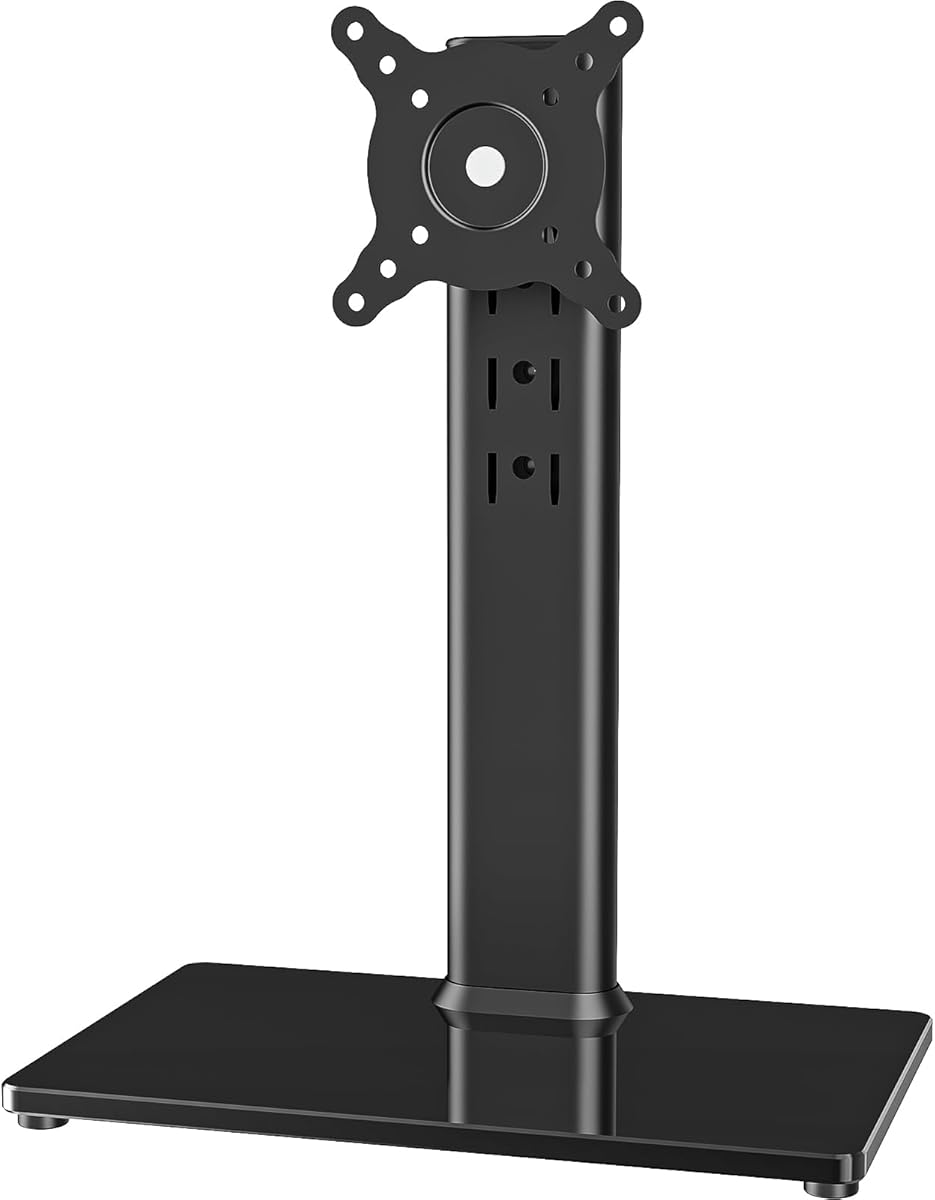
This MOUNTUP mount combines a tempered glass base with full adjustability earning a 4.5 rating. It supports screens up to 32 inches and offers swivel tilt and height adjustments for perfect positioning.
We may earn a commission when you buy through this link, at no additional cost to you.
The black glass base adds elegance to any workspace while providing stability. Cable management keeps wires organized and the design requires no drilling so your desktop stays intact and clean.
Glass surfaces can show fingerprints easily and may need frequent cleaning. The price is higher than plastic options but you get premium materials and greater adjustability in return.
Ideal for stylish offices this stand blends form and function well. If you want a modern look with ergonomic features this mount delivers a refined and reliable solution for your display.
Tempered glass adds sophistication and complements modern desk setups.
Freestanding design avoids damaging your desktop with holes or clamps.
We may earn a commission when you buy through this link, at no additional cost to you.
This TAVR stand offers extensive height adjustability with a 4.2 rating. It features a tempered glass base and a hidden cable channel to keep your workspace tidy and protect your desk from scratches.
We may earn a commission when you buy through this link, at no additional cost to you.
You can adjust the height in five levels from 10.5 to 18.4 inches ensuring the screen aligns with your eyes. The movable design makes it easy to reposition for meetings or small office gatherings.
The cable channel might clog if wires are too thick and the rating is lower than other models. Some users may find the adjustments slightly less smooth than premium competitors.
Best for those needing height flexibility this stand provides good value. It is a practical choice for shared workspaces where different users need different monitor positions throughout the day.
Wide height range accommodates different sitting positions and user heights easily.
Special channel conceals wires keeping your desk looking neat and organized.
We may earn a commission when you buy through this link, at no additional cost to you.
This gianotter riser is designed for organization with a 4.7 rating. It features ventilated heavy steel plates to prevent overheating and includes a sliding drawer to store desk supplies and accessories.
We may earn a commission when you buy through this link, at no additional cost to you.
The non-slip rubber pads provide stability and protect your desk from scratches. It supports printers or laptops making it versatile for various devices that need to be elevated above the desk surface.
The drawer space is limited and may only fit smaller items like pens or USB drives. The steel construction adds weight which makes it stable but slightly harder to move than plastic stands.
Ideal for users needing vertical storage this riser maximizes desktop efficiency. It is a solid choice for home offices wanting a clean and organized workspace with practical storage solutions.
Vented design keeps devices cool during extended use periods.
Drawer provides extra space for supplies to reduce desk clutter.
We may earn a commission when you buy through this link, at no additional cost to you.
Selecting the right monitor base stand for desk involves considering several factors beyond just price. This guide breaks down the key aspects you should evaluate to ensure your new stand meets your ergonomic and organizational needs.
Always check the maximum weight capacity of the stand to ensure it can safely support your monitor. Heavier stands with steel or glass bases tend to offer more stability and reduce wobble during typing.
Look for wide bases and non-slip pads to prevent the stand from shifting unexpectedly during daily use.
Measure your monitor dimensions and the available desk space before purchasing. A stand that is too large may crowd your workspace while one that is too small might not support larger screens securely.
Ensure the shelf depth and width can accommodate your specific screen size and any additional devices like speakers.
Ergonomic features like height tilt and swivel adjustments help align the screen with your eye level. Proper alignment reduces neck and eye strain especially during long work sessions.
Prioritize stands with multiple adjustment points if you share your desk with others or change positions often.
Materials like metal glass and wood offer different levels of durability and visual appeal. Choose a finish that matches your existing furniture to maintain a cohesive look in your office.
Steel and glass are generally more durable over time while wood adds warmth but may require more maintenance.
Many stands include space underneath or integrated drawers for keyboards and supplies. This extra storage helps keep your desk clutter-free and maximizes vertical space efficiently.
Check if the open area or drawer dimensions fit the items you plan to store under the monitor.
Integrated cable channels or clips keep wires organized and prevent them from dangling or tangling. A tidy cable setup improves safety and gives your workspace a professional polished appearance.
Ensure the channels are wide enough to accommodate your specific power and display cables comfortably.
Some stands require tools and time to assemble while others are tool-free and ready out of the box. Consider your comfort with assembly and available time when choosing between models.
Review the instructions before buying to ensure you have the necessary tools and space to set it up properly.
A reliable warranty protects your investment against defects and ensures manufacturer support if issues arise. Look for brands that offer responsive customer service and clear return policies.
Extended warranties or satisfaction guarantees provide peace of mind especially for higher-priced options.
To maximize stability place the stand on a flat and level surface. Adjust all screws and brackets securely before mounting your monitor to prevent any unexpected movement during use.
Clean the stand regularly with a soft microfiber cloth to avoid scratches. For glass or metal surfaces use a mild cleaning solution to remove smudges and dust without damaging the finish.
Periodically check the tightness of all bolts and joints especially if the stand is frequently moved. This ensures long-term stability and prevents wear that could compromise the structural integrity over time.
Most desk stands accommodate screens between 13 and 32 inches but always check the specific weight and dimensions listed for your model. Larger screens require sturdier bases to prevent tipping or wobbling during daily use.
Yes most stands support curved monitors as long as the VESA pattern and weight limits match the specs. Verify your monitor's VESA compatibility before purchasing to ensure a secure fit.
Clearance typically ranges from 3 to 6 inches depending on the model allowing enough space for a keyboard. Always measure your keyboard height to ensure it fits comfortably underneath.
Some stands support screens directly without VESA mounting but most require the holes. Check if your model includes universal clamps or adapters for non-VESA screens before buying.
Only specific dual stands support two monitors simultaneously. Standard single stands will not hold two screens securely unless you use separate models for each monitor.
Choose stands with rubber pads on the bottom and avoid dragging them across the surface. You can also add felt pads underneath for extra protection against scratches.
We have reviewed ten top-rated options for a monitor base stand for desk ranging from budget-friendly shelves to premium dual setups. The WALI plastic stand offers great value for basic needs while the WESTREE dual stand excels for multi-monitor users.
When making your decision prioritize ergonomics and weight capacity to ensure long-term comfort and safety. Consider how much desk space you need to save and whether you prefer adjustable or fixed options.
Remember to check current prices and availability before purchasing as deals can change frequently. Investing in the right stand can significantly improve your workspace efficiency and daily comfort.