
Creality Falcon 10W Laser Engraver Machine
4.2Editor score
High precision 0.06mm
Compatible with LightBurn
Works with 200+ materials
Finding the right engraving tool can transform your creative projects into professional results. Creality offers a diverse lineup of laser engravers suited for hobbyists and professionals alike.
We evaluated ten top models based on power, speed, safety features, and ease of use. Each unit was reviewed against real-world performance standards to ensure reliable recommendations.
Every pick highlights key strengths and ideal use cases. Prices and availability may fluctuate over time so verify current listings before making your final purchase decision.
4.2Editor score

4.1Editor score

4.2Editor score
As an Amazon Associate we earn from qualifying purchases.
The following comparison outlines the essential specifications and features across all ten selected laser engraver models to assist you in making an informed decision.



The Creality Falcon A1 delivers exceptional value with its Class 1 safety certification and 80W powerful output that handles both engraving and cutting tasks effectively.
We may earn a commission when you buy through this link, at no additional cost to you.
Its HD camera auto positioning eliminates manual setup headaches while the CoreXY motion system enables speeds up to 600mm/s for rapid project completion.
While the honeycomb panel dimensions restrict larger batch projects the transparent enclosure allows safe monitoring without needing additional protective eyewear during operation.
This model is ideal for users seeking professional quality results with minimal setup time and robust safety features suitable for home studio environments.
The fully enclosed design blocks 99% of laser light ensuring safe operation without goggles while the emergency stop button adds an extra layer of user protection.
Built-in camera technology automatically identifies material settings removing guesswork and streamlining the workflow for consistent engraving results across different substrates.
We may earn a commission when you buy through this link, at no additional cost to you.
This budget-friendly option delivers 72W of effective power allowing it to cut through 12mm wood and 5mm acrylic with impressive speed and precision.
We may earn a commission when you buy through this link, at no additional cost to you.
The 0.06mm spot size ensures clean edges while the large workspace accommodates bigger projects without requiring material segmentation or multiple passes.
While it lacks the full enclosure of premium models the included anti-UV filter and goggles provide adequate protection for safe hobby-level engraving tasks.
Ideal for beginners needing versatility and precision without breaking the bank this machine supports popular software for seamless design integration.
The 32-bit chip and compressed spot module enable precise control over every cut balancing cost efficiency with professional-grade output capabilities.
Compatibility with LightBurn and LaserGRBL plus SD card support offers flexibility for both computer users and offline creative workflows.
We may earn a commission when you buy through this link, at no additional cost to you.
The Falcon A1 Pro sets a new standard with its 180W output and intelligent touchscreen interface that simplifies complex engraving operations for advanced users.
We may earn a commission when you buy through this link, at no additional cost to you.
Remote APP control and HD camera autofocus allow precise positioning and monitoring from anywhere streamlining batch production workflows efficiently.
Although the infrared module for fine metal engraving requires separate purchase the core system handles wood and acrylic with exceptional speed and clarity.
This premium choice suits professional makers who demand top-tier speed safety and smart features for reliable daily production use.
With speeds reaching 600mm/s and three times faster processing the A1 Pro handles batch tasks with ease improving overall workspace efficiency.
The intuitive UI and app connectivity eliminate cable clutter while providing real-time feedback and control over your engraving projects.
We may earn a commission when you buy through this link, at no additional cost to you.
This variant of the Falcon A1 integrates air assist technology which enhances cut cleanliness and reduces burn marks on various materials effectively.
We may earn a commission when you buy through this link, at no additional cost to you.
The graphic outline extraction feature converts designs into detailed paths streamlining the creative process for users with minimal technical skills.
Though acrylic cutting is unsupported the robust wood and metal engraving capabilities combined with pre-set parameters make it ready for immediate use.
Best suited for crafters wanting clean edges and smart software tools without navigating complex setup procedures or external accessories.
Pre-calibrated parameters and full assembly out of the box mean you can begin projects instantly without technical configuration or tooling.
Air assist blows away debris and molten material ensuring smoother edges and higher quality finishes across different material types.
We may earn a commission when you buy through this link, at no additional cost to you.
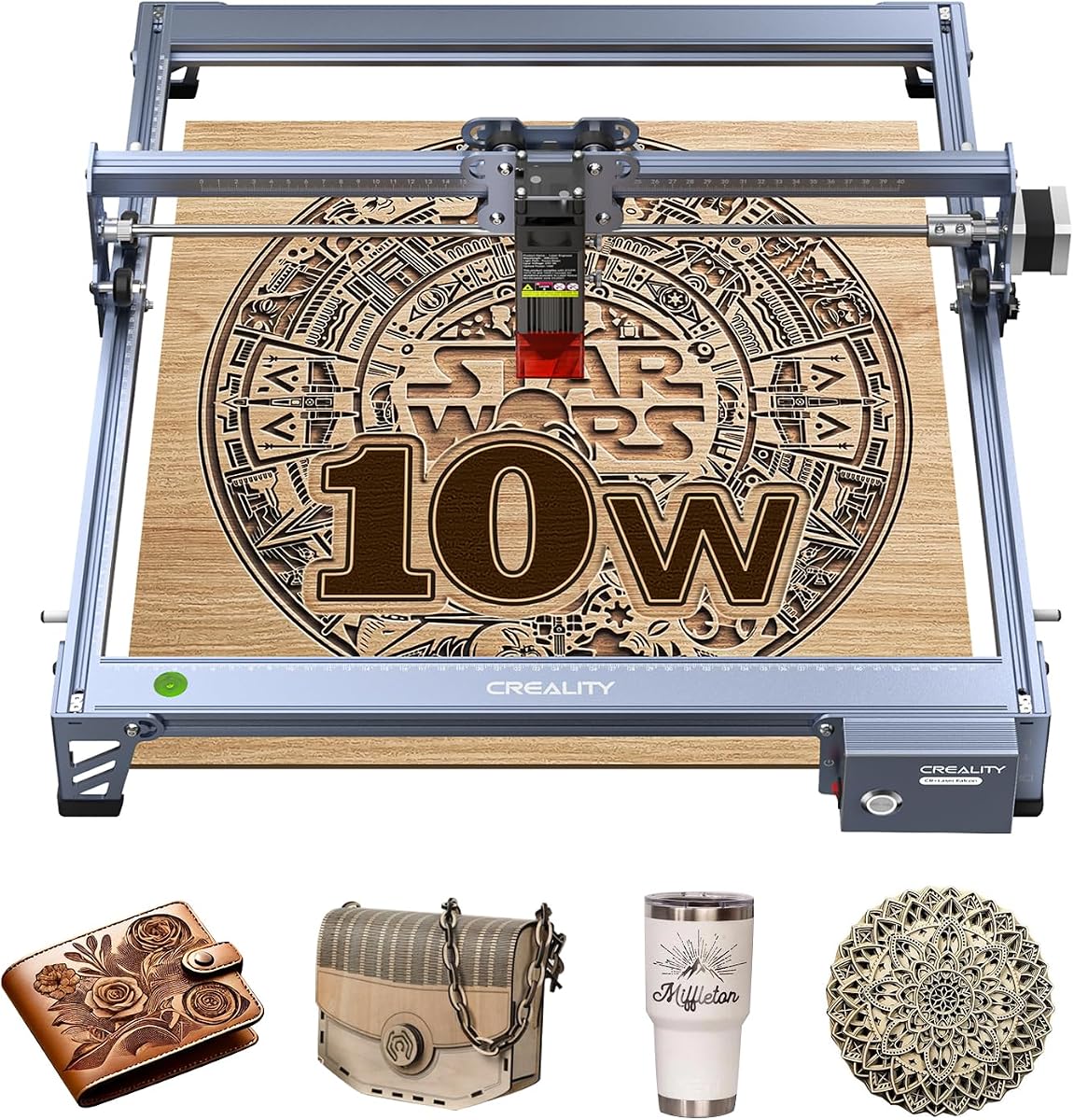
The aluminum alloy build provides structural stability while the 10W output handles a wide range of materials from leather to dark acrylic successfully.
We may earn a commission when you buy through this link, at no additional cost to you.
A dedicated focusing plate simplifies optical adjustments and belt tension control ensures consistent performance across repeated engraving sessions.
Data transfer options like Wi-Fi and SD cards give users flexibility whether they prefer working directly or wirelessly on their systems.
This DIY-friendly unit suits makers who value sturdy construction and software compatibility without sacrificing ease of use in their workshops.
Steel shaft wheel guide rails and aluminum frames deliver long-term stability and accuracy essential for precision hobby projects.
Multiple transfer methods allow seamless integration with diverse computing setups for both beginners and experienced engravers.
We may earn a commission when you buy through this link, at no additional cost to you.
Designed for professional production the Falcon2 Pro S offers 22W optical output with advanced auto focus and integrated enclosure for consistent results.
We may earn a commission when you buy through this link, at no additional cost to you.
Its debris drawer simplifies cleanup after batch runs while flame detection and safety locks ensure secure operation in busy workshop environments.
The camera positioning reduces manual measurement and the auto cut path compensation minimizes errors during complex multi-material production workflows.
Best for studios needing reliable high-speed cutting with minimal maintenance and comprehensive safety systems to protect users and materials.
Integrated enclosure and debris drawer reduce downtime and manual cleanup letting teams focus more on production and design work.
Auto focus and path compensation technologies reduce human error and ensure consistent cut depth across varied material thicknesses.
We may earn a commission when you buy through this link, at no additional cost to you.
The Falcon A1C features AI One-Tap Engraving that turns photos into artwork making it accessible for creators with limited technical design skills.
We may earn a commission when you buy through this link, at no additional cost to you.
Its compact footprint fits on desks easily while interchangeable laser platforms allow future upgrades for different material requirements and precision levels.
Auto Focus and precise positioning reduce setup time and the Class 1 safety design keeps users protected without needing extra protective gear.
Ideal for beginners and educators this machine combines ease of use with expandable features to support growing creative needs.
Smart AI tools simplify design and layout ensuring professional quality output even for first-time users and classroom settings.
Compatible laser modules and accessories let users scale capabilities as their skills and project complexity increase over time.
We may earn a commission when you buy through this link, at no additional cost to you.
Combining air assist with the A1 Pro platform delivers exceptionally clean edges on wood and acrylic with minimal post-processing effort required.
We may earn a commission when you buy through this link, at no additional cost to you.
The responsive touchscreen allows quick history access and preview features that reduce re-import time during complex multi-step engraving projects.
While optional infrared modules offer finer precision for jewelry this unit already excels in standard wood and metal engraving tasks efficiently.
This option suits users wanting a polished result with professional software integration and robust safety features in one compact system.
Cable-free operation with instant file access streamlines daily use and minimizes interruptions during focused creative sessions.
Integrated air assist removes smoke and debris during cutting ensuring sharp edges and reducing surface contamination on materials.
We may earn a commission when you buy through this link, at no additional cost to you.
This compact version features 15-second laser module swaps enabling rapid transitions between different tasks without tooling or complex setup.
We may earn a commission when you buy through this link, at no additional cost to you.
The fully enclosed Class 1 design ensures safety while the portable build allows movement between home classrooms and maker events easily.
With support for 300+ materials and auto focus this machine balances convenience with robust engraving capabilities for diverse uses.
Best for mobile creators and educators needing flexibility and safety in a lightweight device that fits any desk setup.
Quick-swap design allows users to change laser heads in seconds maximizing versatility without needing extra tools or time.
Class 1 enclosure and tilt protection make this unit safe for varied environments including classrooms and public maker events.
We may earn a commission when you buy through this link, at no additional cost to you.
Delivering zero assembly and instant start this model offers rapid acceleration and precise engraving suitable for intricate designs and beginners.
We may earn a commission when you buy through this link, at no additional cost to you.
Smart camera view ensures drag-and-drop accuracy while six safety features including emergency stop and safety locks provide reliable operation.
The compact footprint saves valuable desk space and the intuitive software supports free line drawing and shape tools for creative users.
Ideal for users prioritizing safety convenience and precision this unit combines performance with ease of use in a compact design.
Zero assembly and intuitive software let new users create professional engraving right after unboxing without complex setup.
0.01mm precision and multiple safety locks guarantee high quality output while protecting users in home or office environments.
We may earn a commission when you buy through this link, at no additional cost to you.
Selecting the right engraver depends on power output material compatibility safety features and your workflow needs.
Higher wattage allows faster cutting and deeper engraving on materials like thick wood or acrylic. Consider how often you will cut versus engrave to match power needs.
Choose models with at least 10W output for versatile work and 20W or more for production grade speed and material depth.
Workspace dimensions determine how large your projects can be without segmentation. Smaller desktop units save space but limit project size.
Balance footprint with project needs ensuring the machine fits your studio desk and handles the materials you plan to engrave often.
Fully enclosed designs with Class 1 safety reduce eye hazards and smoke exposure making them safer for home or classroom use.
Look for emergency stops and eye protection filters to ensure safe operation especially when working without protective eyewear.
Compatible software like LightBurn expands design flexibility while proprietary tools simplify workflows for beginners without complex setup.
Ensure the engraver supports your preferred programs to avoid workflow bottlenecks and maximize creative options during engraving.
Faster speed reduces production time and CoreXY motion systems improve accuracy and acceleration for complex detailed engraving patterns.
Evaluate speed ratings alongside precision needs ensuring the machine can handle your typical project complexity efficiently and consistently.
Camera assisted positioning and auto focus eliminate manual measuring and alignment errors increasing setup speed and consistency across projects.
Invest in models with smart camera systems if you plan to repeat engraving or work with varied material thickness regularly.
Built-in air assist keeps the lens clean and improves cut quality by removing debris and preventing burns on material surfaces.
Units with debris drawers or integrated airflow reduce maintenance and improve overall cleanliness during extended engraving sessions.
Interchangeable laser platforms or modular designs let you upgrade power or wavelength without replacing the entire machine.
Choose systems offering expandable accessories and modules to future-proof your purchase as your engraving projects grow.
Start by placing your material on the honeycomb panel and secure it to ensure it lies flat. Use the smart camera or manual tools to align your design with the engraving area.
Select appropriate software and material settings then preview your job before sending it to the machine. Ensure ventilation or enclosures are closed to maintain safety during operation.
After finishing the engraving clean the lens and remove debris from the workspace regularly. Store the device in a dry area and update firmware to keep performance reliable.
Creality laser engravers cut wood leather acrylic fabric paper and some plastics. Cutting reflective metals requires specific modules not included in standard models.
Fully enclosed Class 1 models allow operation without goggles but open or open-top units require compatible protective eyewear for safe use.
Most models support LightBurn and LaserGRBL providing flexibility for both professional and beginner users to manage design and workflow.
Many newer models arrive pre-assembled ready to use immediately but DIY units usually require 10 to 20 minutes for setup.
Standard modules can mark coated metal but reflective metals need special infrared modules sold separately for successful engraving.
Desktop models range from 150 mm to 150 mm for compact designs to over 15 inches by 16 inches for larger projects.
The Falcon A1 series leads with safety and speed while budget models deliver solid precision for hobbyists wanting reliable results.
Prioritize enclosure safety camera autofocus and software compatibility to match your skill level and typical project demands.
Always verify current availability and features before purchasing to ensure the selected model meets your specific engraving requirements.