
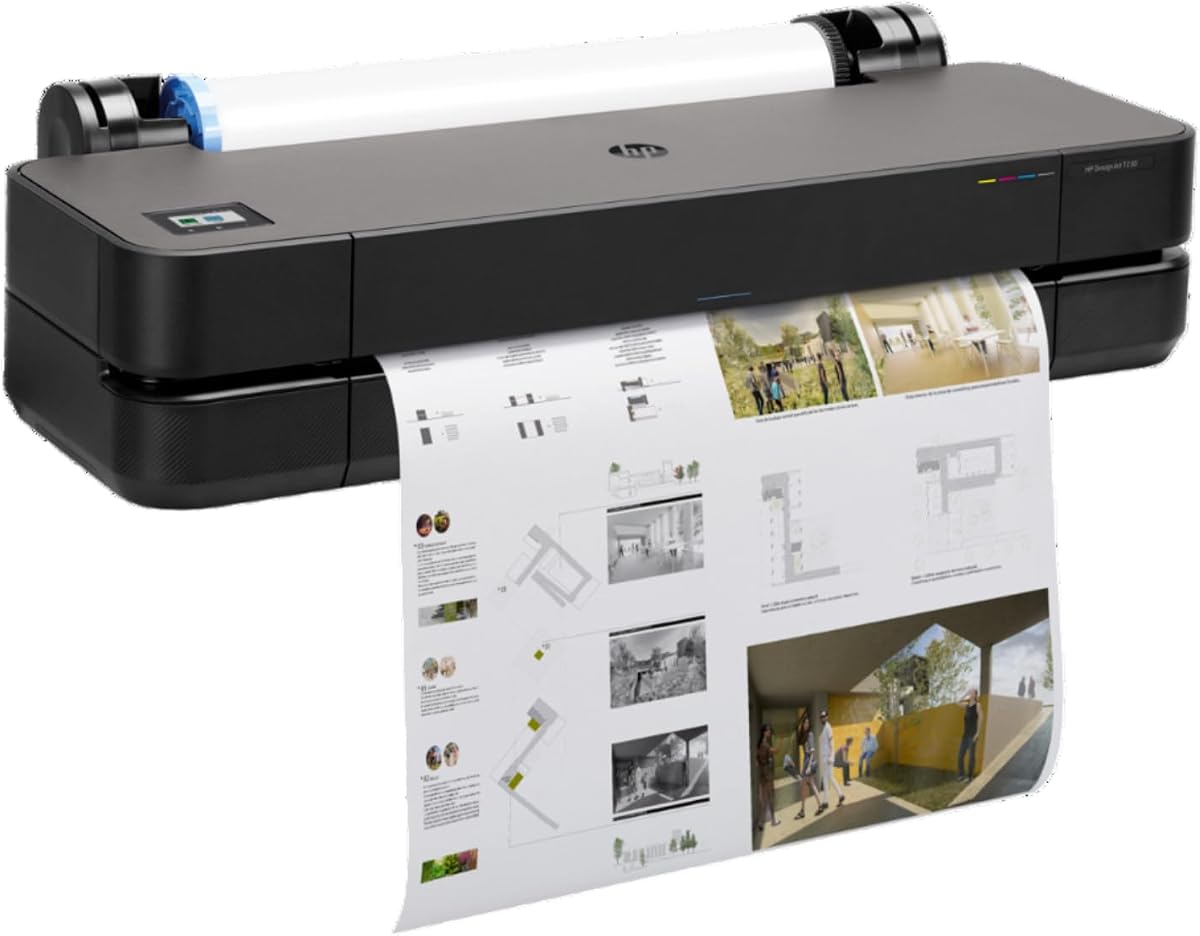
HP DesignJet T210
4.4Editor score
Up to 24 inch wide media
Automatic horizontal cutter included
HP Click software for workflow
Gigabit Ethernet and Wi-Fi
Choosing the right Large Format Plotter Printer 2 is essential for architects, engineers, and designers who need precise technical drawings and posters. These devices offer wide media handling and accurate line quality for professional results every time.
We compared ten top models based on media handling, connectivity, print speed, and software features to find the best options for different workflows. Each product brings unique strengths for CAD printing and large format output requirements in modern offices.
Each pick shows key specifications and real-world benefits to help you decide which printer fits your space and budget best. Prices and availability change frequently so check current listings before making your final purchase decision today.
4.4Editor score

5.0Editor score

As an Amazon Associate we earn from qualifying purchases.
This side-by-side comparison highlights key specs and strengths of all ten Large Format Plotter Printer 2 models to help you quickly identify the right fit for your technical printing needs.



The HP DesignJet T650 stands out as the top choice for professionals needing reliable large format printing. With a perfect five-star rating this model delivers consistent quality for technical line drawings and posters while offering robust support options.
We may earn a commission when you buy through this link, at no additional cost to you.
Its standout strength is the speed at which it processes A1 size prints delivering up to eighty-two pages per hour. The automatic sheet and roll switch means you never have to stop mid job to change media sources manually.
While the price is higher than basic models the inclusion of two years of onsite support offsets potential downtime costs. The 1GB memory ensures large CAD files load quickly without slowing down your daily printing tasks.
Engineers and architects who value uptime will appreciate the combination of speed and reliability. This printer is the best all around pick for busy offices where consistent output and quick turnaround are critical.
Print up to 82 A1/D size prints per hour with minimal wait time for high volume jobs.
Includes 2 years of onsite and phone support to resolve hardware issues quickly.
We may earn a commission when you buy through this link, at no additional cost to you.
For small studios and individual professionals the HP DesignJet T210 offers the best value for entry level large format printing. It handles technical drawings and posters with crisp text quality while keeping ink maintenance costs low.
We may earn a commission when you buy through this link, at no additional cost to you.
The built-in automatic horizontal cutter is a major convenience saving time on post processing tasks. You can define print settings and use HP Click software to nest jobs efficiently reducing paper waste significantly.
Speed is lower than premium models at about fifty-nine prints per hour but this is acceptable for most non-rush work. The optional sheet feeder accessory adds flexibility without raising the base price too much.
This model is ideal for users who prioritize cost efficiency and basic CAD output quality. If you need reliable prints without a heavy investment this budget-friendly choice delivers solid results daily.
Uses up to 95% less ink for routine maintenance compared to competitor plotter printers.
Connect via Gigabit Ethernet Hi-Speed USB 2.0 or Wi-Fi 802.11 b/g/n.
We may earn a commission when you buy through this link, at no additional cost to you.
The HP DesignJet T870 leads the premium segment with unmatched speed and versatility for demanding environments. It delivers up to 120 prints per hour and handles a wide range of media types including banners and photo film.
We may earn a commission when you buy through this link, at no additional cost to you.
Its standout feature is the sheer throughput that keeps large teams productive without bottlenecks. The included onsite support ensures any hardware issues are resolved quickly minimizing interruptions to critical project timelines.
While the price point is higher the efficiency gains for large operations justify the investment. The HP Click software suite helps manage complex jobs and reduces errors before they reach the print stage.
Enterprises and engineering firms needing high volume output will find this model indispensable. It combines speed with reliability making it the best premium choice for professional large format printing needs.
Achieve up to 120 A1/D size prints per hour with fast processing speeds.
Print on compatible banner photo film glossy self-adhesive and coated paper media.
We may earn a commission when you buy through this link, at no additional cost to you.
This variant of the T210 combines affordable performance with peace of mind through onsite support. It offers the same great value as the standard T210 but with two years of care pack included for critical hardware protection.
We may earn a commission when you buy through this link, at no additional cost to you.
The automatic horizontal cutter and HP Click software help streamline daily printing tasks effectively. You can manage multiple files with one click and avoid manual media switching during routine production work.
With a strong user rating this model proves reliable for consistent CAD and poster printing needs. It strikes a balance between cost and coverage making it ideal for consultants and small design firms.
Buyers who want budget pricing but need warranty security should consider this option. It delivers professional results while ensuring help is nearby if any hardware issues arise during use.
Includes 2-year HP Care Pack with Onsite Support for added security.
HP Click software helps save ink and paper waste with PDF error checking.
We may earn a commission when you buy through this link, at no additional cost to you.
The T230 is designed for small offices needing dependable large format output without complexity. It includes a two year care pack and delivers accurate line quality suitable for architectural and engineering documents.
We may earn a commission when you buy through this link, at no additional cost to you.
Like other T models it uses HP Click to simplify job submission and reduce errors. You can drag and drop files and manage prints remotely via the HP Smart app efficiently.
Some users note setup challenges but overall reliability remains solid for consistent printing. The automatic cutter and HP 712 ink compatibility make maintenance straightforward for daily operations.
If you need a reliable mid-range option with warranty included this model fits well. It provides essential features for professional prints without requiring advanced configuration skills.
Uses 95% less ink for routine maintenance versus other competitor plotter printers.
Includes HP Smart app for mobile and desktop device management.
We may earn a commission when you buy through this link, at no additional cost to you.
The T630 stands out by including a stand media bin and auto sheet feeder in the box. This ready-to-use bundle saves time and money for professionals needing immediate setup for technical prints.
We may earn a commission when you buy through this link, at no additional cost to you.
Its ability to switch between sheets and rolls automatically keeps production moving. HP Click helps you manage files and avoid errors so printing remains efficient during busy days.
Although speed is standard the convenience of included accessories outweighs the minor delays. It fits well in construction offices where quick access to prints is essential for site work.
Teams needing an immediate deployable solution without extra purchases will find this valuable. It simplifies setup and operation making it a practical choice for collaborative environments.
Includes automatic sheet feeder media bin and stand for ready to use setup.
Automatic sheet and roll switch reduces manual intervention.
We may earn a commission when you buy through this link, at no additional cost to you.
For professionals needing extra width the T850 supports 36 inch rolls for larger maps and technical drawings. It uses pigment-based inks for reliable color accuracy on bond and coated media types.
We may earn a commission when you buy through this link, at no additional cost to you.
The integrated input tray lets you print half-size jobs without changing media manually. Combined with 1GB memory this printer handles complex files without slowing down your workflow.
While user feedback varies the support coverage and features justify its role in larger offices. It balances size with efficiency making it suitable for GIS and MCAD printing tasks.
This model is the best wide format option for teams needing broader prints. It offers consistent color and reliable support for specialized technical documentation needs.
Print up to 36 inch wide media rolls for larger project needs.
Integrated input tray handles sheets without manual roll changes.
We may earn a commission when you buy through this link, at no additional cost to you.
This Canon model offers strong multifunction capabilities for teams needing scanning and copying with printing. The flatbed scanner allows enlargements of smaller originals directly without external devices.
We may earn a commission when you buy through this link, at no additional cost to you.
Printing from USB flash drives or cloud sources simplifies workflow for remote access. The touchscreen makes navigation intuitive while the auto sheet feeder holds up to 100 sheets of letter size.
While optimized for general office use it handles basic large format prints effectively. Users will appreciate the flexibility of multiple input methods for different document types.
Offices needing scanning and copying alongside printing will find this versatile. It bridges the gap between standard MFPs and large format plotting requirements efficiently.
Combine printing scanning and copying in one device to save space.
Print directly from USB flash drives without needing a connected computer.
We may earn a commission when you buy through this link, at no additional cost to you.
The Canon PRO 2100 is tailored for artists and designers needing exceptional color fidelity in large prints. Its high rating reflects consistent results in fine art and detailed poster production.
We may earn a commission when you buy through this link, at no additional cost to you.
Unlike CAD focused models it emphasizes precision and color depth suitable for gallery or architectural visuals. The onsite warranty adds value for professional users relying on daily output.
While it can handle technical drawings its strength lies in high quality visual work. It is an ideal choice for creatives prioritizing image quality over pure line precision.
Artists and designers seeking premium output should consider this model highly. It delivers consistent color and reliability for demanding creative projects.
Optimized for fine art printing with precise color accuracy.
Includes 1 year onsite warranty by Canon for professional peace of mind.
We may earn a commission when you buy through this link, at no additional cost to you.
The T830 combines printing scanning and copying into a single compact unit for architecture studios. It supports mobile printing and HP Click software for efficient document handling.
We may earn a commission when you buy through this link, at no additional cost to you.
Its dynamic security features ensure safe operation though cartridge compatibility may be restricted. The HP DesignJet Utility for Mac and Windows simplifies project management and printing.
Teams needing to communicate project results quickly will find the MFP functions helpful. It streamlines workflows by reducing the need for separate devices.
This model suits studios needing communication tools alongside high quality prints. It offers convenience and efficiency for project focused environments.
Print scan and copy technical documents in one compact footprint.
Direct print for mobile apps on iOS Android and Chrome OS.
We may earn a commission when you buy through this link, at no additional cost to you.
Selecting the right plotter involves understanding your specific needs and matching them with features that drive efficiency. Below are key factors to evaluate before making your decision.
Consider whether you need 24-inch or 36-inch rolls and if automatic sheet feeding is necessary for your workflow. Models like the T850 support wider media while others like the T210 focus on cost-effective 24-inch output.
Prioritize models with automatic cutters and sheet roll switching if you print varied sizes regularly.
Evaluate the prints per hour rating to ensure the printer meets your project turnaround requirements. The T870 offers up to 120 prints per hour while entry models may deliver around 59.
Higher speeds reduce wait times and improve productivity in busy environments.
Check for Gigabit Ethernet Wi-Fi and USB options along with compatible printing software like HP Click. Remote management via apps is vital for teams working across locations.
Integrated software helps prevent errors and optimizes ink and paper usage automatically.
Onsite support can be crucial for minimizing downtime if hardware issues occur. Some models include 2-year care packs while others require separate purchase.
Invest in onsite coverage if your business cannot afford prolonged outages.
Look for printers using low maintenance ink routines to reduce long-term costs. HP models advertise significant savings in ink usage during maintenance cycles.
Efficient maintenance keeps operating costs predictable and manageable over time.
Measure your available office space to ensure the printer fits without obstructing workflow. Larger models may require dedicated rooms while compact ones fit desks.
Choose a footprint that suits your physical environment and daily access needs.
Confirm the printer supports your specific paper types such as bond coated or specialty media. Some models are optimized for fine art or technical line drawings specifically.
Matching media types ensures the best quality output for your project needs.
Compare initial purchase price with long-term expenses including ink and maintenance. Premium models may cost more upfront but offer faster speeds and lower per-page costs.
Calculate total cost of ownership to find the best financial value over time.
Unbox and place the printer on a level surface away from direct sunlight and dust. Connect power and network cables then install the HP Click driver on your computer for basic workflow setup.
Load rolls and sheets according to the user manual ensuring the automatic cutter is functional. Configure print settings for media type and size to optimize quality and avoid jams.
Run routine maintenance cycles as advised to keep printheads clear and ink flowing. Monitor usage and replace cartridges before they run dry to prevent hardware damage or poor output quality.
The T210 is an affordable entry option while the T650 offers faster speeds and includes onsite support. Both handle 24-inch media but the T650 is better for high-volume environments.
These printers use HP 712 or similar cartridges designed for the HP ecosystem. Third-party cartridges may not work reliably and could void warranties on some models.
Most models are print-only except the T830 and Canon TC-21M which are multifunction devices. If you need scanning look for MFP-specific models in this lineup.
HP Click automates nesting and error checking to reduce paper waste and mistakes. It lets you manage multiple files efficiently from a single interface.
Yes if downtime impacts your business significantly. Onsite service minimizes delays compared to shipping units for repair.
HP Click allows drag and drop printing of PDFs without complex setup. You can also print from CAD apps directly with integrated drivers.
The T850 supports up to 36-inch wide media rolls making it ideal for larger maps and technical drawings. It also includes an input tray for standard sheet sizes.
While they handle posters well the Canon PRO 2100 is optimized for fine art quality. General CAD models provide crisp lines but not specialized color depth.
The T650 offers the best all around performance for professional teams while the T210 suits budget-conscious users. Selecting the right model depends on your throughput and support needs.
Prioritize speed and connectivity if you handle frequent large files or remote work. For general office use simpler models provide reliable results without added complexity.
Always verify current pricing and availability since these models change frequently. Check the product links provided to confirm features before purchasing today.