
TP-Link BE6500 Dual-Band WiFi 7 Router (BE400)
4.3Editor score
Latest Wi-Fi 7 technology
6.5 Gbps total bandwidth
Up to 2400 sq ft coverage
This guide compares the top high end WiFi router models available in October 2026 for speed coverage and advanced features to help you choose the right network
Finding a high end WiFi router is essential for modern homes packed with smart devices and demanding streaming needs. The right choice ensures seamless connectivity and stable performance throughout your entire living space without drops.
We evaluated ten leading models based on real-world performance data user reviews and technical specifications. Our list covers everything from budget-friendly options to premium powerhouses designed for serious gamers and tech enthusiasts.
Each pick highlights key strengths ideal use cases and potential limitations to guide your decision. Remember that availability and pricing can fluctuate so verify current details before making your final purchase decision.
4.3Editor score

4.4Editor score

4.3Editor score
The following table provides a side-by-side overview of the top ten high end WiFi router models evaluated in this guide. Each entry highlights essential specifications and unique selling points to help you quickly compare capabilities.




The TP-Link BE6500 stands out as an exceptional entry into the Wi-Fi 7 era. With a solid 4.3 rating it delivers future-ready performance without breaking the bank making it an attractive option for tech-forward households.
We may earn a commission when you buy through this link, at no additional cost to you.
Its 6.5 Gbps total bandwidth supports seamless 4K streaming and gaming across up to 90 devices. The Multi-Link Operation ensures lower latency while the 2.5 Gbps ports prepare your network for multi-gig internet plans.
While it lacks full mesh compatibility with Deco systems the EasyMesh support allows flexibility. Dual-band limits are acceptable given the price point though tri-band users might prefer slightly higher-end options.
Homeowners seeking reliable next-gen speeds at a reasonable cost will find this router ideal. It balances advanced features with user-friendly management perfectly for general use cases.
Optimized for latest laptops and devices like iPhone 16 Pro and Samsung Galaxy S24 Ultra for maximum throughput.
Signatory of CISA Secure-by-Design pledge with HomeShield for comprehensive home network protection.
We may earn a commission when you buy through this link, at no additional cost to you.
As the best budget pick this TP-Link AXE5400 brings Tri-Band WiFi 6E performance to price-sensitive buyers. Its 4.3 rating reflects consistent reliability and strong throughput for typical household streaming needs.
We may earn a commission when you buy through this link, at no additional cost to you.
The dedicated 6 GHz band reduces congestion significantly allowing responsive gaming and video chats. With OFDMA technology it connects more devices simultaneously ensuring smooth operations even during peak usage hours.
Compared to Wi-Fi 7 models it offers less raw speed but remains highly capable. The design focuses on heat dissipation and long-term reliability making it a solid investment for standard internet plans.
Budget-conscious shoppers wanting more than single-band performance should choose this model. It offers excellent value while future-proofing connectivity through the 6 GHz spectrum.
6 GHz band brings more bandwidth faster speeds and near-zero latency for responsive gaming.
Extend range easily by adding compatible routers extenders or powerline adapters for whole-home coverage.
We may earn a commission when you buy through this link, at no additional cost to you.
This NETGEAR Nighthawk WiFi 7 Router earns Editor's Choice status for balancing speed and reliability. With 9.3 Gbps across three bands it handles busy homes with 100 devices effortlessly while keeping lag to a minimum.
We may earn a commission when you buy through this link, at no additional cost to you.
The dedicated 6 GHz band gives fastest devices a clear lane preventing slowdowns during streaming or calls. Coverage reaches 2500 sq ft ensuring signals penetrate walls effectively for consistent connectivity throughout large residences.
Multi-gig wired connections let you leverage fiber plans fully while Nighthawk app offers intuitive control. Security features include automatic updates though advanced Armor protection requires a separate subscription after trial.
Families needing robust whole-home performance will appreciate this router's capabilities. It delivers next-gen speeds reliably and manages heavy traffic with ease for seamless daily use.
6 GHz band gives your fastest devices their own lane so nothing slows down.
Download free app for guided setup manage WiFi run speed tests and pause devices from anywhere.
We may earn a commission when you buy through this link, at no additional cost to you.
As a premium powerhouse this RS700S model delivers unmatched performance for demanding environments. Its 4.4 rating highlights its ability to sustain 19 Gbps speeds across three bands for 4K streaming and professional workloads.
We may earn a commission when you buy through this link, at no additional cost to you.
With coverage up to 3500 sq ft it handles large multi-story homes without dead zones. The 10 Gig WAN and LAN ports unlock full fiber potential enabling blazing-fast transfers for gaming rigs and NAS drives.
12-stream design ensures stable connections for 200 devices simultaneously. While expensive the reliability and throughput justify costs for households with massive bandwidth needs and extensive device counts.
Power users and large families will find this router ideal for high-demand needs. It sets the standard for speed and reliability in top-tier home networking equipment today.
Plug modem into 10 Gig WAN port to unlock premium fiber plans with direct connectivity.
Supports up to 200 devices with MU-MIMO and OFDMA technology for efficient data transfer.
We may earn a commission when you buy through this link, at no additional cost to you.
Designed specifically for serious gamers this ASUS model boasts Quad-Band speeds up to 30 Gbps. The 4.3 rating confirms its effectiveness in delivering stable low-latency connections essential for competitive online titles and VR.
We may earn a commission when you buy through this link, at no additional cost to you.
Triple-Level Game Acceleration optimizes traffic from port to server ensuring packets prioritize gaming data effectively. Dual 10G ports and Quad 2.5G ports provide flexible wired connectivity for consoles PCs and storage systems.
Dual-feeding antennas boost signal strength significantly covering large spaces with minimal interference. While expensive the advanced features justify the cost for users requiring maximum throughput and precise traffic management.
Enthusiasts wanting top-tier performance should consider this router. It combines cutting-edge Wi-Fi 7 tech with specialized gaming tools for an unbeatable experience.
New 320MHz channels in 6 GHz band increase network capacity and throughput significantly.
Multi-link Operation links to multiple bands simultaneously to ensure stable internet connections.
We may earn a commission when you buy through this link, at no additional cost to you.
The Synology RT6600ax offers advanced customization for network administrators and privacy-conscious users. Its 4.2 rating reflects reliable performance alongside robust tools for segmentation and threat prevention that standard routers lack.
We may earn a commission when you buy through this link, at no additional cost to you.
Create up to five separate networks to isolate vulnerable IoT devices securely. The 2.5GbE port supports fastest ISPs while comprehensive VPN server solutions enable flexible remote connectivity without extra hardware.
Parental controls and web filtering ensure safe browsing for all ages. Though it requires more setup effort the control and security it provides make it a standout choice for tech-savvy households.
Users prioritizing security and network management will appreciate this router. It delivers professional-grade features that keep data safe and organized efficiently.
Create and define up to 5 separate networks to segregate and contain vulnerable devices securely.
Comprehensive server solution with remote desktop and site-to-site tunneling provides secure remote connectivity.
We may earn a commission when you buy through this link, at no additional cost to you.
This ASUS ROG Strix model provides powerful performance for larger living spaces needing consistent Wi-Fi. The 4.1 rating indicates solid throughput suitable for streaming and gaming across multiple floors and rooms reliably.
We may earn a commission when you buy through this link, at no additional cost to you.
Dual-feeding antennas enhance coverage efficiency reducing dead zones in challenging layouts. The 2.5 Gigabit Ethernet ports allow wired connections for gaming consoles and smart TVs needing stable high-speed data transfer.
Optimized for gaming it delivers low latency and fast response times. While setup can be intricate the robust hardware ensures reliable connectivity for demanding entertainment and work requirements.
Gamers with large homes will find this router effective. It balances speed and coverage well for seamless whole-home gaming experiences.
Cutting-edge external dual-feeding antennas boost coverage by providing high efficiency and enhanced signal strength.
Maximized wired connectivity includes dual 10G ports and quad 2.5G ports for various device needs.
We may earn a commission when you buy through this link, at no additional cost to you.
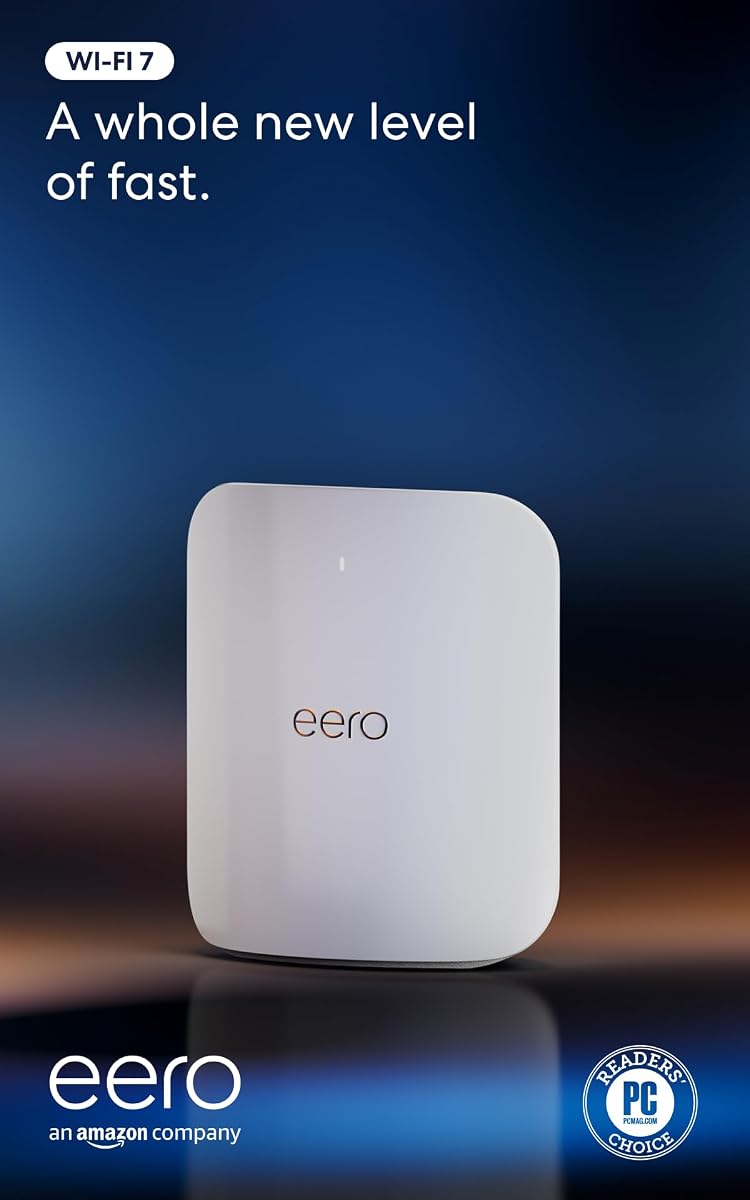
The eero Pro 7 brings next-generation speed and reliability to mesh networking. With a 4.3 rating it eliminates dead spots easily across different floors and rooms ensuring consistent connectivity throughout your home.
We may earn a commission when you buy through this link, at no additional cost to you.
Supporting up to 5 Gbps plans it handles demanding needs while Auto-sensing 5 GbE ports maximize throughput. TrueMesh software proactively finds optimal paths for data limiting interference and keeping connections stable.
Expansion is straightforward using any eero as a gateway to replace current routers. While dependent on cloud services the ease of setup and maintenance makes it ideal for users prioritizing simplicity.
Homeowners wanting a hassle-free whole-home network will appreciate this option. It delivers reliable performance with minimal technical configuration required.
Patented TrueMesh software finds ideal path for data transfer limiting interference and ensuring reliability.
Backed by industry-leading three-year warranty with highly trained support team ready to help.
We may earn a commission when you buy through this link, at no additional cost to you.
The eero Max 7 provides serious network power with two 10 Gigabit Ethernet ports. Its 4.2 rating reflects high throughput ideal for AR VR and cloud applications requiring high throughput and low latency.
We may earn a commission when you buy through this link, at no additional cost to you.
Works as a smart home hub for Thread Matter and Zigbee devices making it central for automated setups. With 250 device connectivity and 2500 sq ft coverage it suits large homes needing robust network infrastructure.
Setup guides allow quick configuration while the app manages networks remotely. Optional Plus subscription protects data against threats adding peace of mind for sensitive information storage.
Tech enthusiasts building smart homes will value this router. It combines top speeds with centralized device control seamlessly.
Works as smart home hub so you can connect Thread Matter and Zigbee devices as controller.
Supports internet plans up to 10 Gbps making your network seriously fast for demanding apps.
We may earn a commission when you buy through this link, at no additional cost to you.
This NETGEAR model introduces Wi-Fi 7 technology to those needing solid performance without tri-band costs. With a 4.3 rating it offers reliable streaming and gaming speeds for households with moderate connectivity demands.
We may earn a commission when you buy through this link, at no additional cost to you.
Up to 3.6 Gbps across two bands ensures smooth simultaneous use while the 2.5 Gig WAN port prepares you for future plans. Nighthawk app simplifies management allowing device pauses and guest setups remotely.
Coverage reaches 2000 sq ft handling multiple rooms comfortably. While dual-band limits speed compared to tri-band models the affordability makes it an attractive stepping stone to next-gen networking.
Budget buyers seeking Wi-Fi 7 will find this router ideal. It delivers consistent connectivity and security without overspending on unused features.
MU-MIMO and OFDMA let multiple devices send and receive data simultaneously without slowdowns.
Automatic firmware updates and Advanced Router Protection help protect your family and network.
We may earn a commission when you buy through this link, at no additional cost to you.
Selecting a high end WiFi router involves considering several critical factors beyond simple price. Understanding these elements ensures you invest in hardware that matches your specific network demands.
Wi-Fi 7 offers the latest speeds and efficiency with features like 320MHz channels and MLO. However Wi-Fi 6E still provides strong performance for many users. Choose based on device compatibility and future needs.
Prioritize Wi-Fi 7 if you have newer devices and plan to upgrade internet plans soon.
Coverage is measured in square feet and depends on antenna count and power. Large homes may require mesh systems or higher output models to eliminate dead zones effectively.
Ensure the router specifies coverage matching your home size for consistent signal throughout.
Look for 2.5 Gigabit or 10 Gigabit Ethernet ports if you have multi-gig internet. LAN port speeds matter for gaming PCs NAS drives and smart TVs needing stable connections.
Verify that WAN and LAN ports match your modem and device capabilities.
Tri-band and Quad-Band routers reduce congestion by dedicating bands to different tasks. Dual-band models are cheaper but might struggle with many connected devices streaming simultaneously.
Choose Tri-Band for households with 50+ devices to prevent slowdowns.
Built-in security like HomeShield or Armor protects against malware and threats. Some features require separate subscriptions which can add long-term costs.
Check if basic security meets your needs before subscribing to premium services.
User-friendly apps simplify setup and device management. Features like guest networks and parental controls should be intuitive and accessible.
Ensure the app supports remote management for convenience when away from home.
Mesh support expands coverage to whole homes. Some models work with specific ecosystems like Deco or EasyMesh.
Confirm compatibility if you plan to add extenders later for larger spaces.
Investing in hardware with higher speed limits extends lifespan. Consider routers that support upcoming standards to avoid frequent replacements.
Opt for models with upgradeable firmware and robust specs to stay current.
Place the router in a central elevated location away from walls or metal objects to maximize signal reach. Keep it ventilated to prevent overheating which can reduce performance over time.
Regularly update firmware through the provided app to ensure security and performance improvements. Rebooting periodically clears temporary cache issues and maintains optimal speed for connected devices.
Manage connected devices via the network dashboard to prioritize bandwidth for critical needs. Adjust settings like parental controls or QoS based on household usage patterns for better efficiency.
Wi-Fi 7 offers significant speed gains and lower latency due to wider channels and MLO. If you have devices that support it and require high throughput for streaming gaming or large file transfers the upgrade is beneficial. However for basic usage 6E remains sufficient.
Top models support up to 250 devices simultaneously without performance drops. Factors like bandwidth allocation and processor strength determine actual capacity. Check specs if your home has many smart gadgets connected.
You need a modem that supports multi-gig speeds to utilize the router's full potential. Existing modems may work for basic plans but won't unlock faster wired connections provided by the router ports.
MLO allows devices to use multiple frequency bands simultaneously for better throughput. It reduces latency and improves reliability during high-demand tasks. This feature is exclusive to Wi-Fi 7 compatible hardware.
Not all routers support all mesh systems. Check compatibility with your chosen brand for seamless integration. Some routers like TP-Link support EasyMesh while others like Deco have proprietary networks.
Use gaming-focused features like Game Acceleration and QoS settings in the router app. Prioritize gaming traffic to ensure low latency. Wired connections via Ethernet ports also provide the most stable experience for players.
Enable built-in security features like HomeShield or Firewall and change default admin credentials. Keep firmware updated regularly to patch vulnerabilities. Use strong WPA3 encryption for Wi-Fi to protect against unauthorized access.
Basic security features are often free but advanced protection like NETGEAR Armor or eero Plus requires a subscription. Check what is included out of the box before purchasing to budget accordingly.
We've reviewed ten top models including the TP-Link BE6500 and NETGEAR RS700S offering performance for every need. Each router brings unique strengths whether you seek speed security or smart home integration.
Prioritize coverage area and wired port speeds based on your home layout and internet plan. Choosing a model that grows with your tech needs ensures lasting value and reliable connectivity.
Prices fluctuate frequently so check current listings before buying. Verify availability and warranties to secure the best deal for your high end network setup today.