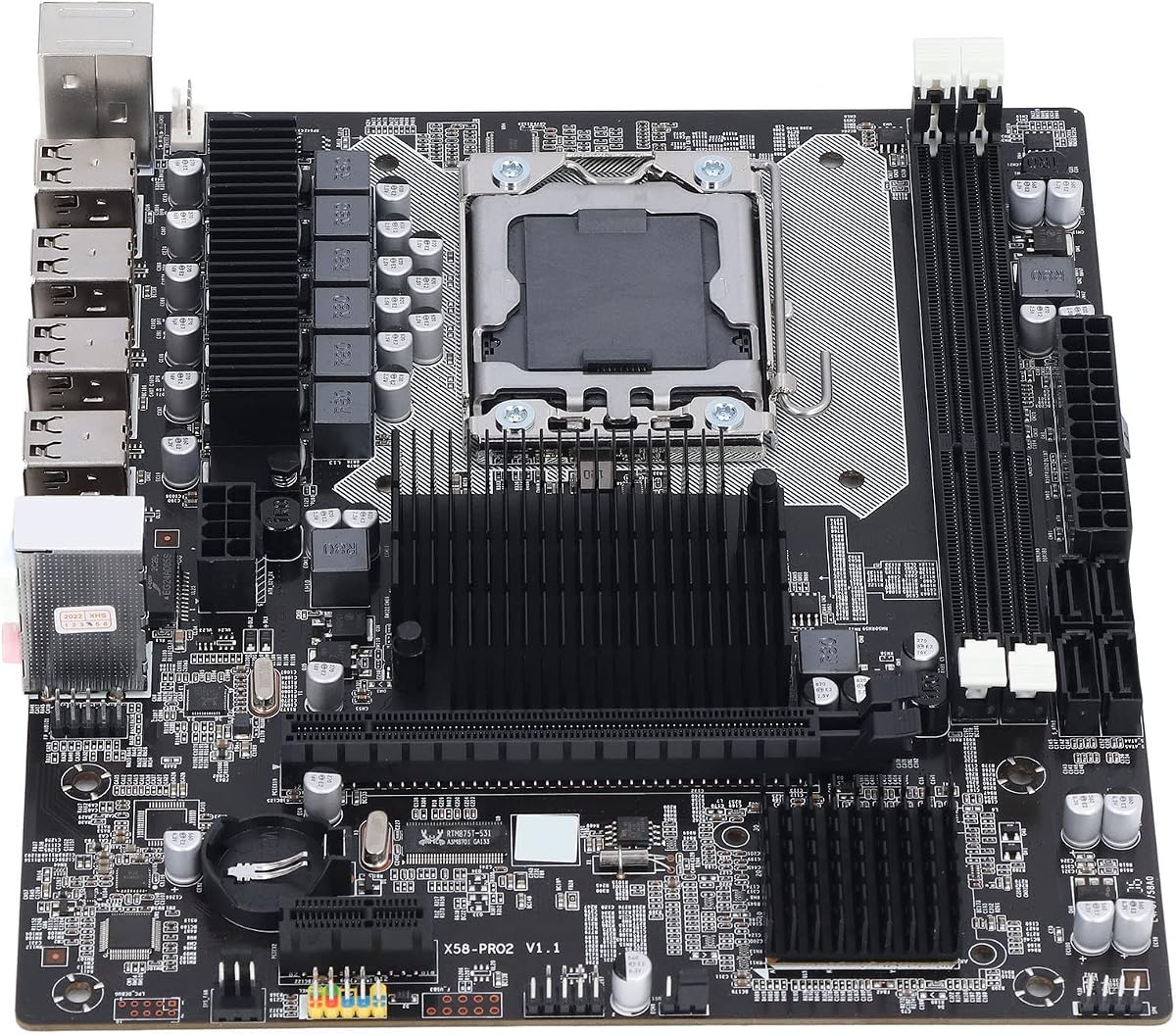
X58 Gaming Motherboard
Solid Capacitor Power Delivery
ECC Memory Support
Standard ATX Connectors
This expert guide compares the top Lga 1366 Motherboard options for enthusiasts and workstation users seeking legacy performance and upgrade potential in 2026.
Finding the right Lga 1366 Motherboard can be challenging as these legacy platforms support high-performance Core i7 processors and triple channel memory configurations ideal for specific workstation tasks.
We compared ten distinct models based on chipset features, power delivery phases, expansion slot configurations, and connectivity options to help you identify the best fit for your build needs.
Each pick highlights unique strengths like overclocking tools or dual LAN ports, though availability varies widely so always check current stock and pricing before finalizing your hardware purchase decisions.

5.0Editor score

The following table provides a side by side overview of technical specifications and key features for all ten Lga 1366 Motherboard models included in this comprehensive review guide.



The ASUS P6T7 WS SuperComputer stands out as a top tier Lga 1366 Motherboard designed for professionals needing extreme multi GPU capabilities and workstation reliability.
We may earn a commission when you buy through this link, at no additional cost to you.
Its unique configuration includes dual NVIDIA NF200 chips that enable true triple way SLI or Quad GPU CrossFireX setups which is rare for this socket platform.
While it lacks modern USB 3.0 the inclusion of twelve USB 2.0 ports and dual Gigabit LAN controllers ensures ample connectivity for legacy peripherals and network redundancy.
This board is ideal for engineers or video editors who need maximum expansion and stability without moving to newer socket types that may lack specific legacy compatibility.
The dual NF200 bridge chips allow for complex multi GPU configurations that are essential for rendering farms or high performance computing tasks.
Dual Realtek 8111C controllers support teaming technology which provides faster throughput or failover protection for critical workstation environments.
We may earn a commission when you buy through this link, at no additional cost to you.
The Supermicro X8DTN+ offers a unique dual socket Lga 1366 Motherboard solution for users requiring maximum CPU power and memory scalability beyond single processor limits.
We may earn a commission when you buy through this link, at no additional cost to you.
Equipped with the Intel 5520 chipset it supports up to 288GB of DDR3 registered ECC memory making it suitable for database servers or virtualization hosts.
This model includes dual port Intel 82576 Ethernet controllers which provide robust networking capabilities essential for server environments or high bandwidth workstation tasks.
Although expensive and requiring a large chassis this board delivers unmatched expandability and performance for legacy Xeon based builds needing enterprise level features.
Supporting two LGA1366 processors allows for extreme multi-threading performance which benefits virtualization and rendering workloads significantly.
The capacity to hold 288GB of registered ECC memory ensures data integrity and supports massive datasets without performance degradation.
We may earn a commission when you buy through this link, at no additional cost to you.
The X58 Gaming Motherboard provides an accessible entry point for builders seeking an Lga 1366 Motherboard without the premium cost of branded high end models.
We may earn a commission when you buy through this link, at no additional cost to you.
It supports both ECC and non ECC memory which offers flexibility for workstation use while maintaining stability through all solid capacitor construction.
While it only offers two DIMM slots and USB 2.0 ports this board is sufficient for single GPU gaming or basic workstation tasks on a tight budget.
This option is perfect for users who need a cheap upgrade path for an existing Core i7 system or a secondary machine without spending heavily on legacy hardware.
By stripping back extra features this board delivers the essential X58 functionality at a fraction of the cost of major brand alternatives.
Standard USB 2.0 and power connectors ensure compatibility with older cases and peripherals making installation straightforward for most users.
We may earn a commission when you buy through this link, at no additional cost to you.
The ASUS P6X58D Premium features a robust 16+2 phase power design that ensures stable voltage delivery for high performance Core i7 processors under heavy loads.
We may earn a commission when you buy through this link, at no additional cost to you.
Its Stack Cool 3+ solution uses a heat pipe design to dissipate heat without fans which keeps temperatures low and system noise to near zero levels.
Users benefit from early adoption of USB 3.0 and SATA 6Gb/s ports which were cutting edge features when this board launched for faster data transfers.
This model is recommended for enthusiasts who prioritize power stability and thermal management while still wanting some modern connectivity options on a legacy platform.
The heat pipe solution allows for silent operation which is crucial for media centers or quiet office environments using powerful legacy CPUs.
ASUS TurboV provides real-time super precise tuning tools that help users push their processors further without complex BIOS configurations.
We may earn a commission when you buy through this link, at no additional cost to you.
The ASUS P6T Deluxe V2 is a solid mid range Lga 1366 Motherboard that balances performance with standard ATX form factor compatibility for most desktop cases.
We may earn a commission when you buy through this link, at no additional cost to you.
It supports up to 24GB of triple channel DDR3 memory which helps leverage the bandwidth advantages of the X58 chipset for multi tasking workloads.
While it may lack some extra features of higher end boards it provides reliable support for Core i7 Extreme Edition processors at a competitive price point.
This board is a good choice for builders who want a simple reliable platform without needing specialized workstation features or extensive multi GPU support.
Triple channel architecture ensures high data throughput which benefits applications that require fast access to large datasets or complex calculations.
The standard ATX size ensures it fits in most cases without requiring special mounts or chassis modifications for easy installation.
We may earn a commission when you buy through this link, at no additional cost to you.
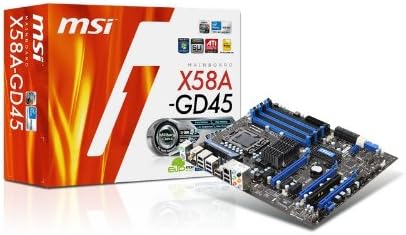
The MSI X58A-GD45 brings revolutionary SuperSpeed USB 3.0 and next generation SATA III support to the legacy Lga 1366 Motherboard platform for faster data transfers.
We may earn a commission when you buy through this link, at no additional cost to you.
With three PCI Express x16 slots it supports multi GPU configurations which is valuable for users needing extra graphical power for rendering or compute tasks.
MSI's Active Phase Switching technology dynamically controls power demand to improve efficiency and reduce heat during lighter usage loads effectively.
This board is ideal for users who need modern storage and USB speeds without upgrading their entire CPU and motherboard ecosystem to a newer platform.
USB 3.0 and SATA III provide ten times and twice the speed respectively compared to older standards improving overall system responsiveness.
Active Phase Switching optimizes power usage on the fly which helps maintain lower system temperatures and quieter operation.
We may earn a commission when you buy through this link, at no additional cost to you.
The ASUS P6X58D-E combines triple channel memory support with high definition audio and modern connectivity options for a versatile Lga 1366 Motherboard experience.
We may earn a commission when you buy through this link, at no additional cost to you.
It features six DIMM slots supporting up to 24GB of RAM which ensures ample headroom for heavy multitasking and workstation applications effectively.
The Realtek ALC889 8 channel audio codec delivers rich sound quality suitable for audiophiles or creative professionals needing accurate audio playback.
With triple GPU support and RAID capabilities this board serves well for users who need a balance of performance features and multimedia capabilities.
The Realtek ALC889 codec supports 8 channel output which enhances the immersive experience for movies and games without extra hardware.
Three PCI Express x16 slots allow for multiple graphics cards to be installed for increased rendering power or compute tasks.
We may earn a commission when you buy through this link, at no additional cost to you.
The Supermicro X8STI brings server grade reliability to the Lga 1366 Motherboard platform with onboard graphics and robust networking options for headless setups.
We may earn a commission when you buy through this link, at no additional cost to you.
It supports Intel Core i7 and Xeon processors while offering six DIMM slots for up to 24GB of triple channel memory for substantial capacity.
Dual Intel 82574L Gigabit Ethernet controllers ensure stable high speed connectivity which is critical for network attached storage or server applications.
This board is perfect for home lab enthusiasts or small office servers that need enterprise features without breaking the budget on newer hardware.
The Matrox G200eW controller allows for basic display output without a dedicated GPU which saves power and space in compact builds.
Intel Ethernet controllers are known for stability and low CPU overhead which is vital for consistent network performance.
We may earn a commission when you buy through this link, at no additional cost to you.
The Intel DX58SO is an official retail board from Intel itself offering pure chipset compatibility and stable performance for Core i7 processors on this legacy socket.
We may earn a commission when you buy through this link, at no additional cost to you.
It includes Dolby Digital audio and twelve USB ports which provides ample connectivity for peripherals and entertainment needs in home theater systems.
While it supports up to 16GB of DDR3 memory and offers CrossFire capabilities it lacks the raw capacity of some competitor boards for heavy workloads.
Users who prioritize brand heritage and stable BIOS support may prefer this board for simple gaming or media builds that do not need massive RAM.
Built by Intel using their own chipset ensures optimized performance and compatibility with the X58 architecture without third party tweaks.
The 7.1 Dolby Digital Audio support enhances multimedia experiences making it suitable for home cinema setups using legacy hardware.
We may earn a commission when you buy through this link, at no additional cost to you.
The Dx58So Extreme Series provides a basic implementation of the Lga 1366 Motherboard standard with standard ATX dimensions and essential features for system assembly.
We may earn a commission when you buy through this link, at no additional cost to you.
It supports the Intel X58 chipset which ensures compatibility with Core i7 processors and allows for triple channel memory configurations in supported slots.
While it may lack advanced features like extensive USB support or elaborate cooling solutions it serves as a functional foundation for specific legacy builds.
This option is suitable for users who have specific constraints or need a simple replacement board without paying for unnecessary premium features or branding.
This board focuses on core functionality ensuring the system boots and runs without extra bells and whistles that add cost.
Standard ATX dimensions mean it fits most mid tower and full tower cases without requiring special modifications for installation.
We may earn a commission when you buy through this link, at no additional cost to you.
Selecting the right Lga 1366 Motherboard involves evaluating chipset features power delivery and expansion options to match your specific build requirements.
The Intel X58 chipset supports triple channel memory and multiple PCIe slots which are essential for high performance builds. Look for boards with nVidia NF200 chips if you need multi GPU support without sacrificing PCIe bandwidth.
Ensure the board supports the QPI speeds you require for your specific processor model to maximize system performance.
A robust power delivery system with multiple phases ensures stable voltage to the CPU which is critical for overclocking and sustained workloads.
Prioritize boards with high quality solid capacitors to improve longevity and thermal stability.
Look for boards with six DIMM slots if you need large memory capacity since many legacy boards support up to 24GB or more.
Verify that the board supports both ECC and non ECC memory if you plan to use workstation grade RAM for stability.
Modern connectivity like USB 3.0 and SATA 6Gb/s is valuable even on legacy platforms for faster data transfer with external drives.
Check for the number of USB ports and network controllers to ensure you have enough connections for your peripherals.
If you plan to use multiple graphics cards or expansion cards check that the board has enough PCI Express slots with proper bandwidth allocation.
Triple GPU support can be a deciding factor for rendering workloads requiring parallel processing power.
Ensure the motherboard size matches your case since some workstation boards use EATX which requires larger chassis.
Standard ATX boards offer better compatibility with a wider range of available computer cases.
High quality boards feature better heatsinks and power components which reduce heat and improve overall system stability.
Look for features like Stack Cool or similar passive cooling solutions if you need low noise operation.
Verify BIOS support for your specific CPU model to ensure full functionality and stability after installation.
Check if the board supports your operating system requirements to avoid compatibility issues.
Install the board on the I/O shield first and connect the CPU and RAM securely to ensure proper seating and electrical contact.
Use the front panel connectors carefully following the manual guide to avoid short circuits during initial power up.
Keep the board free of dust and ensure adequate case airflow to maintain low temperatures for the CPU and power components.
No Lga 1366 Motherboards only support DDR3 memory. Using DDR4 modules is not possible due to different pin layouts and electrical requirements.
Most Lga 1366 Motherboards support Windows 10 and Linux distributions but Windows 11 is not officially supported due to TPM and CPU requirements.
The X58 chipset supports Intel Core i7 900 and 9xx series processors as well as Xeon 3500 series CPUs.
Yes Triple Channel uses three memory modules simultaneously to provide higher bandwidth than Dual Channel which improves performance in memory intensive tasks.
Some boards support up to three graphics cards in SLI or CrossFire configurations depending on the number of PCIe slots available.
Yes most X58 Motherboards support overclocking which allows you to increase CPU clock speeds for better performance if cooling is sufficient.
ECC memory helps detect and correct data errors which is vital for workstations that need high reliability and data integrity.
The ASUS P6T7 WS SuperComputer offers the best balance of multi GPU support and connectivity for advanced users needing workstation power.
Prioritize memory capacity and expansion slots if you are building a server or rendering rig to maximize future performance capabilities.
Always check current availability and compatibility lists before buying since these boards are legacy products and stock may vary significantly.