
HP OfficeJet Pro 8125
3.9Editor score
Fast color printing speeds
AI optimize print formatting
Dual-band wireless connection
Discover the top AI printers for home and office. This guide compares features, speed, and smart capabilities to help you choose the best model for your needs.
Artificial intelligence is transforming how we print documents and images at home and in the office. Modern printers now use AI to optimize layouts, detect errors, and streamline workflows for better efficiency and clearer results.
We evaluated ten leading models based on speed, connectivity, ink efficiency, and intelligent features. Our analysis focuses on real-world performance, ease of use, and how well each device integrates into your daily printing routine.
Each pick highlights specific strengths like wireless convenience, cost-effective ink systems, or advanced AI tools. Keep in mind that availability and pricing may vary over time, so check current listings before making your final decision.
3.9Editor score

4.2Editor score

4.2Editor score
This side-by-side comparison highlights key specifications and capabilities across all ten selected models to help you find the right fit for your specific printing requirements.




The HP OfficeJet Pro 8125 stands out as a reliable choice for home offices needing professional color output. With a solid rating of 3.9 stars, it delivers consistent performance across printing, scanning, and copying tasks while offering smart AI tools to optimize document layouts before you print.
We may earn a commission when you buy through this link, at no additional cost to you.
Its standout quality lies in the combination of speed and intelligent formatting. The printer can output up to 20 pages per minute in black, while its AI capabilities automatically remove unwanted content from web pages and emails to save paper and ink. The dual-band Wi-Fi ensures stable connectivity, resolving issues automatically so you rarely face downtime.
While the performance is strong, users should note that the printer enforces HP chip policies that may limit third-party ink compatibility over time. Additionally, while the Instant Ink trial saves money initially, ongoing costs depend on subscription retention. These trade-offs are acceptable for those prioritizing convenience and professional print quality.
If you need a dependable all-in-one printer that balances speed with smart features for daily home office use, the HP OfficeJet Pro 8125 is a strong recommendation. It handles business documents well and offers the flexibility of mobile printing through the HP app.
HP AI automatically formats emails and web pages to remove headers and margins you do not need, ensuring your prints look professional without wasting paper on awkward layouts.
HP Wolf Essential Security helps protect your network from cyber threats by monitoring printer activity and keeping your device safe while connected to your home Wi-Fi.
We may earn a commission when you buy through this link, at no additional cost to you.
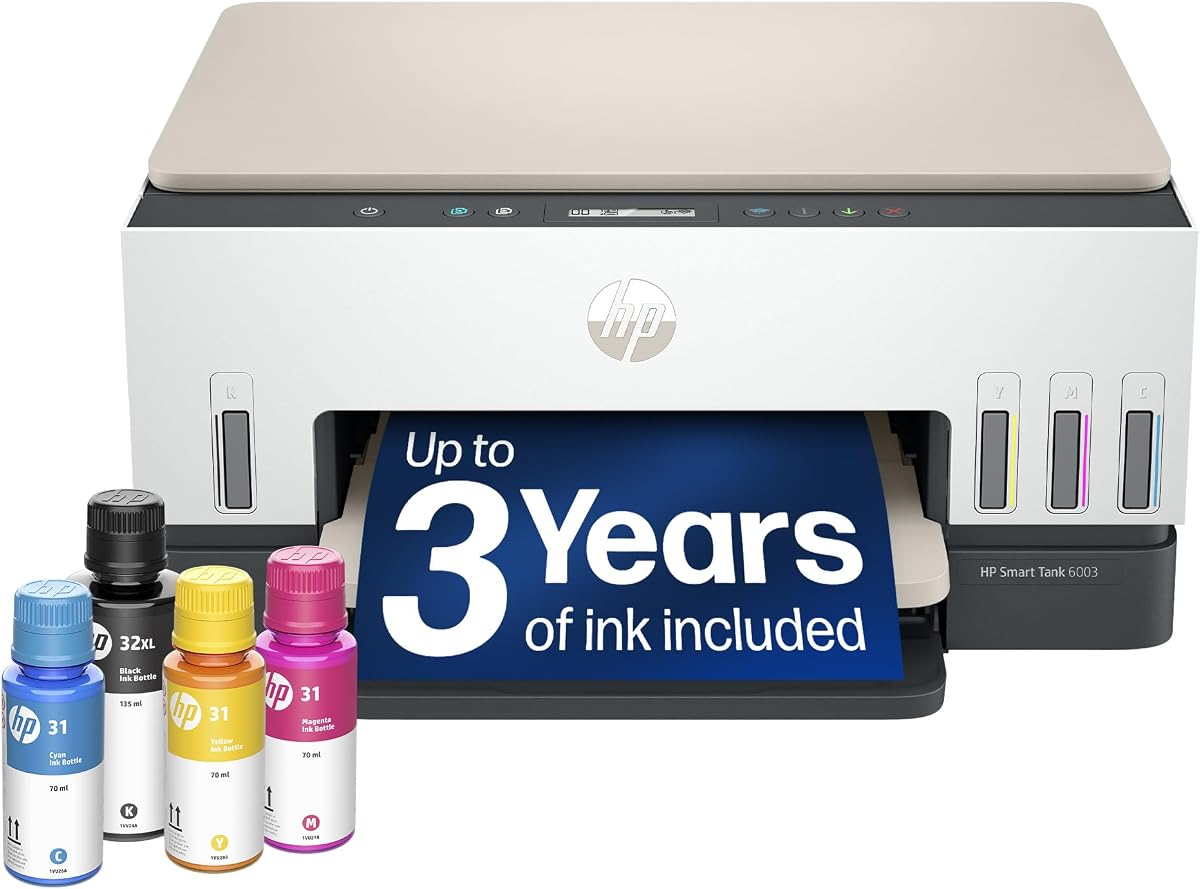
The HP Smart Tank 5003 offers an economical solution for households printing high volumes of color or black documents. Rated at 4.1 stars, it focuses on ink efficiency with a refillable tank system that includes enough ink for up to three years right out of the box, reducing long-term costs significantly.
We may earn a commission when you buy through this link, at no additional cost to you.
Its primary strength is the mess-free refill system that lets you pour ink directly into the tank without cartridges. This design supports up to 6,000 pages and avoids the waste and expense of traditional cartridges. Combined with AI capability for smart formatting, it delivers sharp text and rich colors at a low ongoing cost.
However, this model lacks an automatic document feeder which limits efficiency for batch scanning tasks. Security features are also basic compared to higher-end office models. These limitations are acceptable for casual home users who prioritize ink savings and simplicity over advanced office functionality.
For families or students needing reliable printing without frequent ink purchases, the HP Smart Tank 5003 is an excellent budget-friendly option. It combines ease of use with smart features to handle everyday documents and photos effectively.
The cartridge-free system allows you to refill ink easily without cartridges, supporting high volume printing and saving money compared to traditional inkjet models.
You can print directly from your smartphone wirelessly, making it easy to share documents and photos without connecting to a computer every time.
We may earn a commission when you buy through this link, at no additional cost to you.
The HP Envy 6155 is designed for home users who prioritize color accuracy and photo printing. With a high rating of 4.2 stars, it uses True-to-screen technology to ensure printed images match what you see on your display, making it ideal for creative projects and homework.
We may earn a commission when you buy through this link, at no additional cost to you.
Key strengths include its intuitive 2.4-inch touchscreen and sustainable design made from over 60 percent recycled plastic. The AI features help optimize layouts to prevent wasted paper while the HP app enables convenient mobile printing. This combination of eco-friendliness and smart tech appeals to modern consumers.
However, the print speeds are modest compared to office models, and the input tray holds fewer sheets, requiring more frequent refills for large jobs. These trade-offs are reasonable for home use where photo quality and environmental impact matter more than raw volume.
If you want a stylish printer that delivers great photo results and aligns with sustainability values, the HP Envy 6155 is a top choice. It handles everyday documents and borderless photos with ease while offering smart connectivity options.
HP P3 technology ensures that your printed photos and documents look vibrant and accurate, matching the colors you see on your screen.
Print, scan, or copy directly from your mobile device using the HP app, allowing you to manage tasks without sitting at a computer.
We may earn a commission when you buy through this link, at no additional cost to you.
The Bambu Lab P2S Combo represents the premium end of printing with its advanced 3D capabilities and smart features. Rated at 4.7 stars, it delivers professional-grade output with speeds up to 600 mm/s while maintaining precision through active flowrate compensation and servo extrusion technology.
We may earn a commission when you buy through this link, at no additional cost to you.
Its standout qualities include AI failure detection that monitors prints in real time to prevent waste, plus an AMS Pro system for seamless multi-color printing. The adaptive airflow system optimizes cooling for different materials, ensuring crisp overhangs and consistent results even for engineering-grade filaments.
While the price is higher than standard inkjets, the value lies in its speed and versatility. Users need basic 3D modeling knowledge to maximize its potential, and the initial setup may require learning curve for newcomers. These factors are acceptable for creators seeking high performance.
For hobbyists or professionals needing fast, reliable multi-color 3D printing, the Bambu Lab P2S Combo is unmatched. Its smart features and workflow integration make complex designs accessible and efficient to produce.
Built-in AI monitors your prints and alerts you to issues like clogs or failures, saving time and materials by preventing ruined prints.
The AMS Pro enables seamless switching between materials and colors, allowing you to create detailed multi-part models without manual intervention.
We may earn a commission when you buy through this link, at no additional cost to you.
The HP OfficeJet Pro 9135 is built for busy offices needing speed and security. With a 4.0 rating, it delivers up to 25 pages per minute in black and supports faxing and duplex scanning, making it a versatile all-in-one solution for professional environments.
We may earn a commission when you buy through this link, at no additional cost to you.
Key strengths include single-pass duplex scanning and two 250-sheet trays that reduce interruptions during large jobs. The large 4.3-inch touchscreen and AI layout tools improve workflow efficiency, while Wolf Pro Security adds a layer of protection for sensitive business documents.
However, the higher price and ongoing ink costs can add up over time. The enforcement of HP chips limits third-party cartridge options which may frustrate cost-conscious users. These issues are acceptable for businesses prioritizing security and speed over budget flexibility.
For small to medium offices requiring fast, secure printing with fax capabilities, the HP OfficeJet Pro 9135 is a robust choice. It handles professional documents efficiently and integrates well into existing workflows.
HP Wolf Pro Security bolsters your network against threats and helps keep sensitive data safe during document processing and transmission.
The single-pass duplex scanner allows you to scan double-sided documents quickly, reducing the time spent on archiving and digitizing records.
We may earn a commission when you buy through this link, at no additional cost to you.
The HP Smart Tank 7603 combines ink efficiency with office-ready features like faxing. Rated at 3.9 stars, it provides up to 8,000 color pages and includes a mess-free refill system, making it suitable for home offices with frequent printing needs.
We may earn a commission when you buy through this link, at no additional cost to you.
Its strengths include the magic touch control panel and auto document feeder which simplify batch scanning. The refillable tanks ensure you rarely run out of ink and the wireless connectivity lets you print from anywhere in your home.
While the design is bulkier than some models, the convenience of faxing and high capacity offset the footprint. Scan speeds are average so large jobs may take longer. These trade-offs work well for home offices balancing cost and functionality.
If you need a reliable printer that includes faxing and offers high capacity ink, the HP Smart Tank 7603 is a practical choice. It handles both casual and business documents with ease.
Built-in fax capabilities allow you to send and receive documents directly from the printer without needing a separate device.
The auto document feeder lets you scan multi-page documents quickly, saving time and effort compared to placing pages one by one.
We may earn a commission when you buy through this link, at no additional cost to you.
The HP OfficeJet Pro 8139 is similar to the 8125 but offers a longer Instant Ink trial. With a 4.0 rating, it supports up to 20 pages per minute and includes faxing making it a strong contender for home offices needing reliable color output.
We may earn a commission when you buy through this link, at no additional cost to you.
Its key advantage is the 1-year Instant Ink trial which saves money on supplies for a full year. Wolf Essential Security protects data and the 225-sheet tray handles moderate volume well. AI layout tools help reduce waste during everyday printing tasks.
However, like other HP models, it restricts non-HP cartridges and requires subscription after the trial ends. Users should weigh the convenience against long-term ink costs. These issues are acceptable for those valuing security and speed.
For home offices needing faxing and a longer ink trial, the HP OfficeJet Pro 8139 is a solid option. It balances professional features with smart management tools.
The 1-year Instant Ink trial gives you extended savings on ink deliveries before you run out, reducing initial costs significantly.
HP Wolf Essential Security helps keep your printer safe from online threats and ensures your data remains protected during use.
We may earn a commission when you buy through this link, at no additional cost to you.
This variant of the HP Smart Tank 7603 offers similar high-performance traits for home offices. Rated at 4.0 stars, it includes faxing and up to 3 years of ink right out of the box, delivering cost-effective and reliable printing for daily tasks.
We may earn a commission when you buy through this link, at no additional cost to you.
Key strengths include the magic touch control panel and refill-free tank design which minimize maintenance. It prints borderless and works wirelessly so you can manage tasks from anywhere. The auto document feeder adds convenience for scanning multi-page documents.
While it lacks advanced AI layout tools found in other models, the simplicity keeps things easy to use. The lack of complex setup makes it great for households that prefer straightforward functionality over technical features.
If you want a simple high-yield printer that includes faxing, the HP Smart Tank 7603 is a dependable choice. It balances ink savings with essential office functions effectively.
With up to 3 years of ink included, this model reduces the need to buy cartridges frequently saving money over time.
Print and copy documents directly from your phone or tablet wirelessly making it easy to manage tasks without a computer.
We may earn a commission when you buy through this link, at no additional cost to you.
The HP Smart Tank 6003 is ideal for small homes needing high color output without frequent refills. With a 3.8 rating, it supports up to 8,000 color pages and offers borderless printing making it versatile for both documents and photos.
We may earn a commission when you buy through this link, at no additional cost to you.
Its strengths include the mess-free refill system and AI capability which help optimize layouts and save paper. Wireless printing makes it easy to share files from mobile devices while the durable tank design ensures long-term use without clogging.
While it lacks faxing and may print slower than dedicated office units, the high yield and compact footprint suit casual users well. These trade-offs are acceptable for those prioritizing ink savings over speed.
If you need a reliable home printer that handles photos and documents efficiently, the HP Smart Tank 6003 is a great pick. It simplifies printing tasks while keeping costs low.
With up to 8,000 color pages available, you can print vibrant documents and photos without worrying about running out of ink often.
The printer supports borderless prints so your photos and documents look professional without white margins around the edges.
We may earn a commission when you buy through this link, at no additional cost to you.
The Liene PixCut S1 is a unique printer designed for creators and crafters needing stickers and labels. With a 4.2 rating, it combines 300 DPI thermal dye-sublimation printing with precise AI-driven die-cutting making it a powerful tool for DIY projects.
We may earn a commission when you buy through this link, at no additional cost to you.
Its standout qualities include AI image extraction that isolates subjects from photos and guides the cutting process automatically. The app offers 50,000+ free templates and tools so you can create custom stickers quickly without design experience.
While it is not a general-purpose document printer, its focused capabilities deliver professional results for creative needs. The lack of subscription fees is a major plus for hobbyists wanting ongoing creative freedom without extra costs.
If you want to make custom stickers and gifts without manual cutting, the Liene PixCut S1 is the perfect choice. It combines smart AI tools with durable output for satisfying craft experiences.
The AI automatically recognizes and extracts subjects from your photos, allowing you to create clean sticker shapes without manual editing.
Thermal dye-sublimation ensures stickers are laminated during printing, making them waterproof and scratch-resistant for long-lasting use.
We may earn a commission when you buy through this link, at no additional cost to you.
Selecting the right AI printer involves balancing performance, cost, and smart features. This guide outlines key factors to consider before making your decision.
Modern AI printers include tools like layout optimization, subject extraction, and failure detection. Look for models that offer automated formatting to save paper and time or AI that detects errors before prints fail.
Prioritize printers with useful AI features that align with your workflow, whether it is document layout or creative design.
For home offices, speeds of 20 pages per minute or more help handle busy periods efficiently. Check page yield estimates to understand how many pages the included or compatible ink can produce before refills are needed.
Choose a speed and yield that match your typical volume to avoid bottlenecks or excessive refill frequency.
Tank-based printers offer higher yields and lower costs per page compared to traditional cartridges. Consider if you prefer a refillable system with included ink or standard cartridges with Instant Ink subscriptions.
Evaluate refill convenience and cost over time to select a system that fits your budget and usage patterns.
Dual-band Wi-Fi ensures stable wireless connections reducing print queue delays. Robust mobile apps enable printing from phones or tablets without needing a computer nearby.
Choose printers with reliable wireless features and intuitive apps for seamless everyday access and control.
Office models often include security suites to protect data during transmission and storage. Look for features like encryption and secure printing protocols if you handle sensitive documents.
Prioritize security features if your printing needs involve confidential or business-critical information.
Many modern printers use recycled plastics and offer paper-saving features like automatic duplex. Check for eco-friendly design elements and ink systems that reduce waste.
Select models that align with your environmental values by minimizing materials and energy use.
Many printers come with Instant Ink trials that save money on initial supply costs. Understand trial duration and subscription terms to avoid unexpected fees later.
Consider the value of included trials and warranty support when comparing overall cost of ownership.
Desk space matters for home offices and smaller rooms. Compare dimensions and input tray capacities to ensure the printer fits your workspace comfortably.
Choose a size that balances capacity with footprint so you do not sacrifice convenience for space.
To start using your AI printer, download the companion app and connect it to your Wi-Fi network. Follow on-screen prompts to initialize settings and install necessary drivers for your device.
Keep firmware updated regularly to access the latest AI features and security patches. Use recommended ink or refills to maintain print quality and avoid warranty issues with proprietary chip enforcement.
Clean the print heads periodically using the maintenance tools in your app. Store ink bottles in a cool dry place and avoid direct sunlight to ensure consistent print performance over time.
In printers, AI refers to intelligent features that automate tasks like layout optimization, error detection, or image editing. These tools help reduce paper waste and improve efficiency without manual intervention.
Yes, many AI printers optimize layouts to reduce margins and detect potential errors before printing. This helps save ink and prevents wasted pages caused by failed print jobs.
They are worth it if you print frequently and value convenience or professional output. For light users, basic models may suffice but AI features add long-term efficiency and savings.
Some AI printers enforce chip policies that may limit third-party ink. Check manufacturer guidelines to ensure compatibility and avoid firmware blocks on non-approved cartridges.
Firmware updates often install automatically through the app or printer settings. You can also manually check for updates in the maintenance menu to keep features current.
Models like the HP OfficeJet Pro series balance speed, connectivity, and AI tools effectively. They offer reliable performance with secure features suited for daily business documents.
Yes, most can connect via USB or local networks but AI features require internet to access cloud tools and updates. Wireless connectivity is recommended for full functionality.
Instant Ink is a subscription service that delivers ink automatically based on usage. It helps save money and prevents running out, though costs apply after trial periods end.
From the HP OfficeJet Pro 8125 to the Liene PixCut S1, each printer offers unique strengths for different users. Consider whether you need general office efficiency or creative tools tailored to your projects.
Prioritize AI capabilities that match your workflow and check ink costs over time. Security, speed, and connectivity should guide your final decision to ensure long-term satisfaction.
Prices and promotions change frequently so verify current listings before purchasing. Use this guide to compare models and select the best AI printer for your needs today.