
FIREBAT Gaming Laptop Metal 15.3in
5.0Editor score
32GB DDR5 RAM
1TB PCIe4.0 SSD
WQXGA 120Hz Display
Choosing a durable laptop often comes down to build quality and thermal performance. All metal laptop options provide superior heat dissipation and a premium feel compared to plastic alternatives. These devices are designed to withstand daily wear while maintaining aesthetic appeal in professional environments.
We evaluated ten current models based on processor efficiency, memory capacity, and display fidelity. Each entry in this list offers unique strengths for different user needs ranging from budget conscious students to power users. Our analysis focuses on real world usability and long term reliability factors.
Every product selection highlights specific advantages such as touch functionality or rugged durability. Prices and availability change frequently so verify details before purchasing. This guide helps you navigate the market to find the right all metal laptop for your workflow today.
5.0Editor score

4.4Editor score

4.2Editor score
As an Amazon Associate we earn from qualifying purchases.
The following table presents a side-by-side overview of all ten selected models. Compare key specifications and features to identify which device aligns best with your performance requirements and portability needs.





This laptop stands out with its generous 32GB RAM and 2TB SSD paired with an all metal body. The touchscreen interface adds versatility for presentations and design tasks. It offers a robust foundation for multitasking within a sturdy frame.
We may earn a commission when you buy through this link, at no additional cost to you.
The metal construction ensures heat dissipation remains efficient during prolonged use. Users benefit from the expansive storage for large files without needing external drives. The fingerprint reader and backlit keyboard enhance daily convenience significantly.
While the processor is efficient for general tasks it may struggle with demanding applications. The screen resolution is clear but not the highest available on modern devices. These trade-offs are acceptable for users prioritizing storage and build over raw speed.
Ideal for office professionals or students needing reliable storage and a premium feel. This model delivers a balanced experience for everyday computing tasks without breaking the bank on specs.
The metal body actively aids in dissipating heat better than plastic alternatives ensuring stable performance.
With 32GB of RAM switching between dozens of browser tabs and applications happens without lag.
We may earn a commission when you buy through this link, at no additional cost to you.
The Dell Latitude Rugged 5430 is built to withstand harsh conditions while maintaining professional performance. It features a Core i7 processor and 32GB RAM for demanding workloads. This device is ideal for fieldwork or environments where durability is paramount.
We may earn a commission when you buy through this link, at no additional cost to you.
Its construction prioritizes resilience with features that protect internal components from impact. The high RAM count ensures smooth operation even with heavy software suites. Users appreciate the inclusion of Windows 11 Pro for enhanced security and management tools.
The device is heavier than typical consumer laptops which affects portability. Its aesthetic is functional rather than sleek. However for those needing reliability in challenging settings these factors are minor compared to the rugged benefits.
Choose this laptop if you require a machine that survives drops and daily abuse. It is a top choice for contractors or industrial users needing portable power with protection.
The rugged chassis is engineered to resist shocks and environmental hazards common in field environments.
Windows 11 Pro offers active directory and encryption tools suitable for secure organizational use.
We may earn a commission when you buy through this link, at no additional cost to you.
The HP OmniBook 3 introduces next gen AI capabilities with its Snapdragon X processor and impressive battery life. The 2K OLED screen delivers vivid colors ideal for media consumption. It represents a forward looking approach to portable computing efficiency.
We may earn a commission when you buy through this link, at no additional cost to you.
Its energy efficient design supports all day use without frequent charging. The display quality stands out with deep blacks and sharp text rendering. Users benefit from built in AI tools like Otter for transcription and meeting summaries.
The storage capacity is lower than some competitors which may require cloud reliance. Some software may not yet be optimized for ARM based systems. These limitations are offset by the massive battery life and advanced AI features.
Perfect for travelers and students prioritizing battery endurance and screen quality. This model is excellent for creative professionals who need a vivid display on the go.
Users can expect up to 41 hours of battery life ensuring productivity lasts through long journeys.
The 2K OLED panel offers rich color accuracy and contrast for an immersive viewing experience.
We may earn a commission when you buy through this link, at no additional cost to you.
The NIMO laptop offers a quiet efficient experience suitable for library study or office use. Its 180 degree hinge facilitates easy sharing during group projects. The inclusion of a physical webcam shutter adds an extra layer of privacy control.
We may earn a commission when you buy through this link, at no additional cost to you.
Users appreciate the 2 year warranty which provides long term peace of mind. The full port suite eliminates the need for dongles during presentations. Silent operation ensures distractions are minimized in shared environments.
Standard 8GB RAM may be tight for heavy multitasking but works well for typical schoolwork. Storage expansion is possible but native space is limited. These are reasonable compromises for the price point and warranty coverage.
An excellent choice for students or casual users needing reliable basic performance. This model balances affordability with essential features like a fingerprint reader and backlit keyboard.
A physical shutter on the webcam gives users complete control over their digital privacy at home.
The 180 degree lay flat hinge allows the screen to be shared easily with colleagues or peers.
We may earn a commission when you buy through this link, at no additional cost to you.
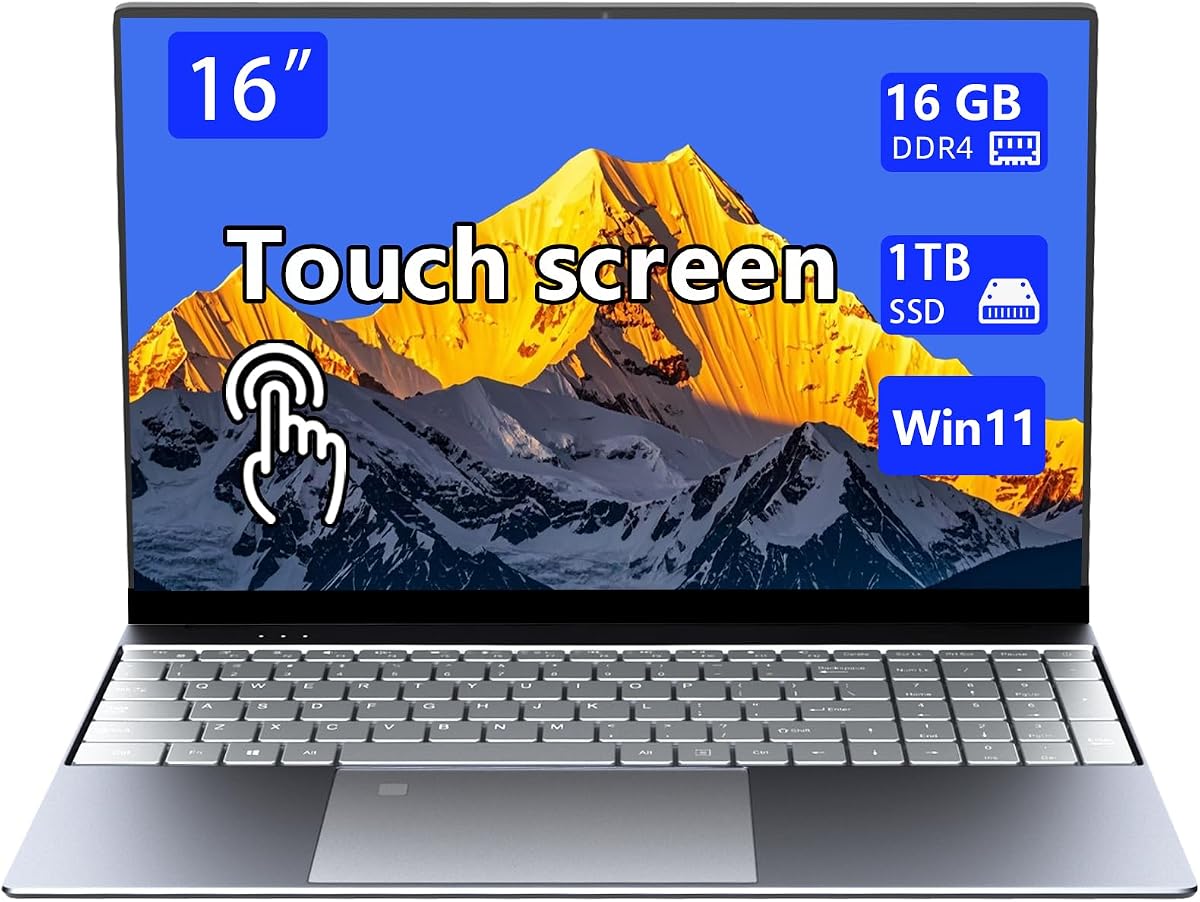
This model balances cost and features with a metal body and solid specs. The 16GB RAM and 1TB SSD provide ample resources for daily productivity tasks. It includes a touchscreen interface for added interaction versatility.
We may earn a commission when you buy through this link, at no additional cost to you.
Metal construction ensures the device stays cool during extended use. The backlit keyboard supports comfortable typing in various lighting conditions. Users benefit from the large storage drive for extensive media and document collections.
Performance is adequate for general tasks but not for intensive workloads. The display resolution is standard rather than sharp for detailed design work. These factors are acceptable for users seeking value and durability.
Best for home office users needing a reliable workhorse. This laptop offers a premium feel and ample storage at a competitive price point.
The all metal body offers superior durability and heat management compared to standard plastic laptops.
One terabyte of SSD space allows users to keep large files locally without external drives.
We may earn a commission when you buy through this link, at no additional cost to you.
The HP Everyday Slim Laptop delivers essential features in a lightweight portable package. It includes Office 365 and generous cloud storage making it ready for work out of the box. The design prioritizes mobility with a thin profile.
We may earn a commission when you buy through this link, at no additional cost to you.
Wi-Fi 6 ensures fast connectivity in crowded areas. The fast charging capability means quick top ups between meetings. Users appreciate the comprehensive ports for connecting external displays and accessories.
Local storage is limited but cloud integration mitigates this effectively. The display brightness is adequate for indoor use. These constraints are balanced by the included software and cloud benefits.
Ideal for casual users and travelers needing a portable solution. This model offers a streamlined experience with essential tools included at a budget price.
Microsoft Office 365 is included so users can start working immediately without extra subscriptions.
Weighing only 3.24 pounds this laptop slides easily into bags for daily commutes.
We may earn a commission when you buy through this link, at no additional cost to you.
This laptop combines a Core i7 processor with a full metal body for a solid premium experience. The 16GB RAM and 512GB SSD ensure smooth operation for general productivity and media. It features an IPS display for better viewing angles.
We may earn a commission when you buy through this link, at no additional cost to you.
The fingerprint reader offers quick secure access to the system. The backlit keyboard aids productivity in low light environments. Users benefit from the durable aluminum enclosure that protects the internals effectively.
The processor is slightly older which might limit future proofing compared to newer chips. Bluetooth connectivity is standard but not the latest version. These factors are acceptable given the strong build quality and screen size.
Great for general users wanting a premium feel without a high price tag. This laptop is suitable for home office use and light content creation.
The recycled aluminum enclosure provides a sturdy build that resists scratches and wear.
Fingerprint recognition allows for quick and secure login without typing passwords repeatedly.
We may earn a commission when you buy through this link, at no additional cost to you.
The Dell 16-inch model offers powerful performance with an AMD Ryzen 7 processor and DDR5 RAM. It handles demanding tasks like video editing and virtual machines well. The touchscreen adds versatility for creative and navigation tasks.
We may earn a commission when you buy through this link, at no additional cost to you.
Connectivity is robust with USB-C HDMI and multiple USB ports. Users can connect 4K monitors and fast charge simultaneously. The display brightness and IPS technology ensure clear visuals in various lighting conditions.
Storage capacity is limited requiring users to rely on external drives or cloud. The chassis is heavier than ultra portable laptops. These trade-offs are expected for a machine focused on desktop level power.
Best for power users and content creators needing performance on the go. This laptop is a strong contender for professional workflows.
The 8 core processor enables handling resource intensive apps like virtual machines smoothly.
Modern ports support fast charging and 4K monitor connections for expanded workflow options.
We may earn a commission when you buy through this link, at no additional cost to you.
This KONZID laptop offers a thin metal design with solid specs for its weight. The 16GB RAM ensures smooth multitasking for student or business use. It is built for portability with a slim profile that fits easily in bags.
We may earn a commission when you buy through this link, at no additional cost to you.
The port selection is comprehensive with USB-C and HDMI available. High speed data transfer is supported via the SSD. Users benefit from the narrow bezels which provide more screen real estate.
The processor is efficient but not designed for heavy rendering tasks. Battery life is moderate compared to premium models. These limitations are balanced by the build quality and port selection.
Ideal for students needing a lightweight and durable machine. This model is excellent for everyday tasks and light content creation.
Weighing only 3.7 pounds this laptop is easy to carry for daily commutes.
Multiple USB ports and HDMI allow easy connection to peripherals and displays.
We may earn a commission when you buy through this link, at no additional cost to you.
The FIREBAT Gaming Laptop combines high performance with an all metal build. It features 32GB DDR5 RAM and a fast PCIe SSD for rapid data access. The WQXGA display provides vibrant visuals suitable for creative work and gaming.
We may earn a commission when you buy through this link, at no additional cost to you.
Its metal construction ensures stability and efficient thermal management under load. The high refresh rate screen enhances smoothness in dynamic visuals. Users appreciate the expandable memory options for future upgrades.
While designed with gaming in mind it serves professional needs well. The premium price reflects the high specs and durable build. These features justify the cost for users requiring top tier performance.
Best for power users who demand speed and display quality. This laptop is ideal for gaming engineering and professional content creation tasks.
The DDR5 RAM and PCIe4 SSD provide lightning fast data access for demanding workflows.
The 2.5K WQXGA screen offers exceptional clarity and color for creative projects.
We may earn a commission when you buy through this link, at no additional cost to you.
Selecting the right all metal laptop involves evaluating build quality processor power and display features. This section outlines key factors to consider for your purchase decision.
All metal laptops are preferred because they dissipate heat more effectively than plastic models. Metal enclosures provide a sturdy structure that resists wear and adds to the premium feel of the device. When selecting ensure the metal is durable and well finished.
Look for aluminum or magnesium alloys that offer strength without adding excessive weight. A solid build protects internal components from minor impacts and enhances longevity.
The CPU determines how well the laptop handles multitasking and intensive applications. Higher core counts and clock speeds lead to smoother experiences during workloads like editing or coding. Ensure the processor matches your daily use cases.
Consider whether you need a standard i5 i7 or an ARM based chip for battery life. Balance raw power with efficiency requirements for your specific workflow.
Memory affects how many applications you can run simultaneously without slowdowns. Aim for at least 16GB for smooth multitasking and 512GB SSD storage for speed and capacity. Larger capacities reduce the need for external drives.
If possible choose models with upgradeable RAM or multiple storage slots. Future proofing your device saves money and extends usability over time.
Screen resolution and technology impact visual clarity for work and entertainment. Look for IPS or OLED panels with high brightness and color accuracy. A 16 inch screen provides ample workspace while remaining portable.
Ensure the aspect ratio suits your productivity needs as 16:10 offers more vertical space. Touchscreens add versatility but may reduce battery life slightly.
Sufficient ports are essential for connecting peripherals and external monitors. USB-C HDMI and SD card slots provide flexibility for various accessories. Avoid relying solely on dongles which can be cumbersome.
Check for Wi-Fi 6 support to ensure fast wireless performance in dense environments. Bluetooth version matters for connecting peripherals like mice and headphones efficiently.
Long battery life is crucial for users who work away from outlets frequently. Efficient processors and large battery capacity contribute to extended usage times. Fast charging features minimize downtime when power is available.
Evaluate real world battery estimates rather than peak theoretical numbers. Consistent performance is more important than maximum capacity alone.
The OS impacts security and compatibility with your preferred applications. Windows 11 Pro offers advanced features for business users. Ensure the system supports necessary tools and updates reliably.
Consider built in software like AI assistants that can enhance productivity. A clean OS with minimal bloatware ensures a smoother initial experience.
Weight affects how easy the laptop is to carry daily. Lighter models under 4 pounds are easier to transport in backpacks. Thin designs enhance portability but may compromise on cooling or battery size.
Balance the need for a larger screen with overall weight. If you travel often prioritize a chassis that fits easily in standard bags.
Clean the metal surface regularly with a soft dry cloth to prevent buildup of dust and oils. Avoid using harsh chemicals that may damage the finish or protective coatings on the chassis.
Ensure proper ventilation by keeping the vents clear of obstructions during use. Placing the laptop on hard flat surfaces helps heat dissipate efficiently and extends internal component life.
Update the operating system and drivers regularly to maintain performance and security. Install security software and enable features like fingerprint recognition to keep your data safe.
All metal laptops offer superior thermal conductivity which helps keep components cool during heavy use. They are also more durable and scratch resistant providing a premium aesthetic. The added structural rigidity protects internal parts from impacts better than plastic.
Metal laptops can be slightly heavier but modern alloys keep weight manageable. The added weight often provides stability and better cooling. Many ultra-thin metal models weigh under four pounds for easy portability.
Use a microfiber cloth to gently wipe the surface without leaving scratches. Avoid abrasive materials or solvents that might strip the finish. Occasional use of a specialized electronic cleaner can restore shine safely.
Not all metal laptops include touchscreens so check the product specifications carefully. Touch panels add versatility for media and design tasks. Non-touch models often have longer battery life and reduced costs.
Brushed aluminum finishes tend to hide fingerprints better than glossy surfaces. Regular cleaning with a soft cloth keeps the laptop looking pristine. Matte finishes are available for those who prefer minimal smudges.
Some metal laptops allow RAM upgrades while others have it soldered to the board. Check if the model has accessible slots before purchasing. Upgradable options provide better long-term flexibility for performance needs.
Our top picks include the HP OmniBook 3 for battery life and the FIREBAT model for performance. Each device brings unique strengths to suit different user needs ranging from students to professionals.
Prioritize build quality and performance features that match your daily tasks. A sturdy metal chassis ensures longevity and reliable heat management for long term use.
Prices and availability change so review current listings before buying. Verify specifications and warranty details to make the most informed decision today.