
CORSAIR RS120 ARGB 120mm PWM Fans – Daisy-Chain Connection – Low-Noise – Magnetic Dome Bearing – Triple Pack – Black
4.6Editor score
Daisy-chain connection support
High static pressure performance
Customizable ARGB lighting
This comprehensive guide compares the best Corsair case fans for cooling and aesthetics, reviewing ten top models with RGB, PWM, and link technology features.
Choosing the right cooling solution is essential for any modern PC build. Corsair case fans offer a blend of performance and style that fits various needs. Whether you prioritize airflow or silence, there is a model designed to match your specific requirements effectively.
We have evaluated ten leading Corsair fan models based on cooling efficiency, noise levels, and build quality. Each entry in this list represents a distinct option within their current lineup. Our analysis focuses on real-world performance metrics and user feedback to ensure accuracy.
Each product pick highlights key specifications and ideal use cases for your setup. Prices and availability can change frequently across different retailers and regions. Always verify the latest details before making your final purchase decision for your system.
4.6Editor score

4.6Editor score

4.5Editor score
The following table provides a side-by-side overview of all ten selected Corsair case fans. Compare their key specifications, sizes, and technologies to find the perfect match for your system configuration.
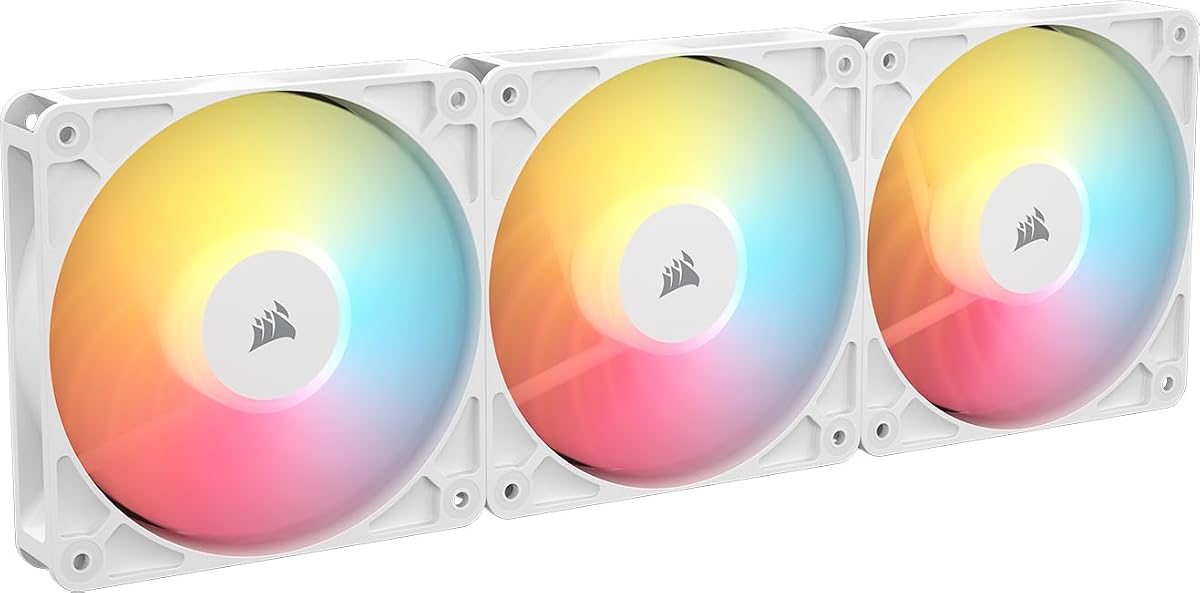

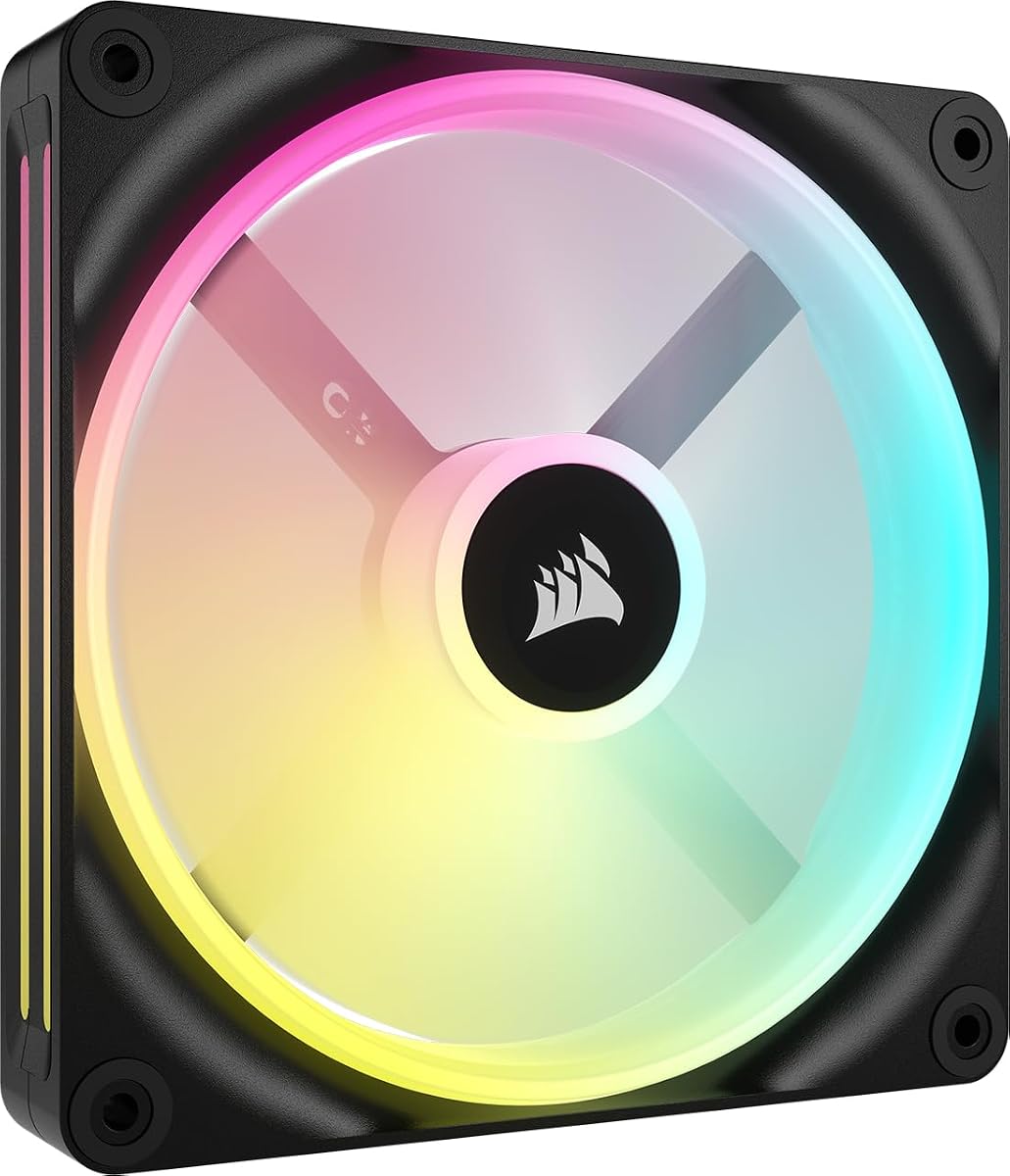


The CORSAIR RS120 ARGB series stands out as a highly efficient cooling solution for budget-conscious builders. With a solid 4.6 rating from users, these fans deliver reliable airflow while maintaining a quiet operation. The daisy-chain connection feature simplifies your build significantly by reducing cable clutter inside the case.
We may earn a commission when you buy through this link, at no additional cost to you.
These fans utilize CORSAIR AirGuide Technology to direct airflow precisely where it is needed most. This means your hottest components receive targeted cooling which helps maintain stable performance under load. The magnetic dome bearing ensures longevity and reduces friction for a smoother spinning experience over time.
While the RS120 does not include a hub, it works seamlessly with standard 4-pin PWM connectors. The customization options via your motherboard's ARGB control allow for vibrant lighting effects. Some users note that the lights require a compatible board to function fully.
If you need three reliable fans without breaking the bank, this pack is an excellent choice. It balances performance and aesthetics effectively for most mid-range gaming or workstation systems. We recommend checking your motherboard compatibility before purchase to ensure full feature utilization.
The daisy-chain connection allows you to control multiple fans through a single connector.
AirGuide Technology focuses airflow onto specific components to maximize heat dissipation.
We may earn a commission when you buy through this link, at no additional cost to you.
This triple pack offers a complete ecosystem for builders who want clean cables and synchronized lighting. The inclusion of the iCUE Link System Hub makes it easy to manage everything with one cable. Its high static pressure ensures it can push air through dense radiators efficiently.
We may earn a commission when you buy through this link, at no additional cost to you.
The dual light loops create a stunning visual effect that looks great in tempered glass cases. You can sync these lights with other iCUE RGB devices for a unified look across your entire setup. The fan speeds can be precisely controlled up to 2400 RPM for maximum cooling.
While the cost is higher than standard packs, the convenience of the link system justifies the investment. It reduces internal clutter significantly and improves airflow paths by removing fan cables. The magnetic dome bearing keeps operation quiet even at high speeds.
This is the ideal choice for enthusiasts who prioritize aesthetics and clean cable management. If you are planning a full system upgrade with compatible iCUE components, this kit provides the best starting point. We suggest checking system requirements to ensure you have enough ports for the hub.
The included hub allows for single-cable connection to your motherboard for all fans.
Dual light loops provide enhanced brightness and depth to your RGB effects.
We may earn a commission when you buy through this link, at no additional cost to you.
The RX140 MAX is a premium thick fan designed for those who need serious cooling power. Its 5mm thicker blade allows it to move more air at lower speeds, which significantly reduces noise. With over 100 CFM of airflow, it is perfect for high-end workstation setups.
We may earn a commission when you buy through this link, at no additional cost to you.
The high static pressure ensures it can push through the densest radiators or cases with restricted airflow. You can control it precisely via iCUE LINK to optimize performance based on your system load. The white color variant is rare and matches well with light-themed builds.
Building with thicker fans requires careful attention to your case clearance limits. You may need to verify that your chassis can accommodate the extra depth without blocking other components. The bridge connectors help maintain the clean look even with these larger fans.
If you need top-tier cooling without sacrificing silence, this fan is an excellent investment. It is best suited for those who already have a compatible iCUE ecosystem in place. We recommend planning your case layout carefully before installing these larger units.
A 5mm increase in blade thickness allows for lower RPM and quieter operation.
High static pressure ensures effective airflow through difficult obstructions and radiators.
We may earn a commission when you buy through this link, at no additional cost to you.
Reverse rotor fans solve the issue of ugly frames when mounting intake fans. The RS120-R ensures the lighting is fully visible even when mounted to suck air into the case. This makes it ideal for front panels or bottom intakes where looks matter.
We may earn a commission when you buy through this link, at no additional cost to you.
The performance is on par with standard RS120 fans offering reliable cooling with reduced noise. You can set speeds low for quiet operation or higher for maximum heat removal as needed. The zero RPM mode stops the fans completely when your system is idle.
One potential downside is availability as white models often sell out quickly. You need a compatible motherboard to control the lighting and speeds effectively. Ensure your chassis has the right mounting holes for a triple pack setup.
For users wanting a clean front intake look without sacrificing cooling power this is a great choice. It is particularly effective for builds where visibility is key. We suggest checking stock levels early if you plan to use multiple white units.
The reversed rotor ensures the lighting is visible from the front when mounted as intake.
Zero RPM mode stops fans entirely at low loads to eliminate noise.
We may earn a commission when you buy through this link, at no additional cost to you.
This black version of the reverse rotor fan provides the same clean aesthetic benefits as the white model. It keeps the frame hidden from the front of your case while still delivering efficient cooling. The magnetic dome bearing helps minimize friction for a longer lifespan.
We may earn a commission when you buy through this link, at no additional cost to you.
The daisy-chain connection allows you to link multiple fans together easily with minimal wiring. You can customize the lighting using your motherboard controls to match your system theme. It offers a balance of airflow and pressure suitable for various radiator mounts.
While it does not include a hub, the single PWM and RGB cables simplify the build process. This is a great choice for those who want reverse intake without the iCUE Link complexity. Ensure your motherboard has the necessary headers for full functionality.
If you are building a dark-themed PC with visible front fans this is an ideal option. It improves the look of standard cases significantly without requiring custom mods. We recommend verifying your motherboard compatibility before placing your order.
The reversed blade design ensures only the lighting is visible from the front intake.
Daisy-chain technology reduces cable clutter by linking fans together easily.
We may earn a commission when you buy through this link, at no additional cost to you.
The QX140 is a powerful 140mm single fan designed to integrate seamlessly with the iCUE Link system. It offers high airflow potential and supports exclusive lighting modes like Time Warp with the hub. The magnetic dome bearing ensures quiet performance even at high speeds.
We may earn a commission when you buy through this link, at no additional cost to you.
You can chain multiple units together using bridge connectors to create a unified bank of fans. This eliminates the need for complex wiring inside your PC case. The single fan option is perfect for adding cooling to a specific zone or expanding existing setups.
Keep in mind that the System Hub must be purchased separately to enable all the link features. Without it you will still get cooling but lose some advanced lighting capabilities. It is a good starter piece for those planning to upgrade to the full system.
If you need a reliable 140mm fan for your rear exhaust or side intake this is a solid choice. It provides a balance of performance and aesthetic control for modern systems. We suggest buying a starter kit if you need more than one unit.
Bridge connectors allow you to chain fans together without extra cables.
Magnetic Dome bearing technology reduces friction for smooth and quiet operation.
We may earn a commission when you buy through this link, at no additional cost to you.
This kit combines reverse rotor design with the advanced features of the LX series. It ensures the RGB remains visible even when mounted as an intake fan for a cleaner look. The high static pressure makes it effective for pushing air through radiators or dusty filters.
We may earn a commission when you buy through this link, at no additional cost to you.
The dual light loops provide bright and customizable lighting that syncs with other devices. QuikTurn screws make installation significantly faster and easier compared to standard screws. Zero RPM mode keeps things silent when your system is not under heavy load.
While the price is higher, the convenience of the link system and the clean aesthetic justify the cost. It is ideal for builders who want both performance and style without messy cables. Ensure you have the necessary power headers for the hub.
If you are upgrading an existing case or building a new clean setup this kit is excellent. It offers a premium experience with minimal effort during installation. We recommend checking your motherboard compatibility before ordering to avoid issues.
QuikTurn screws are included to speed up the mounting process significantly.
Reverse rotor ensures the lighting is the only thing visible from the front.
We may earn a commission when you buy through this link, at no additional cost to you.
The RS120 MAX features a 30mm thick design that boosts cooling performance significantly. It uses Liquid Crystal Polymer for durability which reduces vibration and increases rigidity. This makes it a reliable option for high-density radiators or restricted airflow zones.
We may earn a commission when you buy through this link, at no additional cost to you.
The high static pressure allows it to push air through obstructions where standard fans might struggle. You can control speeds precisely using a 4-pin PWM header for quiet operation. The AirGuide Technology directs airflow exactly where you need it to cool hot parts.
Because it is thicker, you must ensure your case supports 30mm fans. It might not fit in standard cases designed for 25mm fans without adjustments. It is a robust fan for specific high-performance needs rather than general use.
If you need a rugged fan for a radiator or restricted spot this is a great choice. It balances strength and performance effectively for demanding environments. We recommend verifying your case dimensions before purchase to ensure it fits.
Liquid Crystal Polymer construction offers excellent rigidity and reduces blade vibration.
The increased 30mm thickness allows for larger blades and better airflow.
We may earn a commission when you buy through this link, at no additional cost to you.
The RX140 offers high airflow and vivid lighting effects with a single 140mm fan. It features a window in the frame so you can view the lighting from the side. The white color is perfect for building a clean and bright system aesthetic.
We may earn a commission when you buy through this link, at no additional cost to you.
You can link this fan directly to others using bridge connectors for a clean bank. The high static pressure helps it push air through high-density radiators effectively. AirGuide Technology ensures that the airflow is directed towards the hottest components.
The price for a single premium fan is high compared to standard options. You will also need to buy the System Hub separately to get the best experience. However, the performance and look make it worth the investment for enthusiasts.
If you are building a white-themed system or need a powerful single unit this is a great pick. It provides excellent cooling and visual appeal for premium builds. We recommend checking stock levels as these models are popular.
A built-in frame window enables viewing of the lighting effects from the side.
Includes bridge connectors to chain fans directly together without extra cables.
We may earn a commission when you buy through this link, at no additional cost to you.
This renewed kit provides two QX140 fans and the necessary iCUE Link System Hub. It is a great way to enter the link ecosystem without buying components separately. The fans deliver solid airflow and support the same bridge connections as new units.
We may earn a commission when you buy through this link, at no additional cost to you.
Since it is a renewed product it comes at a more accessible price point. You save money while still getting all the benefits of the link technology. It is perfect for builders who want a clean cable setup without paying full price.
Check the condition of renewed items carefully before you finalize your purchase. Ensure that all connectors and hubs are present and functional. You may need to handle the packaging carefully to avoid damage during transit.
If you want an affordable entry into iCUE Link this kit is a smart choice. It offers the same performance as new units at a lower cost. We recommend verifying seller ratings when buying renewed products to ensure quality.
Includes two fans and the hub so you can start your build immediately.
Renewed condition offers significant savings for new technology.
We may earn a commission when you buy through this link, at no additional cost to you.
Selecting the right Corsair case fan involves evaluating several key factors to ensure optimal performance and compatibility. This section helps you navigate the options effectively based on your system needs.
Ensure your PC case supports the fan size you intend to buy such as 120mm or 140mm. Check if thicker models will fit without blocking other components or cables inside the chassis.
Verify case specs before buying to avoid compatibility issues during installation.
High airflow fans are best for general cooling while high static pressure is needed for radiators. If you are mounting fans on a heatsink or dust filter look for models with higher mm-H2O ratings.
Prioritize static pressure for radiator mounts and airflow for open cases.
ARGB stands for Addressable RGB and allows for individual LED control while standard RGB does not. Ensure your motherboard supports the type of connector the fan uses to avoid compatibility problems.
Check your motherboard headers to match the correct lighting standard.
iCUE Link hubs simplify cable management but cost extra compared to standard PWM fans. Decide if you want to spend more for a cleaner build or stick to traditional wiring methods.
Use hubs for clean builds and standard fans for budget savings.
Look for models with magnetic dome bearings for reduced noise and longer lifespan. Zero RPM modes can help keep your system silent when it is not under load.
Check decibel ratings and bearing types to find the quietest option.
White models often cost more and are harder to find than black variants. Make sure the fan color matches your build theme before finalizing your purchase.
Confirm color availability early since white units may sell out quickly.
Reverse rotor fans hide the frame when mounted as intake for a cleaner look. This is useful for front panels where aesthetics are a priority for builders.
Select reverse fans if front visibility is important to you.
Materials like Liquid Crystal Polymer increase durability and reduce blade vibration over time. A robust build ensures the fans last longer and perform consistently.
Choose models with strong materials for long-term stability.
Install the fans in the direction that creates proper airflow from front to back or bottom to top. Ensure the cables are routed securely to avoid interference with other components.
Use your motherboard BIOS or Corsair software to set fan speeds and lighting profiles. Adjust the RPM based on your system temperature for optimal cooling and noise balance.
Regularly clean the dust from fan blades and filters to maintain efficiency. Use compressed air every few months to prevent buildup that can reduce performance.
Most RGB fans require a motherboard with ARGB or RGB headers to control lighting fully. If your board lacks these headers you may need a controller or hub. Standard PWM fans work with any motherboard that has a 4-pin fan header.
A hub manages power and signaling for multiple fans through one cable connection. A splitter uses one header to power multiple fans but requires extra wiring inside your case. Hubs reduce cable clutter significantly while splitters are simpler and cheaper.
Thicker fans often provide better airflow at lower speeds due to larger blade areas. They are ideal for restricted spaces or high-performance cooling tasks. However they need clearance to fit properly inside your computer case.
Yes you can mix different fan models but performance may vary across the system. Using identical fans ensures consistent speed and airflow throughout your build. Mixing is fine for general cooling but less ideal for precise balance.
Most fans come with standard cables but some kits like iCUE Link exclude hubs. Always check the product description to see what is included in the box. Starter kits usually include hubs for easier setup and management.
Install them as you would normal fans but ensure the frame faces inward for best looks. The blades spin in reverse to push air out the front without showing the frame. This provides a cleaner aesthetic for front intake mounting.
Renewed fans are tested for functionality and come with warranties like new ones. They offer savings without compromising on core performance or features. Check seller ratings to ensure quality when buying refurbished electronics.
Set lower speeds when your system is idle for silence and higher speeds when under load. Use curve control in BIOS or software to adjust RPM based on CPU temperatures. Aim for a balance between cooling power and noise levels.
We have reviewed ten top options from the RS to the iCUE Link series to cover various needs. Whether you prioritize silence airflow or aesthetics there is a fan here for your system.
Focus on your case compatibility and cooling requirements before making a final decision. The right choice will help keep your hardware cool and running smoothly for years.
Prices and availability can change often so always check current listings before you buy. Verify the latest details on stock and shipping to get the best deal available today.