
Vilros Raspberry Pi 5 AI Kit
5.0Editor score
26 TOPS AI acceleration
Complete hardware set
Optimized cooling system
This guide compares the best AI Raspberry Pi kits for 2026, evaluating hardware compatibility, sensor integration, learning resources, and performance for
AI Raspberry Pi kits combine affordable hardware with powerful software tools to bring artificial intelligence projects to life. These sets provide everything needed to start building intelligent systems without sourcing individual components separately.
We evaluated ten leading kits based on hardware quality, sensor variety, learning support, and AI capability. Each product was analyzed for compatibility with popular models like Raspberry Pi 5, ease of use, and community resources.
Every pick highlights unique strengths such as voice interaction, computer vision, or extensive sensor suites. Prices and availability change frequently, so verify current details before purchasing to ensure you get the right kit for your needs.
5.0Editor score

4.6Editor score
4.5Editor score
This side-by-side comparison breaks down each kit based on hardware quality, sensor integration, learning support, and AI-specific performance for diverse projects and needs.
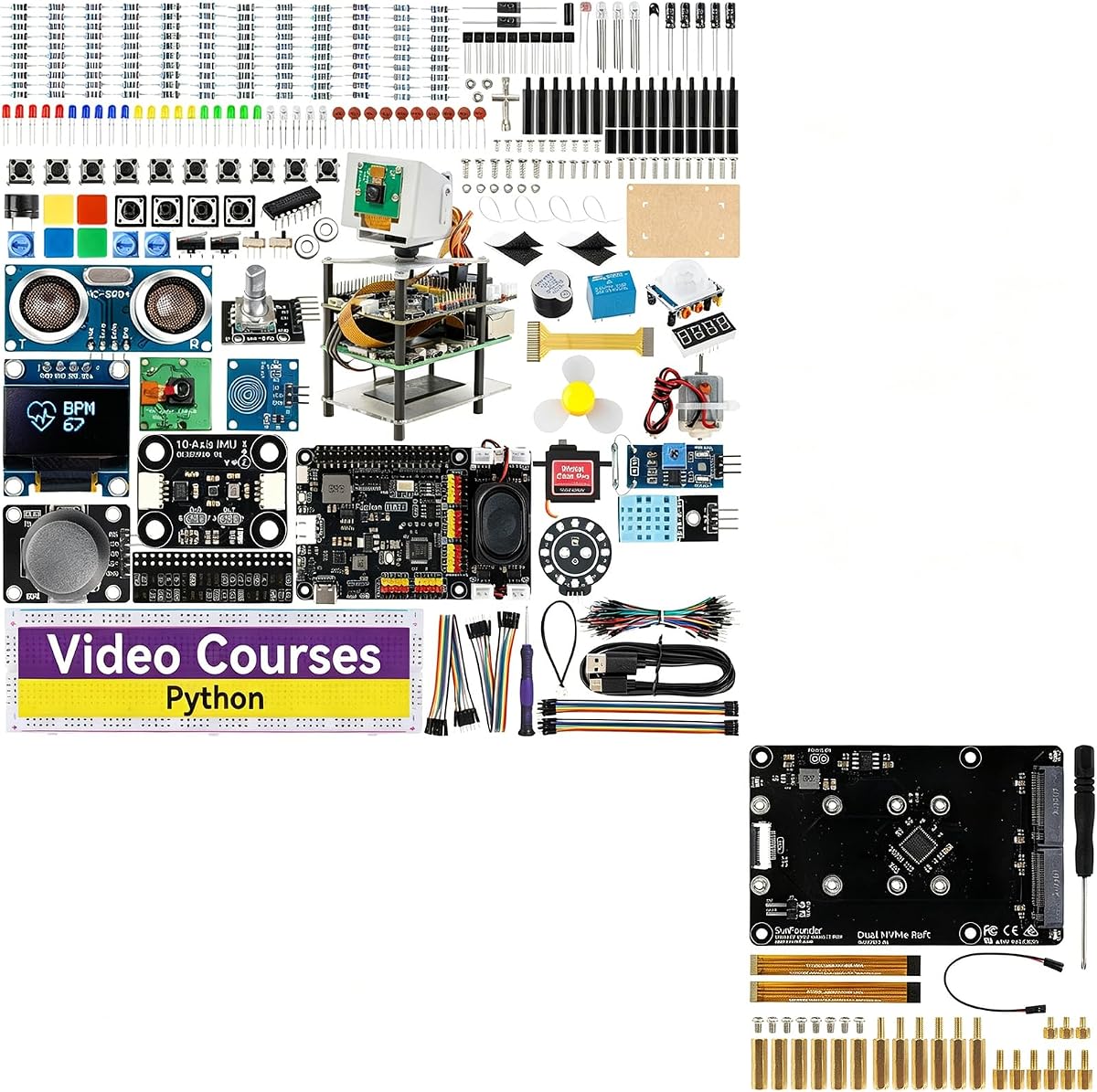


The SunFounder AI Fusion Lab Kit ranks first as our top choice for AI Raspberry Pi kits. It brings together versatile hardware and powerful software support in one box. With a 4.6-star rating, it stands out for its all-in-one design and educational resources that help you learn quickly.
We may earn a commission when you buy through this link, at no additional cost to you.
This kit supports multi-LLM integration including ChatGPT, Gemini, and Grok. It includes a Pan-Tilt HAT for dynamic vision tracking and a 10-axis motion module. Guided video lessons by Paul McWhorter walk you through Python basics, voice recognition, and computer vision using OpenCV and MediaPipe.
While it offers exceptional value, note that the Raspberry Pi board itself is not included. You will also need to assemble the components and wire circuits. These trade-offs are acceptable because the kit provides a focused, structured learning path that saves time and reduces frustration.
Buy this if you want a comprehensive starting point for AI projects. It suits beginners, students, and hobbyists who need clear instructions and diverse tools. The combination of hardware flexibility and curated lessons makes it the most balanced kit for launching your AI journey today.
Connect to multiple LLMs like DeepSeek, Qwen, and Ollama for rich interactive experiences without coding complex bridges.
Follow step-by-step video lessons and documentation that take you from basic wiring to advanced multi-modal AI projects.
We may earn a commission when you buy through this link, at no additional cost to you.
The Vilros Raspberry Pi 5 AI Kit takes second place as the best premium option. It delivers raw power with a 26 TOPS AI accelerator and includes the Raspberry Pi 5 board. Its perfect 5.0-star rating reflects the completeness and reliability of this hardware-focused set.
We may earn a commission when you buy through this link, at no additional cost to you.
You get a Raspberry Pi 5 with 8GB RAM, an Hailo-8 accelerator for neural network tasks, and an active cooler. A 128GB SD card comes preloaded with Raspberry Pi OS, and accessories like cables and storage cases are included. This setup is ideal for developers needing immediate performance.
The main drawback is the higher price and lack of sensors. It focuses on compute power rather than hands-on electronics learning. However, for those who need a server or inference device ready to run complex models without sourcing parts, this reliability is worth the cost.
Choose this kit if you prioritize speed and stability. It is best for home labs, edge AI deployment, or robotics where latency matters. The included accessories and preloaded system make it the fastest path to a powerful, production-ready AI Raspberry Pi setup.
The Hailo-8 chip enables real-time object detection and segmentation tasks that would struggle on standard CPU processing.
With OS preloaded and all cables included, you can power on and begin coding projects within minutes of unboxing.
We may earn a commission when you buy through this link, at no additional cost to you.
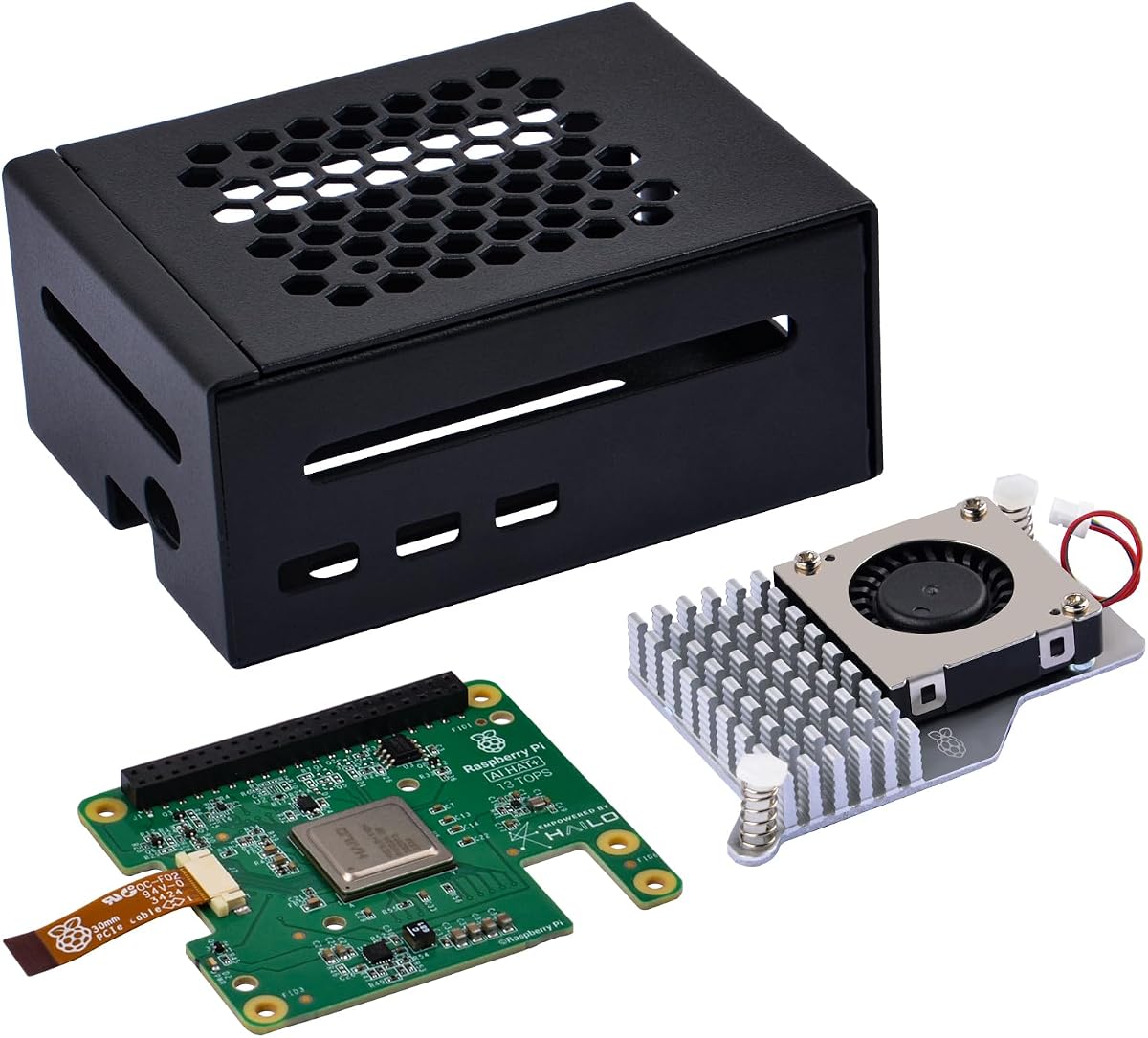
The GeeekPi AI HAT+ Build-in Hailo kit earns our third spot as the best budget-friendly AI acceleration option. It delivers a 13 TOPS neural network accelerator with a metal case and active cooler. Its 4.5-star rating confirms users find it effective and reliable for local AI tasks.
We may earn a commission when you buy through this link, at no additional cost to you.
This kit adds an AI HAT+ to your Raspberry Pi 5 via the PCIe Gen 3 interface. It includes a metal case to protect the board and an active cooler to manage heat during intensive work. The NPU runs neural networks for object detection and pose estimation efficiently.
Keep in mind you must buy the Raspberry Pi 5 separately. It is a hardware addition rather than a full starter kit. Still, the combination of protection, cooling, and AI performance offers great value. It is an ideal upgrade for existing Pi owners looking to add intelligence.
Opt for this if you want to boost AI capability affordably. It suits makers, students, and home automation users who already own a Pi 5. The metal case ensures durability while the Hailo accelerator brings serious compute power without a high cost.
The onboard NPU handles vision and segmentation tasks faster and with less power than CPU-based approaches.
The metal case shields components from dust and scratches while the active cooler maintains optimal operating temperatures.
We may earn a commission when you buy through this link, at no additional cost to you.
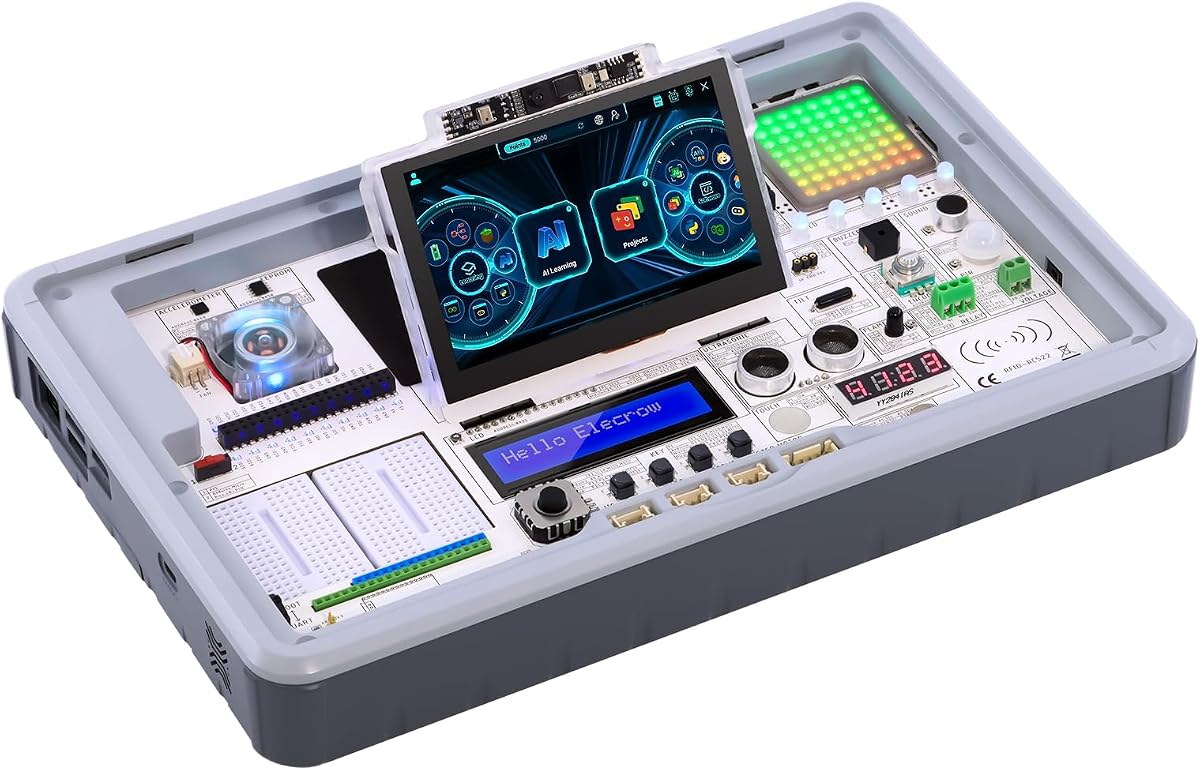
The ELECROW CrowPi3 AI Learning Kit offers a broad sensor selection and integrated display. It comes with 41 different sensors and 200 lessons to guide your coding journey. Its 4.3-star rating reflects strong educational value, though hardware flexibility varies compared to other kits.
We may earn a commission when you buy through this link, at no additional cost to you.
This kit includes a 4.3-inch capacitive touch display and a 2-megapixel camera. It supports major boards like Raspberry Pi 5, Arduino Nano, and Pico. The sensors and modules are pre-wired, so you can focus on software and logic instead of circuit assembly.
Note that the Raspberry Pi 5 is not included in the basic version. It is designed for those who already own a board or want to learn on alternative platforms. This keeps the price accessible but requires additional planning for hardware setup and connectivity.
Choose this if you want an educational station with minimal wiring. It fits classrooms, workshops, or learners who value variety over raw compute. The integrated display and sensor suite make exploring AI concepts and robotics simple and interactive for all skill levels.
The built-in 4.3-inch screen lets you interact with projects visually without connecting an external monitor.
With modules already mounted, you can write code immediately instead of spending time on breadboarding and wiring.
We may earn a commission when you buy through this link, at no additional cost to you.
This SunFounder kit adds a Dual NVMe Raft to the standard Fusion Lab Kit. It supports two M.2 slots for fast storage and RAID configurations. Its 4.4-star rating highlights its value for makers wanting robust storage alongside AI capabilities and sensor integration.
We may earn a commission when you buy through this link, at no additional cost to you.
The Dual NVMe Raft provides PCIe Gen 2.0 support with up to 500MB/s speed per slot. It works with Pi 5 boards and can host SSDs or an Hailo-8L accelerator. The Fusion HAT+ includes voice interaction, power management, and a speaker for complete multi-modal projects.
Be aware that the Raspberry Pi board is not included. You also need to decide between SSD storage or an accelerator. While it adds complexity, this flexibility is perfect for NAS builders, media servers, or developers needing persistent high-speed data access for AI models.
Buy this if you want storage expansion with AI. It suits home labs and makers building servers or complex automation. The combination of Fusion HAT+ software and dual NVMe slots makes it ideal for projects needing both computation and large, fast storage.
Configure RAID 0 for speed or RAID 1 for redundancy to match your project's data reliability needs.
The Fusion HAT+ provides unified control, voice interaction, and power management to simplify your setup.
We may earn a commission when you buy through this link, at no additional cost to you.
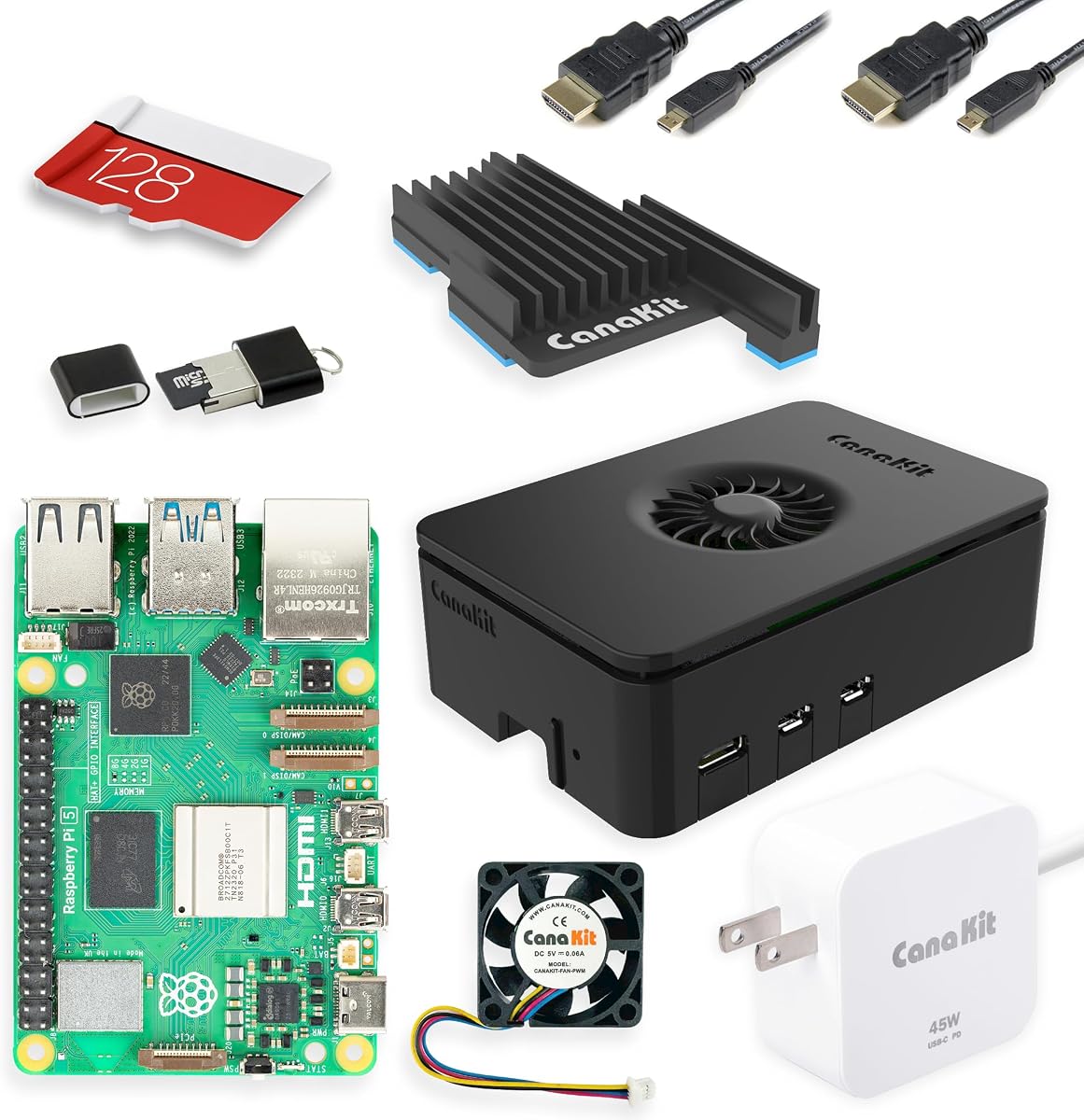
The CanaKit Raspberry Pi 5 Starter Kit PRO offers a solid foundation for any Pi project. It includes the Pi 5 board, case, power supply, and preloaded SD card. Its 4.7-star rating shows users value its reliability and quality for general-purpose computing and development.
We may earn a commission when you buy through this link, at no additional cost to you.
You get a Turbine Black case with a low noise bearing fan for cooling. The 128GB SD card comes with Raspberry Pi OS preloaded for immediate use. Display cables and a 45W PD power supply are also included. It is ready to run Docker, media servers, or coding tasks.
This kit focuses on core hardware rather than AI-specific components. It does not include sensors or AI accelerators. However, its strong build quality makes it an excellent base. You can easily add AI HATs or sensors later as your project needs grow.
Choose this if you need a dependable start for your Pi 5. It suits students, home users, and developers who want a reliable setup. The included accessories and active cooling make it a great platform to build upon for future AI enhancements and projects.
High-quality components ensure stable operation for daily computing and development tasks without overheating.
With OS preloaded and all essentials included, you can start learning Python or Linux immediately.
We may earn a commission when you buy through this link, at no additional cost to you.
The Raspberry Pi 5 Essentials Starter Kit PRO by Seeed Studio uses official hardware for stability. It includes the Pi 5 board, official case with active cooling, and power supply. Its 4.6-star rating highlights trust in official components for performance and long-term use.
We may earn a commission when you buy through this link, at no additional cost to you.
This kit features an official 27W USB-C power supply and a case with an integrated active cooling fan. The 128GB microSD card is preloaded with Raspberry Pi OS. It is designed for demanding applications like Docker, media servers, and edge AI without additional sourcing.
Note that it focuses on core components rather than AI sensors. It does not include specialized AI accelerators. However, the official design ensures compatibility and reliability. It is a strong choice for users who want a stable base before expanding with custom boards.
Buy this if reliability is your priority. It suits professionals and makers building mission-critical setups. The official cooling and power components prevent throttling. With Seeed Studio support and warranty, it is a smart investment for serious Pi projects and development.
Official hardware ensures maximum compatibility and stable performance across all Raspberry Pi OS updates.
Designed for edge AI and Docker workloads, this kit supports demanding tasks without needing additional hardware.
We may earn a commission when you buy through this link, at no additional cost to you.
The SunFounder AI Robot Kit brings robotics to your AI Raspberry Pi projects. It includes 12 servos, sensors, and a camera for real-time control. Its 4.3-star rating shows users enjoy its interactive capabilities and ChatGPT-4o voice and vision integration for playful experiences.
We may earn a commission when you buy through this link, at no additional cost to you.
This kit uses a Raspberry Pi Zero 2 W and supports 32 actions like walking and sitting. It features voice commands, app control, and FPV streaming. The ChatGPT-4o integration allows natural conversation and visual problem solving via the camera. It is highly interactive for learning.
The Pi Zero 2 W limits heavy compute compared to full Pi 5 boards. This kit is best for robotics rather than server-level AI. However, its ready-to-build design and engaging features make it ideal for hobbyists wanting a physical, intelligent robot without sourcing motors or chassis.
Choose this if you want a tangible AI project. It suits makers interested in robotics, automation, or interactive play. The sensor suite and ChatGPT integration provide a unique learning experience that combines hardware control with advanced AI language and vision capabilities.
ChatGPT-4o lets you command the robot with natural language while it sees and reacts to your environment.
FPV video and app control let you guide movements and observe its perspective from anywhere.
We may earn a commission when you buy through this link, at no additional cost to you.
The ELECROW CrowPi 3 provides a complete learning environment for AI and STEM. It includes a 4.3-inch capacitive display and 41 onboard sensors. Its 4.1-star rating reflects a strong curriculum, though the lack of an included Pi board requires users to supply hardware separately.
We may earn a commission when you buy through this link, at no additional cost to you.
This kit supports Raspberry Pi 5, Arduino Nano, micro:bit, and Pico. It features 200+ course resources covering AI interaction and Node-RED IoT projects. The sensors are pre-mounted, so you can focus on software. It offers intuitive voice and visual interaction capabilities.
Note the Raspberry Pi 5 is not included. It is designed for those who already own hardware or want flexible board options. This adds initial planning but keeps the kit adaptable. It suits educators and self-learners who value curriculum over immediate compute power.
Buy this if you want structured learning and visual interaction. It fits classrooms or makers building interactive apps. The integrated display and sensor layout make prototyping simple. With multi-board support, it grows with your skills from beginner to advanced development.
Over 200 guided lessons ensure you progress steadily from basics to complex IoT and AI projects.
The capacitive display and microphone enable direct touch and voice control without external screens.
We may earn a commission when you buy through this link, at no additional cost to you.
The CrowPi 3 Full Set includes a Raspberry Pi 5 16GB board with sensors and lessons. It offers a ready-to-use environment for AI and IoT. Its 4.5-star rating shows users value the high memory capacity and comprehensive educational resources included in this station.
We may earn a commission when you buy through this link, at no additional cost to you.
This kit combines the Pi 5 16GB with 41 onboard sensors and a 4.3-inch display. It supports multiple boards and includes 200+ guided courses. With 16GB RAM, it handles heavy LLMs and multitasking efficiently. It is ideal for developers needing power and curriculum together.
The higher price is a trade-off, but the included 16GB board makes it valuable. Setup involves multiple components, though the layout is clear. This kit is best for serious learners who want a professional-grade system without sourcing hardware and sensors separately for their station.
Choose this if you need memory and structure. It fits developers, educators, and advanced makers. The 16GB RAM handles demanding tasks, and the lessons ensure you make full use of the hardware. It is the most complete AI and STEM station available today.
16GB memory enables running multiple AI models and processes without slowdowns or bottlenecks.
With everything included, you can start experimenting immediately without buying extra components or software.
We may earn a commission when you buy through this link, at no additional cost to you.
Selecting the right AI Raspberry Pi kit depends on your project needs, technical skill, and whether you want a complete set or modular hardware.
Ensure the kit supports your Pi model. Some kits include the Pi 5, while others require you to supply it. Check if the kit works with older boards or specific HATs.
Always confirm the board version and whether the kit includes the Pi itself to avoid unexpected additional costs.
Look for kits with dedicated NPUs like Hailo-8 for 13-26 TOPS. This speeds up vision and inference tasks compared to CPU-only setups.
Choose kits with accelerators if you need real-time processing for robotics or object detection projects.
Kits with pre-mounted sensors save assembly time. Check if modules are wired or need breadboarding and how many types are included.
More sensors enable multi-modal projects. Prioritize kits with ready-to-use modules if you want to start coding quickly.
Kits with video lessons and documentation reduce trial and error. Look for Python tutorials, LLM guides, and community support.
Strong software support ensures you can complete projects independently without needing external courses.
Kits with built-in speakers and microphones enable voice AI projects. Check for OpenCV, MediaPipe, or STT/TTS support.
Prioritize voice and camera features if you want human-like interaction in your AI Raspberry Pi system.
Check for NVMe slots, PCIe support, or USB expansion. This matters for storage, cameras, or additional AI hardware.
Kits with M.2 or PCIe support grow with your project. Look for these if you plan future upgrades.
AI workloads generate heat. Ensure the kit includes active cooling or a case with a fan for stable performance.
Verify the power supply matches the Pi and any HATs to prevent crashes or performance throttling.
Consider whether you need a full set or an accelerator. Some kits cost more but include Pi boards and accessories.
Balance cost against components. If you own a Pi, an add-on HAT may be cheaper than a full starter kit.
Connect the kit to a power supply and monitor. Install the provided OS image on the SD card using an image writer tool like Raspberry Pi Imager.
Follow the included tutorials to set up Python libraries and AI frameworks. Test basic sensors and commands before starting complex projects.
Keep the kit in a cool, dry place. Clean dust from fans and avoid touching GPIO pins. Ensure power and HAT connections are secure before each use.
The SunFounder AI Fusion Lab Kit is ideal for beginners. It offers guided videos, multi-LLM support, and ready-to-use components. It simplifies learning and provides a clear path from setup to projects.
Yes, many kits support local LLMs. The SunFounder and CrowPi 3 kits include documentation for running models like Ollama or Qwen. Higher RAM boards or HATs improve performance for larger models.
Not always. Kits like Vilros include the Pi 5. Others like SunFounder or CrowPi require you to supply the board. Check product details to confirm what is included.
Light models like YOLO for vision and small LLMs like TinyLlama work well. For heavy models, use a Hailo HAT or 16GB RAM. Optimized runtimes like ONNX improve efficiency.
Yes, kits like SunFounder AI Robot Kit are designed for robotics. They include servos and cameras. Others allow building robotics if you add motor drivers and wheels.
Add an AI HAT+ with Hailo or use the SunFounder Fusion HAT+. Install Python libraries like OpenCV or TensorFlow Lite. These kits provide drivers and tutorials for quick integration.
Our top picks cover different needs. The SunFounder AI Fusion Lab Kit leads in learning. The Vilros Raspberry Pi 5 AI Kit offers top performance. The GeeekPi AI HAT+ is the best budget accelerator.
Prioritize what matters most. If you need guidance, choose a kit with lessons. If you need speed, get one with an accelerator. Match the components to your project goals.
Prices and availability change frequently. Check current listings and confirm board inclusion before buying. With the right kit, you can launch creative AI Raspberry Pi projects today.