
Creality CR-Scan Ferret SE
3.0Editor score
Anti-shake tracking
30FPS speed
No spray needed
Full-color output
Discover the best 3D scanners for 2026. This guide compares top models for accuracy, speed, and value to help you choose the right device.
Modern 3D scanners transform real-world objects into digital models with incredible precision. Whether you need them for design or engineering, the right tool streamlines your workflow effectively.
We evaluated ten top-rated scanners based on accuracy, speed, and ease of use. Our analysis covers handheld and desktop options suitable for various professional and hobbyist applications.
Each pick highlights key strengths and limitations to guide your decision. Please note that pricing and availability change frequently, so verify details before purchasing your next device.
3.0Editor score

5.0Editor score

5.0Editor score
This table compares the core specifications and capabilities of the ten selected 3D scanners to help you find the best fit for your needs.
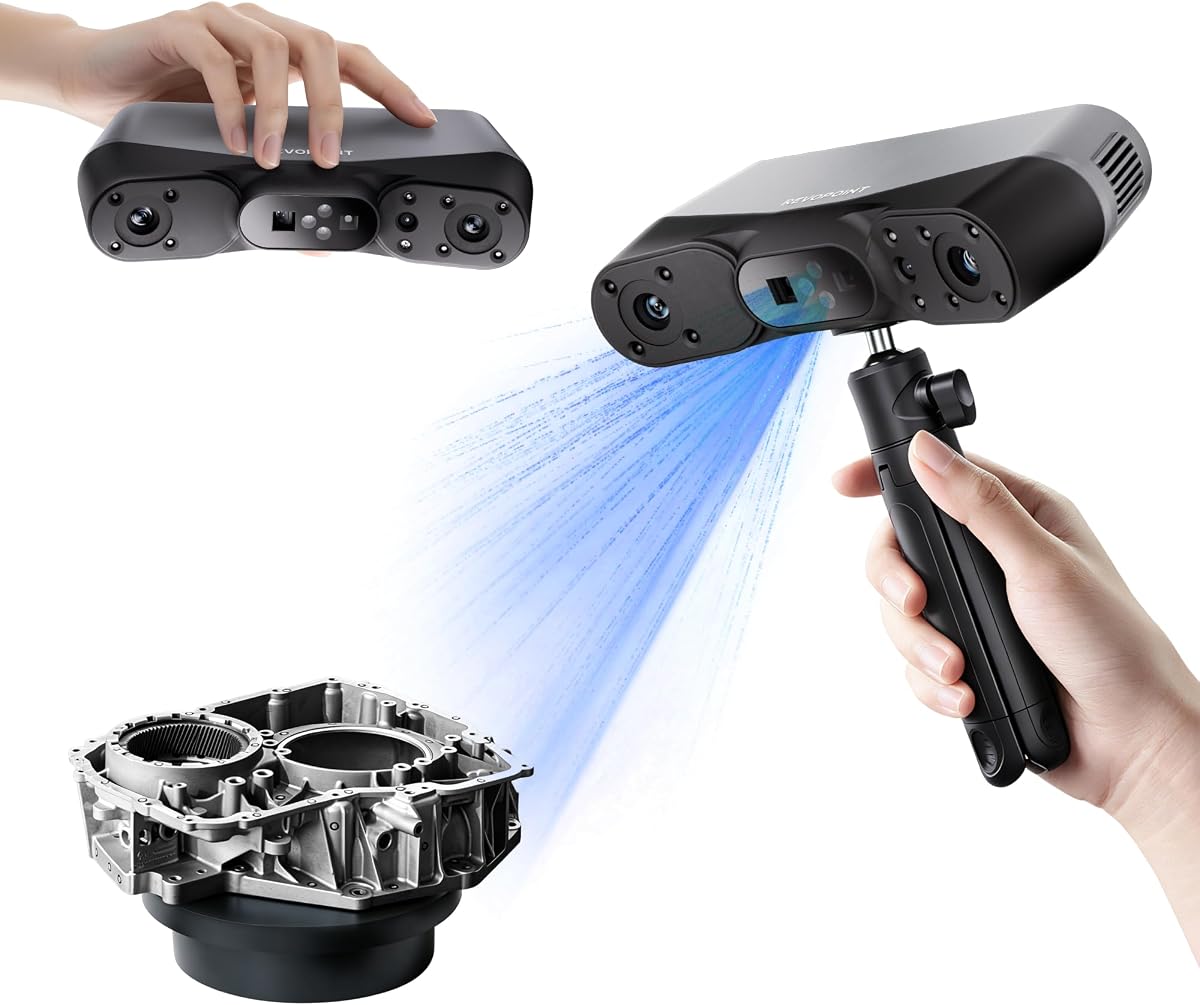


The Creality Pika stands out as the top choice for professionals needing high precision. With a rating of 5.0, it delivers exceptional performance across diverse scanning tasks.
We may earn a commission when you buy through this link, at no additional cost to you.
Its dual-mode system uses blue laser and NIR structured light for detailed captures. The AI-powered body completion and retexturing features save significant time during post-processing.
While powerful, the Pika requires a slight learning curve for advanced features. The price is higher than entry models but justified by industrial-grade results.
Buy this if you need reliable accuracy and wireless mobility. It is ideal for reverse engineering and detailed modeling projects.
Switch between blue laser and NIR light for different surfaces and object sizes easily.
Automatically fills holes and maps textures to create photorealistic models instantly.
We may earn a commission when you buy through this link, at no additional cost to you.
The Revopoint POP 4 brings industrial-grade accuracy to handheld scanners. Its AI segmentation feature simplifies data cleaning significantly for users.
We may earn a commission when you buy through this link, at no additional cost to you.
Scanning speed reaches 105 FPS with NVIDIA GPU acceleration. The five scanning modes ensure flexibility for various object types and environments.
Software features like Revo Design cost extra. This increases the total investment but offers advanced reverse engineering tools.
Choose this for high-speed industrial applications. It is strong for rapid fieldwork and detailed modeling.
Automatically identifies targets and filters background noise for cleaner data.
Reliable in harsh light conditions with external filters included.
We may earn a commission when you buy through this link, at no additional cost to you.
Weighing only 190g, the INSPIRE 2 is perfect for on-the-go scanning. It balances performance and weight exceptionally well for professionals.
We may earn a commission when you buy through this link, at no additional cost to you.
The dual scanning modules handle infrared structured light and multi-line laser efficiently. Wireless streaming allows real-time monitoring on mobile devices.
Accuracy is slightly lower than premium industrial units. However, it remains highly effective for most design and printing tasks.
Select this for mobile fieldwork. It offers great flexibility without compromising too much on detail.
View scans live on your phone for real-time remote operations.
Adjust zoom levels to focus on intricate details easily.
We may earn a commission when you buy through this link, at no additional cost to you.
The MetroY Ultra delivers top-tier accuracy suitable for strict tolerances. With a rating of 5.0, it excels in industrial inspection and reverse engineering.
We may earn a commission when you buy through this link, at no additional cost to you.
It captures intricate details flawlessly using advanced blue laser technology. Wireless control via Wi-Fi 6 enhances mobility during large scans.
The premium price reflects its high-end capabilities. It is designed for professionals needing unmatched reliability and speed.
Invest in this for industrial applications. It offers the highest precision available in this lineup.
Achieve single-frame precision up to 0.01mm for tight measurements.
Directly scan shiny or dark surfaces without chemical assistance.
We may earn a commission when you buy through this link, at no additional cost to you.
The MetroX Pro bridges the gap between standard and industrial scanners. It offers a perfect balance of speed and accuracy for design professionals.
We may earn a commission when you buy through this link, at no additional cost to you.
PC-to-mobile real-time streaming enhances workflow flexibility. The automatic turntable scanning simplifies complex object captures significantly.
Software features may require additional costs for full utility. This is a consideration for small studios or individuals.
Opt for this if automation is key. It speeds up workflows for repetitive scanning tasks.
Monitor scans on phones or tablets for real-time adjustments.
Automate 3D scanning of complex objects with one click.
We may earn a commission when you buy through this link, at no additional cost to you.
The Fox provides an accessible entry point into 3D scanning. It offers reliable performance for hobbyists and beginners looking to start.
We may earn a commission when you buy through this link, at no additional cost to you.
Its AI visual tracking relocks onto objects if movement interrupts scanning. This reduces frustration for users still learning the technique.
Accuracy is lower than industrial units. It suits general modeling and printing needs rather than strict engineering.
Start with this if budget is a concern. It provides a solid foundation for learning scanning basics.
Recover scanning position easily if movement occurs during work.
Combine scanning, editing, and optimizing in one seamless process.
We may earn a commission when you buy through this link, at no additional cost to you.
The Otter Lite offers robust performance for general scanning. It handles various object sizes effectively with its quad-camera design.
We may earn a commission when you buy through this link, at no additional cost to you.
Scanning speed reaches 30 FPS which ensures smooth workflows. Eye-safe infrared light makes it safe for face and full-body scans.
Speed is lower than high-end models. This might slow down projects requiring rapid data acquisition.
Pick this for versatile daily use. It is a great tool for general design and printing.
Use dual lenses for details and wide coverage simultaneously.
Class I laser safety ensures safe operation for all users.
We may earn a commission when you buy through this link, at no additional cost to you.
The Ferret SE is an excellent budget choice for beginners. It provides essential features needed for hobbyist projects.
We may earn a commission when you buy through this link, at no additional cost to you.
Anti-shake tracking improves success rates even with hand movement. Full-color capture adds realism to models without complex post-processing.
Precision is lower than pro models. However, it is sufficient for many creative and educational uses.
Choose this if cost is a priority. It offers great value for entry-level scanning needs.
Ensure smooth results even with rapid movements or shaky hands.
Built-in high-resolution camera captures vivid original colors.
We may earn a commission when you buy through this link, at no additional cost to you.
The Ferret Pro adds wireless freedom to budget-friendly scanning. Its WiFi 6 bridge ensures faster data transfer than previous models.
We may earn a commission when you buy through this link, at no additional cost to you.
It supports iOS and Android for enhanced mobility. The anti-shake tracking maintains stable scanning even in dynamic environments.
Avoid highly reflective surfaces for best results. This is a practical constraint for certain objects.
Select this for mobile scanning needs. It is ideal for on-site work and quick reviews.
Enjoy three times faster data transfer for efficient workflows.
Use with Windows, Mac, and mobile devices effectively.
We may earn a commission when you buy through this link, at no additional cost to you.
The MIRACO Plus acts as a standalone workstation for scanning. With 32GB RAM, it handles large point clouds without external computers.
We may earn a commission when you buy through this link, at no additional cost to you.
Photogrammetric metrology ensures precise measurements for complex parts. The flip screen allows easy viewing from any angle during use.
Weight is higher due to internal processing power. This reduces mobility compared to lighter handhelds.
Use this for standalone professional setups. It eliminates the need for external laptops entirely.
Integrate scanning, processing, and storage in one device.
Use integrated kit for length accuracy on large objects.
We may earn a commission when you buy through this link, at no additional cost to you.
Choosing the right scanner involves balancing accuracy, speed, and workflow needs. Here are the main factors to consider.
Accuracy determines how closely the model matches the real object. Industrial tasks often require 0.01mm to 0.05mm. Lower precision works for general modeling.
Faster frame rates improve efficiency during large projects. Look for rates above 30 FPS for smooth workflows. Some devices offer thousands of points per second.
Multiple modes allow handling different materials and sizes. Structured light works for color; lasers for details. Consider options like auto turntable for automation.
Many objects like dark or shiny metal need special handling. Advanced scanners capture these without spray. Look for infrared or blue laser modes for best results.
Wireless options enhance mobility in the field. Wi-Fi 6 offers faster data transfer than older versions. Check app support for mobile monitoring.
Software must align with your existing tools. Export formats like STL or OBJ are standard. Some software features require separate purchases so plan budget carefully.
Start by calibrating your device using the provided board. Proper calibration ensures accurate data capture. Follow the software guide for initial setup.
Structured light scanners use patterns of light to map surfaces and are great for color. Laser scanners use lines for high precision and are better for small details. Both capture 3D geometry effectively.
Most scanners come with basic software for viewing and exporting. Advanced editing may require paid tools. Always check compatibility with your OS and 3D apps.
Yes, handheld scanners can capture large objects by scanning in sections. Stitching software merges these sections into one model. Some models support markers for alignment.
Advanced models use blue lasers or infrared light to capture dark surfaces. Shiny objects might still require treatment or matte spray. Check specs for dark object capabilities.
Scan time depends on size and detail level. Small items take minutes while large ones take longer. Fast models capture thousands of points per second.
The Creality Pika leads our list for overall performance. The Ferret SE and MetroY Ultra offer strong budget and premium alternatives. Each tool serves different needs effectively.