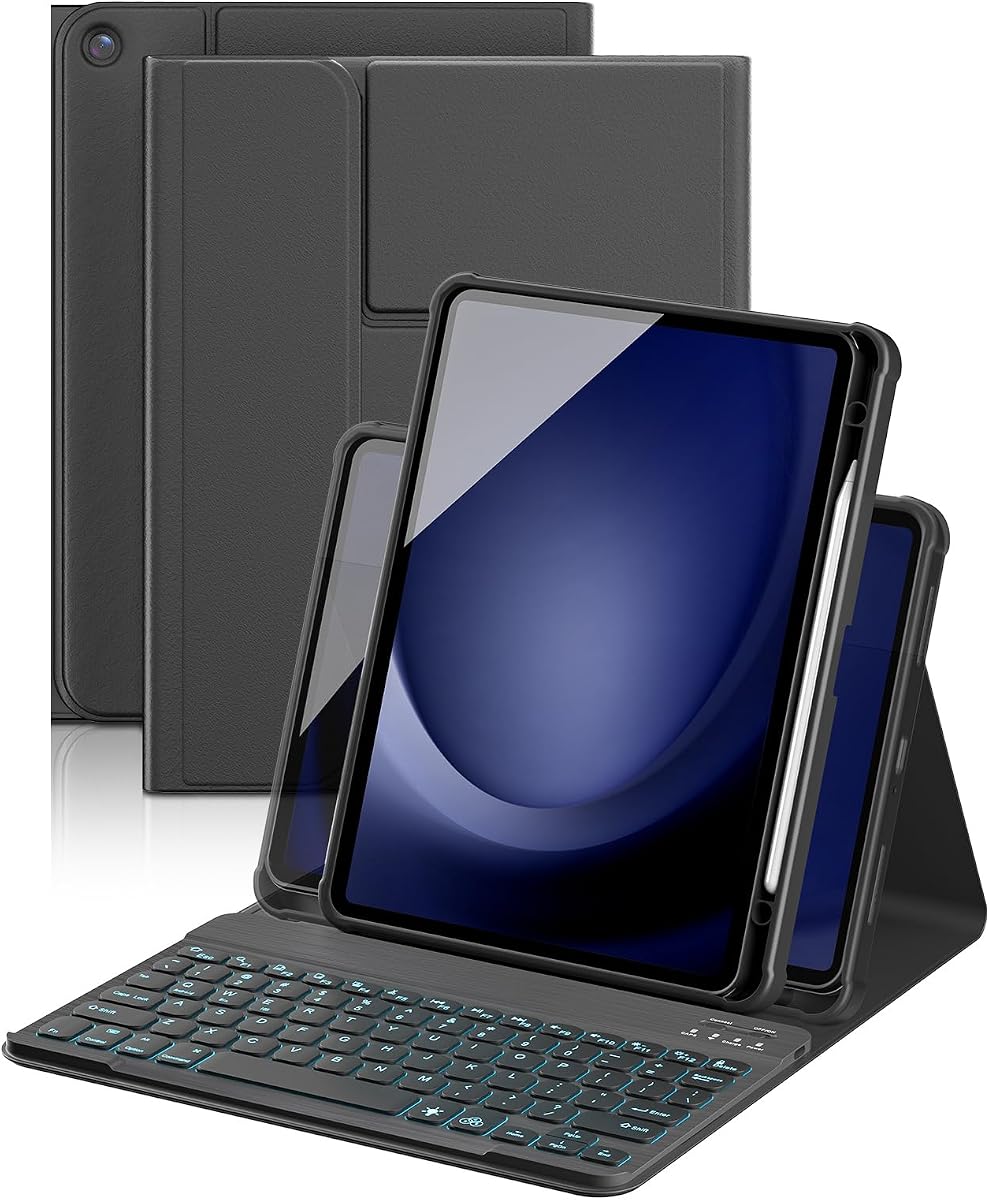
YBING Keyboard Case for Samsung Galaxy Tab A11 Plus & Galaxy Tab A9 Plus
4.5Editor score
360 degree rotation
Rainbow backlight modes
Multi-angle adjustment
This guide compares the top keyboards for Samsung A11 tablets to help you find the best wireless option with trackpad, backlight, and protection features.
Finding the right keyboard for your Samsung A11 tablet transforms it into a productive workstation. You need reliable connectivity, comfortable typing, and robust protection for daily use.
We evaluated ten top-rated keyboard cases based on build quality, battery life, and feature sets like trackpads and backlights. Our comparison ensures you get the best value for your needs.
Each pick highlights specific strengths and potential trade-offs. Note that product availability and pricing can change, so check current listings before making your final purchase decision today.
4.5Editor score

4.3Editor score

4.6Editor score
Below is a detailed side-by-side comparison of the ten best keyboard cases available for the Samsung Galaxy Tab A11 series. This table helps you quickly identify key specifications and features.


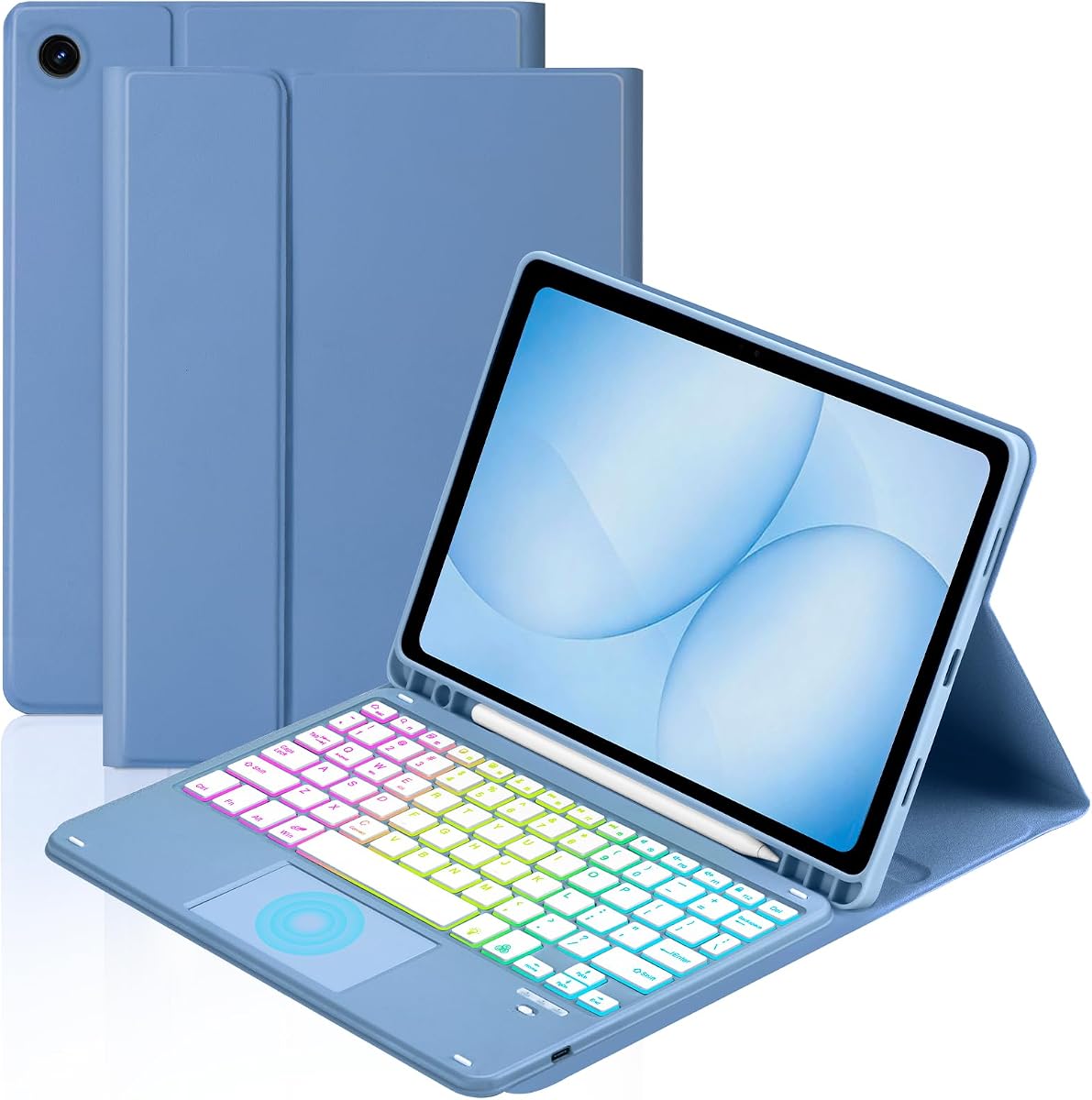


The Dexnor case is a top-rated choice for Samsung A11 users seeking a full laptop experience. It features a strong magnetic connection and a built-in trackpad for easy navigation.
We may earn a commission when you buy through this link, at no additional cost to you.
Its ultra-light design weighs only 1.36lbs, making it perfect for travel. The battery offers up to 720 hours of standby time, ensuring you are always ready to work.
While the screen sits on the base rather than being elevated, the 120-degree angle provides comfort. The keyboard supports multi-finger gestures for efficient multitasking.
This case is ideal for professionals who need productivity on the go. The included S Pen holder adds convenience for note-taking without extra bulk.
The built-in multi-touch trackpad allows you to edit documents and browse the web without touching the screen.
With 720 hours of standby time, you can rely on this keyboard for weeks between charges.
We may earn a commission when you buy through this link, at no additional cost to you.
The TUNKARMOR case offers exceptional value with a detachable magnetic keyboard. It turns your tablet into a mini laptop quickly and provides full 360-degree protection.
We may earn a commission when you buy through this link, at no additional cost to you.
The honeycomb grid pattern protects against overheating, increasing the lifespan of your device. You can adjust the tablet to three different angles for various tasks.
Although it does not include a pen, the holder keeps it secure. The auto sleep/wake function helps save battery life when not in use.
This is a great budget option for students or casual users. It balances protection and functionality well for daily use.
The magnetic keyboard can be detached, allowing you to use the tablet freely without the keyboard attached.
The honeycomb grid pattern inside provides cushioning and helps prevent overheating during use.
We may earn a commission when you buy through this link, at no additional cost to you.
This premium keyboard case stands out with an included rechargeable Bluetooth mouse. It is designed for users who want a complete desktop-like workflow.
We may earn a commission when you buy through this link, at no additional cost to you.
The trackpad supports multi-finger gestures, making navigation smooth and efficient. The 7-color rainbow backlight adds a vibrant touch to your setup.
While the colorful lighting is stylish, it might distract some users. The Type-C charging ensures quick power-ups for your daily work sessions.
Ideal for creative professionals or power users, this case offers advanced features. The combination of a mouse and trackpad sets it apart.
The included Bluetooth mouse allows for precise control when editing documents or navigating complex apps.
Seven-color rainbow backlight modes add ambiance to your workspace for a fun typing experience.
We may earn a commission when you buy through this link, at no additional cost to you.
The Soke keyboard case supports iOS, Android, and Windows systems, making it versatile. It offers a long 10-meter operation distance for flexible placement.
We may earn a commission when you buy through this link, at no additional cost to you.
You can switch between seven backlight colors to suit your preference. The auto sleep/wake function helps extend your battery life.
While it lacks a trackpad, the keyboard itself is responsive and comfortable for typing. The S Pen holder keeps your stylus secure.
This is a great choice for users who switch between operating systems. The wireless range allows for comfortable viewing from a distance.
Support for iOS, Android, and Windows means you can use this keyboard across different devices easily.
With a 10-meter operation distance, you can type from the couch or other comfortable spots.
We may earn a commission when you buy through this link, at no additional cost to you.
This YBING case features a 360-degree rotating back cover, allowing for both horizontal and vertical viewing. The 16 built-in magnets provide strong adsorption.
We may earn a commission when you buy through this link, at no additional cost to you.
The rainbow backlight modes create a colorful environment for typing. Shortcut keys on the first row allow for quick access to functions.
You can rotate the cover to adjust angles easily for videos or reading. The pencil holder ensures your stylus is always accessible.
Best for users who watch videos or read in different orientations. The magnetic strength keeps the keyboard secure during use.
The 360-degree rotating back cover allows you to switch between portrait and landscape effortlessly.
With 16 magnets, the keyboard stays firmly attached to the case without sliding around.
We may earn a commission when you buy through this link, at no additional cost to you.
The Harvopu case includes a wireless mouse with 3-level DPI adjustment for precision. It is ideal for graphic editing or detailed work.
We may earn a commission when you buy through this link, at no additional cost to you.
The battery lasts up to 180 hours on a single charge. The case is stain-resistant and easy to wipe clean from spills.
You can switch between single-color and three-color backlight modes. The mouse completes your workstation for desktop-like accuracy.
This is a top choice for professionals who need mouse control. The durable design ensures longevity even with daily use.
The 3-level DPI adjustment lets you switch between detailed editing and fast browsing easily.
The case repels stains and wipes clean easily, keeping your tablet looking like new.
We may earn a commission when you buy through this link, at no additional cost to you.
The TiMOVO case offers a long battery life with a 420mA rechargeable battery. It supports three viewing angles for comfortable use.
We may earn a commission when you buy through this link, at no additional cost to you.
The 7-color vibrant backlight makes typing fun even in the dark. The anti-slide design ensures the tablet stays secure on surfaces.
If unused for 10 minutes, it enters sleep mode and disconnects. This saves power but requires a key press to wake up.
This is a reliable option for daily use. The detachable keyboard provides flexibility when you want to use just the tablet.
The anti-slide design ensures your tablet stays firmly in place on desks and tables.
7 vibrant colors allow you to personalize the typing experience to your mood.
We may earn a commission when you buy through this link, at no additional cost to you.
This case features a smart touchpad that supports 1 to 4-finger gestures. It provides seamless navigation similar to a laptop.
We may earn a commission when you buy through this link, at no additional cost to you.
The rainbow backlight and breathing modes enhance visibility in low light. The detachable keyboard is convenient for carrying the tablet alone.
While it lacks a wireless mouse, the touchpad covers most needs. The multi-function keys allow for quick actions like copy and paste.
Ideal for users who prefer touch navigation. The smart gestures allow for scrolling and switching apps without touching the screen.
Multi-finger gestures allow you to scroll pages and switch applications efficiently without touching the screen.
The rainbow backlight includes a breathing mode for a subtle and stylish lighting effect.
We may earn a commission when you buy through this link, at no additional cost to you.
This MePadKey case allows system switching by pressing FN+(Q W E). It supports three systems for versatile use across devices.
We may earn a commission when you buy through this link, at no additional cost to you.
The touchpad supports multi-finger gestures for easy navigation. The 360-degree rotation allows for flexible viewing angles.
You can take screenshots and switch apps with specific gestures. The pen holder on the case keeps your stylus organized.
This is a versatile option for multi-device users. The system switching feature simplifies workflows across different operating systems.
Press FN+(Q W E) to switch between three operating systems easily without disconnecting.
Swipe gestures allow you to take screenshots and enter the main interface efficiently.
We may earn a commission when you buy through this link, at no additional cost to you.
The Supveco case features a flexible silicone back and TPU cover for shock protection. The honeycomb grid pattern helps prevent overheating.
We may earn a commission when you buy through this link, at no additional cost to you.
The backlit keys automatically change colors, providing visual enjoyment. The auto sleep/wake function protects your tablet battery.
While the charge time is slightly longer, the large battery ensures efficiency. The stand shell securely holds the tablet for typing.
This is a great option for users prioritizing protection. The honeycomb grid increases lifespan and keeps your device running cool.
The flexible silicone back and TPU cover provide full protection against shocks and scratches.
Seven colors with automatic color change bring visual enjoyment to your typing experience.
We may earn a commission when you buy through this link, at no additional cost to you.
Choosing the right keyboard requires considering several key factors to ensure it meets your specific usage needs and budget requirements.
Always verify that the keyboard case is designed specifically for your Samsung A11 tablet model. Different models may have different ports or dimensions that affect fit.
Check the model number listed in your tablet settings before purchasing to ensure a perfect fit.
Most cases use Bluetooth for wireless connection. Look for cases with stable connections that do not disconnect frequently during use.
Ensure the connection range is sufficient for your typical use environment.
Battery life varies significantly between models. Some offer hundreds of hours of standby time while others offer fewer hours of active use.
Prioritize longer battery life if you plan to use the keyboard for extended periods away from power sources.
Look for standard layouts that include number rows and function keys. This ensures easier navigation and typing efficiency.
Check for shortcut keys that match your operating system for easier control.
Backlighting is useful for typing in low-light environments. Some cases offer single-color lights while others offer multi-color options.
Decide if you need specific color modes or just basic lighting for your needs.
Many keyboards include a built-in touchpad for navigation. This allows you to control the cursor without touching the screen.
If you prefer using a mouse, look for cases that include a separate wireless mouse accessory.
The case should offer protection against drops and scratches. Look for features like raised edges and durable materials.
Materials like PU leather or TPU offer different levels of shock absorption and protection.
Consider the weight and bulk of the keyboard case. Ultra-light designs are better for travel while heavier ones may offer more protection.
Check if the keyboard is detachable for easier transport of the tablet alone.
Connect your keyboard to the tablet via Bluetooth. Ensure both devices are charged to allow for a stable initial pairing process.
Clean the keys regularly with a dry cloth to remove dust and debris. Avoid using liquids that could seep into the keyboard mechanism.
Store the keyboard in a cool, dry place when not in use to prevent battery degradation. Turn off the device when not in use to save power.
Always check the model number of your Samsung A11 tablet in settings. The product description will list specific compatible model numbers like SM-X230 or SM-X236B. If your model is not listed, the case will not fit correctly.
Yes, most Bluetooth keyboards require charging via a Type-C cable. Some models have long battery life lasting weeks on standby while others need frequent charging for daily use.
Some keyboards support switching between multiple operating systems like Android iOS and Windows. Check the product details for multi-system support before purchasing.
Most keyboard cases are not waterproof. Avoid getting liquids on the keys as water damage can affect the electronic components and the tablet.
Most keyboards have a specific key combination to control backlight settings. Look for an FN key combined with brightness or light icons on the keyboard.
No, these are specifically designed for the Samsung A11 tablet. Older models have different dimensions and ports that make them incompatible.
Warranty terms vary by seller but most manufacturers offer limited warranties. Check the specific product listing for warranty details and return policies.
Yes, most cases allow you to detach the keyboard. This lets you use the tablet as a standalone device when typing is not needed.
The Dexnor and TUNKARMOR cases offer excellent value with strong features like trackpads and detachable designs.
Prioritize features like battery life and compatibility based on your daily workflow to ensure the best user experience.
Prices and availability change frequently so verify the current specs and reviews before finalizing your purchase today.